Organizujte všetky svoje kreatívne aktíva na jednom mieste
Výkonná knižnica aktív, ktorá automaticky ukladá všetko, čo vytvoríte pomocou AI. Hierarchické priečinky, organizácia presunom, dávkové operácie a sledovanie úložiska v reálnom čase — všetko na jednom mieste.
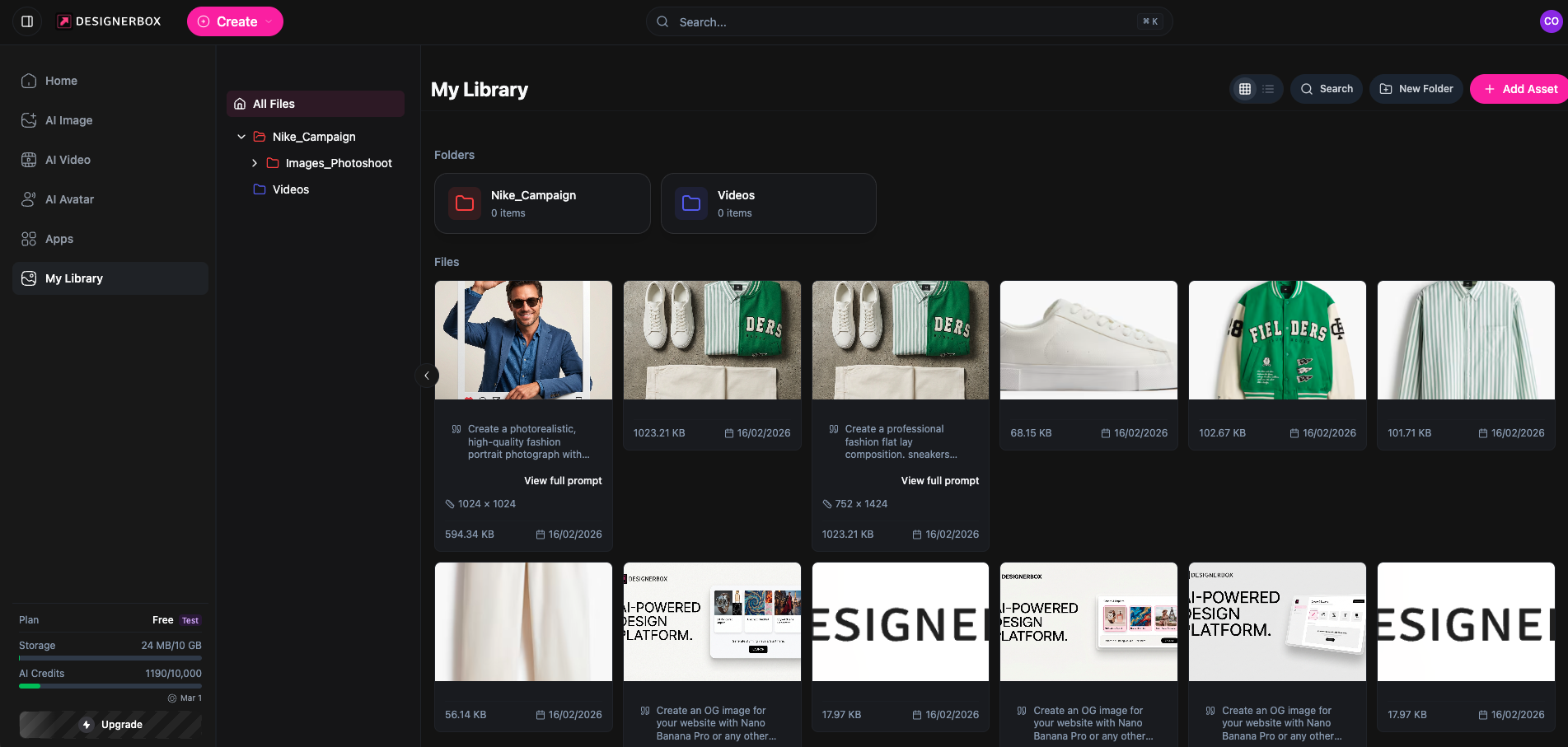
- Hierarchické priečinky s farebným kódovaním a presunom
- Zobrazenia mriežky a zoznamu s triedením, filtrovaním a vyhľadávaním
- Automatické nahrávanie zo všetkých nástrojov AI
- Viacnásobný výber dávkových operácií a stiahnutie ZIP
How It Works
Inteligentná organizácia
Hierarchický systém priečinkov s farebným kódovaním, navigáciou drobečkovou navigáciou a presunom medzi priečinkami. Udržujte svoje kreatívne aktíva prehľadne organizované.
Výkonné prehliadanie
Zobrazenia mriežky a zoznamu, triedenie podľa názvu, dátumu, veľkosti alebo typu. Filtrujte podľa typu súboru, priečinka alebo rozsahu dátumov. Okamžite vyhľadávajte naprieč všetkými aktívami.
Dávkové operácie
Vyberajte viacero aktív pre dávkové mazanie, dávkové presúvanie medzi priečinkami alebo stiahnite všetko ako ZIP archív jedným kliknutím.
Key Features
Everything you need to manage your creative assets
Systém priečinkov
Vytvárajte, premenúvajte, mažte a presúvajte priečinky s farebným kódovaním pre vizuálnu organizáciu
Presun a pustenie
Presúvajte aktíva medzi priečinkami intuitívnym presunom — rýchlo a bez námahy
Všetky typy aktív
Obrázky, videá a dokumenty — každý typ súboru z vašich AI výtvorov je podporovaný
Modály náhľadu
Náhľad obrázka v plnej veľkosti a prehrávanie videa priamo v knižnici bez stiahnutia
Zobrazenie metadát
Zobrazujte veľkosť súboru, rozmery, dátum vytvorenia a typ MIME pre každé aktívum
Automatické nahrávanie
Všetky obrázky, videá a avatary generované AI sú automaticky uložené do vašej knižnice
Two Ways to Browse Your Assets
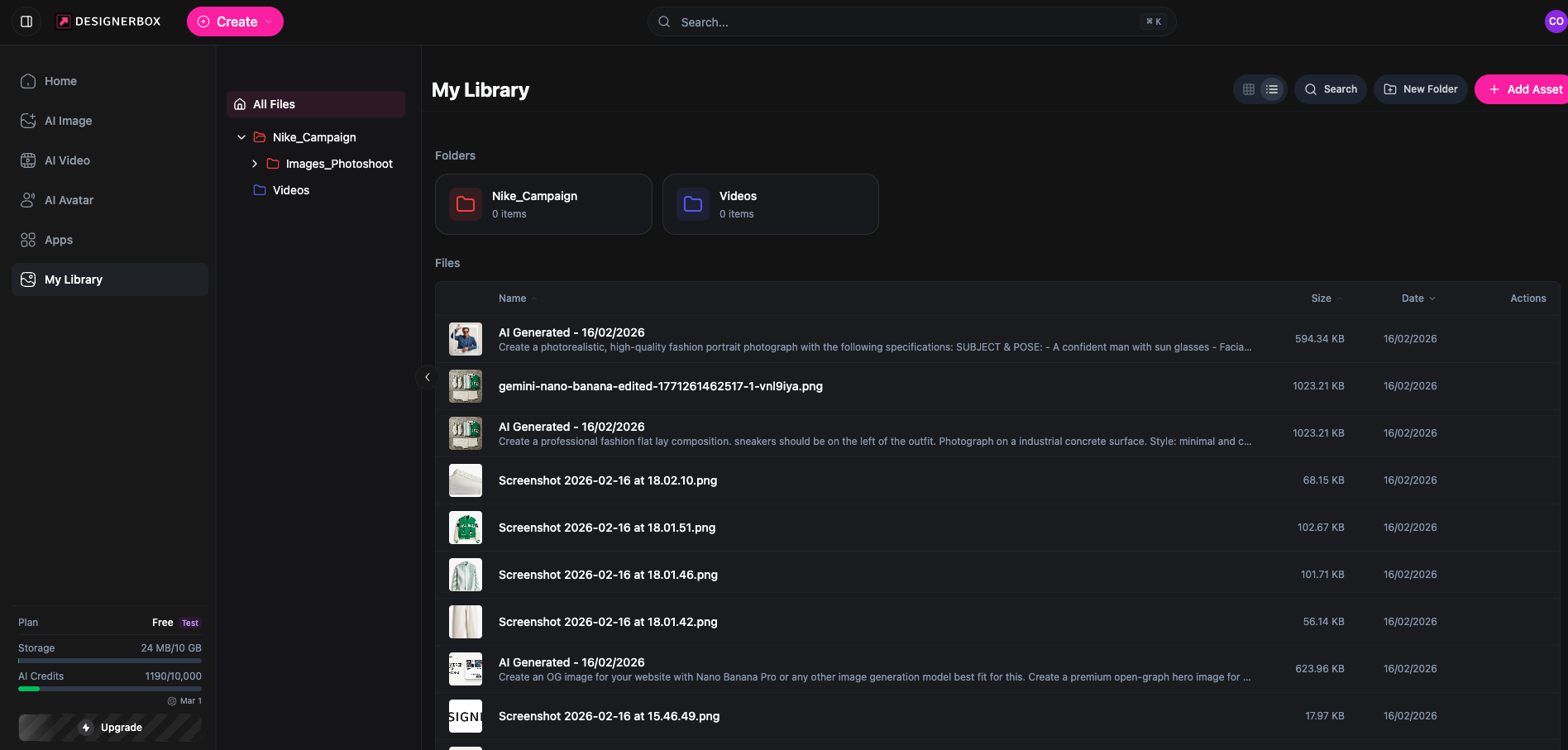
Switch between Grid and List views to find what you need. Grid view shows visual thumbnails for quick scanning, while List view displays detailed metadata — file names, creation dates, sizes, and AI generation prompts — so you always have full context.
- Grid view with visual thumbnails for quick browsing
- List view with file details, dates, and AI prompts
- Sort by name, date, size, or type
- Filter and search across your entire library
How It Works
Detailed Features
Professional asset management for every creative need
Farebne kódované priečinky
Priraďujte farby priečinkom pre rýchlu vizuálnu identifikáciu a lepšiu organizáciu
Zobrazenia mriežky a zoznamu
Prepínajte medzi vizuálnou mriežkou miniatúr a podrobným zobrazením zoznamu pre prehliadanie aktív
Inteligentné triedenie
Triedy aktíva podľa názvu, dátumu, veľkosti alebo typu vo vzostupnom alebo zostupnom poradí
Okamžité vyhľadávanie
Nájdite akékoľvek aktívum naprieč celou knižnicou vyhľadávaním názvov súborov
Stiahnutie ZIP
Sťahujte jednotlivé aktíva alebo celú knižnicu ako ZIP archív
Sledovanie úložiska
Aktualizácie kvóty úložiska v reálnom čase po každom nahraní alebo vymazaní
Úložisko podľa plánu
Každý plán zahŕňa vyhradené úložisko pre vaše kreatívne aktíva
Žiadne kredity za operácie s knižnicou — len úložisko
Často kladené otázky
Všetko, čo potrebujete vedieť o Knižnici aktív
Aké typy súborov môžem ukladať v Knižnici aktív?
Knižnica podporuje obrázky (PNG, JPG, WebP), videá (MP4) a dokumenty. Všetok obsah generovaný AI — fotografie, videá a avatary — je automaticky uložený vo vašej knižnici.
Ako funguje automatické nahrávanie s nástrojmi AI?
Každý obrázok, video alebo avatar, ktorý vygenerujete pomocou nástrojov AI DesignerBox, sa automaticky uloží do vašej knižnice aktív. Nie je potrebné manuálne nahrávanie — jednoducho sa zobrazí vo vašej knižnici pripravený na organizáciu.
Môžem organizovať aktíva do priečinkov?
Áno! Vytvárajte hierarchické priečinky s farebným kódovaním, premenúvajte ich alebo presúvajte a presuňte aktíva medzi priečinkami. Môžete vnoriť priečinky pre zložité štruktúry projektov.
Aký je limit úložiska pre môj plán?
Úložisko sa líši podľa plánu: Free (10 MB), Basic (500 MB), Pro (2 GB), Premium (10 GB) a Ultra (Neobmedzené). Vaše aktuálne využitie je sledované v reálnom čase.
Môžem stiahnuť všetky aktíva naraz?
Áno, môžete sťahovať jednotlivé aktíva alebo použiť funkciu Stiahnuť všetko na získanie všetkého ako ZIP archív. Môžete tiež vybrať viacero aktív pre dávkové stiahnutie.
Ako presúvam aktíva medzi priečinkami?
Používajte presun pre presúvanie aktív medzi priečinkami alebo vyberte viacero aktív a použite dialóg dávkového presunu na výber cieľového priečinka.
Pripravení organizovať svoje kreatívne aktíva?
Začnite ukladať, organizovať a spravovať všetky médiá generované AI v jednej výkonnej knižnici.
Začať