Build Powerful AI Pipelines Visually
Chain AI tools into automated workflows with a drag-and-drop node editor. 18 node types, smart connections, batch processing — no code required.
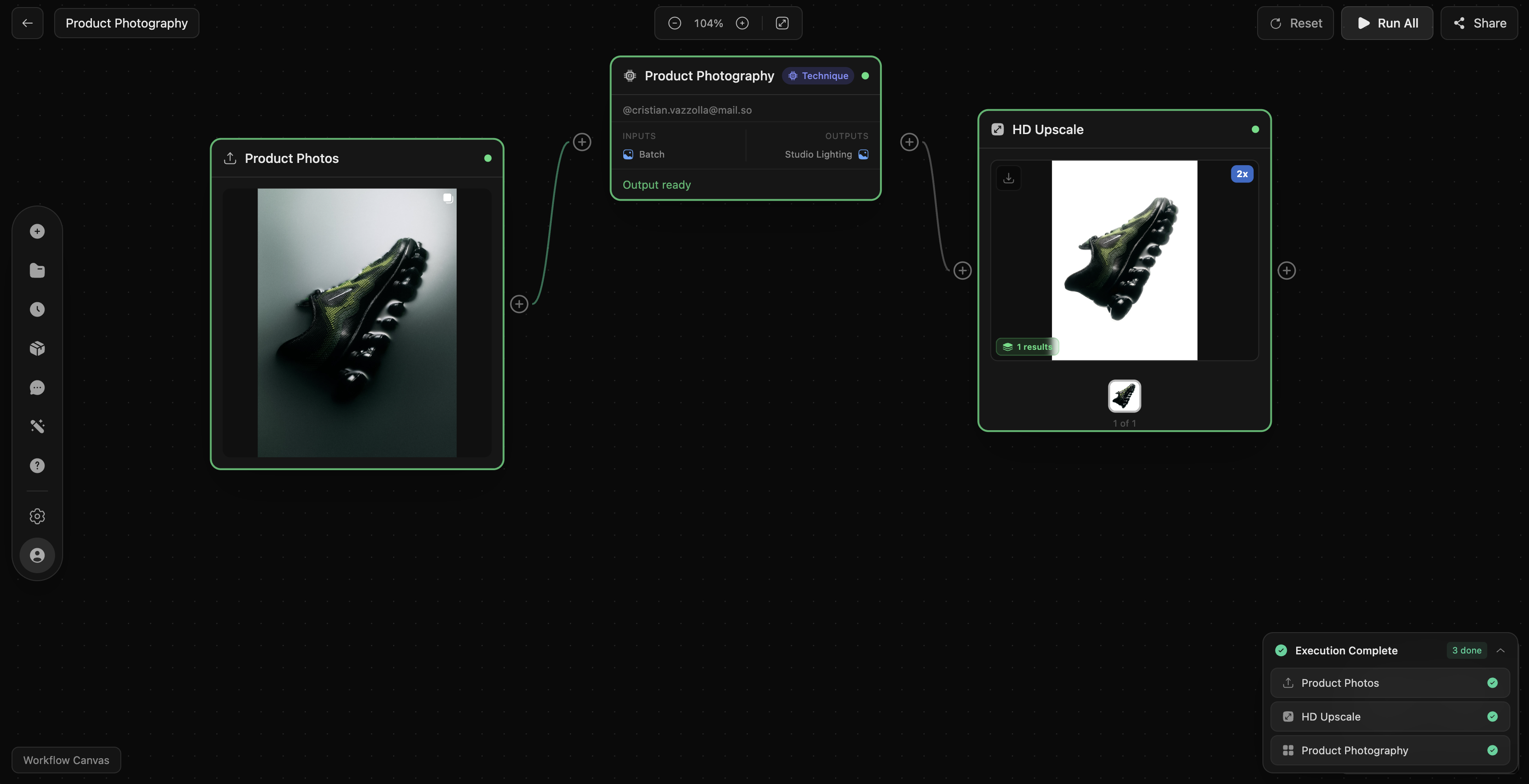
Turn generation, editing, relighting, and delivery into one repeatable production system.
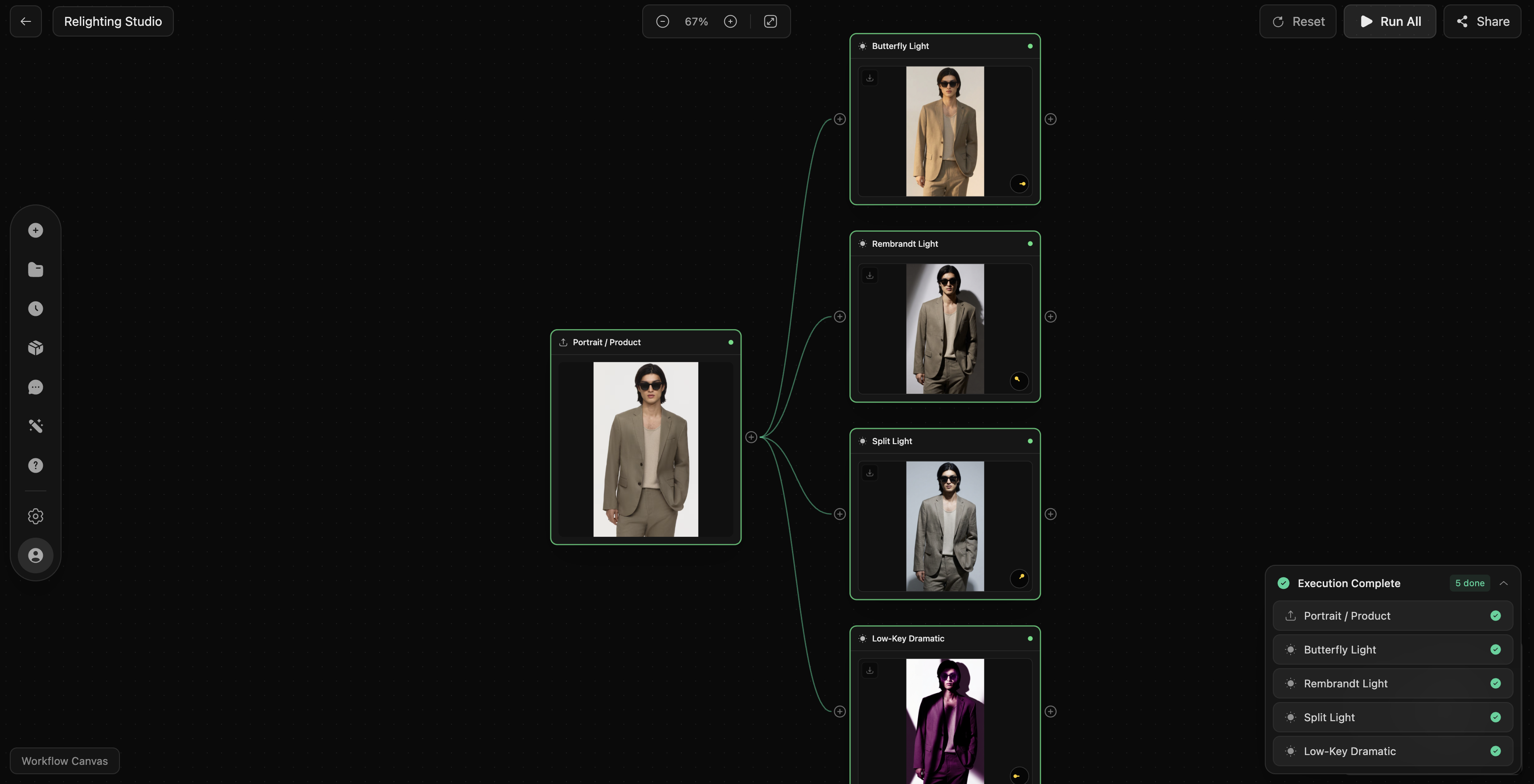
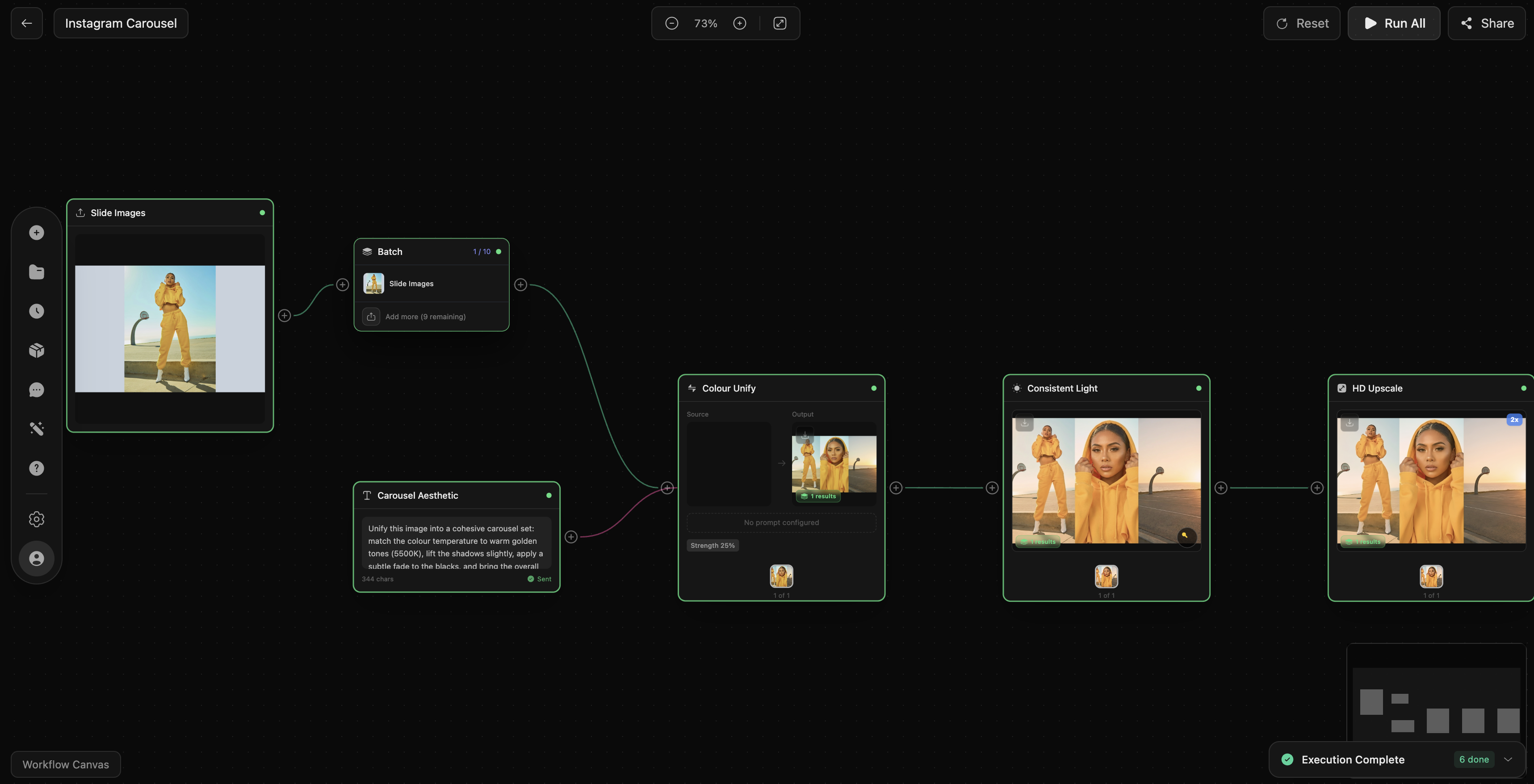
18 Node Types, Unlimited Possibilities
Everything you need to build any AI pipeline
Image Generation
Create images from text prompts using Stable Diffusion, FLUX, and more.
Image-to-Image
Transform existing images with AI-guided style and content changes.
Compose
Blend multiple images together with intelligent compositing.
Video Generation
Generate short videos from text or image inputs.
Background Remove
Instantly remove backgrounds with pixel-perfect edge detection.
Inpaint
Fill or replace selected regions using generative AI.
Upscale
Enhance resolution up to 4x while preserving detail.
Relight
Change lighting direction and intensity in any photo.
Style Transfer
Apply artistic styles from one image to another.
Face Swap
Swap faces between images with realistic blending.
Video Upscale
Upscale video resolution while maintaining quality.
Video Trim
Trim video clips to exact start and end points.
Text Overlay
Add styled text, captions, and watermarks to images.
Text / Prompt
Define text inputs, prompts, and parameters for downstream nodes.
Image Upload
Upload images from your device or library as pipeline inputs.
Save to Library
Save outputs directly to your DesignerBox asset library.
Upload to S3
Push results to your Amazon S3 bucket automatically.
Send to Webhook
POST results to any URL for custom integrations.
4 Ways to Run Your Pipeline
Full control over how your workflow executes
Run All
Execute every node in sequence from start to finish. The default mode for complete pipeline runs.
Run From Node
Start execution from any node, skipping upstream steps. Reuses cached inputs to save time and credits.
Run To Here
Execute only up to a selected node. Preview intermediate results before running the full pipeline.
Run This Node
Execute a single node in isolation. Test individual operations with specific inputs.
Built for Professional Workflows
Every detail designed for efficiency
Smart Connections
Nodes auto-detect compatible input and output types. Invalid connections are blocked before you make them.
Batch Processing
Feed multiple inputs into a single workflow. Process entire folders of images in one run.
Node Groups
Group related nodes into collapsible sections. Keep complex workflows clean and organized.
Auto-save
Every change is saved in real time. Pick up exactly where you left off, on any device.
Keyboard Shortcuts
Navigate, connect, and execute with keyboard shortcuts. Power users can work without touching the mouse.
Undo / Redo
Full undo history with unlimited levels. Every action is reversible with Ctrl+Z.
How It Works
From idea to output in minutes
Create
Open the Workflows editor and create a new pipeline canvas.
Build
Drag node types from the sidebar onto your canvas.
Connect
Draw connections between node outputs and inputs.
Configure
Set parameters, prompts, and options on each node.
Run
Hit Run and watch your pipeline execute step by step.
Save
Review outputs and save results to your library.