Package Workflows into Reusable Techniques
Take any workflow and turn it into a single reusable node. One-click packaging with custom ports, version tracking, and team sharing.
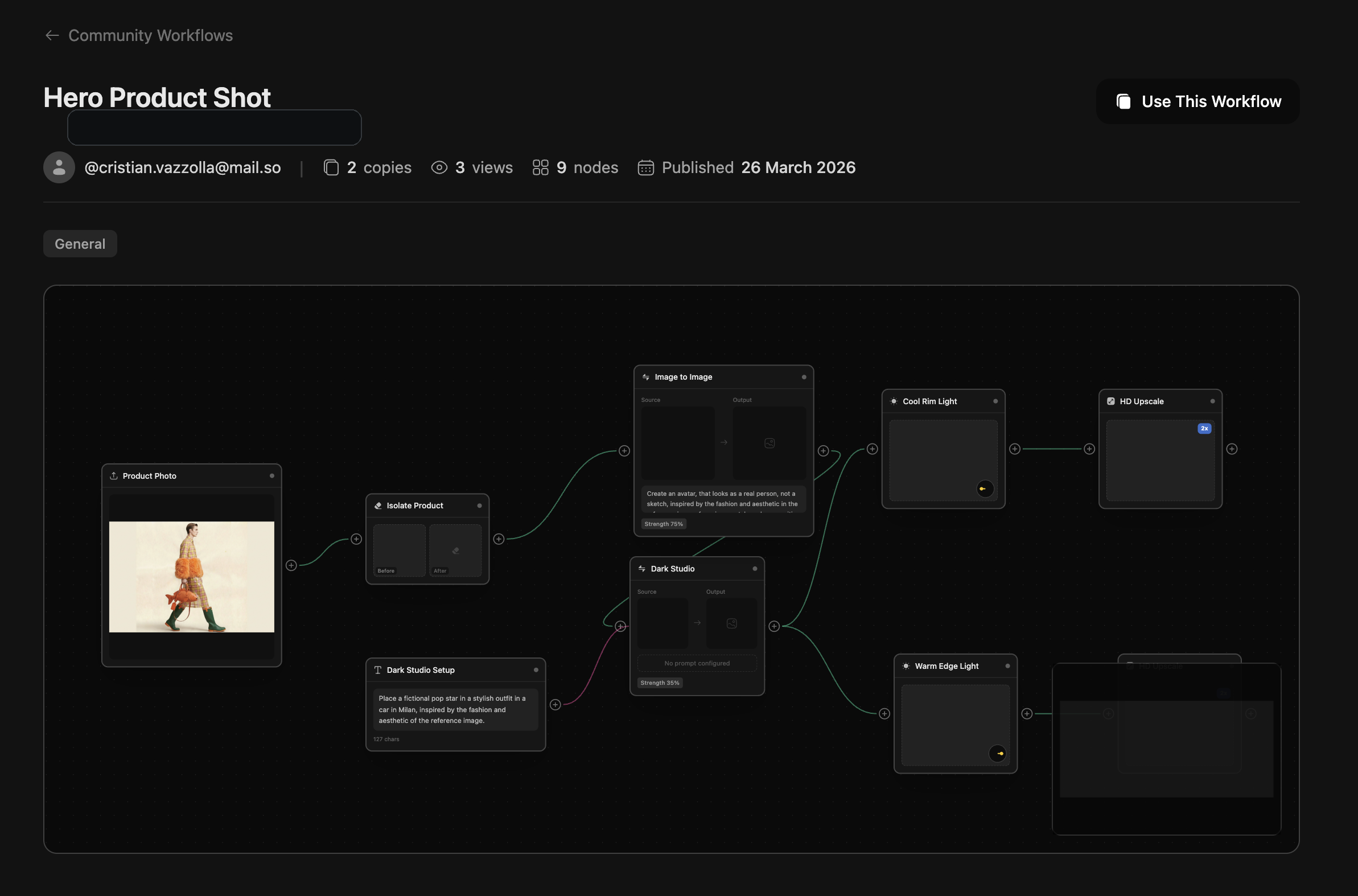
Publish, version, and drop your best multi-step systems into any other workflow without exposing internal complexity.
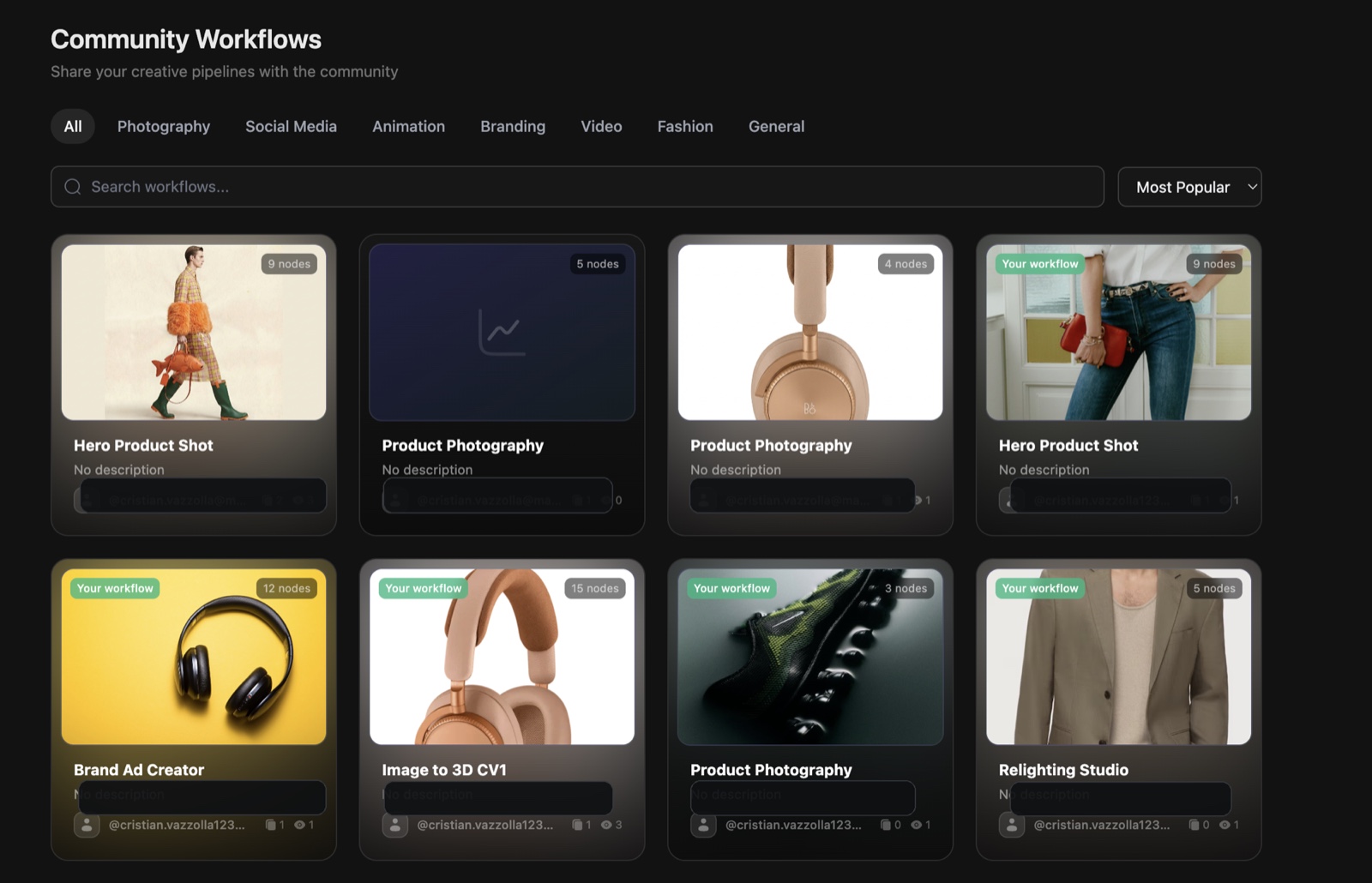
Techniques for every part of a campaign
Start from a proven, on-brand workflow. Run it as one node, then remix it in Canvas to fit your brand.
Product Ad Generator
Turn one product photo into scroll-stopping ad creative, on brand.
Open techniqueFlat Lay Studio
Arrange products into clean, styled flat-lay scenes in seconds.
Open techniqueProduct Angles
Generate consistent multi-angle product shots from a single image.
Open techniqueVirtual Try-On
Put any garment on real on-model looks without a photoshoot.
Open techniqueFashion Factory
Produce full on-model lookbooks with a consistent character.
Open techniqueCharacter Lock
Keep the same face and identity across every frame and format.
Open techniqueFashion Video
Turn stills into moving on-model fashion clips ready for social.
Open techniquePhoto Dump Studio
Batch a whole social-ready photo dump from a handful of inputs.
Open techniqueHow Techniques Work
From workflow to reusable building block in 5 steps
Build a Workflow
Create and test your multi-step AI pipeline in the Workflows editor until it does exactly what you need.
Open Publish Menu
Click the Publish button in the top toolbar to open the Technique packaging options.
Select Exposed Ports
Choose which input and output nodes are visible to users of your Technique — hide internal complexity.
Publish as Technique
Give it a name, description, and version tag. Your workflow becomes a single reusable node.
Reuse Anywhere
Drop your Technique into any other workflow as a single node. Share it with your team or the Community.
Key Capabilities
Everything you need to package and share workflows
One-click Packaging
Turn any workflow into a Technique with a single click. No complex configuration — just pick your ports and publish.
Custom Ports
Choose exactly which inputs and outputs are exposed. Hide internal nodes to keep your Technique clean and focused.
Sub-workflow Execution
Techniques run as nested workflows inside the parent pipeline. Full execution isolation with shared credit accounting.
Version Tracking
Publish new versions without breaking existing workflows. Users can choose to update or stay on a stable version.
Transparent / Opaque Modes
Choose whether users can inspect your Technique's internals or keep the implementation private.
From Complex to Simple
One workflow becomes one node
Before packaging
A rich internal workflow with many nodes, branch logic, and implementation detail your users do not need to touch directly.
One reusable node, same execution power
Package the original workflow as a Technique, expose only the right inputs and outputs, and reuse it across your workspace or the community.
Product Photo Technique
2 inputs · 1 output
Built for Every Team
From solo creators to enterprise agencies
Content Creators
Package your signature editing style as a Technique. Apply it consistently across every piece of content with one click.
E-commerce Teams
Build a product photography Technique once. Your entire team can produce on-brand images without learning the full pipeline.
Agencies
Create client-specific Techniques with locked-down parameters. Deliver consistent results while protecting your IP.
AI Enthusiasts
Explore advanced model combinations and publish your discoveries. Let others build on your experiments.
Techniques, answered
The quick version of how Techniques work.
What is a Technique in DesignerBox?
A Technique is a complete AI workflow packaged as a single reusable node. You build a multi-step pipeline once, expose only the inputs and outputs that matter, then drop it into any other workflow like a built-in operation.
How is a Technique different from a workflow?
A workflow is the full editable pipeline with every node visible. A Technique wraps that pipeline into one node with custom ports, so anyone can run it without seeing or breaking the internal logic.
Can I reuse a Technique and share it with my team?
Yes. Publish a Technique once and reuse it across your workspace, share it with your team, or post it to the community. Version updates roll out without breaking the workflows that already use it.
Do Techniques keep my brand consistent?
They are built for it. Bake your brand kit, reference characters, and locked parameters into a Technique so every run comes out on brand instead of generic AI.
Can I hide how a Technique works?
Choose transparent mode to let others inspect and remix the internals, or opaque mode to keep your implementation private while still letting people run it.
Do I need to know how to build workflows to use one?
No. Running a published Technique takes one click and only the exposed controls. Building your own is optional and happens in the Canvas workflow editor.