











Figma plugin
The DesignerBox Figma AI plugin
Make product images and video on your Figma canvas. Add a product photo or a prompt, press Run, and the result lands as an editable Figma frame. Same account, same credits, same Assets as the web app.


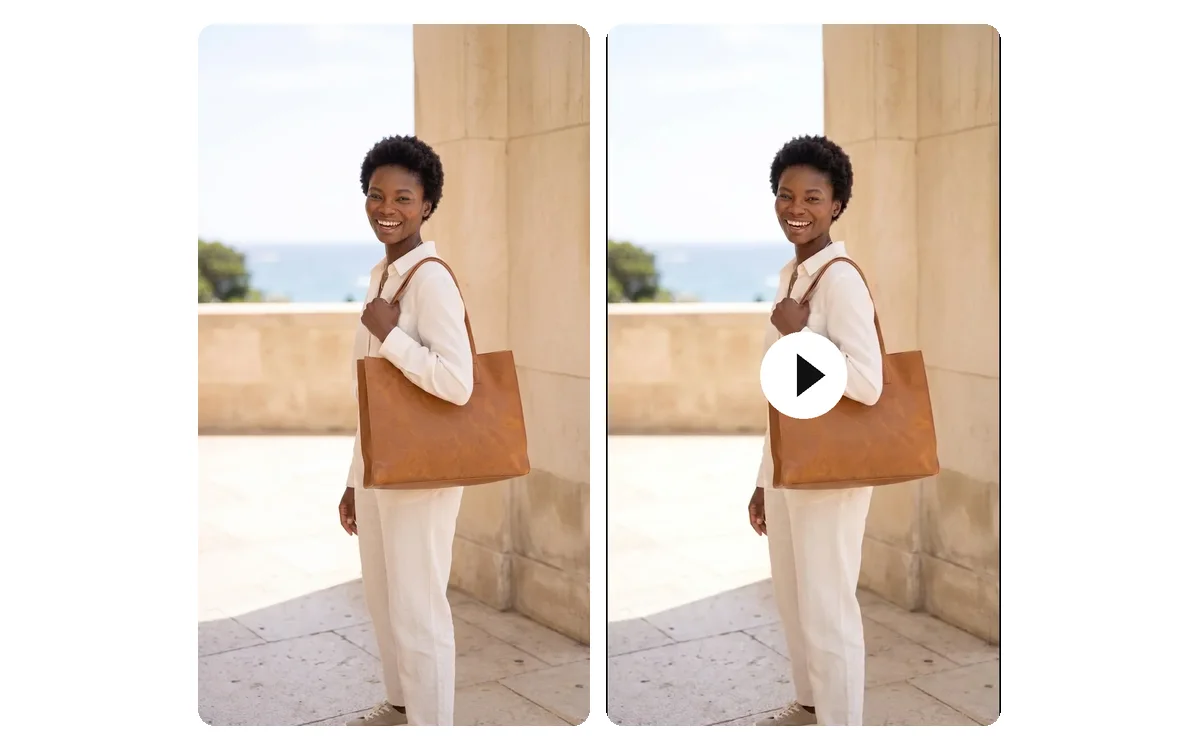
From this to this
Product photos in, finished pictures out, without leaving the file
Add the product photo from your shop. Run a tool in the panel. Each result lands on the canvas, sized to its frame.




Who it is for
Does that sound like you?
Results designed for brands and agencies like you.
The pictures, in the file you design in.
You design the campaign in Figma. The product pictures come from a shoot, a stock site or another app. Every picture is exported, imported and resized by hand, and the new ones never match last month's. You want on-brand product pictures in the file you design in.
- Add a product photo or a prompt inside Figma and press Run
- Six apps in one panel: image, video, remove background, expand, product ad, photo angles
- The result lands on your canvas as an editable Figma frame




DesignerBox render
The panel
Six apps, one panel
Pick one, run it, keep designing. Every result is a Figma layer you can move, mask and restyle.

Generate image
Describe the picture, pick the ratio. The result lands on the frame you selected.
Generate video
Text to video, or a clip from a layer you already have. The MP4 opens in a tab. Video starts on the Premium plan.

Remove background
Select a layer and get a clean cutout with a transparent background.
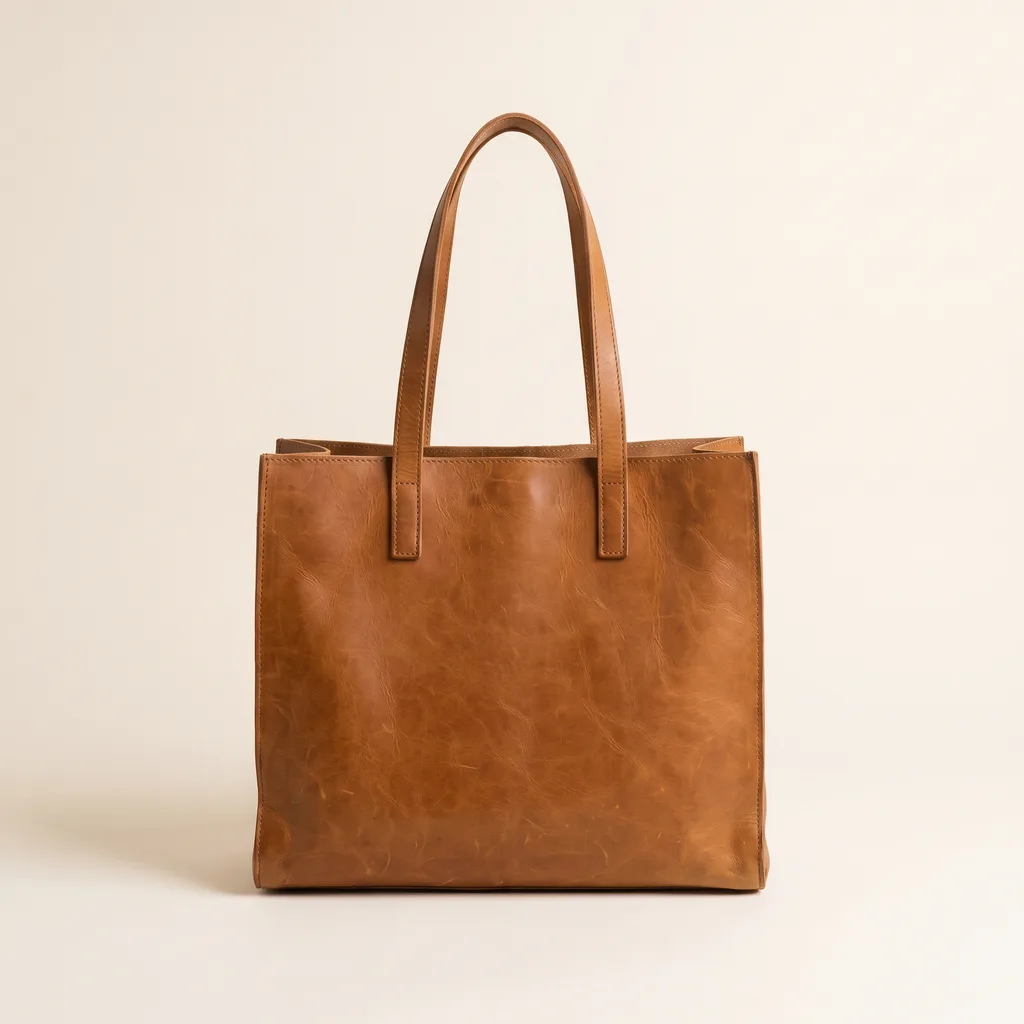
Expand
Turn a square into a banner. The new canvas is made to match what is already there.

Product ad
Product photos in, a set of ad pictures out, ready to place in the layout.
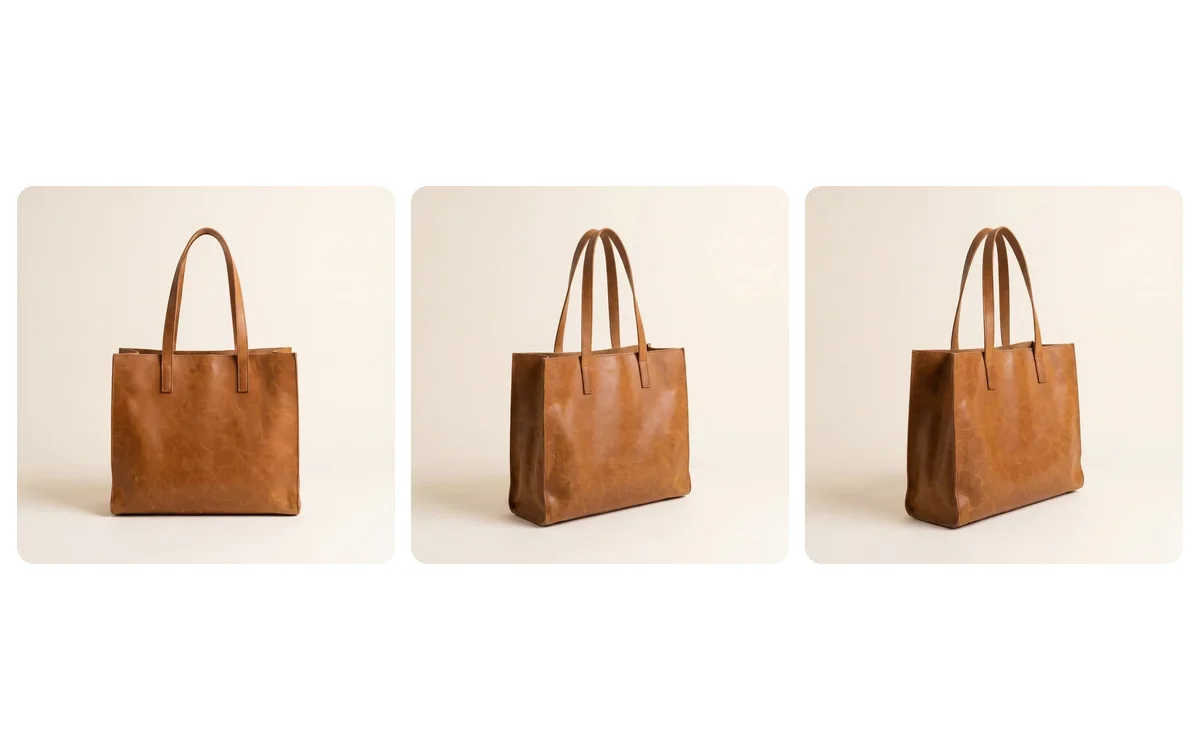
Photo angles
The same product from a new viewpoint, without a second shoot.
How it works
From install to the first frame
Three steps. The plugin runs on your DesignerBox account and credits.
- 1
Add the plugin
Add DesignerBox from the Figma Community once. Open it from the Plugins menu in a design file or in FigJam.
- 2
Sign in and pick an app
Sign in with your DesignerBox account. Pick one of the six apps in the Apps tab.
- 3
Add a photo or a prompt, press Run
Select a layer or type what you want. The result lands on your frame as an editable Figma layer.
Installing is free. A run uses the credits of your DesignerBox plan, the same credits as the web app.
Questions
Curious? Let's clear things up.
Everything you need to know about the DesignerBox plugin for Figma.
What does the DesignerBox plugin for Figma do?
It puts AI image and video generation, background removal and product photos on the Figma canvas. The Apps tab holds six apps: generate image, generate video, remove background, expand, product ad and photo angles. Every result lands on your canvas as an editable Figma frame.
Where does the generated content go?
Straight onto your selected frame as a standard Figma layer you can move, mask and restyle. It is not a flat export you have to import again, so it stays in your file. A video places a poster on the canvas and opens the MP4 in a tab. Video starts on the Premium plan.
Do I need a DesignerBox account or subscription?
You sign in with your DesignerBox account. The plugin runs on the same credits as the web app. Installing is free. A run uses the credits of your DesignerBox plan, managed in your account, not through Figma.
Can I choose which AI model runs?
Yes. Generate image and generate video both let you pick the model and the ratio before you press Run. The roster is on the models page.
What data does the plugin send?
The plugin talks only to DesignerBox: sign-in, generation and the CDN that serves your results. There are no third-party analytics or trackers.
Can I use the results commercially?
Yes, from the Pro plan up. Images and video you make in Figma carry the same licence as in the web app. Pro, Premium and Ultra include the commercial licence, so results are ready for client work and paid campaigns. Free and Basic results are for personal use.
Can I use the same account outside Figma?
Yes. The same DesignerBox account and credits work in the web app, the Chrome extension, the iOS app and the MCP server, so your Assets and your plan follow you.
Does it work in Figma design files and FigJam?
Yes. Add the plugin once and it runs in both Figma design files and FigJam, on the web and in the desktop app.
Everything in one place
Everything you need, in one place
The full workflow from the first product photo to the finished ad, in one subscription.
Scale content without limits.
Generate content for your products or services with AI, starting today, and keep your brand on every piece.











