Techniques and Templates
Techniques and Templates
A technique is a pre-built workflow recipe. Each one is a ready-to-run pipeline: add your images, set a few options, and run. Techniques are the quickest path to a polished, repeatable result without building anything yourself.
Step 1: Browse the library
Open Techniques from the sidebar. Each card shows a preview, a short description, and its credit cost.
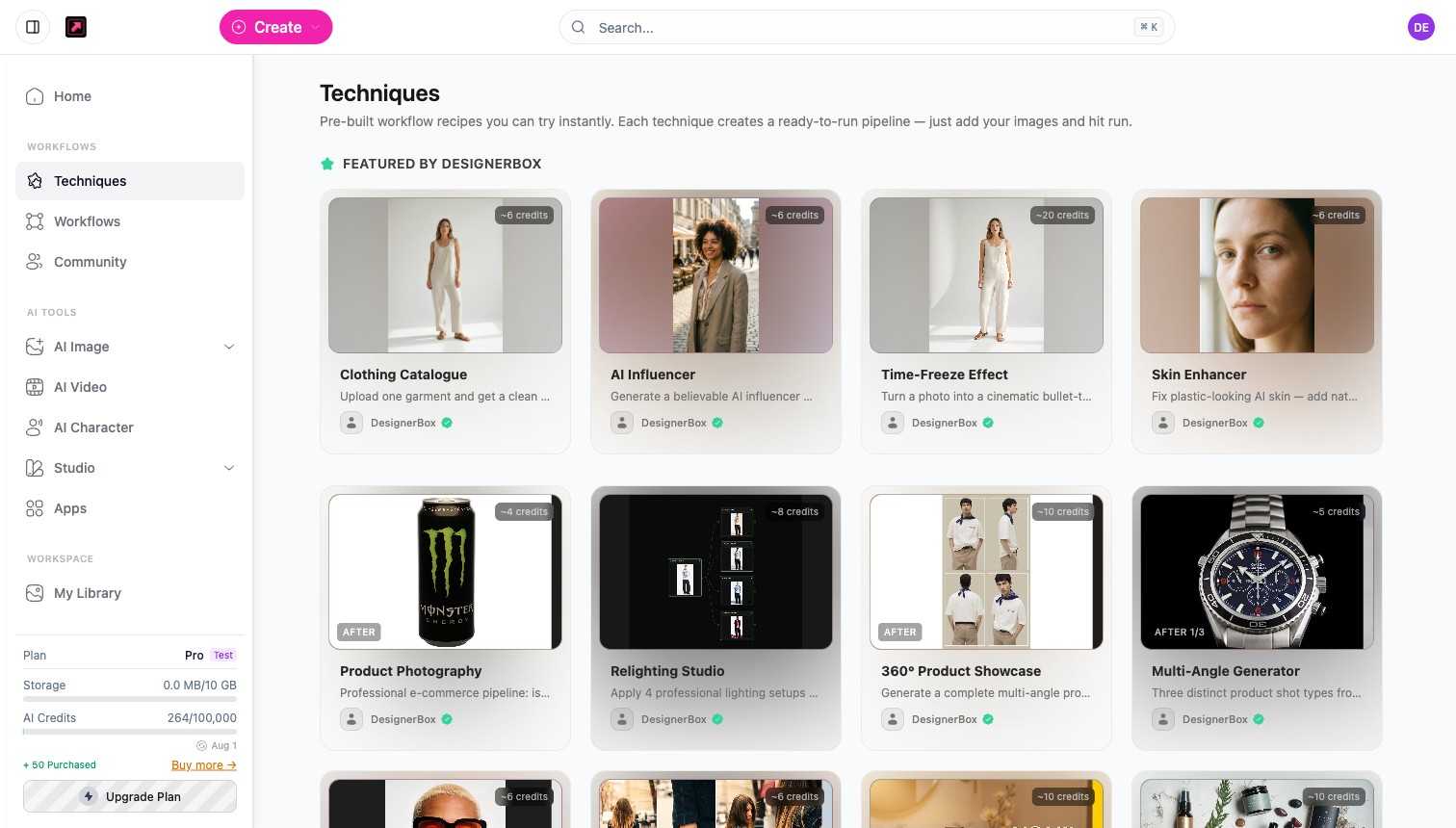
A sample of what is available and its approximate cost:
| Technique | What it does | Approx. credits |
|---|---|---|
| Product Photography | Professional e-commerce product pipeline | 4 |
| Relighting Studio | Apply professional lighting setups | 8 |
| Multi-Angle Generator | Several distinct product shot types | 5 |
| 360 Product Showcase | A complete multi-angle product set | 10 |
| Instagram Carousel | Unify several photos into one cohesive set | 6 |
| Brand Ad Creator | Campaign-ready ad directions | 10 |
| Brand Style Unifier | Harmonize a set of product or lifestyle shots | 10 |
Costs are shown on each card and may vary with your inputs.
Step 2: Add your images and configure
Open a technique, add your input image or images, and adjust the options it exposes. Each technique is tuned for its job, so there are only a few choices to make.
Step 3: Run
Run the technique. The credit cost is shown before you commit, and results land in My Library.
Step 4: Customize as a workflow
Any technique can be opened as a workflow on the canvas, where you can change its nodes, add steps, and save it as your own reusable version. New to techniques? Start with Using techniques and templates.