Apps
Apps
Apps are focused, single-purpose AI tools. Where the AI Image composer is open-ended, an app does one job with a guided flow: pick it, add your image or a short brief, adjust a few controls, and run.
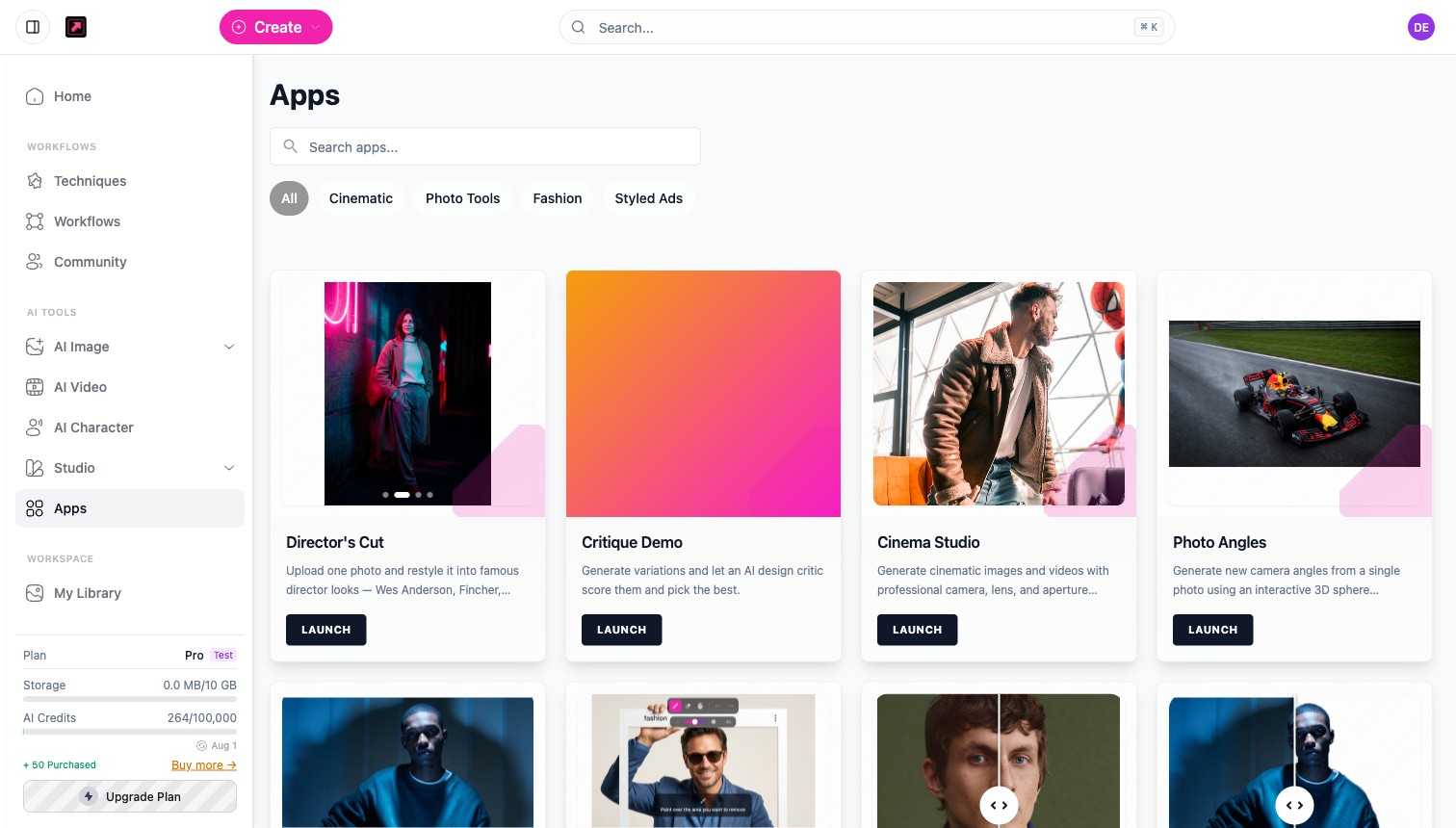
Browse the library
Open Apps from the sidebar. The library is grouped by category, for example:
- Photo Tools - Cinema Studio (camera, lens, and aperture controls), Photo Angles (new camera angles from one photo), Spotlight (reposition and recolor the lighting), Retouch (paint over anything to remove or replace it), Skin Retouch, Background Remover, and Face Swap.
- Fashion - Flat Lay Studio, Outfit to Image, Dress My Model (garment flat-lays onto a saved character), Character Sheet, Fashion Video Creator, and Styled Scene Generator.
- Ads and branding - Product Ad Generator, Social Media Ad Studio, Brand Story Creator, Video Ad Composer, and Brand Visual Storyboard (a multi-panel brand mood grid from one product photo).
- Cinematic - Director's Cut restyles one photo into famous director looks in a single run.
- Social and share - Instagram 3D Frame (a character breaking out of an Instagram frame, 10 credits per image) and OG Image Generator (a share image for a website; 8 credits, plus 2 to auto-analyze the brand first).
Run an app
Open an app, add the inputs it asks for, and run. Each app shows what it needs and what it costs before you commit; simple utilities such as the Background Remover run at little or no credit cost, while generation-heavy apps price like the model they use. Results land in My Library like any other generation.
Apps are also available to AI assistants over MCP, so you can run one from a chat.
Related
- AI Image - the open-ended composer for anything an app does not cover.
- Techniques and Templates - multi-step recipes, where apps are single-purpose tools.
- Plans, Credits, and Limits - how credits work.