Node Types
Node Types
Nodes are the building blocks of a workflow. Each does one job, and you connect them on the canvas so the output of one becomes the input of the next.
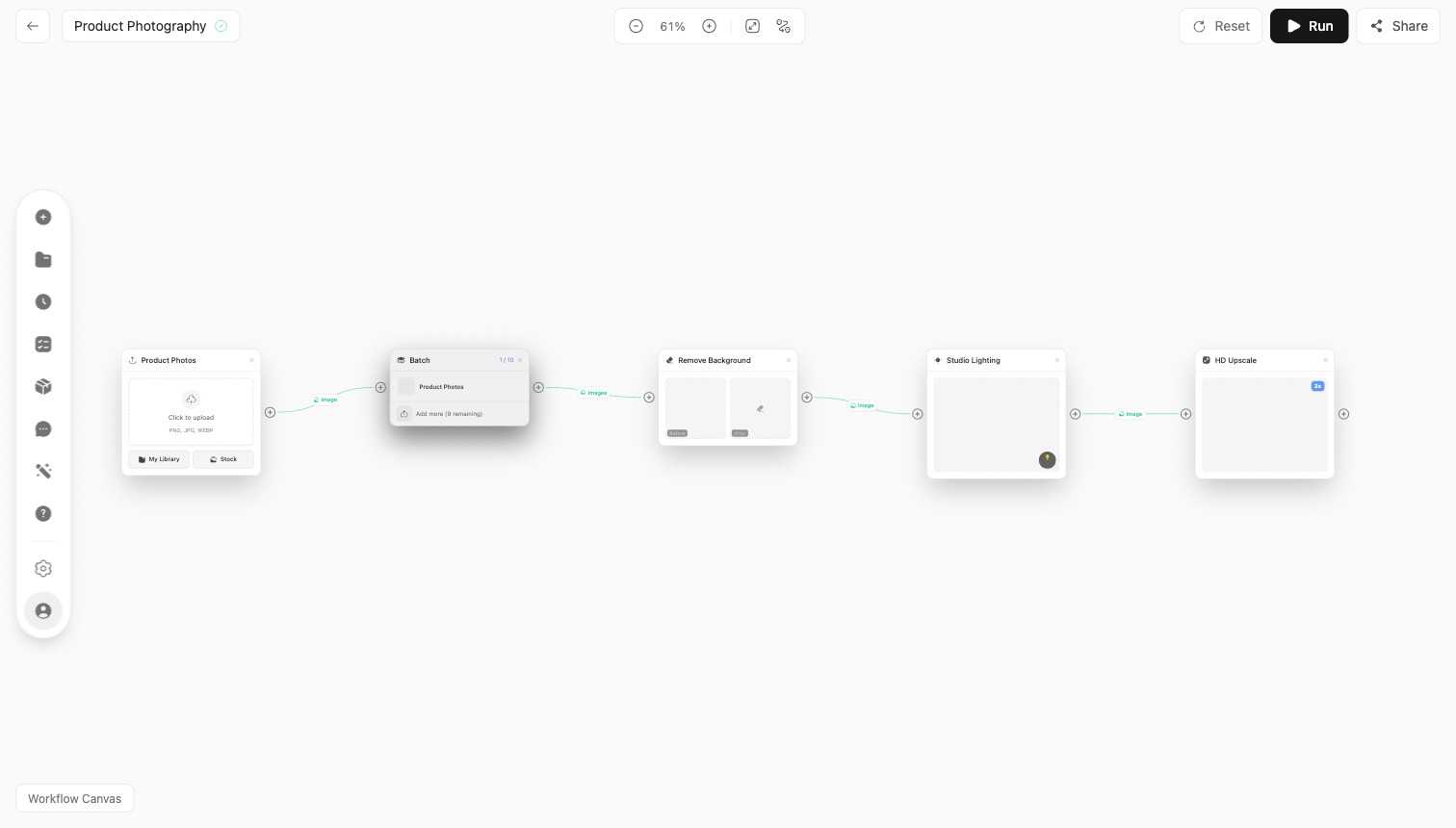
Nodes in the example pipeline
The Product Photography workflow above chains five nodes:
- Product Photos - the source node that brings your uploaded image into the workflow.
- Batch - produces several variations from the input in one step.
- Remove Background - cuts the subject out of its background.
- Studio Lighting - relights the subject with a chosen lighting setup.
- HD Upscale - increases resolution and detail for the final output.
Other common nodes
Open Add Node to see the full palette. Beyond the above, you can add:
- Image to image - transform an input image using a prompt.
- Text - supply a prompt or instruction that feeds another node.
- Video generator - turn a frame or prompt into video.
- AI Character - place a generated character into the pipeline.
Connect these in sequence to turn a raw upload into a finished, on-brand result, then save the workflow to run it again.
Related
- Workflows and the Canvas - how to build and run a workflow.
- Community - copy node-based workflows shared by others.