Tell your brand story in one striking visual
Add your logo, colours, and a short brief. The AI composes an on-brand story visual, origin, mission, team, or product, in a portrait format built for social feeds and about pages.
 Brand story
What is a brand story generator?
It turns your brand assets and a short brief into one polished, on-brand story visual. You add your logo, colours, and the angle you want to tell, and the AI composes the layout, imagery, and copy into a share-ready portrait in seconds, with no designer and no template to wrangle.
Your whole brand story comes together in one canvas
Bring in your logo, brand colours, and photos, write a one-line brief, and preview the story visual, without jumping between design tools.
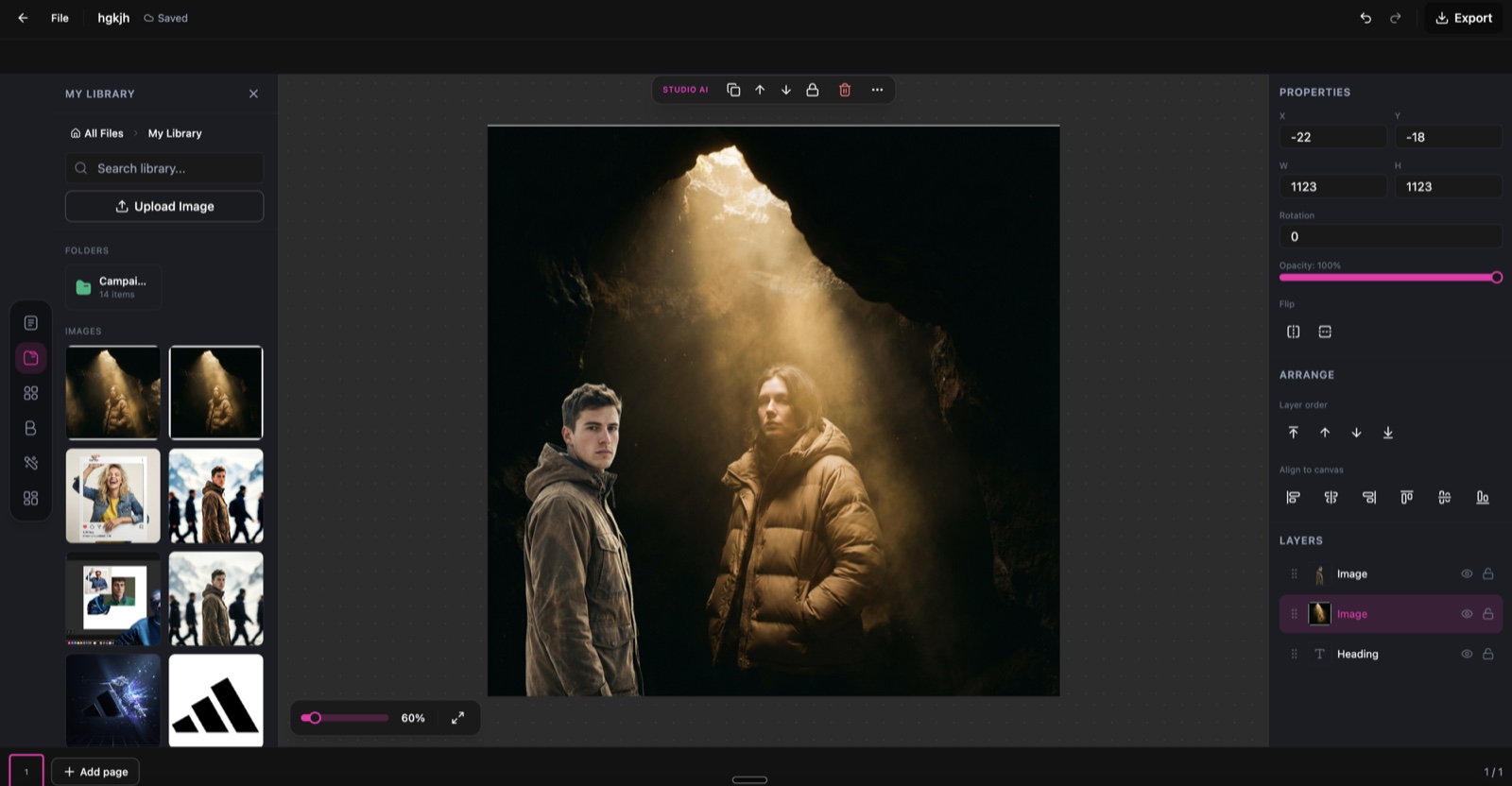
Brand Story Creator, running inside the DesignerBox canvas.
Describe the story in plain words
No rigid template to fight. Type the angle you want to tell, and the AI composes an on-brand visual around it.
Tell our origin story, two founders who started at a kitchen table in 2019.
Focus on our mission: sustainable materials, zero waste, built to last.
Introduce the team with a warm, human, behind-the-scenes feel.
Show the product journey, the craft, the materials, and the people behind it.
From brand assets to a story visual in three steps
Add your brand assets
Upload your logo, brand photos, and product shots, then add your name, tagline, and colour palette. The AI builds a consistent visual identity from your inputs.
Choose the story angle
Pick the chapter you want to tell, origin, mission, team, product, milestones, or vision, and shape the narrative, or let the AI write the copy for you.
Generate and download
The AI renders a cohesive, on-brand story visual in portrait format. Download it ready for social, about pages, and decks.
Brand storytelling for every platform
One story visual, styled for wherever your brand shows up.
About Us page
Origin story, values, and team, ready to drop into your about page.
Social media series
Portrait story visuals sized for Instagram, stories, and LinkedIn.
Pitch deck slides
On-brand story slides for investor and partner presentations.
Email newsletter
Brand story visuals for welcome sequences and newsletter intros.
Partnership materials
A clear brand overview for partners, retailers, and collaborators.
Recruiting content
Employer-brand visuals that show your culture, mission, and team.
Skip the studio and the deck-building
The old way
- Brief a designer and wait days for every brand story asset
- Wrangle brand guidelines and templates by hand
- Pay for a revision whenever the story or season changes
- Rebuild the same story from scratch for each channel
With Brand Story Creator
- Add the brand assets you already have and compose on screen
- Describe a new angle and regenerate in seconds
- Get a finished, on-brand story visual without a designer
- Spin up a fresh version for every campaign at no extra cost
Brand Story Creator specs
| Best for | Brand story visuals, about-page imagery, and social storytelling |
|---|---|
| Story angles | Origin, mission, team, product, milestones, and vision |
| Brand inputs | Your logo, colours, tagline, and photos |
| Output | One portrait story visual per generation |
| Resolution | 672 × 900 portrait, export up to 4K |
| Export formats | PNG and JPG |
| Best channels | Instagram, LinkedIn, about pages, and decks |
| Powered by | DesignerBox's latest AI image models |
Frequently asked questions
What brand assets do I need to get started?
Can the AI write the story copy?
What do I get out of it?
How much does it cost?
Can I customise the visual style?
Can I update my brand story later?
Ready to tell your brand story?
Add your brand assets and turn them into an on-brand story visual in seconds.
