Open Graph images that make your links worth the click
Enter a title, description, and branding, or paste a URL, and let AI render a perfectly sized 1200×630 share image for blog posts, product pages, events, and links.
 OG image
What is an Open Graph image?
It is the preview image that shows when your link is shared on Facebook, LinkedIn, X, Slack, and messaging apps. You add a title and branding, and the AI renders a perfectly sized 1200×630 share image in seconds, so every link looks intentional instead of blank.
The whole thing lives in one panel
Enter your content, pick a template, and preview the share image, without leaving the DesignerBox canvas or wrangling a separate design tool.
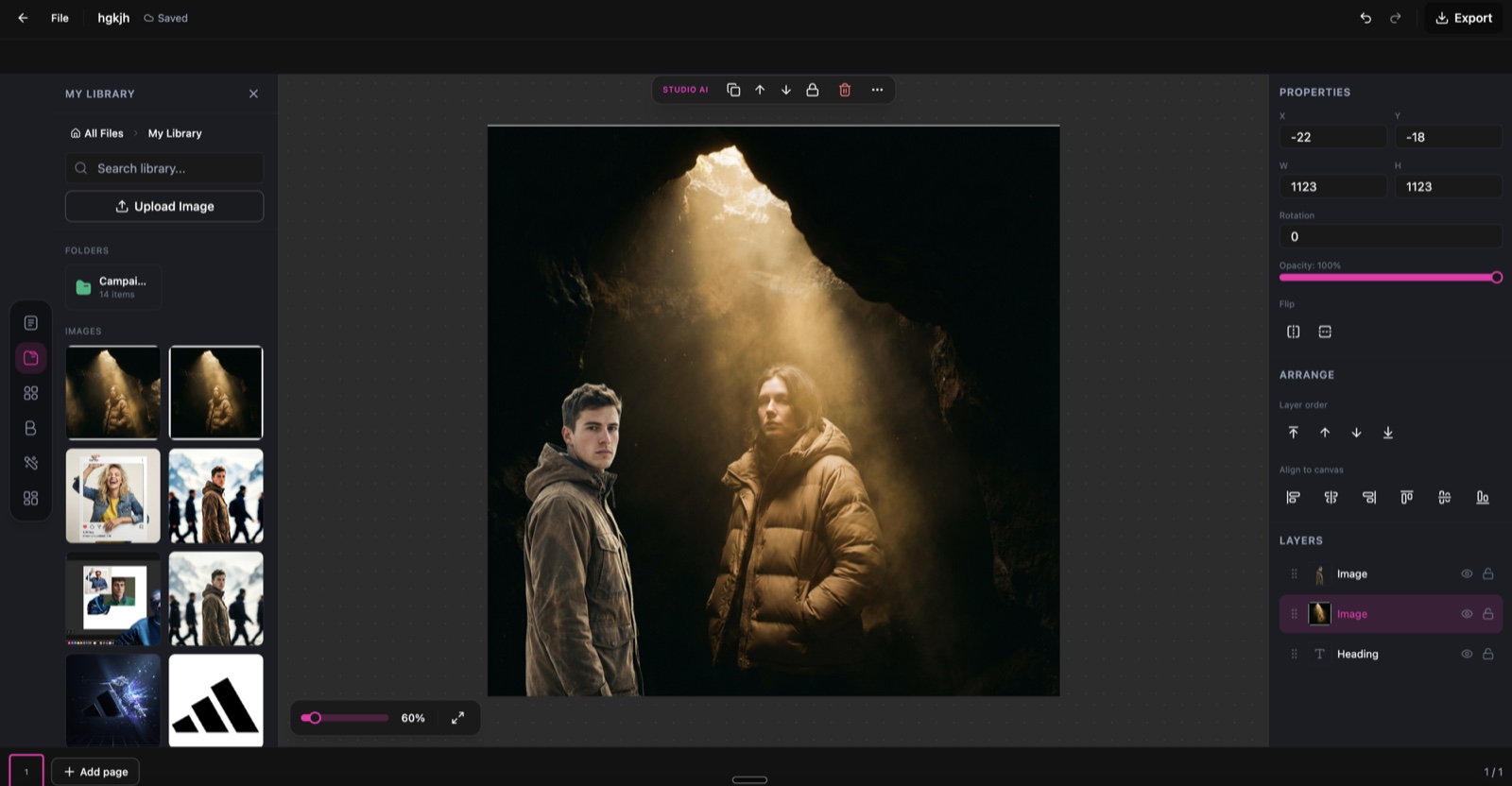
OG Image Generator runs inside the DesignerBox canvas.
Templates for every content type
Start from a layout built for what you are sharing, then adjust colours, fonts, and copy to match your brand.
Blog posts
Clean, readable layouts with a large title and author info for article shares.
Product pages
Product-focused layouts with imagery, price, and promotional badges.
Events & webinars
Date-forward layouts with event details, speakers, and a clear CTA.
Business & SaaS
Professional layouts for landing pages, features, and announcements.
Developer & docs
Code-themed layouts for documentation, API pages, and dev tools.
Newsletter & email
Engaging layouts for newsletter issues, campaigns, and previews.
From a link to a share image in three steps
Enter your content
Paste a URL to auto-extract the title and description, or type them in. Add your logo and set brand colours for a consistent look.
Choose a template
Pick a category, blog, product, event, business, developer, or newsletter, and adjust colours, fonts, and layout to fit your brand.
Generate and download
The AI renders a 1200×630 image optimised for sharing. Download it and point your page's og:image meta tag at the URL.
Everything you need for professional OG images
Sized right, on-brand, and quick to produce across a whole site.
Perfect dimensions
Every image is generated at 1200×630, the size social platforms recommend.
Smart typography
AI sizes and positions text so it stays readable at any preview scale.
Brand integration
Add your logo, brand colours, and fonts for a consistent visual identity.
Auto-extract from a URL
Paste a link and pull the title, description, and favicon automatically.
Batch generation
Generate images for many pages at once for blog migrations and launches.
Ready to ship
Download a lightweight file and drop the URL straight into your meta tags.
Skip the design-tool detour
The old way
- Open a design tool and rebuild the same layout for every page
- Guess the crop and hope it reads at preview size
- Re-export by hand each time a title or brand colour changes
- Ship links that preview blank because nobody made the image
With OG Image Generator
- Paste a URL or a few details and generate on screen
- Get the exact 1200×630 size every platform expects
- Regenerate a new version in seconds when the copy changes
- Cover a whole site with batch generation, no design tool needed
OG Image Generator specs
| Best for | Blog, product, event, and social share previews |
|---|---|
| Output size | 1200×630 (standard Open Graph dimensions) |
| Credit cost | 1 credit per image |
| Content input | Paste a URL to auto-extract, or type it in manually |
| Branding | Your logo, brand colours, and fonts |
| Templates | Blog, product, event, business, developer, newsletter |
| Batch | Generate images for multiple pages at once |
| Export formats | PNG and JPG |
| Powered by | DesignerBox's latest AI image models |
Frequently asked questions
What is an Open Graph image?
What size are the generated images?
Can I auto-extract content from a URL?
How many credits does each OG image cost?
Can I use my brand colours and logo?
How do I add the OG image to my website?
Ready to create OG images?
Enter your content and get a perfectly sized Open Graph image for your links in seconds.
