Turn any outfit into a photorealistic on-model image
Describe the clothing, style, and setting, and AI renders a studio-quality photo of a model wearing the look. No models, no photographer, no wardrobe, just the outfit you had in mind.
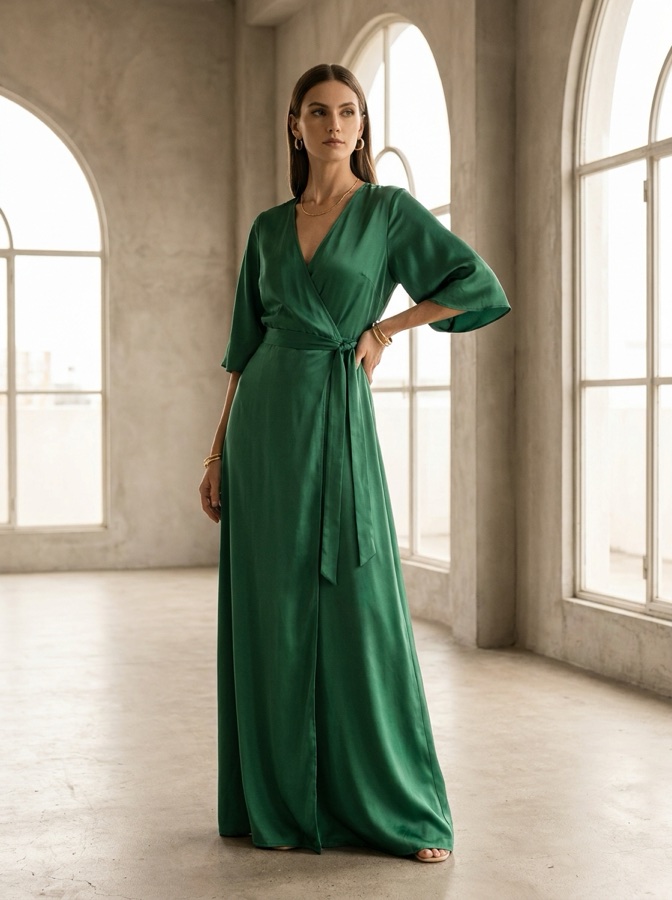 On-model result
What is an AI outfit-to-image generator?
It turns an outfit you describe into one photorealistic on-model image. You write the clothing, style, and setting, and the AI renders a studio-quality fashion photo of a model wearing the look, in seconds, with no photoshoot, casting, or wardrobe.
The whole look comes together in one canvas
Write the outfit, set the model and scene, and generate, without exporting and re-uploading between tools.
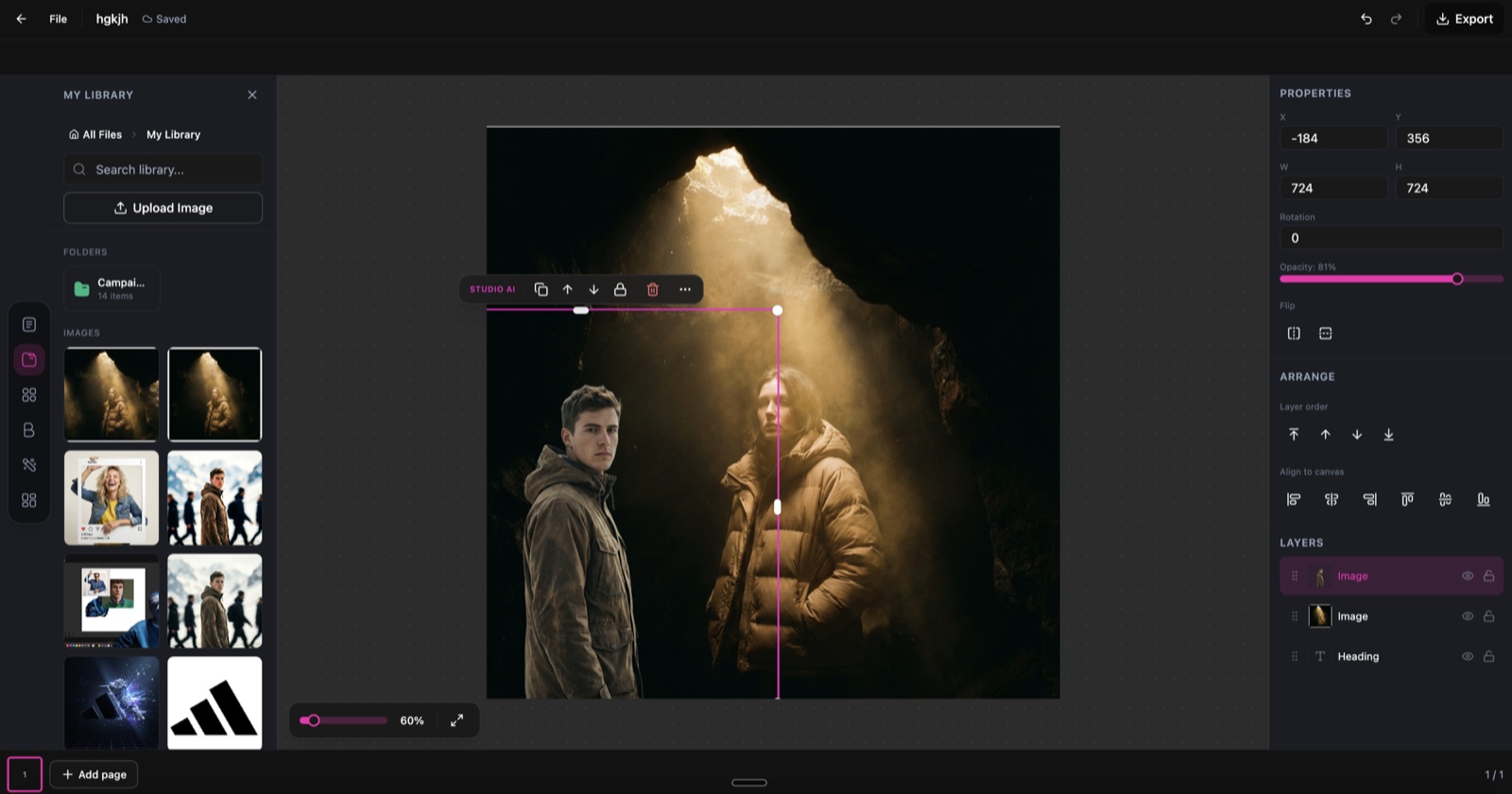
Outfit to Image, running inside the DesignerBox canvas.
Describe the outfit in plain words
No rigid templates. Write what the model should wear and where, and the AI renders it, the way the app actually works.
A model in a beige linen blazer, white t-shirt, and dark denim jeans in a sunlit cafe.
An elegant floor-length emerald evening gown on a clean studio backdrop with soft side lighting.
Relaxed streetwear, an oversized hoodie, cargo trousers, and chunky sneakers on an urban street.
A floral summer midi dress on a bright beach at golden hour.
From outfit brief to fashion image in three steps
Describe your outfit
Write the clothing items, colours, fabrics, and setting you want to see. Be as detailed as you like, or keep it simple.
Customise the look
Choose the model, pose, camera angle, lighting, and background. Fine-tune the mood from editorial to casual, studio to outdoor.
Generate and download
AI renders a photorealistic on-model image. Download it at high resolution for moodboards, lookbooks, presentations, or social.
Fashion imagery for every style and use case
The same workflow, whatever you are styling and wherever it ships.
Casual & streetwear
Everyday looks, relaxed lifestyle outfits, and contemporary street style.
Formal & evening
Gowns, suits, and occasion wear rendered in sophisticated settings.
Sportswear & active
Athletic outfits and activewear shown in dynamic, energetic poses.
Bridal & seasonal
Wedding looks and spring-to-winter collections with matching scenes.
Moodboards
Generate visual references for fashion moodboards without a shoot.
Digital lookbooks
Build full lookbook imagery for seasonal collections and pitches.
Concept previews
Visualise a design concept before you manufacture it, to test ideas fast.
Social content
Create outfit inspiration posts for Instagram, Pinterest, and beyond.
Skip the shoot day
The old way
- Book a model and photographer for every look
- Source or buy the full wardrobe up front
- Wait days for edited shots to come back
- Re-shoot from scratch for each new style or season
With Outfit to Image
- Describe the outfit and render it on a model on screen
- Skip the wardrobe, studio, and casting entirely
- Get a finished, high-resolution image in seconds
- Spin up a new style or season variation any time
Outfit to Image specs
| Best for | Fashion visualization, moodboards, lookbooks, and concept previews |
|---|---|
| Output | One photorealistic on-model fashion image per generation |
| Controls | Model, pose, camera angle, lighting, and background |
| Styles | Casual, formal, sportswear, street, bridal, and seasonal |
| Settings | Any scene you describe, from studio to outdoor |
| Output resolution | High resolution, up to 4K, print- and social-ready |
| Export formats | PNG and JPG |
| Commercial use | Yes, generated images are yours to use commercially |
| Powered by | DesignerBox's latest AI image models |
Frequently asked questions
How detailed should my outfit description be?
Can I control the model's appearance?
How realistic are the generated images?
How many credits does Outfit to Image cost?
Can I use the images commercially?
Can I generate multiple variations of the same outfit?
Ready to visualize your outfits?
Describe any outfit and get a photorealistic on-model image in seconds.
