Turn fashion photos into scroll-stopping video
Upload a single fashion photo or product image and let AI turn it into a short, moving clip, runway walks, product showcases, lookbook animations, and social reels. No footage, no editing timeline.
What is an AI fashion video generator?
It turns a still fashion photo into a short, moving clip. You upload one image or describe a scene, pick a motion style, and the AI adds camera movement, transitions, and cinematic pacing, a finished fashion video in seconds, with no footage and no editing timeline.
Your whole video job lives in one panel
Upload a look, pick a style, and preview the motion, without stitching footage across separate editing tools.
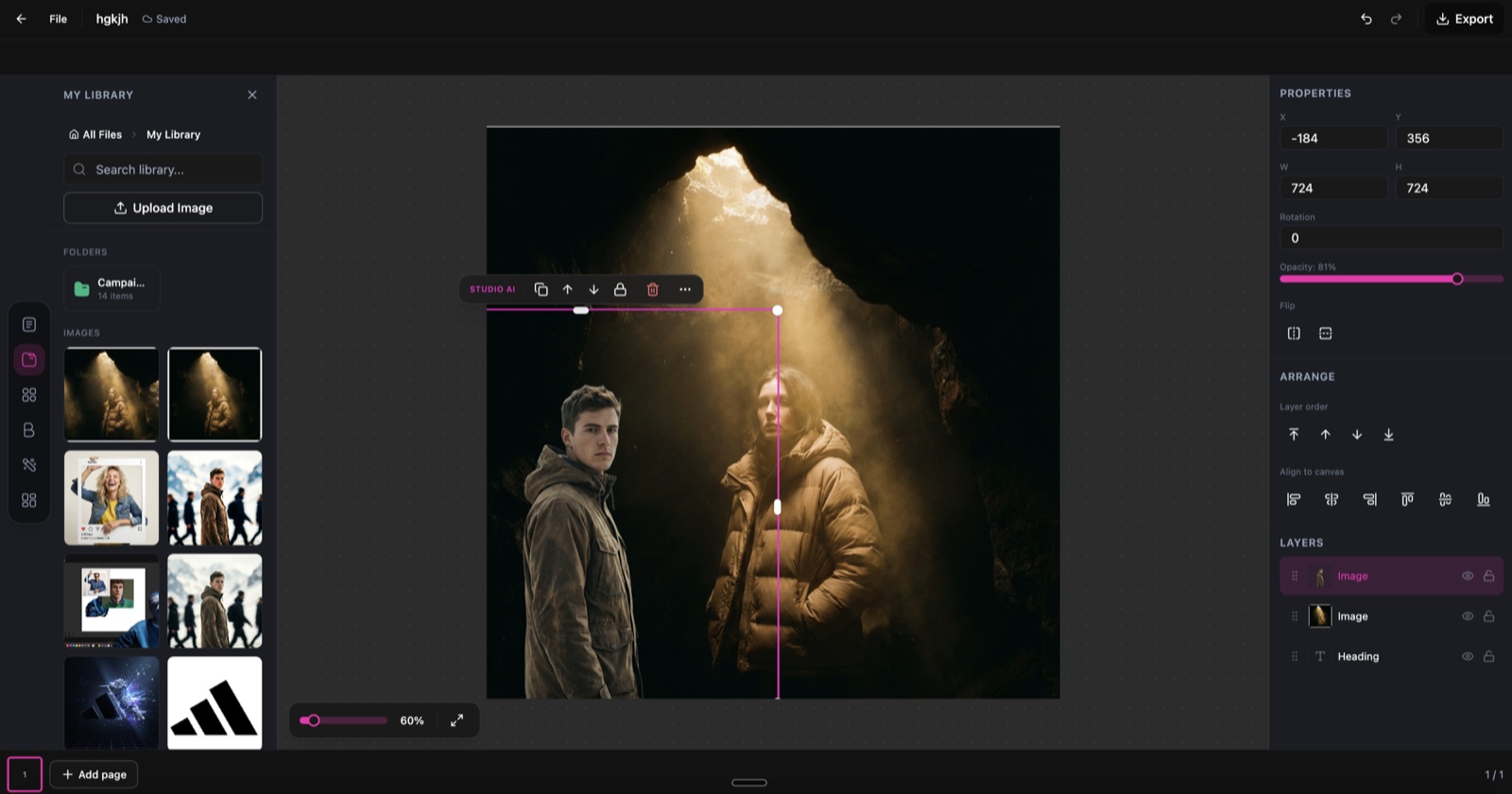
The DesignerBox canvas that Fashion Video Creator runs inside.
Six video styles, one workflow
Pick the motion that fits the look, from a catwalk track to a fast social cut.
Runway walk
A dynamic catwalk-style clip with model movement and camera tracking.
Product showcase
Smooth rotation and zoom that highlights the details of a single piece.
Editorial motion
Cinematic slow-motion with dramatic lighting and artful transitions.
Social media reel
Fast-paced vertical video built for Instagram Reels and TikTok.
Lookbook slideshow
Elegant transitions between outfit shots for a digital lookbook.
Brand video
Polished, on-brand video with consistent styling and logo placement.
Direct the shot in plain words
Describe the scene and the motion you want, or start from a preset style, and the AI moves the camera for you, the way the app actually works.
A model walks toward the camera on a studio runway, slow tracking shot, soft editorial light.
Slowly orbit the handbag on a marble surface and push in on the stitching detail.
Fast, punchy cuts between three outfit looks for a vertical social reel.
Cinematic slow-motion of the fabric moving in the wind, dramatic side lighting.
From a fashion photo to a video in three steps
Upload your fashion content
Add a fashion photo or product image, or describe a scene you want to animate. The AI works with any fashion visual, no footage needed.
Choose a video style
Pick a style like Runway Walk, Product Showcase, or Social Reel, then set the length, camera movement, and transitions to match your vision.
Generate and download
AI renders a smooth, cinematic fashion video. Download the MP4 ready for social, ads, websites, or presentations.
Fashion video for every channel
One clip, resized and styled for wherever it needs to run.
Instagram Reels
Vertical fashion reels with trending motion and clean transitions.
TikTok content
Eye-catching fashion clips built for TikTok's fast-paced format.
Product ads
Professional video ads for paid social and digital campaigns.
Lookbook videos
Turn a seasonal lookbook into a dynamic video presentation for clients.
Website banners
Looping video backgrounds and hero sections for fashion sites.
Email campaigns
Attention-grabbing video clips for fashion email marketing.
Skip the shoot and the edit
The old way
- Book a videographer, model, and studio for every campaign
- Shoot, log, and cut footage on an editing timeline
- Wait days for a rough cut, then rounds of revisions
- Re-shoot whenever the product, season, or format changes
With Fashion Video Creator
- Start from one photo you already have
- Pick a style and render a finished clip in seconds
- Regenerate a new cut without touching a timeline
- Spin up a version for every platform at no extra shoot cost
Fashion Video Creator specs
| Best for | Fashion reels, product videos, lookbook and campaign clips |
|---|---|
| Input | A single fashion photo, product image, or scene description |
| Video length | 4 to 16 seconds |
| Video styles | Runway, product showcase, editorial, social reel, lookbook, brand |
| Camera movement | Pan, zoom, orbit, tracking, or static |
| Aspect ratios | 9:16 vertical, 16:9 landscape, 1:1 square |
| Output format | MP4 (H.264), 720p or 1080p |
| Powered by | DesignerBox's latest AI video models |
Frequently asked questions
What types of input does Fashion Video Creator accept?
How long are the generated videos?
Can I customise the camera movement?
How many credits does Fashion Video Creator cost?
What format are the output videos?
Can I add music to the generated videos?
Ready to make fashion videos?
Upload one fashion photo and get a polished, ready-to-post video in seconds.
