Train a character once, use across every shot
The single hardest problem in AI filmmaking and series content. This workflow produces character LoRAs that hold consistency across 50+ shots in image and video models.
Open workflow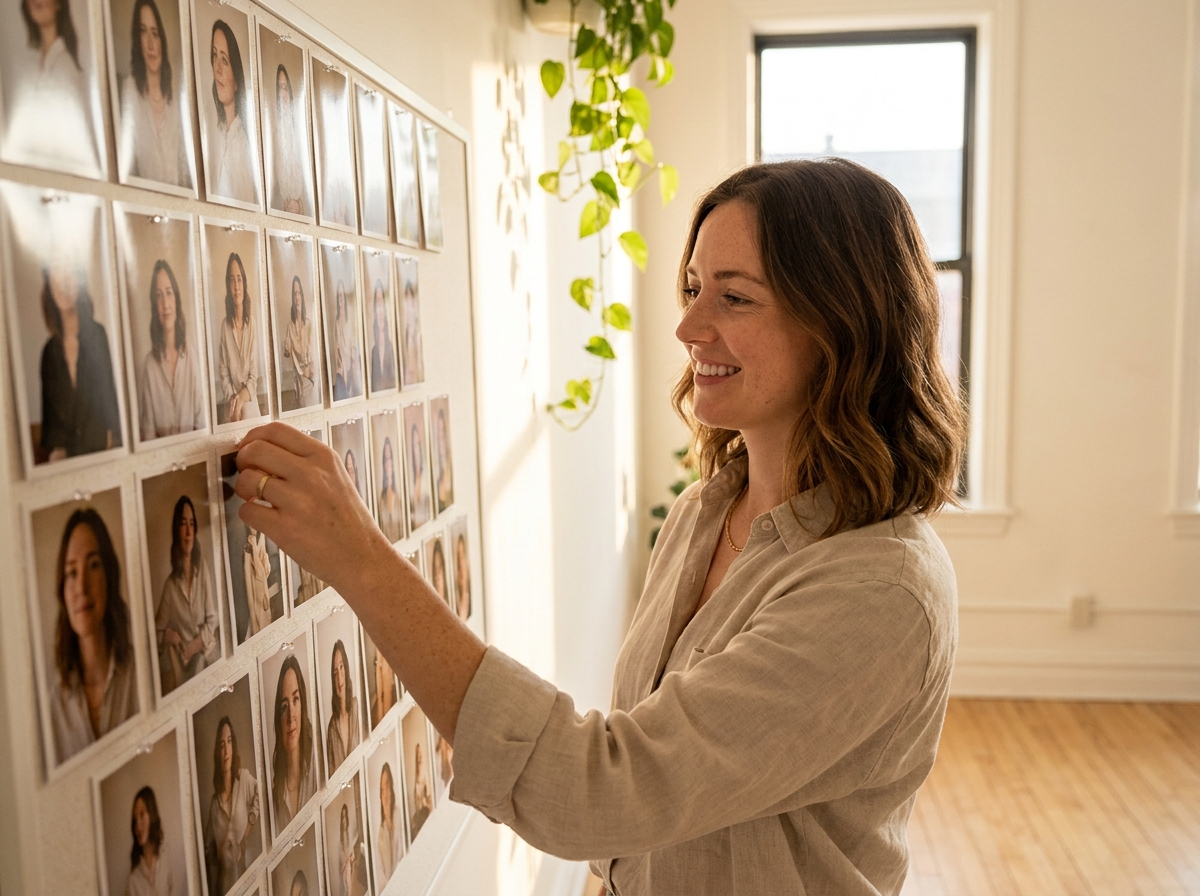
When to use this recipe
Built for projects where the same character appears across many shots and consistency matters.
Recurring character across project
Film, series, recurring brand mascot, faceless-creator avatar. The character appears in 20+ shots and breaks if identity drifts. LoRA training is the consistency lever.
15 to 25 reference images available
Multiple angles, expressions, lighting. The reference set determines what the LoRA can produce. Below 15 references, the LoRA drifts on angles you did not train. Above 25, returns diminish.
Likeness rights cleared (if real person)
Real-person LoRAs require written likeness release covering AI-generated use. Without release, do not train. The release language matters for high-stakes deployments.
Production budget for the investment
30 to 60 minute training run plus testing. About 2 to 3 hours total. Pays back across every future shot featuring the character; does not pay back for one-shot projects.
The workflow
Six steps from reference image set to a production-ready character LoRA.
Tips and failure modes
Six patterns separating LoRAs that hold consistency from LoRAs that drift in production.
Multi-angle coverage in reference set
LoRAs trained only on front-facing references drift on profile and 3/4 shots. Cover at least 3 angles in the training set or expect angle-dependent drift in production.
Multiple expressions
LoRAs trained on neutral expressions only produce neutral characters at every emotional beat. Train across neutral plus 2 to 3 expression ranges for usable production range.
Lighting diversity in references
References shot in identical lighting train the LoRA to produce that lighting. For project use across many lighting setups, train with diverse lighting.
Quality beats quantity
20 high-quality references beat 50 mixed-quality references. Cut aggressively rather than padding the set with weaker images.
Multi-character interactions are still hard
Even with strong character LoRAs, two-character interaction drifts more than single-character work. Plan to break complex scenes into pairwise compositions or single-character generations assembled in post.
Plan for retraining at project mid-point
If the LoRA drifts on a specific category of shot, retrain with more references in that category. LoRA training is not one-shot; productions often refine the LoRA mid-project.
Frequently asked questions
What filmmakers and content creators ask about character LoRA training.
How long does training take?
About 30 to 60 minutes of wall-clock training time. Add 15 to 30 minutes for reference curation and tagging, and 30 minutes for post-training testing. Total: 2 to 3 hours including QA.
Can I train a LoRA on a real person?
Yes, with written likeness release covering AI-generated use. Founder-led content, brand-spokesperson, and casting-based productions often do this. Without release, do not train. Counsel for high-stakes deployments.
Do trained LoRAs work in video models too?
Most image LoRAs work in compatible video models. Cross-model compatibility varies; some image-trained LoRAs transfer cleanly, others need video-specific tuning. Test before production commitment.
How many reference images do I really need?
15 to 25 is the sweet spot. Below 15: drift on angles you did not train. Above 25: diminishing returns and longer training. Quality and diversity matter more than count above the 15 threshold.
Can I share LoRAs across teammates?
Yes, within your workspace. Enterprise tier supports cross-team LoRA libraries. Be mindful of likeness rights when sharing real-person LoRAs across teams; license terms apply.
What if the LoRA drifts on specific shots?
Generate the shot with explicit reference images alongside the prompt to anchor identity. If a specific angle or expression keeps failing, retrain with broader coverage of that category.
How does this compare to commercial digital twin tools?
Different tradeoffs. Commercial digital twins (specialized vendors) often produce higher per-shot fidelity for narrow use cases. AI LoRAs are more flexible across model providers but require more careful production discipline.
Can I train an outfit or prop LoRA instead of a character?
Yes. Outfit LoRAs, brand-prop LoRAs, recurring-location LoRAs all work with the same training workflow. The reference set discipline is the same; the subject changes.
Explore the rest of the suite
Jump straight to the studio, app, or workflow that fits the job.
AI image generation
On-brand images from a prompt, a packshot, or a brief.
AI video generation
Turn products and scripts into ready-to-ship video.
Apps
Focused mini-apps for retouch, product, ad, and video jobs.
Canvas workflows
Save a campaign as a workflow your team reruns.
Product photography
Studio product and model shots without booking a shoot.
Compare tools
See how DesignerBox compares to other AI creative tools.
Image and video models available in DesignerBox
Compare each model and pick the one that fits the shot.
Cast your character once and reuse forever
Character LoRA Training workflow produces a production-ready LoRA from 15 to 25 reference images in 2 to 3 hours. The one-time investment that pays back across every future character shot.
Open workflow