




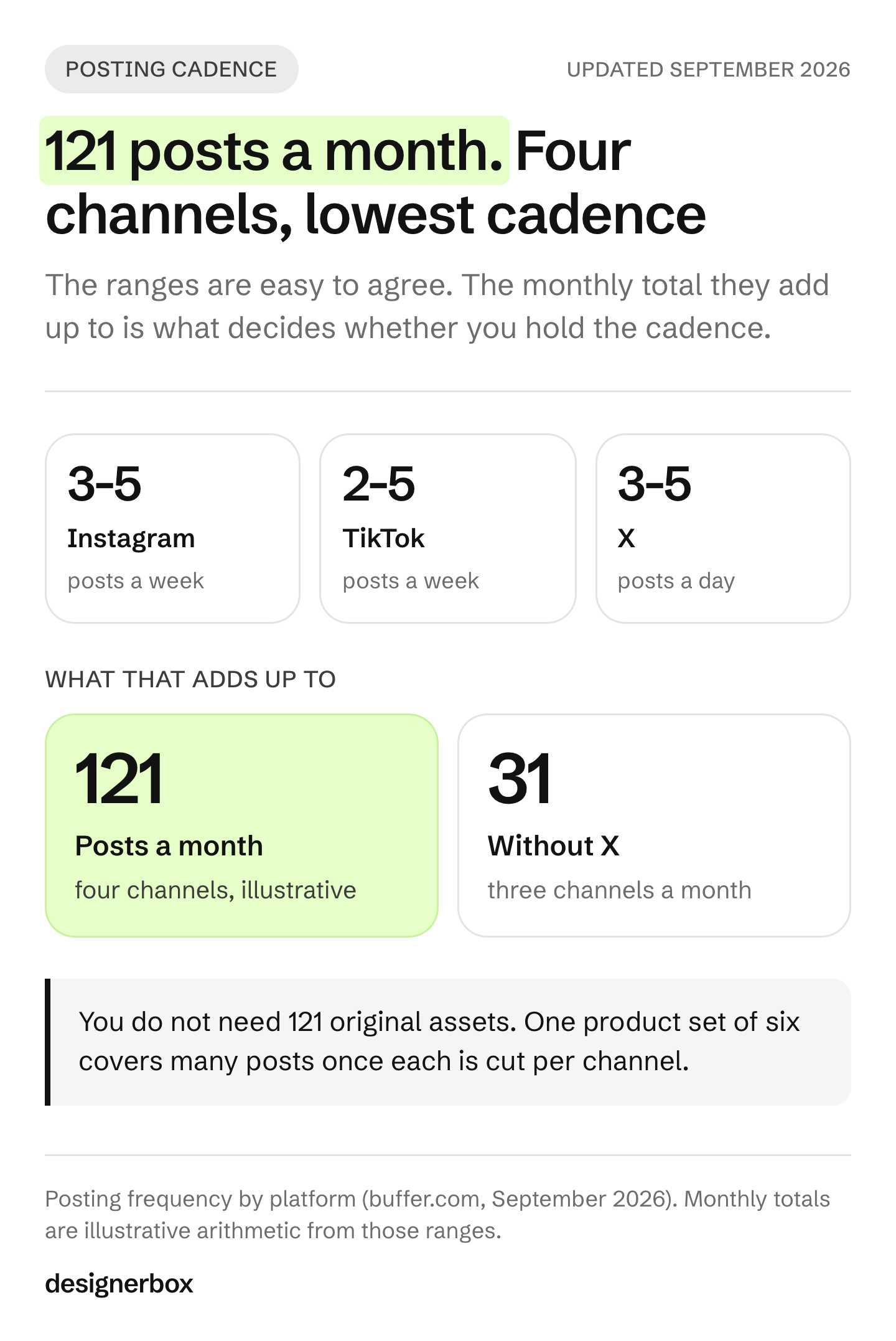
How often to post on social media varies by platform. Post three to five times a week on Instagram, two to five times a week on TikTok and LinkedIn, one to two times a day on Facebook, and three to five times a day on X (buffer.com/resources/social-media-frequency-guide, September 2026). Those ranges are the easy part. The harder number is how many finished assets a month that cadence needs.
A brand team agrees to “three to five times a week” on a Monday. By the third week, it has nothing left to post. Production sets the limit.
This guide gives the per-platform ranges, then does the arithmetic those ranges imply for a brand with a product catalog. It is written for brand and ecommerce teams, and for the agencies holding the same cadence for several clients at once.
Key Takeaways
- The ranges differ by platform: three to five posts a week on Instagram, two to five on TikTok and LinkedIn, one to two a day on Facebook and three to five a day on X (buffer.com, September 2026).
- More does keep working on some platforms. On Instagram, follower growth rises with volume at every step Buffer measured, from 1 to 2 posts a week to 10 or more.
- Four channels at the low end of each range is roughly 121 posts a month, on illustrative arithmetic.
- You do not need 121 original assets. You need a smaller set of source assets, re-cut per channel.
- Pick the cadence you can hold in month four, not the one you can hold in week one. In a Buffer study of more than 100,000 of its users, the steadiest posters got more than five times the engagement per post of the least steady.
- Production capacity sets the ceiling. Anyone can make an AI picture. Making hundreds that still look like your brand is the hard part.
How often to post on social media, per platform
The ranges below come from Buffer’s guide, published in January 2026 and read on 26 September 2026. The Instagram, TikTok and LinkedIn figures come from Buffer’s own data. The Facebook and X ranges cite outside studies.
| Platform | Recommended cadence | What the data shows |
|---|---|---|
| 3 to 5 times a week | Follower growth rises at every volume step measured | |
| TikTok | 2 to 5 times a week | Moving from one post a week to this range gives up to 17% more views per post |
| 2 to 5 times a week | 11 or more posts a week gave nearly triple the engagements per post compared with once a week | |
| 1 to 2 posts a day | HubSpot’s current guide says you do not have to post daily | |
| X | 3 to 5 posts a day | Spread through the day rather than together |
| YouTube | 1 video a week, plus 1 to 3 Shorts a week | Buffer’s rule of thumb |
| At least once a week | Pinterest says quality and relevance matter more than frequency |
Sources: buffer.com; the Facebook note from blog.hubspot.com; the Pinterest row from Pinterest’s own content guide. All read September 2026.
The Instagram figures favor more posts. Buffer’s follower growth rate rose at every step, from 0.12% at 1 to 2 posts a week to 0.66% at 10 or more.
Buffer still recommends three to five posts a week. It says the extra gain gets smaller at each step, and a lower cadence keeps quality high. For most brands, production capacity is the real limit. On Pinterest the limit is new images, as the guide to Pinterest affiliate links and Pin sizes explains.
The monthly post total
Take the low end of each range for a brand on four channels. The arithmetic below is illustrative, not a measured result.
- Instagram, 3 a week: about 13 posts a month
- TikTok, 2 a week: about 9 posts a month
- LinkedIn, 2 a week: about 9 posts a month
- X, 3 a day: about 90 posts a month
That is roughly 121 posts a month at the bottom of every recommended range. Drop X, which is the outlier, and three channels still need about 31 posts a month.

A plan that counts posts and skips this number looks healthy in week one and empty in week three.
Why you need fewer assets than posts
Posts and assets are different units.
One product shoot can produce a hero still, two angle shots, a fabric close-up, a lifestyle frame and a short clip. That is six assets from one product. Cut for four channels at the right crop each, with a different caption, and those six assets cover a lot more than six posts.
A product brand plans in three units:
- Source assets: the stills and clips you make per product
- Cuts: the same asset at the size and shape each channel needs
- Posts: a cut plus a caption, scheduled on a date
For a worked example on one channel, Instagram content with AI shows how the four formats get made from one set. The split between source assets and the files derived from them is set out in the guide to creative assets.
The pressure is highest for a brand that shoots two or three times a year. Social media asks for new posts every week, and a few shoot days have to cover all of them. Planning in assets is what makes that small set last, and it shows early how many new source assets the next months need.
A team that plans at the post level tries to invent 121 ideas a month. A team that plans at the asset level makes a set per product and re-cuts it, which is the idea behind creative automation. The second team holds the cadence. The first team gets tired and stops.
Where the assets come from
DesignerBox is AI creative production for brands and agencies. Anyone can make an AI picture. Making hundreds that still look like your brand is the hard part. For a posting calendar, DesignerBox makes the source assets that the posts are cut from.
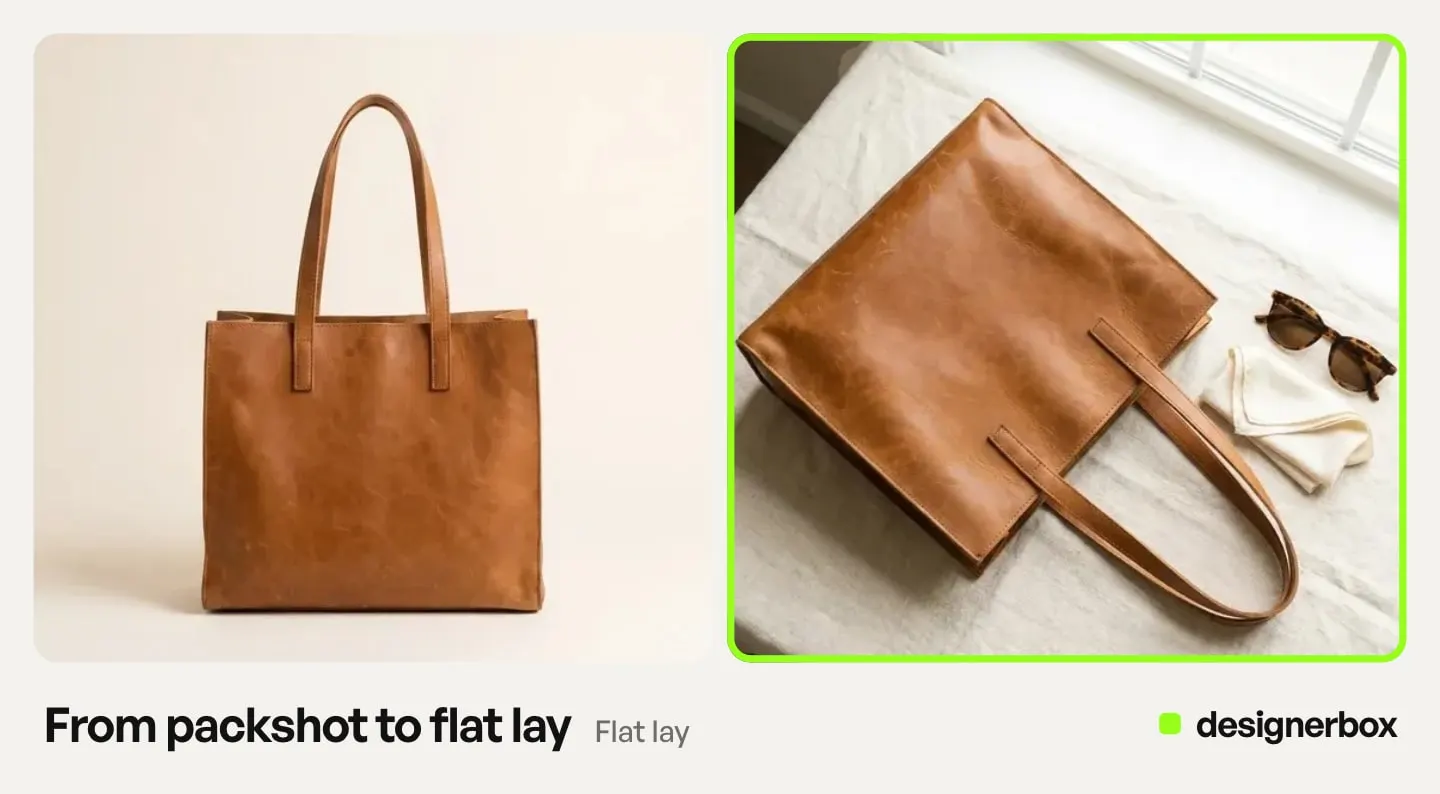
There are four ways to run the same workflow, and how it works explains each one. A template is a workflow somebody already built. A workflow is your own set of steps, saved once with your brand rules.
An app is a workflow with a form, so a colleague can run it without opening the steps. Batch runs one workflow over a whole sheet of products. Step one is one photo. Step four is the whole catalog.
For the asset math above, the stage that matters is the last one. If a drop is 40 products and each needs a six-asset set, that is 240 assets. One batch job over a sheet is a different kind of work from booking a shoot per product.
You set the brand once in Brand: logo, colors, up to 6 fonts, voice and rules. The workflow reads it on every run, so product forty follows the same rules as product one. To cut one set for each channel, type the job in Create and pick the Social post skill. The chat shows a plan with the price, and nothing is spent until you approve it.
Critic steps score the results and best-of-N keeps the best one. You keep or discard per row, and re-run one row alone.
The stills, the cuts, the editors and the brand rules sit in one account, so a month of posts never leaves it. If you run a catalog, AI product photography covers the per-product set in more detail, and there is a page for ecommerce brands.
Uploading your own photos and the commercial license start on the Pro plan. The image editor starts on the Premium plan. Plans and credits are on the pricing page.
Where the schedule lives
Making 240 assets and posting 121 times a month are two different jobs. DesignerBox finishes at the asset: you download the results, or send them onward with a webhook or an S3 step. Putting a finished file on four channels at the right time, every week, is a scheduler’s job.
PostNext is the social media scheduler built by the same team, and it covers that stage. What matters for holding a cadence:
- Seven channels from one calendar: X, Instagram, LinkedIn, TikTok, YouTube, Threads and Bluesky (postnext.io, September 2026).
- Official APIs only, through each platform’s own login using OAuth 2.0. No password is stored and nothing is scraped (postnext.io, September 2026).
- An evergreen queue and recurring posts, which is how one strong asset gets used again in month three instead of being posted once and forgotten. At 121 posts a month, reuse is not optional.
- A drag-and-drop calendar, so a gap in week three is visible in week one.
- First comment scheduling, so links and hashtags sit in the comment.
PostNext has two limits. It does not publish to Facebook or Pinterest, and both appear in the table above, so check your channel list before you choose it. And it schedules posts: making the product photo is a separate job. PostNext has a free plan for one channel, so you can test that stage first (postnext.io, September 2026).
For the rest of the stack, CreatorFlow’s creator tools directory lists 190+ tools by job, from link-in-bio and email to scheduling and analytics. CreatorFlow is built by the same team as DesignerBox (creatorflow.so/creator-tools, October 2026).
A cadence you can hold
The best cadence is the one still running in month four. Three rules make that likelier.

Start at the bottom of the range. Three Instagram posts a week beats five for two weeks and none for three. You can raise it once production is steady.
Count assets before you commit. Multiply your channels by the low end of each range, then ask how many source assets that needs after re-cuts. If the answer is more than you have made in any previous month, lower the cadence or raise production first.
Batch the making, spread the posting. Make a month of assets in one pass, then schedule them across the month. Our guide to the social media workflow describes the five stages and who owns each one. AI for social media content covers making one master asset that survives being cut for several platforms. A clothing brand can run the same math per garment: social media marketing for clothing brands counts the posts one drop needs.
Scale content without limits.
Generate content for your products or services with AI, starting today, and keep your brand on every piece. Start from a template, add your brand and your products, and run it. Get started free.
FAQ
How often should I post on social media?
Three to five times a week on Instagram, two to five times a week on TikTok and LinkedIn, one to two times a day on Facebook, and three to five times a day on X (buffer.com, September 2026). Pinterest’s own guide says once a week is a good rule of thumb, and that quality matters more than frequency. Start at the bottom of each range and raise it once production is steady.
Is it better to post more often or post better content?
Both matter. Buffer’s data shows Instagram follower growth rising at every step from 1 to 2 posts a week up to 10 or more (buffer.com, September 2026). Buffer also says the gain gets smaller at each step, and that quality content wins over volume alone. In practice, production capacity usually sets the limit.
How many posts a month does a four-channel plan need?
A brand on Instagram, TikTok, LinkedIn and X needs roughly 121 posts a month at the bottom of each recommended range. That is illustrative arithmetic, and X accounts for about 90 of them. Three channels without X come to about 31 a month.
Do I need a separate asset for every post?
No. Plan at the asset level. One product set of six assets, cut for four channels, gives 24 cuts. Each cut becomes a post once it has its own caption.
What happens if I miss a week?
One missed week does little harm. Buffer studied more than 100,000 of its users over 26 weeks. Users who posted in 20 or more of those weeks got more than five times the engagement per post of users who posted in four weeks or fewer (buffer.com, September 2026). A pattern of gaps is the problem. If you cannot hold five a week, commit to three. Scheduling a month ahead protects the calendar from two busy weeks.
How do I keep the brand consistent at that volume?
Set the brand rules once in the system so the workflow reads them on every run. Consistency fails at volume for the same reason cadence does: it depends on a person remembering, instead of on a process.
Sources
- Posting frequency by platform, and the Instagram follower growth figures by weekly volume, buffer.com/resources/social-media-frequency-guide (published January 2026), accessed 26 September 2026.
- Consistent posting and engagement per post, more than 100,000 Buffer users over 26 weeks, buffer.com/resources/consistent-posting-study (published January 2025), accessed 26 September 2026.
- Facebook posting frequency, blog.hubspot.com/marketing/how-frequently-should-i-publish-on-social-media (updated August 2025), accessed 26 September 2026.
- A beginner’s guide to Pinterest content, Pinterest Business, October 2022, accessed 26 September 2026.
- PostNext channels, publishing method and free plan, postnext.io and postnext.io/channels, accessed 26 September 2026.
- CreatorFlow creator tools directory, 190+ tools in eleven groups, creatorflow.so/creator-tools, accessed 2 October 2026.
- DesignerBox plans and credits, DesignerBox pricing page, September 2026.
Posting frequency figures read from published vendor and platform guides as of September 2026. Asset arithmetic is illustrative. Individual results vary.














