
AI for social media content means generating your Reels, Shorts, carousels, and stills instead of shooting them. Generation is the cheap part. Three costs sit downstream: each platform wants its own cut, each applies an AI label by its own mechanism, and video bills by the second. Build one master, re-cut it for every platform, and you pay each of those three once.
A better brief, a human in the loop and a review before you publish all help. None of them is what breaks a posting schedule in month three.
What breaks it is that you produced one 8 second clip and now owe three platforms three different versions of it, each with its own label rule, and the meter charged you for every second of every cut.
This guide covers the three costs that sit between a finished AI asset and a published post: the format tax, the label tax, and the per second meter. Then the production order that keeps all three from compounding, week after week, at the same standard.
Key Takeaways
- The unit of cost is the platform, not the post. Publishing one idea to Reels, TikTok, and Shorts is three deliverables, three specs, and three label decisions.
- Build to the tightest ceiling, not the longest allowance. Instagram says it recommends videos of 3 minutes or less to people who do not follow you (creators.instagram.com, September 2026), and YouTube classifies square or vertical uploads of up to 3 minutes as Shorts (support.google.com, September 2026).
- Three platforms, three different label mechanisms. TikTok has a creator setting plus automatic labels the creator cannot remove. YouTube asks creators to disclose with its “AI use” setting and can add the label itself. Meta detects AI signals and applies its own label.
- Put the human 70 percent into process. BCG’s 10-20-70 principle puts 70 percent of AI effort into people, processes and cultural change (bcg.com, September 2026). On social, that work is format and compliance, not line editing.
- Derive, do not regenerate. One master re-cut per platform costs a fraction of a fresh clip per platform, and it keeps the look identical across surfaces.
What AI for social media content covers
AI for social media content spans four asset types: short form video, static posts, carousels, and the reusable character or presenter that ties an account together. Brand accounts use it to hold a posting cadence without booking a shoot per campaign. The generation step is fast and reliable in 2026. The failure point sits between generation and publication.
That distinction matters because it changes what you buy. A tool that generates beautifully but hands you one file, in one ratio, with no label workflow, has solved the smallest part of the problem. For what that shift means to a one-person shop, see how AI changes social media marketing for small business. If the account uses one recurring AI character, AI influencer marketing covers how to test a character first.
DesignerBox groups this work under social creative templates on the main site, and the glossary defines the formats.
Why one clip does not fit three platforms
All three major short form surfaces want vertical 9:16. That is the part everyone gets right. The part that costs money is the recommendation ceiling, which is different from the upload limit and matters far more.

Instagram says it recommends videos of 3 minutes or less to people who do not follow you, so a longer reel reaches your followers and few others (creators.instagram.com, September 2026). YouTube says uploads with a square or vertical aspect ratio and a length of up to 3 minutes are categorized as Shorts, and it tells creators to use a wider ratio such as 16:9 when they do not want that (support.google.com, September 2026).
Build your master to the tightest ceiling you publish against, then extend it. Never shorten it from a long edit. Trimming a 90 second edit into a 20 second hook loses the pacing the edit was built around. Building the 20 second version first and extending it keeps the hook intact on every surface.
| Surface | Ratio that displays full screen | The ceiling that matters |
|---|---|---|
| Instagram Reels | 9:16 | Over 3 minutes stops being recommended to new audiences |
| YouTube Shorts | Square or vertical | Over 3 minutes is no longer classified as a Short |
| TikTok | 9:16 | Watch time is the constraint, not the upload cap |
| LinkedIn video | 9:16 or 1:1 | Feed context differs, so the hook has to work muted |
Platform by platform mechanics are covered in more depth in the Instagram content workflow, the TikTok content pipeline, and the LinkedIn video tool comparison. To choose a tool by kind of clip, see the guide to an AI video generator for social media. If you publish to one platform only, the format tax mostly disappears and you can skip to the meter. If you work alone, the guide to AI tools for content creators by job covers the tool types for each weekly task. For the rest of the stack, CreatorFlow’s creator tools directory lists 190+ tools by job, from link-in-bio and email to scheduling and affiliate platforms. CreatorFlow is built by the same team as DesignerBox (creatorflow.so/creator-tools, October 2026).
Do you have to label AI social media posts?
Yes, on all three major platforms, though each one does it differently. This is the part generic AI social guides omit, and it is the part that gets posts removed or restricted. Disclosure is a per post action. A batch of thirty scheduled clips does not carry a label just because the first one did.
Here is what each platform does as of September 2026.
TikTok. TikTok requires creators to label AI-generated or heavily edited content that shows realistic people or scenes. Small edits like color correction, reframing, or cropping need no label. You can turn on the AI-generated content setting at publish, which puts a “Creator labeled as AI-generated” label on the post, or add your own clear caption, sticker or watermark. TikTok also adds a label itself when content uses TikTok AI effects or carries Content Credentials, and you cannot remove an automatic label (TikTok Support, September 2026). TikTok says unlabeled content may be removed, restricted, or labeled by its team (TikTok Community Guidelines, September 2026).
YouTube. YouTube requires creators to disclose realistic content that AI made or changed in a meaningful way: a real person saying something they did not say, changed footage of a real event or place, or a realistic scene that did not happen. You disclose with the “AI use” setting in YouTube Studio. Clearly unrealistic content, animation, and production help such as AI scripts or thumbnails need no disclosure. For photorealistic content the label appears in the video player. YouTube can also add the label itself, for content made with YouTube’s AI tools, content with C2PA metadata, and content its systems detect. You cannot change a label YouTube added from its own tools, from C2PA data or after a manual review (YouTube Help, September 2026).
Meta. On Facebook, Instagram and Threads, Meta adds an “AI info” label to posts when it finds signals that AI made them, such as C2PA or IPTC metadata. For posts that AI only changed, the information sits in the post menu rather than on the post (Meta Help, September 2026). Meta also requires you to disclose organic posts with realistic AI video or realistic AI audio (Meta Community Standards, September 2026). For ads, Meta checks for signs of third-party AI tools and places the label in “About this ad”, reachable from the three dot menu. Meta says this may not be available in every region (Meta Business Help, September 2026).
| Platform | Who applies the label | Can you remove it | What triggers it |
|---|---|---|---|
| TikTok | Creator setting, or TikTok automatically | Not once TikTok applies it | Realistic AI-generated or heavily AI-edited content |
| YouTube | Creator with the “AI use” setting, or YouTube automatically | Not when YouTube added it from its own tools, C2PA data or a manual review | Realistic content AI made or meaningfully changed |
| Meta | Meta from detected signals, or the person posting | We found no removal option in Meta’s help pages | AI signals such as C2PA, disclosure, or third party AI tools in ads |
The pattern is the thing to plan around. On all three, the platform can add the label for you, and on Meta’s ad surface it does so by detecting signals from the tool you used. Treat the label as a default state of AI creative rather than an exception you might avoid, and it stops being a surprise in a campaign review. This is general information, not legal advice.
The same disclosure question on marketplaces and retail listings works differently again, and is covered in AI product photos: marketplace rules and disclosure.
Why the meter runs on seconds and models, not posts
Video pricing in AI tools is per second of output multiplied by duration. That single mechanic reorders every budget built on post count. A 30 second cut costs roughly four times an 8 second cut on the same model. Ten short clips can cost less than three long ones. Duration is the first lever, and most content calendars do not track it.
The second lever is the model, and it moves more than duration does. In DesignerBox an 8-second clip costs 40 to 560 credits, depending on the model, and the model list shows the models you can pick. Pick a lower-cost model for a filler clip and a premium one for the hero, and a week of posts costs a fraction of what it does when everything runs on the top model by default.
Both levers are readable before you commit. The cost of a run appears before you press Run, so a calendar can be priced at the planning stage instead of reconciled at the end of the month.
Static assets behave differently. Each still has a fixed cost set by the model, so a carousel of six stills is predictable in a way a video slate is not. That is why a mixed calendar is cheaper than an all video one at the same posting frequency, even before engagement enters the picture.
Carousels carry their own per-platform trap. LinkedIn retired the image carousel post in December 2023 (Social Media Today, read October 2026), so a swipeable set there is a document post instead: a PPT, PPTX, DOC, DOCX or PDF file up to 100MB and 300 pages (LinkedIn Help, October 2026). The specs are broken down in the guide to AI social media carousels, and the thumbnail side of a video calendar is covered in how to make YouTube thumbnails with AI.
The multiplication that catches teams is the platform one. Generating a fresh clip per platform runs the meter three times for output that should have been one generation and three exports. The cost mechanics of a video slate before it runs are broken down in what AI video costs.
How to use AI for social media content, step by step
To use AI for social media content, decide the platform set first, generate one master, and derive every platform’s cut from it. The three taxes only compound when they are handled in the wrong order. Generate first and you pay the meter again for every format you did not plan for. Handle them in this order and each one is paid once.
- Decide the platform set before the brief. Three platforms is three deliverables. Write that down before anyone generates anything, because it sets the duration ceiling and the label workload.
- Build the shortest cut first. Produce the tightest version, then extend for surfaces that allow more. Extending preserves the hook. Trimming destroys it.
- Generate one master, not one per platform. Same source photo, same model, same look. This is where the meter is saved.
- Derive the exports. Re-crop and re-length from the master in an editor. An edit of a file you already have does not need a new generation.
- Label at publish, per post. Set the disclosure on each upload individually. Assume the label appears whether you set it or not, and write the caption so it reads fine alongside one.
- Save the sequence as a workflow. The next product, drop, or client runs the same path with new inputs, on the same brand rules and the same model. Repeatability is what turns this from a project into a cadence. Running that sequence for a week at a time is covered in content batching.
Step 3 is where you save most of the money. Step 6 is where you save the time. If your source is a single product photo, the shot by shot version of the same path is in the still to video ad walkthrough.
The free browser tools are a reasonable way to test steps 2 and 3 before you commit to a plan. For teams running this as an ongoing campaign rather than a test, a static ad template and the wider ad templates are the production surfaces.
Where the human 70 percent goes
BCG writes that top-performing organizations “dedicate 10% of their efforts to algorithms; 20% to data and technology; and 70% to people, processes, and cultural transformation” (bcg.com, September 2026). It is a sound split.
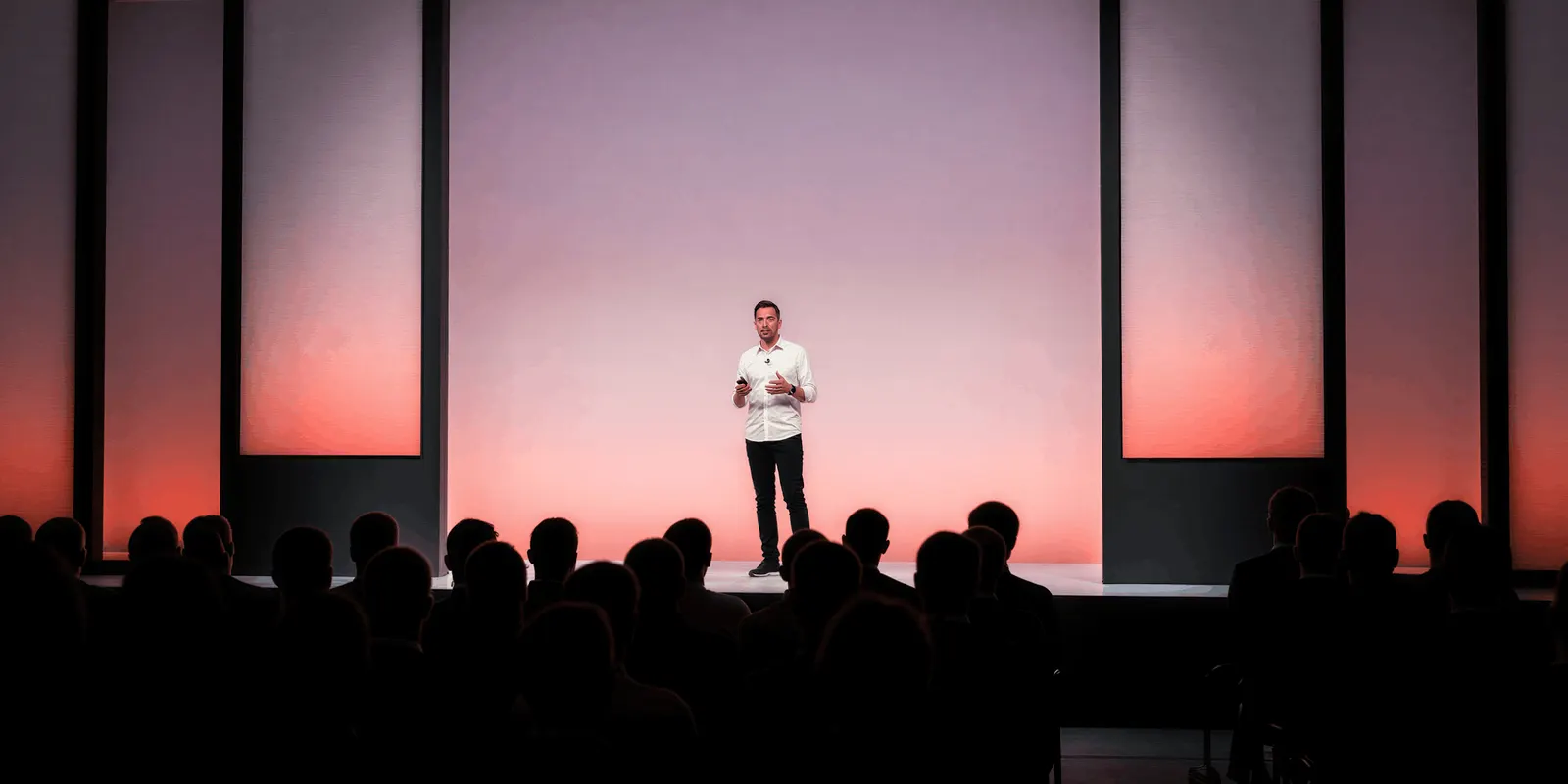
The 70 percent is easy to read as editorial work: reviewing tone, fixing voice, catching a wrong claim. That work matters, and a competent marketer already does it on every post, AI or not.
On social specifically, the 70 percent that is new is operational. It is deciding the platform set, holding one duration ceiling across a calendar, keeping the master and the exports in one place, and running a label check on every post. None of that is voice work. All of it is process.
Put the human effort there and the editorial pass gets shorter, because a system that produces on spec produces fewer things to fix.
Before you set the calendar, work out the volume it needs. How often to post on social media sets out the per-platform ranges and the monthly total they add up to.
Plans for a social calendar
Plan choice on any AI creative tool depends on two questions: how much monthly output you need, and which capabilities are gated above your tier. Plans and credits are on the pricing page. Yearly billing lowers the monthly rate and keeps the same allocation, resetting monthly.
Three gates decide most of it. Uploading your own photos and the commercial license start on the Pro plan, so anything running as a paid ad or on a live storefront needs at least that tier. AI video, virtual try-on, upscaling, the image editor and the video editor start on the Premium plan, which is the real floor for a video first calendar. Team seats and shared brand kits are on the Ultra plan, and every tier below it is a single seat.
Read them in that order. If you are only testing whether the results clear your bar, the free plan answers that on sample products. If you post stills and carousels and nothing runs as an ad, the license gate is the one to watch. If the calendar is video first, Premium is the floor whatever your output volume. If you run client work across brands, Ultra is the tier that carries the seats and the shared brand kits.
A video ad template fits a video first calendar, and how it works covers the four stages behind it.
DesignerBox is AI creative production for brands and agencies. Build the social sequence once as a workflow, and run it again next week. You set the brand once, and the workflow reads it on every run. The master, the exports, the editors and Assets stay in one place. The full workflow from the first product photo to the finished ad, in one subscription. The calendar never moves between tools. Start from the templates.
FAQ
Do I have to disclose AI generated social media posts?
On TikTok and YouTube, yes, for realistic content that a viewer could mistake for real, as of September 2026. TikTok requires creators to label AI-generated or heavily edited content that shows realistic people or scenes, and may add a label automatically that you cannot remove (tiktok.com/support, September 2026). YouTube asks creators to disclose with the “AI use” setting, and it can also add the label itself (support.google.com, September 2026). Meta adds its own “AI info” label when it detects AI signals, and requires you to disclose organic posts with realistic AI video or audio (meta.com and transparency.meta.com, September 2026).
Does minor AI editing need a label?
Generally no. TikTok exempts small edits such as color correction, reframing, and cropping. YouTube exempts clearly unrealistic content, animation, and generative AI used for production assistance. The trigger on both platforms is realism plus significance, not whether an AI tool touched the file at any point.
What length should AI social video be?
Build to 3 minutes as a hard ceiling and much shorter in practice. Instagram recommends videos of 3 minutes or less to people who do not follow you (creators.instagram.com, September 2026), and YouTube classifies square or vertical uploads of up to 3 minutes as Shorts (support.google.com, September 2026). Shorter cuts also cost less to generate.
Is it cheaper to generate one video per platform or re-cut one master?
Re-cut one master. Generating a separate clip per platform runs the per second meter once per platform for output that should have been a single generation and several exports. It also produces three slightly different looks, which is the drift that makes a brand account feel inconsistent.
Can I schedule AI content and let the platform handle labels?
No. Disclosure is a per post action on TikTok and YouTube, so a scheduled batch does not inherit a label from the first post in the queue. TikTok, YouTube and Meta may add labels automatically when they detect AI signals, but you cannot rely on automatic labeling to satisfy a disclosure requirement you were supposed to set yourself. This is true in any scheduler, including PostNext, which is built by the same team as DesignerBox. Check the label on each post before it goes into the queue.
Which plan do I need for AI social video?
Premium, or higher, because AI video starts on that plan. The plans below it make stills and carousels. Uploading your own photos and the commercial license start on the Pro plan, so output that runs as a paid ad or sits on a live storefront needs at least Pro.
Does an AI label hurt reach?
Platforms present labels as transparency rather than as a ranking penalty. TikTok says turning on its AI-generated content setting does not affect a video’s distribution, and YouTube says disclosing AI content does not limit a video’s audience or its eligibility to earn money (tiktok.com/support and support.google.com, September 2026). Plan for the label as a default state of AI creative and write captions that read naturally alongside one, rather than structuring production around avoiding it.
Sources
- Instagram recommending videos of 3 minutes or less to unconnected audiences: creators.instagram.com, September 2026
- YouTube Shorts classification, square or vertical and up to 3 minutes: support.google.com, September 2026
- TikTok AI-generated content labels, the creator label wording and automatic labels: TikTok Support, September 2026
- TikTok labelling rules for realistic content and what happens to unlabeled content: TikTok Community Guidelines, integrity and authenticity, September 2026
- YouTube disclosure rules, automatic labels, label placement and reach: YouTube Help, September 2026
- Meta AI info labels on posts: Meta Help, September 2026
- Meta disclosure rule for organic realistic AI video and audio: Meta Community Standards, misinformation, September 2026
- Meta AI info labels on ads: Meta Business Help, September 2026
- LinkedIn document posts, the supported file types and the 100MB and 300-page limits: LinkedIn Help, accessed 2 October 2026
- LinkedIn removing carousel posts in December 2023: Social Media Today, published 9 November 2023, read 2 October 2026
- BCG 10-20-70 principle, 10% algorithms, 20% data and technology, 70% people, processes and cultural transformation: bcg.com, September 2026
- DesignerBox plan gates, the video credit range and the cost shown before each run: DesignerBox pricing page (designerbox.ai/pricing), September 2026
- PostNext channels, bulk scheduling and publishing method: postnext.io, accessed 26 September 2026
- CreatorFlow creator tools directory, 190+ tools in eleven groups: creatorflow.so/creator-tools, accessed 2 October 2026
Platform policies in this category change frequently, so re-check the source pages before relying on them for a campaign. Individual results vary.