In marketing and advertising, creative automation is the production of campaign assets at scale from one master template or one source asset. A person sets the rules once: locked layout, brand fonts, legal text. Software then produces every size, language and variation the campaign needs, to the same standard on the first asset and the two hundredth. The output is hundreds of finished ads instead of hundreds of hours of resizing.
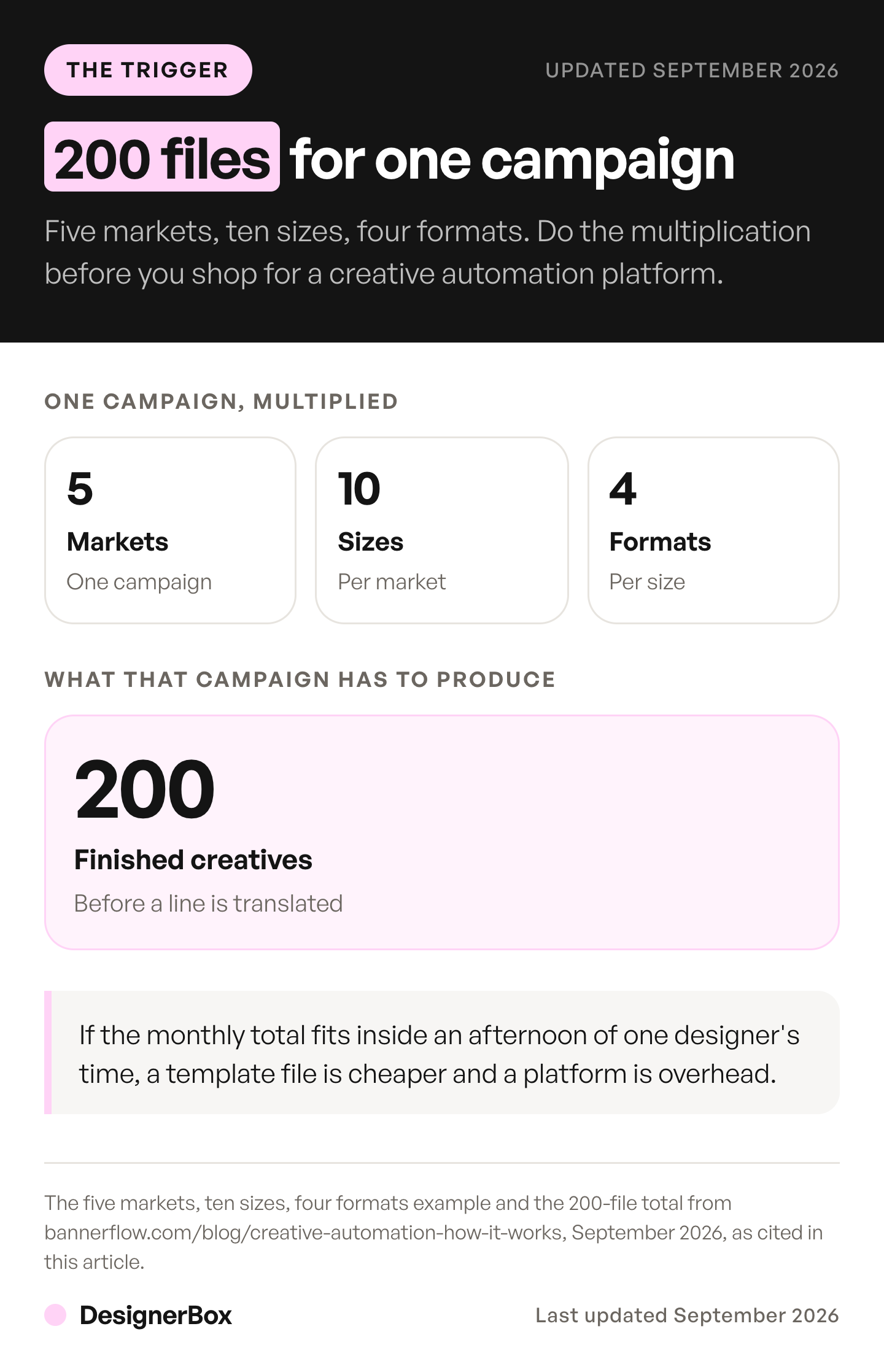
The arithmetic forces the decision long before the theory does. One campaign across five markets in ten sizes and four formats is 200 creatives before anyone translates a line of copy (bannerflow.com/blog/creative-automation-how-it-works, September 2026). Across the industry, 83% of ad executives say their company has deployed AI somewhere in the creative process, up from 60% in 2024 (iab.com, September 2026).
This guide covers the definition, the three rungs of maturity behind one word, the mechanism, the line between this and dynamic creative optimization, what a variant set costs, and the labeling rules that apply in 2026. It is written for a marketing lead who owns the creative calendar.
Key Takeaways
- The marketing sense of the term means producing ad and campaign assets at scale from a template, a data feed or a source photo. The bare phrase also names an industrial robotics field.
- Three rungs sit under one word. Resizing, then variation from structured data, then generation from a source asset. Many tools sell rung one while the buyer hears rung three.
- The trigger is arithmetic. Five markets, ten sizes, four formats is 200 assets for one campaign.
- DCO is a separate job. Automation makes the variations. Dynamic creative optimization decides which one a given person sees.
- Labels are required in three jurisdictions. EU AI Act Article 50 has applied since 2 August 2026, and Google names the European Union, India and New York.
- Cost per asset is knowable before the run. The model in each step sets the price, and the cost of a 36-asset variant set is on screen in DesignerBox before you press Run.
- The review gate stays human. Approving the claim, the offer and the brand fit is still someone’s signature.
What is creative automation?
Creative automation is the use of software to produce many finished campaign assets from one approved starting point. A designer builds a master template and marks which elements are locked and which can change. Data or a source photo fills the rest. The system outputs every size, language and audience variation, then publishes them to the ad platform without a manual export.
The definitions the category publishes agree on the mechanism. Bynder describes using technology to scale content production so assets ship quickly and in high volume. It lists the benefits as shorter production cycles, faster time to market, brand consistency, faster localization and more room for A/B testing (bynder.com/en/glossary/creative-automation-definition, September 2026). Marpipe frames it as scaling ad production with design templates, structured data and automation tools, removing resizing, reformatting and content swapping (marpipe.com/blog/what-is-creative-automation, September 2026). Storyteq describes automating the adaptation of banner and video content, including size and format (storyteq.com/blog/what-is-creative-automation, September 2026).
The category started in display advertising, which is why the vocabulary is banners, HTML5 sizes and formats. The Creatopy alternatives comparison lists the display tools by the job each one does.
The three rungs, and which one a tool is selling
Creative automation covers three different jobs under one word. Rung one adapts finished assets: sizes, formats and element swaps. Rung two generates variations from structured data, so a product feed populates a template. Rung three generates the asset itself from a source photo and a brief. A tool that resizes approved files is doing real work at rung one. Ask which rung before you compare prices.
| Rung | What it automates | What you feed it | What it does not do |
|---|---|---|---|
| 1. Resizing and recombination | Sizes, formats, element swaps across finished assets | Approved images, headlines, logos, legal text | Produce a shot nobody took |
| 2. Variation from structured data | Copy, price, product and market per version | A product feed or a spreadsheet, plus a master template | Change the photography |
| 3. Generation from a source asset | The image itself: scene, angle, background, model | One real product photo and a brief | Judge whether the result is on brand |
Rung one now ships inside the ad platforms. Google’s responsive display ads take uploaded images, headlines, logos, videos and descriptions and generate combinations for sites, apps, YouTube and Gmail. Google adjusts the size, appearance and format of each ad to fit the space available (support.google.com, September 2026).
Rung two for video is often built by developers. A template takes data and a renderer returns one file per row. Remotion alternatives lists the code frameworks and hosted render APIs that do this.
Rung three is there too. Google Ads asks advertisers to provide one or more images of their product. Its AI then creates lifestyle imagery faithful to that specific product, including people interacting with or wearing it, and the product shown in different orientations (support.google.com, September 2026). TikTok’s Symphony Creative Studio generates a range of video options with different layouts and scripts from brand or product details the advertiser imports from a URL (ads.tiktok.com, September 2026). What each ad channel automates for a store is set out in ecommerce advertising across five channels.
Google’s version starts from the advertiser’s own product photos rather than from a prompt alone. DesignerBox works the same way. It adds the part one generation cannot do on its own. You set the brand rules, the model and the framing once, and the workflow applies them to every row that follows, so the hundredth asset matches the first.
How does creative automation work, step by step?
The mechanism has five parts. A designer builds a master template with locked and editable elements. Brand rules for fonts, palette, logo placement and legal text are set centrally so every output inherits them. Data connects: a product feed, a spreadsheet, or a live signal such as price or location. The system generates every specified combination across sizes, languages and audience segments. The last step publishes them.

Bannerflow describes the same five steps and adds one test. Automating production while still exporting files by hand to get them live solves half the problem (bannerflow.com/blog/creative-automation-how-it-works, September 2026). Publishing to the ad server, the DSP or the social channel is part of the definition, not an add-on. Where the files then live is a separate question, usually a DAM or asset library. The naming, approval and retirement rules that keep those files findable are covered in the four stages of marketing asset management.
Teams get stuck upstream of all five steps. A template with the wrong brand rules produces 200 wrong files faster than a person produces two. Mapping the creative workflow end to end is worth doing before any tool goes on the shortlist.
What is the difference between creative automation and dynamic creative optimization?
Automation makes the variations. Dynamic creative optimization decides which variation a given person sees, usually assembled by the ad server at the moment of the impression. Generative AI is one possible input to either. A team can run automation with no DCO at all, and a DCO setup needs a supply of components that something has to produce first. The assembly side, including what Meta and Google ask you to supply, is set out in the guide to dynamic creative optimization.
Bannerflow draws the same line (bannerflow.com/blog/creative-automation-how-it-works, September 2026). The practical version for a paid social team: personalization by audience segment is a targeting decision, and asset supply is a production decision. Buying a tool for one and expecting the other is how a creative calendar slips. How many ad variants a month a given spend tier needs is answered by benchmark data, not by how many a tool can produce.
When does a team need creative automation?
Do the multiplication before you shop. Count markets, then sizes, then formats, then products. One campaign across five markets in ten sizes and four formats is 200 files. A 500-SKU catalog on three platforms needs many times more. If the monthly total fits inside an afternoon of one designer’s time, a template file is cheaper and a platform is overhead. The asset types that go into that count are listed in creative assets.
Marpipe’s worked example is the clearest trigger. A brand selling 500 SKUs across Meta, TikTok and Google cannot hand-build an ad for every product, audience and placement. So a product feed fills templates that fit each platform’s specs with pricing, reviews and messaging variations (marpipe.com/blog/what-is-creative-automation, September 2026).
The second trigger is repetition rather than volume: if the same campaign shape runs for every new product or every new client, the value is in the rerun. Scaling creative production without adding headcount is mostly a question of what you can rerun.
A third trigger comes from upstream. Creative automation is the fourth layer of the wider AI marketing automation stack, and a decisioning engine that can address forty segments will ask for forty sets of creative. The five steps that keep the brand intact at that volume are in the guide to content scaling. Most of those platforms do not make the creative themselves, as the agentic marketing platform comparison shows.
What can you automate, and what still needs a person?
Automate the mechanical work: resizing, reformatting, copy swaps per market, feed-driven product swaps, and the base shot generated from a product photo. Keep the offer, the claim, the art direction and the legal sign-off with a person. The review gate is the part that does not scale, and removing it is how 200 wrong files ship at once instead of one.

Bynder frames the category as supporting designers rather than replacing them, by taking the repetitive parts such as ad variations for localization or for different placements (bynder.com/en/glossary/creative-automation-definition, September 2026). The template is a design artifact, and someone decides what it locks.
Why a team adopts AI matters too. IAB measured cost efficiency becoming the top cited benefit in 2026 at 64%, up from fifth place in 2024, while creative innovation slipped to 61% from 64%. IAB’s own read is that this raises a question about whether some advertisers are using AI mainly to cut production cost in a way that could undermine quality (iab.com, The AI Ad Gap Widens, September 2026). An ad generator and a design app answer different halves of that job.
Do you have to disclose an ad made with AI?
In several markets, yes. Google states that AI regulations in the European Union, India and New York require ads with certain AI-generated or edited assets to carry disclosures or labels. EU AI Act Article 50 has applied since 2 August 2026. Meta applies a label when its own generative tools significantly edit an image or video. The obligation sits with the advertiser, not with the tool that produced the file. This is general information, not legal advice.
Google ships the setting across five products. Google Ads, Display & Video 360, Campaign Manager 360, Merchant Center and Ads Editor all carry an AI label control. Labeled ads show a disclosure in the “How this ad was made” section of My Ad Center. Campaigns targeting the European Union, India or New York also get a visible overlay on the ad itself (support.google.com, September 2026).
The European Commission states that, under Article 50, providers must mark synthetic image, audio, video and text in a machine-readable format. It also states that the marking duty does not apply where the system performs an assistive function for standard editing (digital-strategy.ec.europa.eu, September 2026).
For ads made with its own generative tools, Meta places its AI label behind the three-dot menu or next to the Sponsored label. It uses the position next to the Sponsored label when its own AI tools add a photorealistic AI person (Meta Help Center, accessed September 2026).
In an update dated 1 June 2026 Meta introduced an “About this ad” section on ads. Its ad policy says that from 1 June 2026 it also detects ads created or edited with third-party AI tools through industry-standard signals (about.fb.com, October 2026). When Meta detects a third-party AI tool, the “AI info” label sits in About this ad, in the three-dot menu. Meta now shows an “Ad” label where it used to show “Sponsored” (Meta Business Help, accessed September 2026).
Practice lags the rule: 89% of advertisers using generative AI for ads at least sometimes disclose, and under half always do, unchanged from 2024 (iab.com, The AI Ad Gap Widens, September 2026). New York’s own announcement covers the synthetic performer disclosure (governor.ny.gov, September 2026). The full rule set is in the four AI disclosure rules now in force.
What does a variant set cost to build?
A variant set costs the number of assets times the price of the model in each step. Price the set, not the seat. Three headlines by four images by three formats is 36 finished assets. In DesignerBox the model in each step sets the price, and the same 36 images cost more on a premium model than on a light one.
You pick the model for each step when you build the workflow, and every run after that uses it. A template comes with its model already picked. The cost of the set is on screen before you press Run, so a variant set is a budget line rather than a number you learn from the invoice.
Video works the same way, with a wider spread. An 8-second clip costs 40 to 560 credits, depending on the model, a 14x spread across the video catalog. Use a light model for a feed test and a premium one for the hero cut. AI video starts on the Premium plan. Uploading your own photos and the commercial license start on the Pro plan.
Comparing that against the category is not straightforward. One vendor says in its own comparison that neither it nor a named peer publishes list pricing (bannerflow.com/blog/creative-automation-how-it-works, September 2026). A published rate can be budgeted before a sales call. An enterprise quote cannot.
The rerun is what makes the arithmetic repeat. DesignerBox is AI creative production for brands and agencies. Build the campaign once and save it as a workflow. The team then runs it again for the next product, drop or client, with the same brand rules applied. The base shot, the resized set and the video cut come from the same account and the same brand rules.
The Ad versions with new headlines template is that pattern written out. The Ad in other sizes app turns one ad into four sizes, and the workflow library covers the catalog. Getting approved files onto the ad platform is still an export step at the end, not something the workflow does for you. Plan rates sit on the DesignerBox pricing page.
FAQ
What is a creative automation platform?
A creative automation platform is software that stores master templates, holds the brand rules, connects a data source, generates every required variation and publishes the results to ad platforms. The category’s own roundups name products including Hunch, Celtra, Marpipe, Bannerflow, Innervate, SundaySky, Adacado and Madgicx (hunchads.com/blog/top-creative-automation-tools, September 2026). Depth and scope vary by product.
Does creative automation replace designers?
No. It removes repetitive adaptation work: resizing, reformatting and swapping copy per market. The template, the brand rules, the art direction and the approval still come from people. Bynder frames the category as supporting designers rather than replacing them (bynder.com/en/glossary/creative-automation-definition, September 2026). Output volume goes up and the judgment stays where it already sat.
What is creative automation in marketing?
It is the marketing and advertising sense of a phrase that also names an industrial robotics field. In marketing it means producing ad and campaign assets at scale from templates, data feeds or a source photo. The outputs are display banners, social ads, product imagery and video versions, sized and localized for each placement.
Is it the same as a creative management platform?
Not quite. A creative management platform is the product-category name several vendors use for the whole suite: template building, asset storage, generation, approval and publishing in one place. Automating the adaptation work is one function inside that suite. A team can buy the function alone, or get a version of it inside an ad platform’s native tools. The creative management platform guide compares seven of those suites on five jobs.
What is the difference between creative automation and DCO?
Creative automation makes the variations: every size, language and audience version from one master template. Dynamic creative optimization (DCO) decides which variation a given person sees. The ad server usually assembles it at the moment of the impression. A team can run creative automation with no DCO, but a DCO setup needs components that something has to produce first.
Do ads made with creative automation need an AI label?
In several markets, yes. Google states that rules in the European Union, India and New York require labels on ads with certain AI-generated or edited assets. In the EU, Article 50 of the AI Act has applied since 2 August 2026, and it requires a label on deep fakes. Meta labels ads that its own generative tools significantly edit.
What does this software cost?
Prices vary by platform, and not every platform publishes them. One vendor states in its own comparison that neither it nor a named peer publishes list pricing (bannerflow.com/blog/creative-automation-how-it-works, September 2026). Plans and credits are on the DesignerBox pricing page. A published rate lets you price a 36-asset set before you book a call with anyone.
Sources
- Responsive display ads, Google Ads Help: how uploaded assets are combined and resized by the platform (September 2026)
- Create images for your campaigns, Google Ads Help: generation of lifestyle imagery from an advertiser’s own product photos (September 2026)
- About AI labels for ads, Google Ads Help: the European Union, India and New York disclosure requirement and the label setting across five Google products (September 2026)
- Transparency obligations under Article 50 of the AI Act, European Commission: Article 50 has applied since 2 August 2026, marking and labeling duties (October 2026)
- Generative AI transparency in Meta’s ads products, Meta Newsroom: AI labeling of significantly edited ads, updated 1 June 2026 (October 2026)
- About AI info on ads, Meta Business Help: the About this ad location for third-party AI detection and the “Sponsored” label renamed “Ad” (accessed September 2026)
- How AI-generated images in ads are identified and labeled on Meta, Meta Help Center: the label next to the Sponsored label for a photorealistic AI person made with Meta’s own tools (accessed September 2026)
- Advertisements including AI-generated synthetic performers, New York State: the disclosure requirement for synthetic performers in advertising (September 2026)
- Symphony Creative Studio, TikTok for Business: video generation from brand or product details imported from a URL (September 2026)
- The AI Ad Gap Widens, IAB and Sonata Insights: 83% creative-process deployment, 64% cost efficiency, 89% sometimes disclose, published 15 January 2026 (September 2026)
- bynder.com/en/glossary/creative-automation-definition: category definition and stated benefits (September 2026)
- bannerflow.com/blog/creative-automation-how-it-works: the five-step mechanism, the DCO distinction, the pricing transparency note (September 2026)
- marpipe.com/blog/what-is-creative-automation: definition and the 500-SKU worked example (September 2026)
- storyteq.com/blog/what-is-creative-automation: definition of automated adaptation for banner and video content (September 2026)
- hunchads.com/blog/top-creative-automation-tools: the products named inside the category in 2026 (September 2026)
Platform policy, regulation and industry data verified from support.google.com, digital-strategy.ec.europa.eu, governor.ny.gov, about.fb.com, ads.tiktok.com and iab.com as of September 2026. The European Commission’s Article 50 page and Meta’s newsroom post were re-checked on 2 October 2026. Individual results vary.