How to photograph artwork: hang the piece flat, put the camera on a tripod square to its center, and light it from both sides at about 45 degrees. Shoot one frame with a gray card and set the color from it. Crop to the edge and save the result as a master file. Every listing photo, print file and room scene then starts from that one file.
Most artwork photos fail in the same three places. A white glare spot sits in one corner. The reds came out orange. The edges lean in, because the phone was held a little below the center. None of these is a camera problem, and each one has a fix that costs less than the frame.
This guide is for a shop that sells originals or prints: an artist with a growing range, an art print brand with 20 to 500 designs, or the agency that shoots for one. It covers the master file first, then the files made from it.
Key Takeaways
- The master file comes first. Every listing photo, print file and room scene starts from one square, evenly lit, color-checked photo of the piece.
- Two equal lights at about 45 degrees. Glare means the lights sit too close to the line between the camera and the piece. Move them further to the side.
- A gray card sets the color. Shoot it once under the same light, and set the white balance from that frame.
- Print size sets the pixels. At 300 pixels per inch, a 16 x 20 inch print needs 4,800 x 6,000 pixels.
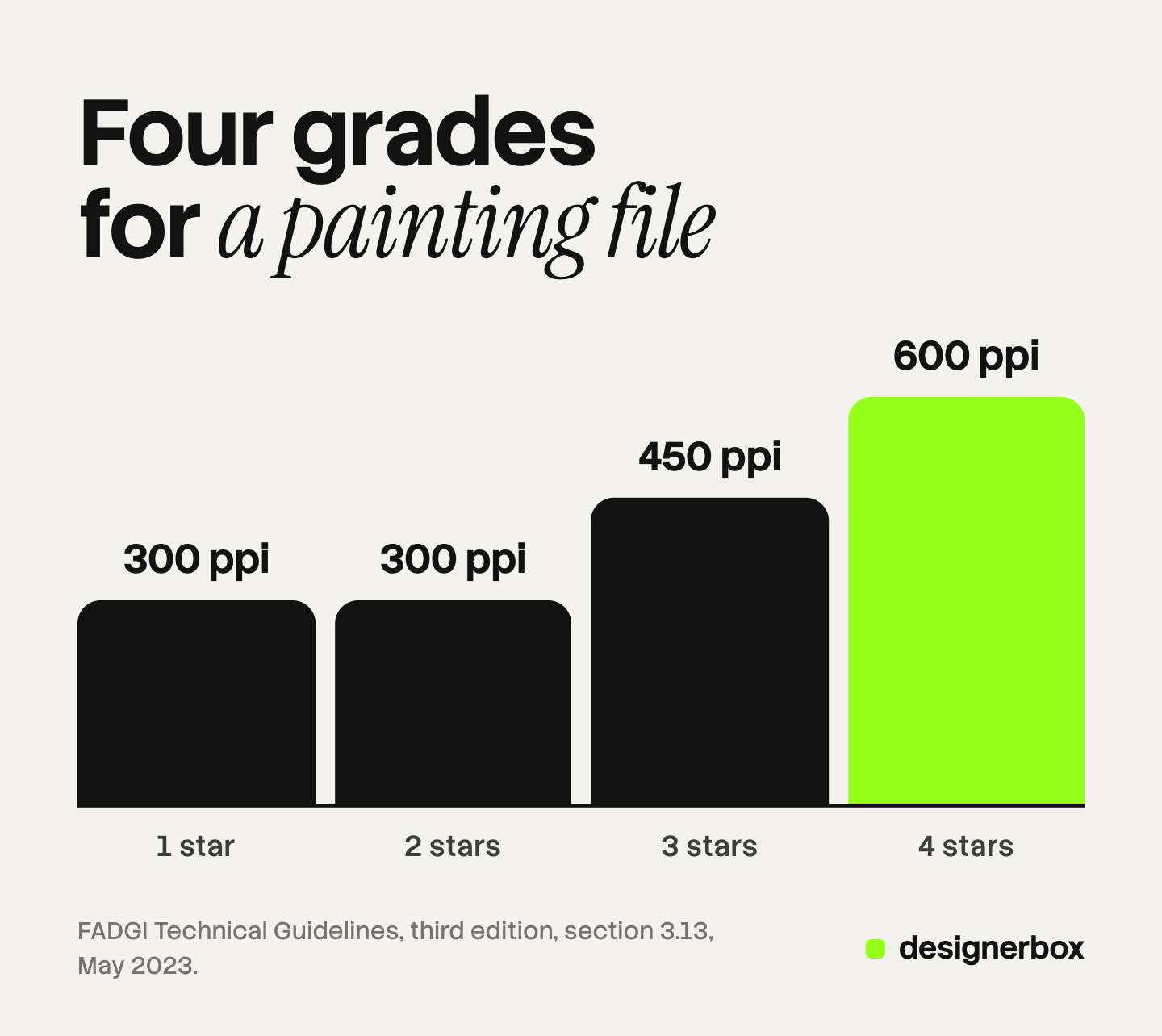
- Federal guidelines set the bar. The US federal digitizing guidelines (FADGI) grade a painting file from 1 to 4 stars, from 300 to 600 pixels per inch.
- A room scene is a size claim. Check the piece against one object of known size before you publish the scene.
- Etsy wants one unedited photo. For most items, Etsy requires at least one unedited photo of the real piece. Print on demand is the exception.
What it means to photograph artwork
To photograph artwork for sale is to make one file that matches the piece in shape, color and detail. That file has three jobs. It is the first listing photo. It is the master for prints. It is the source for every room scene and mockup. Each job asks a little more of the same photo, so you make it once, carefully, and reuse it.
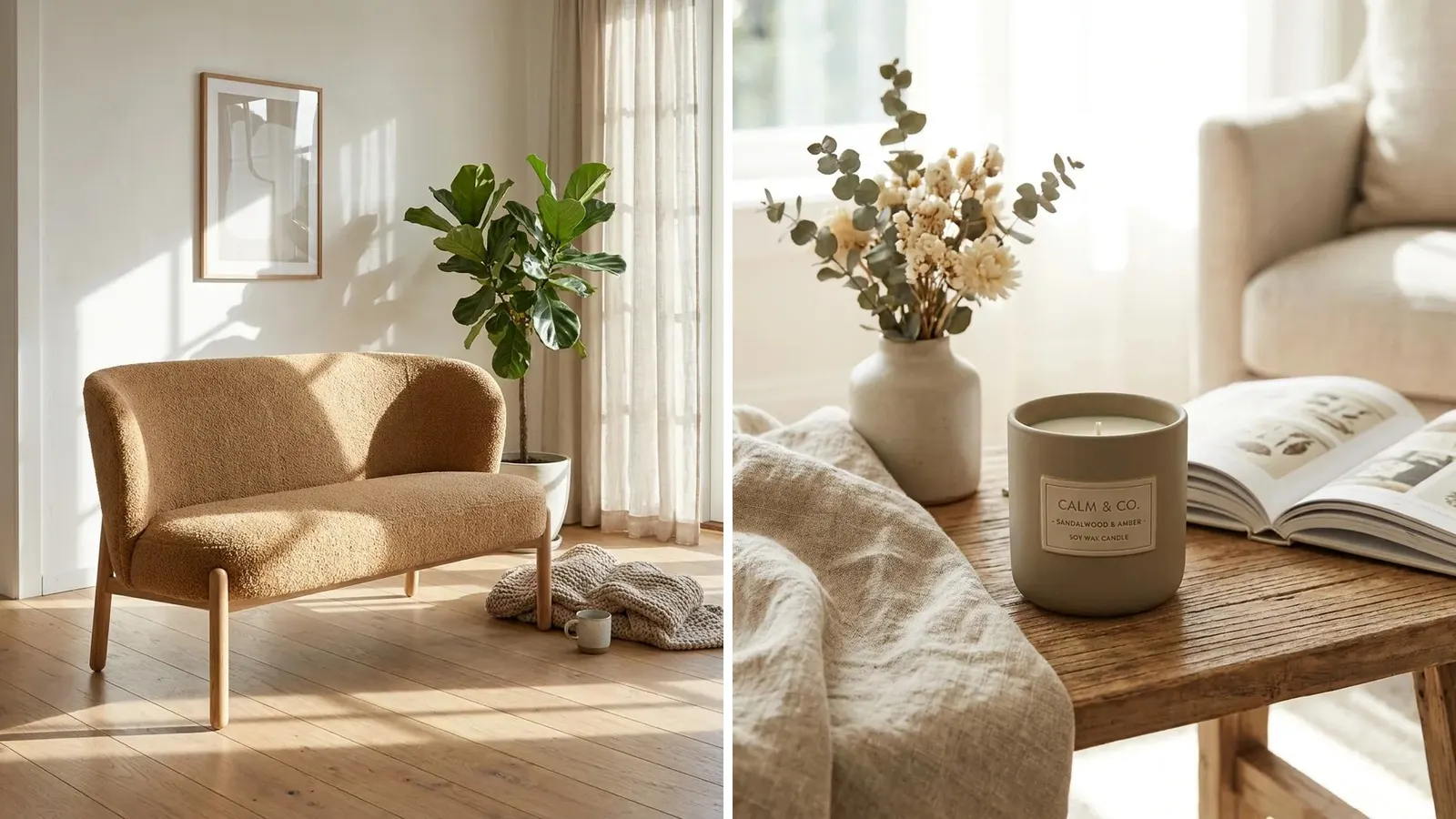
A finished set for one piece usually holds four kinds of image. Only the last one can be made without the camera.
| Image | What it proves | Made from |
|---|---|---|
| Master shot | The whole piece, true color, square edges | The camera |
| Detail shots | Brushwork, paper, canvas edge, signature, edition number | The camera |
| Scale shot | The real size, next to a person or furniture | The camera, or a checked room scene |
| Room scenes | How it looks on a wall, and in which frame | The master file |
The wider rules for product photos are in our guide to ecommerce product photography. Vases, candles and other decor that sits on a shelf have their own guide, home decor product photography. Wall art is different, because it is flat, it hangs, and its size is the hardest thing to show.
How to photograph paintings, step by step
The setup is the same for a painting, a drawing and a print. You need a tripod, two matching lights or one window and a reflector, and a gray card.
- Pick the room. Choose a room with no direct sun. Turn off the ceiling lights, so one kind of light falls on the piece. Daylight on one side and a warm bulb on the other give the two halves of a canvas two colors.
- Hang the piece flat. Hang it on a wall or stand it on an easel. Check it with a small level. If it leans back, tilt the camera to the same angle.
- Square the camera. Put the camera on a tripod, with the lens at the height of the piece’s center. Keep the back of the camera parallel to the surface. A camera below the center makes the top edge shorter than the bottom edge.
- Use a longer lens from further away. A longer lens from a distance bends straight edges less than a wide lens close up. On a phone, use the longer lens if it has one.
- Set two equal lights. Place one light on each side, at about 45 degrees to the surface and at the height of the center. Use the same bulbs, the same distance and the same power.
- Check the light. Hold a pencil against the center of the piece. Two shadows of the same darkness mean the two lights are equal.
- Shoot the gray card. Hold a gray card or a color chart flat against the piece and take one frame. Remove it, then shoot the piece. Use the lowest ISO and a 2-second timer, so pressing the button does not shake the camera.
- Shoot the details. Take close-ups of the brushwork, the signature, the canvas edge or the paper edge, and the back if it is signed or labeled.
After the shoot, set the white balance from the gray card frame and copy it to the others. Correct any small lean with the perspective tool. Then crop to the edge of the paint, or keep an even border if the frame is part of the sale. Save the master at full size, and keep the raw file next to it.
Glare on varnish, oil paint and glass
Glare is light from your lamps bouncing straight into the lens. It shows as a white patch, or as a shine on every ridge of thick paint. The first fix is the angle. Move both lights further to the side, so the light meets the surface at a flatter angle and bounces away from the camera.
When gloss varnish still shines, use cross polarization. Put a linear polarizing film on each light. Put a linear polarizer on the lens, and turn it until a shiny test object, such as a metal spoon, goes dark. The shine on the paint disappears with it, and the color under it stays.
Paul Bourke, who digitizes oil paintings at very high resolution, describes this method. He uses linear filters, not circular ones, sets the light at 45 degrees to the camera’s line, and notes a loss of at least 1.3 stops of light (paulbourke.net, October 2022). A brighter light covers that loss.
Glass is harder than varnish. Take the piece out of the frame if you can. If you cannot, turn off the room lights, wear dark clothes, and stand back so your own reflection does not reach the glass.
Texture without a dark side
Light from one side at a very low angle, called raking light, shows impasto and paper grain. Use it for one detail shot, not for the master. One side of the piece always reads darker under raking light, and a buyer reads that as the real color.
Color you can check
A camera guesses the color of the light. A gray card removes the guess. The card is a neutral gray, so any color it shows in the photo is the light’s color, and one click in an editor removes it from every frame shot under that light.
Then check the result with your eyes. Put the piece next to the screen in daylight, and compare the colors that matter most to the buyer. Our guide to color theory in photography explains why two screens show the same red in two ways. Export listing images in sRGB. Etsy converts every listing image to the sRGB color profile, so convert first and check the result yourself (Etsy Help, read October 2026).
Imaging labs measure color error as a number called Delta E 2000. The US Federal Agencies Digital Guidelines Initiative (FADGI) sets limits for paintings. A 4-star file must show an average error under 2 across a color chart, and a 1-star file under 6.5. FADGI is also honest about the limit of the method. It says that current technology “does not permit truly accurate reproduction of many artworks”, because the eye sees colors that most screens and color profiles cannot hold (FADGI technical guidelines, third edition, May 2023).
So set your expectation by the paint. Very bright pigments, fluorescent colors and metal leaf are the hardest. Say so in the listing when the photo cannot match them.
How to photograph art for prints: the pixels you need
A listing photo and a print master need different sizes. Etsy recommends listing photos at least 2,000 pixels wide and high (Etsy Help, read October 2026). A print needs far more, and the rule is plain arithmetic: the print’s inches times the pixels per inch, on each side. At 300 pixels per inch:
| Print size | Pixels needed at 300 ppi | Megapixels |
|---|---|---|
| 8 x 10 in | 2,400 x 3,000 | 7.2 |
| 11 x 14 in | 3,300 x 4,200 | 13.9 |
| 16 x 20 in | 4,800 x 6,000 | 28.8 |
| 24 x 36 in | 7,200 x 10,800 | 77.8 |
A 24-megapixel camera makes a 6,000 x 4,000 pixel file. Turned upright over a 16 x 20 inch painting, its 4,000 pixels cover 16 inches, which is 250 pixels per inch before any margin. That is a little under 300. To reach 300 at that size, or to print larger, shoot the piece in overlapping tiles and join them, or use a scanning service.
FADGI grades a painting file by the pixels it captures per inch of the original:
| FADGI level | Pixels per inch of the original | Average color error (Delta E 2000) | Size accuracy |
|---|---|---|---|
| 1 star | 300 | under 6.5 | within 3% |
| 2 star | 300 | under 5 | within 2.5% |
| 3 star | 450 | under 3.5 | within 2% |
| 4 star | 600 | under 2 | within 1% |
FADGI recommends digital cameras and planetary scanners for paintings, and advises against flatbed and drum scanners. It also warns about tiles. Joining tiles is fine for flat work, but it changes how raised paint looks, so a textured piece is safer in one frame (FADGI, May 2023, linked above).
Room scenes, wall art mockups and the size check
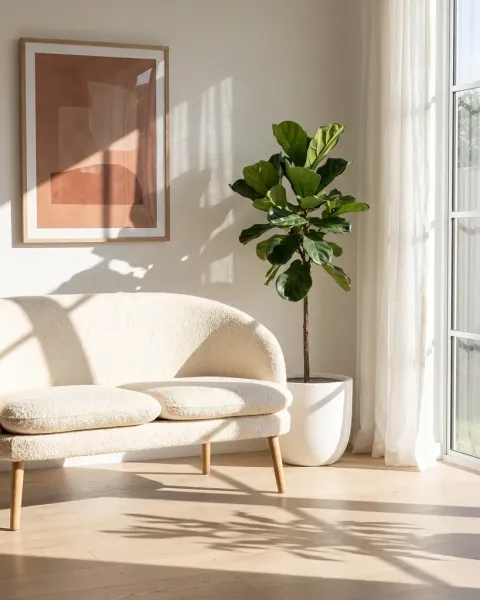
A master shot proves what the piece looks like. A room scene shows how it looks on a wall, and it also makes a claim about size. A 12 x 16 inch print shown as wide as a sofa is a different product in the buyer’s head, and the buyer returns it.
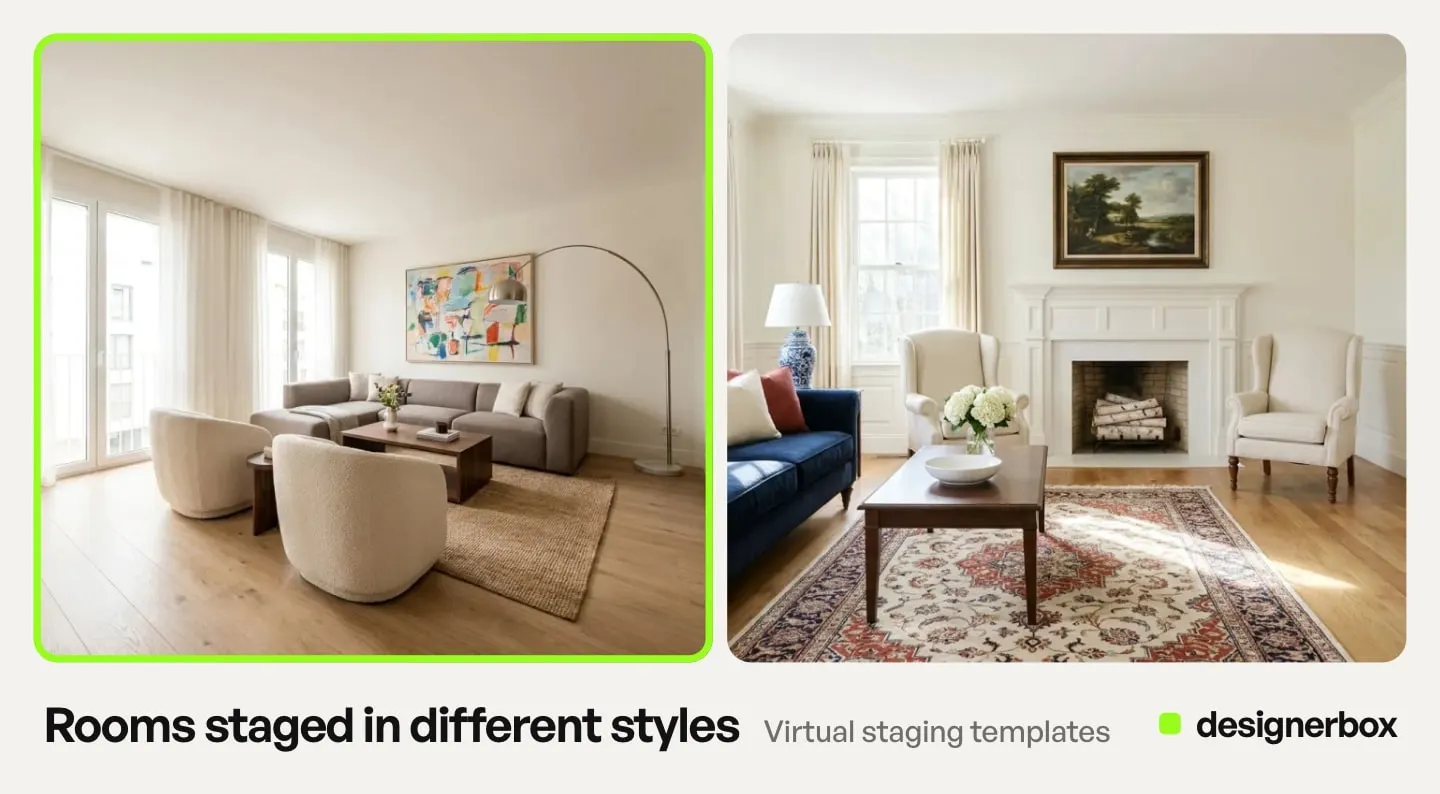
Check the size with one known object in the scene. Measure two widths in the image, in pixels: the artwork and that object. The ratio must match real life. For example, if the brief says the sofa is 84 inches wide, a 24-inch print should be about 29% of the sofa’s width in the image. If it is half, the room shows the wrong size. This is example arithmetic, not a standard. Then write the size in the listing text, next to the room scene.
Show the frame you sell. If you sell the print unframed, show it unframed, or say clearly that the frame is for styling only. On Amazon this is a written rule: the main image must not show accessories or props that are not included with the product, it must sit on pure white, and the product must fill 85% of the image (Amazon product image guide, read October 2026).
What Etsy asks of artwork photos
Etsy last updated its listing image rules on 22 October 2026. For most products, a listing must include at least one unedited photo of the actual item against a real background, with no photo editing software or AI used on that photo. Other images may use editing and AI tools if the result stays an accurate picture of the item. Changing the item’s color, texture or condition is prohibited (Etsy Listing Image Requirements, updated 22 October 2026).
There is one exception that matters for wall art. If a production partner prints your original design on a standard base product, you may use a stock photo mockup, if its owner has authorized that use. An art print from a print-on-demand partner fits that rule. An original painting does not, so it needs its own unedited photo. Our guide to Etsy product photos covers the rest of Etsy’s image rules.
A wall art mockup places your file into a stock room photo. It is fast, and for a print-on-demand design it is allowed. Check three things before you use one: the light in the room falls on the art from the same side as on the furniture, the art sits flat on the wall’s perspective, and the size is right. For more on mockups and their limits, see print on demand product images.
Where AI helps and where it changes the art
AI image tools are good at the room. They can make the wall, the furniture, the light and the frame around your file, and they can repeat the same rooms for every design in a collection.
They are poor at leaving the art alone. A model that redraws the whole picture can repaint the brushwork, smooth the paper grain, move the signature, shift the color or crop an edge. A generated room must place your file, not paint a new one. Compare every result with the master at full zoom. Check the color, the four edges, the signature and the composition first.
Two platform rules apply. Google Merchant Center says images made with generative AI must keep the metadata that says so, such as the IPTC DigitalSourceType value TrainedAlgorithmicMedia (Google Merchant Center image requirements, read October 2026). Etsy’s own help page suggests noting AI edits in the listing description.
Artwork listings in DesignerBox
DesignerBox is AI creative production for brands and agencies. For an art print brand, the repeated job is the same set for every design: the master on white, a detail crop and two or three rooms.
Anyone can make an AI picture. Making hundreds that still look like your brand is the hard part. A print shop with 120 designs needs the same rooms, the same light and the same frame style on every one of them.
You build those steps once as a workflow. You add your master file, and a place-a-product step puts it into each room. The art is placed, not redrawn. The Product in several places template is a ready start. A batch then runs the workflow over a sheet, one design per row, up to 200 rows a sheet. The workflow reads your brand rules on every run, and the cost is shown before the run. Home brands that also sell furniture can see room scenes for home brands on the main site.
You keep or discard each result, then download the kept ones. The master files, the rooms and your brand rules sit in one account.
Uploading your own photos and the commercial license start on the Pro plan. Plans and credits are on the pricing page.
The limits are plain. The master shot stays a photograph of the real piece, and Etsy requires that unedited photo for most items. Check every room against the master before you publish it. The free plan runs on sample products.
FAQ
How do you photograph artwork without glare?
Move the two lights further to the side, so the light hits the surface at a flatter angle and bounces away from the lens. Turn off ceiling lights. If gloss varnish still shines, put linear polarizing film on the lights and a linear polarizer on the lens, and turn the lens filter until the shine disappears.
What is the best lighting for photographing paintings?
Two equal lights, one on each side, at about 45 degrees to the surface and at the height of the center. Use the same bulbs at the same distance. Indirect daylight from one large window with a reflector on the other side also works. Avoid direct sun and mixed light types.
How many pixels do I need to make prints of my painting?
Multiply the print size in inches by 300 on each side. A 16 x 20 inch print needs 4,800 x 6,000 pixels, about 29 megapixels. A listing photo needs much less: Etsy recommends at least 2,000 pixels on width and height.
Can I photograph artwork with a phone?
Yes, for listing photos. Put the phone on a tripod, square to the center, and use its longer lens if it has one. Use a gray card for the color and the timer for sharpness. For large print masters, a camera with more pixels, or a scan, is safer.
Do I need an unedited photo of my artwork on Etsy?
For most items, yes. Etsy’s listing image rules require at least one unedited photo of the actual item against a real background. Print-on-demand items are the exception: a production partner’s authorized stock mockup may be used instead.
Can I use a wall art mockup as my main listing photo?
On Etsy, a print-on-demand design may use an authorized mockup. An original painting needs its own unedited photo. On Amazon the main image must be on pure white and show no props that are not included, so a room mockup belongs in the other images.
How do I show the size of a painting in a listing?
Use one photo of the piece next to a person or a piece of furniture, and check room scenes against one object of known size. Write the size in inches and centimeters in the listing text, next to the room images.
Sources
- Federal Agencies Digital Guidelines Initiative, Technical Guidelines for Digitizing Cultural Heritage Materials, third edition: section 3.13 on paintings, with 300, 450 and 600 ppi levels, color error, size accuracy, recommended capture devices, tiles and the limits of artwork reproduction (digitizationguidelines.gov, May 2023, read October 2026)
- Paul Bourke, Cross polarisation in photography: linear filters, the 45 degree light, the loss of at least 1.3 stops and the spoon test (paulbourke.net, October 2022, read October 2026)
- Etsy Listing Image Requirements: the unedited photo rule, allowed and prohibited edits, and the print-on-demand mockup exception (etsy.com, updated 22 October 2026)
- Etsy Help, requirements and best practices for images: 2,000 pixels recommended, sRGB conversion, noting AI edits (help.etsy.com, read October 2026)
- Amazon product image guide: pure white main image, 85% fill, no props that are not included (sellercentral.amazon.com, read October 2026)
- Google Merchant Center image requirements: metadata on images made with generative AI (support.google.com, read October 2026)
- DesignerBox batch: one row per job, up to 200 rows a sheet: DesignerBox batch page (designerbox.ai/product/batch), October 2026
- DesignerBox plans and gates: DesignerBox pricing page (designerbox.ai/pricing), October 2026
Platform rules verified on Etsy, Amazon and Google Merchant Center help pages, and digitizing levels on the FADGI guidelines, in October 2026. The pixel tables and the sofa example are arithmetic, not measurements. Platform rules change often, so check each page before a launch. Individual results vary.