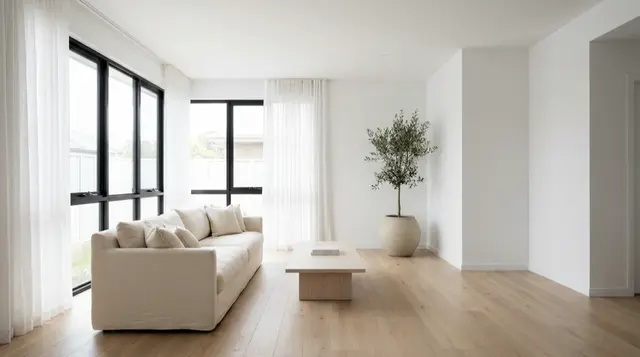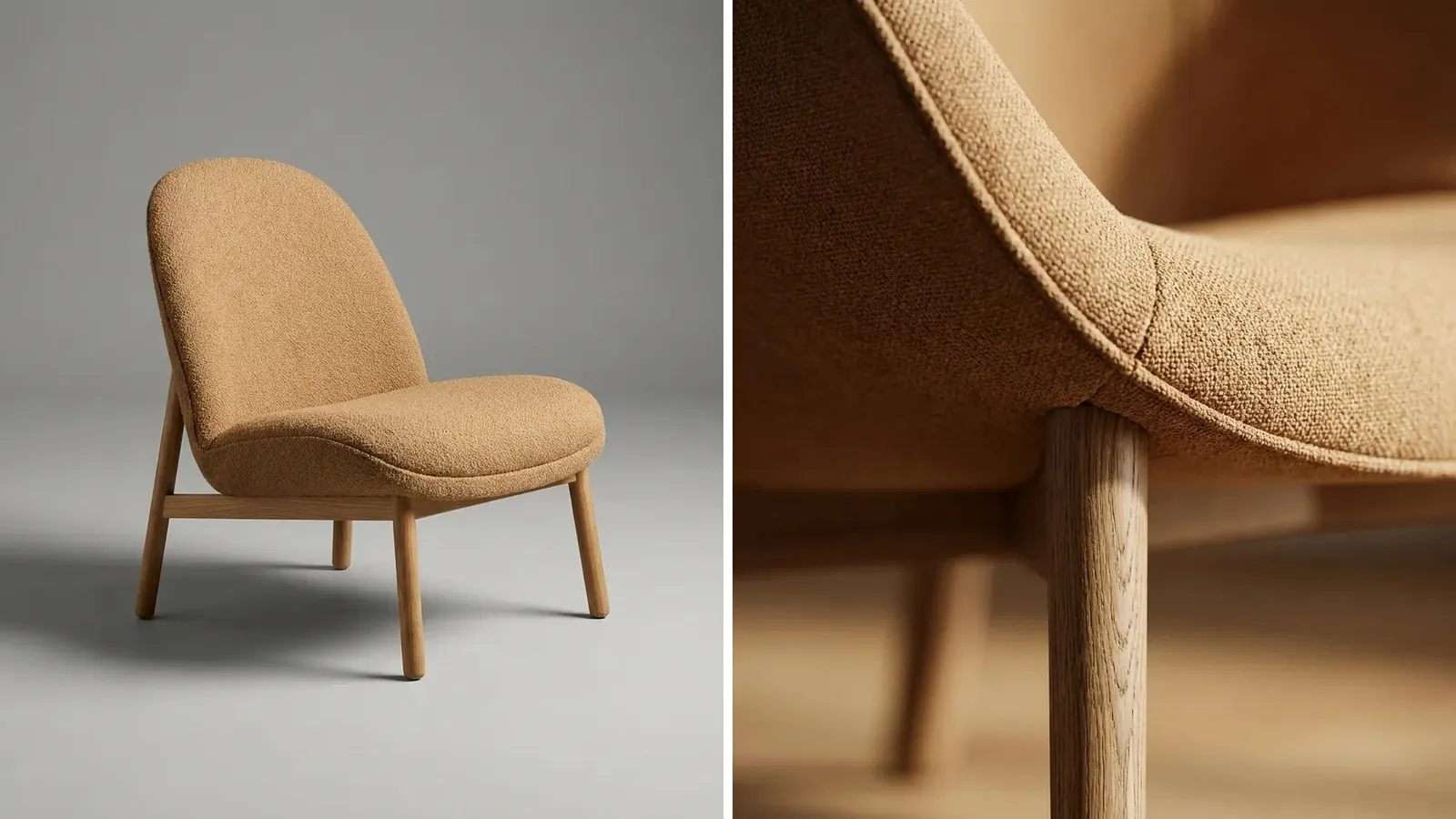
3D product rendering makes a product image from a digital 3D model, with no camera. An artist builds the shape, adds the materials, sets the light, and software calculates the picture. One model then gives every angle, every fabric and finish, and a 3D file for AR. A render fits products with many variants. A photo or an AI image fits other jobs better.
Furniture is the clearest example. A sofa is heavy, large and costly to ship to a set. The same frame may sell in twelve fabrics and three leg finishes. Each of the 36 versions would need its own room photo.
This guide compares three routes for a furniture or homeware brand with 20 to 500 products: a photo, a 3D render, and an AI image made from one real photo.
Key Takeaways
- A render starts from a model. The 3D model holds the shape, the size and the materials. Every image is calculated from it.
- The pipeline has five steps. Model, materials, light, render and post.
- The model needs real inputs. CAD files or measured drawings, reference photos and physical swatches.
- Renders win on variants and 3D files. One model gives every colorway, any angle, a configurator and an AR file.
- An AI image is a picture only. It does not produce a 3D file, and a person must check materials and proportions.
What is 3D product rendering?
3D product rendering is the process of making a two-dimensional image from a three-dimensional digital model. People also call it CGI, product rendering or 3D product visualization. In furniture, the same work is called furniture rendering or furniture visualization.
Three words get mixed up, so it helps to separate them.
- The 3D model is the digital object. It has a shape, real dimensions and materials.
- The render is a flat image calculated from that model, like a photo of it.
- The 3D file is the model exported for a shopper to turn, zoom or place in a room with a phone.
A render goes where a photo goes: a product page, a catalog, an ad. A 3D file goes where a channel accepts 3D media. Both come from the same model.
Furniture moved to this method early. By 2014, about 75% of the product images in IKEA’s catalog were CGI, according to Martin Enthed, then IT manager of its in-house agency (PetaPixel, reporting a CGSociety interview, 2014).
How 3D product rendering works: the five steps
Every rendering team follows the same order.
| Step | What happens | What it decides |
|---|---|---|
| 1. Model | An artist builds the shape from CAD or drawings | Proportions and size |
| 2. Materials | Each surface gets a fabric, wood, metal or glass material | Color, texture and shine |
| 3. Light | Virtual lights and a virtual camera are placed | Mood, shadows and angle |
| 4. Render | Software calculates how light meets every surface | The raw image |
| 5. Post | An editor corrects color and cleans small faults | The final file |
Soft parts are the slow part of step 1, because a cushion is never a perfect box. Step 2 usually follows physically based rendering, or PBR. Amazon’s 3D guide describes PBR as a method that gives a more realistic representation of how light interacts with a 3D model (Amazon Seller Central, October 2026).
Steps 3 to 5 mirror a photo shoot. The artist places lights and a camera, the software calculates the image, and an editor retouches it. A full room takes longer to render than a still on white, because light reflects between many surfaces.
After step 2, the model is an asset. A new fabric is a material swap. A new angle is a camera move. Neither needs the product in the room.
What a 3D model needs as input
A model is only as true as the reference behind it. A rendering team asks for three kinds of input.
- Shape. CAD files from the factory are best. Measured technical drawings come second. With neither, the artist models from photos and listed dimensions.
- Reference photos. Clear photos of the real piece from the front, the side, the back and above. Close photos of seams, piping, joints and feet.
- Material samples. Physical fabric swatches and finish samples, or flat, evenly lit scans of them. A color name in a spreadsheet is not enough.
Add the full variant list too: every fabric, finish and size, and which combinations exist.
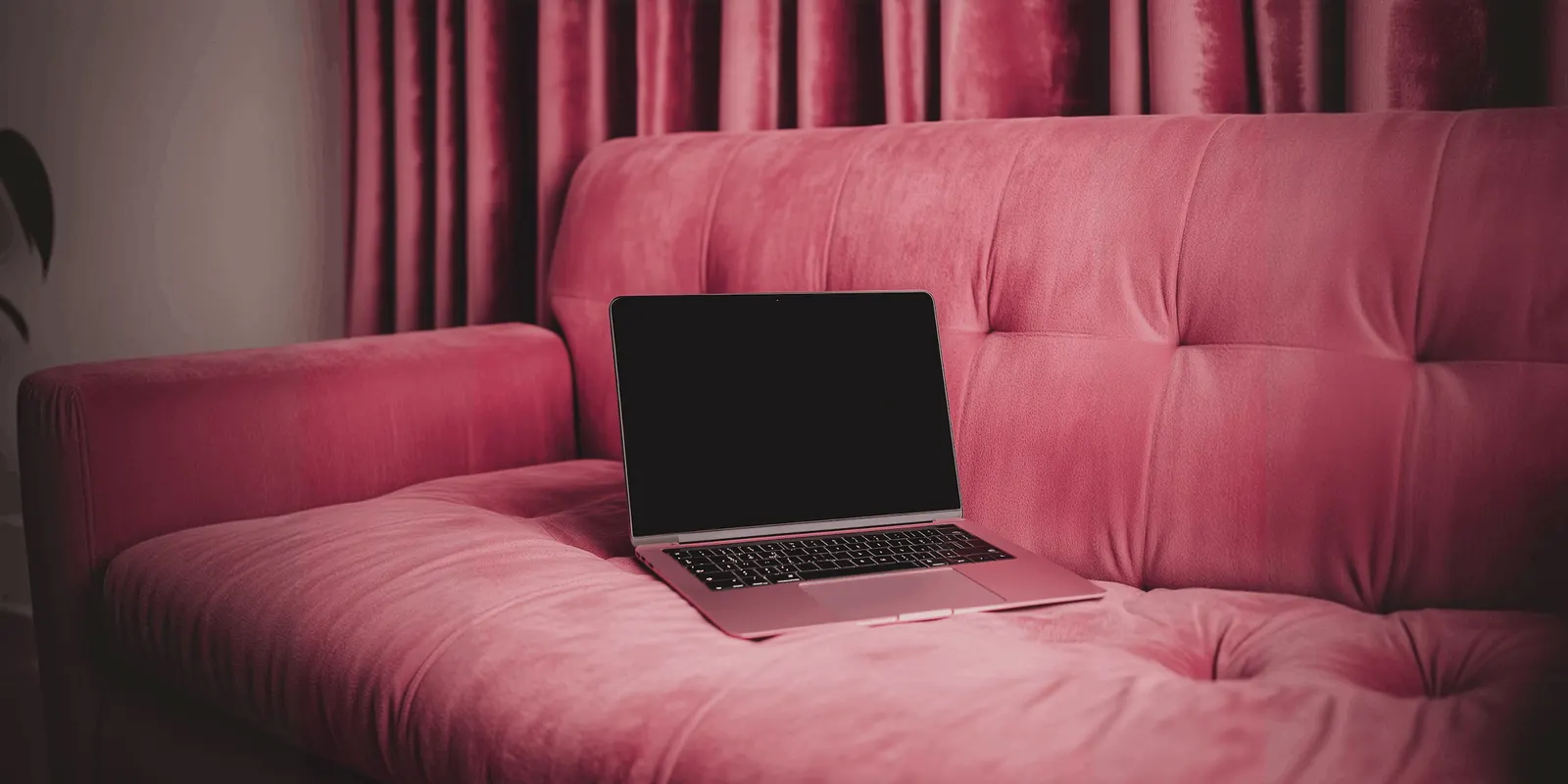
Velvet shows why swatches matter. Its color changes with the direction of the pile and the angle of the light. Amazon’s 3D guide lists a separate sheen setting that is required for velvet material (Amazon Seller Central, October 2026). An artist cannot set that value from a product name.
What a render is good at
Variant matrices. One frame in twelve fabrics is twelve material swaps on one model. The light, the angle and the crop stay the same, so the set looks consistent.
Angles a camera cannot reach. A cutaway of the seat layers, an exploded view of the frame, or a top view of a sectional in a room. These are simple camera and visibility changes on a model.
Products that do not exist yet. A brand can show a new collection before the first sample arrives.
Configurators. A configurator lets a shopper choose a fabric and a leg and see the result. It needs exact, reusable geometry, which only a model gives.
3D and AR files. The model can be exported for shoppers to view in 3D or place in their own room.
Where glTF, GLB and USDZ files are accepted
Two formats cover most shopping uses. glTF is a royalty-free format from the Khronos Group, and glTF 2.0 became the ISO/IEC 12113:2022 standard in 2022 (Khronos Group, October 2026). GLB is the single-file form of glTF. USDZ is the format that Apple’s AR Quick Look displays on iPhone, iPad and Apple Vision Pro (Apple Developer, October 2026).
| Channel | 3D format it accepts | Published limits |
|---|---|---|
| Google Merchant Center | glTF and GLB, through the 3D model link attribute | 10MB recommended, 15MB maximum. Home goods and shoes only. Limited by country |
| Shopify | GLB and USDZ | Up to 500 MB. Files over 15 MB are optimized. The theme must support 3D models |
| Amazon | GLB and glTF, with GLB recommended | No more than 200K triangles. Textures from 2K to 4K. Real-world scale. Registered brand owners only |
Google’s limits are on its 3D model link page, read in October 2026. Shopify’s are on its product media types page, read in October 2026. The photo specs for Amazon, Shopify and other channels are in ecommerce product photography.
Amazon also checks accuracy. Models that do not accurately depict the product shown in the detail page images may be rejected in its quality check (Amazon Seller Central, October 2026).
A model built for still renders is often too heavy for these limits, so the team makes a lighter version for the 3D file. Ask for both versions in the brief.
Where 3D rendering is weak
Each new product needs a new model. No image exists until the model and its materials are finished. That work repeats for every new shape. Google’s own help page says that creating 3D assets “can be expensive and time consuming” (Google Merchant Center Help, October 2026).
Material accuracy depends on physical reference. Boucle, velvet, aged leather and oiled wood are hard to copy. Without a swatch on the artist’s desk, the render shows a guess. A wrong guess becomes a return.
Soft shapes take longer. A steel shelf is easy to model. A loose linen slipcover with natural creases is slow, and it can look stiff.
Short-lived products rarely pay back. A one-season cushion in one color gets little from a reusable model.
This guide prints no rendering prices, because public rates differ widely by studio and by scope. Our guide to furniture photography cost explains how rendering studios structure a quote and how that compares with a shoot.
3D rendering for bottles, tubs and pouches
Packaged goods use rendering for a different reason from furniture. The pack shape is simple, and one shape carries the whole range. A supplement brand may sell nine flavors in one tub. A drinks brand may sell six in one bottle.
The label already exists as flat print artwork. An artist models the pack once, wraps each label around it and renders every flavor with no shoot. The label text stays exact, because the render uses the print file itself.
The slow part comes after the render. A render is a pack on a plain ground. A lifestyle picture needs a second step: a retoucher places the pack in a scene photo, then paints the shadow and matches the color by hand. Our guide to image compositing lists the checks for that step. Each new scene repeats the work, so a brand that needs fresh pictures every week waits on it.
An AI image tool removes the second step and adds a different risk. It takes a real photo of the pack, or the render, and makes the scene around it. Small label text is a common failure point for image models, so a person compares every result with the real label. Where generative models break on supplement packaging names the faults to look for, and bottle product photography covers glass, liquid and regulated drink labels.
Where a photo still wins
A photo is the record of the real product. The fabric, the stitching and the wood grain are the ones the customer will receive. No one has to copy them.
A photo is also the fastest route for a small range that already exists. If ten finished pieces stand in a warehouse, a shoot needs no modeling step first. Our guide to furniture product photography lists the five shots each piece needs.
Close material shots are the strongest case. A macro photo of a real weave is proof that a render has to imitate.
Photos also feed the other two routes. A render team needs reference photos. An AI image starts from one, and our guide to the source product photo covers what that photo must show.
Where an AI image fits, and where it must not be used
An AI image tool takes one real product photo and makes a new picture around it. It can place a photographed armchair in a living room or a seasonal scene. There is no model to build.

This route fits three furniture jobs:
- Room scenes for products that already have a good photo. The long tail of a range often has only a white-background shot.
- Seasonal and campaign scenes. The same piece in a summer room and a winter room, without a second shoot.
- Ad variants. Many versions of one scene for testing.
It must not be used for three jobs:
- Anything that needs a 3D file. An AI image is a flat picture. It does not produce a glTF, GLB or USDZ file, and it cannot power a configurator or AR.
- A fabric that was never photographed. A generated colorway is a guess at the fabric. Show a real fabric only from a photo or a swatch-matched render.
- Dimension and scale images. A generated room can change how large the piece looks. Check each scene against the listed size.
Every AI image needs a person to compare it with the source photo: leg shape, seam lines, cushion count and fabric color. Our guide to AI product photo accuracy lists the checks. Channels also set their own rules, covered in AI product photos and marketplace rules.
Photo, 3D render or AI image: a decision table
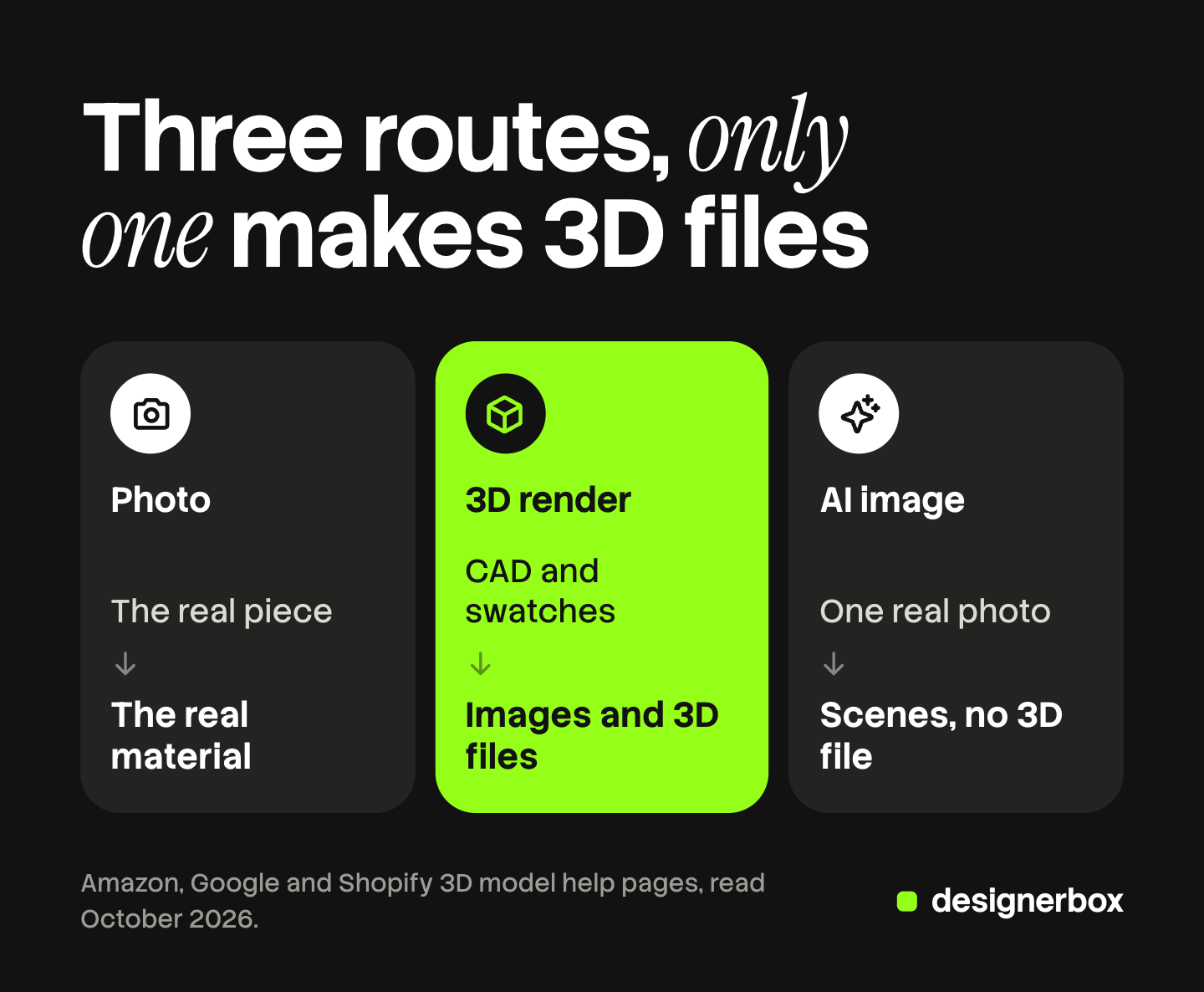
Pick the route by the job. A brand can use more than one.
| Job | Best route | Why |
|---|---|---|
| Ten finished pieces, needed quickly | Photo | The products exist, and a shoot is the shortest path |
| One frame in twelve fabrics, sold for years | 3D render | One model serves every variant at the same angle and light |
| Configurator or AR on the product page | 3D render | Only a model exports a 3D file |
| A product that is not made yet | 3D render | There is nothing to photograph |
| Room scenes for pieces with one good photo | AI image | No model to build, and the photo keeps the real piece |
| Seasonal scenes and ad variants | AI image | Many versions from one source photo |
| Dimension image with measurements | Photo or 3D render | Scale must be exact |
One way to split the work is to give the long-lived core range 3D models and the short-lived pieces a photo. AI images then cover the room scenes and ads that neither budget reached.
If you choose the AI route for scenes, our comparison of AI furniture product photography tools scores eight tools on the shots a listing needs.
DesignerBox for images from a real photo
DesignerBox is AI creative production for brands and agencies. It makes images, ads and video, and a product photo is one of its inputs. DesignerBox does not make 3D models, 3D files or renders from CAD. It works from a real product photo, so it covers the third route in this guide.
Anyone can make an AI picture. Making hundreds that still look like your brand is the hard part. You build a workflow once with your brand, your products and your rules. A batch then runs it over a sheet, one product per row, from row one to row two hundred. The cost is shown before the run.
You keep or discard each result. The same account turns a kept scene into an ad or a short clip. That is the full workflow from the first product photo to the finished ad, in one subscription. Our page on AI product photography shows the product side of this.
The limits matter for furniture. A person still checks fabric color and proportions on every result. DesignerBox does not send finished work to a store, so you download the results, or send them with a webhook or an S3 step. Every plan below Ultra is one seat. The free plan runs on sample products.
Uploading your own photos and the commercial license start on the Pro plan. AI video, virtual try-on, upscaling, the image editor and the video editor start on the Premium plan. Plans and credits are on the pricing page.
Start with one template and one sample product, and see how a run works. Get started free
FAQ
What is 3D product rendering?
3D product rendering makes a product image from a digital 3D model, without a camera. An artist builds the shape, adds materials and sets the light, and software calculates the image.
What do I need to give a 3D rendering team?
The shape comes from CAD files or measured drawings. The look comes from reference photos and physical fabric and finish samples. The variant list names every fabric, finish and size, and which combinations you sell.
Which 3D file formats do Google, Shopify and Amazon accept?
Google Merchant Center accepts glTF and GLB files for home goods and shoes. Shopify accepts GLB and USDZ files up to 500 MB. Amazon accepts GLB and glTF files and recommends GLB.
Can AI make a 3D model from a product photo?
An AI image tool makes a flat picture, and it does not produce a glTF, GLB or USDZ file. Google can create a 180 or 360 degree spin from at least five photos for merchants in the US (Google Merchant Center Help, October 2026). A spin is a view on Google, and you do not receive a 3D model file.
Does DesignerBox make 3D renders or 3D files?
No. DesignerBox does not make 3D models, 3D files or renders from CAD. It works from a real product photo and makes images, ads and video from it.
Sources
- Amazon 3D model rules: GLB and glTF formats, GLB recommended, 200K triangle limit, 2K to 4K textures, real-world scale, the PBR definition, the sheen setting for velvet and the quality check: Amazon Seller Central, 3D model technical requirements, accessed October 2026
- Amazon 3D upload steps: registered brand owners only, and accurate product dimensions with the upload: Amazon Seller Forums, moderator post on uploading 3D models, accessed October 2026
- Google 3D model link attribute: glTF and GLB formats, 10MB recommended and 15MB maximum, home goods and shoes: Google Merchant Center Help, 3D model link, accessed October 2026
- Google 3D and AR availability by country: Google Merchant Center Help, display your products in 3D and augmented reality, accessed October 2026
- Google 180 and 360 degree spins from at least five photos, US merchants, and the quoted line on the cost of 3D assets: Google Merchant Center Help, interactive spins, accessed October 2026
- Shopify 3D model limits: GLB and USDZ, up to 500 MB, optimization over 15 MB, theme support: Shopify Help Center, product media types, accessed October 2026
- glTF as a royalty-free format and the ISO/IEC 12113:2022 standard: Khronos Group, glTF, accessed October 2026
- USDZ and AR Quick Look on iPhone, iPad and Apple Vision Pro: Apple Developer, AR Quick Look, accessed October 2026
- IKEA’s 75% CGI share and the Martin Enthed attribution: PetaPixel, 28 August 2014, reporting a CGSociety interview
- DesignerBox workflows, batch and plan gates: DesignerBox batch page (designerbox.ai/product/batch) and DesignerBox pricing page (designerbox.ai/pricing), October 2026
Amazon, Google, Shopify, Khronos and Apple facts verified on each publisher’s own page, October 2026. Channel limits for 3D files change, so check the linked page before a model is built. DesignerBox features verified on designerbox.ai, October 2026. Individual results vary.