




A design approval process is the agreed path from a finished draft to a recorded yes from the client. It names one approver and the criteria the work is judged on. It sets the options the client chooses from and a deadline. It also says where the answer is saved. Most extra rounds start when one of these five parts is missing.
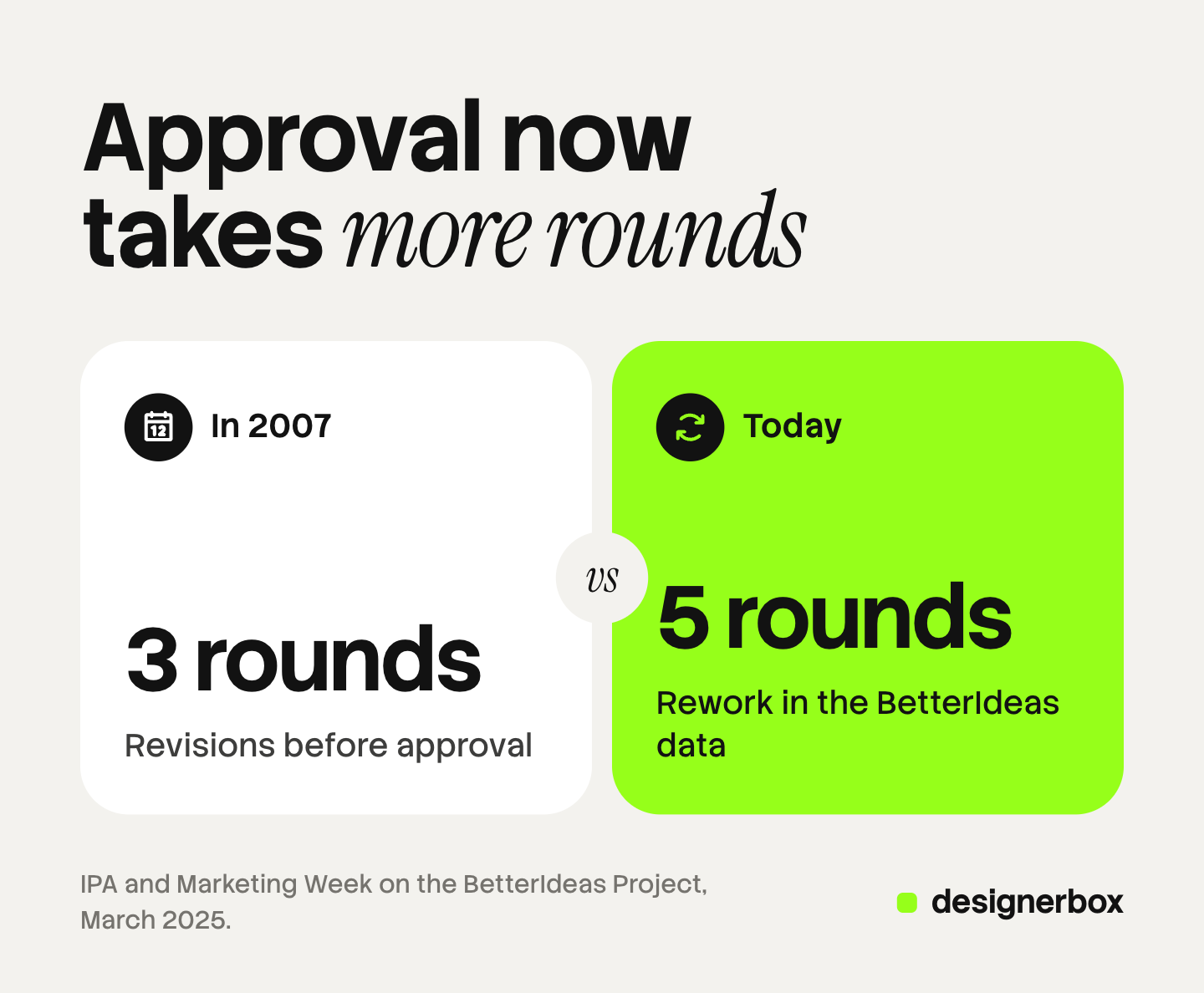
Five rounds of rework is now the average before a creative idea is approved, according to a 2025 study of 1,034 agency and marketing staff. Only 23% of the agencies in that study said the approval process works well. The work itself is rarely the whole problem. The question the client is asked, and who answers it, decide how many rounds you run.
This guide sets out the five parts of a design sign-off, a one-round approval step by step, and what to put in writing. It also covers what changes when the creative is AI-made. It is written for agencies and studios that need a client’s yes on ads, product pictures or campaign designs.
Key Takeaways
- Approval is a process you design. It has five parts: approver, criteria, options, deadline and record.
- Rounds are rising. The BetterIdeas Project puts the average at five rounds of rework, and Marketing Week reports three rounds in 2007.
- Most rounds start before the work. Only 10% of respondents say ideas are always judged against clear criteria.
- Ask for a choice. “Choose two of these six” gets a faster answer than “what do you think?”
- Write the yes down. A dated record of what was approved ends arguments about round four.
- AI-made work moves the bottleneck. Making options is cheap now, so approval should be a choice between options.
What is a design approval process?
A design approval process is the set of steps a design follows from the first draft to a final, recorded yes. It decides who approves, what they judge the work against, how they answer and where the answer is kept. A good process gets a clear answer in one round.
Design approval is easy to confuse with two other steps. A design review is your own team’s check of the work before the client sees it. Ad review is the platform’s check: Meta reviews ads against its advertising standards before they run, and says most ads are reviewed within 24 hours (facebook.com, October 2026). The client’s approval sits between the two.
Why design approval takes five rounds
The BetterIdeas Project asked 1,034 agency, marketer and in-house staff in 54 countries about the creative process. It was run by BetterBriefs and Flood + Partners with the IPA and the WFA, and published in March 2025 (IPA, March 2025).
| Finding | Agencies | Marketers |
|---|---|---|
| The approval process works well | 23% | 56% |
| The right people sign off on creative ideas | 43% | 62% |
| Personal opinion has a big impact on decisions | 89% | 84% |
| Clients give clear and constructive feedback | 30% | 52% |
Two more numbers explain the rounds. Only 10% of all respondents agree that ideas are always judged against clearly defined criteria. And the IPA’s Laurence Green describes “no less than five rounds of re-work” in the dataset. Marketing Week, reporting the study, says the IPA recorded three rounds in 2007 (Marketing Week, March 2025).
The study covers creative ideas in general, from concepts to finished work. The gap between agencies and marketers is the useful part. Marketers think the process works, and agencies do not. That gap usually means the client does not see the cost of each extra round.
The five parts of a design sign-off
A sign-off is fast when each of these five parts is fixed before the work goes out.
| Part | What it answers | What happens without it |
|---|---|---|
| Approver | Who gives the final yes | Two people answer, and they disagree |
| Criteria | What the work is judged against | The answer is a taste, so every round finds a new taste |
| Options | What the client chooses between | One draft invites “change this”, not “choose this” |
| Deadline | When the answer is due | The link waits behind other work |
| Record | Where the yes is saved, with a date | Round four reopens what round two closed |
The approver is one named person. Others can comment, but one person decides. Put the name in the brief.
The criteria come from the brief. For a product picture they are product truth, brand rules and channel rules. Our brand compliance guide sets out those three checks in a fixed order.
The options are the biggest change you can make. Send two or three finished options for each slot, not one draft. The client’s job becomes a choice, and a choice has a clear answer.
The deadline is a date in the message, not “when you can”.
The record is a dated answer that says what was approved. It can be an email, a signed sheet or the answer in a review tool.
A one-round design approval, step by step
This order gets most jobs approved in one round. It works for ads, product pictures and campaign designs.
- Check the work yourself. Look at the product details, the logo, the text and the sizes. The client chooses what they like. You check what is correct.
- Write the question. “Choose two of these six for the spring launch, by Friday.” One sentence, one number, one date.
- Send options for each slot. Two or three options per slot is enough. More options slow the choice.
- Use one link and one approver. Send the options on one page to the one person who decides.
- Record the answer. Save what the client chose, with the date and any note.
- Change only what was asked. Make the changes in the note, then deliver. If the client asks for something new, treat it as a new request.
The last step needs a contract behind it. Our guide to revision rounds covers the clauses that set how many rounds the fee includes.

What to put in writing
A written sign-off protects both sides. It also stops round four from reopening a decision.

Record these five things for every approval:
- What was approved. The file names, or the pictures on the review page.
- Who approved it. The name of the approver.
- When. The date of the answer.
- The changes asked for. The note, word for word.
- What comes next. Delivery, or the changes, and the date.
An email with the files attached is enough for small jobs. Larger jobs often use a signed approval sheet. A review tool that saves the choice with a date does the same job with less admin. Our roundup of proofing software compares the tools by the kind of review they handle.
Design approval for AI-made creative
AI changes where the time goes. Making options used to be the slow part, so agencies sent one draft and asked for changes. Now three options for each slot take minutes, so the approval can be a choice from the start.
Two risks come with that speed.
Product truth. An AI-made picture can warp a print, garble a logo or drop a detail. Check the product yourself before the client sees the options. A client who spots a wrong logo stops trusting the whole set.
Disclosure. If an ad shows an AI-made person, check the disclosure rules where it runs. New York requires anyone who makes an ad with a synthetic performer, and knows it, to disclose it conspicuously. That rule has applied since 9 June 2026 (nysenate.gov, October 2026). California passed a similar law, SB 1050, which takes effect on 1 January 2027 (leginfo.legislature.ca.gov, October 2026). This is general information, not legal advice. Tell the client before they approve, so the disclosure is part of the yes.
Client approval in DesignerBox
DesignerBox is AI creative production for brands and agencies. You make the options and get the client’s choice in the same account.
The approval step is Reviews. You select pictures in Assets, open an app result, or keep the good results of a batch, then press Send for review. The client opens the link on a phone or a computer, with no account. They tick the pictures they want, add a note and send the choice back. The review page shows the date of the answer, the pictures they chose and the note. That is the record.
A review costs no credits, and the link works for 30 days. You can close a review when the job is done. Our guide to agency client workflows shows how to keep one workflow per client brand. Our guide to DesignerBox Reviews shows each screen. For ad work, our guide to letting the client pick the ads shows the order: choose first, then make the other sizes and languages.
Anyone can make an AI picture. Making hundreds that still look like your brand is the hard part. Each client’s brand is a record that the workflow reads on every run, so the options already match the brand before the client sees them. The options, the review link and the approved files stay in one account.
Reviews covers still pictures, and the client gives one note with the choice. There is no comment thread on each picture and no version history. Every plan below Ultra is one seat, and team features are on the Ultra plan. Uploading your own photos and the commercial license start on the Pro plan. AI video, virtual try-on, upscaling, the image editor and the video editor start on the Premium plan. Plans and credits are on the pricing page.
Client work, built once
If you run creative for several client brands, see how agencies build each job once and run it for every client.
FAQ
What is a design approval process?
A design approval process is the agreed path from a finished draft to a recorded yes. It names one approver, the criteria, the options to choose from, a deadline and where the answer is saved. A good process gets the answer in one round.
What is a design sign-off?
A design sign-off is the client’s final, recorded approval of a design. It says what was approved, who approved it and when. It closes the round, so later changes count as new work.
How many revision rounds are normal?
The BetterIdeas Project found an average of five rounds of rework before creative ideas were approved. Many agency contracts include two or three rounds in the fee. Options, clear criteria and one approver keep most jobs to one round.
Who should approve a design?
One named person with the authority to say yes. Other people can give input before the deadline. When two people approve, you often get two different answers and an extra round.
How do you get formal approval on a design?
Send the options with one clear question and a deadline. Ask the approver to choose. Save the answer with the date, the approver’s name and any note. An email, a signed sheet or a dated answer in a review tool all work.
Is client approval the same as ad review?
No. Client approval is your client saying yes to the creative. Ad review is the platform checking the ad against its rules. Meta says most ads are reviewed within 24 hours, so plan both steps before the launch date.
Can a client approve designs without an account?
Many review tools let a client open a link with no sign-up. In DesignerBox Reviews the client opens the link with no account, ticks the pictures and sends the choice back with a note.
Sources
- IPA, Global study highlights issues obstructing the development of creative ideas (The BetterIdeas Project, with WFA, BetterBriefs and Flood + Partners, 1,034 respondents in 54 countries), March 2025, read October 2026
- Marketing Week, ‘Suboptimal process’: Only a third of agencies believe they receive constructive feedback, 4 March 2025, read October 2026
- Meta Business Help Center, About ads in review, read October 2026
- New York General Business Law section 396-b, nysenate.gov, read October 2026
- California SB 1050, bill text as approved on 16 September 2026, leginfo.legislature.ca.gov, read October 2026
- DesignerBox app, Reviews page, read October 2026
- DesignerBox for agencies page (designerbox.ai/for/agencies), October 2026
- DesignerBox pricing page (designerbox.ai/pricing), October 2026
Study figures verified from the IPA and Marketing Week as of October 2026. Laws are described as general information, not legal advice. Individual results vary.














