


To test new headlines on ads that already work in DesignerBox, open the Ad versions with new headlines template. Add the ads you have and your new headlines. It returns each ad with each headline, and you check that only the words changed. For many products, run the job in Batch. Then download the set and run the test in your ad platform.
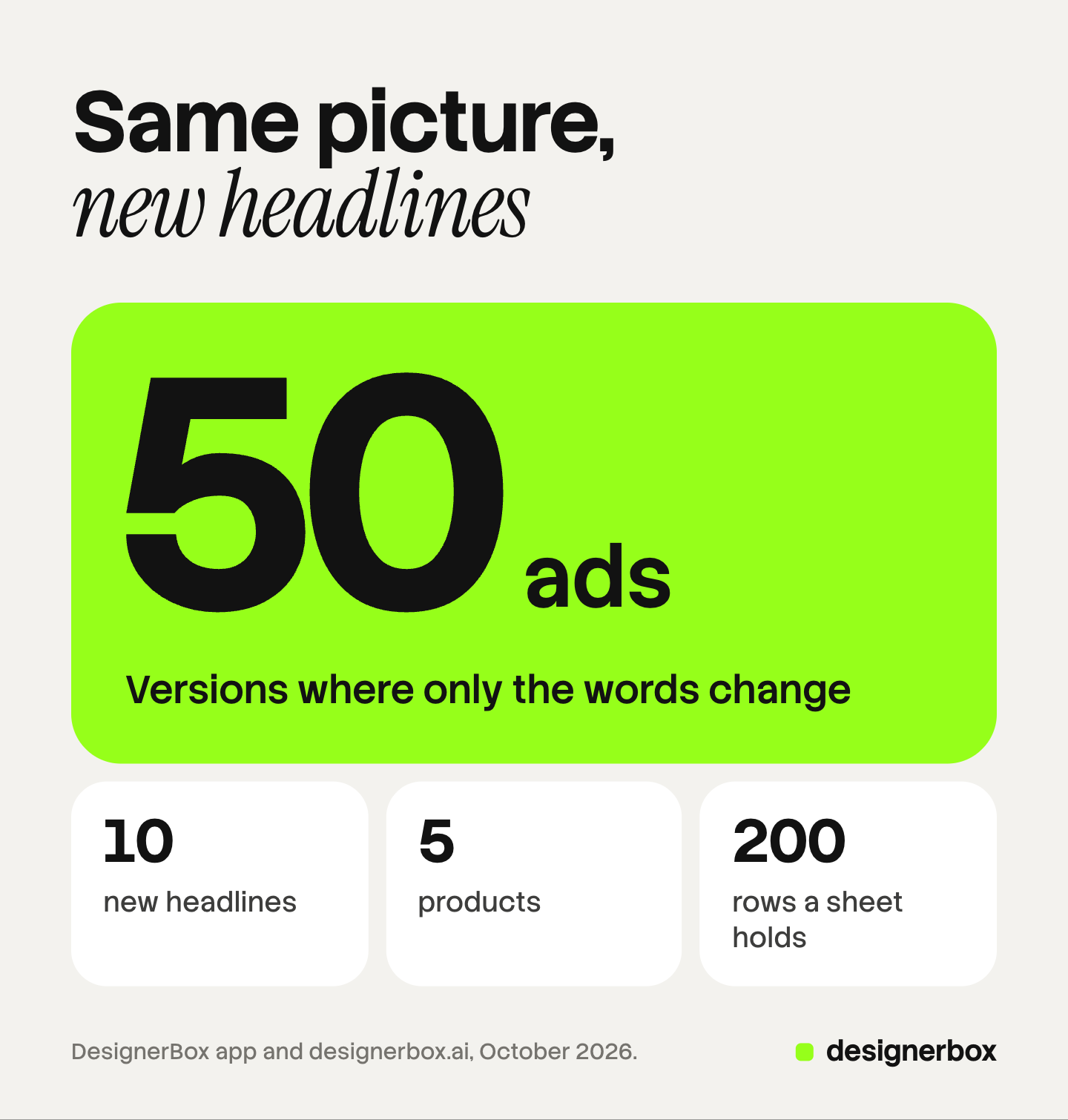
A performance team has five products with ads that sell. The team wants to know whether a new headline sells more. Ten headlines on five products is 50 ads. Rebuilt by hand, each one is a design job, and the test waits for the designer.
Key Takeaways
- Change one thing. Keep the picture fixed and change only the headline, so the result tells you about the headline.
- Two templates make the versions. Ad versions with new headlines starts from ads you have. Ads from a product photo starts from a product photo and your headlines.
- 10 headlines on 5 products is 50 ads. Batch runs them from one sheet, and one sheet holds up to 200 rows.
- Analyze ad reviews each finalist. It reviews the hook, hierarchy, brand, offer, craft and fit, and suggests fixes.
- Your ad platform runs the test. DesignerBox makes the versions. It does not publish to an ad account.
Headline tests on ads that already work
This job belongs to a performance team at a brand, or to an agency that tests creative every week. The trigger is an ad that works and a question about its words. Done means a headline that won a fair test, with the result read in the ad platform.

The method matters more than the tool. Meta describes an A/B test as two versions of an ad strategy. The versions differ in a variable, such as the ad images or the ad text. Meta shows each version to a separate part of the audience, so nobody sees both. It recommends the same budget for both versions. It also advises against testing by turning ad sets on and off by hand (Meta Business Help Center, October 2026).
So a headline test keeps everything else fixed. Same picture, same product, same offer, same audience. Only the headline changes. Each version also needs enough spend to show a result. Our guide to ad creative testing explains why many tests cannot be read, and what volume a readable test needs.
Without a template, a designer rebuilds each ad with the new words. The test then starts when the designer is free.
DesignerBox surfaces for headline tests
Two templates make headline versions. An app makes picture versions for a later round. Batch makes the set for many products, and Analyze ad reviews the finished ads.
| Surface | What you add | What you get | Plan |
|---|---|---|---|
| Ad versions with new headlines (template) | Ads you have and new headlines | Each ad with each headline | Every plan |
| Ads from a product photo (template) | A product photo and your headlines | One ad for each headline | Every plan |
| Versions of an ad (app) | An ad | Four versions, each with another place or color | Every plan |
| Batch | A sheet of rows, up to 200 | 1 to 4 runs per row, kept or discarded one by one | Every plan |
| Analyze ad (a Create skill) | An ad you attach | A review of the hook, hierarchy, brand, offer, craft and fit, with fixes | Every plan |
Versions of an ad changes the picture, so it answers a different question. Run it in a separate round from the headline test. The Templates page lists the templates, and our guide to DesignerBox templates explains how one runs.
The first headline test, step by step
- Pick the ads that work. Choose the ads with a result you trust. These are the control.
- Write the new headlines. Give each headline one idea, such as a price, a benefit or a problem. Keep each one short enough for the slot it runs in.
- Open the Ad versions with new headlines template. Go to Automation, then Templates. Open your own copy of the template.
- Add the ads and the headlines, then press Run all. The template is “Priced as it runs”, so the cost adds up step by step. The results are saved in Assets.
- Check each version against its control. The picture, the product and the offer should match the original ad. Discard any version where they do not.
- Run Analyze ad on the versions you keep. In Create, attach the ad and choose Analyze ad. Fix what it points out, or keep the version as it is.
- Download the set and build the test. In your ad platform, test one variable with the same budget for each version.
If a client chooses which versions go into the test, our guide to letting the client pick the ads covers that step.
The second test and the twentieth
New products start from a product photo. The Ads from a product photo template takes the photo and your headlines. It returns one ad for each headline. The new product then enters the test with the same words as the others.
The headline test repeats every week, so save it. Open your own copy of the template and save it as a workflow. Workflows read your brand rules, which hold your fonts, colors and logo. Publish the workflow as an app. A junior buyer then adds the ads and the headlines in a short form.
The twentieth test is a batch. Each row is one job with its own instructions and pictures. Ten headlines on five products is 50 rows, and one sheet holds up to 200. Batch runs an image model, an app, or your own workflow published as an app. Each row runs 1 to 4 times. The sheet shows the credits before you run, and over 20 runs DesignerBox asks you to confirm first. The Batch page shows the sheet, and our guide to DesignerBox batch covers rows and review.
Anyone can make an AI picture. Making hundreds that still look like your brand is the hard part. For a headline test, you want 50 versions where only the words change.
Our guide to ad variants at scale covers how many new ads a month your spend supports.
Checks before the test
Making 50 ads is the short part. Checking them takes longer.
In a batch, you keep or discard each result with the J and K keys. Then you download the kept pictures, send them for review, or download the sheet as CSV.
Check every version for five things:
- The headline. Every word is spelled right, and nothing is cut off.
- The picture. It matches the control. A changed picture adds a second variable.
- The product. The label, the color and the shape are the same as in the original ad.
- The offer. A headline that names a price or a discount matches the offer on the landing page.
- The phone view. The headline is easy to read at feed size.
Analyze ad gives a second view of each finalist. It reviews the hook, the hierarchy, the brand, the offer, the craft and the fit. It does not tell you which headline will win. Only the test does that.
Critic steps (designer, photographer, emotion, ad director) score several results and keep the best. Use them in the picture round, when Versions of an ad changes the place or the color. In a headline round, the picture stays fixed.
Limits of headline testing in DesignerBox
These are the limits as of October 2026.
- DesignerBox makes the versions. Your ad platform runs the test. The platform splits the audience, spends the budget and reports the result.
- DesignerBox does not publish to an ad account. You download the results, or send them with a webhook or an S3 step.
- A small budget may not give a result you can read. More versions split the same budget into smaller parts.
- The words are yours. A headline must be true, and it must follow your ad platform’s rules.
- Analyze ad is a review. It suggests fixes. It does not predict performance.
Headline tests in one account
The versions, the batch run, the ad review and the client’s choice sit in one account. The control ad stays the source, and every headline version comes from it. When a headline wins, our guide to ad sizes and languages covers the next job. The page for performance marketers covers the rest of the ad work.
Templates, apps, workflows, batch and Create are on every plan. Uploading your own photos and the commercial license start on the Pro plan, so your own ads need Pro. There is a free plan, and it runs on the sample products. Plans and credits are on the pricing page.
Start on the sample products and see how a template run works. Get started free.
FAQ
How do I test ad headlines with DesignerBox?
Open the Ad versions with new headlines template, add your ads and your new headlines, and press Run all. It returns each ad with each headline. Download the set. Your ad platform then runs the test and reports which version won.
Why keep the picture the same?
A test reads one variable. If the picture and the headline both change, you cannot tell which one moved the result. Meta’s A/B test guide has you choose the variable to test and use the same budget for both versions.
What is the difference between Ad versions with new headlines and Versions of an ad?
Ad versions with new headlines puts each new headline on ads you already have. Versions of an ad takes one ad and returns four versions, each with another place or color. Use the first for a headline test and the second for a picture test.
What does Analyze ad check?
Analyze ad is a Create skill. It reviews an ad you attach on the hook, hierarchy, brand, offer, craft and fit. Then it suggests fixes. It does not predict which headline will win.
How do I know what the versions cost?
The cost is shown before the run. A template is priced as it runs, and a batch sheet shows the credits for the whole sheet before you press Run.
Sources
- DesignerBox Templates page (designerbox.ai/product/templates), October 2026
- DesignerBox Apps page (designerbox.ai/product/apps), October 2026
- DesignerBox Batch page (designerbox.ai/product/batch), October 2026
- The DesignerBox app, read October 2026: the Ad versions with new headlines and Ads from a product photo templates, the Versions of an ad app, Batch, and the Analyze ad skill in Create
- DesignerBox pricing page (designerbox.ai/pricing), October 2026: the plan gates
- Meta Business Help Center, About A/B testing: facebook.com/business/help/1738164643098669, read October 2026
DesignerBox features verified in the app and on designerbox.ai as of October 2026. Results vary by product and model.