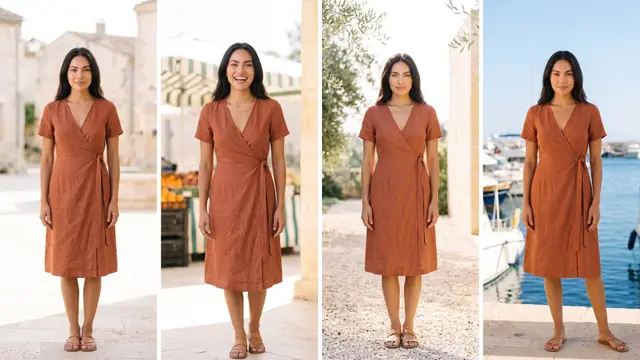


Before you put a whole catalog on an AI model, let the client choose the model. In DesignerBox you make one garment on two or three avatars. You send the results as a review link, and the client ticks the person they want. Then you run the rest of the catalog with that avatar. The review costs no credits, and the client needs no account to answer it.
A fashion brand drops 120 new pieces. The agency puts every piece on one AI model and sends the full set. The client replies with one line: “Can we try a different model?” Now all 120 pieces run again.
This guide shows the casting round in six steps, what to send, and what happens after the client picks. It also covers permission and disclosure. It is written for agencies and studios that make on-model pictures for clothing brands, and for brand teams who answer to a founder.
Key Takeaways
- Pick the face first. The model is the hardest thing to change after the full run.
- Send one garment on two or three avatars. Keep the garment, background and light the same, so the person is the only difference.
- The client ticks one and adds a note. They open the link with no account.
- A review costs no credits. Only the runs that make the pictures cost credits.
- Then run the catalog on that avatar. One face across every garment, and in video too.
- Tell the client about disclosure. An ad with an AI-made person may need a label where it runs.
Why the client picks the model first
On a real shoot, casting comes before the shoot day. Nobody books a studio and then asks the client which model they like. AI-made on-model pictures need the same order, for the same reason: the face is in every picture.
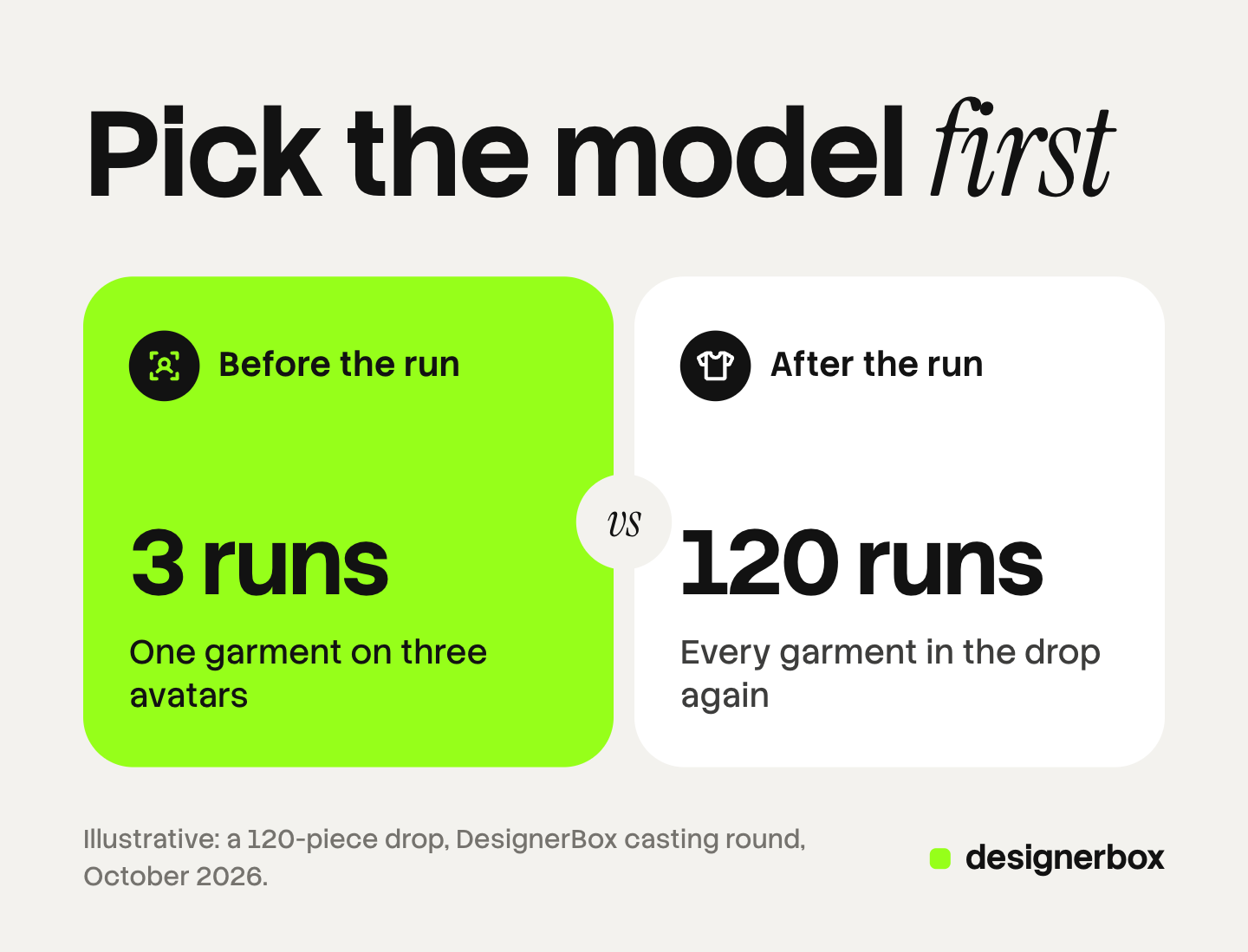
The cost order makes the point clear. A review costs no credits. Every run of a garment on a model costs credits, and the cost is shown before you run it. Changing the model after three pictures costs three pictures. Changing it after the full catalog costs the full catalog again.
The face is also the part the client feels most strongly about. A brand founder may accept a softer shadow or a different crop. They rarely accept a face they did not choose. Our guide to choosing an AI virtual model covers how to set the face, the body range and the realism from the brand’s own data before the casting round.
The casting round, step by step
The round takes six steps. You do steps 1 to 3 and step 5. The client does step 4, and step 6 is the final check.
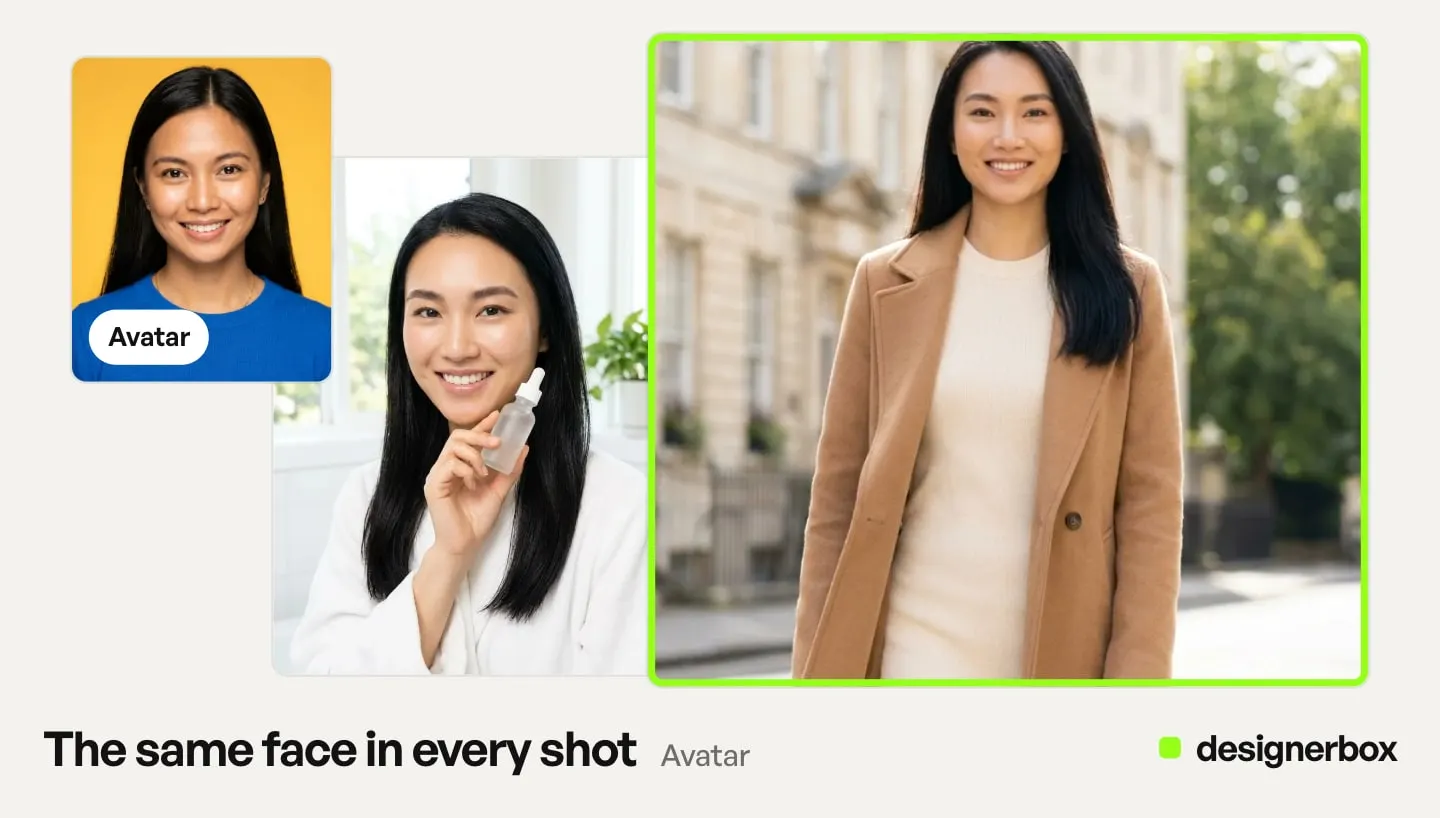
- Pick two or three avatars. Start from the ready avatars, such as Maya, Amara or Diego, or make your own from one sentence. Every avatar is a set of nine fixed poses of one person.
- Run one garment on each. Open the Clothes on a model app, add the same garment photo, and choose a different avatar for each run.
- Send the results for review. Select the pictures in Assets and press Send for review. Copy the link and send it to the client.
- The client picks. The client opens the link on a phone or a computer, with no account. They tick one picture and add a note, such as “this model, but warmer light”.
- Run the rest of the catalog. Run Clothes on a model for each garment, with the chosen avatar every time. Check the first few results before you run the rest.
- Send the full set for the final choice. Keep the good results, then send them for review. The client chooses the pictures for each product.
The review page shows the answer as soon as it arrives: the picture the client chose, the date and the note. Our guide to DesignerBox Reviews walks through each screen.
What to send in a casting review
A casting review works when the person is the only thing that changes. Keep everything else the same.
| Keep the same | Change | Why |
|---|---|---|
| The garment | The avatar | The client judges the person, not the clothes |
| The background and light | Nothing else | A sunny street beside a gray studio wins on light, not on the face |
| The crop and pose | Nothing else | A full-body shot beside a head shot is not a fair comparison |
Two or three avatars are enough. Five faces turn a choice into a debate. If the client has a clear brief, two avatars that both fit it give the fastest answer.
Write one question with the link: “Which model should we use for the spring catalog?” A clear question gets a clear tick. Our guide to the design approval process explains why a choice between options gets approved in fewer rounds than one draft.
After the client picks
Once the client chooses, use the same avatar on every product. The same person across 120 pieces makes the catalog read as one brand.
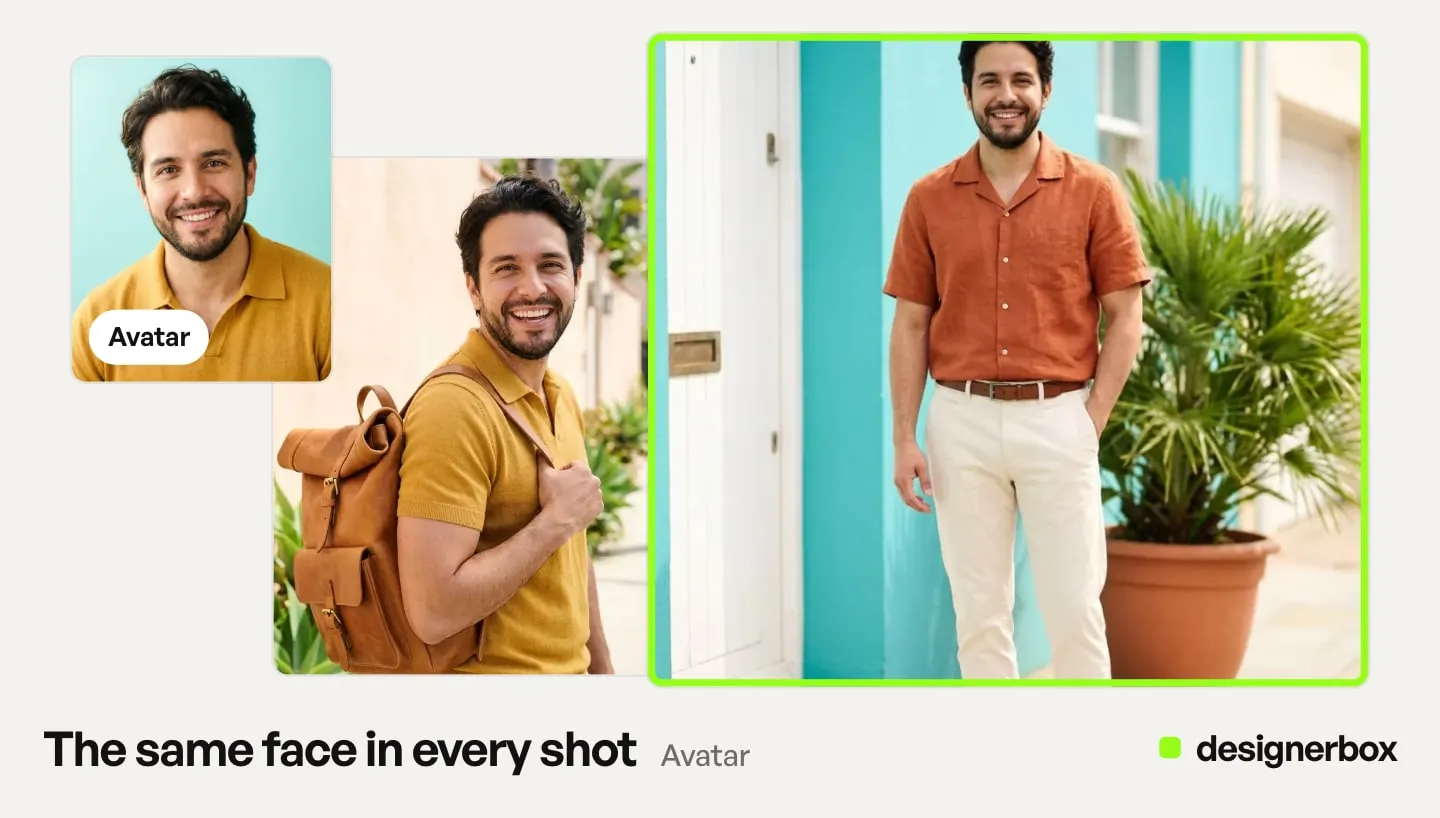
The avatar also works beyond product pictures. You can use it in Generate, in Clothes on a model, in Video with a person, and in the video editor’s Talking tab. So the model the client chose for the product pages can also appear in the launch video. Our guide to DesignerBox Avatars covers the nine poses and each place you can use them. Our guide to the same model on every garment covers the season run that follows the casting.
For a large drop, a batch runs one workflow, app or image model over a sheet of up to 200 rows. Test one row with the chosen avatar before you run the sheet. After the run you keep or discard each result, then send the kept pictures for review (DesignerBox batch, October 2026). Our guide to DesignerBox Batch explains the rows.
Permission and disclosure
Two rules come with an AI-made model. Both belong in the casting review, before the client approves.
Permission for a real person. You can make your own avatar from a photo, but only with the clear permission of that person, from a photo you have the rights to. New York’s Fashion Workers Act has required separate written consent for a model’s digital replica since 19 June 2025. The consent must state the scope, the purpose, the pay and the duration (dol.ny.gov, October 2026).
Disclosure in ads. New York requires anyone who makes an ad with a synthetic performer, and knows it, to disclose that in the ad. This has applied since 9 June 2026 (nysenate.gov, October 2026). California passed a similar law, SB 1050, which takes effect on 1 January 2027 (leginfo.legislature.ca.gov, October 2026).
This is general information, not legal advice. Add a line about disclosure to the review note, so the client’s yes includes it.
Limits
These are the limits as of October 2026. Plan the job around them.
- Reviews covers still pictures. Send the casting as pictures, and handle video approval in your usual process.
- The client gives one note with the choice. There is no comment thread on each picture and no version history.
- A review link works for 30 days. Tell the client the date when you send it.
- An avatar has nine fixed poses. Front, back, left, right, head shot, full body, walking, running and sitting.
- The plan decides what you can run. Uploading your own photos and the commercial license start on the Pro plan. AI video, virtual try-on, upscaling, the image editor and the video editor start on the Premium plan. Plans and credits are on the pricing page.
Check each garment yourself before the client sees it: the print, the color, the logo and the fit. The client chooses the model. You check that the clothes are right.
One face for the whole catalog
DesignerBox is AI creative production for brands and agencies. The casting round, the catalog run and the client’s final choice all happen in one account. Anyone can make an AI picture. Making hundreds that still look like your brand is the hard part.
The first job, built once
Start from a template, add your brand and your products, and run it. The cost is shown before the run.
FAQ
How do I let a client choose an AI model?
Make the same garment on two or three avatars with the Clothes on a model app. Select the results in Assets and press Send for review. The client opens the link with no account, ticks the model they want and sends the choice back.
Does the client need a DesignerBox account?
No. The client opens the review link on a phone or a computer with no account. They tick the picture they want, add a note and send it.
Does a casting review cost credits?
No. A review costs no credits. The runs that make the pictures cost credits, and the cost is shown before each run.
How many avatars should I send?
Two or three. Keep the garment, background, light and pose the same, so the person is the only difference. More faces make the choice slower.
Can I use the chosen model in video?
Yes. An avatar works in Generate, Clothes on a model, Video with a person and the video editor’s Talking tab. AI video starts on the Premium plan.
Can I make an avatar from a real model?
Only with the clear permission of that person, from a photo you have the rights to. In New York, a model’s digital replica needs separate written consent under the Fashion Workers Act.
Do ads with an AI model need a label?
In some places, yes. New York requires a conspicuous disclosure when an ad contains a synthetic performer and the maker knows it. California’s SB 1050 takes effect on 1 January 2027. This is general information, not legal advice.
Sources
- DesignerBox app, Avatars, Apps, Assets and Reviews pages, read October 2026
- DesignerBox Batch page (designerbox.ai/product/batch), October 2026
- DesignerBox pricing page (designerbox.ai/pricing), October 2026
- New York State Department of Labor, Fashion Workers Act FAQs, read October 2026
- New York General Business Law section 396-b, nysenate.gov, read October 2026
- California SB 1050, bill text as approved on 16 September 2026, leginfo.legislature.ca.gov, read October 2026
Product steps checked against the DesignerBox app as of October 2026. Laws are described as general information, not legal advice. Individual results vary.