


AI ad generator pricing comes in three shapes: credits, seats and a price per finished video. Every tool compared in this guide meters credits. The plan price does not set your bill. The credit cost of each asset does, and that cost moves with the model you pick.
Credit use varies by model across the category, and HeyGen’s pricing page says so directly (heygen.com/pricing, September 2026). Before you buy, check whether a tool shows the cost of a run before you run it.
This guide covers the three pricing models in the category, why the plan price is not the cost per ad, how DesignerBox charges, and a six-step method for finding your real number before you buy. No vendor price is printed here, because these tiers move. Each vendor is named with its own pricing page and the date it was read, so you can check the live figure yourself.
Key Takeaways
- Credits are the default. Runway, HeyGen and Creatify meter credits, and so does DesignerBox (vendor pricing pages, September 2026). Per-seat charges appear as add-ons at the top tiers rather than as the main model.
- The model you pick sets the unit price. The plan only sets how many credits you have. You pick the model for each still and each clip.
- Read the billing label before the number. Photoroom’s pricing page loads on the yearly view and prints it as a per-month figure. Synthesia’s page prints a monthly and a yearly figure for the same plan. Compare the same billing period on both sides.
- Price the overflow as well as the plan. See how the plans and packs work.
The three ways AI ad generators charge
AI ad generators charge in three ways: credits, seats or a price per finished video. Knowing which one a tool uses tells you more than its headline price.
Credit-based
You buy a monthly credit allocation and each generation draws it down. This dominates the category, most likely because the vendor’s own cost is per generation. Inside a credit system, the model you pick moves the price of each asset.
Per-seat
You pay per user per month, generation included or loosely capped. In AI ad tools this rarely stands alone. It appears as a top-tier add-on: HeyGen’s Business plan adds team members for a fee per seat (heygen.com/pricing, September 2026), and Creatify sets a seat limit on each tier (creatify.ai/pricing, September 2026).
Per-video
You pay per finished asset. This model is common with UGC and avatar marketplaces, where a person makes each asset. The price per unit is predictable, and the total gets expensive at volume.
AI ad generator pricing compared (2026)
Every fact below was read from the vendor’s own pricing page in September 2026. The table compares how each tool meters use. The prices themselves are on the pages it names.
| Tool | Free plan | How use is metered | Seats | Where the prices are |
|---|---|---|---|---|
| Runway | One-time credits, with no monthly refill | Credits. Runway publishes how much video or how many images a plan’s credits buy | Not the main pricing unit | runway.com/pricing, September 2026 |
| HeyGen | A small monthly allowance of short videos | Credits, which vary by AI model, video length and complexity | A per-seat add-on on Business | heygen.com/pricing, September 2026 |
| Creatify | Monthly credits, with a watermark | Credits, with several credit steps on Pro | A limit on each tier | creatify.ai/pricing, September 2026 |
| DesignerBox | A free plan, with a watermark | Credits per run. The cost is shown before the run | One seat below Ultra, 5 on Ultra | designerbox.ai/pricing, September 2026 |
One caveat. Creatify’s Pro tier offers several credit steps, so the base step is only a starting point (creatify.ai/pricing, September 2026).
Why the plan price is not the cost per ad

Two plans at the same price can differ widely in what they produce. Your real cost depends on how credits convert to results, and only some vendors publish that conversion.
Runway publishes its conversion. Its pricing page states how many seconds of Gen-4.5 video or how many Gen-4 images each plan’s credits buy (runway.com, September 2026). So a plan buys a mix: the more seconds of video you make, the fewer stills you get.
HeyGen’s pricing page states that the credits a video uses vary by the AI model, the video duration and the complexity of the generation (heygen.com/pricing, September 2026). The same holds across the category: the model decides.
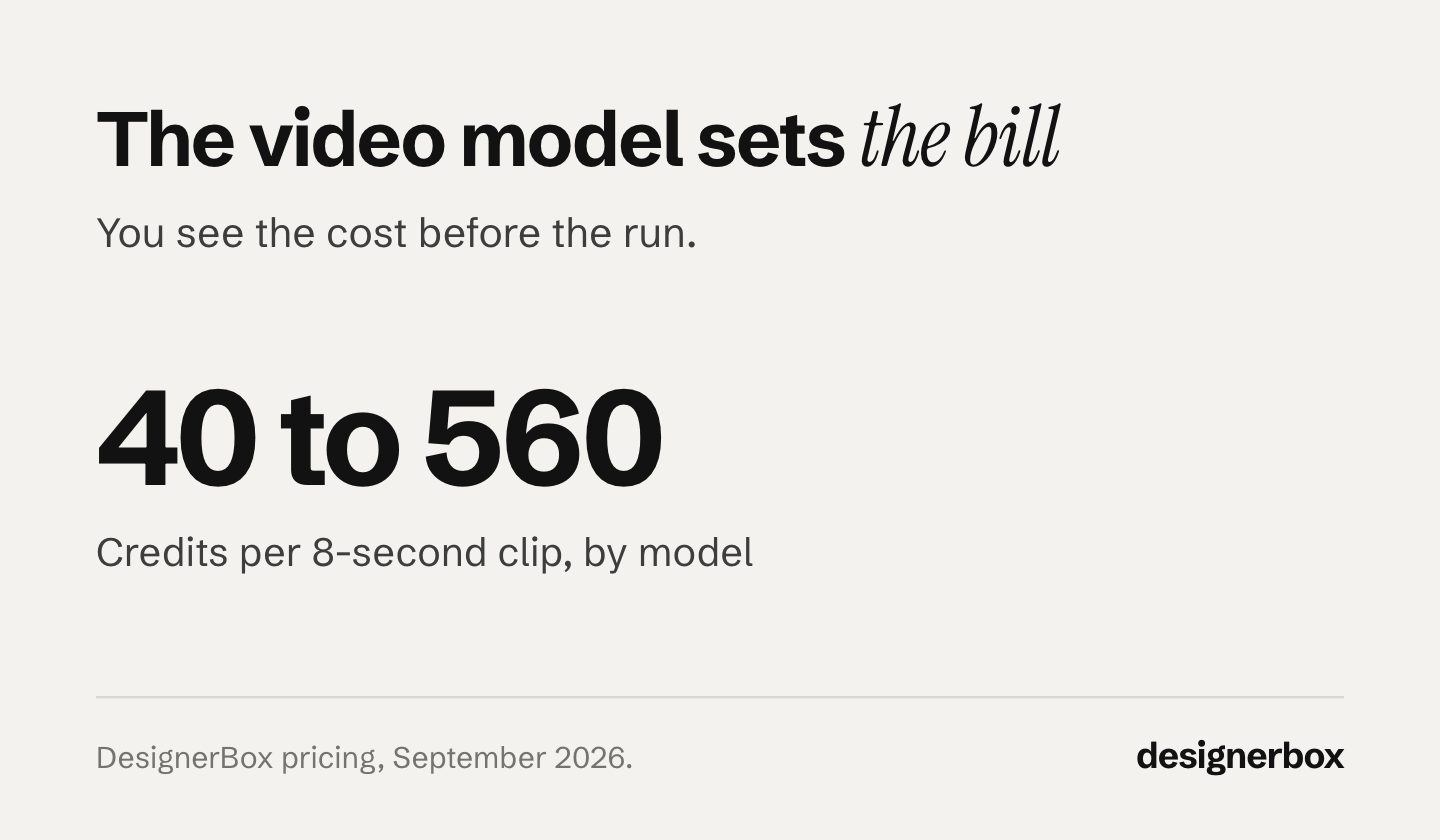
DesignerBox shows the cost of each run before you run it, so you can change the model before you spend the credits. The image cost changes with the model you pick. The cost of a clip changes more, and the chart above shows the range for an 8-second clip. An avatar run returns nine fixed poses of one person. You choose the model per shot, and the plan you bought does not fix it.
Plan video around models that will stay available. OpenAI removed Sora 2 and Sora 2 Pro from its API on 24 September 2026 (OpenAI API deprecations, accessed September 2026).
The practical rule: pick the model per shot instead of sizing the plan for the worst case. A hook test that will stop running in nine days does not need the premium model. The one hero cut that runs all quarter probably does. Video cost is covered further in our guide to what AI video generation costs, and the AI ad generator page shows the finished set the credits pay for.
DesignerBox plans and credits
DesignerBox is AI creative production for brands and agencies. It has five plans. The ad set, the stills and the clip all draw on the same plan’s credits, in one account.
Anyone can make an AI picture. Making hundreds that still look like your brand is the hard part. You set your brand rules once, and the workflow reads them on every run.
Annual billing grants the same allocation each month. It does not release the year’s credits upfront.
Uploading your own photos and the commercial license start on the Pro plan. AI video, virtual try-on, upscaling, the image editor and the video editor start on the Premium plan. Team features, shared brand kits and white label are on the Ultra plan, and every plan below Ultra is one seat. Plans and credits are on the pricing page. The model list shows the models you can pick.
Your real monthly cost, step by step

Your real monthly cost takes six steps to find. Do them before you compare any two plans.
- Count the month’s mix. Count statics, videos and the seconds per video, not “some ads”. Motion’s Creative Benchmarks 2026 drew on 578,750 creatives across 6,015 Meta advertiser accounts between September 2025 and January 2026. It found that medium-spend accounts launch about 6.6 new creatives a week and the top spend tier about 18.8 (motionapp.com, accessed September 2026). Motion sells creative analytics, so read that as a volume benchmark from a vendor with an interest in volume, not as a target.
- Convert the mix to credits at the model level. One rate per tool is not enough, because credit use varies by model. If a vendor publishes a plan price and no conversion at all, that is your answer about how predictable the bill will be. On a tool that charges per generation, a result you discard still used its credits. The AI image retry rate shows how rejects move the cost of a usable asset.
- Compare the mix with the allocation. Seven creatives a week is about 28 a month. Put your split of stills and clips next to each plan’s monthly credits, at the conversion the vendor publishes. Clips move the total most, and the model you pick for them moves it further.
- Check the plan floor as well as the credits. On DesignerBox, AI video needs a minimum plan, whichever model you choose. So one clip in the mix sets your plan, however few clips you run.
- Check the billing period on the number you copied. See the next section.
- Price the overflow. DesignerBox sells one-time credit packs for a month when you need more credits than the plan holds. They need an active paid plan, and the pricing page says pack credits last for 12 months. Per credit, a pack can cost more than plan credits, so check the pack price and put it in the budget in advance.
The billing details that change the number
The default toggle. Photoroom’s pricing page labels its tiers “Per month, billed yearly” behind a monthly and yearly switch (photoroom.com/pricing, October 2026). So does the DesignerBox pricing page, where the annual view prints Basic at its annual rate. Synthesia’s page prints a “billed monthly” and a “billed yearly” figure for the same paid plan (synthesia.io/pricing, October 2026). Copy the figure on load and you understate the monthly price. It is an easy error to make.
Annual discounts differ. Each tool sets its own annual discount. DesignerBox lowers the monthly rate on annual billing. If you compare one tool’s monthly rate with another tool’s annual rate, you compare the wrong pair of numbers. Check each vendor’s monthly and annual rates on its own page.
Sliders and seats. A base tier price with a credit slider is a starting price. A per-seat add-on at the top tier changes the shape of the bill for a team of five.
One vendor counts credits in a different unit. AdCreative.ai charges a credit per download and leaves generation unlimited, so each credit on its plans is one finished file rather than one generation (adcreative.ai, September 2026). The AdCreative.ai alternatives comparison compares that with seven other tools.
The baseline is your current spend, not another tool. A studio day and the reshoot cycle behind it are covered in our breakdown of what a product photoshoot costs. That is the number any generator has to beat. If several tools are already on the invoice, what a multi-tool creative stack costs adds the total up.
Is a paid AI ad generator worth it against the free tools?
A paid AI ad generator is worth it once an asset will run as a paid ad. Free tiers are a real option for testing and a poor one for shipping. Meta builds AI creative tools into Ads Manager: Advantage+ creative generates and enhances ad variations (Meta for Business, September 2026). Free tiers exist across the category too, and AI advertising tools by job lists the free ones first.
Three things usually separate free from paid: watermarks, commercial licensing, and the models on offer. Creatify’s free plan adds a watermark to exports (creatify.ai/pricing, September 2026). DesignerBox adds a watermark on the free plan, and the free plan runs on sample products. Free AI video generators covers the same limits for video. A watermarked asset is a poor fit for a paid ad, and an asset should run as an ad only under a license that covers commercial use.
The demand side explains why the question keeps coming up. IAB reports that nearly two in three video ad buyers now use generative AI for digital video creative, up from half in 2025. It says one third of their ad assets will use generative AI in 2026, and it projects 43% by 2027 (iab.com, October 2026).
Salesforce published its tenth State of Marketing report in February 2026, from a survey of 4,450 marketing decision makers fielded between October and November 2025. It found 78% of marketers say they need more personalized content than they can produce, and 75% are turning to AI to close that gap (Salesforce, accessed September 2026).
Both figures describe a volume problem, and volume changes the arithmetic. Different numbers decide your bill at 20 ads a month and at 500. In DesignerBox, you build the job once with your brand and your product. A saved workflow runs the same way on the next product, and batch runs it over the whole sheet at once.
Adobe, Canva and Figma meter AI generation too. Adobe uses generative credits, Canva a monthly AI allowance and Figma AI credits (adobe.com, canva.com and figma.com, September 2026). We break that down in AI ad generator vs design software. The best AI ad generator covers which tool fits which job once the budget is set.
The first job is one ad set. Start from a template, add your brand and your products, and run it. See the templates.
FAQ
How much does an AI ad generator cost?
The price follows how the tool meters use and which model makes each asset. Most tools sell monthly credit plans, and each vendor lists its prices on its own pricing page. Compare what a credit buys rather than the plan price, because the conversion differs between tools and between models inside one tool.
Is the cheapest plan the cheapest per ad?
Rarely. The credits a plan carries buy different amounts on different models, so the plan price says little about the result. Runway publishes how many images and seconds of video each plan buys (runway.com/pricing, September 2026). Compare the results each plan produces.
Are there free AI ad generators?
Yes, and each one has a limit. Runway’s free credits are one-time rather than a monthly refill. HeyGen’s free plan allows a small number of short videos a month. Creatify’s free plan adds a watermark to exports. DesignerBox has a free plan. It runs on sample products, and its results carry a watermark. Use a free plan to check quality, and run campaigns on a paid one.
Is annual or monthly billing better for AI ad tools?
Annual billing lowers the per-month rate at many tools, and each tool sets its own discount. Check whether annual grants credits monthly or upfront. DesignerBox resets the same allocation each month rather than releasing the year at once, so annual billing lowers the rate without raising your monthly ceiling.
What sets the cost of an AI video clip?
Clip length and model set the cost together. In DesignerBox an 8-second clip costs 40 to 560 credits, depending on the model. Run hook tests on a lower-cost model, and spend the credits on the cut that will ship.
How do I calculate my cost per ad?
Count next month’s creatives split by format and by model, and convert each to credits at the rate the vendor publishes. Then divide the plan price by the assets the allocation produces. In DesignerBox the cost of each run is shown before you run it, so you can add up the month as you plan it. Redo the sum with your real video mix, because a few clips can move the answer more than the plan choice does.
Do AI ad generators charge per video?
Most do not. Runway, HeyGen, Creatify and DesignerBox all meter credits. True per-video pricing is more common with UGC marketplaces where a person films the asset. Per-seat charges exist mainly as top-tier add-ons, such as HeyGen’s per-seat add-on on Business (heygen.com/pricing, September 2026).
Sources
- Runway plan tiers, free credits and the credit-to-output conversion: runway.com, September 2026
- HeyGen plan tiers, free plan and the per-seat add-on: (heygen.com/pricing, September 2026)
- HeyGen’s statement that credit use varies by model, duration and generation complexity: (heygen.com/pricing, September 2026)
- Creatify plan tiers, credit steps, seat limits and free-plan watermark: (creatify.ai/pricing, September 2026)
- Photoroom’s “Per month, billed yearly” default toggle: (photoroom.com/pricing, October 2026)
- Synthesia’s “billed monthly” and “billed yearly” figures for the same plan: (synthesia.io/pricing, October 2026)
- AdCreative.ai’s credit-per-download definition: (adcreative.ai, September 2026)
- Sora 2 and Sora 2 Pro API removal date: OpenAI API deprecations, accessed September 2026
- DesignerBox plans, credits, credit packs, the video cost range, the avatar cost and plan gates: DesignerBox pricing page (designerbox.ai/pricing), September 2026
- Weekly creative volume by spend tier across 578,750 creatives and 6,015 Meta advertiser accounts: Motion, Creative Benchmarks 2026, motionapp.com, accessed September 2026
- Share of video ad buyers using generative AI and the 2027 projection: IAB news release on the 2026 Digital Video Ad Spend and Strategy Report, 14 July 2026, iab.com, October 2026
- Marketers needing more personalized content than they can produce, from 4,450 decision makers: Salesforce, tenth State of Marketing report, February 2026, salesforce.com, accessed September 2026
- Advantage+ creative inside Meta Ads Manager: Meta for Business, September 2026
- How Adobe, Canva and Figma meter AI generation: (adobe.com, canva.com/help/ai-access, figma.com/blog/updates-to-ai-credits-in-figma, September 2026)
Competitor plan structures and metering verified from runway.com/pricing, heygen.com/pricing, creatify.ai/pricing, synthesia.io/pricing and photoroom.com/pricing as of September 2026. The Photoroom and Synthesia billing labels and the IAB release were re-checked on 2 October 2026. This guide prints no competitor prices. Tiers in this category change often, so check the vendor’s live page before you buy. DesignerBox plans are current as of September 2026. Individual results vary.