AI video generation is priced per second of output. As of September 2026, Google lists Veo 3.1 at $0.40 a second with audio included, Veo 3.1 Fast at $0.10 and Veo 3.1 Lite at $0.05, all at 720p. Kuaishou lists Kling 2.6 at $0.042 a second for silent 720p, and Runway lists Gen-4.5 at $0.12. An eight second clip in the Veo 3.1 family costs $0.40 to $3.20 at list, depending on which of the three you pick.
Those numbers are real, published, and easy to check. They are also only half of what you will spend. For the wider picture on one vendor, see Runway alternatives.
Two multipliers sit on top of the rate. The first is the model you pick. At 720p list rates, the same eight second clip costs eight times as much on Veo 3.1 as on Veo 3.1 Lite. The second is the take ratio: as a planning assumption, you generate three to six times your finished runtime. You can plan for both before you spend anything.
This guide lists what each model charges as of September 2026. Every rate comes from the provider’s own pricing page. It then shows how the two multipliers turn a list price into a budget.
Key Takeaways
- Video is priced per second of output at every provider in this guide. At 720p, Google lists Veo 3.1 at $0.40 a second, Veo 3.1 Fast at $0.10 and Veo 3.1 Lite at $0.05. Kuaishou lists Kling 2.6 at $0.042 for silent 720p, and Runway lists Gen-4.5 at $0.12 (ai.google.dev, kling.ai, docs.dev.runwayml.com, September 2026).
- Veo 3.1’s quoted rate already includes audio. Google’s pricing page frames it as the “video with audio price (default)” and documents no separate audio-free rate (ai.google.dev, September 2026).
- Model choice is the first lever. At 720p list rates, the same eight second clip costs eight times as much on Veo 3.1 as on Veo 3.1 Lite.
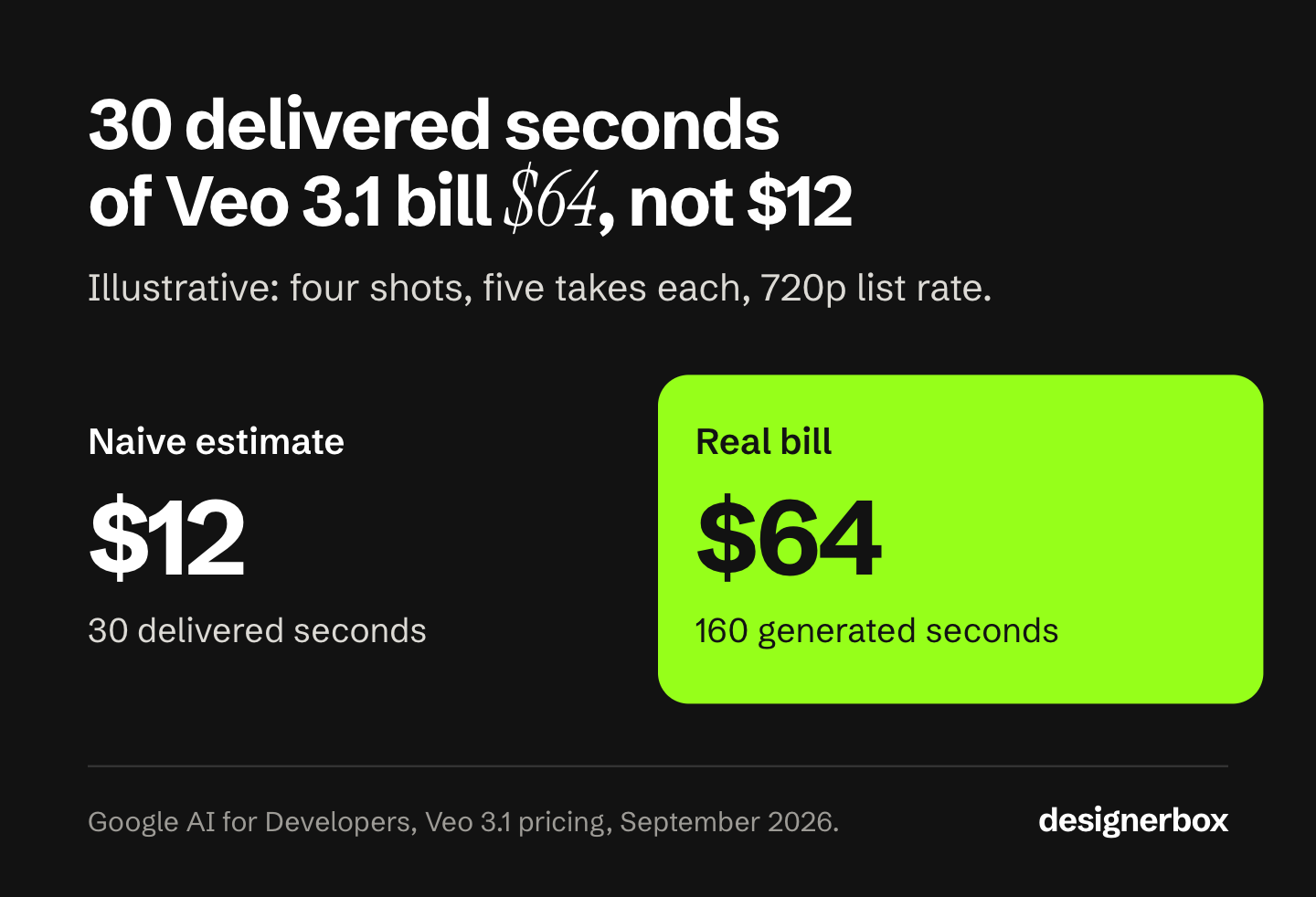
- The take ratio is the second lever. Planning 160 generated seconds for a 30 second cut is realistic, and it turns a $12 estimate into a $64 one.
- Draft cheap, finish expensive. Blocking 16 takes on Veo 3.1 Lite and finishing 4 on Veo 3.1 costs $19.20 at list, against $64 for running every take at the Veo 3.1 rate.
How much does AI video generation cost per second?
The providers in this guide bill video the same way: a rate per second of finished output, multiplied by duration, with resolution as the main lever. There are no seats and no per-project fees at the model layer. You pay for seconds.
Rates published on the providers’ own pricing pages, accessed September 2026:
| Model | Provider | 720p | 1080p | 4K | Audio |
|---|---|---|---|---|---|
| Veo 3.1 | $0.40 / sec | $0.40 / sec | $0.60 / sec | Included by default | |
| Veo 3.1 Fast | $0.10 / sec | $0.12 / sec | $0.30 / sec | Included by default | |
| Veo 3.1 Lite | $0.05 / sec | $0.08 / sec | Not supported | Included by default | |
| Kling 2.6 | Kuaishou | $0.042 / sec, silent | $0.07 / sec silent, $0.14 / sec with audio | Not supported | At 1080p only |
| Runway Gen-4.5 | Runway | $0.12 / sec | Not offered | Separate upscale step | Not documented as shipped |
Veo rates: Gemini API pricing (ai.google.dev, September 2026). Kling rates: Kling API pricing (kling.ai, September 2026). Runway rate: Runway API pricing (docs.dev.runwayml.com, September 2026). Kling 3.0 lists $0.084 to $0.168 a second by resolution and audio, and $0.42 at 4K. OpenAI removed Sora 2 and Sora 2 Pro from its API on 24 September 2026 (OpenAI API deprecations, accessed September 2026), so their per-second rates are not in this table.
Two details in that table are worth pulling out.
Veo’s rate includes audio. Google’s page labels these figures the “video with audio price (default)” and documents no cheaper audio-free option. Guides that describe Veo audio as a paid add-on are describing something the pricing page does not show.
Veo 3 is gone from the price list. Google scheduled Veo 3 and Veo 2 to shut down on 30 June 2026, and its pricing page now shows only the Veo 3.1 family (Gemini API changelog, September 2026). If a comparison article quotes Veo 3, it quotes a lineup that has moved. That is a fair signal to check when the rest of its numbers were last updated.
The Veo 3.1 family now carries a date too. Google lists 22 October 2026 as the earliest shutdown date for the Veo 3.1 preview models in the Gemini API, and names Gemini Omni Flash as the replacement (Gemini API deprecations, October 2026).
To test a video model on your own product, start from the Video ad with several scenes template in DesignerBox.
Why the clip price is not your budget

The per-second rate answers “what does this clip cost”. It does not answer “what does this ad cost”. Creative budgets break in the gap between those two questions. Our guide to the cheapest AI video generator compares cost per usable clip.
Generative video is non-deterministic. The same prompt returns a different take every run. You pay for attempts until one is usable. Directors have always worked this way. The difference is that film stock used to be the expensive part and now the takes are metered. Our guide to AI video credits shows how to count those attempts and cut them.
A workable planning ratio: assume you generate three to six times your final runtime. A clean product shot on a simple move might land in two takes. A shot with a specific hand gesture, a legible label, and a camera push might take eight. Fewer re-rolls lower that ratio, and how to make AI videos fast lists the ways to cut them.
So the unit to budget in is seconds generated per finished second, not clip price.
Worked example. A 30 second ad, four distinct shots, five takes per shot at eight seconds a take. That is 4 x 5 x 8 = 160 seconds generated for 30 seconds delivered, a ratio of 5.3 to 1.
| Model at 720p | Rate | 160 seconds generated | Cost per finished second |
|---|---|---|---|
| Veo 3.1 Lite | $0.05 / sec | $8.00 | $0.27 |
| Veo 3.1 Fast | $0.10 / sec | $16.00 | $0.53 |
| Runway Gen-4.5 | $0.12 / sec | $19.20 | $0.64 |
| Veo 3.1 | $0.40 / sec | $64.00 | $2.13 |
Rates as published September 2026 (ai.google.dev, docs.dev.runwayml.com). A naive estimate of “30 seconds of Veo 3.1” gives $12. The realistic figure is $64. Both use the same correct list price. Only the second one counts the takes an editor throws away.
This is also the argument for drafting cheap and finishing expensive. Block the ad out on Veo 3.1 Lite or Veo 3.1 Fast at $0.05 to $0.10 a second, and lock the shot list. Then spend the $0.40 rate only on takes you already know you want. The clip count for one 15-second ad, and what it costs on each model, is in AI video ads: what one shipped ad costs in 2026.
How credit pricing repackages the per-second rate
Most tools you buy do not quote dollars per second. They quote credits, and the per-second rate sits underneath, unchanged. Credits are a billing wrapper, not a discount.
Runway’s API shows both halves openly, which makes it a useful worked example. Runway sells API credits at $0.01 each and charges Gen-4.5 in those credits, which works out at $0.12 a second of generated video (docs.dev.runwayml.com, September 2026). Runway’s consumer plans meter Gen-4.5 in credits too, and Runway lists those plans on its own pricing page (runway.com/pricing, September 2026).
Read any credit plan as a buyer and the headline price stops mattering. Divide the plan’s monthly credits by what one second costs on the model you deliver on, and you get seconds a month. At the 5.3 to 1 take ratio above, a 30 second ad needs 160 generated seconds. So a plan that buys under a minute of generation buys less than half an ad.
Check which billing period a comparison page is reading before you trust it. Quoting an annual per-month rate as “the price” is a common error in this category.
Every credit system in this category works this way. A free plan is the same wrapper with a smaller balance. Our guide to the limits of free AI video generators covers the credits, watermarks and commercial-use terms on six providers’ free plans. The question to ask of any of them: what does one finished second cost on the model you actually deliver on?
The same eight second clip in DesignerBox
The spread between models is the first lever on a video budget.
Inside DesignerBox, an eight second clip costs 40 to 560 credits, depending on the model. Duration scales that figure in a straight line, so a four second clip is half of it. You pick the model for each step when you build the workflow, and every run after that uses it. A template comes with its model already picked. The clip stays in one account while it becomes an ad, next to the video editor, your brand record and your Assets.
Two things follow from that spread.
Drafting on the wrong model is the expensive mistake. Take the 30 second ad above: 20 takes, 8 seconds each. At Google’s list rates, block 16 of them on Veo 3.1 Lite and that pass costs $6.40. Finish the 4 takes you have chosen on Veo 3.1 and that pass costs $12.80. That is $19.20 for the whole ad. Run all 20 takes at the Veo 3.1 rate instead and the same cut costs $64, more than three times as much, for 16 clips nobody will watch. The same split works in credits: draft on a low-cost model, and finish on the model you deliver on.
You see the cost before you run it. You choose the model with that number in front of you, so the credit balance stays predictable.
Plans, credits and stills
Uploading your own photos and the commercial license start on the Pro plan. AI video and the video editor start on the Premium plan. Plans and credits are on the pricing page. The Free, Basic and Pro plans cannot make video at any credit balance.
Two plan mechanics matter for a video budget. Yearly billing lowers the monthly rate, and it grants the same monthly allocation, reset each month. Credit packs are one-time top-ups: they need an active paid plan, and they expire after 12 months. Use a pack as a buffer for a busy month, and compare it with the next plan up if you buy one every month.
A month of premium hero shots and a month of concept testing are two different budgets on the same plan. The model you pick decides which of the two you are spending.
Stills price differently, and there is no single per-image number either. The cost depends on the image model. An avatar run returns nine fixed poses of one person.
Video still costs more per result than a still image, because a clip is many frames plus temporal consistency. Budget stills and video as two lines, then pick the model per line. Avatar video tools meter the same way in minutes rather than seconds, and six of them compared looks at how that market meters use.
More Kling and Seedance list rates from the vendors’ own pricing pages sit in Seedance alternatives.
Which model fits which shot
Model choice is a cost decision as much as an aesthetic one, and the right answer changes per shot rather than per brand. If the shot starts from a product photo rather than a text brief, the selection criteria shift again. Six image-to-video models compared for ecommerce covers that case in full. Price only tells you what one take costs. Read it alongside the same six models ranked on repeatability, because repeatability decides how many takes you pay for. Prompt adherence is a third check, and best AI video model: a prompt adherence test gives a five-prompt test for it. Best-for framing, based on the published rates above:
- Veo 3.1 is a strong pick when you need audio generated with the picture, since Google’s quoted rate includes it by default. Google now names Gemini Omni Flash its default video model in the Gemini API, and keeps Veo 3.1 for scene extension and last-frame control (ai.google.dev, September 2026). Best for finished hero shots where a separate sound pass would cost more than the rate difference.
- Veo 3.1 Fast at $0.10 a second at 720p is the volume option within Veo. Best for concept testing and for the first pass on a shot list.
- Veo 3.1 Lite at $0.05 a second is the lowest-priced Veo 3.1 model. Best for blocking out timing and framing before committing.
- Kling 2.6 at $0.042 a second for silent 720p is the lowest rate in this guide. It makes 5 or 10 second clips, and it adds sound only at 1080p. Best for silent drafts.
- Runway Gen-4.5 at $0.12 a second outputs 720p. Runway announced native audio for it in December 2025, but its API lists no audio setting (runway.com, October 2026). Best for shots where you add the sound in the edit.
No single model wins every shot. The draft-and-deliver split above beats one house model for the whole ad. The model list shows what each model in DesignerBox is for.
One limit on that argument: DesignerBox is not the only platform that runs several models. The Higgsfield AI alternatives comparison says where other tools are the better fit.
If you are comparing against traditional production rather than against another tool, the baseline to read is what a product photoshoot costs. There, the reshoot cycle does to stills what the take ratio does to video. If you are earlier than model selection, what an AI ad generator is covers the four tool types. It also covers the disclosure rules that decide whether the file you generate may run as an ad.
How to budget for it

Six steps, in order. They turn any per-second table, including the ones above, into a budget.
- Count finished seconds, not ads. Six 15 second cuts is 90 seconds of delivery, whatever the campaign brief calls it.
- Apply a take ratio. Start at 4 to 1 and raise it for shots with hands, text, logos, or specific motion. Lower it once you have your own data.
- Split the shot list by draft and delivery. Price drafts on the lowest-cost model that works and deliveries on the model you need. Drafting is where the model spread pays you back. Settle framing in stills first, because an image costs a fraction of a clip. How to turn a script into a storyboard sets out that step.
- Price each shot on the model you selected. A budget built on an assumed rate can empty a credit balance mid-campaign.
- Price stills separately, per model. They cost less per result, and there is no flat per-image figure to average with.
- Re-check the rates before you commit. Veo 3’s removal from Google’s price list and the Sora 2 API removal are the reminders. This lineup changes on a monthly cycle, not an annual one. Our guide to the video generation API lists six checks to run on a vendor’s page.
Check where the clip is going before you size it. Amazon’s seller blog lists a length of 1 to 12 minutes for shoppable listing videos, and says most successful videos run 30 to 90 seconds (sell.amazon.com, September 2026). Both are longer than one generation from any model in this guide. That arithmetic is in affordable AI video for product listings.
Teams that ship creative repeatedly get a second lever the per-second math does not show: the shot list itself becomes reusable. Save the workflow that worked, and it runs the same way on the next product. The brand rules sit in the same workflow, so the model, the light and the framing repeat on every product. Clip twenty then looks like clip one. Scaling creative production covers how to reuse one brief for every drop.
Editing is the other place spend hides. Cutting, captioning and versioning in the same workspace as the generation saves an export round trip. The video editor is a real timeline, with several tracks, transitions, animated text and audio.
To see what a clip costs on your own product, start from a template.
FAQ
How much does AI video generation cost per second?
Between $0.042 and $0.60 a second at list for the models in this guide, depending on model and resolution. As of September 2026, Google lists Veo 3.1 Lite at $0.05 a second at 720p, Veo 3.1 Fast at $0.10, and Veo 3.1 at $0.40, with 4K at $0.60 (ai.google.dev, September 2026). Kuaishou lists Kling 2.6 at $0.042 a second for silent 720p, and Runway lists Gen-4.5 at $0.12 (kling.ai and docs.dev.runwayml.com, September 2026).
Is Veo 3.1 or Sora 2 cheaper?
Sora 2 is not a model to plan a budget around. OpenAI removed Sora 2 and Sora 2 Pro from its API on 24 September 2026, and it has not named a replacement video model (developers.openai.com, September 2026). Compare the models still on sale, and check each one’s shutdown date. Veo 3.1 Fast lists $0.10 a second at 720p with audio, Kling 2.6 lists $0.042 for silent 720p, and Runway Gen-4.5 lists $0.12 (ai.google.dev, kling.ai and docs.dev.runwayml.com, September 2026). Compare at the resolution you deliver, not at the headline rate. The Sora alternatives guide compares the price per second of each replacement.
Does Veo 3.1 charge extra for audio?
Not according to Google’s published pricing. The page presents the per-second figures as the “video with audio price (default)” and lists no separate audio-free rate for Veo 3.1 (ai.google.dev, September 2026). Treat any claim that Veo audio is a paid add-on as needing a source.
How much does an eight second AI video clip cost in credits?
In DesignerBox, an eight second clip costs 40 to 560 credits, depending on the model you pick. The rate is per second, so a shorter clip on the same model costs less. AI video starts on the Premium plan.
What happened to Veo 3?
Google scheduled Veo 3 and Veo 2 to shut down on 30 June 2026, and its pricing page now lists only Veo 3.1, Veo 3.1 Fast and Veo 3.1 Lite (ai.google.dev, September 2026). Veo 3.1 is still offered. Google lists 22 October 2026 as the earliest shutdown date for the Veo 3.1 preview models in the Gemini API, and names Gemini Omni Flash as the replacement (ai.google.dev, October 2026). Comparison articles still quoting Veo 3 rates are working from a lineup that has moved.
How many seconds of AI video does a monthly plan buy?
It depends on the model. Divide the plan’s monthly credits by what one second costs on the model you deliver on. Use that rate, and not the rate of the cheapest model in the catalog. An annual plan does not change the answer: it grants the same monthly allocation, reset each month.
Can I use AI-generated video in paid ads commercially?
Usually yes, under the terms of the tool you use, and platform disclosure rules apply separately. In DesignerBox, the commercial license starts on the Pro plan, and AI video starts on the Premium plan. Read the specific terms of whichever tool you use, and check the ad platform’s current AI disclosure policy before launch. This is general information, not legal advice. If your video shows a real person re-synced or dubbed with AI, when you need AI lip sync covers the extra consent rules.
Sources
All accessed September 2026 unless a later date is shown.
- The earliest shutdown date for the Veo 3.1 preview models, 22 October 2026, and Gemini Omni Flash as the replacement: Gemini API deprecations (ai.google.dev, October 2026)
- Veo 3.1, Veo 3.1 Fast and Veo 3.1 Lite per-second rates by resolution, and the “video with audio price (default)” framing: Gemini API pricing (ai.google.dev, September 2026)
- Veo 3 and Veo 2 shutdown on 30 June 2026: Gemini API changelog (ai.google.dev, September 2026)
- Gemini Omni Flash as Google’s default video model, and Veo 3.1 for scene extension and last-frame control: Gemini API video overview (ai.google.dev, September 2026)
- Kling 2.6 and Kling 3.0 per-second list prices: Kling API pricing (kling.ai, September 2026)
- Runway Gen-4.5 API credit cost and API credit price: Runway API pricing (docs.dev.runwayml.com, September 2026); consumer plans: (runway.com/pricing, September 2026)
- Runway’s 11 December 2025 announcement of native audio for Gen-4.5: Introducing Runway GWM-1 (runway.com, October 2026). The Gen-4.5 request fields, with no audio setting: Runway API reference (docs.dev.runwayml.com, October 2026)
- Removal of Sora 2 and Sora 2 Pro from OpenAI’s API on 24 September 2026: OpenAI API deprecations (developers.openai.com, September 2026)
- Amazon shoppable listing video length, and the note on 30 to 90 second videos: sell.amazon.com (sell.amazon.com, September 2026)
- DesignerBox credit allocations, the 8-second video credit range, credit packs, yearly billing, the avatar price and feature gating: DesignerBox pricing page (designerbox.ai/pricing), September 2026
Model pricing verified against Google’s Gemini API pricing page (ai.google.dev), Kling’s API pricing page (kling.ai), and Runway’s API pricing page (docs.dev.runwayml.com), all accessed September 2026. Google’s Veo 3.1 rates and its deprecations page were re-checked on 2 October 2026, and the rates had not changed. DesignerBox plan allocations, credit ranges and feature gating are current as of September 2026. Rates in this category change monthly; verify before committing budget. Individual results vary.