



AI video ads for dropshipping turn a supplier’s product photo into a vertical clip you can run on TikTok or Meta, without ordering a sample or booking a shoot. Every image-to-video model animates the frame you hand it, so the limit is rarely the model. It is the photo, because you are generating from an image you did not shoot, of a product you have never held.
Your clip may well look fine. Whether it is honest is a different question, and it is decided before you generate anything.
This covers what a supplier photo does to your result, what to check before you spend credits, how to match the clip to the placement, what a test clip costs, and where this approach stops being a good idea.
Key Takeaways
- The supplier photo is the constraint, not the model. Every image-to-video model animates the frame you provide. A soft, watermarked, or flattering-but-wrong listing photo produces a soft, watermarked, or wrong ad.
- You cannot verify what you have never held. Color, scale, and finish are the three things that drift, and a dropshipper has no sample to check the render against.
- Vertical is the format, and the safe zone is where ads quietly die. Meta recommends leaving at least 14% of the top and 35% of the bottom of a Reels asset free of text and logos (Meta Ads Guide, September 2026).
- Test-and-kill economics invert the usual advice. In DesignerBox the credit cost of an 8-second clip swings by more than a factor of ten between models. Draft at the low end, and only finish something already winning.
- Rights are not yours by default. A listing photo belongs to whoever made it, and that may not be your supplier. Animating it does not change who owns it.
Why dropshipping video ads are a different problem
Dropshipping video ads start from a supplier’s listing photo, not from a product you hold. That one fact changes every step that follows.
A brand shooting its own catalog has the product on a desk. If a generated clip renders the strap too thin, someone picks up the real thing and spots it in a second.
Dropshipping removes that step. Your source image arrives from a supplier listing, and it was made to sell you the product, not to document it. It may be retouched. It may be a render rather than a photograph. It may be a photo of a different colorway, or of a competing manufacturer’s version of the same item.
That changes what AI video is doing for you. It is amplifying an image whose accuracy you have not established. The model will faithfully animate whatever is wrong with it, frame by frame, in front of a cold audience.
None of this makes the approach invalid. It makes the order of operations matter.
The supplier photo is the constraint
Four things about a listing photo decide your ad, and all four are set before you open a tool.
Resolution. Supplier listings are sized for a marketplace thumbnail, not a fullscreen vertical ad. An image that reads fine at 400px wide has nothing left when it fills a phone. Upscaling recovers pixels, not detail. Our guide to deciding which low resolution product images are worth fixing sets out the triage rule for stills.
Watermarks and burned-in text. Marketplace photos routinely carry a logo, a price flash, or a “50% OFF” badge baked into the pixels. Animate that and you have animated it too. It will not lift out cleanly in motion.
Inconsistency across the set. The five photos on one listing are often shot by different people, in different light, sometimes of different units. Generate from each and you get five products that do not look like the same object. Restaging the stills into one look first is covered in dropshipping product photos.
Provenance. You did not take the photo. Neither, in many cases, did your supplier. Before that image becomes the basis of paid creative, find out who owns it.
Here is the hard part for a dropshipper. DesignerBox lets you build a workflow once with your own brand, your own products and your own rules, then run it again on the next product. That works because the input is real and yours. A dropshipper runs the same workflow with the weakest possible input, and no amount of model quality fixes an input problem.
What to check before you generate
Run these in order. The first three cost nothing and kill most bad ideas early.
- Look at the photo at full size. Not the thumbnail. If it is soft, noisy, or obviously a render, stop. You are about to pay to animate a flaw.
- Check for baked-in graphics. Any logo, badge, or text in the pixels will move with the product.
- Establish who owns it. Ask the supplier for permission in writing, or use photos you commissioned. “It was on the listing” is not a license.
- Match the input to the output spec. This one is mechanical, and it is easy to miss. Kling 2.6 takes a first frame, or a first and last frame at 1080p with no sound, and it takes no reference images (kling.ai, September 2026). Runway Gen-4.5 is more forgiving about shape: its aspect ratio fits your input image by default (help.runwayml.com, September 2026).
- Decide the duration before the model. Duration is not a free parameter. Veo 3.1 generates 4, 6 or 8 second clips, and 1080p, 4K and reference images all need the full 8 seconds (ai.google.dev, September 2026). Seedance 2.0 runs any whole number of seconds from 4 to 15 (docs.byteplus.com, September 2026). Kling 2.6 makes 5 or 10 second clips, and Kling 3.0 runs 3 to 15 (kling.ai, September 2026).
What each model does with the frame you give it:
| Model | What it accepts | Documented duration |
|---|---|---|
| Veo 3.1 | A first frame to animate, up to 3 reference images of a person, character or product, and a last frame | 4, 6, or 8 seconds |
| Veo 3.1 Fast | The same inputs as Veo 3.1, at a lower rate | 4, 6, or 8 seconds |
| Seedance 2.0 | A first frame, a first and a last frame, or up to 9 reference images | 4 to 15 seconds |
| Kling 2.6 | A first frame, or a first and last frame at 1080p with no sound. No reference images | 5 or 10 seconds |
| Kling 3.0 | Up to 3 Elements, each built from a video or 2 to 4 reference images | 3 to 15 seconds |
| Runway Gen-4.5 | A first frame, with the aspect ratio fitted to your input image by default | 2 to 10 seconds |
Specs verified against provider documentation in September 2026. They move monthly, so check before you commit budget. One date is already set: Google lists 22 October 2026 as the earliest shutdown date for the Veo 3.1 preview models in the Gemini API. It names Gemini Omni Flash as the replacement (Gemini API deprecations, October 2026). For which model suits which shot, image-to-video models are compared side by side on the same product.
Match the clip to the placement
Matching the clip to the placement is the step that wastes the most money, because the ad renders fine and fails anyway.
TikTok in-feed. For Non-Spark ads, vertical 9:16 is the recommended ratio, at a minimum resolution of 540x960. Horizontal is accepted at 16:9 and a minimum of 960x540, and square at 640x640. Non-Spark videos run up to 10 minutes, with files up to 500 MB. Spark Ads have no duration limit (ads.tiktok.com, September 2026).
Instagram Reels. 9:16, with a recommended resolution of 1440x2560, MP4 or MOV, and a duration ceiling of 15 minutes (Meta Ads Guide, September 2026). Treat the ceiling as a limit, not a target.
The safe zone is the real spec. Meta recommends leaving at least 14% of the top, 35% of the bottom, and 6% of each side free of text, logos, and other key creative. That keeps them from being cropped or covered by the profile icon and the call-to-action (Meta Ads Guide, September 2026). Note the bottom figure. More than a third of the frame is contested. A generated clip that centers the product beautifully and puts the price across the lower third has put the price under the CTA.
Two consequences are worth planning for. Generate vertical from the start rather than cropping a 16:9 clip down, because cropping throws away the composition you paid for. And keep the product inside the middle band of the frame. That band is the part the profile icon and the call-to-action do not cover. Rule four of the six rules for AI product video says the same: match the frame to the placement, not the model default.
Placement also decides how many clips you need. One animated supplier photo gives you a single shot, and a finished ad usually cuts several shots together. The shot-by-shot pipeline covers how to get a full shot list out of one image.
Cheap drafts, costly finishes
Dropshipping economics invert the usual creative advice. You are not making one ad for one product you are committed to. You are testing many products, and most will die. Spending a hero budget on each is how the math stops working.
Video is priced per second, so the model and the length move your bill, not the number of ads. At Google’s own API rates, Veo 3.1 Lite lists $0.05 a second at 720p and Veo 3.1 lists $0.40 (Gemini API pricing, October 2026). In DesignerBox an 8-second clip costs 40 to 560 credits, depending on the model, and the cost is shown before the run. A still costs less than a clip, so cleaning a supplier photo and looking at it costs less than animating it.
The workable pattern is boring and it works. Draft at the low end to find out whether the concept and the hook land. Then spend on a finish only for the product that is already winning. A short draft answers the only question that matters early, which is whether anyone stops scrolling. A provider’s free tier is another way to draft. The limits of free AI video generators lists the watermark and commercial-use terms that decide whether such a clip can run as an ad.
DesignerBox plan limits belong in this budget too. Uploading your own photos and the commercial license start on the Pro plan. AI video starts on the Premium plan. So a paid video ad needs the Premium plan or higher. The free plan cannot make video. Plans and credits are on the pricing page. What each model charges per second also covers how plan credits work for video.
Once a product does win, stop treating it as a one-off. Save the setup as a workflow. A saved workflow runs the same way on the next product, with the same model, light and framing.
Where this stops being a good idea
Video ads from a supplier photo stop being a good idea at three limits: accuracy, rights and disclosure.
You cannot validate what you have not held. Every accuracy check assumes you can compare the render to the real object. Color, scale, and finish are what drift, and a dropshipper has no reference. If you are scaling a product past the testing phase, order a sample and photograph it. At that point you are no longer generating from a stranger’s photo, and everything above gets easier. The accuracy checks worth running before you ship apply the moment you have the product in hand. For the research, store and support tools around the ad, see dropshipping AI tools sorted by job.
Rights do not resolve themselves. Animating someone else’s photograph can produce a derivative of someone else’s photograph. A commercial license on the generation side covers what you generate. It does not grant you rights to an input you did not own. This is general information, not legal advice.
Disclosure is a live question. Platform rules on labeling AI-generated ad content change, and they differ by platform. That belongs in your launch checklist, not your assumptions. What the rules currently require is covered separately, with sources.
For a product you have committed to, none of this is a blocker. For a product you are testing on a hunch from a listing you found yesterday, know what you are shipping.
DesignerBox for supplier photos
One product photo is the input. The product-to-video ad template turns it into a clip, and the video model is one step in that workflow. DesignerBox runs video models, and the model list shows what each one is for. Results are saved in Assets. You set the brand once, and the workflow reads it on every run. Product twenty then looks like product one, instead of like a different shop.
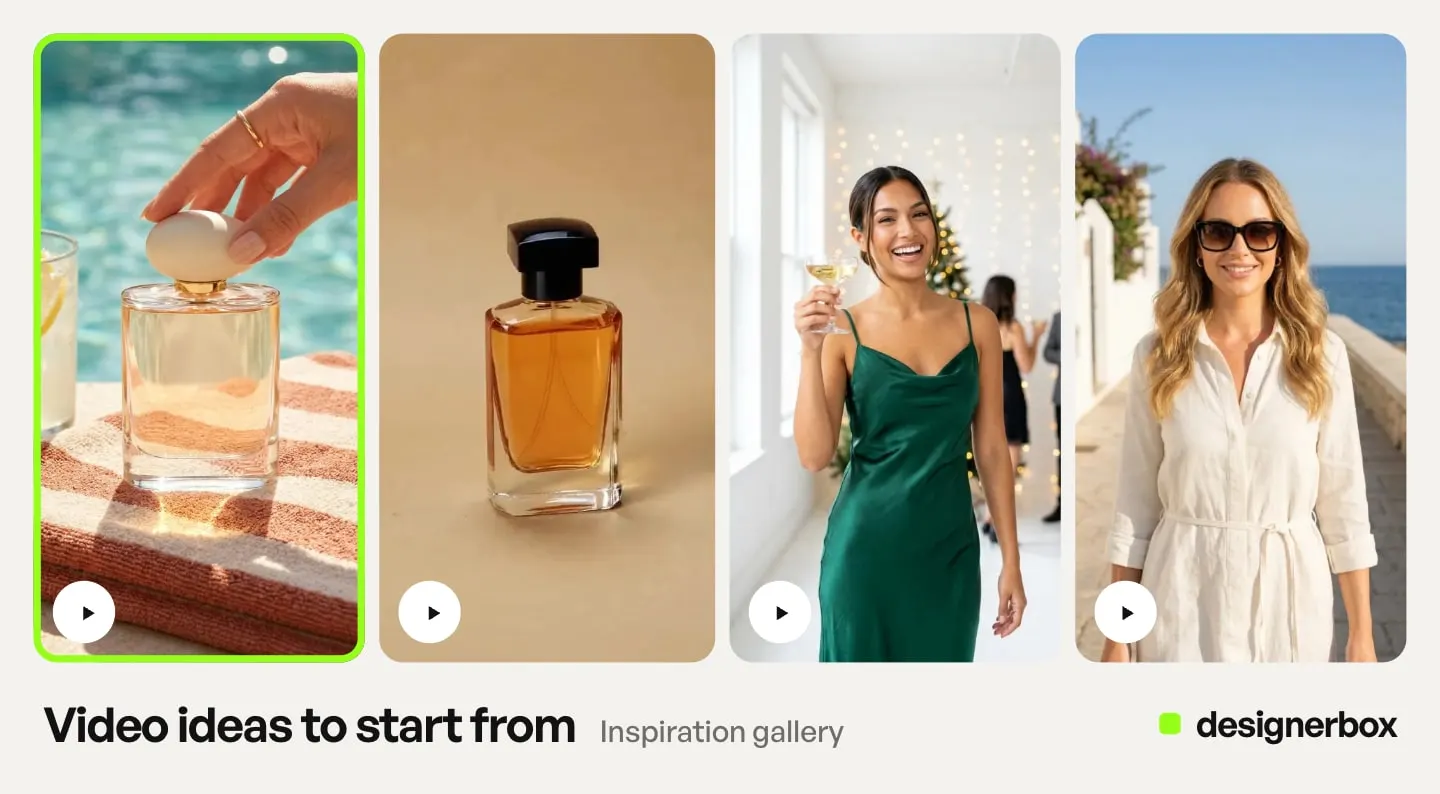
For a dropshipper, DesignerBox removes the shoot and the rebuild for product number two. The cleaned photo, the clip and the finished cut come from one account. A product you may drop after one test does not need three tools first. DesignerBox does not remove the need for a source image that tells the truth. That constraint decides whether the ad works. DesignerBox for solo founders shows this setup for a one-person brand.
When the supplier shot arrives soft, the relighting template can relight it first. Upscaling starts on the Premium plan.
Start from one supplier photo and one template. The templates are the first step.
FAQ
Can I make dropshipping video ads without ordering the product?
Yes, technically. Every image-to-video model animates a still you provide, so a supplier listing photo is enough to produce a clip. The risk is that you cannot verify the result against the real product, so color, scale, and finish may be wrong without you knowing. For testing a concept that is often acceptable. For scaling a winner, order a sample.
Which AI model is best for dropshipping video ads?
The shot decides, and the duration you need is usually the deciding factor. Veo 3.1 makes 4, 6 or 8 seconds with native audio, Seedance 2.0 runs 4 to 15, Kling 3.0 runs 3 to 15, Kling 2.6 makes 5 or 10, and Runway Gen-4.5 runs 2 to 10 (provider documentation, September 2026). Those are the providers’ own ranges. Inside DesignerBox the choices can be narrower, so check the lengths you can select in the workflow. Draft on a fast, low-cost model, then finish on the one whose duration you need.
Can I use a supplier’s photo to make an ad?
Not automatically. A listing photo belongs to whoever created it, and animating it can produce a derivative of it. Get written permission from the supplier, or commission your own photography. A tool’s commercial license covers what you generate, not the rights to an input you did not own.
What aspect ratio should a dropshipping video ad be?
Vertical 9:16. TikTok recommends it for Non-Spark in-feed ads at a minimum of 540x960 (ads.tiktok.com, September 2026), and Meta recommends 9:16 at 1440x2560 for Instagram Reels ads (Meta Ads Guide, September 2026). Generate vertical from the start instead of cropping a horizontal clip, so you do not throw away the composition.
How long should a dropshipping video ad be?
Shorter than the limit. Non-Spark TikTok in-feed ads run up to 10 minutes and Spark Ads have no duration limit (ads.tiktok.com, September 2026). Reels ads allow up to 15 minutes. Neither is a target. For testing whether a hook lands, a 4 to 8 second clip answers the question, and it is the cheapest way to ask it because video is billed per second.
Why did my generated clip fail before it rendered?
Most often an input spec mismatch. Veo 3.1 needs the full 8-second length for 1080p, 4K or reference images (ai.google.dev, September 2026), and Kling 2.6 makes sound only at 1080p (kling.ai, September 2026). Check the input rules for the specific model before blaming the prompt.
Is AI video expensive for dropshipping?
More than a still, and the model you pick moves it most. In DesignerBox an 8-second clip costs 40 to 560 credits, depending on the model. The cost is shown before the run. AI video also starts on the Premium plan. Draft cheap, finish once.
Sources
- Veo 3.1 clip durations, inputs, and the 8-second rule for 1080p, 4K and reference images: ai.google.dev, September 2026
- Veo 3.1 and Veo 3.1 Lite per-second list prices: Gemini API pricing, October 2026
- The earliest shutdown date for the Veo 3.1 preview models and the named replacement: Gemini API deprecations, October 2026
- Seedance 2.0 duration range: docs.byteplus.com, September 2026
- Seedance 2.0 first frame, first and last frame, and reference image inputs: Seedance 2.0 series tutorial, September 2026
- Kling 2.6 and Kling 3.0 durations and inputs, and Kling 2.6 audio at 1080p: kling.ai, September 2026
- Runway Gen-4.5 duration, first frame input and aspect-ratio handling: help.runwayml.com and docs.dev.runwayml.com, September 2026
- TikTok in-feed ad ratios, minimum resolutions, duration and file limits for Spark and Non-Spark ads: ads.tiktok.com, September 2026
- Meta Reels ad specs and the safe-zone percentages for text, logos and key creative: Meta Ads Guide, Instagram Reels, September 2026
- DesignerBox feature gating and the 8-second video credit range: DesignerBox pricing page (designerbox.ai/pricing), September 2026
Model specs verified against Google’s Veo documentation, ByteDance’s BytePlus documentation, Kling’s capability map and Runway’s documentation, all accessed September 2026. TikTok placement specs verified against TikTok Ads Manager help, September 2026. Meta placement specs from Meta’s Ads Guide, accessed September 2026. DesignerBox feature gating is current as of September 2026. Google’s Veo prices and the Veo 3.1 shutdown date were re-checked on 2 October 2026. Rates and platform policies in this category change monthly. Verify before committing budget. Individual results vary.