AI product photo accuracy is whether the generated image still shows your actual product: the real color, the real logo, the real proportions, the real material, the real packaging text. Image models are ranked on how good their pictures look, not on how faithfully they hold to a source photo. Those are two different tests, and only one of them decides whether your customer opens the box happy.
You can see the gap in your own returns data. A shopper who orders a sage-green ceramic mug and unboxes a mint-green one does not care that the image scored well on an arena leaderboard. They care that the picture was wrong. That is a refund, a support ticket, and on some marketplaces a policy problem.
This guide covers the five checks that tell you whether a model holds your product, which product to run them on, what the check costs to run, and the point where you should still book a photographer. Run it on your hardest SKU first, because that result tells you the most about the rest of the catalog.
Key Takeaways
-
Accuracy and quality are different tests. Leaderboards score how appealing an image looks to a stranger. Nobody on that panel has seen your product, so no ranking can tell you whether the output is faithful to it.
-
Run your hardest product first. Reflective surfaces, transparent packaging, fine patterns, and branded text break models. Your easiest SKU will pass most models and teach you little.
-
Five checks cover it: fidelity, consistency, editability, text survival, and spec fit. Run them in that order and stop at the first hard fail.
-
The check is nine generations per model. That is small enough to run on every model you shortlist.
-
Set the bar with one question. Would a shopper who received the real product feel misled by this image? If yes, the model failed, whatever the picture looks like.
-
Some shots still need a camera. First photography of a product that does not exist yet, fine jewelry, and anything where a regulator or a marketplace requires an unretouched original.
What is AI product photo accuracy?
AI product photo accuracy is the degree to which a generated image preserves the verifiable attributes of a real product: color values, logo placement and shape, proportions, material and finish, and any text printed on the item or its packaging.
It is measured against your source photo and your physical product, not against an aesthetic standard. An image can be accurate and unremarkable, or beautiful and wrong. Whether an image reads as real is a separate problem with its own causes, covered in how to make AI images that don’t look AI-generated.
That definition matters because it is checkable. Color has a hex value. A logo has a shape. Packaging text has a spelling. You can hold the output next to the product and get a yes or a no. “Does this look good” gives you an argument; “is the cap the right shade of green” gives you an answer.
Why model leaderboards do not answer this
Read the methodology and the problem is obvious. The Artificial Analysis Image Arena derives its rankings from blind user votes, where people compare paired images without knowing which model made them (artificialanalysis.ai, read September 2026). That is a good measure of general appeal. Nobody in that voting pool has seen your product, and none of the prompts were your packshot, so the ranking cannot speak to fidelity even in principle.
The spread is also thinner than the ordering suggests. Models near the top often sit close together, so a small gap in score can be noise rather than a real difference. An arena reading is only true on the day you read it.
Version churn does the rest. OpenAI released GPT Image 2.5 on 8 September 2026 (developers.openai.com, accessed September 2026), and Google made Nano Banana 2 Lite generally available on 30 June 2026 (ai.google.dev, accessed September 2026). Google released Nano Banana 2.1 on 6 October 2026 (Gemini API changelog, October 2026). A ranked list starts to go out of date the day it is published. A procedure you run yourself does not decay, because your product is the benchmark and your product does not get a version bump.
This is why the useful question is which model holds your product, rather than which model is best. Once you know that, which model fits which job becomes a shortlist to pull from rather than a verdict to accept.
Start with your hardest product, not your easiest
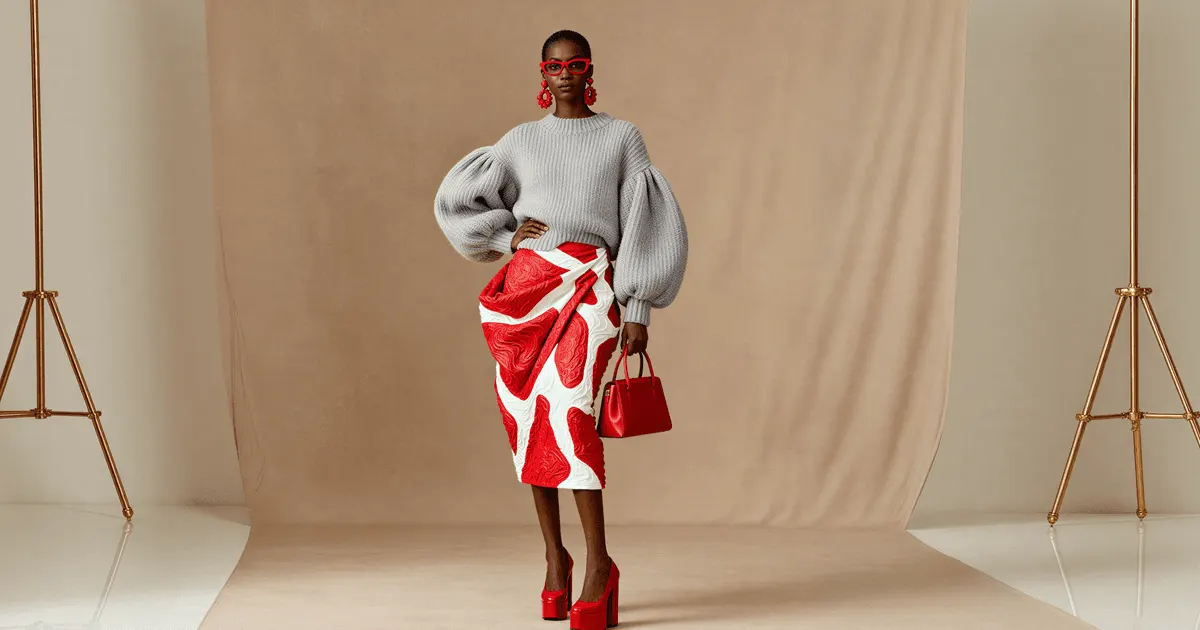
Pick the SKU most likely to break. A matte cotton tee on a white sweep will pass most models on the market and tell you little you can use. The signal lives in the difficult cases.
Glass with printed lettering on it is the worst case in most catalogs, because the model has to hold a transparent form, a liquid color and a block of small type at the same time. Perfume photography works through that three-surface problem in detail.
Rank your catalog by these, hardest first:
- Reflective and metallic: chrome, foil stamping, mirrored finishes, jewelry. Reflections have to be internally consistent with the scene, which is where models improvise. Tech product photography covers screens, reflections and ports.
- Transparent and translucent: glass, clear PET bottles, cellophane, anything where you see the background through the product and refraction has to hold.
- Fine repeating pattern: houndstooth, pinstripe, knit texture, weave. Patterns drift, warp, and resample.
- Printed text: ingredient panels, dosage text, care labels, your own wordmark on the packaging.
- Exact brand color: anything where the shade is the product, like a cosmetics range or a paint chip.
- Grain and surface finish: leather, suede, embossing, edge paint. Models synthesize plausible grain at any magnification, and on small leather goods that grain can be a regulated claim.
If a model holds your worst SKU, it has passed the hardest test in your catalog. Spot-check a few easier SKUs before you roll out. If you validate on your best SKU and roll out, the failures surface later, in public, at scale. The same ranking answers a broader question, which is which materials generate cleanly and which still need a camera.
The five accuracy checks
Run these in order. Stop at the first hard fail and move to the next model, since a model that cannot hold the product will not be rescued by better prompting.
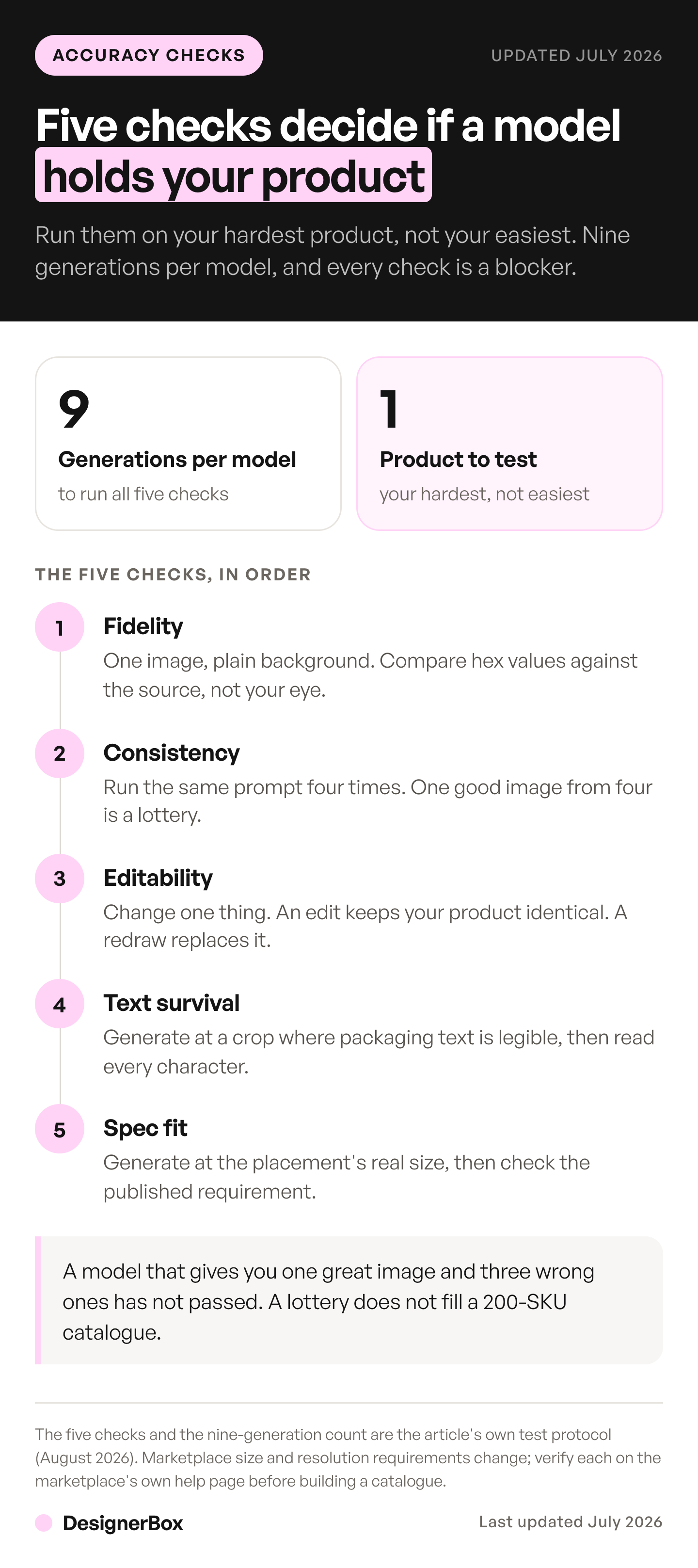
Check 1: Fidelity
Generate one image of your hardest product against a plain background, changing nothing but the framing. Put it next to the source photo and ask whether this is your product or a convincing relative of it.
Look at the logo shape and its position, the proportions between components such as cap to body, the material read, and the color. For color, pull the hex from the output and from the source, and compare the values. Do not trust your eye, because monitors lie and your memory of the shade is worse than you think.
Hard fail: an invented detail. A seam that does not exist, a vent that is not on the product, a second logo. Invention means the model is drawing from its training data instead of your photo, and that never gets better downstream.
Check 2: Consistency
Run the same prompt four times. You are looking for whether the product survives the reroll, not whether you like one of the four.
A model that produces one great image and three wrong ones has not passed. It has given you a lottery, and a lottery does not fill a 200-SKU catalog. What a low first-pass rate does to the cost of each usable image is worked out separately. Accuracy is a check you run before publishing. A conversion test will not surface it for you, because the sample sizes an image test needs are far larger than a listing ever gets.
Consistency is what makes the difference between a tool you can schedule work around and a tool you have to babysit. Run this same reroll test on every tool you evaluate, including the ones in our comparison of Photoroom alternatives. A published feature list tells you nothing about whether a model holds your product.
Then run the same prompt on a second SKU from the same range. Products from one family should come back looking like a family. If the lighting and framing drift between two variants of the same bottle, your product listing page will look assembled from different shoots.
Check 3: Editability
Change one thing. Move the product to a different surface, or swap the background from white to a styled scene, and keep everything else fixed. Restaging a real product is its own job with its own failure mode. Separate it from the other two mockup jobs before you pick a tool for it.
The question is whether the model edits or redraws, and the guide to image to image AI explains the modes behind each. An edit changes the background and leaves your product identical. A redraw hands you a new product in a new scene, and you will not notice at thumbnail size, which is exactly why it is dangerous. Cutting the product out first removes the ambiguity, and what happens to that cutout next decides which platforms will accept it.
Compare the product pixels before and after. If they shifted, you cannot build a campaign on this model, because every downstream variant will drift a little further from the original. Models built around reference-holding are the ones to try here. Kontext Multi, an editing model from Black Forest Labs, is one of them. Run the edits one after another on the same image, and watch the detail. Swap the background, then relight, then crop. Check whether the product still carries the resolution it started with.
Check 4: Text survival
If your product or its packaging carries text, generate it at a crop where the text is legible and read every character.
Model text rendering improved sharply through 2025 and 2026, and it has not been solved. Wordmarks come back subtly wrong: a letter dropped, a kerning pair fused, an ingredient list rendered as convincing gibberish. At thumbnail size it reads fine, which is how it ships.
This check is a straight yes or no. Either the text is your text or the image is unusable for that SKU. There is no partial credit on a dosage panel.
Check 5: Spec fit
Generate at the size and aspect the placement needs, then check it against the requirement rather than against your monitor.
Marketplaces publish real constraints on longest edge, minimum resolution, and how much of the frame the product must fill, and those specs change. Verify the current requirement on the marketplace’s own help page before you build a catalog against a number you remember. An image that fails at upload is not an accuracy problem, but it wastes the same afternoon. The current published minimums are collected in our guide to low resolution product images.
What each check costs to run
The procedure is nine generations per model tested:
| Check | Generations |
|---|---|
| Fidelity | 1 |
| Consistency | 4 rerolls + 1 second SKU |
| Editability | 1 edit |
| Text survival | 1 crop |
| Spec fit | 1 at target size |
| Per model | 9 |
What those nine cost depends on which model you are testing. You pick the model, you see the number, then you decide.
DesignerBox is AI creative production for brands and agencies. Scale your images, ads and video with AI and keep your brand on every piece. Build the workflow once with your brand rules and run it on every product. Everything from the first product photo to the finished ad stays in one place. The test, the edit and the resize are in the same account, so the nine checks and everything they lead to stay together. For a store that adds products every week, see DesignerBox for ecommerce brands.
Compare that against the alternative, which is a studio booking for the same SKU. What a product photoshoot costs breaks down the rate per image, the studio fee and the minimum order. Running the nine checks is a small cost next to finding out after launch that a model cannot hold your bottle.
One note on scope: the nine checks cover stills. Video is priced separately. An 8-second clip costs 40 to 560 credits, depending on the model, so plan a video test on its own.
Uploading your own photos and the commercial license start on the Pro plan. AI video starts on the Premium plan. There is a free plan, and it runs on sample products. Plans and credits are on the pricing page.
Will AI change your product’s real colors?
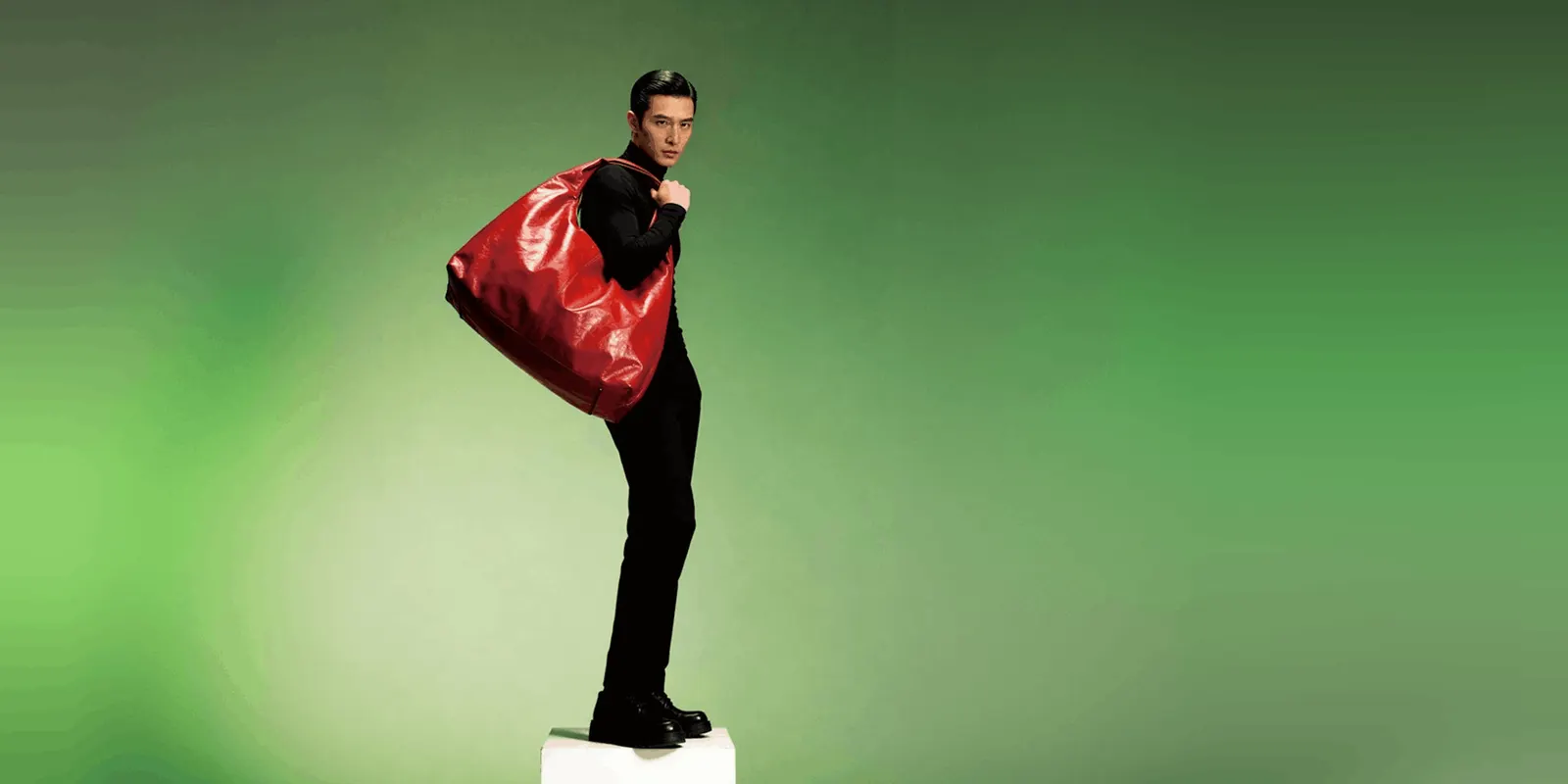
Yes, often, and it is a common accuracy failure that reaches customers. Color drifts for two reasons. The model resamples the product rather than copying it, so the shade lands near your source instead of on it. And relighting a scene changes how the color reads, which is a physically correct behavior that still produces a wrong answer for a listing image.
Do not eyeball this. Pull the hex from the output and from your source photo. Decide a tolerance before you look, because a tolerance chosen after you see the result is not a tolerance. If the brand color is the product, as with cosmetics or paint, the tolerance is close to zero and most models will fail.
The check that matters: would a shopper holding the real product feel misled by this image? That is the standard the returns queue applies, so it is the one worth applying first. For apparel, the drape half of that question is the harder one, because a flattering hang converts once and comes back. That is the gap fit-aware try-on research is working on.
When the output is accurate enough to ship
Accurate enough is a threshold you set per SKU and per placement, and the placement moves it.
A styled lifestyle image at the top of a category page carries a low accuracy burden, because nobody buys from it. The main listing image carries a high one, because it is the thing a shopper claims they were shown. A swatch carries an absolute one.
Some categories start at the strict end. Gemstone size is one, which is why jewelry product photography treats the scale shot as required. Cosmetics sit there too, because a prominently pictured ingredient reads as a claim about the formula, so skincare product photography constrains the props as tightly as the pack.
A workable rule: the closer the image sits to the buy button, the tighter the tolerance. Run the five checks against the strictest placement the image will ever appear in, not the one you are making it for today. Assets get reused, and nobody re-checks them when that happens. What that threshold looks like applied shot by shot is set out in our AI product photography examples.
Write the threshold down before you generate. A tolerance invented after the fact is an excuse. To turn the checks into a go or stop decision across about 100 products, run them as an AI proof of concept. For the checks outside accuracy, from the source photo to the live listing, use the product photography checklist.
When a result fails one check and passes the rest, repair that one detail and keep the image. Give the editor the clearest reference you have: the label artwork file or the packshot. A new full run changes the composition that already passed. Our guides to editing text in an image and generative fill cover the edit. For a campaign image, the hero shot guide lists six checks.
Accuracy is also where the compliance question lands. Google Merchant Center and the marketplaces judge the gap between the picture and the parcel. Some add rules about AI as well: Google Merchant Center requires product images made with AI to keep their AI metadata (Google Merchant Center Help, October 2026). The rules that apply to AI photos on a store cover both kinds.
When to still book a photographer
Some work stays with a camera, and pretending otherwise costs more than the shoot.
- A product that does not exist yet. Every check here starts from a source photo. No photo, no baseline, no accuracy claim.
- Fine jewelry and high-value goods. Tolerance is near zero and the return cost is high.
- Anything requiring an unretouched original. Some regulators and some marketplace categories require it. Verify the rule for your category rather than assuming.
- Regulated label text. A supplement facts panel is small, regulated text, so it gets photographed rather than generated. Supplement product photography sets out which frames have to be real captures.
- The hero shot of a launch. One image seen a million times justifies a day rate.
The realistic split: photograph the product once, properly, then derive the catalog from that source. That is the model this whole procedure assumes, and it is why the source photo’s quality sets the ceiling on everything after it. If the source needs cleanup before you build on it, do that once on the source, not on every derived frame. Which retouching tool fits which job sorts the options by portrait work, file enhancement and campaign edits. AI for product photography: a beginner’s guide walks through that first run from the source photo.
If you run this check regularly, it is worth automating. DesignerBox has 75 tools over MCP, so you can run the same check from an AI chat rather than clicking through it each time.
Accuracy matters more once the still starts moving, because a video model regenerates every frame and inherits each flaw in the source. Animating a product photo into an ecommerce clip covers which models hold a product together and which drift.
Accuracy is also the standard the marketplaces enforce. Walmart says images made by AI must be truthful, accurate and not misleading. eBay makes the seller responsible for listing content, including content made with AI tools. TikTok Shop does not allow placeholders or digital renderings in a product image. What each marketplace requires for AI product images quotes the policies with their sources. Checking that standard across hundreds of files at once is its own problem. Where bulk product image runs break covers how to review a catalog without reviewing every file.
Google’s Nano Banana 2 and Nano Banana Pro are both worth running on color-critical work. Reaching an image model through a consumer chat app instead brings its own constraints on watermarks and quotas, covered in ChatGPT vs Gemini for product images. Test the route you will actually ship on.
Once a model passes, the check stops being a one-off. Save the setup that passed as a workflow. A saved workflow runs the same way on the next product. In a DesignerBox workflow, critic steps score the results, and best-of-N keeps the best one. Keep the five checks as your own test on top of that. Start from a template that already does the shot, add your brand and your products, and run it.
FAQ
Will an AI image model change my product’s real colors?
Often, yes. Color drift is a common accuracy failure. Models resample the product rather than copying it, and relighting shifts how a color reads. Pull the hex from the output and compare it against your source photo instead of judging by eye. If the exact shade is the product, as with cosmetics or paint, set a near-zero tolerance and expect most models to fail.
How many images should I generate before I trust a model?
Nine covers the five checks: one for fidelity, four rerolls plus one second SKU for consistency, and one each for editability, text, and spec fit. What that costs depends on the model you test, and DesignerBox shows the cost before the run. One good image proves nothing, because a single result tells you the model can hit your product, not that it will do so reliably.
Which products should I run through an AI model first?
Your hardest one. Reflective metal, transparent glass, fine repeating patterns, printed text, and exact brand colors are where models break. An easy SKU passes most models and teaches you little. If a model holds your worst product, it has passed the hardest test in your catalog.
Does AI keep texture on fabric and reflective products?
It varies by model and it is exactly what the fidelity and consistency checks are for. Fine repeating weaves tend to drift or resample, and reflections have to stay consistent with a scene the model is inventing. Generate at a close crop where the texture is legible, then compare against the real garment rather than against your memory of it.
Can I use AI product photos on Amazon, Etsy or Shopify?
Marketplace rules on image content, resolution, and AI disclosure differ by platform and by category, and they change. Check the current policy on the marketplace’s own help pages before building a catalog against it. Treat this as a compliance question for your category, not a general one, and verify it in the month you ship.
How do I stop a model inventing details my product does not have?
You mostly cannot prompt it away. Invented detail means the model is drawing on training data instead of your source photo, which is a property of the model rather than the instruction. Switch to a model built to hold a reference, and treat invention as a hard fail rather than a prompting problem.
When should I still hire a product photographer?
When the product does not exist yet and there is no source photo, when tolerance is near zero as with fine jewelry, when your category requires an unretouched original, and for a launch hero shot that will be seen a million times. The workable split is to photograph the product once, properly, then derive the catalog from that source.
Sources
All accessed September 2026 unless stated.
- Google Merchant Center rule that images made with generative AI keep their AI metadata: Google Merchant Center Help, image link, re-checked on 2 October 2026
- Artificial Analysis Image Arena methodology, blind paired user votes: (artificialanalysis.ai, read September 2026)
- GPT Image 2.5 release date: OpenAI API changelog
- Nano Banana 2 Lite general availability, and the Nano Banana 2.1 release of 6 October 2026 (accessed October 2026): Gemini API changelog
- Walmart, eBay and TikTok Shop image policies: quoted with their sources in our marketplace rules guide for AI product images
- Studio rate structure, carried from our own breakdown of what a product photoshoot costs, which sources it to published studio rate cards
- DesignerBox plans and credits: DesignerBox pricing page (designerbox.ai/pricing), September 2026
Arena rankings change often and should be re-read before use. Marketplace image and AI disclosure policies change by platform and category; verify on the platform’s own documentation before publishing. Individual results vary.