AI image to video for ecommerce makes a short clip from one product photo, and the right model depends on the shot you need. Veo 3.1 suits the take you ship, with audio on every clip. Seedance 2.0 runs up to 15 seconds, and Kling 2.6 Pro runs 5 or 10. Runway Gen-4.5 animates a still cleanly. Your product photo decides more than the model does.
You have one clean photo of a ceramic mug and six placements to fill by Friday. A Reel, a TikTok, a Meta ad, a PDP loop, a story frame, an email header. A studio shoot needs a quote, a booking and a wait. The photo you already own is the only asset in the building.
This compares six image-to-video models on the one job ecommerce needs: turning a still product photo into a short clip that still looks like the product. Five of the six are DesignerBox steps you can pick today.
Sora 2 Pro stays in the table because readers still ask about it. DesignerBox removed it from its roster on 18 September 2026. OpenAI removed Sora 2 and Sora 2 Pro from its API on 24 September 2026 (OpenAI API deprecations, accessed September 2026), so this guide does not recommend it. The guide covers what each model does, what a clip costs, and the sequence that keeps the work small on the next forty SKUs.
Key Takeaways
- The input photo decides the result more than the model does. Every model in this comparison animates what you give it. A soft, cluttered or color-shifted source photo produces a soft, cluttered, color-shifted video on all six.
- Veo 3.1 is the pick for the take you ship. It generates clips of 4, 6 or 8 seconds at 720p, 1080p or 4K, with audio always on (ai.google.dev, September 2026).
- You cannot start new work on Sora 2 Pro. OpenAI removed it from its API on 24 September 2026 and has not named a replacement video model.
- Seedance 2.0 and Kling 2.6 Pro give you more length. Kling 2.6 Pro makes 5 or 10 second clips (kling.ai, September 2026). Seedance 2.0 runs any whole number of seconds from 4 to 15 (docs.byteplus.com, September 2026).
- Draft cheap, finish expensive. The strongest model is often the wrong one for a draft. Block the shot on a fast model, then spend the credits once on the take you are shipping.
What is AI image to video for ecommerce?
AI image to video takes a still product photo and generates a short clip from it. You upload one packshot, describe the motion, and the model produces a few seconds of video where the product turns, the light moves, or the camera pushes in. The product is carried over from your photo rather than invented from a text prompt.
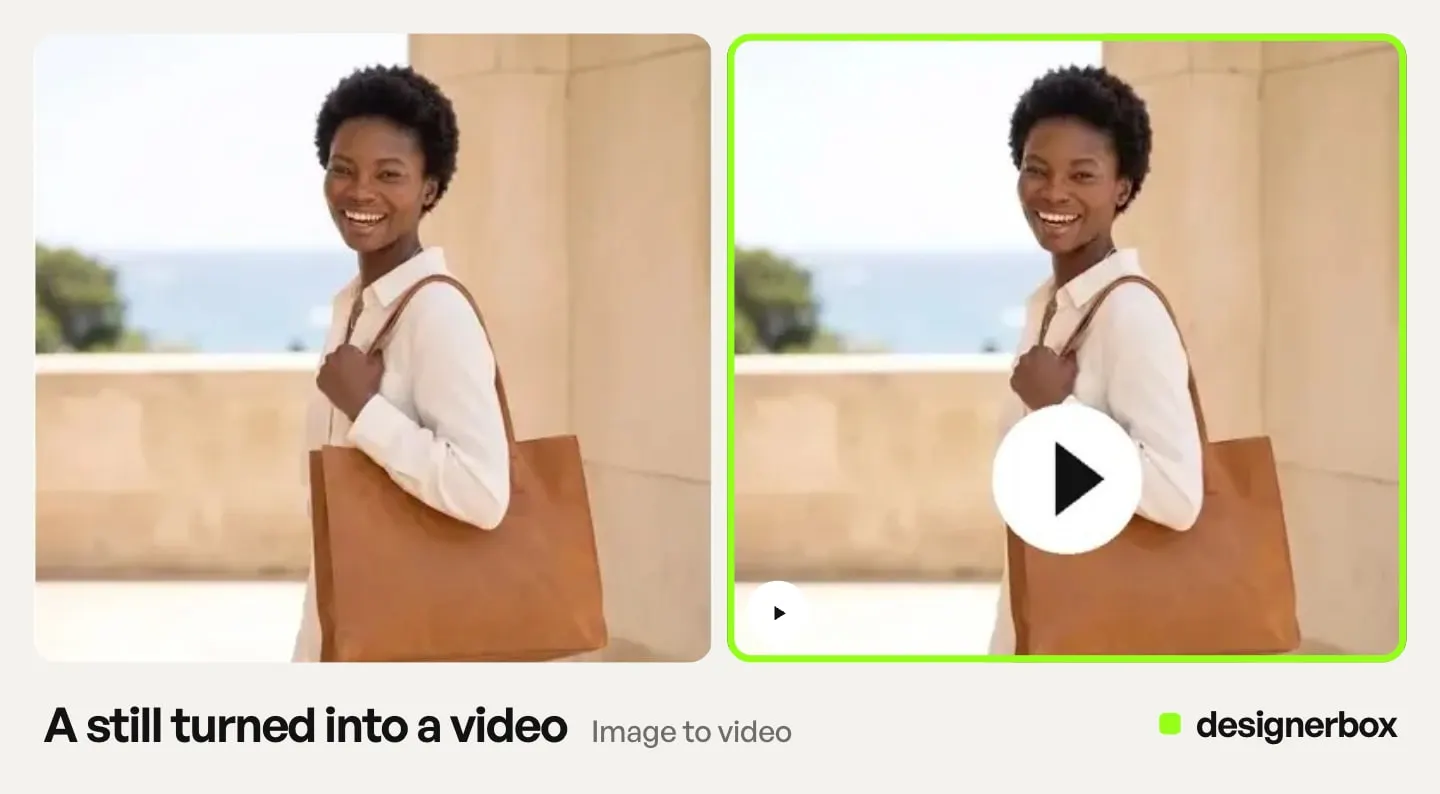
That last distinction decides everything downstream for ecommerce. Text-to-video invents a plausible mug. Image-to-video animates your mug. Only one of those shows the product you sell, and only one survives a customer comparing the video to the thing that arrives in the box. The same rule decides the whole workflow outside ecommerce too, most sharply where a generated clip depicts a real property a buyer will walk through. Turning listing photos into a walkthrough runs on exactly this mechanic.
Whether a finished clip is worth publishing is a separate question. Our guide to AI product video covers it.
Why product video breaks models that ace benchmarks

General video benchmarks reward motion realism, physics, and cinematic composition. Ecommerce rewards none of those directly. It rewards the product surviving contact with the model. That is why the input matters more than the leaderboard, and why starting from a photo trades motion range for fidelity.
A video model regenerates every frame. It redraws your photo 24 or more times per second, and each redraw is a chance to drift. Logos smear. A brushed-steel finish turns matte. A label’s kerning goes soft. Six seconds at 24 frames a second is 144 chances for your product to stop being your product.
This is why the ranking that matters for a store is a single question: how far can I push motion before the product stops being recognizable? Short takes and modest camera moves hold. Long takes with aggressive motion drift. Every model in the catalog fails this way eventually, and the ones that hold longest are the ones worth your credits.
Before any of that, the source photo has to be accurate. Our guide on what to check in an AI product photo before shipping it covers the input side. It applies double here, because video inherits every flaw in the still and then multiplies it across frames. The photo also caps which motions are available at all, which is the test in how to animate a photo with AI.
The 6 AI image-to-video models for ecommerce, compared
Five of these are steps you can pick inside one workflow, so you change the model per shot without rebuilding the shot. Sora 2 Pro is the exception, and the row records why. The specs were checked against each provider’s own documentation in September 2026.
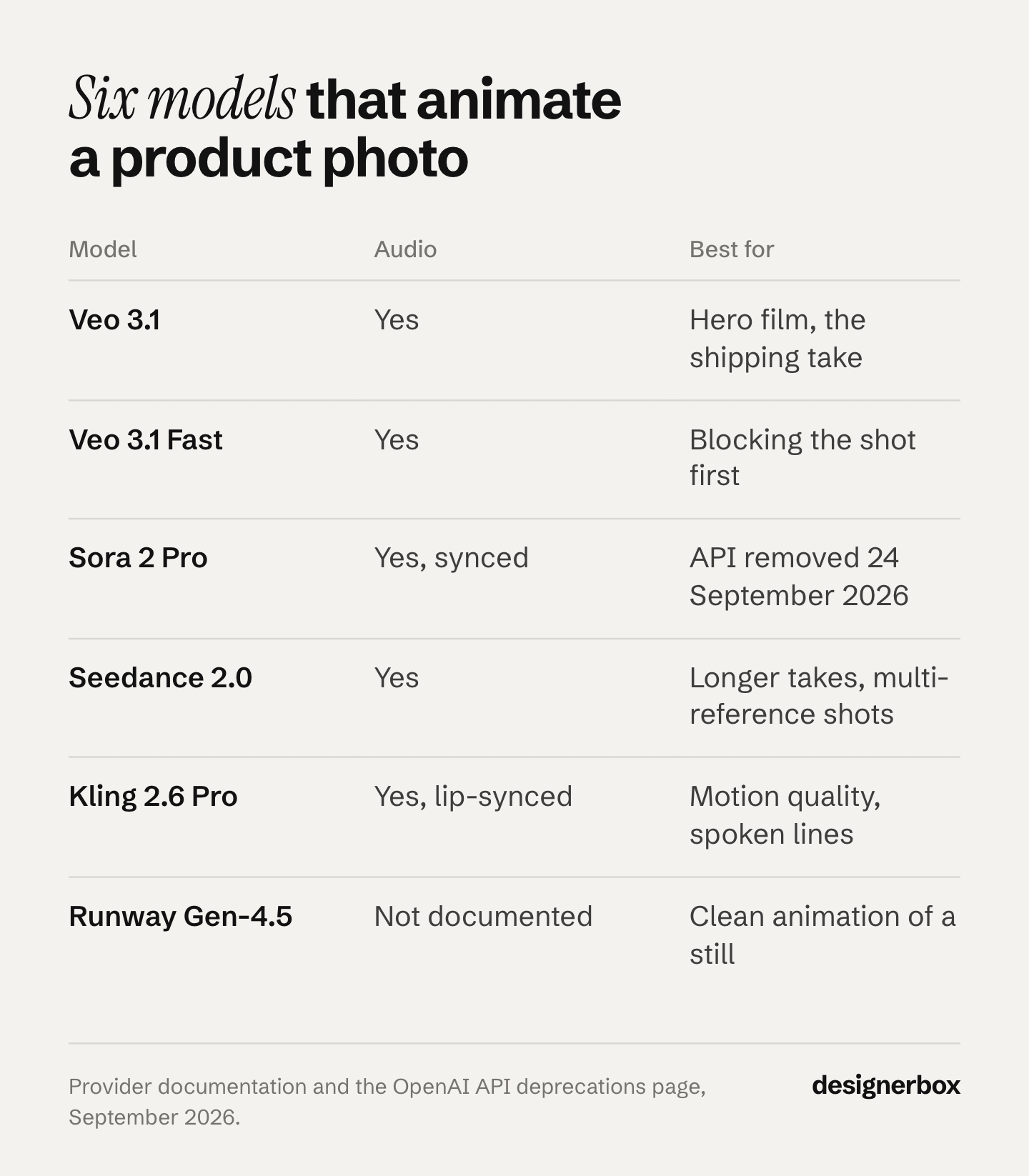
| Model | Provider | Clip length | Native audio | Best for |
|---|---|---|---|---|
| Veo 3.1 | 4, 6 or 8 seconds | Yes, always on | Hero product film, the shipping take | |
| Veo 3.1 Fast | 4, 6 or 8 seconds | Yes, always on | Blocking the shot before you commit | |
| Sora 2 Pro | OpenAI | Up to 20 seconds (OpenAI’s guide) | Yes, synced | Not a DesignerBox step. Removed from OpenAI’s API on 24 September 2026 |
| Seedance 2.0 | ByteDance | 4 to 15 seconds | Yes, on by default | Longer takes, multi-reference shots |
| Kling 2.6 Pro | Kuaishou | 5 or 10 seconds | Yes, at 1080p | Motion quality, spoken lines |
| Runway Gen-4.5 | Runway | 2 to 10 seconds | Not documented as shipped | Clean animation of a still |
1. Veo 3.1, for the take you ship
Veo 3.1 generates audio with every clip. It makes clips of 4, 6 or 8 seconds at 720p, 1080p or 4K, and 1080p and 4K need the full 8 seconds (ai.google.dev, September 2026). It accepts up to three reference images of a single person, character or product, and it can build the move between a first and last frame you provide. That reference anchoring is also how you keep a character consistent across AI video clips, if your product video features a recurring presenter.
That first-and-last-frame control is the underrated feature for ecommerce. Give it your packshot as the first frame and a styled scene as the last. You get a controlled move between two images you approved, instead of a move you hope for.
Google now names Gemini Omni Flash its default video model in the Gemini API, and keeps Veo 3.1 for scene extension and last-frame control (ai.google.dev, September 2026). Google lists 22 October 2026 as the earliest shutdown date for the Veo 3.1 preview models in the Gemini API, and names Gemini Omni Flash as the replacement (Gemini API deprecations, October 2026). The model list shows where Veo 3.1 sits in the DesignerBox catalog.
2. Veo 3.1 Fast, for blocking the shot
Veo 3.1 Fast is the same family, tuned for quick drafts with audio at a lower price. Its job is to answer “does this camera move work on this product?” for a fraction of the credits, before you spend them on Veo 3.1. Veo 3.1 Fast is the first stop in the workflow further down.
3. Sora 2 Pro, removed from the API on 24 September 2026
Until its API removal, Sora 2 Pro generated clips of up to 20 seconds at up to 1080p with synced audio (OpenAI video generation guide, accessed September 2026). An input image acted as the first frame of the video. OpenAI removed Sora 2 and Sora 2 Pro from its API on 24 September 2026, and it has not named a replacement video model. DesignerBox removed Sora 2 Pro from its roster on 18 September 2026, so it is not a step you can pick.
Do not build a product workflow on it. Sora alternatives lists what replaces Sora 2 for each video job. For a scene-led push where the camera tells the story, use Veo 3.1 at 1080p. For a take longer than 8 seconds, use Seedance 2.0, which runs up to 15 seconds. Kling 3.0 also runs up to 15 seconds, and it is not on the DesignerBox model list today (designerbox.ai/models, October 2026).
4. Seedance 2.0, for longer takes
Seedance 2.0 takes up to 9 images, 3 video clips and 3 audio clips as references in one generation (seed.bytedance.com, September 2026). It generates audio by default and runs any whole number of seconds from 4 to 15 (docs.byteplus.com, September 2026). ByteDance launched Seedance 2.5 on 31 July 2026 (seed.bytedance.com, September 2026). DesignerBox carries Seedance 2.0.
Length is its edge. When a 5-second clip cannot fit the beat, Seedance 2.0 gives you room without a cut.
5. Kling 2.6 Pro, for motion and spoken lines
Kling 2.6 Pro makes 5 or 10 second clips from an image (kling.ai, September 2026). Audio needs 1080p and is off by default. Speech works in Chinese and English (Kling 2.6 audio guide, September 2026).
If the ad needs someone to say the line rather than a caption to carry it, Kling 2.6 Pro is a short path to it. If you need more length or more languages, Kling 3.0 runs 3 to 15 seconds (Kling 3.0 API reference, September 2026) and adds Japanese, Korean and Spanish dialogue (Kuaishou launch release, September 2026). DesignerBox carries Kling 2.6 Pro.
6. Runway Gen-4.5, for clean animation
Runway Gen-4.5 takes text or a first frame and runs 2 to 10 seconds (docs.dev.runwayml.com, September 2026). It outputs 720p, and Runway offers 4K upscaling as a separate step (help.runwayml.com, September 2026).
When the brief is “make this photo move, do not reinterpret it”, Runway Gen-4.5 is a sensible default. Runway’s current Gen-4.5 spec lists no audio output, so plan the sound separately.
Cost of an image-to-video clip
In DesignerBox, an 8-second clip costs 40 to 560 credits, depending on the model. The cost is shown before the run. Model choice is a budget decision you make with the number in front of you.
The spread starts at the source. Google’s Gemini API lists Veo 3.1 Lite at $0.05 a second at 720p, Veo 3.1 Fast at $0.10 and Veo 3.1 at $0.40, all with audio (ai.google.dev, September 2026). Eight seconds on the top tier costs eight times as much as eight seconds on the lite one.
Use the spread to order the work: draft on a fast model, and finish on the strong one. For how per-second rates add up to a monthly bill, see what AI video generation costs. To test a model before you pay, free AI video generator plans compares the limits, the watermarks and the commercial-use terms.
Budget the clip against click-through, not against returns. For apparel in particular, the evidence behind generated fashion video supports an attention case and not a returns case.
How to pick an AI image to video model for your store
How many SKUs are you shipping?
Under 10 products a month, fidelity wins. Use Veo 3.1 on each one.
Model choice only matters for the shots a model can hold. Before picking one, check the format against what generates from a still and what still needs filming. See how the six models rank on reliability if your constraint is take count rather than fidelity.
Above 50, throughput wins. Draft everything on Veo 3.1 Fast, then promote only the SKUs that earn it to a stronger model. A catalog does not need every product filmed at the same tier. Your bestsellers do.
What kind of photo do you have?
A clean packshot on a plain background animates predictably on all six models. A busy lifestyle shot with the product half-occluded gives the model more to reinvent, and more to get wrong.
If your source is the second kind, fix the still first. A better input beats a better model, every time. Supplier listing photos are the hardest case of all, and what to check before animating a product you have never held covers that one.
Where will the clip run?
Reels, TikTok and Shorts want vertical and want the hook inside the first second. Veo 3.1 generates vertical 9:16 video (ai.google.dev, September 2026), and Seedance 2.0 offers 9:16 as well (docs.byteplus.com, September 2026).
A PDP loop is a different job. It is short, silent, and sits next to your gallery, so it needs to match the stills beside it. Ordering a PDP gallery covers where a loop belongs in the gallery.
Marketplaces tighten this further with their own caps. Etsy’s help pages give listing videos 5 to 15 seconds in one place (help.etsy.com, September 2026) and 3 to 15 seconds with no audio in another (help.etsy.com, September 2026). Before you run a clip for Etsy, read the rules for using AI video on an Etsy listing. Amazon runs the other way. Its seller guide gives shoppable product videos 1 to 12 minutes (sell.amazon.com, September 2026), which no single generation reaches. That is why what listing video costs per platform is a different sum from the per-clip rate.
What look are you buying?
Motion is only half the decision. The grade, the light, and the pacing carry the rest. Ten cinematic ad styles you can direct is the companion to this piece: it picks the look, this one picks the engine.
The draft-cheap, finish-expensive workflow
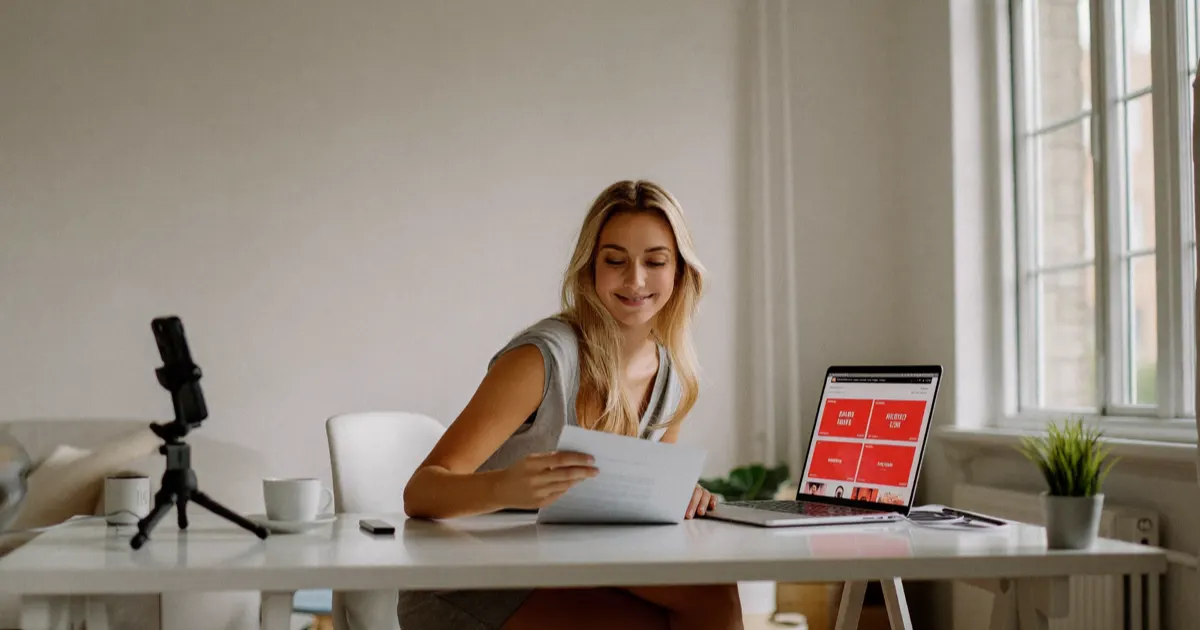
The draft-cheap, finish-expensive workflow tests the camera move on a low-cost model first, then spends the top-tier rate once, on the take you ship. If you finish first and draft second, you can use a month of credits to learn that a camera move does not work on your bottle. For garments, the same order runs through the seven steps in making AI video for a clothing brand.
- Fix the still first. One accurate, well-lit photo of the real product. Everything downstream inherits it.
- Block the shot on Veo 3.1 Fast. Test the motion, the framing, the beat. Expect to discard most drafts.
- Judge it at 100 percent, not on a thumbnail. Drift hides at small sizes. Check the logo, the label, the finish.
- Promote the winner once. Run the take you chose on Veo 3.1 or Seedance 2.0. Spend the credits on a shot you already know works.
- Save it as a workflow. The sequence that worked for the mug is the sequence for the next drop.
The saved workflow changes the math. The first clip costs you drafts and dead ends. The tenth costs you the final run, because the decisions are already made. Reusable creative workflows covers how that compounds across a catalog.
One thing the sequence above assumes: you are producing a shot, not a finished ad. Most models here return a single continuous take. Seedance 2.0 supports multi-shot output inside one generation (seed.bytedance.com, September 2026), but a running ad still usually needs several shots cut together. Turning one product photo into a video ad shot by shot covers the step that comes before model choice.
What AI image to video still gets wrong
You will meet these limits in the first week.
- AI video sits behind a plan gate. Uploading your own photos and the commercial license start on the Pro plan. AI video and the video editor start on the Premium plan. The free plan cannot make video. Plans and credits are on the pricing page.
- The cost changes with the model. Budget video separately from images. A few premium takes can use the credits you planned for stills.
- Long takes drift. The further you push past 5 seconds with heavy motion, the more chances the product has to stop matching itself. Short and controlled beats long and loose.
- Text on packaging is the first thing to go. Fine print, ingredient lists, and small logos are where drift shows first. If the label has to be legible, plan a cut or an overlay rather than trusting the render.
- A bad photo is not fixable downstream. No model in this list rescues a soft source. It animates the softness. For clothing on a model, turning a try-on still into a clip covers the garment photos each motion needs.
- Hands touching the product are a common failure. Contact and grip give the model more to invent than a still hand does. See why AI video breaks hands and faces for the checks that catch it before you spend the render.
- The clip length may not clear your marketplace. Amazon’s seller guide gives shoppable videos 1 to 12 minutes (sell.amazon.com, September 2026), and none of these models generates a minute in one pass. Sponsored Brands video ads run 6 to 45 seconds (advertising.amazon.com, September 2026), which every model here can reach. Amazon’s four video slots sorts out which spec applies where.
- Audio support varies. Veo 3.1, Seedance 2.0 and Kling 2.6 Pro (at 1080p) generate audio. Sora 2 Pro did too, until OpenAI removed it from its API on 24 September 2026. Runway’s current Gen-4.5 spec lists no audio output (docs.dev.runwayml.com, September 2026), so plan sound separately there.
The work you repeat every week
DesignerBox is AI creative production for brands and agencies. You pick the model for each step when you build the workflow, and every run after that uses it. On the Generate page, you add a product picture as the start frame of a video. A template comes with its model already picked. DesignerBox for ecommerce brands shows how photos of each new product become the packshot, the scenes and the ad sizes.
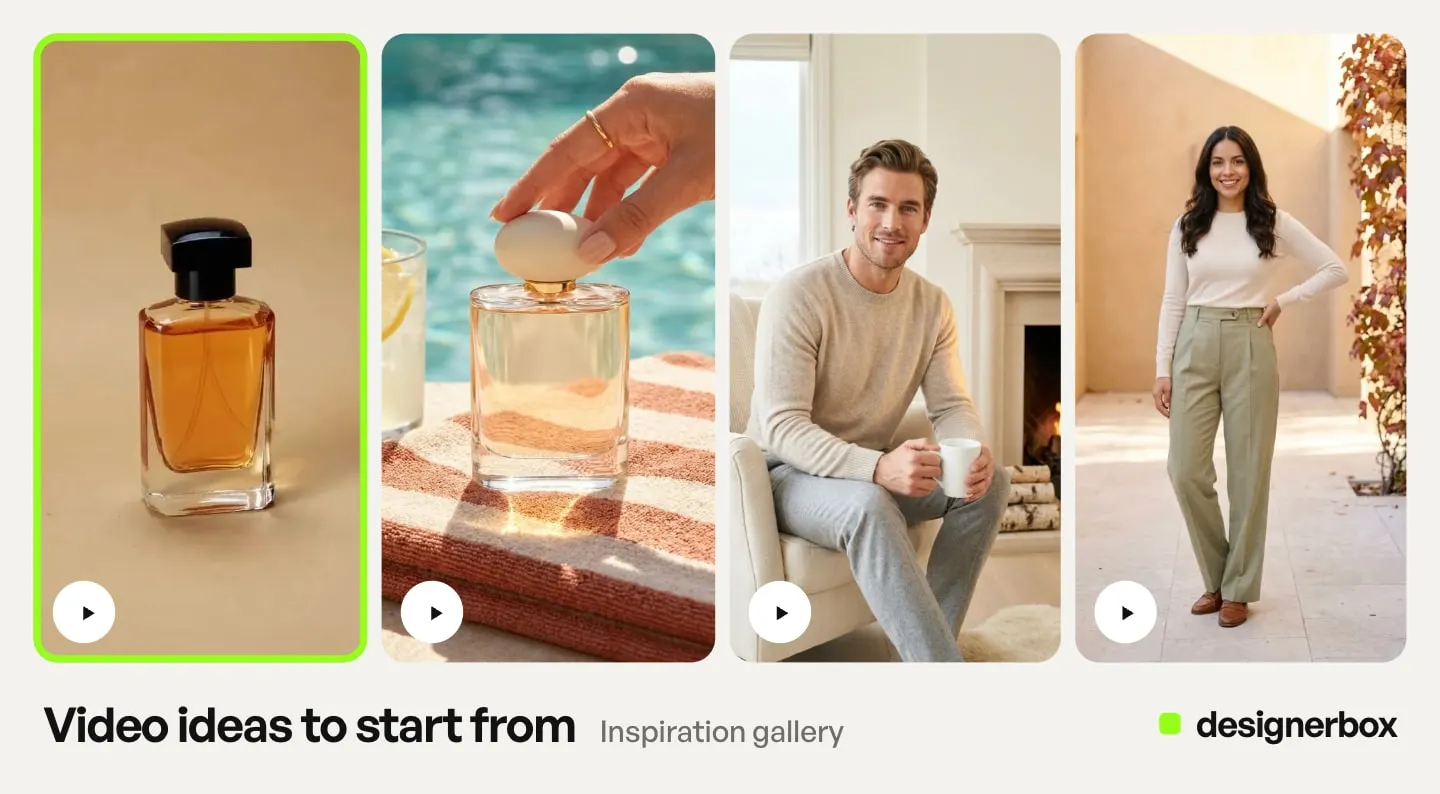
The second SKU should take less work than the first. You build the shot once with your brand, your product photo and your camera move. The saved workflow repeats that setup on the next SKU. You set the brand once, and the workflow reads it on every run.
There are four ways to run the same workflow, and nothing is rebuilt between them. A video ad template is a workflow somebody already built: open it, add your photo and run it. Your own workflow holds your brand and your motion. An app puts that workflow behind a form, so a colleague adds a photo and presses Run. The Video from a photo app works this way. Batch runs one workflow over a sheet of up to 200 products, one row each. You keep or discard each result.
The still, the clip, the video editor cut, your brand rules and Assets sit in one account. A shot never moves to a second tool to become an ad.
Start from a template, add your brand and your products, and run it. See the templates.
FAQ
Can I make an ecommerce product video from one photo?
Yes. Image-to-video models take a single still and generate a short clip from it, carrying your actual product through rather than inventing one. One clean packshot is enough to start. That photo sets the quality ceiling of the video, so get the still right before you animate anything.
Which AI model is best for product video?
There is no single winner, so match the model to the shot. Veo 3.1 suits the take you ship and generates audio with every clip. Seedance 2.0 runs up to 15 seconds. Kling 2.6 Pro makes 5 or 10 second clips and generates speech at 1080p. Runway Gen-4.5 animates a still cleanly. OpenAI removed Sora 2 Pro from its API on 24 September 2026, so you cannot start new work on it.
How much does an AI product video cost?
In DesignerBox, an 8-second clip costs 40 to 560 credits, depending on the model, and the cost is shown before you run it. AI video starts on the Premium plan. Drafting on a fast model and finishing on a strong one keeps the spend on shots you already know work.
Do AI video models add sound?
Some do. Veo 3.1 generates audio with every clip (ai.google.dev, September 2026). Seedance 2.0 generates audio by default (docs.byteplus.com, September 2026). Kling 2.6 Pro generates audio at 1080p, with speech in Chinese and English (kling.ai, September 2026). Runway’s Gen-4.5 spec lists no audio output, so plan sound separately there. Sora 2 Pro generated synced audio, but OpenAI removed it from its API on 24 September 2026.
How long should an ecommerce product video be?
Shorter than the model allows. Aim for 5 to 8 seconds for most placements, because drift increases with length. A long take also costs more credits and risks more product distortion. Among these models, one generation runs from 2 seconds on Runway Gen-4.5 up to 15 on Seedance 2.0.
Will the AI change what my product looks like?
It can. Video models regenerate every frame, so logos, fine text, and material finishes can drift across a clip. Review the result at full size rather than on a thumbnail, and check the label, the finish, and the proportions. Short takes with modest camera movement drift less than long takes with aggressive motion.
Can I use AI product videos in paid ads?
The commercial license on DesignerBox starts on the Pro plan. Every plan that makes video sits above Pro, so each of those plans carries the commercial license too. Check the current terms on the pricing page before you launch a campaign. Check each ad platform’s own AI disclosure rules for the placement you run, too.
Sources
Accessed September 2026, unless a line gives another date.
- Veo 3.1 durations, resolutions, audio, reference images and first and last frame: Google Gemini API, Veo, September 2026
- Veo 3.1 preview models, earliest shutdown date of 22 October 2026 and the named replacement: Gemini API deprecations, accessed 2 October 2026
- DesignerBox model list: designerbox.ai/models, read October 2026
- Veo 3.1, Veo 3.1 Fast and Veo 3.1 Lite per-second prices: Google Gemini API pricing, September 2026
- Gemini Omni Flash as Google’s default video model: Google Gemini API, video generation, September 2026
- Sora 2 and Sora 2 Pro API removal on 24 September 2026: OpenAI API deprecations, September 2026
- Sora 2 Pro durations, sizes, audio and image input: OpenAI video generation guide, September 2026
- Kling 2.6 durations and audio at 1080p: Kling capability map, September 2026
- Kling 2.6 speech languages: Kling 2.6 audio guide, September 2026
- Kling 3.0 durations: Kling 3.0 API reference, September 2026
- Kling 3.0 dialogue languages: Kuaishou, Kling 3.0 launch release, September 2026
- Seedance 2.0 durations, aspect ratios and audio: BytePlus ModelArk documentation, September 2026
- Seedance 2.0 reference inputs and multi-shot output: ByteDance Seed, Seedance 2.0 launch, September 2026
- Seedance 2.5 launch date: ByteDance Seed, Seedance 2.5, September 2026
- Runway Gen-4.5 duration, first-frame input and audio: Runway API documentation, September 2026
- Runway Gen-4.5 output resolution and 4K upscaling: Runway Help Center, September 2026
- Amazon shoppable video length: Amazon seller guide to product video, September 2026
- Amazon Sponsored Brands video length: Amazon Ads specs, September 2026
- Etsy listing video length: Etsy Help, adding photos and videos, September 2026
- Etsy listing video length and audio removal: Etsy Help, listing videos, September 2026
- DesignerBox plans, monthly credits, the video credit range and feature gating: DesignerBox pricing page (designerbox.ai/pricing), September 2026
Model capabilities checked against Google, OpenAI, ByteDance, Kuaishou and Runway documentation as of September 2026. Google’s Veo 3.1 shutdown dates re-checked on 2 October 2026. DesignerBox plans and the video credit range checked against the DesignerBox pricing page as of September 2026. Model specifications in this category change often. Individual results vary.