Canva Craft is Canva’s first image generation model built in-house. Canva Research released it on 22 October 2026. Craft plans the layout first and then draws the picture, so text stays readable. Canva trained it on human-designed templates, not mainly on photographs. It makes pictures up to 2K in Dream Lab and through Canva’s API.
Until now, Canva ran image models from other companies. Craft is the first model Canva made itself, and it is aimed at design work: posters, social posts, menus and pictures with text in them. That is also where most AI image models break.
This guide covers what Craft is, how it works, its specs, where you can use it today and what Canva says is coming. It ends with how Craft compares with DesignerBox for brand and agency teams who make the same kind of picture every week.
Key Takeaways
- Canva’s own model. Canva Research built Craft and released it on 22 October 2026. Researchers from Leonardo.ai, which Canva bought in 2024, worked on it.
- Layout first, picture second. Craft first plans where objects and text go, then a second stage draws the picture.
- Trained on designs. Canva says it trained Craft on human-designed templates such as posters, social posts, presentations, infographics and menus.
- 2K output, text in 55 languages. Canva lists more than 30 aspect ratios in Dream Lab. The API started with square, landscape and portrait.
- Planned, not shipped. Reference images, Canva MCP support and two faster versions are all listed as coming.
- The ranking is Canva’s. Canva says Craft entered DesignArena in fourth place among image models. Canva reported that result itself.
What is Canva Craft?
Canva Craft is an image generation model from Canva Research, the company’s own AI lab. It makes a new picture from a text prompt, with a focus on design: layout, hierarchy and readable text. It is available to all Canva users in Dream Lab and to developers through the Canva API (canva.com/newsroom, October 2026).
Canva has used several third-party image models in its product. TechCrunch reports that Canva expects its own model to lower API costs and to give it more control over quality and speed (TechCrunch, October 2026). Researchers from Leonardo.ai, which Canva bought in 2024, helped build it.
Craft is a separate thing from the Canva Design Model that Canva launched in October 2025 (TechCrunch, October 2025). That model makes editable designs with layers. Craft makes the picture. For where image models fit in a product shoot, see the beginner’s guide to AI for product photography.
How Canva Craft works
Craft works in two stages. The first stage reads the prompt and writes a plan: where each object goes, how big it is, what is most important and what the text says. The second stage draws the picture from that plan.
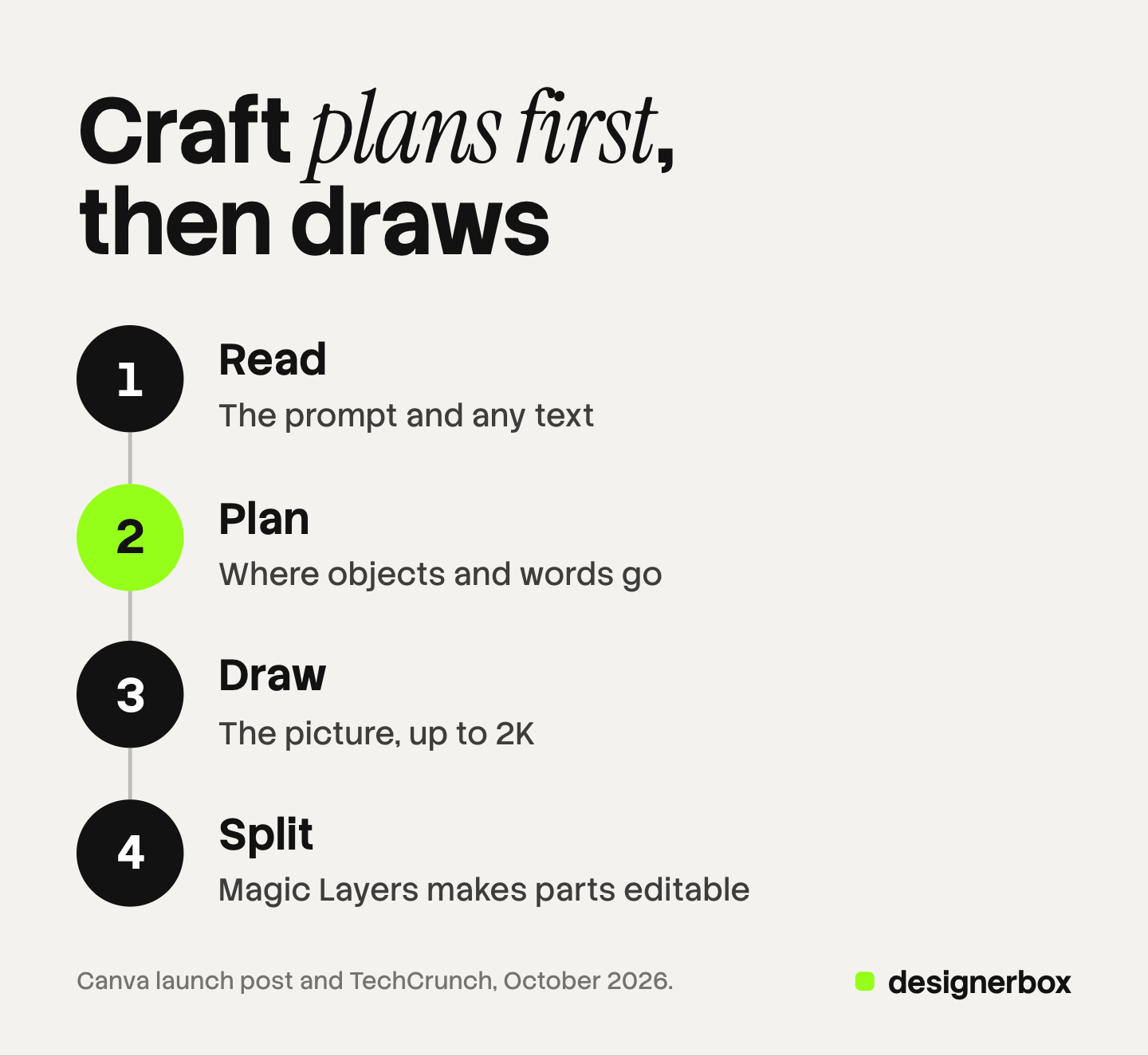
Canva says this order helps with two problems: objects in the wrong place, and text with broken letters. It also says you can change one part of a picture and keep the rest as it was (TechCrunch, October 2026).
The plan has one more use. Canva says Craft marks where each element sits, and Magic Layers uses that to split the finished picture into editable parts. You can then move the text or swap a color in the Canva editor (TestingCatalog, October 2026).
What Canva trained it on
Most image models learn mainly from photographs. Canva says it trained Craft on millions of human-designed templates from its own library: posters, social posts, presentations, infographics, menus and layouts with a lot of type (canva.com/newsroom, October 2026).
That choice explains the focus. A model that learned from designs should know where a headline sits on a poster. It says less about how well Craft copies a real product, which comes from a photo.
Canva Craft specs
These are the specs Canva and its developer post list at launch.
| Spec | Canva Craft |
|---|---|
| Maker | Canva Research |
| Released | 22 October 2026 |
| Output size | Up to 2K |
| Aspect ratios | More than 30 in Dream Lab, plus custom sizes. The API started with square, landscape and portrait |
| Prompt language | Any language |
| Text in the picture | 55 languages |
| Where it runs | Dream Lab in Canva, and the Canva Connect API |
| API model value | craft_v1_2k |
| Time per API job | About 50 to 60 seconds |
| Safety | Canva Shield checks the prompt and the result |
| Coming | Canva MCP support, reference images, Craft-fast and Craft-ultrafast |
Sources: Canva’s launch post (canva.com/newsroom, October 2026), Canva’s developer community post (community.canva.dev, October 2026), and TestingCatalog’s launch report.
The API is a preview, so Canva says breaking changes are possible. Download links last 24 hours. Each API job uses the user’s AI credits, the same as the other models in Canva (community.canva.dev, October 2026).
Where you can use Canva Craft
Today there are two places:
- Dream Lab in Canva. Open Dream Lab from the left panel in the editor, type a prompt and pick a size. Canva says this is open to all users worldwide.
- The Canva Connect API. A developer sends a prompt to the image generation endpoint with the model value craft_v1_2k, then checks the job until it is done.
Three things are listed as coming, with no dates:
- Canva MCP support. This would let an AI chat such as ChatGPT or Gemini make Craft pictures through Canva’s MCP server (TechCrunch, October 2026).
- Reference images and advanced editing. Canva lists both for future releases (TestingCatalog, October 2026).
- Craft-fast and Craft-ultrafast. Two cheaper, faster versions.
Canva also names fine print and technical drawings as areas it is still working on. If your pictures carry small text, read every word at full size.
What the DesignArena ranking says
DesignArena is a public leaderboard. People vote between two results from the same prompt, and the model names stay hidden until they vote (Design Arena methodology, October 2026). Canva says Craft entered in fourth place among image models, which makes Canva Research the second-ranked lab on the board (TestingCatalog, October 2026).
Canva also lists category places:
| DesignArena category | Place Canva reports |
|---|---|
| People and portraits | First |
| Landscapes and nature | First |
| Abstract and patterns | Second |
| Products | Fourth |
Canva reported these numbers itself, at launch. A leaderboard measures which picture people prefer for a prompt. It does not measure whether a picture shows your product correctly, or whether your brand would approve it. Rankings also move every week. To test a model on your own products, use the five-line scorecard in how to compare AI image generators.
What Craft does well, and what to check
Craft fits these jobs well:
- Pictures with words in them. Posters, menus, event graphics and social posts, where the text must be correct and readable.
- A first draft inside Canva. The picture lands in the editor, and Magic Layers turns it into parts you can change.
- Teams that already work in Canva. There is nothing new to learn and no new account.
Check these before you use it for product work:
- Your product. Canva lists reference images as a future feature. Until then, a prompt describes your product, and the model draws its own version of it. Compare every result with the real item: shape, label, color and logo.
- Small text. Read each word at the final size. Canva names fine print as an area it is still working on.
- Volume. In Dream Lab, each picture starts from its own prompt. Making the same set of pictures for 40 products means 40 prompts and 40 checks.
Our check on AI product photo accuracy lists the defects to look for across a whole set. For words already printed on a picture, how to edit text in an image compares four methods.
Canva Craft or DesignerBox for brand work
Canva and DesignerBox do different jobs. We make DesignerBox, so weigh this section with that in mind.
| Canva with Craft | DesignerBox | |
|---|---|---|
| Best for | Designs of every kind: posters, presentations, documents, social posts | Product pictures, ads and videos for brands and agencies |
| Where the picture starts | A text prompt. Canva lists reference images for Craft as planned | Your own product photo, plus your saved brand |
| The same job on many products | Bulk Create fills one design with rows of sheet data (canva.com/help/bulk-create, October 2026) | A workflow you build once, then run on each new product, or on a sheet of products with batch |
| Brand rules | Brand Kit in the Canva editor | Saved in Brand and read by the workflow on every run |
| Text layout and editable layers | Craft’s planning stage and Magic Layers | A text-on-picture step in a workflow, and the image editor |
| Inside an AI chat | Canva MCP support for Craft is coming | 75 tools over MCP today |
Canva covers much more of design than DesignerBox does. If you make presentations, documents and one-off posters, Canva is the closer fit. DesignerBox is narrower on purpose. It is built for the picture you make again and again, on your own products. For a wider list of tools, see Canva alternatives sorted by the limit you hit.
DesignerBox for the work you repeat
Anyone can make an AI picture. Making hundreds that still look like your brand is the hard part.
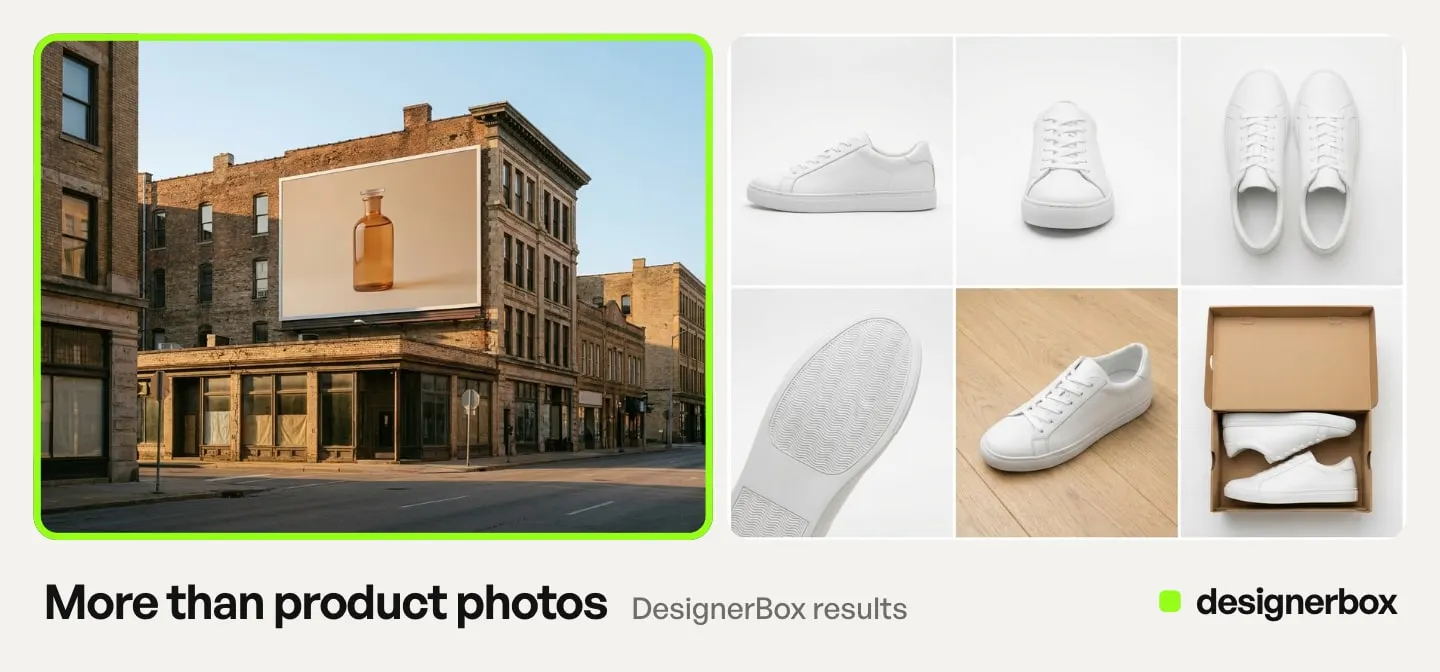
In DesignerBox you start from your product, not from a prompt. Generate takes up to five reference pictures, so the model works from the real item. You choose the model for each picture. Canva Craft is not on the DesignerBox models page on 26 October 2026.
Brand holds your products, logo, colors, fonts and rules. You set the brand once. The workflow reads it on every run. A workflow saves the steps, and critic steps score the results and keep the best one. Batch runs the same workflow over a sheet of products, so row one and row two hundred get the same steps. The cost is shown before the run.
For ads, the Ad in other sizes app turns one ad into four sizes. The Ad in other languages app rebuilds one ad in another language and redraws the layout. The product pictures, the ads, the editors and your brand rules sit in one account.
There is a free plan, and it runs on sample products. Uploading your own photos starts on the Pro plan. The image editor starts on the Premium plan. Plans and credits are on the pricing page.
The first job, built once
Start from a template, add your brand and your products, and run it. The cost is shown before the run.
FAQ
What is Canva Craft?
Canva Craft is Canva’s first image generation model made in-house, released by Canva Research on 22 October 2026. It plans the layout of a picture first and then draws it. Canva trained it on human-designed templates, and it makes pictures up to 2K.
Is Canva Craft free to use?
Canva says Craft is available to all Canva users in Dream Lab. Its developer post says each API job uses the user’s AI credits, like other models in Canva.
How do you use Canva Craft?
Open Dream Lab from the left panel in the Canva editor, type a prompt and choose a size. Developers can call it through the Canva Connect API with the model value craft_v1_2k.
Can Canva Craft use a photo of my product?
Not at launch. Canva lists reference images as a feature for a future release. Until then, Craft works from your text prompt, so check each result against the real product.
Can you use Canva Craft in ChatGPT or Claude?
Not yet. Canva says Craft support on the Canva MCP server is coming, and TechCrunch names ChatGPT and Gemini as targets. Canva has not given a date.
What was Canva Craft trained on?
Canva says it trained Craft on millions of human-designed templates from its library, such as posters, social posts, presentations, infographics and menus, rather than mainly on photographs.
Does DesignerBox use Canva Craft?
No. Canva Craft is not on the DesignerBox models page on 26 October 2026. In a DesignerBox workflow, each step runs on one model, and your brand rules and steps stay the same when a step changes model.
Sources
- TechCrunch, “Canva releases its first image generation model”: two-stage design, 2K output, aspect ratios, training data, Dream Lab, API, MCP plans, Leonardo.ai researchers, Craft-fast and Craft-ultrafast (techcrunch.com, accessed October 2026)
- TestingCatalog, “Canva launches Craft image model with 2K output and API”: DesignArena places, 55 languages, Magic Layers, Canva Shield, planned reference images and editing (testingcatalog.com, accessed October 2026)
- Canva newsroom, launch post for Canva Craft (canva.com/newsroom/news/canva-craft), October 2026
- Canva Developers Community, “Connect API: Canva Craft is now available for image generation” (community.canva.dev), October 2026
- Canva Help Center, Bulk Create (canva.com/help/bulk-create), October 2026
- Design Arena, methodology: blind pairwise votes and how ratings are computed (notes.designarena.ai, accessed October 2026)
- DesignerBox models page (designerbox.ai/models), October 2026
Canva Craft details were read in Canva’s own posts and in launch coverage on October 26, 2026. The DesignArena places are Canva’s own report from launch day. Model features and rankings change often, so check each page before you plan around it. Individual results vary.