
360 product photography is a set of still photos of one product, taken at even steps while it turns on a turntable. A viewer plays the stills in order, so a shopper can drag the product around. Most spins use 24 or 36 frames in one row, and some use 72. The camera, the light and the product position stay fixed for every frame.
A bottle, a can or a jar carries most of its information on a curved surface. The front shows the brand. The ingredients, the volume and the warnings sit on the side and the back.
A spin shows all of it, and it brings three worries. The label has to read the same in every frame. The light has to stay in one place. Glass, foil and liquid have to look like the same material from every side. This guide covers the frames, the gear, the shooting steps, the file weight, where a spin can be shown, and where AI drifts.
Key Takeaways
- A 360 view is a sequence of stills. A single-row spin is often 24 or 36 photos, and a smoother one is 72 (Wikipedia and orbitvu.com, October 2026).
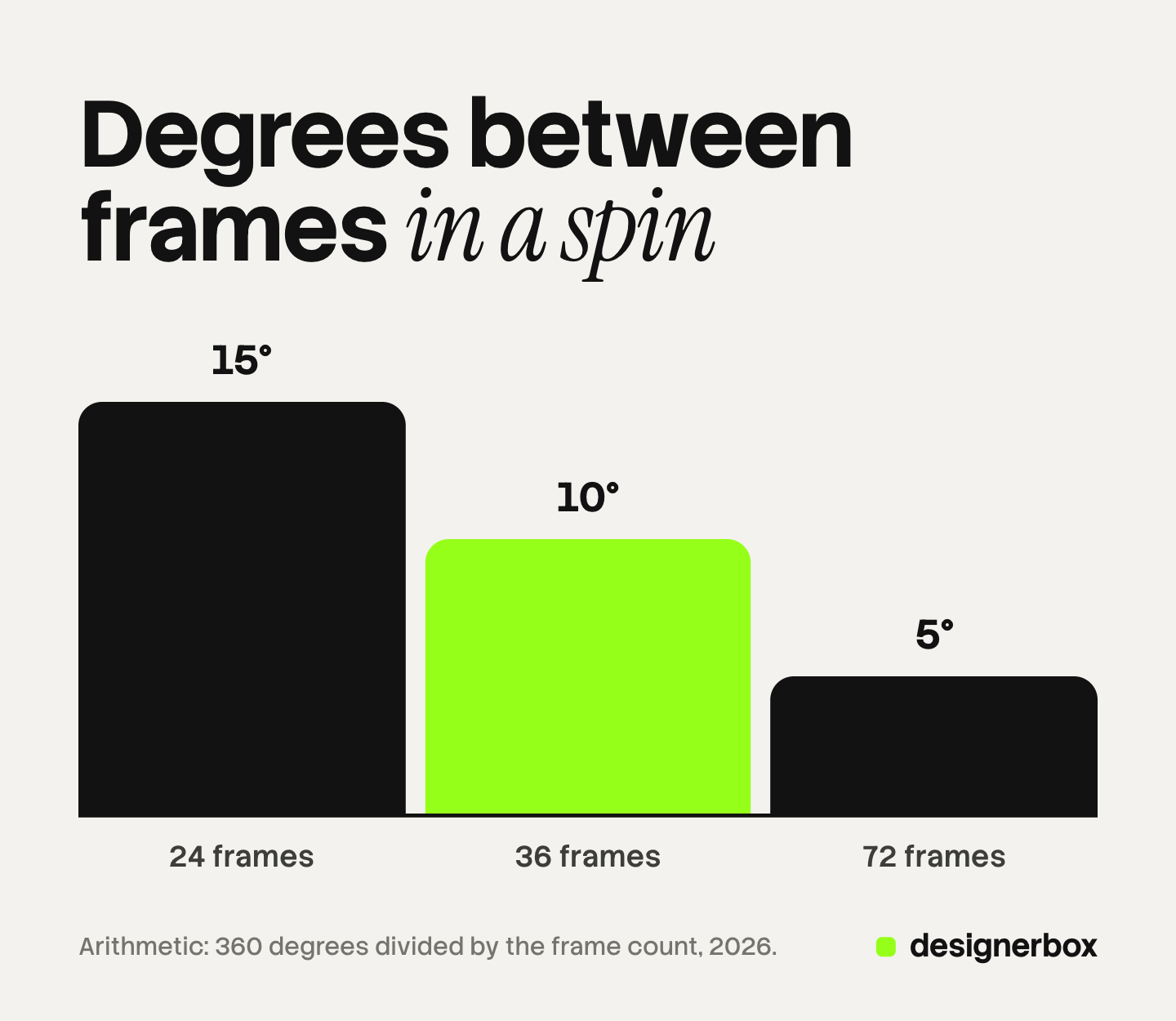
- More frames mean smaller steps. 24 frames turn the product 15 degrees per photo, 36 frames turn it 10 degrees, and 72 frames turn it 5 degrees.
- Amazon no longer shows 360 images. Amazon stopped new 360 uploads on December 14, 2023 and ended the 360 experience on January 20, 2025. It takes 3D models (Amazon seller news, October 2026).
- Shopify has no spin media type. Its product media are images, videos and 3D models, so a spin needs a video, an animated image or a viewer from an app or theme (Shopify Help Center, October 2026).
- Google can build a spin for you, in the US. It needs at least 5 photos and labels the result as generated by Google (Google Merchant Center Help, October 2026).
- AI redraws the product at each angle. Check the label text, the logo position, the cap and the light direction against the real pack.
- A fixed set of angles often does the job. Front, back, side, top and one detail answer most packaging questions with five files.
What is 360 product photography?
360 product photography is a technique where a series of photos gives the impression of a product rotating. The result is a 360-degree view that a shopper can drag. Each photo is an ordinary still. A viewer on the product page swaps one still for the next as the shopper drags or swipes. The same frames can also play as a looping video or an animated image.
A spin has no geometry. It only has the angles someone photographed, which is why 3D product rendering is a different job with different inputs. Where a spin sits next to packshots, scenes and detail shots is covered in the types of product photography.
How many frames does a 360 product view need?
A single-row spin often has 36 photos, each 10 degrees apart, and any number can be used (Wikipedia, 360 product photography, October 2026). One maker of 360 photography equipment says that 24 or 36 photos per rotation are typical and 72 is less common (orbitvu.com, October 2026). The step between frames is 360 degrees divided by the frame count.
| Frames in one row | Degrees between frames | How it feels | Fits |
|---|---|---|---|
| 24 | 15 | Visible steps on a large screen | Plain shapes: a box, a can, a round bottle |
| 36 | 10 | Smooth enough for most products | Most packaged goods |
| 72 | 5 | Fluid rotation | Faceted glass, embossed detail, a long label |
More frames give a smoother turn and a heavier page. A round bottle changes slowly from frame to frame, so 24 can be enough. A square perfume bottle changes fast at every corner, so it gains more from 36 or 72.
Single-row and multi-row spins
A single-row spin turns left and right only, with the camera at one height. It is the most common type because it is the easiest to shoot.
A multi-row spin adds more camera heights, so the shopper can also tilt the product up and down. Each row is a full set of frames, so three rows of 36 are 108 photos. Multi-row suits products where the top or the base matters, such as a jar lid with a seal.
What equipment does a 360 shoot need?
Photographers usually shoot a spin with a turntable, a camera, a tripod, lights and a white background (Wikipedia, October 2026). The turntable is the part that differs from a normal product shoot.
- A motorized turntable. A 360 photography turntable stops at each step while the camera fires, which keeps every frame sharp. A basic turntable rotates without stopping and can blur a frame at a slow shutter speed.
- A camera on a locked tripod. The camera must not move between frames. Use manual focus, manual exposure and a fixed white balance, so no frame looks different from the one before it.
- Constant light. The light stays where it is and the product turns under it. Soft, even light from both sides reduces the change in reflections from frame to frame.
- A way to trigger the camera. Some turntables connect to a computer or the camera and fire the shutter at each stop.
- A center mark. A product that sits off the center of the turntable wobbles in the viewer.
How do you shoot a 360 product view, step by step?
The order below keeps the three things a shopper notices fixed: the label, the light and the size of the product in the frame.
- Prepare the pack. Clean the glass, remove dust and fingerprints, and choose a unit with a straight label and a full fill level.
- Center the product. Put it on the center mark and turn the table once. If the product moves sideways in the frame, move it and repeat.
- Set the start frame. Turn the front of the label to the camera. Frame 1 is the picture the viewer shows before anyone drags.
- Lock every setting. Focus, aperture, shutter speed, ISO and white balance stay the same for all frames.
- Shoot the full row. Do not touch the product, the lights or the tripod until the row is complete.
- Check the sequence on set. Play the frames in order. Look for a jump in brightness, a reflection that distracts, and a label seam in a bad place.
- Edit all frames as one batch. Apply the same crop, the same background cleanup and the same color correction to every frame. An edit on one frame alone shows as a flicker.
The single-photo version of this work, including how to light glass, is in our guide to bottle product photography.
Why packaged products are hard to spin
Glass, foil and liquid do not have one fixed look. They show whatever is around them, and that changes as the product turns.
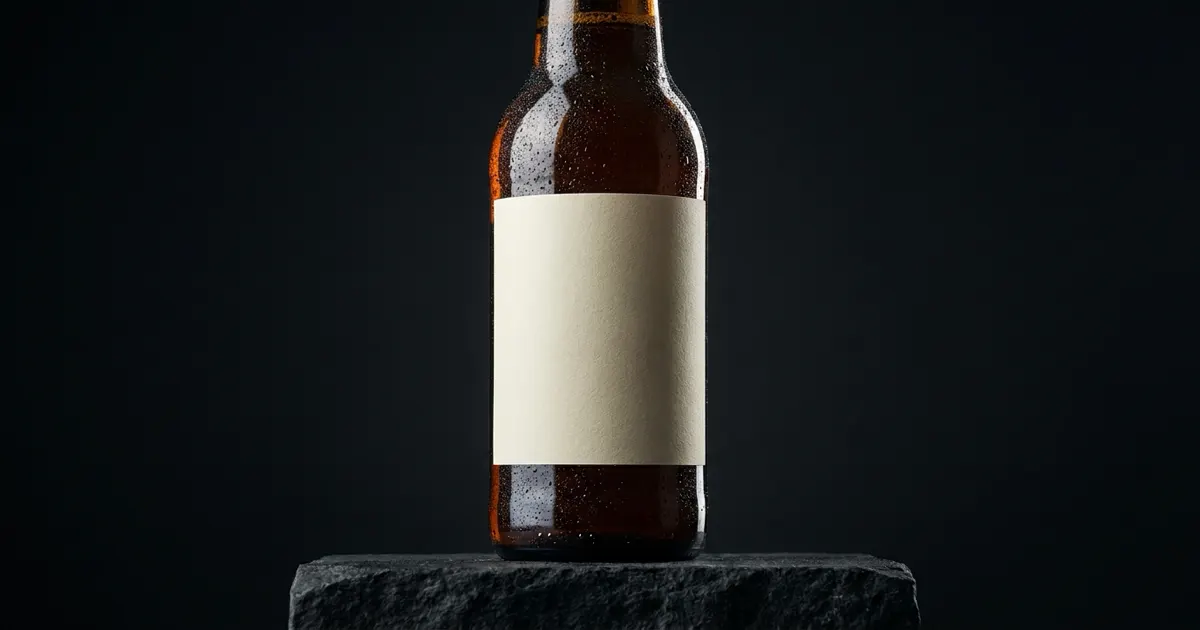
Glass reflects the set. A light that makes a clean stripe at the front becomes a wide patch at 90 degrees. Large, even light sources on both sides keep the stripe steady.
Foil and metallic ink flare. A foil logo can go from bright to almost black within two frames. A smooth change reads as quality, and a jump in one frame reads as an error.
Liquid acts as a lens. A clear drink bends whatever is behind the bottle, including the back of the label. A light behind the product keeps the liquid glowing at every angle. The setups for that are in drink photography.
The label has a seam. Every wrap label has a join, and a spin will show it. Decide which frame carries it and check that the text on both sides lines up.
How heavy is a 360 view, and how do you show it?
A spin is as heavy as its frames added together. Here is an illustrative sum, not a measurement. At 150 KB per frame, 24 frames weigh 3.6 MB, 36 frames weigh 5.4 MB and 72 frames weigh 10.8 MB. A viewer that loads the first frame at once and the others later keeps the page fast.
There are four common ways to show the result.
| Format | What the shopper can do | What you need |
|---|---|---|
| Interactive viewer | Drag to turn, stop on any frame | A script or app that loads the frame sequence |
| Video file | Play and pause | A platform that accepts product video |
| Animated image | Watch a loop | A platform that accepts animated GIF or WebP |
| 3D model | Turn, zoom, view in a room | A GLB or USDZ file, which a photo shoot does not produce |
Only the interactive viewer lets a shopper stop on the ingredient panel and read it. For a detail-heavy pack, add a still of the back label beside any video or loop.
Where can you publish a 360 product view?
Each platform below was read on its own help pages in October 2026.
| Platform | 360 image sequence | What it accepts in its place |
|---|---|---|
| Amazon | No longer accepted or shown | 3D models uploaded by the brand owner |
| Shopify | No spin media type | Images, video, 3D models, or a viewer from an app or theme |
| Google Merchant Center | You do not upload one | Google can build a spin from your photos, US only |
Amazon. Amazon stopped taking requests to upload 360-degree images on December 14, 2023 (Amazon seller news, October 2026). It ended the 360-degree image experience on product detail pages on January 20, 2025. Sellers can upload 3D models, which Amazon uses for View in 3D and View in Your Room. Every product image must still accurately represent the product (Amazon product image guide, October 2026).
Shopify. Shopify lists three kinds of product media: images, videos and 3D models. 3D models are GLB or USDZ files. Animated GIF and WebP files are supported as images, and a video can be up to 1 GB and 10 minutes long. A theme has to support video and 3D models before they display. An interactive spin from a frame sequence needs an app or theme code.
Google Merchant Center. Google can create a 180 or 360 spin when a merchant provides at least 5 high-resolution images of a product. The images should show the front, back, left, right and top, with a single item per image. Google says the process may take up to 2 weeks and that extra images do not guarantee a spin. The feature is available to merchants in the US. Google chooses between 180 and 360 degrees, and the spin is annotated as generated by Google.
Google also accepts a link to a 3D model, for home goods and shoes only, in five countries (Google Merchant Center Help, October 2026). Most bottles, cans and jars fall outside that. The still-image specs for five channels are in ecommerce product photography.
What does a 360 view cost to produce?
We print no price here, because we found no public source with a date and a stated method for the price of a spin. The cost moves with four things: the frame count and rows, the surface, the volume, and the retouching. Reflective glass and foil need more setup time than a matte carton, and cleanup applies to every frame.
Ask for a quote per product at a named frame count, with retouching included, so two quotes can be compared.
Can AI make a 360 product view?
AI can draw a product from a new angle, and that is different from photographing it. A camera records the same object 36 times. An image model draws the object again for each angle from the photos you gave it. Each drawing is a new chance for a detail to change.
Google says as much about its own model. Google documents that its Nano Banana Pro image model accepts up to 6 object images to include with high fidelity (Google AI for Developers, October 2026). Google DeepMind also states that the model “can still struggle with small faces, accurate spelling, and fine details in images”. It tells users to check text in images for accuracy (Google DeepMind, October 2026). A back label is small text and fine detail.
Before an AI angle goes on a product page, check it against the pack in your hand.
- Label text. Read every word, the volume, the ingredients and the warnings. Compare spelling letter by letter.
- Logo position. The logo should sit at the same height and the same distance from the label edge.
- Cap and closure. Count the ridges, check the tamper band and the shape of the pump or the pull tab.
- Proportions. Compare the height against the width, and the neck against the shoulder.
- Light direction. The highlight should come from the same side in every picture of the set.
- Material. Glass should stay glass, with the same tint. Foil should stay foil.
A video model can also turn one photo into a rotating clip. The same check applies, because every frame of the clip is drawn. A longer list of failure types and how to catch them is in AI product photo accuracy.
When is a fixed set of angles enough?
A fixed set is enough when the shopper has questions you can list. For a packaged product the list is short: what the front looks like, what the back says, how deep it is, how it opens, and what the surface looks like up close. Five stills answer those five questions.

A spin earns its cost in a narrower set of cases.
| Situation | Better choice |
|---|---|
| The shape itself is the product, such as a faceted bottle | A spin |
| The shopper needs to read the back label | A sharp still of the back |
| The listing goes to Amazon | Stills, and a 3D model if you have one |
| You have 200 products and a launch date | A fixed angle set |
| The pack has embossing that only shows as it turns | A spin or a short video |
A still can also be larger and sharper than a spin frame, because the page loads one file instead of 36.
DesignerBox for a fixed angle set
DesignerBox does not make an interactive 360 spin viewer. It does not shoot a turntable sequence, and it does not produce a 3D model file.
What it does is the fixed set. A workflow or an app takes your photo of the real product and returns a set of extra angles: side, back, top and detail views (DesignerBox AI product photography). Which angles to ask for, and in what order, is in our guide to product photography angles.
The checks in this guide still apply, and part of the workflow helps with them. A critic step scores each result against your rules. With best-of-N, the workflow makes several tries and keeps the one that scores highest. You still keep or discard each result, and you still compare the label with the pack.
For a brand with 20 to 500 products, or an agency that does this for its clients, the work is the repeat. Anyone can make an AI picture. Making hundreds that still look like your brand is the hard part. Batch runs the same workflow over a sheet of up to 200 rows, so row one and row two hundred get the same steps and the same brand rules. The cost is shown before the run.
DesignerBox covers the full workflow from the first product photo to the finished ad, in one subscription. When a set is approved, download the results, or send them with a webhook or an S3 step.
Uploading your own photos and the commercial license start on the Pro plan. AI video, virtual try-on, upscaling, the image editor and the video editor start on the Premium plan. Plans and credits are on the pricing page.
There is a free plan, and it runs on sample products. Get started free
FAQ
How many photos do I need for a 360 product view?
A single-row spin often uses 36 photos, one every 10 degrees. 24 photos give a lighter page with visible steps, and 72 give a fluid turn. A multi-row spin repeats the full count for each camera height, so three rows of 36 are 108 photos.
What is the difference between a 360 spin and a 3D model?
A spin is a sequence of photos, and the shopper can only see the angles that were shot. A 3D model is a file with geometry and materials, such as GLB or USDZ, that a device draws live.
Does Amazon accept 360 product photos?
No. Amazon stopped accepting 360-degree image uploads on December 14, 2023 and ended the 360-degree image experience on January 20, 2025. Amazon accepts 3D models from brand owners and uses them for View in 3D and View in Your Room (Amazon seller news, October 2026).
Can I add a 360 view to a Shopify product page?
Shopify has no 360 spin media type. You can upload the spin as a video or an animated GIF or WebP file, or add an interactive viewer through an app or theme code. Shopify also accepts 3D models as GLB or USDZ files (Shopify Help Center, October 2026).
Can AI make a 360 spin from one product photo?
An image or video model can draw new angles from one photo, and each angle is drawn again. Label text, proportions and reflections can change between frames. Google’s merchant spin asks for at least 5 real photos and is available in the US. Check every AI angle against the real pack before you use it.
Does DesignerBox make 360 spins?
No. DesignerBox does not make an interactive spin viewer or a 3D model file. A workflow or an app returns a fixed set of angles from your product photo, and a critic step with best-of-N keeps the result that scores highest. You see the cost before the run.
Sources
- Definition, single-row and multi-row spins, 36 frames at 10 degrees and 72 frames at 5 degrees, turntable types and the equipment list: Wikipedia, 360 product photography, accessed October 2026
- 24 or 36 photos per rotation as typical and 72 as less common: orbitvu.com, blog article on multi-row 360 presentations, accessed October 2026
- Amazon ended new 360-degree image uploads on December 14, 2023, and named the countries where brand owners upload 3D models: Amazon seller news, accessed October 2026
- Amazon ended the 360-degree image experience on January 20, 2025: Amazon seller news, accessed October 2026
- Amazon product image requirements: Amazon product image guide, accessed October 2026
- Shopify product media types, 3D model file types, animated image support and video limits: Shopify Help Center, accessed October 2026
- Google 180 and 360 spins from at least 5 images, the required views, the 2-week note, US availability and the Google label: Google Merchant Center Help, accessed October 2026
- Google 3D model link for home goods and shoes in the US, AU, CA, JP and IN: Google Merchant Center Help, accessed October 2026
- Nano Banana Pro object reference images: Google AI for Developers, accessed October 2026
- Stated limits on spelling and fine details: Google DeepMind, accessed October 2026
- Extra angles, critic steps, best-of-N and batch sheets: DesignerBox AI product photography, workflows and batch pages, designerbox.ai, October 2026
- Plan gates: DesignerBox pricing, designerbox.ai/pricing, October 2026
Platform rules verified from each platform’s own help pages and announcements, and model limits from Google’s own pages, as of October 2026. This is general information, not legal advice. Individual results vary.