


A Claude image generation skill is a folder of instructions that tells Claude how to make pictures through an image tool. DesignerBox published five of them on 27 October 2026, free on GitHub under the MIT license. Give Claude a product photo and the skills plan the shots, add up the cost in credits and ask you once. Every picture is saved to your DesignerBox library.
Claude can already reach DesignerBox over MCP. What it lacked was the house rules. Without them, an agent picks a model, guesses a ratio and sends a paid call before you know the price. Ten products later, the pictures follow ten different briefs.
This note covers what the five skills do, how to install them in Claude Code, claude.ai, Codex and Cursor, and what they will not do. It is written for brands and agencies whose teams already work in Claude and want product pictures from the same chat.
Key Takeaways
- Five skills, one plugin. The skills and the DesignerBox MCP server ship together as the plugin designerbox-studio, from the public repo designerboxai/skills.
- Two commands in Claude Code. Add the marketplace, install the plugin, then sign in with /mcp.
- One yes before any charge. Each skill reads the live price, adds up the total, checks your balance and asks once.
- A retry does not charge twice. The same request sent again within 30 minutes returns the first result.
- Many products, one quote. The batch skill runs one recipe over a list, a folder or a CSV, and in Claude Code it keeps a record you can resume.
- Pictures only. The skills make no video and post nothing anywhere.
- Free and open. The repo is MIT licensed. The pictures use the credits in your DesignerBox account.
What is a Claude image generation skill?
A Claude image generation skill is a SKILL.md file with instructions for making pictures. Claude reads only its name and description at the start. It loads the full file when your request matches. The skill holds no image model. It tells Claude which image tool to call, in what order, with which checks, and when to stop and ask you.
That split matters because Claude writes text and reads images, but it does not draw product photos. The pixels come from an image model that Claude reaches through a tool, here the DesignerBox MCP server. Our guide on skills vs MCP explains the two halves in full.
Skills are not tied to Claude. Anthropic published the format as an open standard, and agentskills.io describes it as an open format that a growing number of agent products have adopted (agentskills.io, read October 2026). The same five folders load in Codex, Cursor and other agents.
The five DesignerBox skills
Each skill does one job. You rarely call one by name. Claude picks the skill that fits your request.
| Skill | What it does | Costs credits? |
|---|---|---|
| designerbox-start-here | Checks the connector, reads your credits, gets your photos in and sends you to the right skill | No. It never makes a picture |
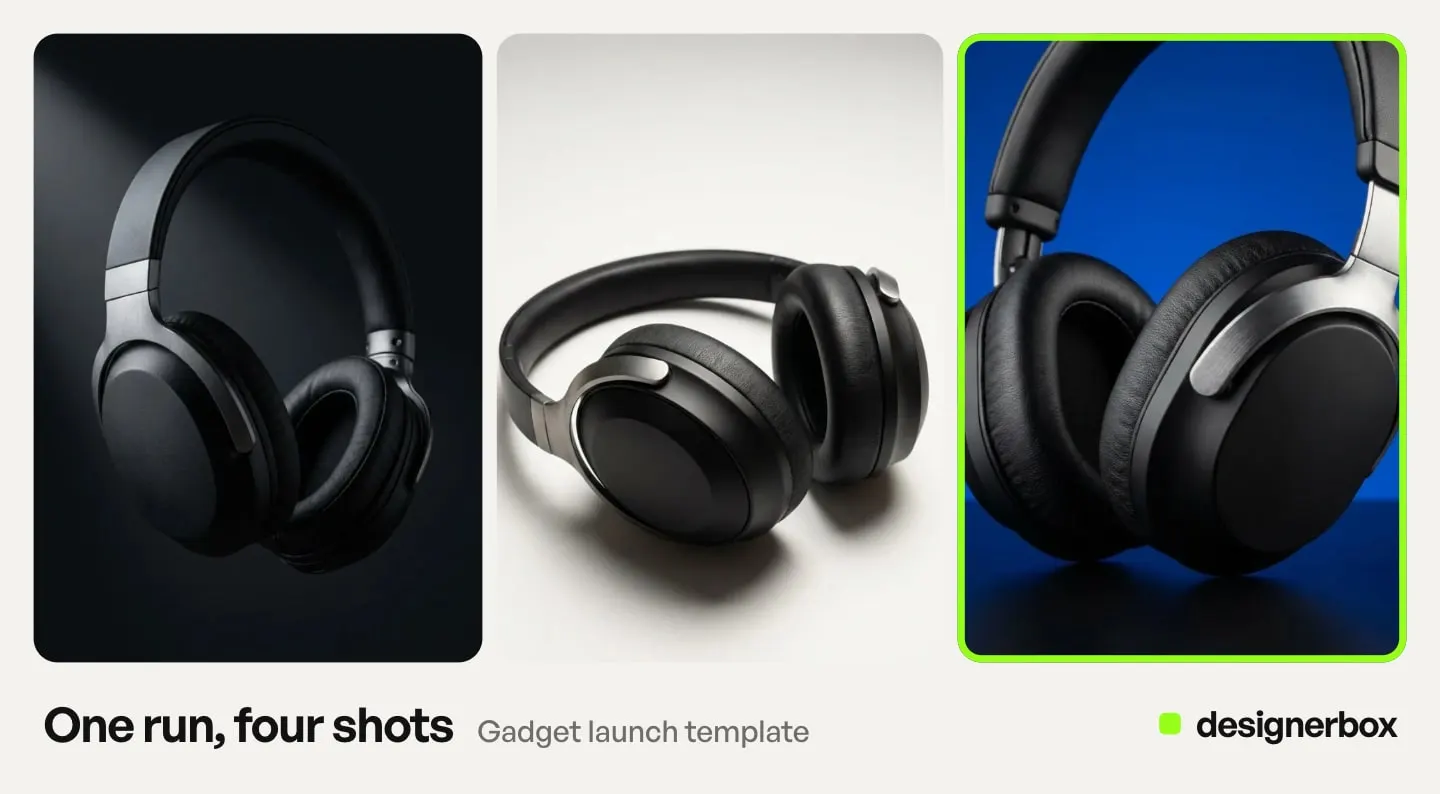
| designerbox-product-photos | One product: a listing set, a clean white main image, a lifestyle scene, more angles, a relight, a flat lay or an on-model shot | Yes, quoted first |
| designerbox-batch | The same recipe over many products: a list, a folder of photos, a CSV or a catalog | Yes, one quote for every row |
| designerbox-ads-social | Ad and social pictures in feed, story, Pinterest, square or banner sizes, in your brand voice | Yes, each size quoted |
| designerbox-refine | Changes one thing in a result: a color, a label, a background, a misspelled word | Yes, quoted per attempt |
The skills ask at most four questions before a run, and they offer choices as labeled options. They answer in the language you write in.
How do you install the skills in Claude Code?
You need a DesignerBox account. In Claude Code, add the DesignerBox marketplace and install the plugin:
- Add the marketplace. Type /plugin marketplace add designerboxai/skills.
- Install the plugin. Type /plugin install designerbox-studio@designerbox.
- Sign in. Run /mcp, select designerbox-studio and sign in to DesignerBox.
From a terminal, the same two steps are claude plugin marketplace add designerboxai/skills and claude plugin install designerbox-studio@designerbox. Anthropic’s docs explain the pattern: a plugin from any marketplace other than Anthropic’s own needs its marketplace added first (code.claude.com, read October 2026).
The plugin brings the MCP server with it. You do not paste a server address. Then ask for a picture in plain words, such as “Make a white background photo of this mug for Amazon”.
How do you add the skills to claude.ai?
claude.ai takes two steps, and the install guide in the repo walks through them in about five minutes.
- Add the connector. Open Settings, then Connectors, then Add custom connector. Paste https://mcp.designerbox.ai/api and sign in to DesignerBox. Our guide to Claude connectors shows where each setting sits.
- Upload the plugin. Download the plugin zip from the latest release on GitHub. Do not unzip it. Open Customize, then Plugins, then Upload, and choose the file.
Start a new chat so the tools load. When you ask for a picture, an upload panel opens in the chat and you pick your product photo there.
You can also upload one skill folder alone, or paste one SKILL.md into a Project’s instructions. Both routes lose rules that live in the other skills’ reference files, such as what to do when a call fails. The whole plugin is the supported route.
If you added DesignerBox from Claude’s directory before, keep it. The repo says that connector can browse your library and designs but cannot make pictures. Only the connector at mcp.designerbox.ai/api makes pictures and reads credits, and designerbox-start-here tells you when it is missing.
How do you install the skills in Codex, Cursor and other agents?
Outside Claude, you install the skills and the MCP server separately. The skills come from the repo. The server is an HTTP MCP server at https://mcp.designerbox.ai/api.
| Route | Command or step | What it installs |
|---|---|---|
| GitHub CLI 2.90 or later | gh skill install designerboxai/skills —all —agent claude-code | The skills only |
| skills CLI | npx skills add designerboxai/skills | The skills only |
| Codex | Add the server from the repo’s mcp.json, then point Codex at the skills folder | Both, in two steps |
| Cursor | Add an HTTP MCP server, then point Cursor at the skills folder | Both, in two steps |
GitHub added the gh skill command in April 2026 as a public preview. It installs skills from a repository into the folder each agent reads, and it records the source repository and version in the SKILL.md (github.blog, April 2026). Change —agent to codex or cursor for those agents. Vercel’s skills CLI installs from a GitHub owner and repo name into many agents (vercel.com, read October 2026).
The repo marks Codex and Cursor as best effort. It also says that signing in to the DesignerBox connector from Cursor is not supported yet, so use claude.ai or Claude Code for the sign-in. Our guide to Codex MCP covers the server step in Codex.
Cost before the run
Every skill that spends credits follows the same four steps. It reads the live price of the model it will use. It adds up the total for every picture in the plan. It compares that total with your balance. Then it sends you one message with the plan and the total, and waits for a clear yes.
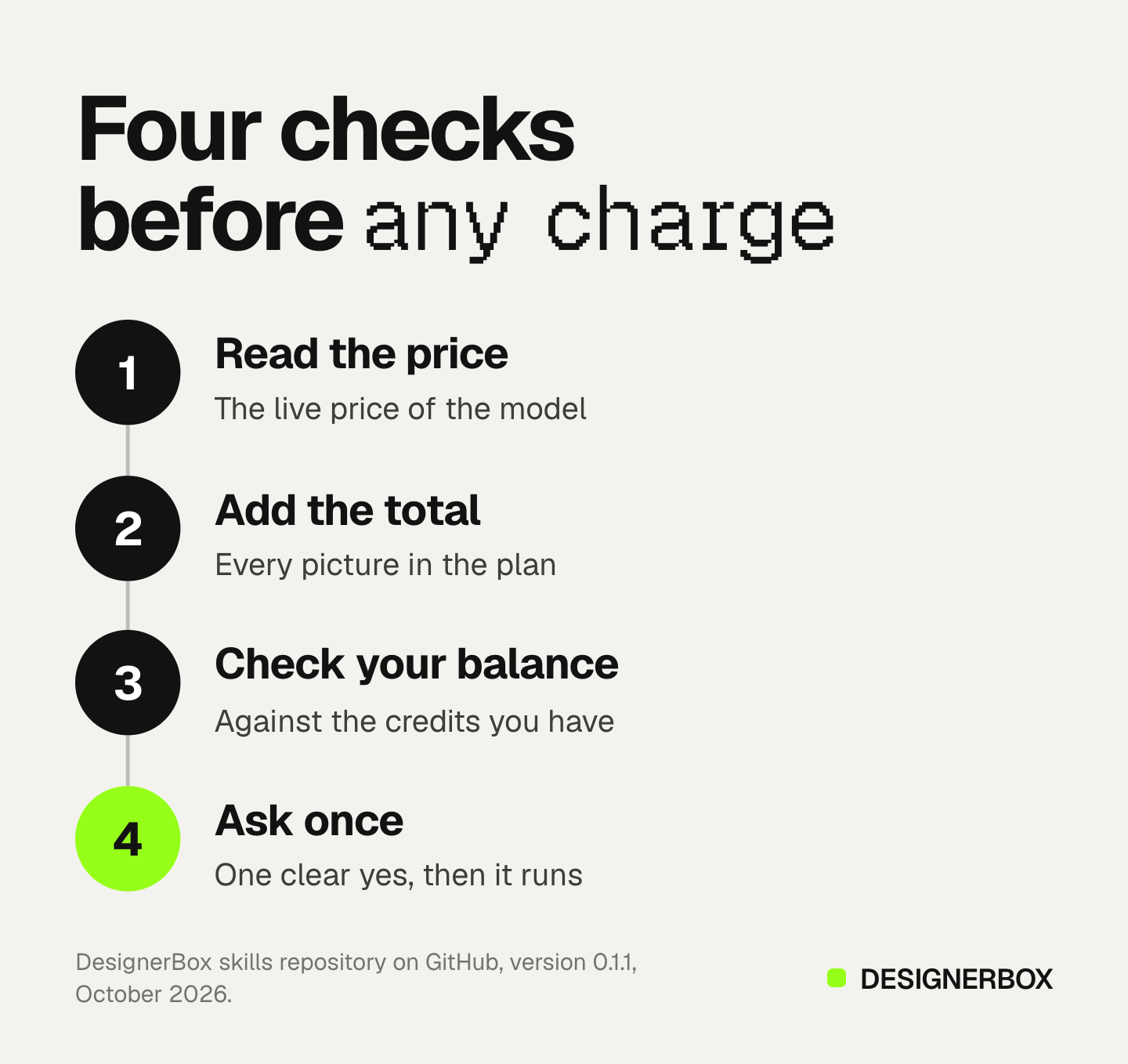
A yes covers that plan and nothing more. If you ask for another size, another model or more pictures, the skill quotes again. Nothing in the repo sets a price: the numbers come from your account at the moment you ask.
Two rules stop double charges. A retry with the same request ID within 30 minutes returns the first result instead of charging again. A call the image service refuses costs nothing. When a call fails, the skill reports what was charged, what may have been charged and what was not, and it asks you before it runs anything again.
One product, a whole catalog, or an ad
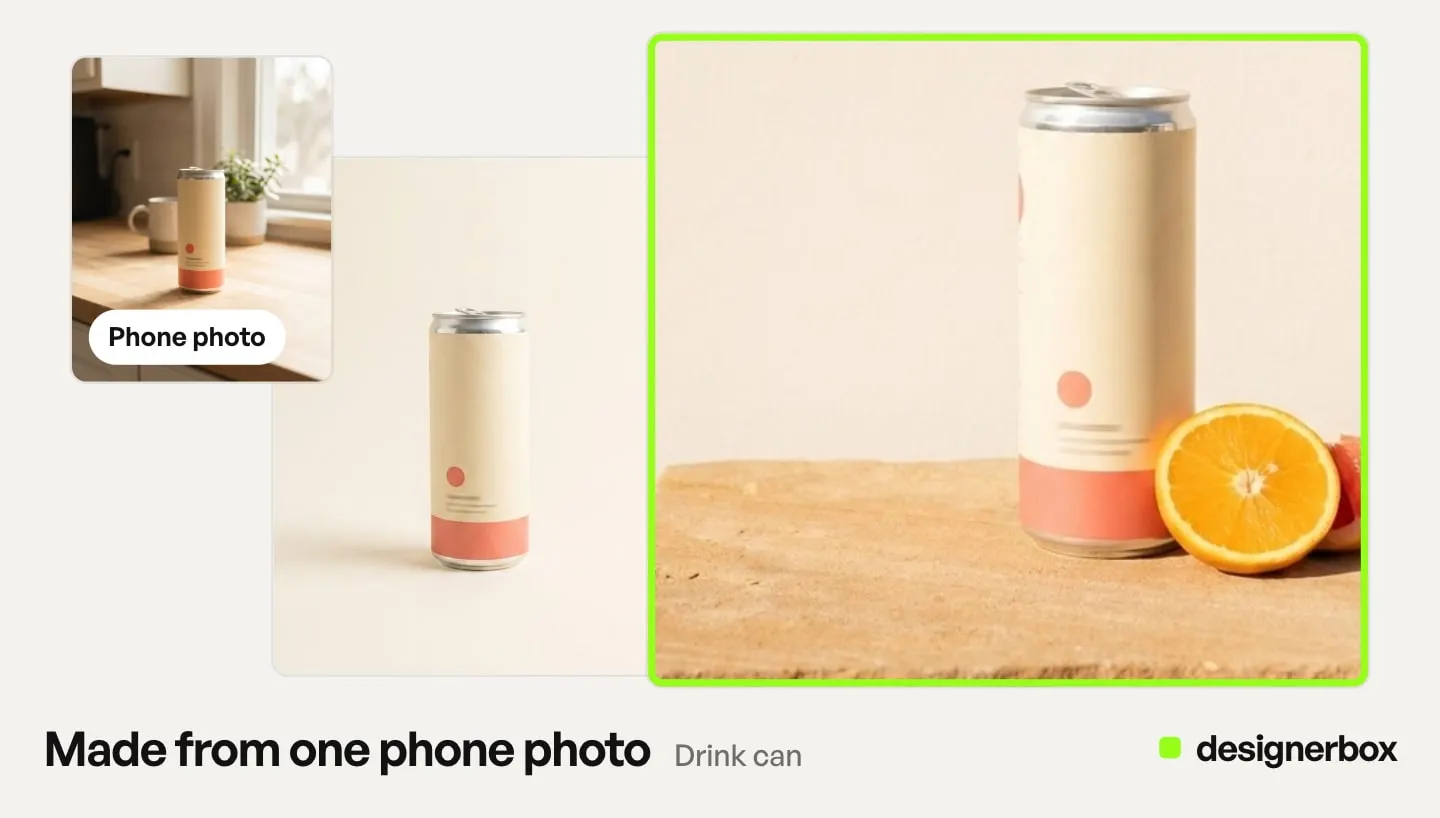
One product. designerbox-product-photos asks what you need: a listing set from a template, a clean white main image, a lifestyle scene, more angles, a relight, a flat lay or an on-model shot. For Amazon, Etsy or Shopify, it reads the marketplace rules before it picks the size and the background. An on-model shot with no photo of a person is two paid steps: first the person, then the product on them. The skill says so in the quote.
A whole catalog. designerbox-batch takes a pasted list, a CSV or a folder of photos. You pick one recipe, such as a clean white image and one lifestyle scene. The skill runs that recipe unchanged on every row, so product forty gets the same treatment as product one. In Claude Code it writes a run record to a JSON file as it goes. If the run stops, type “finish my batch” and the skill quotes only the rows that never ran.
An ad. designerbox-ads-social reads your default brand profile and carries its voice into the prompt. It asks where the ad will run and turns each placement into a ratio. Every size is its own paid run, so three sizes cost three times one, and the quote says so up front.
A fix. designerbox-refine edits the picture you already have instead of making a new one. It turns your complaint into one change, keeps the rest of the picture and quotes each attempt. After three attempts on one request it stops and suggests another route, such as a clearer product photo.
What the skills do not do
These are the limits in version 0.1.1, as of October 2026.
- No video. The skills make still pictures. For video, use the video editor in the web app or the full MCP server.
- No logo placement. No image tool places a logo reliably, so the ad skill makes the picture without it. You add the logo afterwards in the DesignerBox image editor.
- No posting. The pictures go to your library. You download them, or send them with a webhook or an S3 step from a workflow.
- No free resize. Each ad size is its own run, at its own cost.
- Words appear only when you give them. The default is no text on the picture. When you want a headline, the skill shows you the exact words and waits for your yes. A template may still draw words, and the quote warns you.
Check the product in every picture before you use it: the logo, the print, the color and the shape. The skills check a picture only when Claude can view it, and they say so when it cannot.
Skills, workflows and your brand
A skill and a DesignerBox workflow do different jobs. The skill teaches Claude how to plan, quote and ask. A workflow is your own set of steps inside DesignerBox, built once with your brand and run again. A template is a workflow somebody already built, and the listing set outcome starts from one.
Anyone can make an AI picture. Making hundreds that still look like your brand is the hard part. The skills read the brand profile you keep in DesignerBox, and the batch skill holds one recipe across every row. For a sheet of products reviewed in one pass, Batch in the web app does the same job with a screen built for it.
The pictures from Claude land in the same library as the pictures from the web app. A colleague finds them in Assets without a file sent between you. Claude, the templates, the editors and your brand rules share one account. The full server behind the skills has 75 tools, and the DesignerBox MCP launch note lists them.
Uploading your own photos starts on the Pro plan. Virtual try-on, which the on-model outcome uses, starts on the Premium plan. There is a free plan, and it runs on sample products. Plans and credits are on the pricing page.
A free plan for your first run
Start from a template, add your brand and your products, and see the cost before you run it.
FAQ
Can Claude generate images with a skill?
Not with a skill alone. A skill is instructions. Claude needs an image tool too, such as the DesignerBox MCP server. The DesignerBox plugin installs both, so Claude can make product pictures from the chat.
How do I install Claude skills from GitHub?
In Claude Code, add the repo as a marketplace and install the plugin from it. For DesignerBox that is /plugin marketplace add designerboxai/skills, then /plugin install designerbox-studio@designerbox. The GitHub CLI and the skills CLI install the skills alone.
Are the DesignerBox skills free?
The skills are free and MIT licensed. The pictures use the AI credits in your DesignerBox account. Each skill shows the total before anything is charged.
Do the skills work in claude.ai?
Yes. Add the DesignerBox custom connector in Settings, then upload the plugin zip under Customize and Plugins. Start a new chat so the tools load.
Do the skills work in Codex and Cursor?
Yes, as best effort. Add the HTTP MCP server and point the agent at the skills folder. Signing in to the DesignerBox connector from Cursor is not supported yet.
Can the skills make video?
No. Version 0.1.1 makes still pictures only. Video runs in the DesignerBox web app or through the full MCP server.
What happens if a batch stops halfway?
In Claude Code the batch skill keeps a run record in a JSON file. Type “finish my batch” and it quotes only the rows that never ran. Rows already delivered are never run again.
Sources
- DesignerBox skills repository, README, INSTALL.md and CHANGELOG for version 0.1.1: github.com/designerboxai/skills, read October 2026
- Install and manage plugins, Claude Code docs: code.claude.com, read October 2026
- Agent Skills overview: agentskills.io, read October 2026
- Manage agent skills with GitHub CLI: github.blog, April 2026
- Agent Skills, Vercel docs: vercel.com, read October 2026
- DesignerBox pricing, October 2026
- DesignerBox MCP, October 2026
Skill features verified from the DesignerBox skills repository, Anthropic’s Claude Code docs and GitHub’s changelog as of October 2026.