


DesignerBox MCP connects your DesignerBox account to Claude, Cursor, ChatGPT and any other Model Context Protocol client. Once connected, you ask your AI chat for product shots, video, on-model images or avatars, it applies your brand profile, and it saves the results to your library. You get 75 tools, four read-only resources and four named workflows, all from the chat window.
If you are weighing the approach before connecting anything, what a Claude AI image generator is and what it costs explains the mechanics without the product framing.
You already describe the work in a chat window. You write the brief there, argue about the angle there, and then you leave, open another tab, log into a design tool, write the same context again, and paste the result back.
MCP removes that rebuild, and a saved workflow removes it for every later product too. MCP is one way into the app, and the rebuilt DesignerBox covers the others. The workflow you saved last month runs again from a message, on the next product. The stills, the video, the editors, the brand record and the Assets library all sit behind the same connector.
Key Takeaways
- DesignerBox MCP is live at mcp.designerbox.ai/api, with 75 tools, four auto-loaded read-only resources and four named workflows.
- It works with Claude Desktop, Claude.ai, Claude Code, Cursor, ChatGPT and MCP Inspector.
- Your brand profile travels with the request. The AI chat reads your active brand profile before it generates, so row two hundred is built to the same rules as row one.
- Saved workflows and apps are callable. Your AI chat reruns the setup you already approved instead of rebuilding the brief each time.
- Read tools work on every plan and spend nothing. A run spends credits, and the free plan runs one job at a time, on the sample products. The image model you pick for the step sets the rate, and an avatar run returns nine fixed poses of one person.
- Your AI chat can read the price first. It can pull your plan, your remaining credits and the per-model rate before it generates, so a run is costed rather than guessed.
- Six tools delete or cancel, and your client asks you to confirm each one before it runs. The resources are read-only.
What MCP is, in one paragraph
The Model Context Protocol is an open standard for connecting AI clients to the systems where your work lives. Anthropic open-sourced it in November 2024, and on 9 December 2025 it was donated to the Linux Foundation’s Agentic AI Foundation, which Anthropic co-founded with Block and OpenAI (anthropic.com, read September 2026). More than 10,000 public MCP servers were active at that point, with support across ChatGPT, Cursor, Gemini, Microsoft Copilot and VS Code (anthropic.com, read September 2026).
In practice, MCP lets one connector work in five different AI clients, so you do not need five different integrations. Store platforms use the same standard, and the PrestaShop MCP Server is one example.
What you can make with DesignerBox MCP

DesignerBox MCP reaches every DesignerBox model and app through one connector. You describe the result. Your AI chat picks the model, unless you name one.
| You ask for | What comes back | Model example |
|---|---|---|
| Clean product shots on a set | Finished on-brand images, returned in the same call | Nano Banana Pro |
| A launch video from a product photo | A short clip with motion and audio | Veo 3.1 |
| A garment on a model | Editorial-ready on-model shots | Nano Banana Pro |
| A reusable brand avatar | Nine fixed poses saved by name, reusable across shots | Nano Banana Pro |
| A still animated with a camera move | A short clip with a controlled camera move | Seedance 2.0 |
| A brand audit of recent work | A read-only report flagging drift | No generation |
The catalog behind it is image and video models, and the one-click apps reach your AI chat the same way. Flat lays, product ads, try-on, retouch, background removal, photo angles: each one is a message rather than a tab.
The job this is for
The single-asset case is the demo. The case that pays is the repeat.
A brand adds 40 products this month. Each one needs a hero, three angles, a lifestyle frame and a marketplace crop. You build that set once and save it as a workflow. After that, the work is running it on each product and checking the results. MCP is where that running happens. Your AI chat calls the saved workflow with the next product, and you stay in the thread you were already briefing in.
Marketing teams who plan campaigns in a chat thread and want the assets produced in the same thread, without briefing a designer for every variant. If you are also choosing an orchestration layer, we compared the 10 best AI marketing agents by the layer each one owns. We also compared five AI agent builders on what you still have to assemble yourself. For whole platforms rather than single agents, see 13 agentic marketing platforms compared by layer.
Ecommerce and DTC brands filling a catalog. One accurate photo of a product goes in, and the same set of angles, backgrounds and lifestyle scenes comes out, product after product, to the same spec. Compare the cost with real studio rates, which what a product photoshoot costs lists.
Agencies running many clients, where brand profiles keep each client’s rules separate and saved workflows rerun the campaign that worked for the next brand in the roster.
Solo founders with no design team, who want a short path from a product photo to something shippable.
Developers and technical teams driving DesignerBox from Claude Code rather than from a canvas. Marketers running the same setup will find the wider picture in what Claude Code and Codex can and cannot do for marketing.
Agentic AI for content creation covers how an AI chat reaches production tools, and the four things it has to touch before its output is usable.
The 75 tools, grouped the way you work
The tools are grouped by job, not by API surface. Read tools work on every plan and spend nothing. Generation and app tools spend credits, and your client asks you to confirm each run first.
| Group | Tools | What it covers |
|---|---|---|
| Your workspace | 13 | List, fetch, search and delete designs; read folders, Assets, galleries, whiteboards and chats |
| Pictures | 12 | Generate and edit images, apply a template, cut out a background, new angles, flat lays, product ads, try-on and skin retouch |
| Workflows and apps | 11 | Read, build, change and run saved workflows, run an app, and read community workflows |
| Video | 10 | Submit clips, track and cancel jobs, fashion video, styled scenes, and build and render a timeline project |
| Models, plan and workspace | 9 | Model lists, plan and limits, team switching, tool search, and picture and file upload |
| Brand | 7 | Read, create and update brand profiles, set the default one, and read brand assets |
| People | 7 | Create and manage avatars, and run talking-avatar jobs |
| Templates and photos | 6 | Browse image templates, photo packs, stock photos and skills |
| Total | 75 |
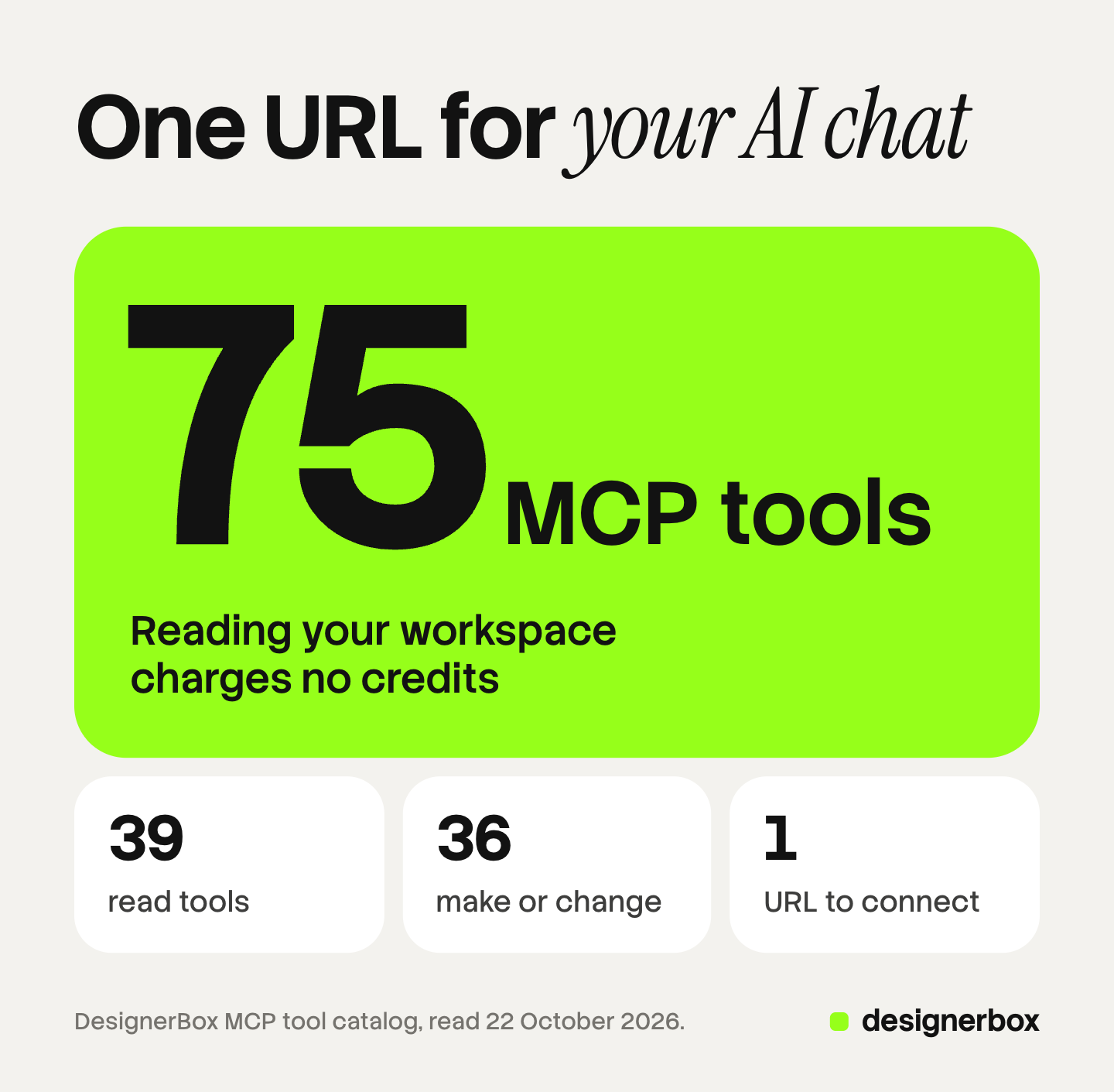
Of the 75 tools, 39 read your workspace and charge no credits. The other 36 make or change something. Six of those are destructive. Two cancel a running avatar or video job. Four delete a design, an asset, a workflow or a video project. Your client asks you before each one runs.
The group that changes how the work feels is workflows and apps. Those tools let the AI chat run something you built and approved earlier, rather than assembling a fresh brief every time. That is what makes the fiftieth product cost the same effort as the second.
What your AI chat knows before you ask
MCP has three primitives, and DesignerBox uses all three. Tools are functions the model decides to call. Resources are read-only data the application pulls in for context. Prompts are templates you invoke deliberately, which clients typically surface as slash commands (modelcontextprotocol.io, October 2026).
Four resources load at the start of a chat, with no permission prompt, because they only read:
- designerbox://account/summary for plan, credits used this month, design count, brand profile count and storage
- designerbox://brand-profiles/active for your brand voice, tone, themes and niche
- designerbox://teams/current for the team this connection is scoped to
- designerbox://recent-designs for your 10 most recent designs, metadata only
This is the part that keeps results on brand. The AI chat does not guess your voice or themes. It reads your active brand profile before it makes anything, and it reads the same record for the next product, so the set stays consistent. The brand record itself lives in brand profiles.
There is also an in-chat upload panel, so you can hand it a product photo without leaving the conversation.
Four named workflows sit in the slash menu and orchestrate several tools at once:
- /weekly-design-batch proposes weekly themes from your brand and recent work
- /audit-gallery flags recent designs that drift from your brand, read-only
- /brand-sync surfaces stale brand fields and suggests updates you approve
- /regenerate-with-style recreates an existing design in a different style
How to get started

Connecting takes three steps in a Claude client.
1. Copy the server URL.
https://mcp.designerbox.ai/api2. Add the connector. In Claude, open Settings, then Connectors, then Add custom connector. Name it DesignerBox and paste the URL. Press Add, then press Connect. Custom connectors work on Free, Pro, Max, Team and Enterprise plans, though Free is limited to one (support.claude.com, October 2026).
3. Sign in once. Sign in to DesignerBox and approve the connection. Your client receives a scoped 30-day token. Then you ask it to design.
For other clients:
| Client | How you add it | Notes |
|---|---|---|
| Claude Desktop / Claude.ai | Settings, then Connectors, then Add custom connector. See the Claude connectors steps | Free plan works, one connector max |
| Claude Code | The mcp add command with an http transport and the server URL | See the docs |
| Cursor | Add the server URL to your mcp.json, global or per project. See the Cursor MCP setup | cursor.com/docs/mcp, October 2026 |
| ChatGPT | On the web, open ChatGPT Plugins, press the plus button, then “Add custom MCP server”. Enter a name and the server URL, set the sign-in type, accept the risk warning and select “Create as a plugin” (developers.openai.com, October 2026) | OpenAI’s help center lists full MCP, with write actions, in beta for Business, Enterprise and Edu plans, and read and fetch access for Pro (help.openai.com, October 2026) |
| MCP Inspector | Point the inspector CLI at the server URL | For testing the connection |
The full connect flow for every client is on the DesignerBox MCP page. For Codex, Gemini CLI, OpenClaw and agents built on an API, see how to give an AI agent creative skills and models. OpenAI renames its menus often, so the ChatGPT MCP setup guide lists the current menu path and the four permission levels.
Connect from the app and other ways in
You can also connect from inside DesignerBox. Open the workspace menu, then Settings, then AI chat (MCP). Pick ChatGPT, Cursor, Claude Code or VS Code. The same page lists every connected AI chat. You can remove access at any time.
Every plan can make pictures from an AI chat. Each run uses credits.
MCP is one of several surfaces:
- Figma plugin. It is live. See the Figma plugin page.
- Chrome extension. It is live.
- iOS app. There is an iOS app. Android is coming.
- ChatGPT plugin. It is live. Install DesignerBox from the ChatGPT plugin directory, with no server address. See the DesignerBox ChatGPT plugin.
- Skills for Claude Code and claude.ai. They are live, free on GitHub, and install with the server as one plugin. See the DesignerBox skills.
- Coming soon. A one-click Claude connector. Today you connect Claude with the steps above.
What it costs, before you spend it
Credits are the unit, and they behave the same through MCP as they do in the app. The useful part over MCP is that your AI chat can read the price first. It can pull your plan, your remaining credits and the per-model rate, then tell you what the run will cost before it starts.
Image cost depends on the model, so there is no single per-image number. The image model on each step sets the rate. Cheap and expensive models sit in the same list, so whoever picks the model also picks the cost.
An avatar run returns nine fixed poses of one person.
Video cost varies more. An 8-second clip costs 40 to 560 credits, depending on the model. Before you choose, ask your AI chat to price a draft on a cheap model and a final version on an expensive one. Run the drafts on the cheap model, and use the expensive model only for the clip that already works. What Claude can and cannot do as a video generator works through the video side specifically, and the video editor covers what happens after the clip exists.
Plans and credits are on the pricing page.
Limits and plan gates
Worth stating plainly, so nothing surprises you after you connect.
- The free plan runs one job at a time, on the sample products. Read tools work on every plan and spend nothing.
- Uploading your own photos and the commercial license start on the Pro plan.
- AI video, virtual try-on, upscaling, the image editor and the video editor start on the Premium plan. They are not on Basic or Pro, and the free plan cannot make video.
- Team collaboration, shared brand kits and white label are on the Ultra plan. Every plan below Ultra is one seat, which is worth knowing if you are an agency.
- The chat is one call at a time. Batch runs a whole sheet of products, and you start that run in the app. From the chat window your AI chat reruns a saved workflow product by product.
- ChatGPT works on the web only, and your plan sets what it can do. The table above has the plan details. OpenAI’s guide says write actions require confirmation by default (developers.openai.com, October 2026).
- Video is async. Your AI chat submits the job and checks status. It does not block the conversation while a clip renders.
For the wider picture on handing production to an AI chat, see what to hand an AI creative agent and what to keep. Two issues of the AI Creative Production newsletter walk through an agent setup step by step, including what a run costs.
Security and sign-in
The connection uses OAuth. You approve the DesignerBox sign-in once and your client holds a scoped 30-day token, rather than you pasting a long-lived key into a config file. The MCP specification requires OAuth 2.1 with PKCE for remote servers, requires tokens on the authorization header rather than in the URL, and requires servers to validate that a token was issued for them (modelcontextprotocol.io, October 2026).
Beyond the protocol: you can see every connected AI chat in the app and remove access at any time, the auto-loaded resources are read-only, and your client asks you to confirm each of the six destructive tools before it runs. Your client holds a scoped token and never your password, and only the team you are signed in to is visible.
One honest note about the category rather than the product. A connected AI chat can act on text it reads, so treat anything a tool pulls in from outside as untrusted, and read the tool input before approving a write. OpenAI gives the same warning in its guide to custom MCP servers: “Only connect to MCP servers you trust” (developers.openai.com, October 2026).
The tool reference lists every tool on the server.
FAQ
What is DesignerBox MCP?
DesignerBox MCP is a remote Model Context Protocol server that exposes your DesignerBox account to an AI chat. It publishes 75 tools, four read-only resources and four named workflows. A client like Claude can then generate images, video and avatars, read your brand profile, rerun a saved workflow and search your design library from the chat window.
Which AI clients work with it?
Claude Desktop, Claude.ai, Claude Code, Cursor, ChatGPT and MCP Inspector. Any client that supports remote MCP servers over HTTP can connect. In Claude you add it under Settings, then Connectors, then Add custom connector. Custom connectors are available on Free, Pro, Max, Team and Enterprise plans, with Free limited to one (support.claude.com, October 2026).
Do I need an API key?
No. You approve a sign-in once and your client receives a scoped 30-day token.
Does it use my brand profile?
Yes. Your active brand profile loads as a read-only resource at the start of a chat, so the AI chat reads your voice, tone, themes and niche before it generates. It reads the same record for the next product, which is how a set of fifty stays to one standard.
How do credits work through MCP?
Exactly as they do in the app. The image model you pick for the step sets the image rate. An avatar run returns nine fixed poses of one person. An 8-second clip costs 40 to 560 credits, depending on the model. Read tools spend nothing, and a run spends credits. Your AI chat can read your plan, your remaining credits and the rate for the model it is about to call, so you approve a number rather than discover one.
Can it delete my designs?
Yes, but only after you confirm. Four tools delete a design, an asset, a workflow or a video project, and two cancel a running avatar or video job. Your client asks you to confirm each one before it runs. The auto-loaded resources are read-only, so they cannot delete anything.
Which models can it reach?
The image and video models DesignerBox runs, including Nano Banana Pro, GPT Image 2, Seedream 5 and FLUX 2 Flex for images, and Veo 3.1, Seedance 2.0 and Kling 2.6 Pro for video. Your AI chat picks the model unless you name one.
Sources
Protocol and client facts first accessed July 2026 and re-read on 2 October 2026. Product figures accessed September 2026, and the tool count and tool groups re-read on 22 October 2026.
- MCP open-sourced in November 2024, donated to the Linux Foundation’s Agentic AI Foundation in December 2025, and the count of active public MCP servers: (anthropic.com, September 2026)
- The three MCP primitives (tools, resources, prompts), and the OAuth 2.1 with PKCE, header-token and audience-validation requirements for remote servers: (modelcontextprotocol.io, October 2026)
- Claude custom connector availability across Free, Pro, Max, Team and Enterprise, the one-connector limit on Free, and the setup steps: (support.claude.com, October 2026)
- Claude Code MCP setup path: (code.claude.com, October 2026)
- Cursor mcp.json setup, global or per project: (cursor.com/docs/mcp, October 2026)
- ChatGPT custom MCP server steps, write confirmation and the risk warning: developers.openai.com, October 2026. ChatGPT plan access: help.openai.com, October 2026
- DesignerBox tool count, tool groups, resources and named workflows: (designerbox.ai/mcp and designerbox.ai/mcp/docs, read 22 October 2026). The AI chat (MCP) page, the other surfaces and plan access: DesignerBox app, read 22 October 2026. Plans, the video credit range and feature gating: (designerbox.ai/pricing, September 2026)
MCP protocol facts, client setup paths and plan requirements verified against modelcontextprotocol.io, anthropic.com, support.claude.com, code.claude.com, cursor.com and developers.openai.com as of July 2026, with the MCP donation date re-checked in September 2026. The Claude connector steps, the Claude Code and Cursor setup and the MCP authorization rules were re-read on 2 October 2026, and the ChatGPT custom MCP server steps and plan access on 7 October 2026. DesignerBox tool counts, the video credit range and plan gating verified against designerbox.ai/mcp and designerbox.ai/pricing, September 2026, with the plan gates re-read on 2 October 2026 and the tool count and tool groups re-read on 22 October 2026. Model specifications change frequently, so verify current limits against provider documentation before relying on them. Individual results vary.