
Claude connectors link Claude to an outside app or service, so Claude can read your data there and take actions for you. You add one in Customize, under Connectors. Pick a ready connector from Anthropic’s directory, or paste the URL of any remote MCP server as a custom connector. Then you sign in once and turn the connector on in a chat.
Your team already writes the brief in Claude. Then someone opens a second tab, uploads the same product photo again and types the brand rules again. A connector removes that step. Claude calls the tool where the photos, the brand rules and the saved steps already live.
This guide gives the exact steps for Claude.ai, Claude Desktop and Claude Code, as Anthropic’s pages state them in October 2026. It then shows the same setup with a creative production server, for marketers, designers and agency leads who already work in Claude.
Key Takeaways
- A connector is an MCP server with a sign-in. Anthropic’s directory lists ready ones. A custom connector is any remote MCP server you add by its URL.
- Every plan can add a custom connector. Free, Pro, Max, Team and Enterprise all can, and the Free plan is limited to one.
- On a team, an Owner goes first. Only Owners and Primary Owners add a custom connector on a Team plan. Each member then connects with a personal account.
- Setup is five steps. Open Customize, add the custom connector, paste the URL, check the sign-in settings and connect.
- Claude asks before a tool runs. You answer Allow once or Always allow, and you can set each tool to Always allow, Needs approval or Blocked.
- DesignerBox has 74 MCP tools at one URL. Reading your workspace charges no credits, and every finished run reports what it charged.
What are Claude connectors?
A Claude connector is a link between Claude and an outside app or service. Anthropic’s help center says connectors “let Claude access your apps and services, retrieve your data, and take actions within connected services” (support.claude.com, October 2026). Claude can only reach what your own account in that service can reach.
Under the name, a connector is a Model Context Protocol server. Anthropic’s own page describes MCP as “an open standard, created by Anthropic, for AI applications to connect to tools and data” (support.claude.com, October 2026). So “Claude connectors” and “Claude MCP servers” name the same thing. The server is the program a vendor runs. The connector is how it appears in your Claude settings.
Connectors work in Claude on the web, Claude Desktop, the phone apps, Cowork and Claude Code. For a list of servers by job, see the MCP servers a marketing team can use.
How do directory connectors differ from custom connectors?
Both kinds run on the same technology. The difference is who reviewed the connector and how you find it (claude.com, October 2026).
| Label | Where it comes from | What Anthropic did |
|---|---|---|
| Verified | The Connectors Directory | Tested the tools for quality and compatibility. Anthropic says this is not a security audit |
| Community | The Connectors Directory | Screened it before listing, with no review in depth |
| Custom | You add it by its URL | Nothing. Anthropic has not reviewed it |
For a directory connector, you open Customize, then Connectors, select Discover, pick the connector and select Connect to Claude. Then you sign in to the service (claude.com, October 2026).
A custom connector needs one more thing: the URL of the remote MCP server. Anthropic’s page says you can add a connector by its URL “whether or not it’s in the directory”.
Which Claude plans can add a custom connector?
Custom connectors that use remote MCP work on the Free, Pro, Max, Team and Enterprise plans. Free accounts can add one. The plan decides who is allowed to add it.
| Plan | Who adds a custom connector | What members do |
|---|---|---|
| Free | You, limited to one | Nothing more |
| Pro and Max | You | Nothing more |
| Team | An Owner or a Primary Owner | Each member connects with a personal account |
| Enterprise | An Owner, a Primary Owner, or a person whose custom role includes Manage access to Libraries | Each member connects with a personal account |
On Team and Enterprise plans, adding a connector does not give anyone access. Each person still signs in to the service, and Claude reaches only what that person can reach.
How to add a custom connector to Claude
You need the server URL before you start. The steps are the same in Claude.ai and in Claude Desktop, because both use your Claude account. In the desktop app, Customize is in the sidebar.

The server must be on the public internet. Anthropic says Claude connects to a custom connector “from Anthropic’s cloud infrastructure, rather than from your local device”, and this is true in Claude Desktop too.
On a Free, Pro or Max plan:
- Open Customize, then Connectors.
- Start a custom connector. Anthropic’s pages word this button three ways in October 2026: “Add custom connector”, ”+ Add” then “Add custom connector”, and “Add”, then “Custom”, then “Web”. Use the one your screen shows.
- Name it and paste the URL. Enter a name and the remote MCP server URL, then click Continue.
- Check the sign-in settings. Claude shows the authentication settings it found. Under Authentication, choose Sign in now, Sign in when needed or No sign in. Under OAuth client, keep “Use Claude’s published identity (Recommended)” unless the server’s documentation says otherwise. Then click Add.
- Connect and turn it on. Sign in on the service’s page and approve the access. In a chat, select the plus button, then Connectors, and turn the connector on for that conversation.
On a Team or Enterprise plan, the Owner does steps 2 to 4 in Organization settings, under Connectors. Members then open Customize, then Connectors, find the connector with the Custom label and click Connect.
To change a connector’s sign-in settings, you remove it and add it again. Adding a connector on a phone is in beta. A connector you added on the web is ready in the phone apps the next time you log in.
Claude Desktop and local servers
Claude Desktop has a second route that the web does not. A desktop extension is a local MCP server that runs on your own computer. You install one in Settings, under Extensions (support.claude.com, October 2026). Use it for local files or a database on your machine. For a cloud service, Anthropic’s guide points to a remote connector.
How to add an MCP server to Claude Code
Claude Code adds a remote server with one command (code.claude.com, October 2026):
claude mcp add --transport http <name> <url>The command saves the server for the current project only. Add the scope flag to change that:
claude mcp add --transport http --scope user <name> <url>User scope loads the server in all your projects. Project scope writes a file named .mcp.json in the project root, which your team shares through version control. Two more commands help:
claude mcp list
/mcp
The first lists your servers with a status. The second runs inside Claude Code and opens the sign-in for a server that uses OAuth.
You may not need the command at all. If you log in to Claude Code with your Claude.ai account, the connectors you added in Claude.ai are available in Claude Code automatically. The same remote server also works in other clients, and the Cursor MCP setup and the ChatGPT MCP setup cover two of them.
What does Claude ask before a tool runs?
Claude can ask for your approval before it uses a connector’s tool. You select Allow once to continue, or Always allow to skip the question for that tool from then on.
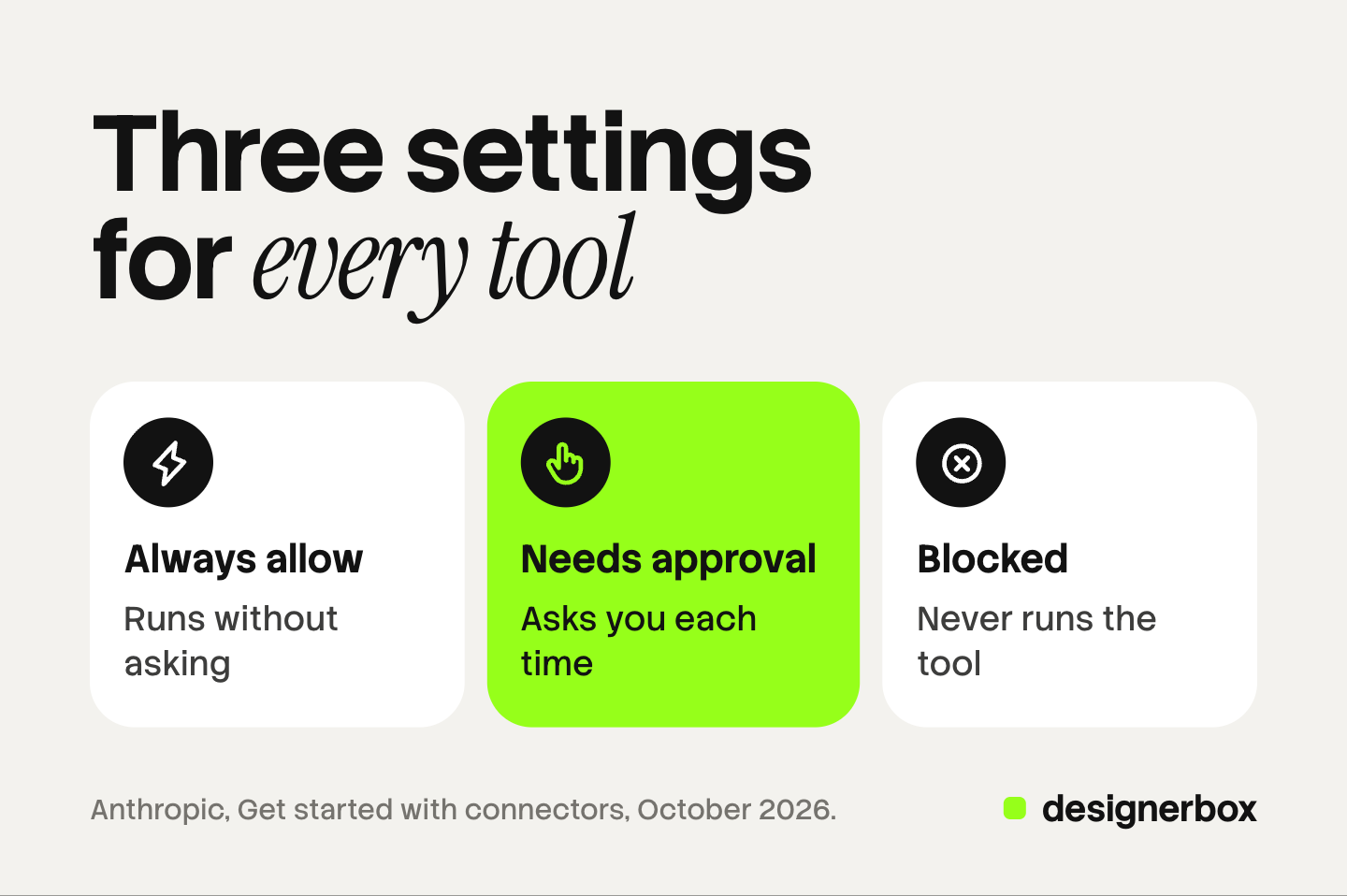
You can set this ahead of time. Open Customize, then Connectors, and select the connector. Under Tool permissions, each tool or group of tools takes one of three settings:
| Setting | What Claude does |
|---|---|
| Always allow | Runs the tool without asking |
| Needs approval | Asks you each time |
| Blocked | Never runs the tool |
Anthropic groups the tools by type, for example read-only tools and write or delete tools. For a server that spends money, set the read tools to Always allow and the write tools to Needs approval.
Owners on Team and Enterprise plans can set the same three choices for the whole organization. A member cannot override them.
What risks does Anthropic name?
Anthropic states the main risk plainly: custom connectors “allow you to connect Claude to services that haven’t been verified by Anthropic”. Its custom connector page lists what to do about it:
- Connect only to servers you trust. Use servers built and hosted by organizations you already trust with the data.
- Read the permissions at sign-in. Deny access when a server asks for more than the job needs.
- Know about prompt injection. A malicious server may carry hidden instructions. Claude has built-in protections, and Anthropic still tells you to watch tool inputs and results.
- Use Always allow with care. Anthropic says to click it only for a server and a tool you trust to run unsupervised.
- Take care in Research. During Research, Claude can call connector tools without further approval. Turn off tools that write first.
With OAuth, Claude never sees your password, and you can disconnect the connector at any time.
DesignerBox as a custom connector
Anyone can make an AI picture. Making hundreds that still look like your brand is the hard part.

DesignerBox is AI creative production for brands and agencies. You build a workflow once with your brand rules, then run it on the next product, and the one after. The full workflow from the first product photo to the finished ad, in one subscription.
The DesignerBox server has 74 MCP tools behind one URL (DesignerBox MCP page, October 2026):
https://mcp.designerbox.ai/apiFollow the five steps above. Name the connector DesignerBox, paste the URL, keep the sign-in settings Claude finds and approve the DesignerBox sign-in. Claude holds a scoped token for 30 days, and you can revoke it in your DesignerBox account. There is nothing to install. The DesignerBox for Claude page also has a button that opens the setup in Claude Desktop.
In Claude Code, the command is:
claude mcp add --transport http designerbox https://mcp.designerbox.ai/apiOn first use, Claude Code opens a browser tab for the same sign-in. The same URL works in any AI chat such as Claude, ChatGPT or Cursor.
Your active brand profile loads when the chat opens, and a workflow reads the brand record before every run. Nobody has to describe the brand to Claude again. The DesignerBox MCP launch post groups the 74 tools by job, and the tool reference lists each one with its arguments.
Prompts Claude can run
Claude can run four kinds of job: one picture, edit or clip; a workflow you built, where each step returns its own result; an app, which is a workflow behind a short form; and a list of products, row by row.
Each line below is a prompt you can copy.
| You write | The tool Claude calls | What comes back |
|---|---|---|
| ”Using DesignerBox, build a flat lay from these three product photos on warm linen, seen from above.” | flat_lay | One flat lay picture |
| ”Using DesignerBox, put this garment on this model photo. Keep her face, her pose and the background.” | virtual_try_on | The garment worn by the person in your photo |
| ”Using DesignerBox, run my on-model app with this model photo and these two garment photos, then tell me when it is finished.” | run_app | The results of the app run |
| ”Using DesignerBox, create an avatar of a woman in an ivory linen shirt, daylight, looking at the camera.” | create_avatar | Nine poses of one person for 25 credits |
To add a photo, ask Claude to upload it. A file picker opens in the chat, and the photo goes to Assets. Claude does not render pictures itself, and how Claude makes images through a connector explains that split.
Cost before the run
The DesignerBox MCP page lists what a connected chat can spend (DesignerBox MCP page, October 2026):
- Reading is free. Reading your designs, brands, models and plan charges no credits.
- The price comes first. Claude can read what each model costs and how many credits you have left before it starts a run.
- Every run reports its charge. The finished run states the credits it used, in the same answer as the result.
- One charge per retry. A repeated call within five minutes returns the first result and does not charge twice.
- Cancel and refund. Stop an avatar or a video job while it runs, and the credits are refunded.
An 8-second clip costs 40 to 560 credits, depending on the model. With the run tools set to Needs approval in Claude, each paid run waits for your answer.
Uploading your own photos and the commercial license start on the Pro plan. AI video, virtual try-on, upscaling, the image editor and the video editor start on the Premium plan. Team features, shared brand kits and white label are on the Ultra plan, and every plan below Ultra is one seat. Plans and credits are on the pricing page.
Limits of a chat run
- One custom connector on Claude’s Free plan. A second custom server needs a paid Claude plan.
- A chat works one row at a time. For a sheet of products, batch runs one workflow over the whole sheet inside DesignerBox, up to 200 rows a sheet.
- Video is asynchronous. A picture returns in the same call. For video, Claude sends the job, checks it, then returns the file. A video timeline takes one to five minutes.
- Results stay in your workspace. They land in Assets, and you download them from there.
- Claude still writes the brief. What Claude does for a marketing team covers the text half.
There is a free plan, and it runs on sample products. Connecting and reading your workspace work on every plan. Making pictures and video from the chat needs a paid plan. Get started free.
FAQ
What are Claude connectors?
Connectors link Claude to outside apps and services, so Claude can read your data there and take actions for you. Each connector is a Model Context Protocol server. You pick one from Anthropic’s directory or add a remote server by its URL.
How do I add a custom connector to Claude?
Open Customize, then Connectors, and add a custom connector. Enter a name and the remote MCP server URL, check the sign-in settings and click Add. Then sign in and turn the connector on from the plus menu in a chat.
Who can add a connector on a Claude Team plan?
Only Owners and Primary Owners can add a custom connector on a Team plan. After that, each member connects with a personal account.
Does Claude ask before a connector tool runs?
Claude can ask for approval before it uses a tool. You select Allow once or Always allow. Under the connector’s Tool permissions you can also set each tool to Always allow, Needs approval or Blocked.
What can Claude run in DesignerBox, and what does it cost?
Claude can run single jobs, your workflows and your apps through 74 MCP tools. Reading your workspace charges no credits. A run charges credits, the cost is shown before the run, and the finished run reports its charge. DesignerBox does not have a public API. It has 74 tools over MCP.
Sources
- Anthropic, “Use connectors to extend Claude’s capabilities”: the connector definition, plans for custom connectors, Team and Enterprise setup, action restrictions, phone apps: support.claude.com, read October 2026
- Anthropic, “Get started with custom connectors using remote MCP”: the MCP definition, network requirements, who can add a connector, the setup steps, security and Research guidance: support.claude.com, read October 2026
- Anthropic, “Get started with connectors”: directory steps, Allow once and Always allow, Tool permissions: claude.com, read October 2026
- Anthropic, “Add a connector that isn’t in the directory”: steps by plan, authentication settings, editing a connector: claude.com, read October 2026
- Anthropic, “Connector verification”: the Verified, Community and Custom labels: claude.com, read October 2026
- Anthropic, “When to use desktop and web connectors”: remote connectors and desktop extensions: support.claude.com, read October 2026
- Anthropic, “Connect Claude Code to tools via MCP”: the add command, scopes, server status, connectors from Claude.ai: code.claude.com, read October 2026
- DesignerBox MCP server, tool count, clients, prompts, cost rules and timing: DesignerBox MCP page and DesignerBox for Claude page, October 2026. Plan gates: DesignerBox pricing, October 2026
Claude menu names, plan access, permission settings and Claude Code commands verified against Anthropic’s help center and documentation on 7 October 2026. Anthropic changes these menus often, so check your own settings. DesignerBox tool and cost facts verified against the DesignerBox MCP page as of October 2026.