
AI Creative Production is the new DesignerBox newsletter. It is free, and it is written for the people who make product images and ads for ecommerce brands. Each issue covers one practical thing: a marketplace image spec, an agent setup, or the checks to run before a listing is published. Five issues have been published since 16 September 2026.
Most creative advice stops at the picture. The picture is the easy part now. What stops a launch is a main image cropped to the wrong percentage, a metadata tag stripped by an export, or an ad that goes to review because nobody marked the asset. Those are specs, and specs move.
This post says what the newsletter covers, what has been published so far, and who should read it.
Key Takeaways
What it is: AI Creative Production, a free newsletter from the DesignerBox team on Substack. Who it is for: ecommerce brand teams and the agencies that produce for them, not hobbyists. What is in an issue: one spec, one workflow, or one list of checks, with the source and the date. Published so far: five issues since 16 September 2026, on marketplace image rules, agent setups, a Claude skill for product images and an Instagram product launch. What it costs: nothing. Every issue is free to read. Why it exists: platform image rules change on their own schedule, and a rule you miss is a listing you cannot sell from.
What the newsletter covers
There are three kinds of issue so far.
Spec sheets. The numbers a platform publishes and the date it published them. Pixel floors, background values, how much of the frame the product should fill, what metadata has to survive an export.
Setups. How to connect a model or an agent to real creative work, step by step, including what it costs before you start.
Checks. The short list to run over a set of images before anything reaches a listing or an ad account.
Each issue names its sources and gives the date each one was checked. A rule with no date is a rule you cannot act on, because you have no way to tell whether it is current.
The five issues so far
| Issue | What it covers |
|---|---|
| Instagram Product Launch: Answer “Price?” in Seconds | How to plan the pictures, the posting and the reply to comments |
| Amazon and Google Image Rules: Crop Once, Tag Twice | Where the two platforms agree on the crop, and where the metadata tag is a minimum requirement rather than advice |
| A Claude skill for product images: the file and the cost | The skill file itself, the connection steps, and what a run costs |
| Make an AI agent do creative work: setup, tools, checks | What an agent needs before it can make images, and the checks that catch a bad result |
| Amazon image rules, Meta ad sizes and 8 checks for AI model shots | Pixel sizes, safe zones and the eight checks for a shot with a person in it |
These are short. The newsletter is written to be read once and used, not saved for later.
One spec, checked: the crop and the tag
Here is the kind of fact an issue is built on, with the sources.
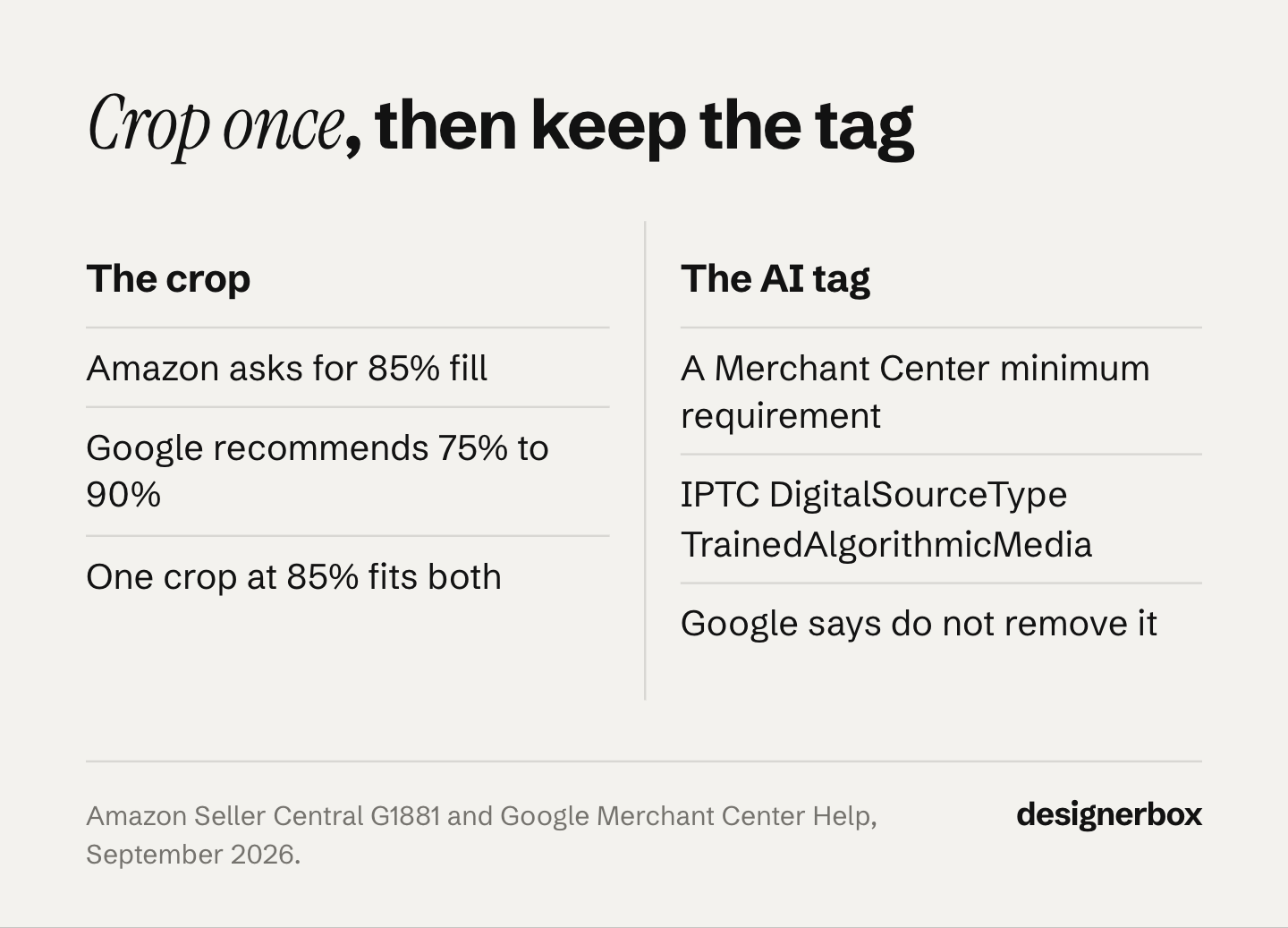
Amazon asks for a main image where the product fills 85% of the frame, on a pure white background at RGB 255, 255, 255, and says it may remove a listing from search until the main image complies (sellercentral.amazon.com, accessed September 2026). Google recommends that the product takes no less than 75% and no more than 90% of the image (support.google.com, accessed September 2026). One crop at 85% clears both, so this is a spec you read once and stop thinking about.
Google Merchant Center accepts product images made with AI. An AI image must carry a tag saying AI made it, and Google’s own example is the IPTC DigitalSourceType value TrainedAlgorithmicMedia (support.google.com, accessed October 2026). Google’s product data specification lists the rule under the minimum requirements for the image link (support.google.com, accessed October 2026). The crop is a recommendation. The tag is a requirement. An export that strips metadata breaks that rule, and nothing on screen looks any different.
Google also added an AI label setting across Google Ads, Display & Video 360, Campaign Manager 360, Merchant Center and Ads Editor from July 2026 (support.google.com, accessed September 2026). Google says using that setting does not guarantee you comply with a given law (support.google.com, accessed September 2026).
This is general information, not legal advice. For the full treatment across Amazon, Etsy, Walmart, eBay and TikTok Shop, read the marketplace rules and disclosure guide.
Who it is for
The newsletter is written for two readers.
Brand and ecommerce teams with 20 to 500 products. You run drops on a calendar. Every new product needs a hero, angles, a lifestyle frame and a marketplace crop, and each channel wants them slightly differently. You want the spec once, correct, with a date on it.
Agencies producing for those brands. You carry the same job across many clients, so one missed rule repeats twenty times before anyone notices.
It is not written for people making pictures of themselves, and it does not cover model leaderboards or prompt tricks.
The newsletter and the blog
They do different jobs. The blog answers the question you searched for, at length, and it stays up to be found again. The newsletter arrives with one thing you can use this week, and it goes into more depth on setups than a search result usually needs.
DesignerBox is AI creative production for brands and agencies. Anyone can make an AI picture. Making hundreds that still look like your brand is the hard part. You build a workflow once with your brand, your products and your rules. Then you run it on every new product, and you see the cost before each run.
Everything the job needs sits in one place: templates, workflows, apps, batch, the image editor, the video editor, brand, Assets, the AI models, the MCP server and the Figma plugin, in one subscription. If that is the shape of your problem, AI product photography is where the listing set starts. A product imagery template is a finished starting point, and saved workflows hold the same standard on the next product. Uploading your own photos starts on the Pro plan.
Related reading on the blog: DesignerBox MCP for running the same workflows from an AI chat, skills and MCP compared for how the two fit together, and AI product listing images for the listing set itself.
The next issue, in your inbox
AI Creative Production is free, and every issue so far is free to read in the archive. If your week includes product images, listings or ads, it is written for you. The next issue lands in your inbox with one spec, one setup or one checklist, each with its source and the date it was checked.
Subscribe to AI Creative Production
FAQ
What is the AI Creative Production newsletter?
It is the DesignerBox newsletter, published on Substack at the handle @aicreativeproduction. It covers practical specs, workflows and checks for teams making product images and ads with AI. The DesignerBox team writes it.
How much does it cost?
Nothing. It is free to subscribe and every issue published so far is free to read.
How often does it arrive?
There is no fixed schedule yet. The newsletter started on 16 September 2026 and has run five issues since, so the cadence is still settling. Issues arrive when there is a spec or a setup worth sending.
Do I need a DesignerBox account to read it?
No. The newsletter is open to anyone. It is not a product changelog, and most issues are about platform rules and setups rather than about DesignerBox.
What is the difference between the newsletter and this blog?
The blog answers a search query in full and stays up to be found again. The newsletter sends one usable thing at a time, with more depth on setups. The audiences overlap, and the two do not repeat each other.
Does it cover Amazon and Google image requirements?
Yes. Two of the five published issues cover marketplace image rules, including the crop percentages and the AI metadata tag that Google Merchant Center lists under minimum requirements.
Can I read old issues before subscribing?
Yes. The archive is public at aicreativeproduction.substack.com.
Sources
- Amazon Seller Central, product image requirements: sellercentral.amazon.com, accessed September 2026
- Google Merchant Center, image requirements and AI metadata: support.google.com, accessed September 2026
- Google Merchant Center, image size guidance: support.google.com, accessed September 2026
- Google Ads, AI labels in ad creatives: support.google.com, accessed September 2026
- Google Ads Help, AI disclosures and labels: support.google.com, accessed September 2026
- AI Creative Production newsletter and archive: aicreativeproduction.substack.com, accessed 2 October 2026
Newsletter details verified from aicreativeproduction.substack.com as of September 2026, and the issue list re-checked on 2 October 2026. Platform rules verified from the sources listed above on the dates shown. Individual results vary.