Nano Banana 2.1 is Google’s image generation and editing model, released on 6 October 2026 as an update to Nano Banana 2. It makes 1K, 2K and 4K pictures and mixes up to 14 reference images. In the Gemini API, a 1K picture costs half the Nano Banana 2 price. Google’s own model card also lists where it still fails, such as small text.
Google now recommends 2.1 for every new project, and it has deprecated Nano Banana 2 with no shutdown date yet. If your team runs the same product prompt every week, a model change touches every picture that prompt makes.
This guide covers the specs Google publishes, what changed, what Google’s own tests show, and the known limits. It ends with a way to test 2.1 on your own products before you switch. It is written for brand and agency teams who make product and ad pictures at volume.
Key Takeaways
- An update, with a new name. The API model code is gemini-nano-banana-2.1. Google’s model card says it is based on Gemini 3.6 Flash.
- Half the price at 1K and 2K. A 1K picture is $0.0336 against $0.067 for Nano Banana 2, at Google’s standard API rates.
- 14 references, split by type. Up to 10 object images and up to 4 character images in one request.
- No 512px size, and thinking stays on. You choose minimal, medium or high thinking. You cannot turn it off in the API.
- Google’s own scores favor 2.1. In Google’s side-by-side human ratings, 2.1 leads Nano Banana 2 on product consistency. Google ran these tests itself.
- Small text is still the weak spot. The model card says small text is often blurry at 1K. Read every label word at full size.
What is Nano Banana 2.1?
Nano Banana 2.1 is the Gemini API model that makes and edits pictures from text, images, video and PDF input. Google calls it an update to Nano Banana 2, also known as Gemini 3.1 Flash Image, that keeps Flash speed and cost. Google’s model card places it in the Gemini 3 series and says it is based on Gemini 3.6 Flash.
Google released it as generally available on 6 October 2026 (Gemini API changelog, October 2026). The model card lists seven places it runs: the Gemini app, Google AI Studio, the Gemini API, AI Mode in Google Search, Google Ads, Flow and Stitch (Nano Banana 2.1 model card, October 2026).
Nano Banana is a family. Nano Banana Pro is Gemini 3 Pro Image, and Nano Banana 2 Lite is the cheapest model, made only at 1K. The beginner’s guide to AI for product photography explains where models like these fit in a product shoot.
Nano Banana 2.1 specs
These are the specs Google publishes for the model in the Gemini API. An app that runs the model may show fewer settings.
| Spec | Nano Banana 2.1 |
|---|---|
| API model code | gemini-nano-banana-2.1 |
| Release | Generally available on 6 October 2026 |
| Based on | Gemini 3.6 Flash |
| Input | Text, image, video and PDF |
| Output | Image and text |
| Sizes | 1K by default, plus 2K and 4K. No 512px size |
| Aspect ratios | 14, from 1:8 to 8:1 |
| Reference images | Up to 14: up to 10 object images and up to 4 character images |
| Thinking | Minimal, medium (the default) or high. It cannot be turned off in the API |
| Search grounding | Google Web Search and Google Image Search. Image Search does not use real-world pictures of people |
| Watermark | An invisible SynthID mark on every picture |
| Knowledge cutoff | March 2026 for Gemini 3.6 Flash. Some topics stop at January 2025 |
| Batch API | Supported |
The specs come from Google’s model page, its image generation guide and the model card, all read in October 2026.
The 14 ratios are 1:1, 1:4, 1:8, 2:3, 3:2, 3:4, 4:1, 4:3, 4:5, 5:4, 8:1, 9:16, 16:9 and 21:9. A square 1K picture is 1024 by 1024 pixels, and a square 4K picture is 4096 by 4096.
What changed from Nano Banana 2
Google names these changes on the model page and in the changelog:
- Picture quality. Better visual quality and realism at 1K, 2K and 4K.
- Wide and tall pictures. Google fixed tiling artifacts at 1:4, 4:1, 1:8 and 8:1, at 2K and 4K.
- Text. Better text rendering and infographic layout.
- Consistency. Better prompt adherence and better character consistency across several turns of editing.
The price and the status changed too.
| Nano Banana 2 | Nano Banana 2.1 | |
|---|---|---|
| API model code | gemini-3.1-flash-image | gemini-nano-banana-2.1 |
| 1K picture | $0.067 | $0.0336 |
| 2K picture | $0.101 | $0.0504 |
| 4K picture | $0.151 | $0.113 |
| 512px picture | $0.045 | Not offered |
| Status | Deprecated on 6 October 2026, no shutdown date | Google’s choice for new projects |
These are Google’s standard per-picture rates in the Gemini API. The Batch API halves the 2.1 rate to $0.0168 for a 1K picture, and the Gemini API has no free tier for this model (Gemini API pricing, October 2026). Text and thinking output are billed as tokens on top of the picture.
Google’s deprecations page names gemini-nano-banana-2.1 as the replacement for gemini-3.1-flash-image and gives no shutdown date (Gemini API deprecations, October 2026). Nothing forces a move today. A test now costs less than a forced move later.
What Google’s own tests show
The model card reports Elo ratings from side-by-side human votes. A higher number means people preferred that model’s result more often. It is a preference score, so it says nothing about how often a picture is usable.
| Capability | Nano Banana 2.1 | Nano Banana 2 | Nano Banana Pro |
|---|---|---|---|
| Product consistency | 1024 | 955 | 965 |
| Multi-reference editing | 1066 | 988 | 989 |
| Multi-character consistency | 1106 | 978 | 1011 |
| General editing | 1026 | 938 | 939 |
| Infographic design | 1048 | 961 | 912 |
The 2.1 column is the thinking version. Google also scored 2.1 with no thinking, and it rated lower on every editing row. In the API, thinking is always on, and minimal is the lowest level.
Google ran these tests and chose the tasks. Treat the table as a reason to test 2.1, not as a result for your product. Google still calls Nano Banana Pro its premium choice for the most complex visual tasks. Nano Banana 2 vs Nano Banana Pro compares the two on product work.
Known limits in Google’s model card
The model card has a list called known limitations. Six lines on it matter for product and ad pictures.
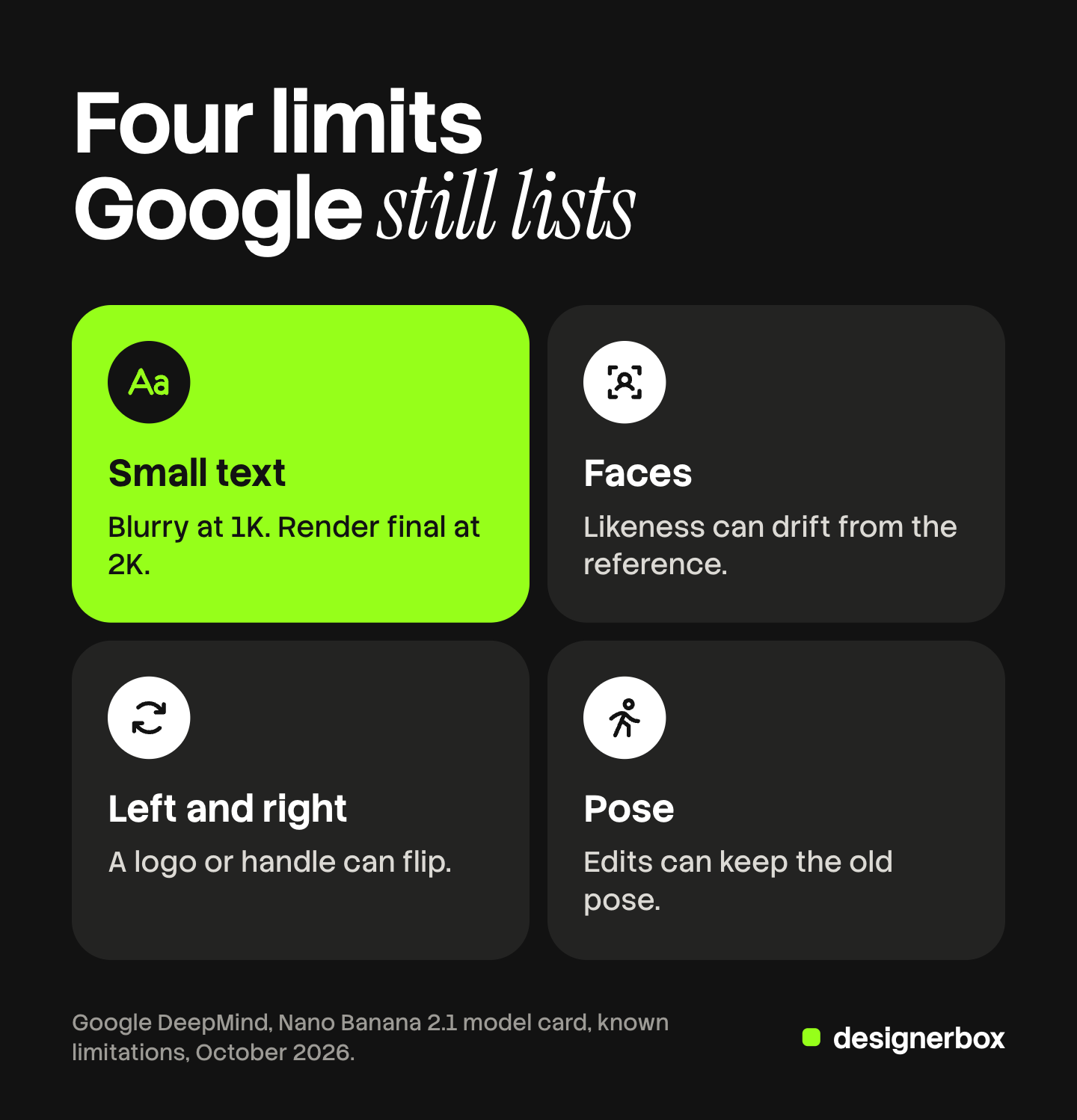
| What Google lists | What it does to a product picture | What to check |
|---|---|---|
| Small text “often blurry in 1k model” | Ingredient lists, sizes and fine print turn soft | Make the final file at 2K or 4K, and read each word at full size |
| Long paragraphs | Body copy on a pack or a poster breaks | Add long text later in a design tool |
| Character consistency “not always perfect” | A model’s face drifts between shots | Compare each face with the reference before you approve a set |
| Masked or doodle edits only partly followed | A marked area changes too little, or the marks stay | Check the marked area and the edges around it |
| Persistent subject pose | An edit keeps the old pose you asked to change | Say the new pose in plain words, then compare |
| Left and right confusion | A logo, handle or pocket moves to the wrong side | Hold the result next to the real product |
The card also says the model is “still limited” in 3D reasoning. A new angle of your product is a guess unless you supply a photo of that angle. Our check on AI product photo accuracy lists the defects to look for on a whole set.
How to prompt Nano Banana 2.1 with reference images
References are where 2.1 earns its place in product work. Six steps keep the product the same.
- Pick clean references. Use the front, the side and a close-up of the label. Up to 10 object images fit in one request.
- Say what each image is. For example: “Image 1 is the bottle. Image 2 is the label up close.” This is our working habit. Google does not set a format.
- Name what must stay. Google’s own edit example ends with “Do not change any other elements of the image.”
- Set the size and the shape. In the API, image_size takes an uppercase K, such as 2K. A lowercase k is rejected.
- Raise thinking for hard scenes. Medium is the default. Google’s thinking example sets it to high.
- Change one thing per turn. A follow-up keeps what worked. A new prompt starts again.
Thinking makes up to two interim pictures to test the layout. Google says these interim pictures are not charged (Gemini API image generation guide, October 2026). Prompt wording for the Nano Banana family is in Nano Banana Pro prompts for product images, and the five-part prompt is in how to use AI to create images.

Should you switch from Nano Banana 2?
For a new project, Google’s answer is yes. For a prompt that already works on Nano Banana 2, test first.
- Keep everything else fixed. Use the same product photos, the same words, the same size and the same ratio on both models.
- Use hard products. Pick one with label text, one with a shiny surface and one with a print.
- Score against the real item. Shape, text, color, light and anything the model invented.
- Read text at the final size. A label that passes at 4K can fail at 1K.
How to compare AI image generators on your own product gives a five-line scorecard for this test.
Model changes inside a saved workflow
Each step of a DesignerBox workflow runs on one model. A template comes with the model set, and in your own workflow you pick it. The DesignerBox models page lists Nano Banana Pro and Nano Banana 2 among the image models. It does not list Nano Banana 2.1 on 22 October 2026.
Anyone can make an AI picture. Making hundreds that still look like your brand is the hard part.
The model is one step. Your brand rules, your prompt and your steps stay in the workflow. When a step changes model, you run the same workflow on the same products and compare the results. Batch runs one workflow over a sheet of products, so row one and row two hundred get the same steps. The cost is shown before the run.
In Generate you choose the model yourself, so you can test a new model on one product first. The pictures, the workflow and the brand rules stay in one account.
There is a free plan, and it runs on sample products. Uploading your own photos starts on the Pro plan. Plans and credits are on the pricing page.
The first job, built once
Start from a template, add your brand and your products, and run it.
FAQ
What is Nano Banana 2.1?
Nano Banana 2.1 is a Google model that makes and edits pictures. Its API code is gemini-nano-banana-2.1, and Google released it on 6 October 2026. It is an update to Nano Banana 2 and is based on Gemini 3.6 Flash.
Is Nano Banana 2.1 better than Nano Banana 2?
In Google’s own side-by-side ratings, 2.1 scores higher on product consistency, editing and infographic design. Google ran those tests itself. Test both models on your own products before you move a working prompt.
How much does Nano Banana 2.1 cost?
In the Gemini API, Google lists $0.0336 for a 1K picture, $0.0504 for 2K and $0.113 for 4K. The Batch API halves those rates. Text and thinking output are billed as tokens on top.
How many reference images does Nano Banana 2.1 take?
Up to 14 in one request. Google lists up to 10 object images and up to 4 character images. Say in the prompt what each image is.
Can you turn off thinking in Nano Banana 2.1?
No. Google says thinking is on by default and cannot be turned off in the API. You choose minimal, medium or high, and medium is the default.
Is Nano Banana 2 being shut down?
Google deprecated Nano Banana 2 on 6 October 2026 and named 2.1 as its replacement. Its deprecations page lists no shutdown date on 22 October 2026.
Does DesignerBox run Nano Banana 2.1?
The DesignerBox models page lists Nano Banana Pro and Nano Banana 2 on 22 October 2026, and not Nano Banana 2.1. In a workflow, the model is one step, so the brand rules and the prompt stay the same if the step changes.
Sources
- Gemini API, Gemini Nano Banana 2.1 model page: model code, input and output types, key updates, Batch API (ai.google.dev, accessed October 2026)
- Gemini API image generation guide: sizes, aspect ratios, reference image limits, thinking, Image Search grounding, SynthID, edit prompts (ai.google.dev, accessed October 2026)
- Gemini API pricing: Nano Banana 2.1, Nano Banana 2 and Batch rates (ai.google.dev, accessed October 2026)
- Gemini API changelog, entry of 6 October 2026 (ai.google.dev, accessed October 2026)
- Gemini API deprecations, Nano Banana models (ai.google.dev, accessed October 2026)
- Google DeepMind, Nano Banana 2.1 model card: Gemini 3.6 Flash base, distribution, evaluation results, known limitations, knowledge cutoff (deepmind.google, accessed October 2026)
- DesignerBox models page (designerbox.ai/models), October 2026
Specs, prices and test results were read on Google’s own pages on October 22, 2026. Elo ratings are Google’s own side-by-side human preference scores, not a pass rate. Model limits and prices change often, so check each page before you plan around it. Individual results vary.