




The best OpenArt alternative depends on what you are replacing. OpenArt is an all-in-one platform for AI images, video, characters and audio, and its own FAQ says it is built for everyday creators (openart.ai, September 2026). For one asset, Krea, Leonardo and Midjourney all cover it. For the same asset across 300 products, the shortlist gets much shorter.
This list sorts by the job you are replacing. Many platforms on this page offer the same frontier models. OpenArt, Krea and Higgsfield each list models from other companies, such as Kling, GPT Image, Nano Banana and Seedance (openart.ai, krea.ai and higgsfield.ai, September 2026). Midjourney is the exception. It runs its own models, released as numbered versions, and V8.2 is the current default (docs.midjourney.com, September 2026). A separate guide covers Midjourney alternatives sorted by job.
So the model list rarely decides the choice. What still differs is what happens around the generation: whether your brand rules apply on the two hundredth run, whether you can script it, and whether you are allowed to put the result in a client deck.
That last one is worth reading carefully before you switch, because OpenArt’s pages do not all say the same thing.
A note on bias. DesignerBox makes AI creative production software, so it is one of the tools on this list. Rows below say where the other seven are the better buy, and there are several.
Key Takeaways
Sort by the job, not the model list. Many platforms here offer the same frontier models, and Midjourney runs its own. The difference is what surrounds the generation.
Read the commercial-use terms first. The Terms of Service and the pricing page tie commercial use to the Plus plan and up. The help center and the homepage FAQ name no plan. The Terms are the binding document.
No public API. OpenArt’s own help center states that no public API is available currently. It ships an MCP server and a CLI instead, both tied to a signed-in account.
Character work is where OpenArt is strong. Character Builder, Director Mode and its fine-tuned model library are real reasons to stay.
Agencies should check seats first. OpenArt states that seats on basic plans cannot share content or collaborate. Check the team tier, not the seat count.
Brand rules have a scope. OpenArt says Brand Kit currently applies inside Create Image and Text to Video, so check it covers the surface you use.
What OpenArt is, and who it is built for
OpenArt calls itself “your all-in-one AI creation platform that brings characters, stories, brands, and worlds to life” and describes its scope as “image, video, voice, audio. Every asset generated, edited, and stitched together without leaving the platform” (openart.ai, September 2026).
The surfaces it names on its own site are broad. They include image generation and editing, video up to 15 seconds, a Character Builder for reusable characters, Director Mode for longer films and Smart Shot for turning one prompt into several cuts. They also include voiceover in 30 or more languages with lip sync, a 3D environment generator called Worlds, model fine-tuning, a library of community models, and an MCP server with a CLI (openart.ai, September 2026).
On audience it says two things at once. The homepage FAQ says OpenArt “is built for everyday creators”. The Brand Kit page names four business segments directly: creative ad agencies, in-house marketing teams, freelancers and content creators, and ecommerce and DTC brands (openart.ai, September 2026). The product spans both, which is why people arrive at an alternatives search from two very different directions. Our OpenArt review covers each of its tools, its terms and six checks before you buy.
Read the terms before you pick a replacement
The terms decide whether you can bill for the work.
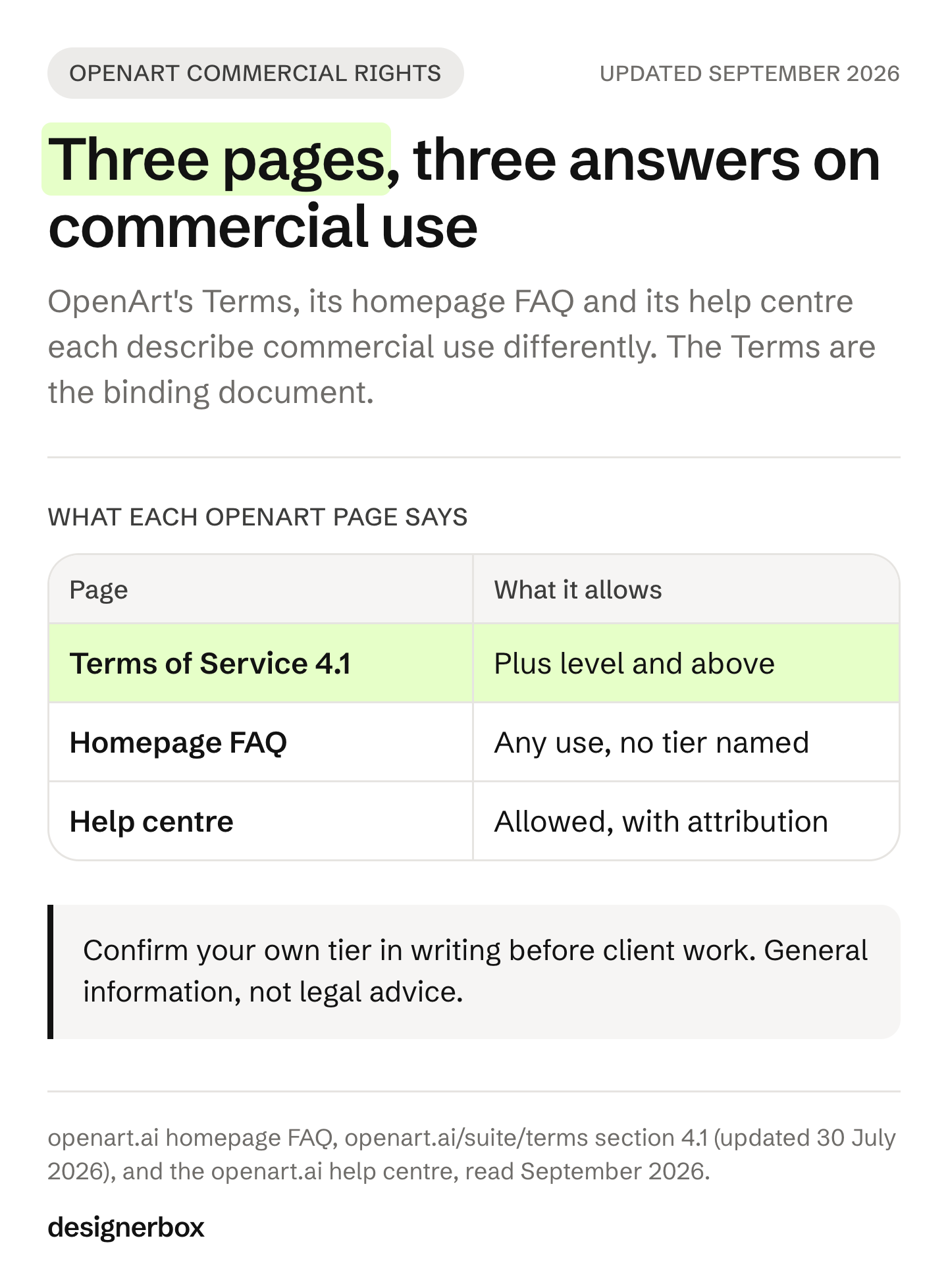
Four OpenArt pages describe commercial-use rights. Two of them name a plan:
| Where | What it says |
|---|---|
| Terms of Service, section 4.1 | Output may be used freely for non-commercial purposes on all subscription levels. Commercial use applies “for subscription levels at, and above, the Plus level” |
| Pricing page | ”Commercial use rights” appears on the Plus, Pro and Wonder plans, and not on Starter |
| Homepage FAQ | ”You fully own what you create and can use it however you like, in ads, on social media, in client work, on merchandise”. No tier condition is stated |
| Help center | ”Yes. You may use, modify, and distribute them commercially or non-commercially, with proper attribution to OpenArt and/or the human artist when applicable”. No plan is named |
Source: openart.ai, Terms and homepage FAQ read September 2026, pricing page and help center re-read October 2026. The help center named the Plus plan in September and no plan in October.
The Terms of Service are the binding document, and they gate commercial use at a tier. The Terms also state that output generated on a free plan may include a visible OpenArt watermark, and that removing it is a material breach.
None of that makes OpenArt a bad tool. If you are an agency putting generated frames into client work, confirm your own tier with OpenArt in writing. Do not rely on the homepage FAQ. This is general information, not legal advice. Terms change, so read the current version before you sign anything.
The same check applies to whichever tool you move to. We wrote up what usage rights normally cover in what you actually own after a shoot.
Eight OpenArt alternatives, sorted by the job
| Tool | What it is | Programmatic access | Free plan |
|---|---|---|---|
| Krea AI | Creative suite for images, video and 3D, with a node editor, Realtime canvas and LoRA training | Public API | Yes |
| Leonardo AI | Creator-first platform for images and video, with its own model family and model training | Public developer API | Yes |
| Midjourney | Independent research lab producing images and video, on Discord and its own site | None published | No |
| Adobe Firefly | Adobe’s creative space for image, video, audio and vector, with Firefly Boards for teams | Through Adobe | Yes |
| Magnific (formerly Freepik) | Full production suite for image, video, audio and 3D, plus a stock library | Public API and MCP | Yes |
| Higgsfield AI | Cinematic video and image studio with Cinema Studio and Marketing Studio surfaces | API and MCP | Yes, a free tier |
| Runway | Video, image and audio in one workspace, plus a separate developer platform | Public API | Yes |
| DesignerBox | AI creative production for brands and agencies, built around workflows you run again | 75 tools over MCP, no public API | Yes |
All rows read from each company’s own site in September 2026. Prices are not listed here for any tool. Each vendor publishes its own on its own pricing page, and those pages change faster than an article does.
Two points in that table matter most.
Programmatic access splits the field cleanly. Leonardo, Runway, Higgsfield, Magnific and Krea all publish a developer API. OpenArt’s help center states that no public API is available currently. It offers an MCP server plus a CLI instead, both signed in through the browser rather than with keys (openart.ai, September 2026). If you came to OpenArt hoping to script it, that is the single fact to check first.
Midjourney is the only one with no free plan. Its documentation says no free trial is currently available in Discord or on the midjourney.com website (docs.midjourney.com, September 2026). Everything else here lets you test before you commit.
Which alternative fits your team
Each team has a different job, so the answer differs too.
| Your team | The job you are replacing | Look first at |
|---|---|---|
| Agencies | One workflow per client, kept separate from every other client | Magnific, DesignerBox |
| Brand teams | One brand standard applied to every piece | Adobe Firefly, DesignerBox |
| Performance marketers | New ad variants built from your winners | Higgsfield, Magnific |
| Creative studios | Finished sets you sell under your own name | Krea, Runway |
| Ecommerce brands | The same shot for every product in the catalog | DesignerBox, Magnific |
| Fashion brands | On-model sets for every colorway | DesignerBox |
| Furniture and homeware brands | Room scenes built from one product photo | Adobe Firefly, DesignerBox |
| Solo founders | A consistent brand look without hiring a designer | Leonardo, Krea |
Two rows need a warning.
Agencies should check seats before anything else. OpenArt’s help center is direct about this: multiple seats on basic plans “cannot share content or collaborate; it’s just multiple independent accounts”, and shared assets and centralized billing sit on its named Team Plan (openart.ai, September 2026). Its Enterprise page adds unlimited seats, admin controls over projects and spending, and an indemnification option, on a contact-sales basis. DesignerBox has the same kind of limit. Team features, shared brand kits and white label are on the Ultra plan, and every plan below Ultra is one seat. An agency needs the Ultra plan.
Creative studios selling work under their own name should check white label. OpenArt’s Enterprise page, help center and Terms name no white-label or reseller concept (openart.ai, September 2026). Check the same point on any tool you shortlist.
Which alternative fits the asset you make
| What you make | Closest replacement | The reason |
|---|---|---|
| Product imagery | DesignerBox, Magnific | Packshots, on-model shots and scenes repeated across a catalog |
| Static ads | Magnific, DesignerBox | Layout and resizing matter as much as the picture |
| Video ads | Higgsfield, Runway | Both are built video-first with named studio surfaces |
| User-generated content | Higgsfield, Magnific | Presenter-style clips with audio in one place |
| Social creatives | Adobe Firefly, Magnific | Feed formats, templates and stock in the same workspace |
| Campaign concepts | Krea, OpenArt | Moodboards and storyboards. OpenArt’s Director Mode is good here |
| Brand assets | Adobe Firefly, Magnific | Vector, logo and design work sit outside most AI image tools |
| Automations | Leonardo, Runway, Magnific | These three publish a developer API, as do Krea and Higgsfield. OpenArt does not |
Read the last row twice. For automations, the API split matters. Say your plan is a nightly job that makes images of the week’s new products. If the tool has no public API, you script a CLI against a signed-in session instead.
For the two video-first tools in the table, our Higgsfield AI review and our guide to Runway alternatives go further. For another broad image platform, see Leonardo AI alternatives.
Where OpenArt is still the better pick
Switching is not always right. Four things in OpenArt are strong.
Character consistency. Character Builder lets you create, customize and reuse consistent characters across projects (openart.ai, September 2026). If a recurring character is the point of your content, this is OpenArt’s best surface. We covered the general problem in how to stop character drift.
Long-form direction. Director Mode lays out a storyboard and shapes each shot through chat, and Smart Shot turns one prompt into three to five cuts with varied angles (openart.ai, September 2026). Short-film and narrative work is well served.
Model training and the community library. OpenArt supports fine-tuning your own model and lists 100 or more fine-tuned models in its library (openart.ai, September 2026). Training and a ready library sit in one place.
MCP without keys. OpenArt’s MCP server signs in through OAuth with no API keys to manage (openart.ai, September 2026). For running generation from an AI chat, that is a clean setup.
If any of those four is your main job, stay where you are.
DesignerBox for repeat catalog work
DesignerBox is AI creative production for brands and agencies. The stills, the video, the editors and the batch sheet sit in one account, under the same brand rules. The work your team repeats every week becomes a workflow. You build it once and run it on hundreds of products. What creative automation is explains that pattern.
The shape is different from a generation tool. One workflow, four ways to run it. A template is a workflow somebody already built: open one, add your photo and run it. Your own workflow holds your brand and your products. You publish it as an app, which is a workflow with a form. A colleague completes the form and presses Run without opening the workflow. Batch runs that same workflow over a whole sheet of products, and you review the results in one pass.
Three things decide whether that shape fits you.
Brand rules are a record the workflow reads. You set the brand profile once, with voice, logos, fonts, palette and rules. Every run reads it, so each result starts from the same brand rules.
The cost of a run is shown before you press Run. You can price a set before you make it. An avatar run returns nine fixed poses of one person.
Review is part of the workflow. Critic steps score the results of a run, and best-of-N keeps the best one. For a client, Reviews sends a page of pictures as a link. The client opens it with no account and sends back the pictures they chose.
Know the limits too. DesignerBox does not publish into a store or a channel. You download the results, or send them with a webhook or an S3 step. The free plan runs on sample products and cannot make video, and its results carry a watermark. Uploading your own photos and the commercial license start on the Pro plan. AI video and the editors start on the Premium plan. Plans and credits are on the pricing page.
DesignerBox has 75 tools over MCP, so an AI chat such as Claude, ChatGPT or Cursor can run the same workflows. The MCP page shows how to connect it.
To see how DesignerBox compares with the rest of the field, including where it is the wrong choice, read DesignerBox alternatives or the comparison pages. Agencies running many client brands should start at DesignerBox for agencies.
A first run on one product
Start from a template, add your brand and one of your products, and run it. See the templates.
FAQ
What is the best OpenArt alternative?
There is no single best one. Sort by the job you are replacing. For character and story work, Krea and Runway are closest. For ads at volume, Higgsfield and Magnific. For the same product shot repeated across a catalog with brand rules applied on every run, DesignerBox. For a solo brand look, Leonardo.
Does OpenArt allow commercial use?
Its Terms of Service, section 4.1, allow commercial use for subscription levels at and above the Plus level, and its pricing page lists commercial use rights from Plus up. Its help center and homepage FAQ name no plan (openart.ai, October 2026). The Terms are the binding document. Confirm your own tier with OpenArt before using results in client work.
Does OpenArt have an API?
OpenArt’s help center states that no public API is available currently (openart.ai, September 2026). It publishes an MCP server and a command-line tool instead, both signed in through the browser rather than with API keys. Leonardo, Runway, Higgsfield, Magnific and Krea each publish a developer API.
Is there a free OpenArt alternative?
Krea, Leonardo, Adobe Firefly, Magnific, Higgsfield, Runway and DesignerBox all have a free plan, each read from the company’s own site in September 2026. Midjourney does not: its documentation says no free trial is currently available. Free plans differ a lot in what they allow commercially, so check the terms and not the feature list.
Can OpenArt run a whole product catalog?
OpenArt’s CLI page says the CLI suits automation and batch creation (openart.ai, September 2026). Its other surfaces for volume are Smart Shot, which turns one prompt into several cuts, and parallel generations. For catalog work, ask any tool whether brand rules apply on every run. The number of images it makes at once matters less. DesignerBox runs batch over a sheet of products, and you review the results in one pass.
What do agencies need to check before switching?
Three things. Whether seats share work, because OpenArt states that seats on basic plans do not collaborate. Whether commercial rights cover client delivery on your tier. Whether the tool has an API if you plan to automate.
Is OpenArt good for ecommerce product photos?
It can make them, and its Brand Kit holds a logo, palette, typography and brand rules. OpenArt states that Brand Kit currently applies inside Create Image and Text to Video (openart.ai, September 2026), so confirm it covers the surface you use. For catalog work the test is whether product 200 matches product 1 without a person re-prompting it.
Sources
- openart.ai homepage, FAQ, Brand Kit, Character Builder, Director, Models, MCP and Enterprise pages, read September 2026
- openart.ai/suite/terms, sections 3.1, 3.2, 4.1 and 4.5, last updated 30 July 2026, read September 2026
- openart.ai help center, API access and team plan entries, read September 2026
- krea.ai and docs.krea.ai, read September 2026
- leonardo.ai and docs.leonardo.ai, read September 2026
- docs.midjourney.com, free trial, plans and Version entries, read September 2026
- adobe.com and firefly.adobe.com, read September 2026
- magnific.com, read September 2026. Freepik announced the Magnific rebrand on 28 April 2026
- higgsfield.ai and its help center, read September 2026
- runway.com, read September 2026
- DesignerBox pricing and product pages, September 2026
Competitor scope and terms verified from each company’s own pages as of September 2026. No competitor prices are published here. Terms change, so read the current version before you rely on one. Individual results vary.














