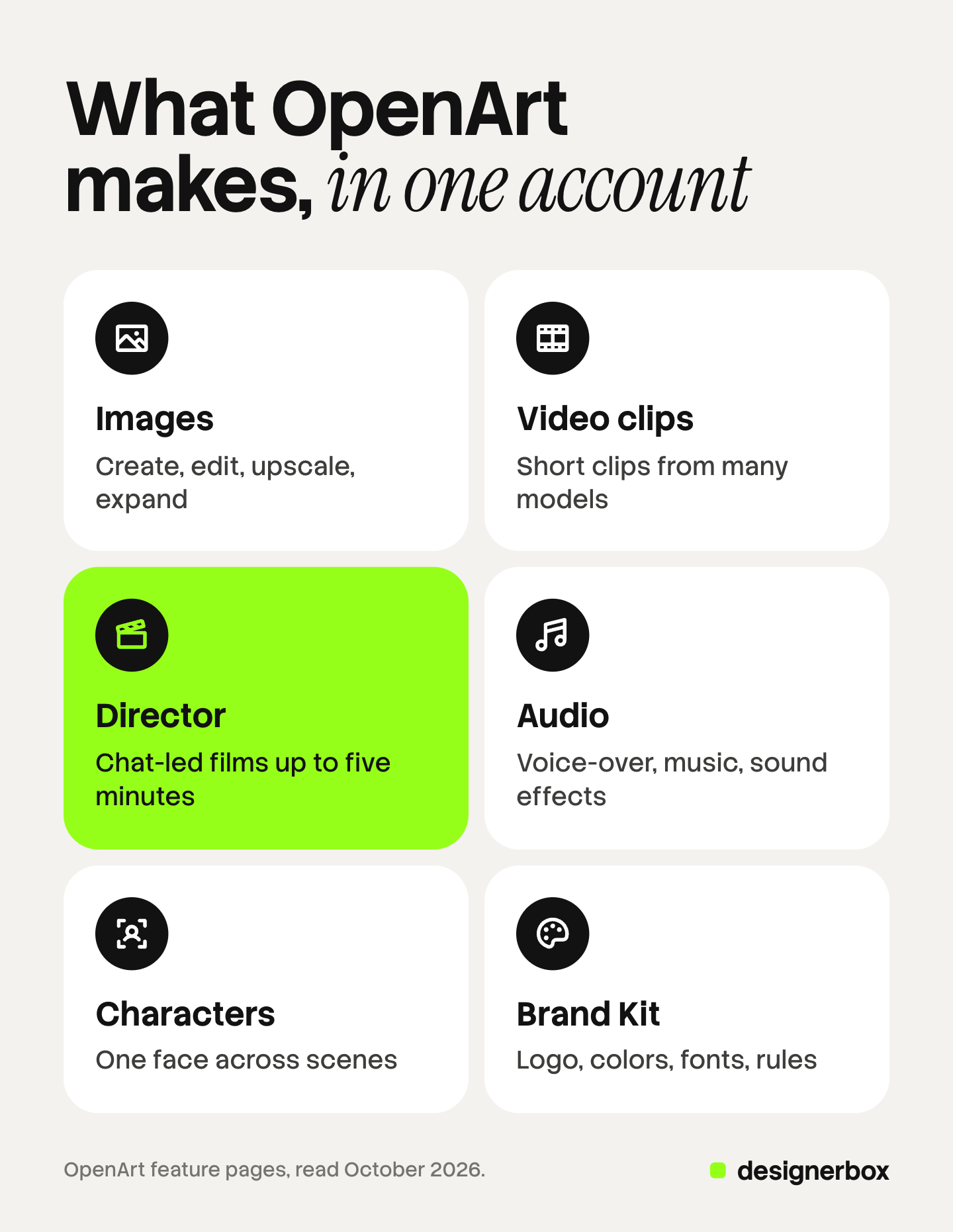
OpenArt is a web platform for making AI images, video and audio in one account. It runs third-party models such as Seedance, Kling, Veo and GPT Image, and adds its own tools on top. Director makes chat-led films up to five minutes long. Characters keeps one face across scenes. Brand Kit holds your logo, colors and rules. TechCrunch reported in 2025 that two former Google employees founded OpenArt in 2022.
OpenArt began as a site for AI art. In 2026 it sells itself as an all-in-one studio for stories, characters and brands, and its own explainer names agencies and brand teams as users. So brands and agencies now ask what it is, whether it is free, and whether they can bill clients for the results.
This review answers those questions from OpenArt’s own pages, read in October 2026: its feature pages, its Terms of Service, its help center and its Enterprise page. We name where it is strong, what the terms say, and six checks to run before a team commits. No prices: those live on OpenArt’s pricing page.
Key Takeaways
- One account, three kinds of result. Images, video and audio, made with third-party models and OpenArt’s own tools.
- Director is the 2026 headline. A chat that plans and makes videos up to five minutes long. OpenArt calls the method vibe directing.
- Commercial use depends on the plan. Terms of Service section 4.1 allow commercial use from the Plus level. The help center says yes with no plan named. The Terms are the binding document.
- OpenArt says it does not train on your work. The help center and the Enterprise page say so. The Terms and the Privacy Policy do not mention training.
- No public API. OpenArt offers an MCP connector and a command-line tool instead.
- The old version closes on November 16, 2026. OpenArt is moving users to a new workspace.
- Strong for stories and characters. Teams that run the same job every week should check seats, automation and repeat runs first.
What is OpenArt?
OpenArt is a browser-based AI creation platform from OpenArt, Inc. Its homepage calls it “your all-in-one AI creation platform that brings characters, stories, brands, and worlds to life” (openart.ai, October 2026). You type a prompt or add a reference, pick a model, and get images, video or audio back. Then you keep editing in the same account until you download the result.
TechCrunch reported in August 2025 that OpenArt was “founded by two former Google employees in 2022” and had around 6 million monthly active users at the time (techcrunch.com, read October 2026). Its homepage now says it is “loved by 10M+ creators, brands, and studios worldwide” (openart.ai, October 2026). That is the company’s own figure.
The product is changing fast. OpenArt’s older version shows a banner: “This version of OpenArt will be discontinued on November 16, 2026” (openart.ai/about, October 2026). Users are asked to switch to the new workspace. If your team has assets in the old version, move them before that date.
What OpenArt makes, by job
OpenArt gives each job its own tool. The table maps the job to the tool, with what OpenArt’s own page says the tool does.
| The job | OpenArt tool | What OpenArt says it does |
|---|---|---|
| A picture from an idea | Create Image | Generates from a prompt, with optional reference images |
| A change to a picture | Edit Image, Upscaler, Expand Image | Edits one area, upscales from 1x to 10x, extends the frame up to 4K |
| A short video clip | Image to Video, Text to Video | Clips “usually up to 15 seconds”, longer on a few models |
| A clip with several cuts | Smart Shot | ”3–5 distinct cuts in a single video” |
| A full film | Director | ”Videos up to five minutes long”, made through chat |
| New look for footage you shot | VFX | Changes the scene around your subject in an MP4 or MOV clip, at 720p or 1080p |
| Voice, music and sound | Voice-over, Music, Sound effects | Music “powered by Google Lyria 3”, tracks up to three minutes |
| A video in another language | Dub Video | Up to 10 languages, with lip sync |
| One face in many scenes | Characters | Builds a character from a prompt, a reference image or presets |
| Your brand on every result | Brand Kit | Holds logo, colors, fonts, brand assets, style references and rules |
Sources: OpenArt feature pages for each tool (openart.ai/features and openart.ai/ai-video-generator, October 2026).
There is also a Chat Mode. OpenArt says “Chatting is free. Credits apply when you generate, and Chat Mode shows you the cost before you run anything” (openart.ai/features/chat-mode, October 2026).
OpenArt Director and vibe directing
Director is OpenArt’s tool for longer video. You describe the film in a chat, an AI agent called Ori plans the script and the scenes, and you shape the cut with notes. The product page says it makes “videos up to five minutes long” and is “Powered by Seedance 2.0, GPT Image 2, and more” (openart.ai/features/director, October 2026).
OpenArt launched Director in June 2026 and calls the method vibe directing. The term is older than the product. Our guide to vibe directing traces where it came from and how to write notes an AI can act on.
A test drive by The Hollywood Reporter found the first script draft “pretty rudimentary”, with many rewrites before something usable came out (Yahoo Tech, June 2026). Plan for rounds of notes, and for the credits each round uses.
Characters and Brand Kit
Characters keeps one person looking the same across images and video. OpenArt’s page says you can “build lifelike characters from prompts, reference images, or guided presets, then use them seamlessly in image and video generation” (openart.ai/features/ai-character, October 2026). Our guide on how to make an AI influencer covers the brief, the reference set and the labels a brand character needs, whatever tool makes it.
Brand Kit saves your identity once. OpenArt says a kit “holds six things: your logo, color palette, typography, brand assets, style references, and brand rules”. It also says “Brand Kit currently applies inside Create Image and Text to Video” (openart.ai/features/ai-brand-kit, October 2026). So check where your kit applies before you count on it in other tools, such as Director or VFX.
Which models does OpenArt run?
OpenArt runs models from other companies and lets you pick one per job. Its model page listed, in October 2026, video models such as Seedance 2.5, Kling 4.0, Wan 3.0, Veo 3, MiniMax H3 and LTX-2.3, and image models such as GPT Image 2.5, Nano Banana 2.1, Seedream 5.0 Pro, FLUX 3 and Recraft V4 (openart.ai/ai-model, October 2026). Its pricing page says paid plans include “100+ premium image, video, and audio models” (openart.ai/pricing, October 2026).
One model is gone. OpenArt’s Sora 2 page says “Sora 2 is no longer available” (openart.ai, October 2026). OpenAI removed Sora 2 and Sora 2 Pro from its API on September 24, 2026 (developers.openai.com, read October 2026). Some OpenArt pages still list Sora 2 in menus, so check a model is live before you plan around it.
To compare video models on the same prompt, our guide to the best AI video model runs a five-prompt test.
Is OpenArt free?
OpenArt has a free trial, and its pricing page lists four paid individual plans: Starter, Plus, Pro and Wonder. The homepage FAQ says you “can start creating on OpenArt for free with a trial plan” (openart.ai, October 2026). OpenArt lists its plans and credit allowances on its own pricing page (openart.ai/pricing, October 2026).
Two terms matter for a free start. Output made on a free plan “may include a visible OpenArt watermark”, and removing it is “a material breach” (Terms of Service, section 4.5). And commercial use starts at a paid level (section 4.1, below). So a trial is for testing the tool, not for client work.
OpenArt’s help center says that when a generation fails, “in most cases … credits are refunded automatically”. Purchases themselves are non-refundable, except where the law requires (Terms of Service, section 3.6; openart.ai/help, October 2026).
Can you use OpenArt commercially?
Yes, from the Plus plan up, under the Terms of Service. Section 4.1 says: “For subscription levels at, and above, the ‘Plus’ level (as described on our pricing page), you may also freely use Output you generate for commercial purposes” (openart.ai/terms, last updated July 30, 2026). The pricing page agrees: “Commercial use rights” appears on the Plus, Pro and Wonder plans and not on Starter (openart.ai/pricing, October 2026).
Other OpenArt pages say it more loosely. The help center answers “Yes. You may use, modify, and distribute them commercially or non-commercially, with proper attribution to OpenArt and/or the human artist when applicable” (openart.ai/help, October 2026). It names no plan. The Terms are the binding document, so go by section 4.1 and confirm your plan in writing.
Four more points matter for an agency:
- Ownership. OpenArt “makes no claims of ownership or copyright of AI-generated Output” (section 4.1).
- IP check. OpenArt’s IP check, “powered by CopySight”, scans images for similarities to brands, logos and public figures (openart.ai/features/ai-copyright-check, October 2026). The Terms say OpenArt gives no warranty on its accuracy (section 7.2).
- Indemnity. Under the standard Terms, you indemnify OpenArt (section 7.5). The Enterprise page says “Enterprise plans can include a single broad indemnification agreement across all models” (openart.ai/enterprise, October 2026).
- Real people. The Terms ban content that misrepresents someone “as doing or saying something that was not actually done or said (e.g., creating a Deep Fake)”.
This is general information, not legal advice. Our guide to using AI images commercially explains what a tool’s terms can and cannot give you.
Is OpenArt safe and legit?
OpenArt is a registered company, OpenArt, Inc., and its Terms list a San Francisco address (openart.ai/terms, October 2026). It is not part of OpenAI. OpenAI makes some of the models OpenArt runs, such as GPT Image, the same way Google and ByteDance do.
On privacy, OpenArt’s pages say four things:
- Private by default. “Your creations are private by default and only shared if you choose to publish or share them” (Terms, section 5.5).
- No training on your work. The help center says “We do not use any images you upload or content you create to train our models”, and the Enterprise page says “We never train on your data” (openart.ai/help and openart.ai/enterprise, October 2026). The Terms and the Privacy Policy do not address training either way.
- Model providers see your inputs. OpenArt “may share inputs you provide (such as prompts and reference images) and resulting Output” with its AI technology partners, such as model providers. It does not share your name, email or credentials (Terms, section 5.4).
- Storage has limits. If you never subscribed, unpublished creations are kept for 7 days. Subscribers keep them while the subscription is active (Terms, section 5.5).
For client work under a confidentiality clause, the third point is the one to read twice.
OpenArt for teams and agencies
OpenArt sells individual plans, a Team plan and Enterprise. Its help center says that multiple seats on basic plans “cannot share content or collaborate; it’s just multiple independent accounts”, and that the Team plan adds “centralized billing and shared assets/models” (openart.ai/help, October 2026). The Enterprise page lists “Unlimited seats, credits that never expire” and “Controls over projects, people, and spending” (openart.ai/enterprise, October 2026).
For automation, the help center says “No public API is available currently”. OpenArt offers an MCP connector at its own URL, for Claude, ChatGPT, Cursor and other agents, plus a command-line tool. Sign-in is through your OpenArt account, and “no API keys are needed”. Its MCP page says Character and Smart Shot “are on the roadmap” for MCP (openart.ai/mcp, October 2026). Its Terms also say “No automated access, bots, or scripts”, so confirm in writing that your planned automation is allowed.
Who OpenArt fits
OpenArt is strongest in four places:
- Story video. Director plans multi-scene films by chat, and Smart Shot turns one prompt into several cuts. Music videos, short series and brand films suit it.
- Recurring characters. Characters is built to hold one face across images and video.
- Model choice in one place. You can try one idea on several image and video models without switching tools.
- Sound in the same account. Voice-over, music, sound effects and dubbing sit next to the video tools.
Our OpenArt vs Higgsfield comparison goes deeper on rights and automation. If OpenArt is not the right fit, OpenArt alternatives sorts eight tools by the job you are replacing.
Six checks before a brand or agency commits
- Your plan allows commercial use. Read Terms section 4.1 against the plan you will buy, and keep a dated copy.
- Your kit applies where you work. Brand Kit applies in Create Image and Text to Video today. Test it in the tools you will use most.
- Your client allows model providers to see inputs. Section 5.4 shares prompts and references with model partners.
- Your seats can share work. Basic-plan seats are separate accounts. Check the Team plan or Enterprise before you add people.
- Your automation is allowed. No public API, an MCP connector, and Terms that ban scripts. Ask OpenArt about your exact use.
- Your old assets are moved. The older version closes on November 16, 2026.
Repeat brand work in DesignerBox
DesignerBox is AI creative production for brands and agencies. Scale your images, ads and video with AI and keep your brand on every piece: build the workflow once with your brand rules, run it on every product, see the cost before each run, and keep everything from the first product photo to the finished ad in one place.
We make DesignerBox, so read this section with that in mind. Some things are alike. Both show the cost before you run, both connect to an AI chat over MCP, and both save your brand. OpenArt is the stronger pick for a five-minute story film.
Anyone can make an AI picture. Making hundreds that still look like your brand is the hard part. DesignerBox is built for that weekly job. You save the steps once as a workflow, with your brand profile, which the workflow reads on every run. You publish it as an app, so a colleague completes a short form and presses Run. Batch runs it over a sheet of up to 200 rows, and you keep or discard each result. You then send the kept pictures for review: the client opens a link with no account and ticks the pictures they want. A review costs no credits, and a link works for 30 days.
DesignerBox has 75 tools over MCP, so an AI chat such as Claude, ChatGPT or Cursor can run those workflows. The pictures, the video, the editors and each client’s brand rules sit in one account.
The limits, stated plainly. DesignerBox does not have a public API. It does not post to a store or a channel: you download the results, or send them with a webhook or an S3 step. Every plan below Ultra is one seat, and team features are on Ultra. AI video and the video editor start on the Premium plan. Plans and credits are on the pricing page.
An agency builds one workflow per client and runs it on each new product. See DesignerBox for agencies
FAQ
What is OpenArt used for?
OpenArt is used to make AI images, video and audio in one account. People use it for short films and series, music videos, recurring characters, social content and ads. Its Director tool makes chat-led videos up to five minutes long, according to OpenArt.
Is OpenArt free?
OpenArt has a free trial, and its regular plans are paid: Starter, Plus, Pro and Wonder. Output on a free plan may carry an OpenArt watermark, and commercial use starts at the Plus level under the Terms. Plans and credit allowances are on OpenArt’s own pricing page.
Can I use OpenArt images and videos commercially?
Yes, from the Plus plan up. Terms of Service section 4.1 allow commercial use “for subscription levels at, and above, the Plus level”. The help center says yes with no plan named, but the Terms are the binding document. This is general information, not legal advice.
Does OpenArt train on my images?
OpenArt says it does not. Its help center says it does not use your uploads or creations to train its models, and its Enterprise page says “We never train on your data”. Its Terms do let it share prompts, references and results with the model providers that run them.
Is OpenArt owned by OpenAI?
No. OpenArt is run by OpenArt, Inc., a company TechCrunch reported was founded in 2022 by two former Google employees. OpenAI is one of several companies whose models run inside OpenArt, next to Google, ByteDance and others.
Does OpenArt have an API?
Not a public one. OpenArt’s help center says “No public API is available currently”. It offers an MCP connector for AI agents such as Claude, ChatGPT and Cursor, and a command-line tool, both signed in with an OpenArt account.
What is OpenArt Director?
Director is OpenArt’s chat-led video tool. You describe a film, an AI agent called Ori plans the script and scenes, and you shape the cut with notes. OpenArt says it makes videos up to five minutes long, powered by Seedance 2.0, GPT Image 2 and other models.
Sources
- OpenArt homepage, tagline, user figure and FAQ (openart.ai, October 2026)
- OpenArt about page, legacy version notice (openart.ai/about, October 2026)
- OpenArt feature pages: Director, Smart Shot, Characters, Brand Kit, Chat Mode, VFX, Music, Dub Video, Upscaler, Expand Image, IP check (openart.ai/features, October 2026)
- OpenArt AI video generator page, clip lengths (openart.ai/ai-video-generator, October 2026)
- OpenArt model pages, including the Sora 2 notice (openart.ai/ai-model, October 2026)
- OpenArt pricing page, plan names and plan features; no prices printed here (openart.ai/pricing, October 2026)
- OpenArt Terms of Service, last updated July 30, 2026, sections 3.6, 4.1, 4.4, 4.5, 5.4, 5.5, 7.2 and 7.5 (openart.ai/terms, read October 2026)
- OpenArt help center: commercial use, training, API, seats, failed generations (openart.ai/help, October 2026)
- OpenArt Enterprise page (openart.ai/enterprise, October 2026)
- OpenArt MCP and CLI page (openart.ai/mcp, October 2026)
- TechCrunch, “Former Googlers’ AI startup OpenArt now creates ‘brain rot’ videos in just one click”, August 8, 2025 (techcrunch.com, read October 2026)
- The Hollywood Reporter, report on OpenArt’s Director, June 23, 2026, republished by Yahoo Tech (tech.yahoo.com, read October 2026)
- OpenAI, API deprecations (developers.openai.com, read October 2026)
- DesignerBox workflows, apps, agencies and pricing pages (designerbox.ai/product/workflows, designerbox.ai/product/apps, designerbox.ai/for/agencies, designerbox.ai/pricing), October 2026
OpenArt facts verified on OpenArt’s own pages on October 22, 2026. OpenArt changes its product often, so check each page before you buy. This is general information, not legal advice.