
Shopify ads are paid ads that send shoppers to a Shopify store. They run in two ways. Shopify runs some itself: Shop Campaigns shows your products in the Shop app and on partner networks, and you pay only when a customer converts. The rest run on Meta, Google and TikTok, through free apps that sync your products. Every route uses your product data. Most still need you to bring the images and video.
That last part is where stores get stuck. A brand with 60 products needs a 4:5 image for Feed, a 9:16 video for Reels and TikTok, and two image shapes for Google. Then the ad account needs new versions when the first ones stop working.
This guide maps each route by what it takes from your store and what you still make yourself. Every platform fact was read on Shopify, Meta, Google and TikTok help pages in October 2026. The second half covers how to make the ad images and videos with AI from the product photos you already have.
Key Takeaways
- Two kinds of Shopify ads. Shop Campaigns runs inside Shopify’s own network. Meta, Google and TikTok ads run on those platforms through apps you install in Shopify.
- Shop Campaigns charges on conversion. You set an average customer acquisition cost, and Shopify charges only when a customer converts.
- The Shopify apps sync products, not creative. Shopify says to use Meta’s Ads Manager for ad creation on Facebook and Instagram, and Google campaigns are created in Google Merchant Center.
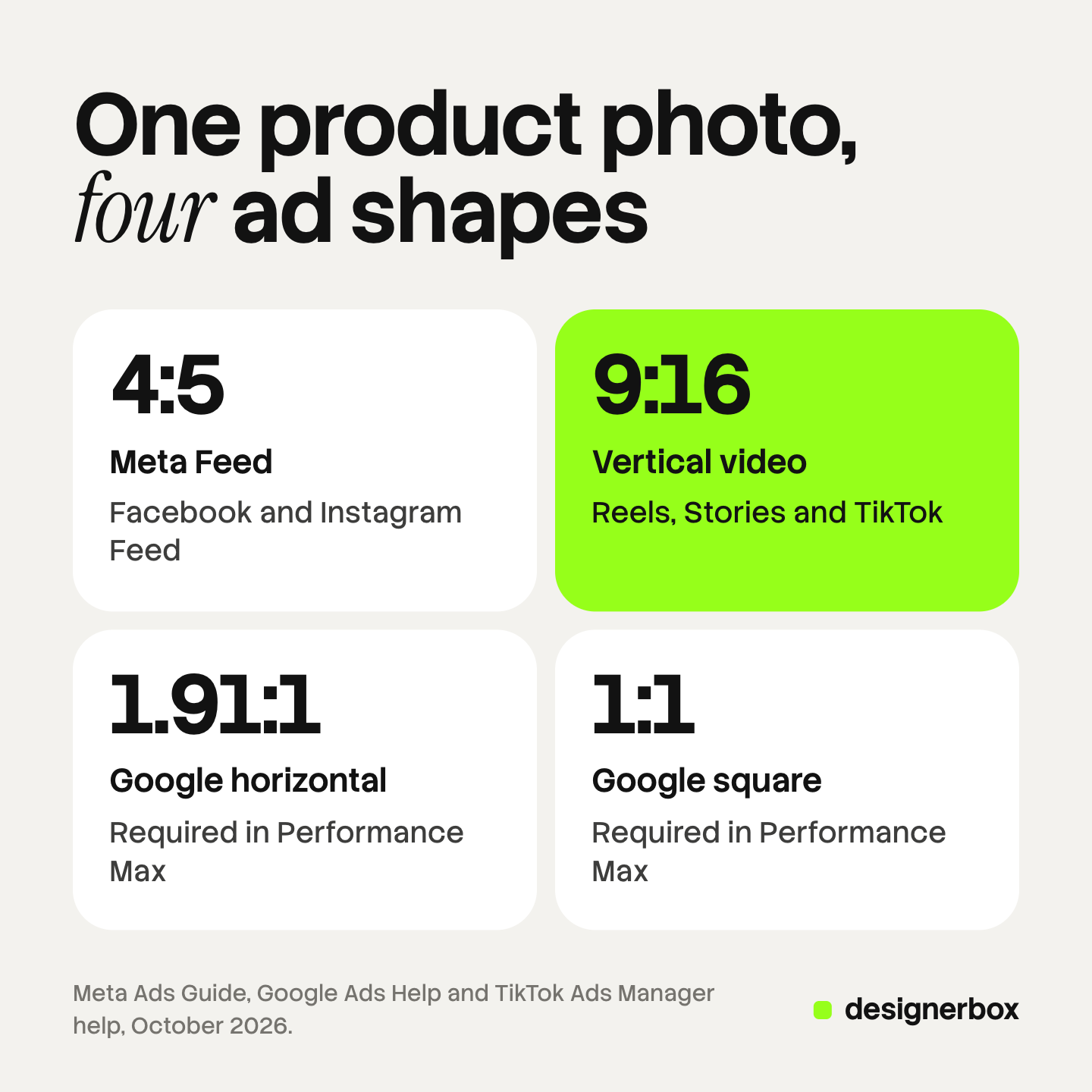
- Four ad shapes cover the main placements. 4:5 for Meta Feed, 9:16 for Reels, Stories and TikTok, and 1.91:1 plus 1:1 for Google Performance Max.
- AI labels differ by platform. TikTok asks you to label AI-generated ad media. Meta labels ads itself when it detects AI signals.
- The product must stay the real product. Change the scene, the crop and the text. Never the product.
What are Shopify ads?
Shopify ads is a loose term. It covers any paid ad that sends a shopper to a Shopify store, and Shopify itself sells some of those ads. The quickest way to sort them is by who runs the auction: Shopify, or Meta, Google and TikTok. In both cases your product catalog feeds the ad, and in most cases the image or video is yours to supply.
One more product shares the name. Shopify App Store ads are for app developers, not stores. Shopify says “Only Shopify Partners are eligible to purchase ads,” and they are charged per click (shopify.dev, October 2026). If you sell products, skip that page.
| Route | Who runs the ads | What it takes from your store | What you bring |
|---|---|---|---|
| Shop Campaigns | Shopify | Products, offers, a target acquisition cost | Strong product pages and store policies |
| Facebook and Instagram app | Meta | A product catalog and the Meta pixel | Images and video, built in Ads Manager |
| Google and YouTube app | Products synced to Merchant Center | Images, logos and video for Performance Max | |
| TikTok app | TikTok | Products, the TikTok pixel and a landing page | A video, uploaded or built by TikTok’s video generator |
| ChatGPT Ads app | OpenAI | Your product catalog, synced to ChatGPT Ads Manager | Product information that reads well in a chat |
Ads Shopify runs for you
Shopify runs three ad products of its own. None of them asks you to design a banner, so they are the shortest path to a first campaign. They also give you the least control over how your products look.
Shop Campaigns. Shopify calls it “an ads program that helps you acquire and convert customers at an average customer acquisition cost that you set.” You are “charged only when a customer converts, with no upfront budget or subscription fee” (help.shopify.com, October 2026). Ads show on Shop and on Shopify Product Network by default. You can opt in to third-party placements on Bing, ChatGPT, Google, Meta, Microsoft Monetize, Pinterest, Snapchat and X. Shop runs those ads through its own accounts, not yours. Bing, Google and Meta are open in Australia, Canada, the UK and the US. The other five are US only (help.shopify.com, October 2026).
Campaign Autopilot. Autopilot recommends and runs marketing from the product and customer data already in Shopify. It covers email, Shop Campaigns, Meta Advantage+ campaigns and Microsoft Performance Max. You find it under Growth, then Autopilot, and it is on every Shopify plan except the Agentic plan. It reads your product titles, descriptions and images (help.shopify.com, October 2026). So the images on your product pages become the images in those ads.
Shopify Audiences. Audiences does not show ads. It builds customer lists and sends them to your ad accounts on Meta, Google, Criteo, Pinterest, Snapchat and TikTok (help.shopify.com, October 2026). It is limited to eligible Shopify Plus stores that use Shopify Payments and are based in the US or Canada (help.shopify.com, October 2026).
The catch is the same for all three. Shopify picks which products to promote and how they appear. Shopify says “certain product categories might receive more impressions than others” in Shop Campaigns. If your product photos are weak, these ads carry the weak photos. The Shopify product images guide covers the six shots each product page needs.
Shopify Facebook ads: the Facebook and Instagram app
The Facebook and Instagram app syncs your Shopify products to a catalog on Facebook. Shopify is direct about the limit: “For ad creation across the Facebook, Instagram, Messenger or Audience Network, use Meta’s Ads Manager” (help.shopify.com, October 2026). From Shopify you can make three things: audience building ads, dynamic retargeting ads and Page posts.
So the app gives Meta your catalog and your pixel. It does not make your ad images. Dynamic ads use the product photos from the catalog, which is why the first image on each product matters. Every other format needs a file you made.
Meta’s Ads Guide recommends 4:5 at 1440 by 1800 pixels for a Facebook Feed image ad (facebook.com, October 2026). Reels and Stories take 9:16. The full size table is in Meta ad specs, and the video side is in Facebook video ads.
Shopify Google ads: the Google and YouTube app
The Google and YouTube app connects your store to Google Merchant Center, Google Ads and Google Analytics. Your products sync to Merchant Center first. Performance Max campaigns are then created in Merchant Center. They run across YouTube, Google Search, Gmail and Google Maps (help.shopify.com, October 2026). Setup steps for the feed are in Shopify Google Merchant Center.
A Performance Max asset group asks for more than product photos. Google requires a horizontal image at 1.91:1 and a square image at 1:1. A vertical 4:5 image is optional. Google’s table says “Add up to 20 images” for each ratio (support.google.com, October 2026).
Google can also make some assets inside your account. Google Ads AI explains what its tools make and what they leave to you.
TikTok and ChatGPT ads from the Shopify admin
TikTok. The TikTok app on Shopify lets you build a campaign without leaving Shopify. You pick a landing page type: single product, collection or homepage. Then you “Upload an existing video file or use our video generator tool to create a video from existing images or videos.” TikTok asks for a daily budget of more than 20 US dollars (ads.tiktok.com, October 2026). For in-feed video, TikTok recommends vertical 9:16 (ads.tiktok.com, October 2026).
ChatGPT. OpenAI publishes a ChatGPT Ads app in the Shopify App Store. The listing says it can “automatically sync your product catalog to ChatGPT Ads Manager” and “build ads and campaigns from your product information” (apps.shopify.com, October 2026). Here the product title, description and price do the work that an image does on Meta.
What each channel needs from your creative
Four ad shapes cover the main placements on the channels above. Make them from one approved product photo, so every version shows the same product.
| Channel | Shape | Size Meta, Google or TikTok gives | Notes |
|---|---|---|---|
| Facebook and Instagram Feed | 4:5 | 1440 x 1800 pixels recommended | Feed image ads |
| Reels, Stories and TikTok | 9:16 | 1440 x 2560 pixels on Meta; at least 540 x 960 on TikTok | Keep text away from the edges |
| Google Performance Max | 1.91:1 | 1200 x 628 recommended | Required |
| Google Performance Max | 1:1 | 1200 x 1200 recommended | Required. 4:5 is optional |
The video side follows the same shapes. A 4:5 cut runs in Meta Feed, and a 9:16 cut runs in Reels, Stories and TikTok. If you build the 9:16 version first, the vertical slots on three platforms share it.
Shop Campaigns and Autopilot do not appear in the table. They use what is already in your store, so the work there is your product pages, not new files. Catalog ads covers the feed fields that the platforms read for images and video.
How to create Shopify ads with AI
AI can make the ad versions from your own product photos. The order of the work decides whether the ads look like your product.
- Start from the real product photo. Use the clean product image from your Shopify page. The product in the ad has to match the product the shopper receives.
- Write one idea per ad. Pick one reason to buy, such as the material, the size or a use. A second idea is a second ad.
- Change the scene, never the product. Let AI change the background, the setting, the light and the crop. Keep the shape, the color, the logo and the label as they are. AI product ads lists five checks to run before launch.
- Make the four shapes from the approved version. 4:5, 9:16, 1.91:1 and 1:1. Check that text stays inside the safe areas in each one.
- Check the AI label rules. TikTok asks you to label ads with AI-generated or heavily AI-edited media, and it rejects or restricts the ad when you do not (ads.tiktok.com, October 2026). Meta adds an “AI info” label itself when it detects signals of third-party AI tools (facebook.com, October 2026).
- Test one change at a time. Keep the product, the offer and the audience fixed. Change the scene or the first line, and compare.
For more ad shapes that work for products, see product ad examples. For tools sorted by what they start from, see ecommerce ad creative.

Ad creative for 20 to 500 products
DesignerBox is AI creative production for brands and agencies. Scale your content with AI. Keep your brand.
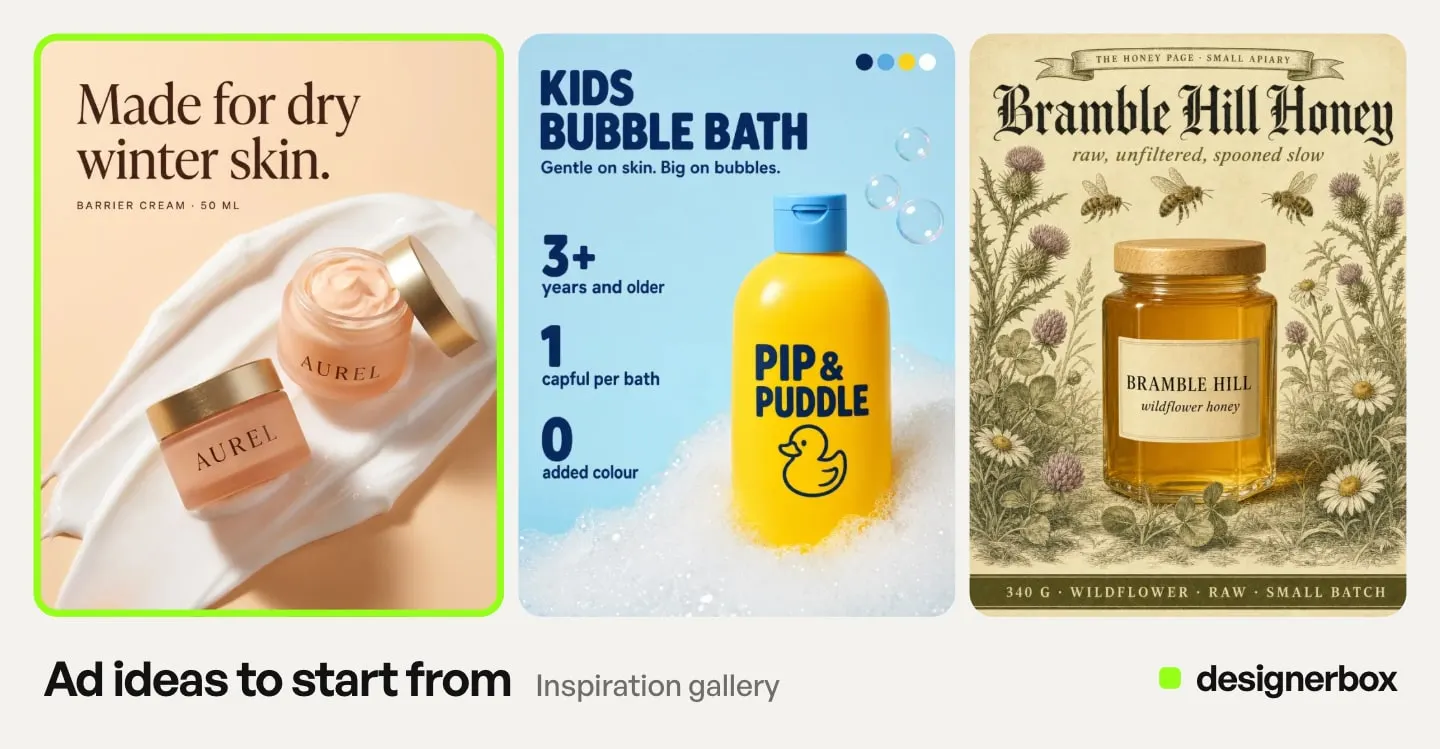
For a Shopify store, the job is the same set of ads for every product. Anyone can make an AI picture. Making hundreds that still look like your brand is the hard part. In DesignerBox you build one workflow with your brand profile, your products and your rules. The workflow reads the brand on every run. Batch runs it over a sheet of up to 200 products, so row one and row two hundred get the same framing and text style. You keep or discard each result.
The AI ad generator page shows the static ad workflows, and AI video ads shows the ones that turn a product photo into a short clip. The Versions of an ad app and the Ad in other sizes app make the extra versions from the same account and the same brand rules.
The cost is shown before the run. An 8-second clip costs 40 to 560 credits, depending on the model.
Here are the limits. DesignerBox does not send finished work to Shopify or to an ad account. You download the results, or send them with a webhook or an S3 step, and then upload them in Ads Manager, Merchant Center or TikTok. Every plan below Ultra is one seat. Uploading your own photos and the commercial license start on the Pro plan. AI video starts on the Premium plan. Plans and credits are on the pricing page.
An agency builds one workflow per client store and runs it on each new product. See DesignerBox for Shopify stores
FAQ
What are Shopify ads?
Shopify ads are paid ads that send shoppers to a Shopify store. Shopify runs some itself through Shop Campaigns and Autopilot. The rest run on Meta, Google, TikTok and ChatGPT, through free apps that sync your product catalog.
Can I create Facebook ads directly in Shopify?
Partly. The Facebook and Instagram app syncs your products and can make audience building ads, dynamic retargeting ads and Page posts. Shopify says to use Meta’s Ads Manager for ad creation across Facebook, Instagram, Messenger and Audience Network.
How do Shopify Google ads work?
You install the Google and YouTube app and connect Google Merchant Center and Google Ads. Your products sync to Merchant Center, and you create Performance Max campaigns there. They run on YouTube, Search, Gmail and Maps.
How do I pay for Shop Campaigns?
You set an average customer acquisition cost. Shopify charges you only when a customer converts, with no upfront budget or subscription fee.
What image sizes do Shopify ads need?
It depends on the channel. Meta recommends 4:5 at 1440 x 1800 pixels for Feed. Reels, Stories and TikTok use 9:16. Google Performance Max requires 1.91:1 and 1:1 images, and 4:5 is optional.
How do I create Shopify ads with AI?
Start from your real product photo. Let AI change the scene, the light and the crop, and keep the product as it is. Make the four shapes from the approved version, and check each platform’s AI label rules before you launch.
Do I have to label AI-generated Shopify ads?
On TikTok, yes, for ads with AI-generated or heavily AI-edited media. On Meta, outside social issue, election and political ads, Meta adds an “AI info” label itself when it detects AI signals. This is general information, not legal advice.
Sources
- Shopify Help Center, Shop Campaigns: help.shopify.com, October 2026
- Shopify Help Center, Understanding Shop Campaigns: help.shopify.com, October 2026
- Shopify Help Center, Autopilot requirements and considerations: help.shopify.com, October 2026
- Shopify Help Center, Shopify Audiences: help.shopify.com, October 2026
- Shopify Help Center, Description of audience types: help.shopify.com, October 2026
- Shopify Help Center, Facebook and Instagram by Meta marketing: help.shopify.com, October 2026
- Shopify Help Center, Google Performance Max campaigns: help.shopify.com, October 2026
- Shopify Dev Docs, Shopify App Store ads: shopify.dev, October 2026
- Shopify App Store, ChatGPT Ads by OpenAI: apps.shopify.com, October 2026
- Meta Ads Guide, Facebook Feed image ads: facebook.com, October 2026
- Meta Business Help Center, AI info labels on ads: facebook.com, October 2026
- Google Ads Help, Performance Max specs and format requirements: support.google.com, October 2026
- TikTok Ads Manager help, Create a TikTok ad campaign on Shopify: ads.tiktok.com, October 2026
- TikTok Ads Manager help, Video ad specifications: ads.tiktok.com, October 2026
- TikTok ads policy, misleading and false content: ads.tiktok.com, October 2026
- DesignerBox plans and feature gating: DesignerBox pricing page (designerbox.ai/pricing), October 2026
Shopify, Meta, Google and TikTok ad features checked against each platform’s own pages as of October 2026. Platforms change them often, so confirm each one before you launch. This is general information, not legal advice. Individual results vary.