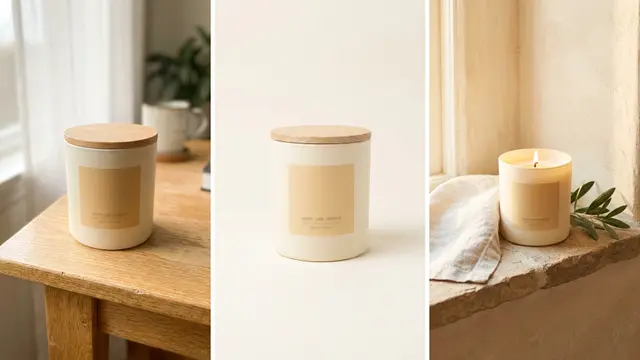
Shopify product images are the media files attached to a product, and the first one does most of the work. Shopify’s own documentation states that the first media item becomes the featured image, and that it appears on collection pages, the cart page, the checkout page and your home page. Every other image in the gallery is seen only by shoppers who reach the product page and swipe.
A typical shot list asks for six to eight images, 2048 by 2048, main image first. A merchant follows it exactly, then opens the store and finds the collection grid ragged, the checkout thumbnail cropping the label off, and the product link they pasted into Slack previewing as a letterboxed square.
Each of those problems comes from distribution, and a longer shot list does not fix it. One upload gets reused across five surfaces inside Shopify and two outside it, and each surface applies its own crop at its own size. This guide names every surface, gives the spec each one enforces, and puts the shot order in the sequence that survives all of them.
Key Takeaways
Image one is really five images. Shopify’s first media item becomes the featured image and renders on collection pages, the cart page, the checkout page and the home page, not only on the product page (help.shopify.com, September 2026).
The share card is the crop nothing square survives. Meta’s Open Graph guidance recommends 1200 x 630 px, as close to 1.91:1 as possible (developers.facebook.com, September 2026). A 2048 x 2048 packshot either letterboxes or loses its top and bottom.
Google’s floor moves on 31 January 2027. Every product image needs 500 x 500 px minimum from that date. Google announced the change on 14 April 2026, and Merchant Center shows warnings for small images until enforcement starts (support.google.com, September 2026).
Six images per product is the working number. No study sets it. The seven surfaces between them ask for six.
The bills have different shapes. A studio bills by the day or by the frame, and a reshoot means another booking. DesignerBox shows the cost of a run before you start it, so a missed frame is a new run rather than a new booking.
Where do Shopify product images appear?
A single upload appears on seven surfaces. The product page gallery shows every image in order. The featured image, meaning the first media item, is reused on collection pages, the cart page, the checkout page and the home page. Two more surfaces sit outside the store: the link preview card when someone shares the URL, and the product listing if you sync a feed to Google Shopping. AI shopping systems such as ChatGPT read the same first image through Shopify Catalog, which the guide to agentic commerce covers.

That reuse is the fact the shot list has to be built around.
| Surface | Which image it uses | What the image has to survive |
|---|---|---|
| Product page gallery | Every image, in upload order | The theme crops all of them to one ratio |
| Collection page card | Featured image | Grid crop, small render, sits beside other products |
| Cart line item | Featured image | Small square thumbnail |
| Checkout line item | Featured image | Smaller square thumbnail, high stakes |
| Home page featured product | Featured image | Whatever card ratio the theme section uses |
| Link share card | Page featured image on Shopify’s free themes, store social sharing image as fallback | 1.91:1 landscape, 1200 x 630 px |
| Google Shopping listing | The image_link in your feed, normally the featured image | 500 x 500 px floor from 31 January 2027 |
Five of those seven render the same file. That is why a product whose first image is a tight crop looks fine on the product page and wrong everywhere else. The crop that reads as confident at 1400 px reads as an accident at 64 px in checkout.
Why the first media item carries the most weight
Shopify is explicit about this. The first media item added to a product is the featured, or main, media item, and it appears on collection pages, the cart page, the checkout page and your home page (help.shopify.com, September 2026). You can change which media holds that slot by dragging it to position one.
Three consequences follow.
The featured image is the only image a shopper sees without opening the product page. A visitor who scrolls a collection page, adds to cart and checks out has looked at that one file four times and at nothing else. Shot two through shot eight only exist for people who open the product page.
The featured image is judged against its neighbors, not on its own. On a collection grid it sits next to eleven other products. Consistent framing, consistent product scale within the frame and consistent background matter more there than in any single shot. The guide to the Shopify collection page turns that into five rules for the grid. Shopify’s theme troubleshooting page says collection images that do not line up may need the same aspect ratio (help.shopify.com, September 2026). A mixed grid makes a catalog look assembled rather than shot.
The featured image has to hold up small. Not at gallery size, at thumbnail size. A bottle photographed with 8% of the frame as product will disappear in a cart row. Frame the featured shot so the product fills roughly 80 to 85% of the canvas and the crop still reads at a quarter of an inch.
The share card is the one crop a square photo cannot fill
Every other surface in that table is square or close to it. The link preview card is not. Open Graph is the image tag that Facebook reads for link previews, and many other apps read it too. Meta recommends at least 1200 x 630 px and asks you to stay as close to 1.91:1 as possible so the image shows in full without cropping. The minimum allowed dimension is 200 x 200 px and the file must not exceed 8 MB (developers.facebook.com, September 2026).

On Shopify’s free themes, a shared product URL uses that page’s featured image. The store-level social sharing image in Online Store preferences is the fallback (help.shopify.com, September 2026).
So the square you standardized on gets handed to a 1.91:1 slot. Two outcomes, both bad by default. Either the platform letterboxes it, and your product sits in a small centered box with bars either side. Or it center-crops it and cuts off the top and bottom. That is exactly where a bottle’s cap and a shoe’s sole live.
The fix is a second render, not a resize. Generate a 1200 x 630 landscape version of the same shot with the product placed left or center and negative space carried on the wide axis. It is one extra frame per product, and it is the only frame that ever gets seen by someone who has not visited your store yet. The home page banner is another wide slot, covered in Shopify banner and hero image sizes.
How many images does a Shopify product page need?
Six is the working number for most products. Not four, which leaves objections unanswered, and not twelve, which nobody swipes through. Six covers the featured shot, the surfaces that reuse it, and the four questions a shopper asks before they add to cart.
The list is short because each slot has a job:
- Featured shot on a clean background. Product at 80 to 85% of frame, one aspect ratio across the whole catalog. This is the file five surfaces share.
- Scale reference. The product next to something whose size everyone knows, or held. A shopper who cannot judge the size is more likely to guess wrong and send it back.
- Detail crop. The material, the stitch, the closure, the finish. Whatever the product description claims, this frame proves.
- In use or on model. Context. For apparel this is the shot that carries the most weight, and on-model imagery has its own production rules.
- Variant frame. One per colorway a shopper can select on the page. This is where the count explodes and where the media cap starts to bite.
- Share card at 1200 x 630. Landscape, built for the surface nothing else fits.
The count is per product, but Shopify sells in variants, and the two numbers are not the same. A store with 40 products, six colors and five sizes is a 1,200-variant catalog sitting behind a 250-media-per-product cap. Doing that variant math before you price the job changes the shape of the brief entirely.
The ordering question is separate from the count. Which shot goes in which position decides how far down the gallery a shopper gets before they stop learning anything new.
On a clothing store, photos sit next to five other jobs: size, returns, search, reviews and support. The best Shopify apps for clothing stores sorts the AI tools for each one.
What Shopify accepts, and what it serves
Shopify accepts images up to 5000 x 5000 px or 25 megapixels, under 20 MB per file, and says 2048 x 2048 px usually displays best for square shots. PNG is listed first, then JPEG, with PSD, TIFF, BMP, GIF, SVG, HEIC and WebP also accepted. Video runs up to 10 minutes, 1 GB and 4K at 4096 x 2160 px, in .mp4, .mov or .webm. 3D models take GLB or USDZ up to 500 MB (help.shopify.com, September 2026). Shopify’s theme images page names a lower cap of 20 megapixels (help.shopify.com, October 2026), so keep masters under 20 MP to pass both. The channel-by-channel editing rules set Shopify’s limits beside Amazon, Google Shopping and Etsy.
Two limits inside that spec change how you plan a catalog. The cap is 250 media files per product across images, videos and 3D models combined. 3D models and videos cannot be assigned as variant media. Each variant takes only one image, so a colorway that needs its own motion asset has nowhere to put it.
The upload spec is only half the answer, because Shopify re-encodes every file on its own CDN and the theme picks the delivered width. What the CDN serves after you upload covers that half, including why a correct square still arrives cropped and why a PNG export can arrive as WebP. For getting hundreds of files onto the right products, see the four routes to bulk upload images to Shopify.
The shot order that survives every crop
Produce the featured shot first, at the highest resolution you will ever need, then derive everything else from it. That order matters because the featured file is the one five surfaces share. A set built outward from one master stays consistent in a way a set shot slot by slot does not.
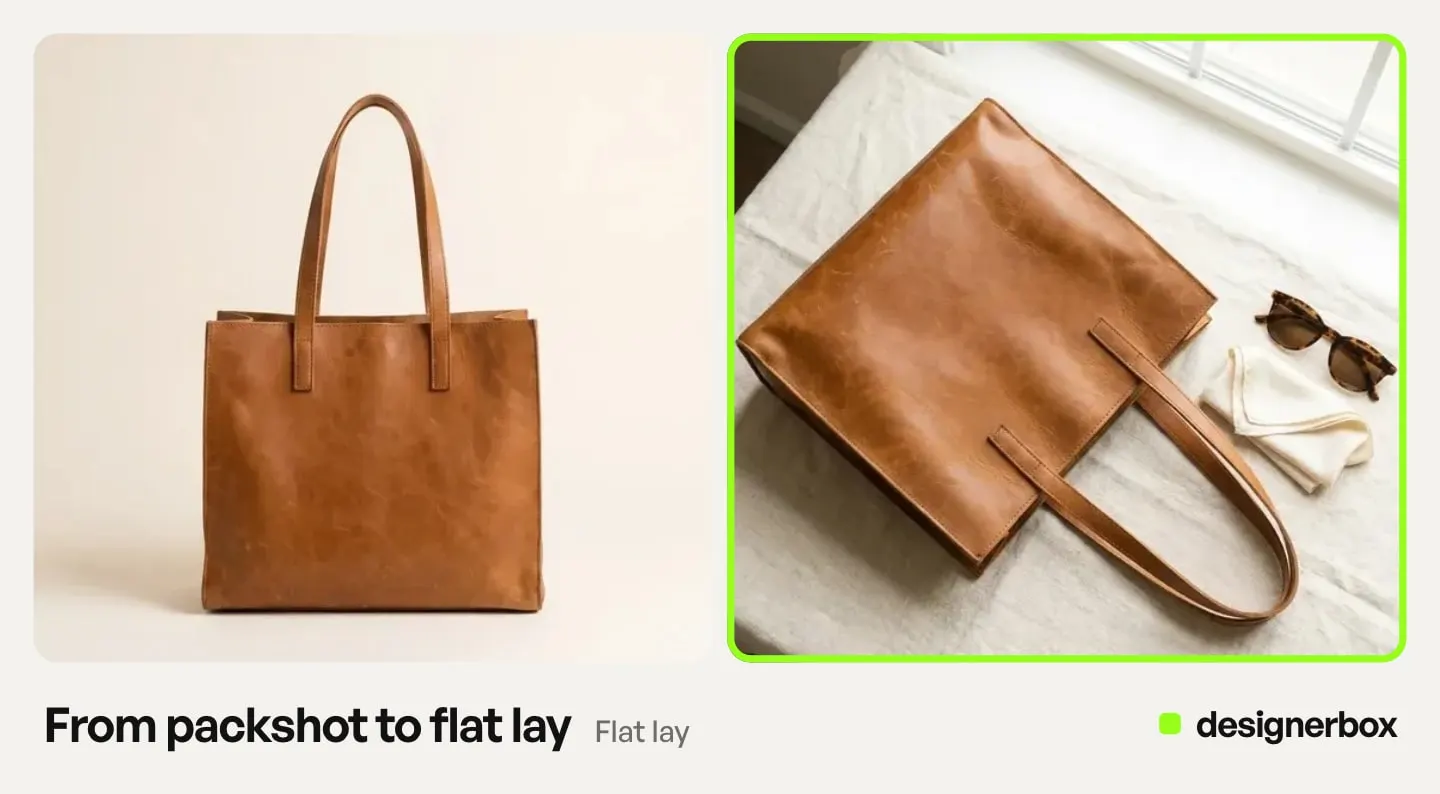
A working sequence for one product:
- Master frame. 2048 x 2048 square, clean background, product filling 80 to 85%. Check it at 64 px before you accept it. If the product is unreadable at thumbnail size, reframe now rather than after 200 SKUs. A single-image template runs one frame from one prompt.
- Angle set. The same product, same lighting, rotated. The Photo angles app turns one photo into the angle set, a step that used to need a turntable and a shoot day.
- Detail crop. Pulled from the master or generated at close range, whichever holds the texture.
- Scene frame. The product placed in context. The Product in several places template builds these from the same source file.
- Variant renders. One per colorway a shopper can select, generated from the master so the framing does not drift between colors.
- Landscape share card. 1200 x 630, rebuilt rather than cropped.
At catalog scale the sequence is the same and the execution is not. Running it 200 times by hand is where consistency dies. In DesignerBox you build the sequence once on one product and save it as a workflow. The saved workflow runs the same way on the next product, with the same framing and the same background. Batch runs one workflow over a whole sheet of products.
Everything derives from your actual product photo, with the same model, light and framing on every product. Check each result against the real product before it goes live. The master frame, the angle set, the scene frames and the share card all come from the same workflow. DesignerBox does not send finished work to a store, so you download the results and then upload them.
The product images and the ads come from one account, so image one and the ad share a look. Anyone can make an AI picture. Making hundreds that still look like your brand is the hard part. You set the brand once, and the workflow reads it on every run. The page for Shopify stores shows the set, and the Shopify product photos guide shows the steps.
Where a Shopify gallery goes wrong
Five failures account for most of it, and four of them are invisible on the product page. The fields around the gallery, from the title to the search listing, are in the guide to optimizing a Shopify product page. What Shopify handles for search by default is in the SEO checklist for Shopify stores.
Mixed aspect ratios across featured images. The grid goes ragged and no focal point setting fixes it. Pick one ratio, usually square, and hold it for the whole catalog.
A featured image cropped tight. It looks decisive at gallery size and turns into an unidentifiable color block in a cart row. Test at 64 px, not at 100%.
No landscape version anywhere. Every shared link previews letterboxed or beheaded. One extra frame per product fixes it permanently.
Variant images below the Google floor. Swatch and thumbnail assets living in the 200 to 400 px range clear today’s Merchant Center minimum and fail the 500 x 500 requirement from 31 January 2027. Google announced the change on 14 April 2026, and it recommends images around 1500 x 1500 px or above for best performance in all listing formats (support.google.com, September 2026).
Generated images with no disclosure where a channel asks for one. As of September 2026, Shopify’s Acceptable Use Policy has no rule about AI images, and Shopify’s Terms of Service make you responsible for your store content (shopify.com, September 2026). The other rules come from the channels a store feeds and the law it sells under, and the rules that bind a Shopify store sets them out.
What a Shopify image set costs
Three routes, three shapes of bill. Shopify and other platforms also build in free AI image tools. They cover the simple image jobs, and each one works only inside its own platform.
| Route | How it is billed | What you get |
|---|---|---|
| Studio shoot | By the day, often with a model, props, backdrops and editing | A day’s output, one brief, reshoot means rebook |
| Per-image studio service | By the frame, with a set turnaround | The bill grows with every frame, so a six-image product costs six frames |
| Generate from one photo | DesignerBox plan credits, per run | Frames from one source photo, and a missed frame is a new run |
There is a free plan, and it runs on sample products. Current allocations are on the pricing page.

Two limits. Uploading your own photos and the commercial license start on the Pro plan. AI video starts on the Premium plan, and an 8-second clip costs 40 to 560 credits, depending on the model. Budget video per clip rather than per month.
To make the master frame first, start from the templates, add your product photo, and run it.
FAQ
What is the best product image size for Shopify?
2048 x 2048 px for square shots. Shopify accepts up to 5000 x 5000 px or 25 megapixels under 20 MB, lists PNG first and JPEG second, and says 2048 x 2048 usually displays best for square images (help.shopify.com, September 2026). A 2048 square also clears Google’s 500 x 500 minimum that starts on 31 January 2027 with room to spare.
Which Shopify product image is the featured image?
The first media item on the product. Shopify uses it as the featured image and shows it on collection pages, the cart page, the checkout page and the home page (help.shopify.com, September 2026). You change it by dragging a different file into position one.
How many images should a Shopify product have?
Six covers most products: featured shot, scale reference, detail crop, in-use frame, variant frame and a landscape share card. Shopify allows up to 250 media files per product, but a shopper stops swiping long before that. Add frames only when a specific objection needs answering.
Do Shopify product images have to be square?
No, but every featured image should share one aspect ratio. Themes crop to fit their layout, so a mix of square and portrait sources produces an uneven collection grid. Square is the common choice because it survives cropping in both directions with the least loss.
Why does my Shopify product link preview badly when shared?
Because the share card is 1.91:1 and your product image is square. Open Graph recommends 1200 x 630 px (developers.facebook.com, September 2026), and a square handed to that slot either letterboxes or gets its top and bottom cropped. Build a separate landscape frame instead of resizing the square one.
Can Shopify product images be reused in ads?
Yes, with two checks. Ad platforms crop to their own placements, so a square built for a product page needs a landscape and a vertical sibling before it runs. In DesignerBox the commercial license starts on the Pro plan, so confirm your plan before the campaign goes live.
Does Shopify have a policy against AI-generated product images?
As of September 2026, Shopify’s Acceptable Use Policy has no rule about AI images. Shopify’s Terms of Service make you responsible for your store and your content, including content made with Shopify’s tools. The other constraints come from the channels a store feeds and the places it sells into, and several of those rules changed during 2026.
Sources
- Shopify Help Center, Adding product media: featured media and the 250 media cap, accessed September 2026
- Shopify Help Center, Product media types: image, video and 3D model specs, accessed September 2026
- Shopify Help Center, Adding images to product variants: variant media rules, accessed September 2026
- Shopify Help Center, Theme images: the 20 megapixel and 20 MB upload limits, read October 2026
- Shopify Help Center, Troubleshooting your online store theme: consistent aspect ratios for featured images, accessed September 2026
- Shopify Help Center, Showing social media thumbnail images: share image priority, accessed September 2026
- Shopify, Acceptable Use Policy and Terms of Service, accessed September 2026
- Meta for Developers, Images in link shares: Open Graph image dimensions, accessed September 2026
- Google Merchant Center Help, Image link requirements and April 2026 announcement, accessed September 2026
- DesignerBox pricing page (designerbox.ai/pricing), September 2026
Platform image rules verified from primary sources as of September 2026. Individual results vary.