
Catalog ads are ads that a platform builds from your product feed. You upload a list of products with a title, a price, a link and an image for each one. The platform then picks which products each person sees and fills the ad from that list. Meta, TikTok and Google all run a version. In every version, the feed is the creative.
A feed needs only one image per product, so many feeds stop there. That was enough when a catalog ad was a carousel of packshots. Today all three platforms accept a video for each product row, and each one uses a different field with different limits.
This guide covers the feed fields for images and video on each platform, the video specs, and a way to make one video per row. Every field name and limit comes from the platform’s own help page, read in October 2026.
Key Takeaways
- A catalog ad is filled from a feed. The platform chooses the products per person. You control what each product row contains.
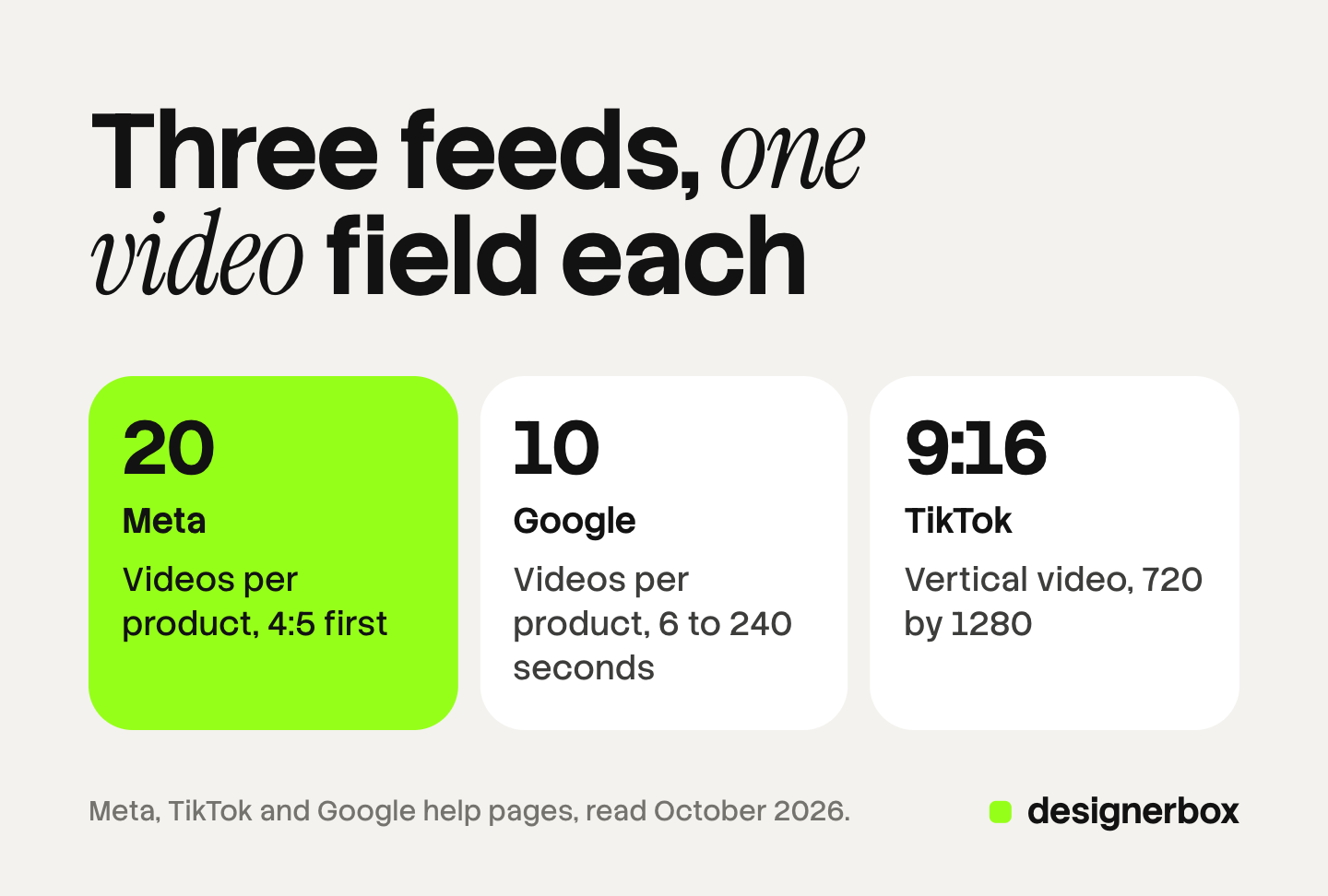
- Meta takes up to 20 videos per product. The first field is video[0].url, and Meta recommends a 4:5 ratio for it.
- TikTok takes a video link per product. The field is video_link, and TikTok recommends vertical 9:16 at 720 by 1280 or more.
- Google added a video field in 2026. The Merchant Center attribute video_link takes up to 10 videos of 6 to 240 seconds each.
- One 8-second vertical clip fits TikTok and Google. Meta gets a 4:5 version first.
What are catalog ads?
A catalog ad is an ad format where the products come from a data file. The file is called a feed or a catalog. Each row is one product, and each column is one fact about it: an ID, a title, a price, a link and an image.

You do not design each ad. You set one layout, such as a carousel or a single video. The platform fills it with the products a person is most likely to buy.
This is why the feed matters more than any single ad. A weak image in row 40 is a weak ad for everyone who sees row 40. Dynamic creative optimization explains the wider method, where a platform builds each ad at the moment it is served.
Catalog ads are also called dynamic product ads. That name comes from Meta’s older term, dynamic ads.
How do catalog ads differ on Meta, TikTok and Google?
All three platforms read a product feed. They differ in the name, the ad formats and how video gets attached to a product.
Meta. Meta says Advantage+ catalog ads “look like other single image, carousel or collection ads, but the products shown are dynamically displayed for each person” (facebook.com, October 2026). Another Meta help page says these ads were “previously known as dynamic ads” (facebook.com, October 2026).
The name is moving again. Meta’s product page now says: “Your product catalog now works across all sales campaigns, not just one ad format (formerly known as Advantage+ catalog ads)” (facebook.com, October 2026). Facebook ads automation covers the other Advantage+ features.
TikTok. TikTok defines Catalog Ads as “an ad solution that uses images, videos, and product information from your Catalog to create personalized ads” (ads.tiktok.com, October 2026). It lists four formats: carousel, single video, catalog video and an image catalog carousel that pulls 2 to 10 cards from the catalog.
TikTok’s page of feed fields still uses an older name, Video Shopping Ads (Catalog). A Smart+ catalog campaign needs at least 4 products that are in stock, approved and activated (ads.tiktok.com, October 2026). These ads send people to your website or app. Ads for a TikTok Shop are a separate product, and TikTok Shop product videos covers the video rules there.
Google. Google has no format called catalog ads. The feed lives in Merchant Center, and several campaign types read it. In Demand Gen, Google says: “Assets for product feed ads are primarily populated from your Google Merchant Center catalog” (support.google.com, October 2026).
Which feed fields carry images and video?
Each platform has a main image field, a field for extra images and a field for video. The table lists the video field and its key limit.
| Platform | Format name | Feed field for video | Key limit |
|---|---|---|---|
| Meta | Advantage+ catalog ads | video[0].url to video[19].url | Up to 20 videos per product, 200 MB each by feed |
| TikTok | Catalog Ads | video_link | A video URL, vertical 9:16 recommended |
| Product feed ads from Merchant Center | video_link | Up to 10 videos, 6 to 240 seconds each |
Meta’s fields. The main image field is image_link. The image must be at least 500 x 500 pixels and under 8 MB. The field additional_image_link takes up to 20 more image URLs. For video, Meta lists “up to 20 fields containing a link to a product video”, from video[0].url to video[19].url (facebook.com, October 2026).
TikTok’s fields. TikTok lists 9 required fields and 27 optional ones. The field image_link is required, and the image should be at least 500 x 500 pixels. The optional field additional_image_link takes up to 10 image URLs. The optional field video_link holds the video URL (ads.tiktok.com, October 2026).
Google’s fields. Merchant Center uses image_link for the main image and additional_image_link for up to 10 more (support.google.com, October 2026). The video attribute is new. Google announced video_link on 14 April 2026, and videos became eligible to serve on 30 June 2026 (support.google.com, October 2026).
The extra image fields are the easiest place to start. Every platform accepts extra images, and only the main image is required.
What are the specs for a per-product video?
The three platforms publish different amounts of detail. Meta and Google give hard limits. TikTok gives recommendations.
Meta. Product videos must be at least 500 x 500 pixels. Meta says: “There is no time limit, but videos must be under the size limit.” The limit is 200 MB for videos added by feed and 100 MB for videos added by hand. Meta recommends 4:5 for the first video and suggests 1:1 or 9:16 for the others. The link must point “directly to the video file, not to a video player such as YouTube” (facebook.com, October 2026).
A video in the feed does not show until you allow it in the ad. With “Allow product video” on, Meta shows “either product images or videos from your catalog based on what they’re more likely to respond to” (facebook.com, October 2026).
TikTok. For video_link, TikTok recommends vertical 9:16, a resolution of 720 by 1280 or more, and a bitrate of 516 kbps or more. The page states no length and no file size for this field. You can also skip the feed field. In Catalog Manager you upload videos and link each one to products by SKU ID, title or brand (ads.tiktok.com, October 2026).
Google. A video must be between 6 and 240 seconds and no larger than 500 MB. The ratio should be 9:16, 16:9 or 1:1, at 720p or more. Unlike Meta, Google accepts a YouTube URL or a direct file link. Sound is optional (support.google.com, October 2026).
Put the three side by side and one file fits two of them. An 8-second vertical clip at 720 by 1280 or more meets TikTok’s recommendations and Google’s limits. For Meta, put a 4:5 version in video[0].url, as Meta recommends, and the vertical one in video[1].url.
What the platforms make from your stills
Before you make any video, check what the platform makes for free.
TikTok builds template videos from catalog images. You need at least 20 approved and active products, and a catalog holds at most 20 video packages. TikTok offers “a library of more than 50 TikTok templates”. The same page says you do not need these videos if your catalog already has product video links (ads.tiktok.com, October 2026).
Meta changes the still. Its catalog creative options include dynamic overlays, image touch-ups and image background generation. A dynamic overlay shows “information from your catalog such as prices or discounts in a label on your ad media” (facebook.com, October 2026).
Both start from the images already in the row. A new angle, or the product in use, has to come from a new image or video that you add.
How to make one video per product row
The job is one short clip and one extra image for each row, made the same way every time. Five steps cover it. Start with your best sellers.
- Export the rows. Take the product ID, title, main image and one benefit per product into a sheet. The ID is how each video finds its row again.
- Write one shot plan. Keep it to 8 seconds, one product and one camera move. The same plan runs on every row. Product photo to video ad shows how to build a clip from a single photo, and ecommerce product video frameworks lists seven structures with timings.
- Keep the price out of the video. Prices change, and a video does not. Meta’s dynamic overlay and TikTok’s price sticker both read the price from the catalog.
- Check every clip against the product photo. Look at the label text, the color, the shape and the number of parts. Discard a clip that changes the product, and run that row again.
- Host the files and add the columns. Each link must be public and stable. For Meta, the link must return the file itself. Meta accepts the new columns in a supplementary feed, so the main feed stays as it is. An AI chat can also edit a Meta catalog through the Meta ads MCP server.
One detail saves time later. On Google, give a changed video a new URL. Google says a new URL is crawled “typically within 3 days”, and a changed file at the same URL can take up to 6 weeks.

AI video and AI images carry label rules. Google’s product data page says AI images in the feed must keep their IPTC metadata tag. AI disclosure in advertising covers the Meta and TikTok rules and the laws behind them.
Batch production for images, ads and video
DesignerBox is AI creative production for brands and agencies. It makes images, ads and video from a brief, a brand profile and your own photos. Anyone can make an AI picture. Making hundreds that still look like your brand is the hard part.
A product catalog is one case of that job. You build a workflow once with your brand, your products and your rules. Batch then runs one workflow, one app or one image model over a sheet of up to 200 rows. A folder of photos becomes rows. The same light, framing and motion apply to row one and row two hundred.
Review happens in one pass. You see every row, keep or discard each result, and run one row again when a clip changes the product. The AI video ads page shows the video workflows. The full workflow from the first product photo to the finished ad, in one subscription.
You see the cost of a run before you press Run. For video, an 8-second clip costs 40 to 560 credits, depending on the model.
Here are the limits. DesignerBox does not upload to a catalog, a feed, a store or an ad account. You download the results, or send them with a webhook or an S3 step. Then you add the links to your feed yourself. Every plan below Ultra is one seat. Uploading your own photos and the commercial license start on the Pro plan. AI video, virtual try-on, upscaling, the image editor and the video editor start on the Premium plan. Plans and credits are on the pricing page.
A free plan for your first run
There is a free plan, and it runs on sample products. Start from a template and see how a run works. Get started free
FAQ
What are catalog ads?
Catalog ads are ads that a platform fills from your product feed. You supply one row per product with a title, a price, a link and an image. The platform chooses which products each person sees. Meta, TikTok and Google each run a version.
Are catalog ads the same as dynamic product ads?
Yes, in most uses. Dynamic product ads is the older name for Meta’s format. Meta’s help center says Advantage+ catalog ads were previously known as dynamic ads (facebook.com, October 2026). People also use the term for feed-based ads on other platforms.
Can catalog ads show video?
Yes, on all three platforms. Meta shows product video when you turn on “Allow product video” in the ad. TikTok has a catalog video format. Google can use videos from the video_link attribute in free listings and in Google Ads campaigns (facebook.com, ads.tiktok.com and support.google.com, October 2026).
What is the feed field for product video on Meta?
The field is video[0].url. It holds your default product video, and Meta recommends a 4:5 ratio. You can add more fields up to video[19].url, which makes 20 videos per product. Each link must point to the file itself and stay under 200 MB (facebook.com, October 2026).
What video do TikTok catalog ads need?
TikTok recommends a vertical 9:16 video at 720 by 1280 or more, with sound and captions. You add it in the video_link field of the feed. You can also upload videos in Catalog Manager and link them to products there (ads.tiktok.com, October 2026).
Does DesignerBox upload videos to my catalog?
No. DesignerBox makes the images and videos, and you add them to the feed. You download the results, or send them with a webhook or an S3 step. The cost of a run is shown before the run.
Sources
- Meta, About Advantage+ catalog ads: facebook.com, October 2026
- Meta, How to choose a Special Ad Category, with the line “previously known as dynamic ads”: facebook.com, October 2026
- Meta, Advantage+ catalog ads product page: facebook.com, October 2026
- Meta, Product data specifications for catalogs: image and video fields: facebook.com, October 2026
- Meta, Add product videos to your catalog: size limits and link rules: facebook.com, October 2026
- Meta, Allow product video in Advantage+ catalog ads: facebook.com, October 2026
- Meta, About Advantage+ creative: dynamic overlays: facebook.com, October 2026
- TikTok, About Catalog Ads in TikTok Ads Manager (updated August 2026): ads.tiktok.com, October 2026
- TikTok, Catalog Product Parameters (updated February 2025): ads.tiktok.com, October 2026
- TikTok, How to create Smart+ Catalog Ads (updated March 2026): ads.tiktok.com, October 2026
- TikTok, How to set up Catalog video for Catalog ads (updated September 2025): ads.tiktok.com, October 2026
- TikTok, How to create a template video (updated July 2025): ads.tiktok.com, October 2026
- TikTok, Specifications for Video Packages, with the price sticker: ads.tiktok.com, October 2026
- Google Merchant Center, Video link attribute: support.google.com, October 2026
- Google Merchant Center, product data specification update 2026: support.google.com, October 2026
- Google Merchant Center, Product data specification: support.google.com, October 2026
- Google Ads, Use a product feed in Demand Gen campaigns: support.google.com, October 2026
- DesignerBox plans and feature gating: DesignerBox pricing page (designerbox.ai/pricing), October 2026
Feed fields, limits and format names checked against Meta, TikTok and Google help pages as of October 2026. This is general information, not legal advice. Individual results vary.