Text to video AI turns written words into a video, and the words can drive three different things. A generation model such as Veo, Kling or Seedance makes a new scene from a prompt. A presenter tool such as Synthesia or HeyGen has an avatar read your script. A stock editor such as InVideo or Pictory builds a video from footage, a voice and captions.
The names move fast. Google shut down the Veo 3.1 preview models in its Gemini API today, 22 October 2026, and named Gemini Omni Flash as the replacement. The three kinds of tool change much more slowly, and the kind decides more about your video than the model does.
This guide explains what each kind makes, how long one clip can run, and where each one fails for a brand. It ends with what a text prompt alone cannot hold, and how to work around it.
Key Takeaways
- One name, three tools. Generated scenes, AI presenters and stock edits all sell as “text to video”.
- Generated clips are short. One prompt gives 8 seconds on Veo 3.1 and up to 30 seconds on Kling 4.0 or Seedance 2.5.
- Veo moved today. The Veo 3.1 previews in the Gemini API shut down on 22 October 2026. Veo 3.1 stays available as a GA model on Google’s Gemini Enterprise Agent Platform.
- Presenters are about language. Synthesia lists avatars and voiceovers in 140+ languages, and HeyGen lists video translation in 175+ languages and dialects.
- A prompt cannot hold your product. For a real product, start from its photo and animate it.
- “Professional” means a finished cut. Most ads need several clips, a voice, captions and an edit.
What is text to video AI?
Text to video AI is any tool that makes a video from written input. The written input can be a prompt that describes a scene, a script for a presenter to read, or an article to turn into a narrated edit. Each one uses the text in a different way, so each one makes a different kind of video.
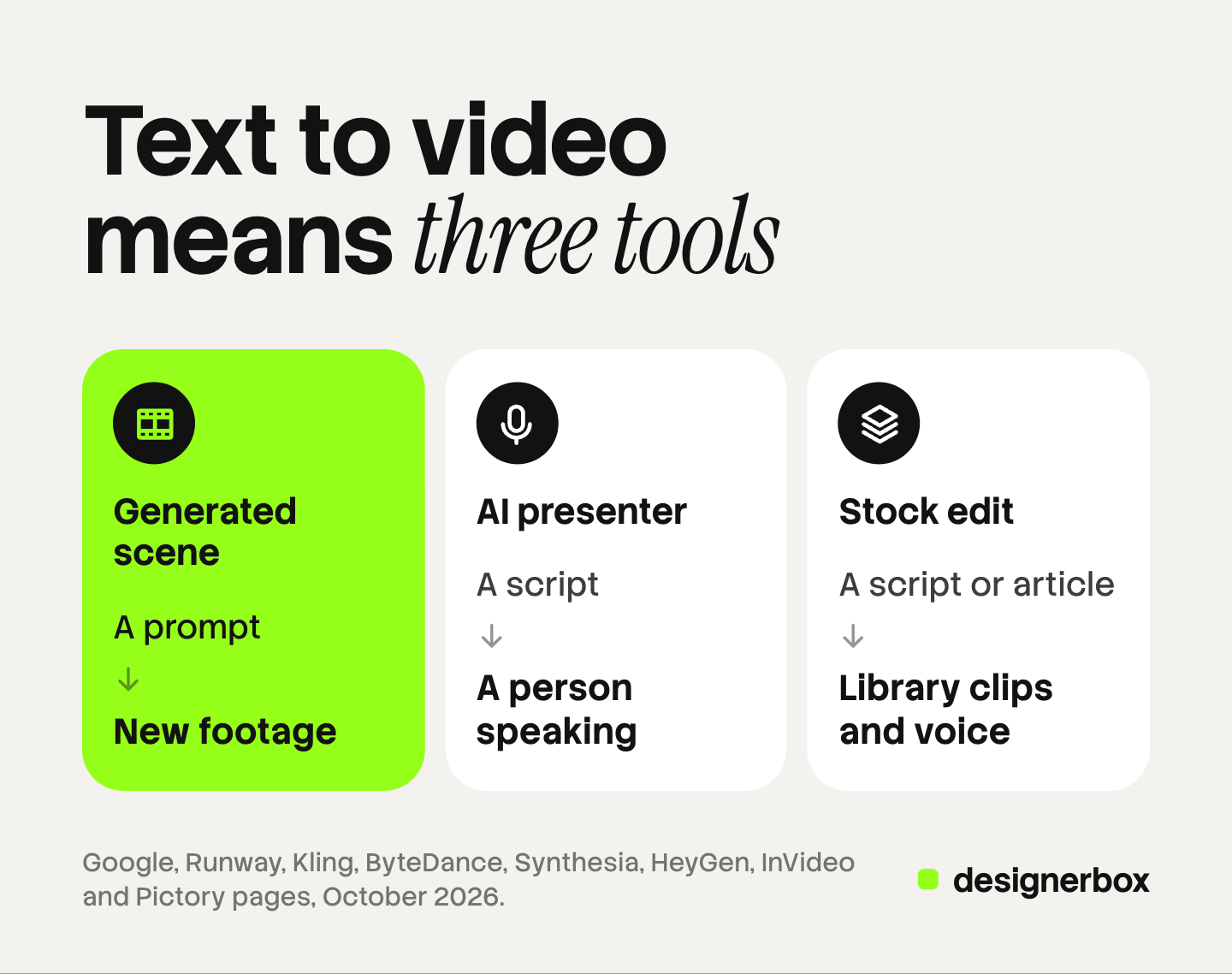
| Kind | What the text does | What you get | Examples |
|---|---|---|---|
| Generated scene | Describes a shot | New footage, often with sound | Veo, Gemini Omni Flash, Kling, Runway, Seedance, LTX |
| AI presenter | Becomes the spoken script | A person on screen reading it | Synthesia, HeyGen |
| Stock edit | Becomes the narration and the plan | Library footage, a voice and captions | InVideo, Pictory |
Before you pick a tool, ask which of the three your video is. A product ad, a training video and a blog post turned into a short need three different tools.
Generated scenes: models that make new footage
A generation model reads your prompt and makes footage that did not exist before. These are the models behind most AI ads. Each one makes a short clip per prompt.
| Model | Maker | Longest clip from one prompt | Notes from the maker |
|---|---|---|---|
| Veo 3.1 | 8 seconds | 720p, 1080p or 4K, with native audio. Up to 3 reference images | |
| Gemini Omni Flash | 10 seconds | 360p to 4K, edits by conversation. 1080p and 4K are upscaled | |
| Runway Gen-4.5 | Runway | 10 seconds | Text to video and image to video, 720p |
| Kling 4.0 | Kuaishou | 30 seconds | 720p, 1080p and 4K, with HDR |
| Seedance 2.5 | ByteDance | 30 seconds | Audio and video in one pass. Up to 30 reference images |
Google Veo and Gemini Omni Flash. Google describes Veo 3.1 as a model for 8-second videos at 720p, 1080p or 4K “with natively generated audio”. It can use up to three reference images and a first and last frame (Gemini API Veo guide, October 2026). Google’s deprecations page sets the shutdown of the three Veo 3.1 preview models in the Gemini API for 22 October 2026. It names Gemini Omni Flash or the GA models on the Gemini Enterprise Agent Platform as the replacement (Gemini API deprecations, October 2026). Gemini Omni Flash turns text and images into 3 to 10 second clips, and you can refine a clip by talking to it (Gemini Omni Flash model page, October 2026).
Runway Gen-4.5. Runway says the model handles “complex, sequenced instructions”, such as camera moves and the timing of events, in a single prompt. It makes clips of 2 to 10 seconds at 720p (Runway Help Center, October 2026).
Kling. Kuaishou lists Kling 4.0 with native 30-second generation, and Kling 3.0 with native audio and multi-shot storytelling in clips of 3 to 15 seconds (Kling API capability map, October 2026).
Seedance 2.5. ByteDance says Seedance 2.5 makes 30-second clips with audio in a single pass and can extend them in more rounds. It takes up to 30 images, 10 video clips and 10 audio clips as references (ByteDance Seed, October 2026).
LTX-2.5. Lightricks publishes LTX-2.5 with open weights. It makes audio and video together and runs on your own hardware (LTX model page, October 2026).
Where a generated scene fails for a brand: the product. A prompt describes a can. It cannot know your can. OpenAI removed Sora 2 from its API on 24 September 2026, so it is no longer an option for new work. Our AI video model comparison shows how to test prompt adherence on your own shots.
AI presenters: a person reads your script
A presenter tool takes your script and gives it a face and a voice. The text becomes speech. The picture is an avatar, a stock presenter or a likeness you recorded.
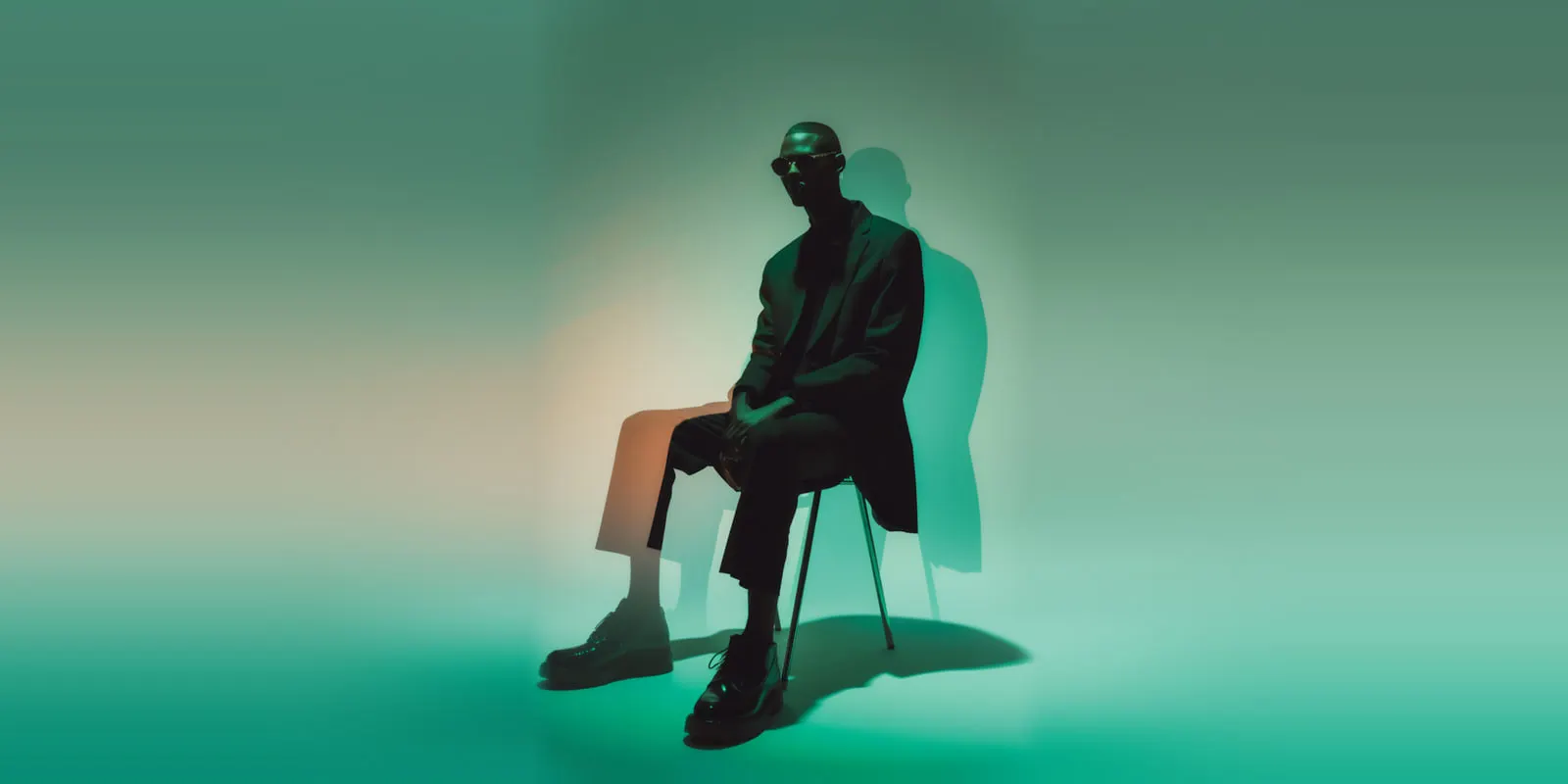
Synthesia lists “AI avatars and voiceovers in 140+ languages” and calls itself an AI video platform for business (synthesia.io, October 2026). HeyGen lists avatars, a text-based editor, and video translation that “syncs your lips” across “175+ languages and dialects” (heygen.com, October 2026).
What “professional” means here: the voice, the lip sync and the language. Check the pronunciation of your product name and of any word in a second language. If you use a real person’s likeness, get their written consent first. Many platforms also ask for an AI label on ads, and our guide to AI disclosure in advertising covers the rules. This is general information, not legal advice.
Where a presenter fails for a brand: the product is not on screen. A presenter explains. It does not show the bottle turning in the light.
Stock edits: footage and voice assembled to your text
A stock editor reads your text and builds a video from existing parts: library footage, a voiceover, captions and music. It suits explainers, social shorts from a blog post and internal videos.
InVideo calls itself an agentic video editor. It turns “any script or idea into a shot-by-shot plan” that you edit before it builds the video (invideo.io, October 2026). Pictory starts from text, a script, a URL, slides, images, audio or a screen recording. Its script tool gives “every line a scene, a visual, a voice and captions” (pictory.ai, October 2026).
Where a stock edit fails for a brand: the footage is generic. Library clips show a person holding a phone, never your product. Check the license terms for the footage in each tool before you run it in an ad.
Which kind fits your video?
Start from the job, then pick the kind. The model or the app comes last.
| Your video | Kind to start with | Why |
|---|---|---|
| A product ad or product page clip | Generated scene from a product photo | Only footage made from your photo shows your real product |
| A brand film or mood piece | Generated scene from a text prompt | Nothing in the frame has to match a real item |
| A training or onboarding video | AI presenter | A person explains, in many languages |
| A localized version of one video | AI presenter with translation | One script, many languages, lips in sync |
| A blog post turned into a short | Stock edit | The text is the plan, and stock covers the pictures |
| A 30-second ad with several shots | Generated scenes plus an edit | Each shot is its own clip, joined on a timeline |
Our guide to the AI video generator for social media sorts six kinds of social video the same way.
What a text prompt cannot hold
Text alone works for a scene that has to look right. It fails for a scene that has to be correct. Four things need more than words.
- Your real product. Start from a photo of the product and animate it. Our guide to image to video versus text to video explains why the input decides realism.
- The same person in every shot. Use reference images of the person, or a saved avatar.
- Exact words on screen. Add titles and captions in an editor. A model can misspell them.
- A full ad. A generated clip is one shot. A finished ad joins several shots with a voice, captions and music. Script to video AI walks through splitting a script into shots.
The prompt itself still matters. Name the shot, the subject, the action, the camera move, the light and the sound, in that order. Our AI video prompting guide has worked examples.
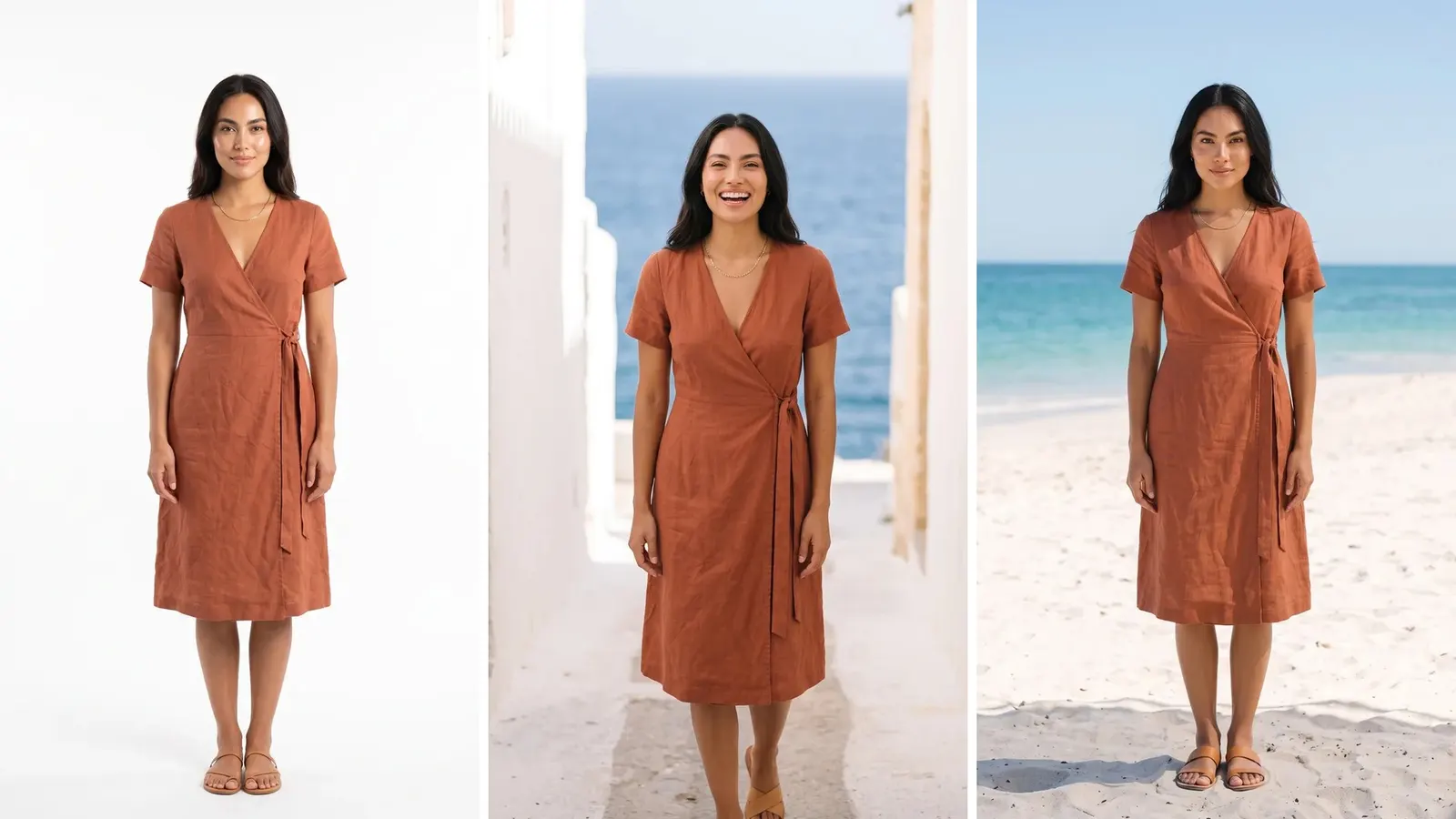
From a brief to a finished cut
In DesignerBox, the Video from a photo app and the Short product videos template make the clips from your product photo. For a text brief, use the Creator video skill in Create, or choose the model yourself in Generate. The video editor puts the clips in order on a timeline. Generate with AI in the editor makes a full video from a brief. You add captions from speech, one of 20 voices and music, and a talking avatar can speak your script with lip sync. Titles and captions use your brand font.
Anyone can make an AI picture. Making hundreds that still look like your brand is the hard part.
The video steps run on models listed on the DesignerBox models page, including Veo 3.1, Seedance 2.0, Kling 2.6 Pro and Runway Gen-4.5. An 8-second clip costs 40 to 560 credits, depending on the model. The cost is shown before the run. A saved workflow keeps your brand rules, so the next product gets the same steps. The clips, the voice and the edit all stay in one account.
The free plan runs on sample products and cannot make video. DesignerBox does not post to a channel for you: you download the results. Uploading your own photos and the commercial license start on the Pro plan. AI video and the video editor start on the Premium plan. Plans are on the pricing page.
The first job, built once
Start from a template, add your brand and your products, and run it.
FAQ
What is the best text to video AI?
It depends on the kind of video. For new footage, use a generation model such as Veo, Kling or Seedance. For a person reading a script, use a presenter tool such as Synthesia or HeyGen. For a blog post turned into a video, use a stock editor such as InVideo or Pictory.
How long can a text to video clip be?
It depends on the model. Veo 3.1 makes 8-second clips, Runway Gen-4.5 and Gemini Omni Flash make up to 10 seconds, and Kling 4.0 and Seedance 2.5 make up to 30 seconds from one prompt. A longer ad joins several clips in an editor.
Is Veo 3.1 still available?
Google shut down the Veo 3.1 preview models in the Gemini API on 22 October 2026. Google names Gemini Omni Flash or the Veo 3.1 GA models on the Gemini Enterprise Agent Platform as the replacement.
Can text to video AI show my real product?
Not from text alone. A prompt describes a product the model invents. Start from a photo of your product and use image to video, then check the label, shape and color in every frame.
Can ChatGPT turn text into a video?
Not by itself. OpenAI closed the Sora app on 26 April 2026 and removed Sora 2 from its API on 24 September 2026. Our guide on whether ChatGPT can make videos covers the routes that work today.
Do I need to label an AI video ad?
Often, yes. TikTok and Meta both have rules for AI-generated ads, and the rules differ. Check each platform’s ad policy before you run the video. This is general information, not legal advice.
Sources
- Gemini API, Veo 3.1 video generation guide (ai.google.dev, accessed October 2026)
- Gemini API deprecations, Veo models (ai.google.dev, accessed October 2026)
- Gemini API, Gemini Omni Flash model page (ai.google.dev, accessed October 2026)
- Runway Help Center, Creating with Gen-4.5 (help.runwayml.com, accessed October 2026)
- Kling API capability map, video models (kling.ai, accessed October 2026)
- ByteDance Seed, introducing Seedance 2.5 (seed.bytedance.com, accessed October 2026)
- LTX model page, LTX-2.5 (ltx.io, accessed October 2026)
- OpenAI API deprecations, Sora 2 (developers.openai.com, accessed October 2026)
- Synthesia homepage (synthesia.io), October 2026
- HeyGen homepage (heygen.com), October 2026
- InVideo homepage (invideo.io), October 2026
- Pictory homepage (pictory.ai), October 2026
- DesignerBox models, workflows and video editor pages (designerbox.ai), October 2026
- DesignerBox plans and license gating (DesignerBox pricing, designerbox.ai/pricing), October 2026
Model limits and app features were read on each maker’s own page on October 22, 2026. Video models change monthly, so check each page before you plan around it. Platform rules are general information, not legal advice. Individual results vary.