An AI video clothes changer replaces the garment a person wears in a video, or it makes a new clip of a model in your garment. There are three routes. You edit the clothes in footage you already have, you replace the whole person, or you make a new clip from a photo of the garment. For a brand, the garment in the result has to match the product you ship.
Here is the case this guide is for. You filmed one model walking in the black version of a jacket. The jacket also sells in four other colors, and the next drop brings three new styles. A reshoot for each one means you book the model, the studio and the crew again.
This guide is for fashion brands and for the agencies that make their video. It compares 13 tools by what each one starts from: your footage, a character photo or a garment photo. It lists the clip limits each vendor states and the places where a changed garment breaks. It also covers the consent and the labels to check before an edited clip runs as an ad. For AI imagery across a whole range, see AI fashion models for fashion brands.
Key Takeaways
- Three routes. Edit the garment in your footage, replace the whole person, or make a new clip from a garment photo.
- Editing works on short clips. Kling VIDEO O1 and Loova take 3 to 10 seconds of input. Runway Aleph 2.0 edits clips up to 30 seconds at 1080p.
- Show the tool your real garment. Runway, Kling, Higgsfield, YouCam, Loova and Wan take reference images. A prompt describes the garment in words, so the result is the AI’s idea of it.
- Google’s editing has a region limit. Google Flow does not support editing uploaded videos in the EEA, Switzerland or the UK.
- A real person in the footage means a rights check. Read the model release, and label the clip where TikTok, Meta or the EU AI Act asks for a label.
- Check the garment frame by frame. Prints, logos, collars and hems are where a changed garment drifts.
- DesignerBox takes the photo route. It puts your garment on a model in a still, then makes a short clip from that still.
What an AI video clothes changer does
An AI video clothes changer is a video edit, or a video generation, that targets the clothes. You give the tool a clip or a photo. You describe the new garment in a prompt, or you show it in a reference image. The tool changes the garment and should keep the face, the body, the motion and the background.
Three kinds of tool use the same name:
- Garment edits. The tool changes the clothes in footage you already have. The person, the motion and the location stay real.
- Person swaps. The tool replaces the whole person with a character from one photo. The clothes change because the person changes.
- New clips from photos. The tool makes a new video from a photo of a garment, and often a photo of a person. There is no footage at the start.
For a still image, the same job is covered in how to change clothes in a photo with AI. The still-photo tools are compared in the best AI clothes changer for product photos.
Edit your footage or make a new clip
Edit your footage when you have a clip you like and the person in it agreed to edits. The motion is real, and only the garment changes. Make a new clip when you have only product photos. You need no crew and no footage, but the AI draws the person and the motion. Replace the whole person only when you need a different character, because that route changes who appears in your ad.
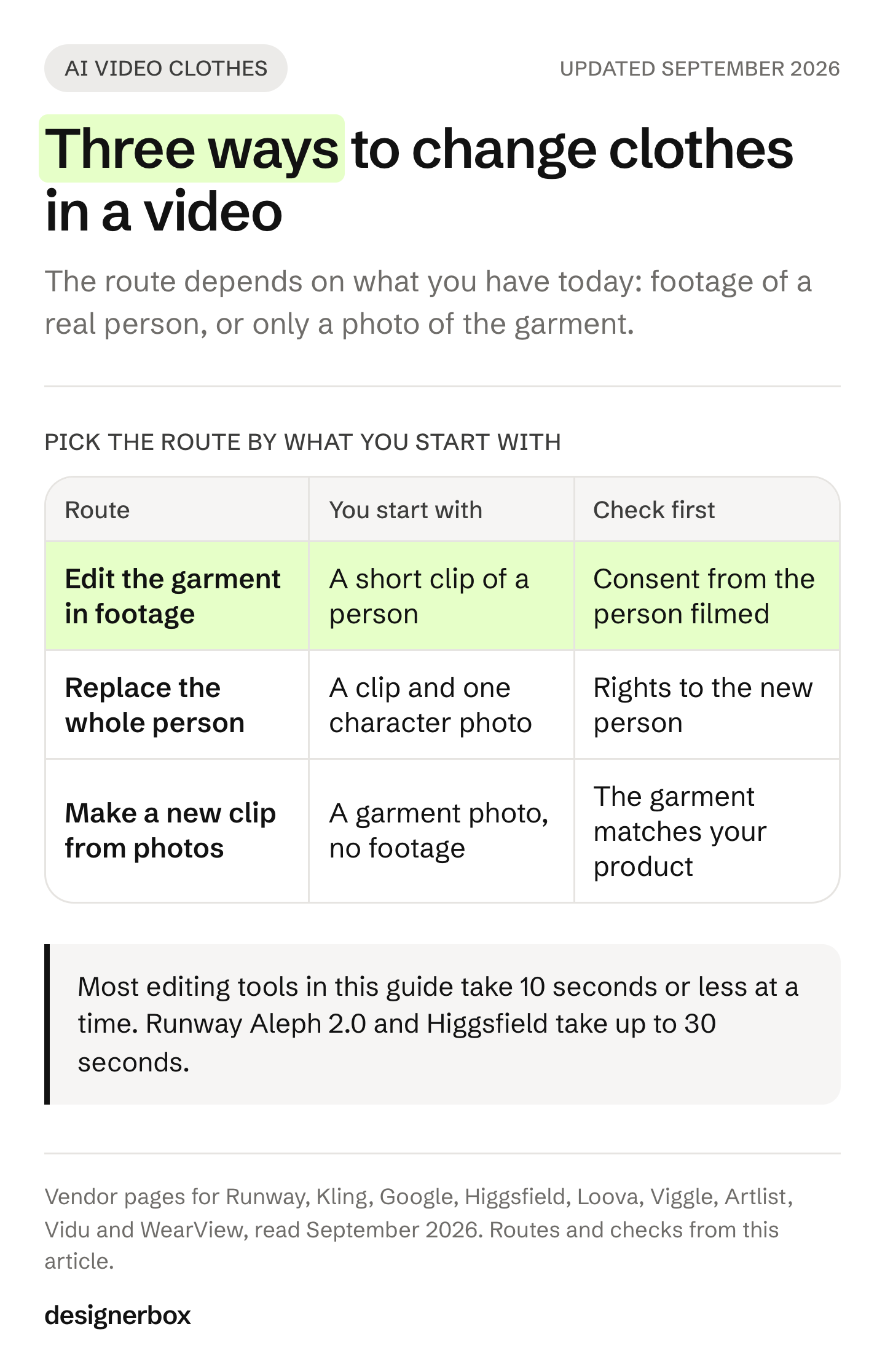
The first question is what you have today. A brand with a library of model footage can edit it. A brand with flat lays and packshots needs the photo route. The second question is whose body is in the frame, because that decides the rights check further down this page.
AI video clothes changer tools compared
The table covers 13 tools, plus DesignerBox in the last row. Every cell comes from the vendor’s own page, read on 24 September 2026. “Not stated” means the vendor’s page did not say it when we checked. It does not mean the tool cannot do it. DesignerBox is ours, so read its row with that in mind. For a wider list of video tools, see the best AI product video generators.
| Tool | What it changes | Takes a garment photo | Length the vendor states |
|---|---|---|---|
| Runway Aleph 2.0 | ”A piece of clothing” in your footage | Yes, an optional reference image | Clips up to 30 seconds at 1080p |
| Kling VIDEO O1 | The main character’s outfit, by prompt | Yes, reference images | Input of 3 to 10 seconds |
| Google Gemini Omni Flash | Your uploaded clip, by prompt | Not stated | A 10-second segment in Flow |
| Luma Modify Video | Wardrobe and props in your footage | Not stated | Up to 20 seconds at 1080p on Ray3.2 |
| Higgsfield Genjutsu | A selected character, outfit or object | Yes, up to 30 reference images | A reference video of 4 to 30 seconds |
| Pika Pikaswaps | Objects in your real-world video | Not stated | Not stated |
| YouCam Video Clothes Changer | The outfit across your video | Yes, a reference photo | Not stated |
| Loova | The clothes in your video | Yes, garment images | Input of 3 to 10 seconds |
| Wan2.1-VACE (open weights) | Masked areas, from reference images | Yes, reference images | About 81 frames a run |
| Viggle body swap | The whole character | One photo of the new character | Not stated |
| Artlist AI Clothes Changer | A new clip from two photos | Yes, an outfit image | A duration you can adjust |
| Vidu AI Outfit | A new clip from photos | Yes, flat or on a mannequin | Not stated |
| WearView | New model videos from product photos | Yes, product photos | Not stated |
| DesignerBox (ours) | A new clip from an on-model still | Yes, the garment photo | Set by the video model you pick |
Edit the garment in your footage: Runway, Kling and Google
Runway’s Aleph 2.0 edits the video you already have. You describe the change, such as a piece of clothing, and Runway says Aleph 2.0 changes only that. You edit one frame the way you want, and Aleph 2.0 applies that look to the whole video. It edits clips up to 30 seconds long at 1080p (Runway, accessed September 2026). Runway’s help center lists it on all paid plans (Runway help center, accessed September 2026). Runway says you keep ownership of what you make, with no non-commercial restrictions (Runway usage rights, accessed September 2026).
Kling’s VIDEO O1 edits a clip from a plain instruction, such as a change to the main character’s outfit, with no manual mask. It takes input clips of 3 to 10 seconds, up to 200MB and 2K. It returns 3 to 10 seconds at 720p or 1080p (Kling VIDEO O1 guide, accessed September 2026). Kling says its 3.0 Omni model edits the same way and returns up to 15 seconds (Kling 3.0 Omni guide, accessed September 2026). Kling’s clothes changer page is a different product. It changes outfits in photos, not in video (kling.ai/feature/ai-clothes-changer, September 2026).
Google’s Gemini Omni Flash edits clips by prompt, in Flow and in the Gemini API. Google’s own prompt guide gives the example “Put a fashionable hat on this person” (Google AI for Developers, accessed September 2026). In Flow you upload a video of up to 60 seconds and 1GB. You trim a longer upload to 30 seconds, then edit a segment of up to 10 seconds (Google Flow Help, accessed September 2026).
Two Google limits matter for fashion teams. Flow does not support editing uploaded videos in the EEA, Switzerland or the UK (Google Flow Help, accessed September 2026). The Gemini API guide also says that uploading and editing images with “certain recognizable people” is not supported. Google adds an invisible SynthID watermark to every clip it makes (Google AI for Developers, accessed September 2026).
Swap the garment from a reference: Higgsfield, Luma, Pika, YouCam, Loova and Wan
Higgsfield’s Genjutsu changes a selected character, outfit, product, location or object in a shot, and keeps the rest. It takes a reference video of 4 to 30 seconds, up to 30 reference images including wardrobe, and a prompt. Higgsfield says the result is yours to publish across organic and paid channels, subject to its Terms of Use (higgsfield.ai/genjutsu, September 2026).
Luma’s Modify Video changes wardrobe and props in footage you upload (docs.lumalabs.ai/docs/modify-video, September 2026). Luma’s Ray3.2 page describes Modify Video V2 with the line “Swap the wall, the world, the wardrobe”, on clips up to 20 seconds at 1080p (lumalabs.ai/ray3-2, September 2026).
Pika’s FAQ describes Pikaswaps as a way to swap objects in your real-world video. The FAQ does not state a clip length. It says the Pro and Fancy plans may use results commercially, and the Basic and Standard plans may not (pika.art/faq, September 2026).
YouCam’s AI Video Clothes Changer replaces the outfit across an uploaded video. You choose a template, write a prompt or add a reference photo (yce.perfectcorp.com, September 2026).
Loova changes the clothes in an MP4 or MOV clip of 3 to 10 seconds and up to 200MB, from garment images. Its own FAQ calls the result “a creative visualization, not a measurement-based fitting tool” (loova.ai, September 2026). That is a fair test for every tool on this page. A changed garment shows a look. It does not prove how the garment fits a real body.
Wan2.1-VACE from Alibaba is an open-weights model under the Apache 2.0 license. Its authors describe it as “Swap-Anything, Reference-Anything”, and it covers masked video-to-video edits from reference images (VACE on GitHub, accessed September 2026). The 14B model runs at 720p and the 1.3B model at 480p. You run it on your own hardware, so it suits a team with its own GPU pipeline. No official page shows a garment-only swap, so test that on your own clip first.
Replace the whole person: Viggle and Wan2.2-Animate
Viggle’s body swap replaces the “face, body, clothing, proportions” of the person in a video, from one photo of a new character. The clothes change because the whole person changes. Free exports carry a watermark (viggle.ai, September 2026). Wan2.2-Animate has a replacement mode that swaps the character in a video for a character image, under Apache 2.0 (Wan2.2 on GitHub, accessed September 2026).
This route changes who appears in your video. Swapping only the face is a different edit, covered in AI head swap. Both need the rights check below more than any other route.
Make a new clip from photos: Artlist, Vidu and WearView
This route is image-to-video: the tool starts from a still and adds motion. Artlist’s AI Clothes Changer takes two photos, one of a person and one of an outfit, and makes a short outfit-transition video as an HD MP4. Artlist says its Pro and Business licenses cover paid and promoted video, client work and commercials. Its Social license covers personal social channels only (artlist.io/ai/apps/ai-clothes-changer, September 2026).
Vidu’s AI Outfit template asks for the garment laid flat or on a mannequin. It also asks for “a clear head-and-neck photo of the model with no visible clothing” (vidu.com/ai-templates/ai-outfit, September 2026). WearView’s AI Fashion Video Generator turns static product photos into model videos for TikTok, Reels and social ads (wearview.co, September 2026). The full method for this route, from the try-on still to the moving clip, is in virtual try-on video.
Where AI video clothes changers break
A changed garment has to hold in every frame of the clip, while the body moves under it. Check five places before a clip goes to a product page or an ad. Pause on the frames where the body turns, because that is where the garment has to be drawn from a new side.
- Prints and logos. A print or a logo has to keep its shape and its place as the fabric folds.
- Collars, cuffs and hems. Edges are where the new garment meets skin, hair or another garment. Watch the neckline when the head turns.
- Hands and arms. When an arm crosses the body, the garment has to appear again, the same, after the arm moves away.
- Drape and weight. A wool coat and a silk shirt move in different ways. Compare the motion with footage of the real garment, if you have some.
- Length. Most editing tools in the table take 10 seconds or less at a time. Runway Aleph 2.0 and Higgsfield take up to 30 seconds. Edit a longer take shot by shot, and check the joins.
The same drift affects faces and characters across shots. The checks for those are in keeping characters consistent in AI video. Fit is a separate question. A garment in an AI clip shows the look, and the reasons it cannot show fit are in virtual try-on fit accuracy.
The rights check when a real person is in the footage
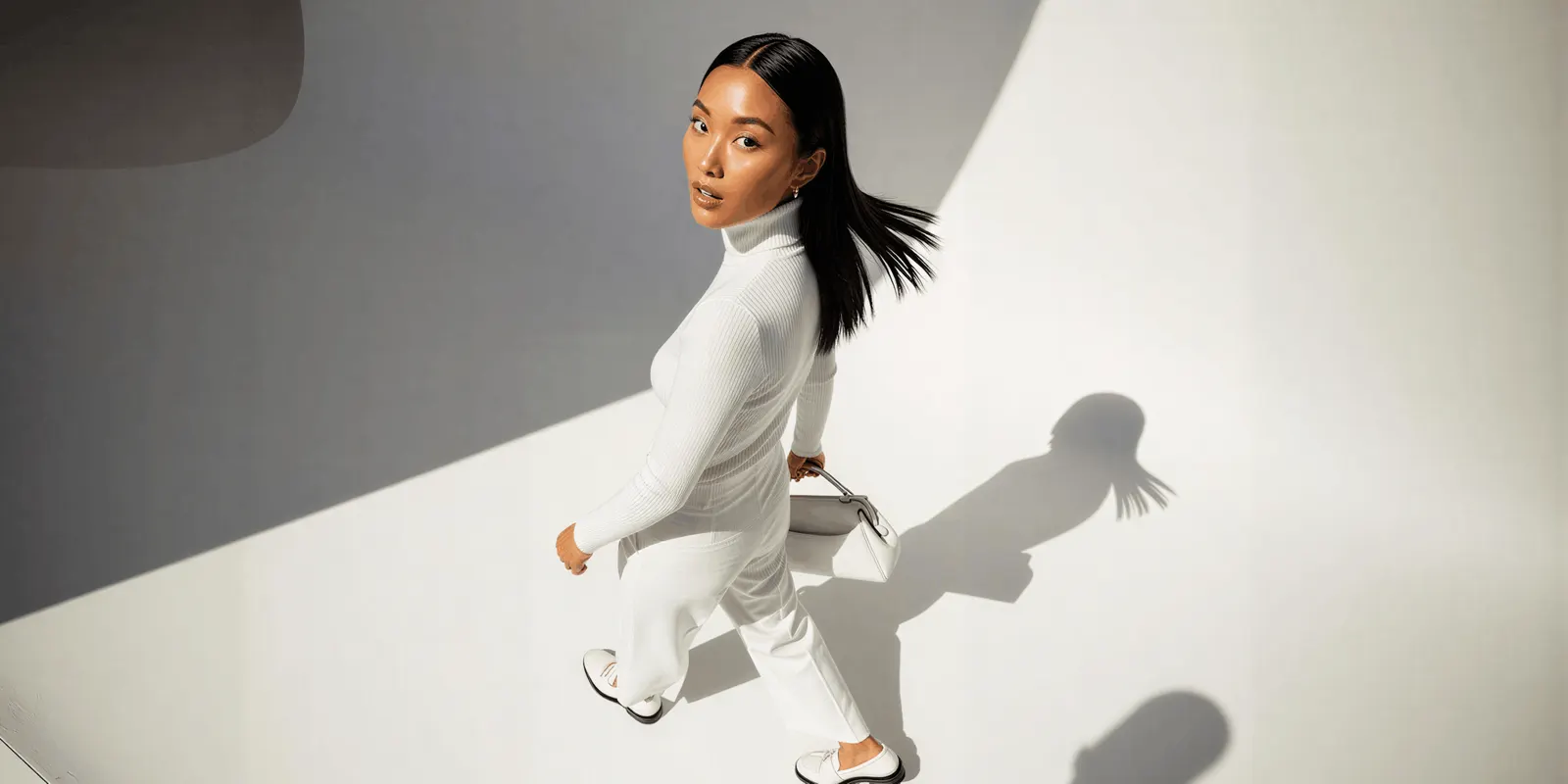
When you change the clothes on a real person, you change how that person appears in your ad. Before you edit footage of a model, a customer or an employee, check three things: the consent you hold, the EU deep fake rule and the platform label. This is general information, not legal advice.
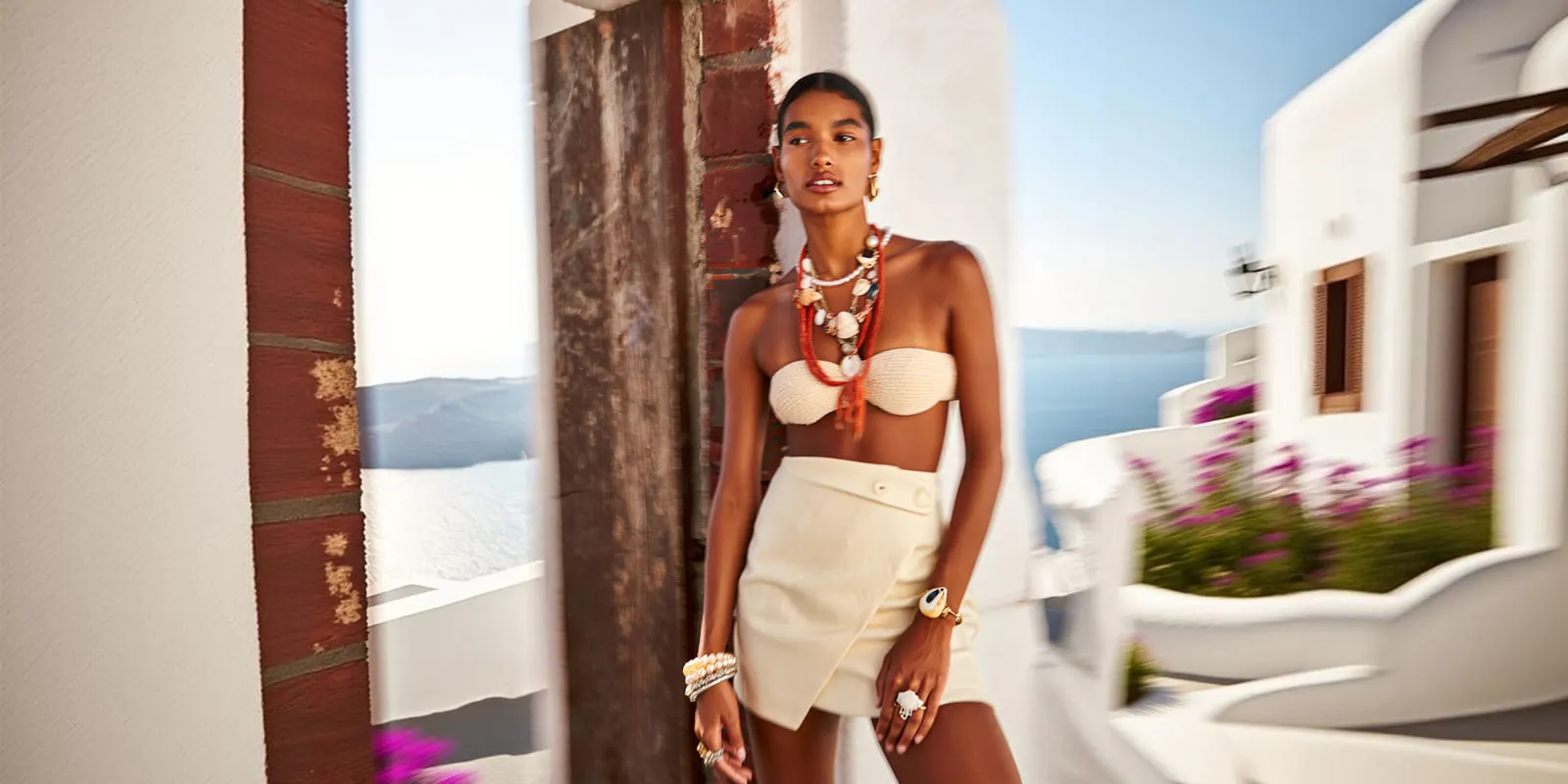
Consent. In the US, the right of publicity comes mainly from state law (Cornell LII, accessed September 2026). In New York you need a person’s written consent before you use their name, picture, likeness or voice in advertising (NY Civil Rights Law 50, accessed September 2026). California asks for prior consent to use a person’s photo or likeness in ads (California Civil Code 3344, accessed September 2026). Read your model release before you edit. A release signed for one shoot may not cover a new outfit in a new ad. Our model release form guide lists the clauses to look for.
Digital replicas of models. Since 19 June 2025, New York’s Fashion Workers Act requires separate written consent before a model’s digital replica is made or used. The consent must state the scope, the purpose, the pay and how long the replica is used. Routine edits such as color correction are not digital replicas (New York State Department of Labor, accessed September 2026).
The EU deep fake rule. Article 50 of the EU AI Act has applied since 2 August 2026. If you publish a deep fake, you must say it is AI-generated or AI-edited. People must see the label the first time they see the content (European Commission FAQ, accessed September 2026). A realistic video of a person in clothes they never wore can meet that definition. The Commission’s guidelines, which are not binding, also count an AI product image that can mislead people about how the real product looks (European Commission guidelines, accessed September 2026).
An invented model is not outside the rules. The same guidelines count “realistic AI-generated human avatars or personas” as persons, so a new clip of a person who never existed can still be a deep fake. In New York, if you make an ad and you know it contains a synthetic performer, the ad must say so (NY General Business Law 396-b, accessed September 2026).
Platform labels. TikTok asks advertisers to label ads with AI-generated or heavily AI-edited media, with its AIGC label or a clear disclaimer of their own. Its policy includes “using real images or videos as source material but altering them substantially with AI”. TikTok rejects or restricts an ad when it finds AI content that was not disclosed (TikTok ads policy, accessed September 2026). Meta asks for a disclosure only in ads about social issues, elections or politics. It adds its own “AI info” label to other ads when it detects signals of third-party AI, such as C2PA metadata (Meta Business Help, accessed September 2026). For organic posts, Meta requires you to disclose photorealistic AI video (Meta Community Standards, accessed September 2026). The label wording for fashion work is in labeling AI-generated fashion images.
How to change clothes in a video with AI
Change clothes in a video the same way each time. These steps assume you edit your own footage. For the photo route, start at step 2.
- Choose a clean clip. Use a steady camera, keep the garment in view, and keep arms in front of it to a minimum. Keep the clip under the tool’s length limit.
- Photograph the new garment. Shoot it flat or on a mannequin, front and back, in even light. Use that photo as the reference image when the tool takes one.
- Name what stays. Write in the prompt that the face, hair, background and other garments stay the same.
- Edit one short clip first. Check it at full size, frame by frame, on the print, the logo, the collar and the hem.
- Compare it with the real garment. Hold the product next to the screen. The color, the length and the details must match what you ship.
- Check consent and the label. Confirm the release covers the edit, and add the label your channel and your market ask for.
- Cut the clips together. Put the edited shots in order in a video editor, and add captions and sound.
For stills of the same garment on a model, the steps are in how to put clothes on a model with AI.
Which route fits the job
The right tool depends on what you start with and how often you repeat the job. Use the table to find a route, then test two tools from that row on one of your own clips.
| You have | Route | Tools to test first |
|---|---|---|
| A clip of a model who agreed to edits, and new colors of the same style | Edit the garment, with a reference photo | Runway, Kling, Higgsfield |
| Only product photos, and no footage | Make a new clip from photos | Artlist, Vidu, WearView, DesignerBox |
| Your own GPU pipeline | Open weights | Wan2.1-VACE |
| A clip of a performer, and a new character | Replace the whole person | Viggle, Wan2.2-Animate |
| New products every week | A saved workflow from photo to clip | DesignerBox |
If your team works in the EU or the UK, check the region first. Google Flow’s uploaded-video edits are not available there.
Garment video in DesignerBox
DesignerBox is AI creative production for brands and agencies. Scale your images, ads and video with AI and keep your brand on every piece: build the workflow once with your brand rules, run it on every product, see the cost before each run, and keep everything from the first product photo to the finished ad in one place.
DesignerBox does not change the clothes in footage you already shot. It takes the photo route and starts from a photo of your real garment. Clothing catalog turns one garment into four shots: front, three-quarter, back and a fabric close-up. Virtual try-on and Dress my model put the garment on a model. The Fashion product videos template makes short videos of a garment on a model, for the product page.
You check the still before any motion is added, so you can confirm the garment first. That order is the advice in AI fashion video too. The video editor is a real timeline, with several tracks, transitions, animated text and audio. You put the clips for each product in order there and add captions.
Anyone can make an AI picture. Making hundreds that still look like your brand is the hard part. You set the brand once. The workflow reads it on every run. A saved workflow runs the same way on the next product, and batch runs it over the whole sheet at once. Three critic steps score the results, and best-of-N keeps the best one. The full workflow from the first product photo to the finished ad, in one subscription.
An 8-second clip costs 40 to 560 credits, depending on the model. The commercial license starts on the Pro plan. AI video and virtual try-on start on the Premium plan. Team features, shared brand kits, white label and the API are on the Ultra plan, and every plan below Ultra is one seat. The free plan cannot make video. Plans and credits are on the pricing page. The full fashion set is on AI fashion models for fashion brands.
First garment clip from a template
Start from a template, add your brand and your products, and run it.
FAQ
What is an AI video clothes changer?
It is a tool that changes the garment a person wears in a video, or makes a new clip of a model in your garment. Some tools edit footage you already have. Some replace the whole person. Others make a new video from a photo of the garment.
Can AI change clothes in an existing video?
Yes. Runway Aleph 2.0, Kling VIDEO O1, Google’s Gemini Omni Flash, Luma, Higgsfield, YouCam and Loova all edit uploaded footage (vendor pages, September 2026). Most take short clips. Kling and Loova take 3 to 10 seconds of input, and Runway Aleph 2.0 takes up to 30 seconds.
Is there a free AI video clothes changer?
Some tools have a free way in, with limits. Viggle’s free exports carry a watermark. Wan2.1-VACE is open weights under Apache 2.0, and you run it on your own hardware. Check each tool’s terms for commercial use before a clip runs in an ad. DesignerBox has a free plan, but the free plan cannot make video.
Can I use AI clothes-changed videos in ads?
Yes, if the tool’s terms allow it and you hold the rights to the person in the clip. Runway says you keep ownership with no non-commercial restrictions. Artlist’s Pro and Business licenses cover paid video. Pika allows commercial use on its Pro and Fancy plans (vendor pages, September 2026). You also need consent from the person filmed, and a label where your channel asks for one.
How long can an AI clothes-changed video be?
Most editing tools work on 10 seconds or less at a time. Google Flow edits a segment of up to 10 seconds. Runway Aleph 2.0 edits clips up to 30 seconds, and Higgsfield takes reference videos of 4 to 30 seconds. For a longer video, edit it shot by shot and join the clips in a video editor.
Do I need to label a video where AI changed the clothes?
Often, yes. TikTok asks advertisers to label ads with AI-generated or heavily AI-edited media. In the EU, Article 50 of the AI Act requires a label on a deep fake, and a realistic person in clothes they never wore can be one. Meta labels ads itself when it detects signals of AI.
Can I change clothes in a video without a real model?
Yes. The photo route starts from a garment photo and makes a new clip, so no one is filmed. An invented person can still count as a deep fake under EU guidance, and New York requires a disclosure in an ad with a synthetic performer. So plan the label on this route too.
Sources
All accessed 24 September 2026 unless a date is shown.
- Runway Aleph 2.0, wardrobe edits and clip length: runway.com
- Runway help center, Edit Studio and plan availability: help.runwayml.com
- Runway usage rights: help.runwayml.com
- Kling VIDEO O1 user guide: kling.ai
- Kling VIDEO 3.0 Omni user guide: kling.ai
- Google Gemini Omni Flash guide, editing, limits and SynthID: ai.google.dev
- Google Flow, editing uploaded videos: support.google.com
- Google Flow, where you can use Flow and regional limits: support.google.com
- Wan2.1-VACE: github.com
- Wan2.2 and Wan2.2-Animate: github.com
- Cornell Legal Information Institute, right of publicity: law.cornell.edu
- New York Civil Rights Law 50: nysenate.gov
- New York General Business Law 396-b, synthetic performers: nysenate.gov
- New York State Fashion Workers Act FAQ: dol.ny.gov
- California Civil Code 3344: leginfo.legislature.ca.gov
- European Commission FAQ on Article 50: digital-strategy.ec.europa.eu
- European Commission guidelines on Article 50, 20 July 2026: digital-strategy.ec.europa.eu
- TikTok ads policy, misleading and false content: ads.tiktok.com
- Meta Business Help, AI info labels on ads: facebook.com
- Meta Community Standards, misinformation: transparency.meta.com
- Kling clothes changer for photos: kling.ai/feature/ai-clothes-changer, September 2026
- Luma Modify Video: docs.lumalabs.ai/docs/modify-video and lumalabs.ai/ray3-2, September 2026
- Higgsfield Genjutsu: higgsfield.ai/genjutsu, September 2026
- Pika FAQ, Pikaswaps and commercial use: pika.art/faq, September 2026
- YouCam AI Video Clothes Changer: yce.perfectcorp.com/features/ai-video-clothes-changer, September 2026
- Loova AI clothes changer and FAQ: loova.ai/ai-clothes-changer, September 2026
- Viggle body swap: viggle.ai/tools/ai-body-swap, September 2026
- Artlist AI Clothes Changer and licenses: artlist.io/ai/apps/ai-clothes-changer, September 2026
- Vidu AI Outfit template: vidu.com/ai-templates/ai-outfit, September 2026
- WearView AI Fashion Video Generator: wearview.co, September 2026
- DesignerBox templates, video editor and plan gates: DesignerBox template, video editor and pricing pages (designerbox.ai/templates, designerbox.ai/product/video-editor, designerbox.ai/pricing), September 2026
Tool features, clip limits, laws and platform rules verified from the vendor, regulator and platform pages listed above as of September 2026. Tool pages and rules change often, so check the current page before you plan a run. This is general information, not legal advice. Individual results vary.