What is Image-to-Image AI?
Complete Guide to Style Transfer, Transformations & Visual Editing
What is Image-to-Image AI?
Image-to-Image AI is an artificial intelligence technique that transforms existing images into new variations while maintaining structural elements or specific characteristics. Unlike text-to-image generation that starts from text descriptions, image-to-image AI takes a source image as input and modifies it according to text prompts, style references, or transformation parameters. This technology enables style transfers, image editing, artistic transformations, product variations, and creative remixing while preserving the original composition, making it invaluable for designers, marketers, and content creators.
Image-to-image models use conditional diffusion processes and neural style transfer to intelligently modify images while maintaining coherence, allowing precise control over specific visual transformations without starting from scratch.
Why Image-to-Image AI is Crucial for Visual Content
- Controlled Transformations: Maintain composition while changing style, colors, or aesthetic elements
- Rapid Style Exploration: Test multiple visual styles on existing content instantly
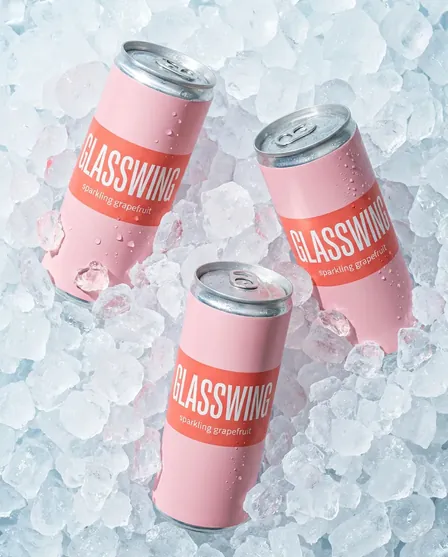
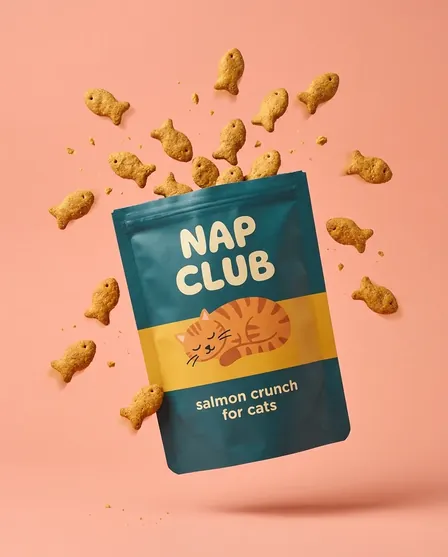
- Product Variation Generation: Create product variations in different colors, materials, or settings
- Image Enhancement: Improve quality, resolution, and aesthetic appeal of existing images
- Creative Flexibility: Transform photographs into artwork, illustrations, or different visual styles
Key Benefits of Image-to-Image AI for Digital Creation
Precision and Control
Image-to-image AI provides greater control than text-to-image generation by preserving composition, structure, and spatial relationships while allowing targeted modifications to style, color, or specific elements.
Efficient Iteration
Rapidly explore multiple visual directions from a single source image, enabling quick creative exploration and A/B testing without recreating entire compositions from scratch.
Brand Consistency
Maintain consistent composition and layout while adapting images for different campaigns, seasons, or markets, ensuring visual coherence across brand touchpoints.
Proven Image-to-Image AI Use Cases and Success Stories
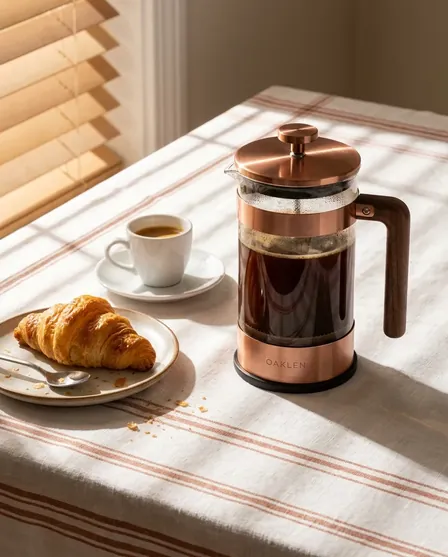
- Product Photography Enhancement: Transform product photos into different environments and lighting conditions
- Artistic Style Transfer: Convert photographs into paintings, illustrations, or specific artistic styles
- Seasonal Variations: Adapt existing product imagery for different seasons and campaigns
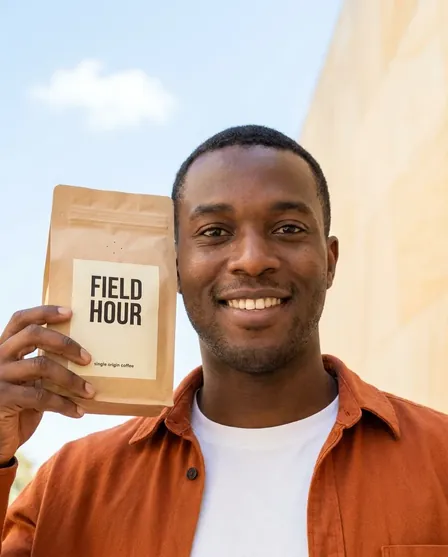
- Background Replacement: Change image backgrounds while preserving subject integrity
- Architecture Visualization: Transform architectural sketches into photorealistic renderings
Should You Use Image-to-Image for Product Photography? Strategic Applications
Image-to-image AI is excellent for creating product variations, testing different settings, and enhancing existing photography. It works best when you have strong source images and need controlled variations rather than completely original compositions.
For optimal results, use high-quality source images with clear subjects, experiment with strength parameters to balance preservation and transformation, and combine AI transformations with manual refinement for professional results.
How to Master Image-to-Image AI: Step-by-Step Guide
Step 1: Select and Prepare Your Source Image
- Choose high-quality source images with clear subjects and good composition
- Ensure adequate resolution for your intended output (minimum 1024x1024 recommended)
- Pre-process images by cropping, adjusting exposure, and removing distractions
- Consider the structural elements you want to preserve in transformation
- Prepare multiple source images to test transformation effectiveness
Step 2: Choose Your Transformation Approach
- Select style transfer for artistic transformations maintaining composition
- Use guided editing with prompts for specific element modifications
- Apply inpainting for localized changes to specific image regions
- Leverage sketch-to-image for transforming line drawings into detailed visuals
- Experiment with different AI models optimized for specific transformation types
Step 3: Configure Transformation Parameters
- Adjust denoising strength to control balance between preservation and transformation
- Use lower strength (0.3-0.5) for subtle modifications and higher (0.6-0.9) for dramatic changes
- Write descriptive prompts specifying desired changes while referencing original elements
- Use negative prompts to prevent unwanted transformations or artifacts
- Test multiple parameter combinations to find optimal transformation settings
Step 4: Refine and Optimize Results
- Generate multiple variations adjusting strength and prompt parameters
- Combine successful transformations with original elements using image editing tools
- Apply selective transformations to specific regions using masking techniques
- Upscale final results for high-resolution output using AI upscaling
- Maintain transformation presets and successful parameter combinations for consistency
Image-to-Image AI Best Practices for Professional Results
- High-Quality Sources: Start with clean, well-composed images for best transformation results
- Strength Calibration: Balance preservation and transformation through careful strength adjustment
- Descriptive Prompts: Clearly describe desired transformations while acknowledging original elements
- Iterative Approach: Generate multiple variations and progressively refine parameters
- Hybrid Workflows: Combine AI transformations with traditional editing for professional polish
Image-to-Image AI FAQ: Common Questions Answered
How does image-to-image AI differ from text-to-image generation?
Image-to-image AI uses an existing image as a structural guide, transforming it according to prompts while preserving composition, whereas text-to-image generates entirely new images from text descriptions without visual references.
What is the denoising strength parameter in image-to-image?
Denoising strength (typically 0-1) controls how much the AI transforms the source image. Lower values (0.3-0.5) preserve more original details, while higher values (0.6-0.9) allow more dramatic transformations and creative freedom.
Can image-to-image AI change specific objects while preserving others?
Yes, through inpainting and masked editing techniques. You can select specific regions for transformation while protecting other areas, enabling precise localized modifications without affecting the entire image.
What are the best source images for image-to-image transformation?
Optimal source images have clear subjects, good composition, adequate resolution (1024x1024+), proper lighting, and minimal noise or compression artifacts. Simple, well-defined compositions generally transform better than cluttered scenes.
How can businesses use image-to-image AI for product marketing?
Businesses can create product variations (colors, materials), generate lifestyle context images, adapt products for seasonal campaigns, test different backgrounds and settings, and enhance existing product photography cost-effectively.