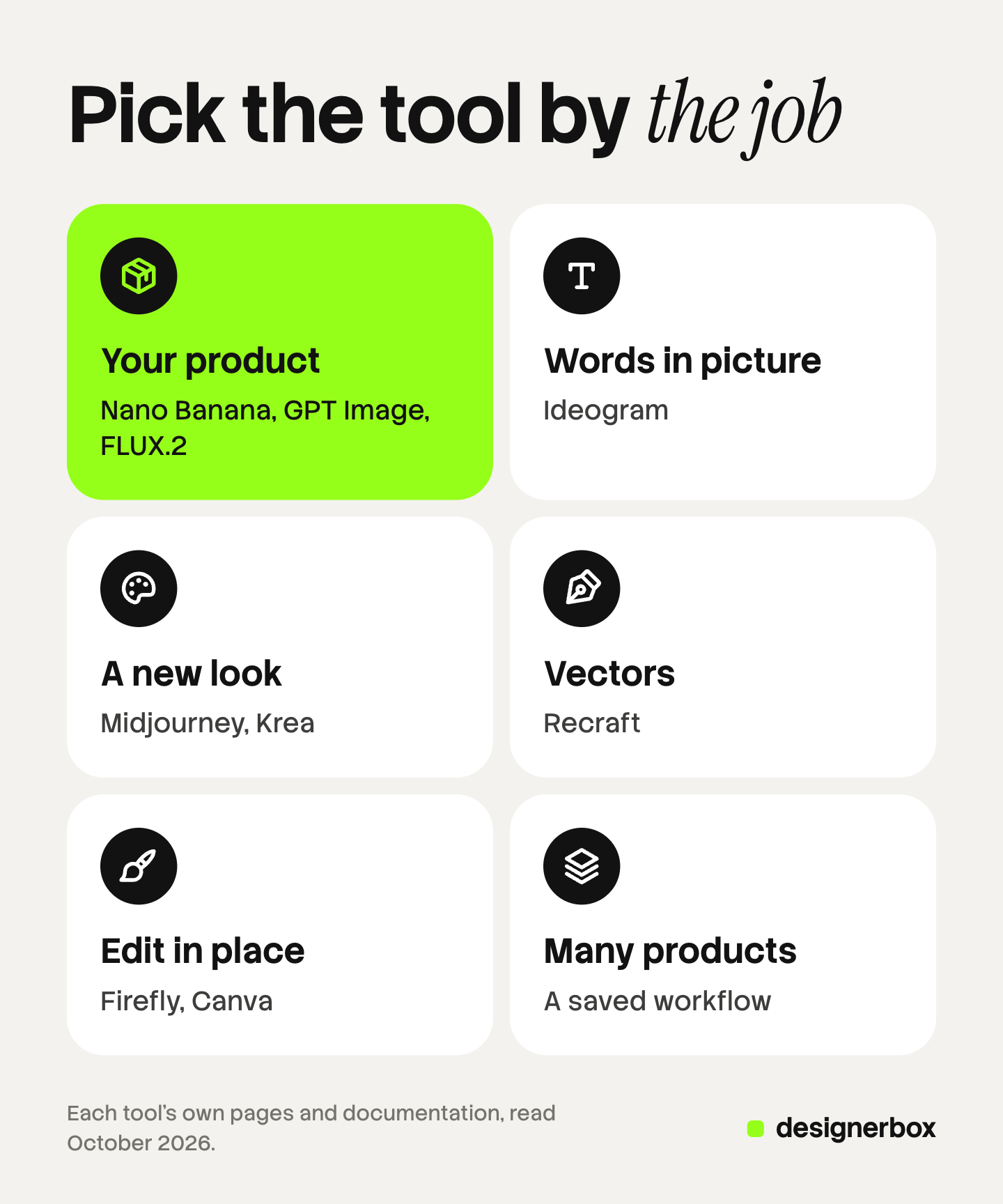
The best AI image generator for a business depends on the job. For a picture of your real product, start with a model that takes reference photos, such as Google’s Nano Banana or OpenAI’s GPT Image. For words inside the picture, try Ideogram. For a new look, Midjourney. For vectors, Recraft. For edits inside a design tool, Adobe Firefly or Canva.
A brand rarely needs the prettiest picture from a blank prompt. It needs its own bottle, with the right label, at the right size, with the right to use it in an ad. And next week it needs the same picture for 40 more products.
This guide sorts ten tools by those jobs. Each entry says what the tool does well and what to check before you rely on it. Every feature was read on the tool’s own pages in October 2026. We make DesignerBox, the tenth entry, so read that one with our bias in mind.
Key Takeaways
- Sort by the job, not by a ranking. A real product, words in the picture, a new look, a vector, an edit and a set of 200 products are six different jobs.
- Your product needs reference photos. A text prompt alone invents the product. Google, OpenAI, Black Forest Labs and Midjourney all take reference images.
- Text is a specialty. Ideogram tells you to quote the exact words, and its Studio lets you edit text as a layer.
- Check who can see your images. Midjourney’s terms say your content is public and remixable by default.
- Edit where your team already works. Photoshop’s Generative Fill and Canva’s generator work inside the file you already have open.
- Volume is its own job. One saved setup that runs on every product beats retyping a prompt 200 times.
Which AI image generator fits which job?
Match the tool to the result you need, then test the shortlist on your own product. The table is our reading of each vendor’s own pages.
| The job | Start with | Why |
|---|---|---|
| A picture of your real product | Google Gemini (Nano Banana), ChatGPT Images, FLUX.2 | They take reference photos and edit an uploaded image |
| Words inside the picture | Ideogram | Quoted text, text layers you can edit, logo tools |
| A new visual direction | Midjourney, Krea | Style references, live drafts while you change the prompt |
| Logos, icons and vectors | Recraft | Editable vector graphics |
| An edit inside your design file | Adobe Firefly in Photoshop, Canva | The generator sits inside the editor |
| The same picture on many products | DesignerBox | A saved workflow with your brand rules, run over a sheet of products |
Five checks before you pick an AI image generator
A tool can win a beauty contest and still fail a business test. These five checks come from the work a brand or an agency does every week.
- Does it keep your product? Look for reference images and edits of an uploaded photo. A text prompt cannot know your label.
- Can it write your words? Check how it handles exact text, and whether you can fix a word without a new run.
- Who can see your images? Some tools publish your work to a public gallery by default. An unreleased product should not go there.
- Can you use the file? Read the terms for commercial use, and check size, aspect ratio and transparent backgrounds.
- Can you repeat it? A good result is worth more when the next product gets the same setup.
Our guide to AI images for commercial use compares the terms in more detail.
For a picture of your real product
These three take reference photos, so the model works from your product and does not invent one.
Google Gemini and Nano Banana
Google’s Nano Banana models make and edit pictures in the Gemini app and in the Gemini API. The newest, Nano Banana 2.1, takes up to 14 reference images: up to 10 objects and up to 4 characters (Gemini API image generation guide, October 2026). In the Gemini app, Nano Banana is free, and Nano Banana 2.1 comes with a Google AI plan (Gemini app, October 2026).
What to check: Google’s model card says small text is often blurry at 1K. Make the final file at 2K or 4K. Our Nano Banana 2.1 guide covers the specs and the known limits.
ChatGPT Images and GPT Image
ChatGPT Images creates pictures and edits images you upload. You can select part of an image and describe the change, ask for a transparent background, and pick any aspect ratio. It is available on all ChatGPT tiers (OpenAI Help Center, October 2026).
For developers, OpenAI’s API offers GPT Image 2.5 in two versions. OpenAI says to choose Sunburst “where editing precision matters most” and Flare for fast everyday images (OpenAI image generation guide, October 2026).
What to check: OpenAI’s own guide says the model “can still struggle with precise text placement and clarity”. Read every word on a label.
FLUX.2 from Black Forest Labs
Black Forest Labs describes FLUX.2 as a production model for generation and editing, with multi-reference control, output up to 4 megapixels and any aspect ratio (Black Forest Labs, October 2026). It also lists a JSON-based control system and pose guidance.
What to check: FLUX.2 is a model, and you run it through an API or an app that offers it. Plan who on the team will run it.
For words inside the picture
Ideogram
Ideogram puts text into pictures: a headline on a poster, a brand name on a bottle, a slogan on a shirt. Its docs tell you to quote the exact words, mention them early in the prompt and keep them short. Its Studio adds text layers, so you can change a word without a new picture. Ideogram 4.5 edits or combines up to five reference images, and Ideogram also offers custom models trained on your own image set (docs.ideogram.ai, October 2026).
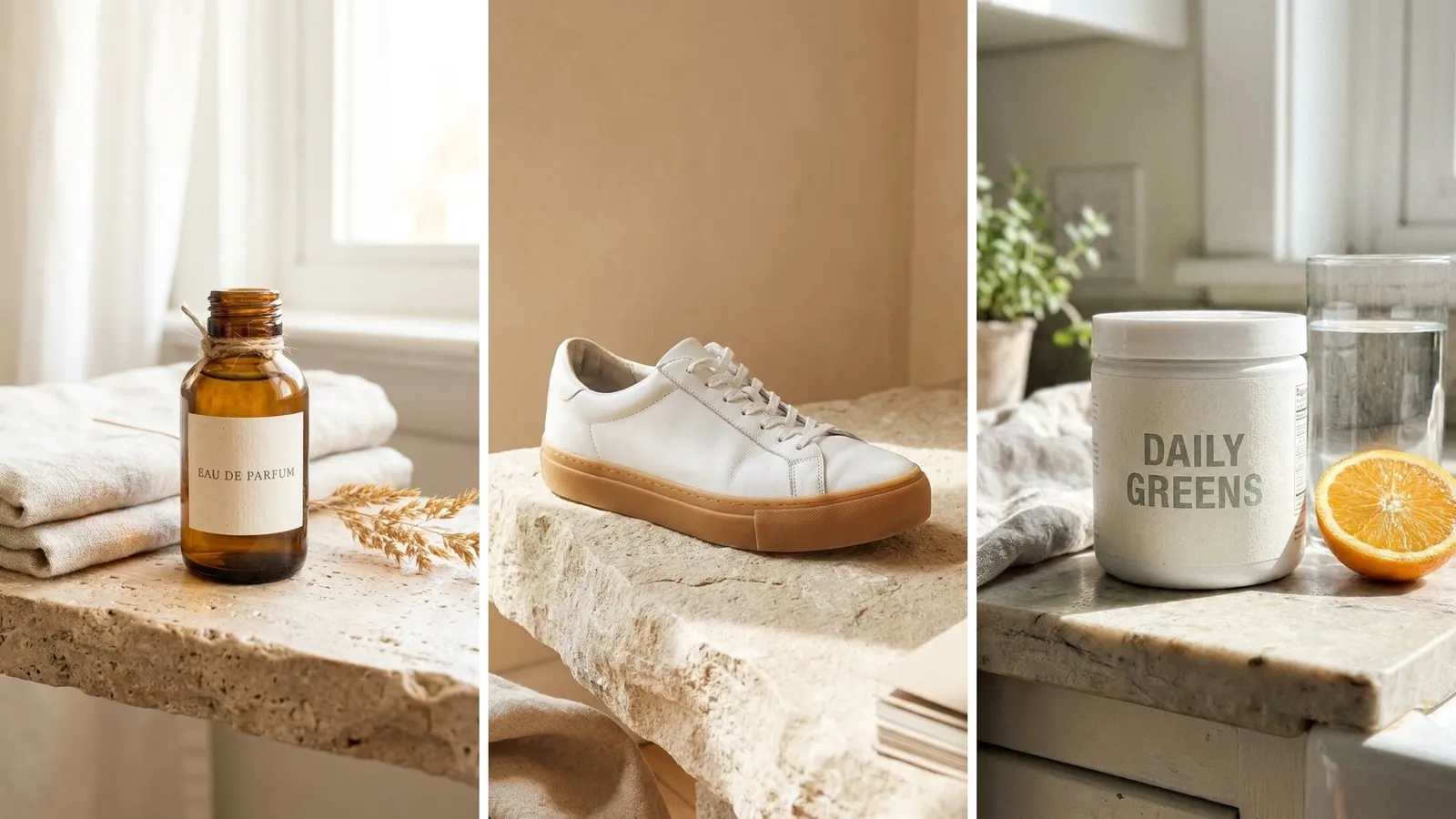
What to check: Ideogram’s own advice is to keep text short, because each extra word raises the chance of a typo.
For exploring a look
Midjourney
Midjourney is known for its strong visual style. Its current default version is V8.2. Its Edit model changes an existing image from written instructions and makes new images from up to four reference images. Style References copy the look of an image, such as colors, light and texture, without copying its objects (docs.midjourney.com, October 2026).
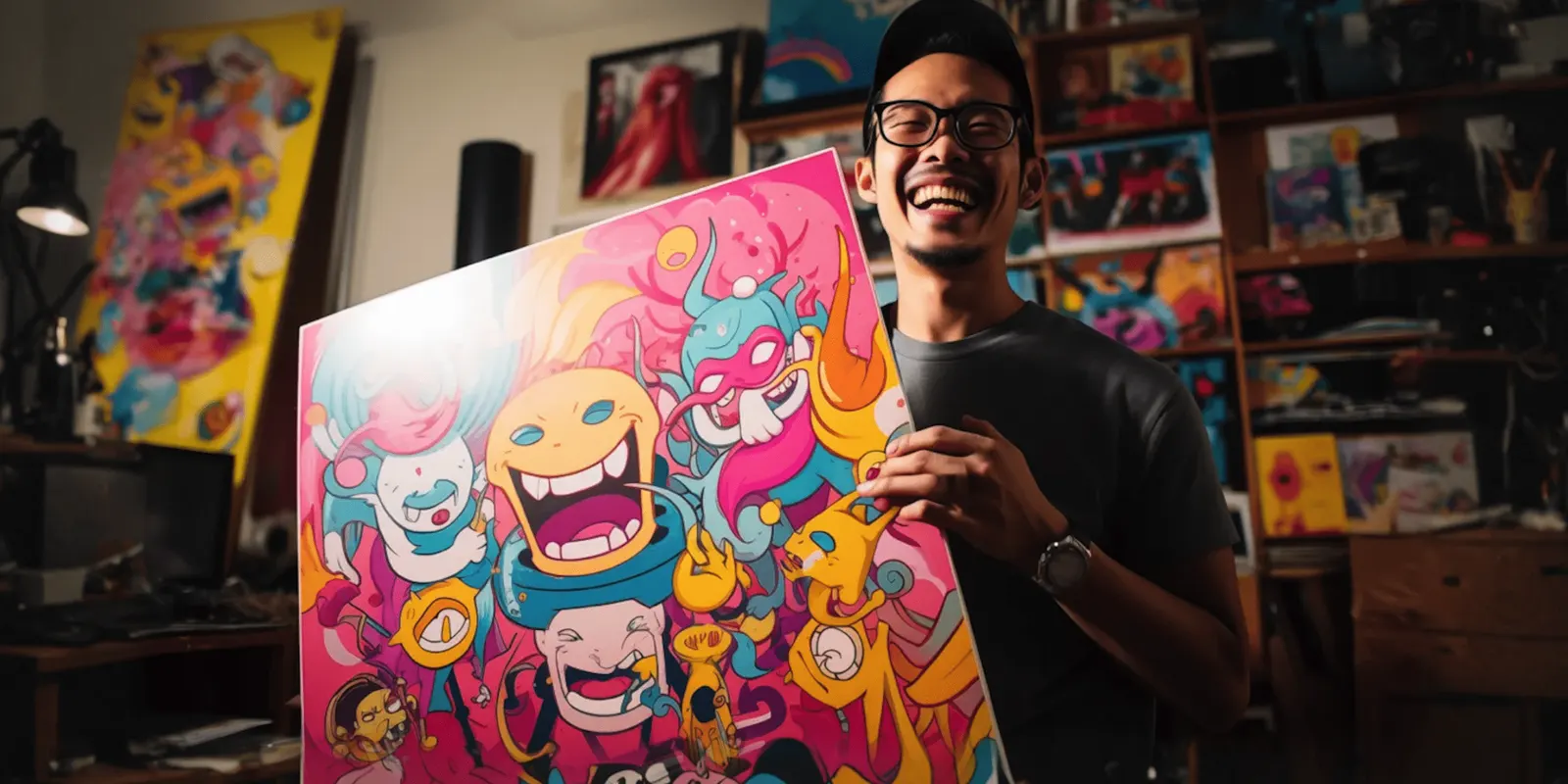
What to check: Midjourney’s terms say “By default, Your Content is publicly viewable and remixable.” Stealth mode on the Pro and Mega plans keeps work out of public view on a best-efforts basis. The same terms say a company with more than one million US dollars in yearly revenue must be on Pro or Mega to own its images (docs.midjourney.com terms of service, October 2026). Our list of Midjourney alternatives sorts other options by job.
Krea
Krea has a Realtime image generator with speed settings from 1 to 24 frames per second, so the picture updates as you work (krea.ai/realtime, October 2026). Its developer API gives you the same image and video models as the app (docs.krea.ai, October 2026).
What to check: a live draft is for finding a direction. Make the final file in a model that holds your product.
For logos, icons and vectors
Recraft
Recraft focuses on design work: complex editable vector graphics, consistent styles and typography ready for design use. Its model line includes Recraft V4.1 Flash (recraft.ai, October 2026). A vector file scales to any size, which suits logos, icons and illustrations.
What to check: vector output is a design asset. For a photo of a real product, use a model that takes your product photo.
For edits inside your design tool
Adobe Firefly and Photoshop
Adobe Firefly includes Adobe’s own models, which Adobe calls “commercially safe”, plus partner models from Google, OpenAI and others. Firefly Boards is a shared canvas for mood boards and storyboards (adobe.com/products/firefly, October 2026). In Photoshop, Generative Fill edits a selected area. You pick a Firefly model or a partner model and describe the change (helpx.adobe.com, October 2026).
What to check: Adobe’s help page notes that Photoshop is removing a retired Google model from the picker. Partner models change, so check the picker before you plan a job around one.
Canva
Canva’s AI Image Generator places the picture on your design page, in the style and aspect ratio you choose. You can start from a text prompt or a reference photo. Text to Graphic makes icons, stickers and illustrations to match your style or brand (canva.com/ai-image-generator, October 2026).
What to check: Canva is built for layouts. For a set of product photos at marketplace spec, check the size and the product detail at 100%.
On 22 October 2026 Canva released its own image model. Canva Craft plans the layout first, then draws the picture.
The same picture on every product
We make DesignerBox, so weigh this entry with that in mind. DesignerBox is AI creative production for brands and agencies. Its job starts after the first good picture: the same result on the next 200 products.
Anyone can make an AI picture. Making hundreds that still look like your brand is the hard part.
You build a workflow once, with your brand rules and your product photo as the input. The workflow picks the model for each step from the models it runs, including Google’s Nano Banana Pro and Nano Banana 2, OpenAI’s GPT Image 2 and Black Forest Labs’ FLUX models. Batch runs that workflow over a sheet of up to 200 rows, so row one and row two hundred get the same steps. The cost is shown before the run.
When you want one picture, use Generate. You choose the model, the aspect ratio and the number of pictures, and you can add up to 5 reference pictures. Critic steps score the results of a workflow and keep the best one. Reviews sends a client a page of pictures to choose from. You can also run DesignerBox from an AI chat such as Claude, ChatGPT or Cursor, over MCP. The pictures, the reviews and your brand rules all stay in the same account.
DesignerBox does not send pictures to a store for you. You download the results.
There is a free plan, and it runs on sample products. Uploading your own photos and the commercial license start on the Pro plan. Plans and credits are on the pricing page.
How to test the shortlist on your own product
A list narrows the field. Your own product decides it.
- Pick three hard products. One with label text, one with a shiny surface and one with a print.
- Keep everything else fixed. The same photo, the same words, the same size and the same aspect ratio in every tool.
- Score against the real item. Shape, text, color, light and anything the tool invented.
- Count the usable pictures. A picture passes only when every check passes.
How to compare AI image generators on your own product turns these steps into a five-line scorecard. For apps built only for product photos, see the best AI product photography tools.
The first job, built once
Start from a template, add your brand and your products, and run it.
FAQ
What is the best AI image generator?
It depends on the job. For your real product, use a model that takes reference photos, such as Nano Banana or GPT Image. For text, Ideogram. For a new look, Midjourney. For vectors, Recraft. For edits inside a design file, Adobe Firefly or Canva.
Which AI image generator is best for product photos?
Pick one that takes a photo of your product as a reference and edits it. Google’s Nano Banana models, OpenAI’s GPT Image and Black Forest Labs’ FLUX.2 all do this. Test each one on your own product before you choose.
Which AI image generator is best for text in images?
Ideogram is built around text, and its Studio lets you edit text as a layer. Google and OpenAI models also render text. Keep the words short and read every letter at full size.
Is there a free AI image generator for business?
Several tools have free access. Google says Nano Banana is free in the Gemini app, and OpenAI says ChatGPT Images is on all ChatGPT tiers. Read the terms for commercial use before you put a free result in an ad.
Can I use AI-generated images commercially?
It depends on the tool and the plan, so read the terms. Midjourney’s terms, for example, require a Pro or Mega plan for larger companies to own their images. This is general information, not legal advice.
Are my AI images private?
Not always. Midjourney’s terms say content is public and remixable by default. Check each tool’s settings before you upload an unreleased product.
Sources
- Gemini API image generation guide: reference image limits (ai.google.dev, accessed October 2026)
- Gemini app image generation page (gemini.google, accessed October 2026)
- Images in ChatGPT, OpenAI Help Center (help.openai.com, accessed October 2026)
- OpenAI image generation guide: GPT Image 2.5 models and limitations (developers.openai.com, accessed October 2026)
- FLUX.2 model page (bfl.ai, accessed October 2026)
- Ideogram docs: text in images and models (docs.ideogram.ai), October 2026
- Midjourney docs: version, Edit model, Style Reference and terms of service (docs.midjourney.com), October 2026
- Krea Realtime page (krea.ai/realtime) and Krea docs (docs.krea.ai), October 2026
- Recraft homepage (recraft.ai), October 2026
- Adobe Firefly page (adobe.com/products/firefly) and Photoshop Generative Fill help (helpx.adobe.com), October 2026
- Canva AI Image Generator page (canva.com/ai-image-generator), October 2026
- DesignerBox models, workflows and batch pages (designerbox.ai), October 2026
- DesignerBox plans and license gating (DesignerBox pricing, designerbox.ai/pricing), October 2026
Features were read on each tool’s own pages on October 22, 2026. Tools change often, so check each page before you choose. Commercial terms are general information, not legal advice. Individual results vary.