
A creative request form is a short form a colleague or a client completes to ask for an ad, a product picture or another asset. It collects 12 answers before work starts: who asks, what they need, the product, the channel, the sizes, the copy, the approver and the date. A good form has two jobs. For one-off work it briefs a designer. For repeat work it can run the job.
Key Takeaways
- 12 fields cover most requests. Seven are required. Five are a fixed choice, so nobody types a size or a channel by hand.
- Sort requests into two kinds. One-off work needs a designer. Repeat work has the same answers each time, except the product and the copy.
- The five-request rule. Read the last five requests of one type. If only the product and the copy changed, it is repeat work.
- Write the turnaround on the form. One number of working days per kind of request, counted from a complete form.
- For repeat work, the form can be the job. The requester completes it, and the result returns with no designer in the queue.
What is a creative request form?
A creative request form is the short intake for a creative team. A requester answers a fixed list of questions. The team gets every request in the same shape, in one place.
It replaces the chat message that says “can you make a banner for Friday”. That message has no size, no copy and no approver.
A request form is shorter than a brief. The form takes two minutes and starts the job. The brief is the longer document for a campaign, with references and revision rounds. A one-page creative brief template covers that document, so this article stays with the intake.
The creative request form template: 12 fields
Copy this table into any form builder. Each field is there because a designer asks for it when it is absent.
| # | Field | Why it is there | Example answer |
|---|---|---|---|
| 1 | Requester | The team knows who to ask and who gets the files | Dana, ecommerce team, dana@brand.com |
| 2 | Request type | It sends the request to the right queue | Product picture |
| 3 | Brand or client | It selects the logo, colors and rules | Northfield Home |
| 4 | Product | It names the exact item and the source photo | Oak side table, SKU 4471, photo attached |
| 5 | Purpose | One sentence tells the team what the asset must do | Launch the oak range on paid social |
| 6 | Audience | It sets the tone and the scene | First-time buyers, small apartments |
| 7 | Channel | Each channel has its own rules | Instagram feed and Stories |
| 8 | Sizes | The team makes the right files the first time | 1080 x 1350 and 1080 x 1920 |
| 9 | Copy | Final words stop a late text change | Headline: “Small table, solid oak.” CTA: Shop now |
| 10 | Reference | One link shows the look the requester expects | Last month’s walnut ad |
| 11 | Approver | One named person says yes or no | Maria, brand lead |
| 12 | Date needed | It sets the order of the queue | 21 October |
The plain-text version
Paste this into an email, a document or a chat channel.
CREATIVE REQUEST FORM

1. Requester (name, team, email) *
2. Request type * (choose one: product picture / static ad / social post / video / other)
3. Brand or client * (choose from the list)
4. Product * (name, SKU, and the source photo attached)
5. Purpose * (one sentence: what must this asset do?)
6. Audience (one sentence: who sees it?)
7. Channel (choose: shop listing / Instagram / TikTok / Facebook / email / print)
8. Sizes (choose from the size list for that channel)
9. Copy (final headline, offer, call to action, legal line)
10. Reference (one link or one picture, optional)
11. Approver * (one name)
12. Date needed * (pick a date)

* Required. A request starts when every required field is complete.
Form builders and work-management tools such as Jotform, Asana, Airtable, Smartsheet and Typeform each publish a creative request form template (vendor template pages, October 2026). The 12 fields fit any of them, and they fit a shared document too.
Creative request form, marketing request form and design request form
These names describe the same intake with a different scope. Pick the name your requesters already use.
| Name | Who receives it | What it adds to the 12 fields |
|---|---|---|
| Creative request form | A creative or production team | Nothing. This is the base form |
| Marketing request form | A whole marketing team | More request types: email, event, web page, report |
| Design request form | Designers only | File format, print spec, source files |
| Creative intake form | An agency, from a client | Client name, budget line, contract reference |
A marketing request form needs one extra rule. The request type must send each request to a different owner. A web page request and an ad request do not share a queue.
How do you sort one-off work from repeat work?
Sort by the answers. One-off work has new answers every time. Repeat work has the same answers every time, except the product and the copy.
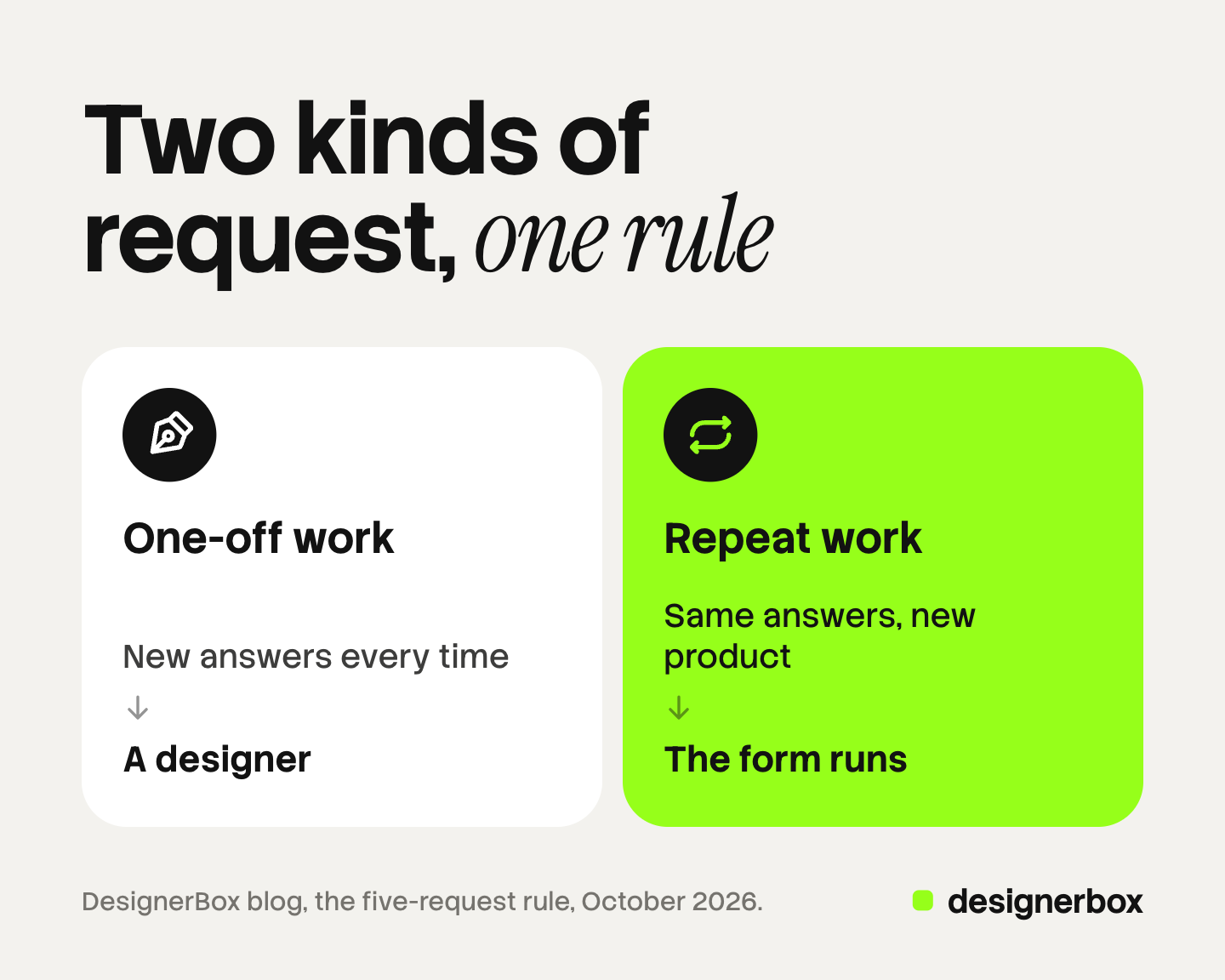
Use the five-request rule. Take the last five requests of one type, for example “product picture for the shop listing”. Put the answers next to each other. If only the product and the copy changed, that type is repeat work.
The two kinds need different handling:
- One-off work. A campaign concept, a new packaging design, a launch film. A designer reads the form, asks questions and makes choices. The form is a short brief.
- Repeat work. The same product shot for each new item. The same ad format every week. The choices were made months ago, so a designer in the queue adds waiting time.
For repeat work, the form can be the job. The requester completes it, a saved process runs, and the result returns. That saved process can be a template file, a script or a published AI creative workflow. This is the first rung of creative automation: a person sets the rules once.
Count your own queue for one month before you build anything. That count shows which request types repeat.
Which fields should be required?
Require a field only when work cannot start without it. Seven of the 12 fields pass that test: requester, request type, brand, product, purpose, approver and date needed.

A required field that people cannot answer produces bad answers. If “audience” is required, a hurried requester types “everyone”. Leave it optional.
Three checks keep the list honest:
- The designer test. Would a designer send the request back without this answer? If yes, require it.
- The two-minute test. Time a colleague who completes the form. Past two minutes, people return to chat messages.
- The one-name test. The approver field accepts one name. Two approvers produce two opinions and a third round.
For repeat work, the required list gets shorter. The brand, the sizes and the look are already fixed. The form asks only for the product, the copy and the date.
Which fields should be a fixed choice?
Make a field a fixed choice when the set of right answers is small and known. Five of the 12 fields qualify: request type, brand or client, channel, sizes and date needed.
Free text creates variation. One person types “IG story”, another “1080x1920”, a third “vertical”. All three mean the same file.
| Field | Fixed choice or free text | Reason |
|---|---|---|
| Request type | Fixed choice | It routes the request |
| Brand or client | Fixed choice | The names are known |
| Channel | Fixed choice | Each channel has set formats |
| Sizes | Fixed choice, linked to channel | Nobody should type pixels |
| Date needed | Date picker | ”ASAP” is not a date |
| Product | Free text plus a file | Every item is different |
| Purpose, audience, copy | Free text | These carry the new information |
| Approver | Fixed choice, if the team is small | One name from a short list |
The rule for repeat work is strict. Every field except the product and the copy becomes a fixed choice or disappears. If a requester can still type a background color, the look will drift within a month. Brand rules written as short lines keep that choice in one place.
How do you set a turnaround rule?
Write one number of working days per kind of request, and print it at the top of the form. The count starts when every required field is complete.

Public forms show how plain this can be. The University of Florida’s Student Life marketing team states on its creative services request form that its general turnaround for all requests is 3 to 4 weeks (University of Florida, October 2026). The number sits next to the due-date field, so the requester reads it before choosing a date.
A turnaround rule has four parts:
- A number per kind. One for one-off work and a shorter one for repeat work. Use your own delivery record to set both.
- A start point. The clock starts at a complete form. An incomplete form returns to the requester.
- A rush path. Name who can approve a rush, and what moves down the queue to make room.
- A review step. State how many rounds are included and who approves.
The two kinds of work should not share one number or one queue. The seven stages of a creative agency workflow show where this intake sits before the brief and the build. The form is one of six parts of a creative operations model.
Request forms as DesignerBox apps
DesignerBox is AI creative production for brands and agencies. It handles the repeat kind of request. In DesignerBox, an app is a workflow with a form. The app’s own page says: “Complete the form, press Run, and get the result.”
Someone on your team builds the workflow once, with the steps and the look you approved. Turning that workflow into an app is called publish. The app then appears under My apps, which holds apps made from your own workflow. A colleague who never opens the workflow completes the form and runs it. The DesignerBox product page describes an app’s form as two to four fields, then Run.
Three things match the request form in this article:
- The brand is a fixed choice. Every app run reads the brand record unless you turn it off: logo, colors, fonts and rules.
- The cost is shown before the run. The requester sees it on the button, before pressing it.
- One form, many products. Batch runs the same published form once per row, with up to 200 rows on a sheet.
Anyone can make an AI picture. Making hundreds that still look like your brand is the hard part. A published form holds the look in place, because the requester cannot change it. The full workflow from the first product photo to the finished ad, in one subscription. The guide to DesignerBox apps lists the apps you can start from.
The limits matter. A person still reviews the result. The app’s brand page says of brand rules: “Nothing checks the result.” In Batch, you judge each picture and keep the good ones. DesignerBox does not publish to a store or an ad account. You download the results, or send them with a webhook or an S3 step. Every plan below Ultra is one seat, so a team where several people run the form needs the Ultra plan. One-off work still belongs with a designer and a brief.
Apps, batch and brand rules are on every plan. Uploading your own photos and the commercial license start on the Pro plan. There is a free plan, and it runs on sample products. Plans and credits are on the pricing page.
Start with one repeat request type, and publish its form. Get started free.
FAQ
What should a creative request form include?
Twelve fields cover most requests: requester, request type, brand or client, product, purpose, audience, channel, sizes, copy, reference, approver and date needed. Require the seven fields that work cannot start without. Keep the rest optional.
What is the difference between a creative request form and a creative brief?
The request form is the short intake that starts a job. It takes about two minutes. The creative brief is the longer document for a campaign, with references, constraints and revision rounds. A small repeat request needs only the form.
Is a marketing request form the same as a creative request form?
It is the same intake with a wider scope. A marketing request form also accepts requests for email, events, web pages and reports. It needs a request type field that sends each request to a different owner.
How do I know if a request is repeat work?
Use the five-request rule. Read the last five requests of one type. If the answers are the same except the product and the copy, it is repeat work. That type can run from a form with fixed choices.
Can a form run the work with no designer?
For repeat work, yes. In DesignerBox, a published app is a workflow with a form. A colleague completes it and presses Run, and the cost is shown before the run. A person still reviews the result before it goes live.
Sources
- University of Florida, Division of Student Life Marketing and Communications, Creative Services Request Form: communications.ufsa.ufl.edu, read October 2026
- Creative request form templates published by Jotform, Asana, Airtable, Smartsheet and Typeform: (vendor template pages, October 2026)
- Google search results for “creative request form”, United States, read 7 October 2026
- DesignerBox apps page (designerbox.ai/product/apps), October 2026
- DesignerBox batch page (designerbox.ai/product/batch), October 2026
- DesignerBox brand page (designerbox.ai/product/brand), October 2026
- The DesignerBox app, Apps, Batch and Brand pages, read October 2026
- DesignerBox pricing page (designerbox.ai/pricing), October 2026
The 12 fields and the five-request rule are a working method, and the example answers are illustrative. DesignerBox facts were checked against designerbox.ai and the app in October 2026. Plans and limits change, so check the pricing page before you plan a team rollout.