





AI brand guidelines are your brand rules rewritten so an AI model can follow them. A brand PDF is written for a designer, who can interpret a phrase like “premium feel”. A model reads each line as written. So you rewrite the guide as short rules you can test, real voice lines, named colors with codes, font names, reference pictures and product records.
This article serves one meaning of the term: brand guidelines that a model reads. Two other meanings exist, and each has a short section near the end.
Key Takeaways
- A model follows a line as written. Replace each adjective with something a person can see in the picture.
- Write one sentence per line. Each line says what a picture must show, or what it must never show.
- For voice, a real line the brand has written works better than a word such as “warm”.
- Test each rule: run one instruction 10 times, count the results that break a rule, and rewrite the rule that failed.
What are AI brand guidelines?
People use the term “ai brand guidelines” for three different things.
| Meaning | What it is | Where this article covers it |
|---|---|---|
| Brand guidelines a model reads | Your existing rules, rewritten as lines, codes and pictures a model can follow | Every section below |
| An AI use policy | A company document on who may use AI, and for what | One short section |
| An AI brand guideline generator | A tool that drafts a brand book from a prompt or a few answers | One short section |
A brand lead or an agency needs the first meaning when the brand PDF exists and the AI pictures and copy still look wrong. Some teams call the result an AI style guide.
The PDF stays. A brand guidelines template in 12 sections covers the guide for people. The AI version is a shorter copy of the same decisions.
Why does a model misread a brand PDF?
A designer reads “premium feel” and thinks of your last three campaigns. A model has never seen them. It picks one of many looks those two words could mean, and each run can pick a different one.

A designer can also ask a question, such as whether flash is allowed. A model does not ask. It completes the picture with its own defaults.
Vendors say the same in their own guides. Google’s image generation guide tells you to “be hyper-specific”, because “the more detail you provide, the more control you have” (ai.google.dev, October 2026). Anthropic’s prompting guide compares a model to a new employee “who lacks context on your norms and workflows” (platform.claude.com, October 2026).
The decisions in the guide are usually fine. The format is the problem. Where AI brand drift starts covers the other causes, such as handoffs between tools.
How do you rewrite brand rules for an image model?
Take each line of the PDF and ask what a person would see in a picture that follows it. Write the answer as one sentence per line. Each line says what a picture must show, or what it must never show.

Here are 10 lines from a typical brand PDF, with a rewrite for each. The colors and fonts are examples. Use your own.
| Line in the brand PDF | Rules a model can follow |
|---|---|
| Premium feel | Daylight only. One product per picture. No text on the picture. |
| Clean and minimal | Plain light background. Nothing else is in the frame. |
| Authentic lifestyle | Show the product in use. A person holds it or wears it. |
| Use brand colors | The background is Sand (#E8DCC8) or Ink (#1B1B1B). |
| Natural look | Soft light from a window on the left. Soft shadows. |
| Make the product the hero | The whole product is in the frame. It fills about half the picture. |
| Respect the logo | The logo appears once, as printed on the product. |
| No clutter | At most two props. Each prop is smaller than the product. |
| Diverse casting | Adults aged 25 to 45. Skin tones differ across a set. |
| On-brand typography | Headlines use Fraunces. Body text uses Work Sans. |
Two habits keep the rules short.
One rule, one thing. “Daylight only” and “one product per picture” are two rules. Put them on two lines, so you can test each one alone.
Say what the picture shows. Google’s guide recommends “semantic negative prompts”. Instead of “no cars”, it says to describe “an empty, deserted street with no signs of traffic”. Anthropic’s guide gives the same advice for text: “Tell Claude what to do instead of what not to do.” So “plain light background” is stronger than a list of banned backgrounds. Some limits have no positive form, such as “No text on the picture”. Keep those to one clear thing. Our guide to negative prompts explains when a “never” line still helps.
How do you write brand voice guidelines for AI?
Most brand voice guidelines are a list of adjectives: warm, confident, playful. A model can match a word like “warm” in a hundred ways. A real line shows it one way, which is yours.
Anthropic’s guide says examples are “one of the most reliable ways” to steer a model’s “format, tone, and structure”. So collect lines the brand has already written and approved: a product page headline, an email subject, a caption. Ten to twenty lines are enough to start.
| Weak word | A real line from the brand (example) |
|---|---|
| Warm | Made for every day. |
| Confident | One bag. Ten years. |
| Playful | Yes, it fits the laptop and the snacks. |
| Honest | It scratches. We like it that way. |
Add three more things in plain words: what the brand sells, who buys it, and the themes it talks about. A theme is a subject such as “everyday carry”.
Which colors, fonts, pictures and products go in?
The rest of the brand is values and files. A model needs each one in a form it can use.
- Colors. Give each color the name your brand uses and its code. “Sand, #E8DCC8” works. “A warm neutral” does not.
- Fonts. Write each font by name. A model cannot find the font from “a modern serif”.
- Reference pictures. Choose 3 to 6 pictures the brand has approved. Pick them for light and mood, and leave the product out of the choice. Google’s guide says its Nano Banana models can mix up to 14 reference images in one request, so current image models can read pictures as well as words.
- Products. Keep each product as its own record, with its own photo. A reference picture shows the mood. A product photo shows the real shape and the real color.
Six pictures with one kind of light say one thing. Twenty mixed pictures say nothing clear. A brand kit lists the files to collect, and a product photography style guide covers the photo rules in detail.
How do you test AI brand guidelines?
A rule is finished when results follow it. You find that by counting. Run the same instruction 10 times with the rules in place, then check each result against each rule.
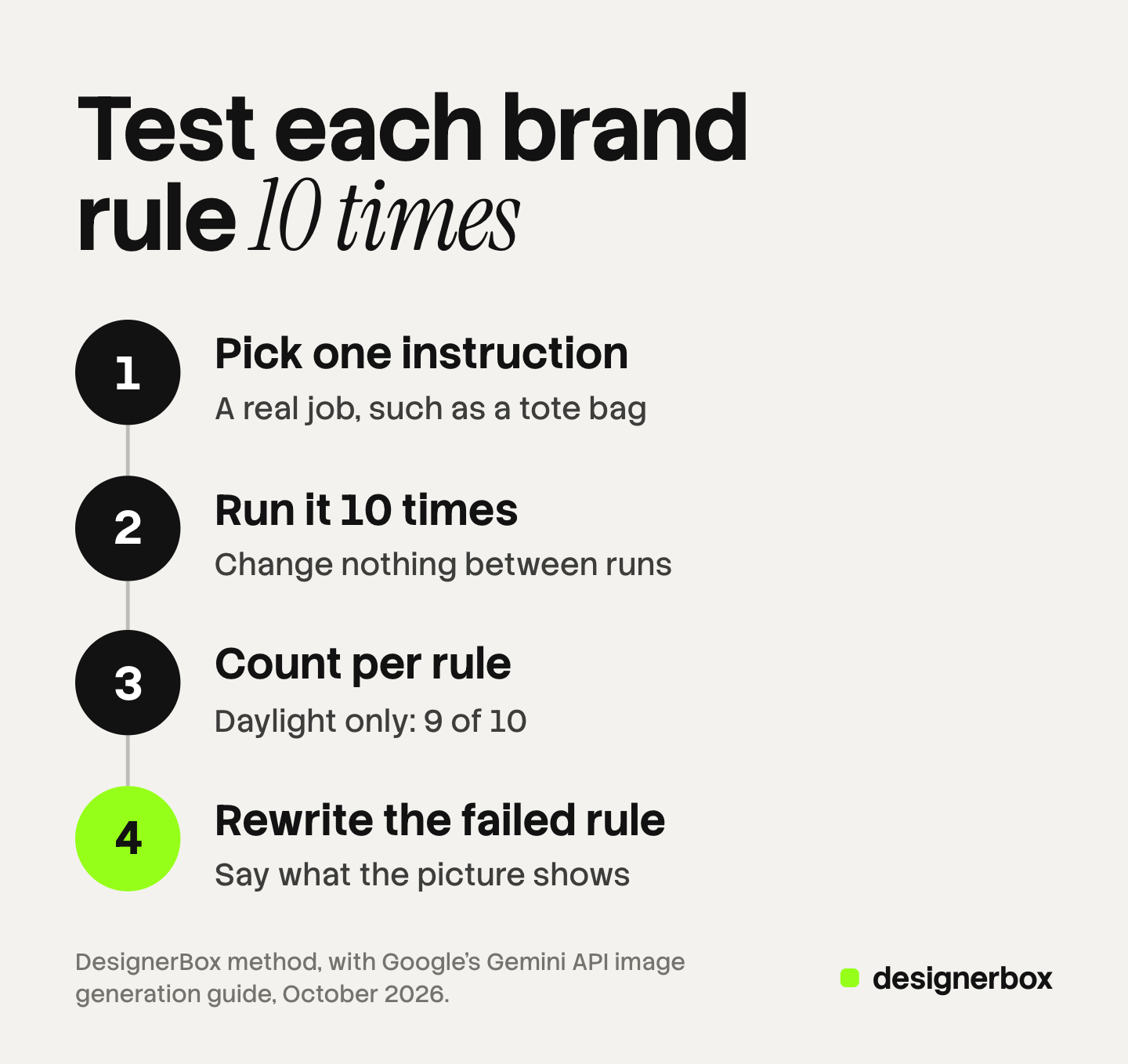
- Pick one instruction. Use a real job, such as “our tote bag on a cafe table in the morning”.
- Run it 10 times. Change nothing between runs.
- Check each picture against each rule. Answer yes or no. Write the count per rule, such as “Daylight only: 9 of 10”.
- Rewrite the rule that failed most. Make it shorter, or say what the picture shows instead of what it avoids.
- Run 10 again. Compare the new count with the old one.
Change one rule per round. If you change three, you cannot tell which change helped.
Some rules never reach 10 of 10. That is why a person still reviews every picture before it ships.
What about an AI use policy for your company?
An AI use policy is a different document. It says who may use AI at work, for which tasks, and who checks the result. Carnegie Mellon University publishes one on its brand site, and it tells staff to “always carefully review any AI-generated content before publication” (brand.cmu.edu, October 2026).
That policy and the law on AI disclosure in advertising are outside this article. Everything here is general information, not legal advice. Ask your legal team which rules apply to you.
What do AI brand guideline generators do?
A generator drafts a brand book for a brand that has none. uBrand says it asks “a few simple questions” and then builds a brand guideline you can share as a link or a PDF (ubrand.com, October 2026). Krea says its generator makes a one-page board with logo direction, palette swatches and typography guidance from a reference image (krea.ai, October 2026).
These tools help a new brand make its first decisions. The rewrite in this article starts after that.
Brand rules in DesignerBox
Anyone can make an AI picture. Making hundreds that still look like your brand is the hard part. DesignerBox keeps the rewritten guide on one Brand page per brand, and its fields match the parts above.
| Card | What you add | The app’s own words |
|---|---|---|
| Products | Each product as its own record | ”Every template uses your own product.” |
| Identity | A logo as a PNG or an SVG under 300 KB, named colors, up to 6 fonts | ”Give each color the name your brand uses. Runs use the color code.” |
| Voice and rules | Rules, up to 20 voice lines, up to 50 themes, what it sells, who buys it | ”One sentence per line. Say what a picture must show and what it must never show.” |
| References | Pictures the brand already likes | ”Results follow the light and the mood of these pictures.” |
The voice field gives the same advice as this article: “A real line works better than a word.” One more line on the page covers use: “Every app run uses this brand unless you turn it off.” Our guide to the DesignerBox Brand page covers each card and the set-up order.
The app states the limit too. The workflow reads the lines as written, before every prompt. The app also says: “Nothing checks the result.” A person still reviews each picture.
The 10-run test fits Batch. Write the same instruction on 10 rows, run them all, then judge each picture and keep the good ones. The cost is shown before the run.
Plan around these limits. Brand rules are on every plan. Uploading your own photos and the commercial license start on the Pro plan. Shared brand kits are on the Ultra plan, and every plan below Ultra is one seat. You download the results, or send them with a webhook or an S3 step. Plans and credits are on the pricing page.
The full workflow from the first product photo to the finished ad, in one subscription. There is a free plan, and it runs on sample products. Get started free
FAQ
What are AI brand guidelines?
AI brand guidelines are brand rules written so an AI model can follow them. They hold short rules you can test, real voice lines, named colors with codes, font names, reference pictures and product records.
Can I upload my brand PDF and let the model read it?
You can, and results often vary from run to run. A model reads a phrase such as “premium feel” as written and picks its own meaning. Rewrite those phrases as lines that describe what a picture shows.
How do I write brand voice guidelines an AI can follow?
Collect 10 to 20 lines the brand has already written and approved. Add what the brand sells, who buys it and the themes it talks about. A real line shows a model one exact voice. An adjective such as “warm” leaves the choice to the model.
Should brand rules for AI images say what to avoid?
Mostly they should say what the picture shows. Google’s image guide recommends describing the scene you want instead of listing what to remove. Keep a short “never” line only when no positive form exists, such as “No text on the picture.”
Do AI brand guidelines remove the need for review?
No. Rules guide a run, and nothing in a rule checks a result. Count how many of 10 results follow each rule, rewrite the weak rules, and keep a person reviewing every picture.
Sources
- Google AI for Developers, Gemini API image generation guide, best practices and reference images, read October 2026: ai.google.dev/gemini-api/docs/image-generation
- Anthropic, Prompting best practices, read October 2026: platform.claude.com
- Carnegie Mellon University Brand Standards, AI Guidelines, read October 2026: brand.cmu.edu/resources/ai-guidelines
- uBrand, Brand Guideline Generator page (ubrand.com/brand-guideline), read October 2026
- Krea, AI Brand Guidelines Generator page (krea.ai/apps/ai-brand-guidelines-generator), read October 2026
- The DesignerBox app, Brand page and Batch page, read October 2026
- DesignerBox Brand page (designerbox.ai/product/brand) and pricing page (designerbox.ai/pricing), October 2026
Vendor guidance and DesignerBox labels verified from the pages above as of October 2026. The example rules, colors and voice lines are illustrations. Individual results vary.


