
Product launch ads work best as a dated sequence of five jobs: teaser, reveal, proof, retarget and evergreen handover. Each ad answers one shopper question, and each has a date when it stops running. Plan the dates first. Then check every claim about availability, the word “new” and time limits against the rules before the first ad runs.
This guide treats the launch as a calendar. It covers what each stage shows, when it stops, the claim rules in the US, the UK and the EU, and a file count. It is written for brands with 20 to 500 products and for their agencies.
Key Takeaways
- Five stages, five jobs. Teaser, reveal, proof, retarget and evergreen handover. Each stage answers one shopper question.
- Availability claims have rules. The FTC asks for a reasonable basis for any shipping time you state or imply, and 30 days applies when you state none.
- “New” has a time limit. FTC guidance mentions a six-month limit from one advisory opinion. UK CAP advice has historically used twelve months.
- A false time limit is a banned practice. UK and EU law both list it, and the FTC names fake countdown timers.
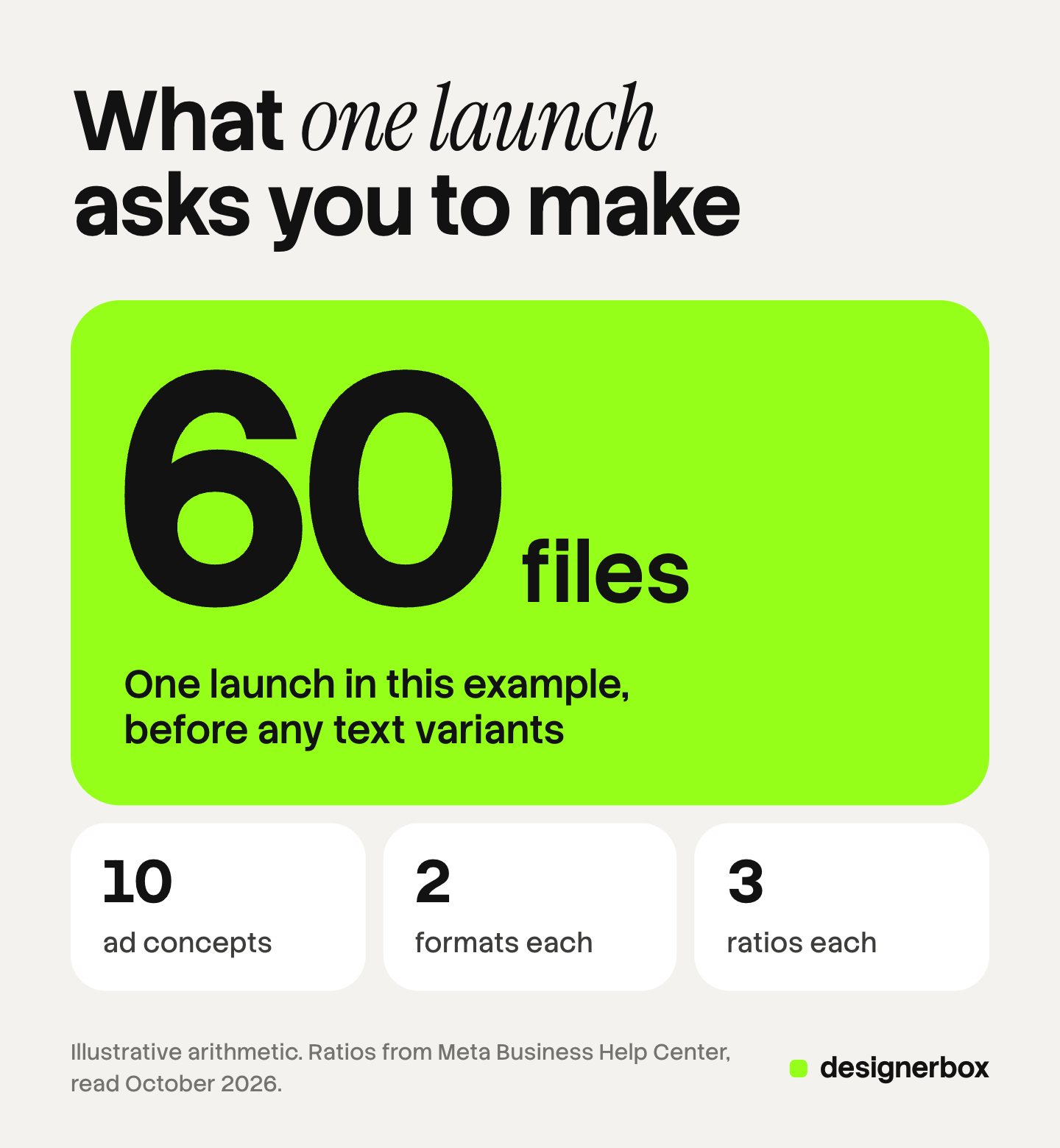
- One launch is about 60 files in our example. 10 concepts, 2 formats and 3 ratios. The arithmetic is an illustration.
What are product launch ads?
Product launch ads are the paid ads that introduce a new product, from the first hint to the point where it sells as a normal item. They differ from everyday ads in one way: the message has a date. What is true on day one, such as “new” or “pre-order now”, stops being true later.
Launch ads are also the last step of a longer project. Our guides on how to launch campaigns faster and how to reduce time to market cover the production schedule before this point. This guide starts where they end: the ads exist, and the question is what runs when.
What is a teaser ad?
A teaser ad is an ad that shows a small part of a new product before the full reveal. The Cambridge Dictionary defines it as an ad that makes people interested “by giving only a little information about it, with more to be provided later” (Cambridge Dictionary, October 2026). A teaser campaign is a series of these ads that ends on the reveal date.
A product teaser works when the audience already knows the brand. Followers, past buyers and email subscribers have enough context to care about a partial picture. A stranger does not. For a cold audience, a teaser with no product and no category is an ad about nothing.
A good teaser ad contains three true things:
- One real detail. A texture, a color, a corner of the pack or a silhouette of the real product.
- The category. The viewer should know it is a hand cream and not a candle.
- The date. One line that says when the full product appears.
The five stages of a launch, with dates
The table maps each stage to the shopper question and to what the ad shows. The days are an example calendar with launch day as day 0. They are an illustration, so change them to fit your product and your budget.
| Stage | Example days | The shopper question | What the ad shows | It stops when |
|---|---|---|---|---|
| 1. Teaser | Day -14 to day -1 | Is something coming that is for me? | One real detail, the category and the date | The reveal starts |
| 2. Reveal | Day 0 to day 7 | What is it, and can I buy it today? | The whole product, its name, one benefit and its availability | The proof ads are live |
| 3. Proof | Day 3 to day 30 | Does it do what you say? | One feature per ad, the product in use, the real size | The handover |
| 4. Retarget | Day 1 to day 30 | What about my one doubt? | The answer to one doubt: delivery date, returns, size or ingredients | The handover |
| 5. Evergreen handover | From day 30 | Is this still worth buying? | The strongest proof ad with the launch language removed | It runs as a normal ad |
Teaser. The teaser runs to people who know the brand. It stops the hour the reveal starts.
Reveal. A cold viewer must understand the reveal in a few seconds. It states the availability plainly: in stock, pre-order with a date, or waitlist.
Proof. Proof ads carry one reason each. Our guide to product ad examples lists seven formats that fit this stage.
Retarget. These ads go to people who visited the product page and did not buy. Read the comments and the support inbox in week one, and write each ad from one doubt you find there.
Evergreen handover. You remove the word “new”, the launch date and the launch offer. The best proof ad then continues as a normal ad. A launch audience has seen it often, so watch it for ad fatigue.

Product launch ideas for each stage
Here is one example structure per stage, written for a generic product: a 250 ml hand cream.
- Teaser. A close crop of the cap and the top of the tube. One line of text: the category and the date.
- Reveal. The full tube on a plain surface with the name readable. One headline with one benefit. One line for availability, such as “Ships from 14 October”.
- Proof, feature. The cream on the back of a hand, close enough to show the texture. One line names the feature.
- Retarget, delivery. The tube in its shipping box. One line states the delivery time and the returns period from your own policy.
- Evergreen. The texture ad again, without “new” and without the launch date.
Show the real product in every ad, including the teaser. Customer quotes belong in the proof stage only when real customers wrote them, as our guide to testimonial ads explains.
Which rules apply to launch claims?
Launch ads make three kinds of claims that everyday ads rarely make: the product is coming, the product is new, and the offer ends soon. Each one has rules. This is general information, not legal advice.

Pre-order and availability claims
In the US, the FTC’s Mail, Internet, or Telephone Order Merchandise Rule covers pre-orders sold online. A seller must have a reasonable basis for stating or implying that it can ship within a certain time. If the ad states no time, the seller needs a reasonable basis for believing it can ship within 30 days (FTC business guide, October 2026).
In the UK, the CAP Code says marketers must make a reasonable estimate of demand for advertised products (rule 3.27). An ad that quotes a price has one more duty (rule 3.28). The marketer must say so when it has reasonable grounds to believe it cannot supply the product at that price, within a reasonable period and in reasonable quantities (CAP Code, section 3, October 2026).
In the EU, the Unfair Commercial Practices Directive lists bait advertising in Annex I. That is an invitation to buy at a stated price when the trader has reasonable grounds to believe it cannot supply the product, and does not say so (Directive 2005/29/EC, Annex I, item 5, October 2026).
For a launch ad, the practical rule is short. Say whether the product is in stock, on pre-order or on a waitlist, and state a shipping date you can meet.
”New” claims
The word “new” has a limited life. The FTC says each case depends on the context of the ad when no specific regulation applies. It adds that at least one FTC advisory opinion has suggested a six-month limit for a product not previously on the market (FTC advertising FAQ, October 2026).
UK advice is close to that. CAP’s Copy Advice team has historically advised using “new” only when the product has been sold for twelve months or less. CAP says this depends on the product and the market, and that a shorter period may apply in fast technology markets (CAP AdviceOnline, “New”, October 2026). That page is CAP’s advice, and it does not bind the ASA. So put the day you remove “new” in the launch calendar.
Countdown and scarcity claims
A real deadline is a normal part of a launch. A false one is a banned practice in several places.
- EU. Annex I of the Directive bans falsely stating that a product will be available only for a very limited time, to make the consumer decide at once (Directive 2005/29/EC, Annex I, item 7, October 2026).
- UK. Schedule 20 of the Digital Markets, Competition and Consumers Act 2024 bans the same practice. That paragraph came into force on 6 April 2025 (legislation.gov.uk, October 2026). CAP Code rule 3.30 says the same for ads, and rule 3.31 bans materially inaccurate information on availability.
- US. An FTC staff report on dark patterns names countdown timers that suggest a limited time when the offer is not time-limited (FTC press release, September 2022, read October 2026).
A launch offer that is a promotion has one more UK rule. Under CAP Code rule 8.17.4.e, a closing date must not change unless unavoidable circumstances beyond the promoter’s control make it necessary (CAP Code, section 8, October 2026). So an “ends Friday” ad must end on Friday.
Platform policies
The ad platforms add their own checks, and they compare the ad with the landing page.
- Google Ads does not allow an ad that promises a product or an offer that is unavailable, or that is not easy to find from the destination (Google Ads policy, October 2026).
- Google Merchant Center has a preorder value for products not yet released. It requires an availability date, and that date should be visible on the landing page (Google Merchant Center Help, October 2026).
- TikTok does not allow ads and landing pages with mismatched information on the promotion, the price or the discount (TikTok advertising policies, October 2026).
How many files one launch needs
Each idea is made several times, so count three things: the concepts per stage, the formats and the ratios. This count is an illustration. The numbers are assumptions, so replace them with your own plan.
| Stage | Concepts in this example |
|---|---|
| Teaser | 2 |
| Reveal | 2 |
| Proof | 3 |
| Retarget | 2 |
| Evergreen handover | 1 |
| Total | 10 |
Each concept is made in 2 formats, a still image and a short video. That gives 10 x 2 = 20 ads.
Each ad is then made in 3 ratios. Meta’s help page says feed placements support 1:1 and 4:5, and it recommends 9:16 for Stories and Reels (Meta Business Help Center, October 2026). That gives 20 x 3 = 60 files for one launch.
Text variants are not in this count. Two headlines per ad would double it. Our guide to ad resizing covers the sizes for each platform and how one layout survives three ratios. If AI makes the files, the click data on AI generated ads against human-made ads shows how the two compare.
Launch ad production in DesignerBox
DesignerBox is AI creative production for brands and agencies. It makes images, ads and video from your brand rules, and a product photo is one input among several. Anyone can make an AI picture. Making hundreds that still look like your brand is the hard part. A launch has that problem at a small size.
You set the brand once: logo, colors, fonts, voice, rules, products and reference pictures. A saved workflow reads that brand on every run. For static launch ads, the AI ad generator page shows the starting point.
A batch runs one workflow over a sheet of up to 200 rows. The 10 concepts of the example launch fit in one sheet. You keep or discard each row, and you re-run one row without changing the others. The cost is shown before the run.
For the video half, the video editor is a timeline with several tracks, text and audio. An 8-second clip costs 40 to 560 credits, depending on the model. The full workflow from the first product photo to the finished ad, in one subscription.
DesignerBox does not send finished work to an ad account and does not place ads. You download the results, or send them with a webhook or an S3 step. It does not check your claims, so the dates, the stock status and the word “new” stay your responsibility. Every plan below Ultra is one seat.
Uploading your own photos and the commercial license start on the Pro plan. AI video, virtual try-on, upscaling, the image editor and the video editor start on the Premium plan. Plans and credits are on the pricing page.
There is a free plan, and it runs on sample products. Get started free
FAQ
What are product launch ads?
Product launch ads are the paid ads that introduce a new product. They run in stages: a teaser before the launch, a reveal on launch day, proof and retargeting ads in the first weeks, and then a handover to normal ads. Each stage answers one shopper question and has a stop date.
What is a teaser campaign?
A teaser campaign is a short series of ads that shows a small part of a new product before the full reveal. It runs to people who already know the brand. It shows one real detail, the category and the date, and it ends when the reveal starts.
How long can an ad say a product is “new”?
It depends on the product and the market. The FTC says at least one advisory opinion suggested a six-month limit. UK CAP advice has historically used twelve months or less, and less in fast technology markets. Put the removal date in your launch calendar.
Can I advertise a product before it is in stock?
Yes, when the ad says so plainly. In the US, the FTC asks for a reasonable basis for any shipping time you state or imply. Google Merchant Center requires an availability date for a preorder product, visible on the landing page. State a date you can meet.
Can DesignerBox make launch ads?
DesignerBox makes the image and video files for each stage from your brand rules. A batch runs one workflow over a sheet, and you see the cost before you press Run. It does not place ads in an ad account. You download the results, or send them with a webhook or an S3 step.
Sources
- Definition of a teaser ad: Cambridge Dictionary, teaser ad, accessed October 2026
- Reasonable basis for shipping claims and the 30-day rule: FTC, Business Guide to the Mail, Internet, or Telephone Order Merchandise Rule, accessed October 2026
- “New” claims and the six-month advisory opinion: FTC, Advertising FAQ’s: A Guide for Small Business, accessed October 2026
- Countdown timers named as a dark pattern: FTC press release, 15 September 2022, accessed October 2026
- CAP Code rules 3.27, 3.28, 3.30 and 3.31 on availability and limited-time claims: CAP Code, section 3, Misleading advertising, accessed October 2026
- CAP Code rule 8.17.4.e on closing dates: CAP Code, section 8, Promotional marketing, accessed October 2026
- The twelve-month advice on “new”: CAP AdviceOnline, Types of claims: “New”, accessed October 2026
- UK banned practices, Schedule 20, paragraphs 5 and 7, in force 6 April 2025: Digital Markets, Competition and Consumers Act 2024, accessed October 2026
- EU banned practices, Annex I, items 5 and 7: Directive 2005/29/EC, Annex I, as published on legislation.gov.uk, accessed October 2026
- Unavailable offers policy: Google Ads policy, Misrepresentation, accessed October 2026
- Preorder value and availability date: Google Merchant Center Help, Availability, accessed October 2026
- Inconsistent information between ad and landing page: TikTok advertising policies, Misleading and false content, accessed October 2026
- Aspect ratios by placement: Meta Business Help Center, Best practices for aspect ratios, accessed October 2026
- DesignerBox brand, batch, ads and video features: DesignerBox product pages (designerbox.ai/product/brand, designerbox.ai/product/batch), October 2026
- DesignerBox plan gates: DesignerBox pricing page (designerbox.ai/pricing), October 2026
FTC, CAP, UK and EU legal texts, and Google, TikTok and Meta policies, were read on each publisher’s own page in October 2026. The EU Directive was read in the copy on legislation.gov.uk. The launch calendar and the 60-file count are illustrative. DesignerBox features verified on designerbox.ai, October 2026.