Ecommerce automation is software that does the repeat work of an online store without a person starting each task. The tools tag orders, forecast stock, answer support questions, send email flows, sync product feeds and make product content. The split that matters is decision tools versus content tools. A decision follows a rule you can write down. Content reaches every shopper, so it needs a review step.
Picture a store with 200 products at 2am. An order arrives and gets a tag. A shopper who left a full cart gets an email. A support question about delivery gets an answer. Nobody is awake for any of it. Then 30 new products arrive for the autumn drop. Each one needs photos, a description and ad sizes, and that work waits for a person.
A list of tools does not tell you where to start. This guide sorts nine store jobs by what a wrong result costs you, names the tools worth comparing for each job, and shows what each tool bills on. It is written for brands with 20 to 500 products, and for agencies that run stores for their clients. For a clothing brand, where each style splits into colors and sizes, see fashion business automation tools.
Key Takeaways
- Two kinds of automation run a store. Decision tools act on data you already hold. Content tools make the words and pictures shoppers see.
- Three questions set the order. How often does the job repeat? Can you write the rule down? Who sees a wrong result?
- Store rules and app connections go first. Shopify Flow is a free app on the Basic, Grow, Advanced and Plus plans. Zapier, Make and n8n connect the apps it cannot reach.
- A person checks what the tool cannot. Support, stock and pricing need a handoff for the exceptions. Content needs a review step, because Google says an AI product image must keep its AI metadata.
- Compare billing units before prices. Tools bill on tasks, credits, executions, active profiles, resolved conversations, products tracked or sales. The unit decides how the bill grows.
What are ecommerce automation tools?
Ecommerce automation tools are software that starts a task when something happens in your store, without a person pressing a button. A trigger, such as a new order, starts the tool. A condition checks the data. An action runs. AI tools add a step that decides or writes when no fixed rule fits, and that step is where most of the new risk sits.
Every job in a store falls into one of two halves.
The decision half acts on data the store already holds: orders, stock counts, tickets, prices and customer records. A wrong decision is usually private and easy to reverse. You remove a tag, cancel a reorder or refund a discount.
The content half makes the things shoppers read and see: product descriptions, product photos, ad images and email copy. A wrong result is public the moment it goes live. A blurred logo on a product photo appears to every visitor until someone notices it.
Shopify’s own AI features sit on the content side of that line, and Shopify says so. Shopify Magic suggests product descriptions, email subject lines and headings, and removes image backgrounds. Shopify tells merchants to review generated content before they use it (help.shopify.com, September 2026).
AI ecommerce automation tools by job
This table sorts nine store jobs by how much checking each one needs. The mode comes from the three-question test in the next section. Every tool listed has a documented feature for the job, read on its own site in September 2026. No tool here is ranked above another.
| Store job | What gets automated | Mode | Tools to compare |
|---|---|---|---|
| Store rules | Order tags, fulfillment holds, internal emails | Automate fully | Shopify Flow |
| Connecting apps | Data passed between apps when a trigger fires | Automate fully | Zapier, Make, n8n |
| Product feeds and data | Product data mapped to channels and marketplaces | Automate fully | Feedonomics, Akeneo |
| Customer support | Answers to common questions | Handoff | Gorgias AI Agent, Klaviyo Customer Agent |
| Stock and purchase orders | Demand forecasts and reorder suggestions | Handoff | Prediko, Inventory Planner by Sage |
| Pricing | Price changes from competitor data | Handoff | Prisync |
| Email and SMS content | Campaigns built from a plain-language request | Review step | Klaviyo Composer |
| Product copy | Titles, descriptions and attributes | Review step | Shopify Magic, Hypotenuse AI |
| Product images and ads | Backgrounds, scenes, on-model shots, ad sizes | Review step | Shopify Magic, Google Product Studio, Photoroom, DesignerBox |
We make DesignerBox, which sits in the last row. Read that row with that in mind. Every other row names tools we do not sell. The evidence for each job is in the map of AI in ecommerce by job. A store that sells supplier products has its own set of tools, and the AI tools for a dropshipping store covers them job by job.
What should you automate first?
Automate first the jobs that repeat most, follow a rule you can write in one sentence, and fail in private. Automate last the jobs that fail in public. Three questions sort any store job into one of three modes, and the mode tells you who has to check the result before the job counts as done. For jobs outside the store, such as writing, meetings and research, see AI productivity tools by job.
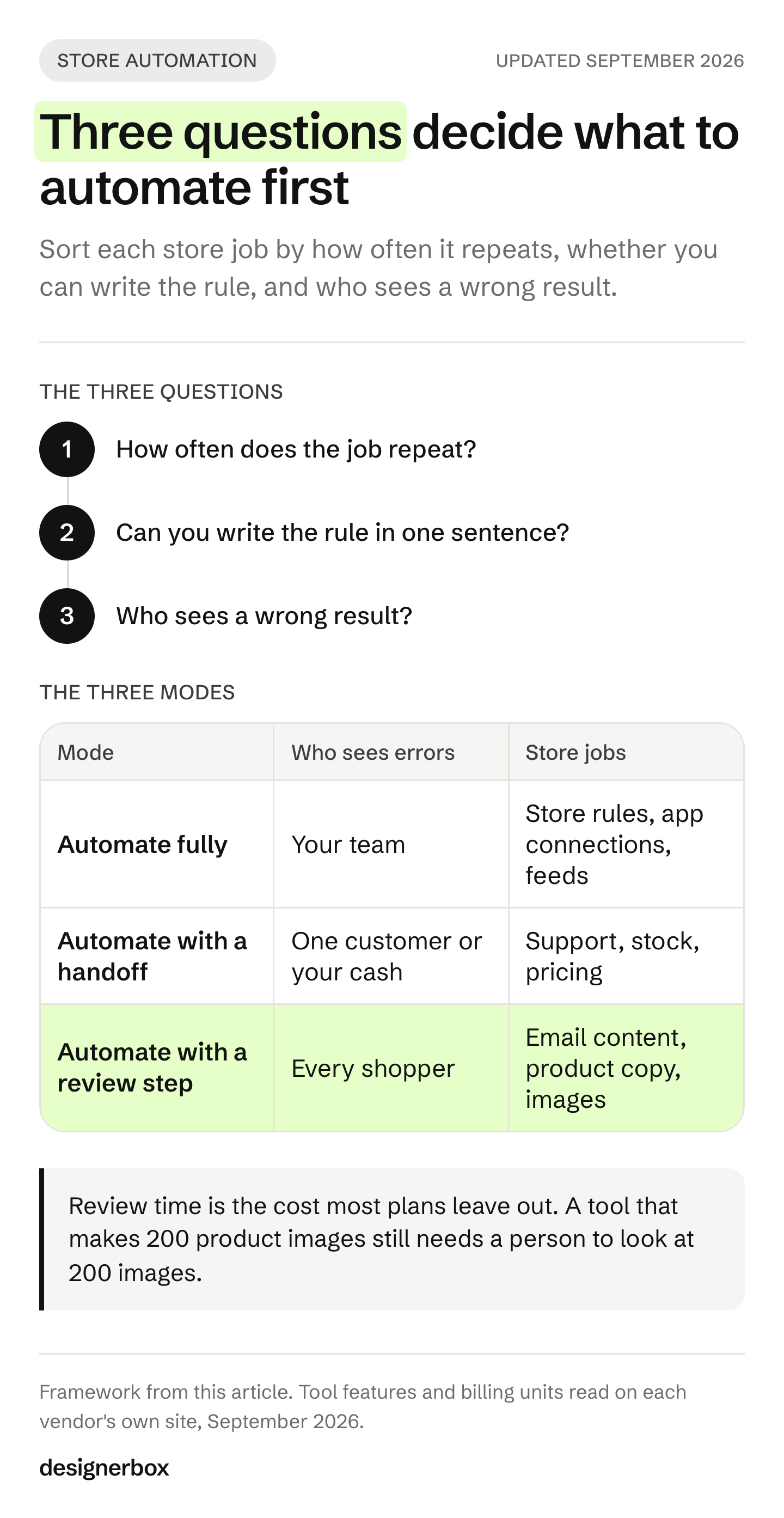
- How often does the job repeat? Per order, per ticket, per product or per campaign. A job you do twice a month rarely repays the time it takes to build.
- Can you write the rule in one sentence? “When an order ships abroad, add the tag international” is a rule. “Answer the way our best support person would” is half a rule. “Make the photo look like our brand” is no written rule at all.
- Who sees a wrong result? Only your team, one customer, or every shopper who opens the page.
| Mode | The answers | Who checks | Example |
|---|---|---|---|
| Automate fully | Frequent, a written rule, your team sees errors | A weekly look at the run history | Tag orders that ship abroad |
| Automate with a handoff | Frequent, half a rule, one customer or your cash sees errors | A person takes the exceptions | An AI reply to “where is my order?” |
| Automate with a review step | Frequent, no written rule, every shopper sees errors | A person approves before it goes live | A photo set for a new product |
The order of work follows the table. Store rules and app connections come first, because they repeat thousands of times and an error costs minutes. Support and stock come second, once you know which exceptions appear most. Content comes last, with the review time counted in the plan.
Review time is the cost most plans leave out. A tool that makes 200 product images still needs a person to look at 200 images. Budget those hours before you pick the tool, because they decide whether the automation saves time at all.
Jobs to automate fully
Store rules, app connections and product feeds are the safest place to start. Each one runs on a rule you write once and test on a few orders. When a run goes wrong, your team sees it first, and the fix is a changed rule. These three jobs also give every later tool cleaner data to work from.

Store rules: Shopify Flow
Shopify calls Flow “an ecommerce automation platform” for tasks inside your store and across your apps. It is a free app on the Basic, Grow, Advanced and Plus plans. Some actions, such as sending an HTTP request, need the Grow plan or higher (help.shopify.com, September 2026). Its actions include adding order tags, adding customer tags, holding a fulfillment order and sending an internal email (help.shopify.com, September 2026).
For a Shopify store, this is the first automation to build. It costs nothing extra and it sees every order. Start with rules where a wrong result is a wrong tag. Tag orders that meet a condition you set, hold fulfillment on orders a person should check, and send an internal email when a rule fires.
Connecting apps: Zapier, Make and n8n
Connector tools pass data between apps that have no direct link. Zapier says it connects 9,000+ apps. Its Zapier Agents do work across those apps from instructions you give them (zapier.com/pricing, September 2026). Make lists 3,000+ apps and has AI agents in beta (make.com/en/pricing, September 2026). n8n suits teams with a developer. It publishes a self-hosted version on GitHub, and its cloud plans bill on workflow executions (n8n.io/pricing, September 2026).
Use a connector for the steps a platform rule cannot reach: a new order row in a spreadsheet, a message in a team chat, a record in an accounting app. Keep the AI agent features for later. An agent that decides what to do next is a handoff job, and it needs the checks in the next section.
Product feeds and data: Feedonomics and Akeneo
A product feed sends your catalog to shopping channels and marketplaces, and each one has its own fields and rules. Feedonomics says it turns product data into listings for 2,000+ destinations across ad channels, marketplaces and AI surfaces (feedonomics.com, September 2026). Akeneo is a product information management system, which keeps all product data in one place. It uses AI to extract and map product details from supplier files (akeneo.com, September 2026).
Mapping fields is rule work, so it belongs in this group. Both tools also list AI features that enrich product data. Treat that written text as content, and review it, even though it comes from a data tool.
Jobs to automate with a handoff
Support replies, stock forecasts and price changes can run on their own most of the time. They fail in ways no rule predicts: an angry customer, a late supplier, a competitor who drops a price by mistake. So the tool does the common case and passes the rest to a person. Your real setup work is deciding where that line sits.
Customer support: Gorgias and Klaviyo Customer Agent
Gorgias puts its AI Agent on every plan, and you pay when it resolves a conversation (gorgias.com/pricing, September 2026). The handoff is written into the product. The AI Agent always passes the conversation to a person when it detects anger or frustration, when a customer asks for a human, or when it finds a sensitive topic. You can add your own handover topics, such as billing disputes or legal questions (docs.gorgias.com, September 2026).
Klaviyo’s Customer Agent answers questions and resolves issues across chat, SMS, email and WhatsApp. It includes retail skills such as order tracking and returns, and an Agent Guidance setting for tone and escalation rules (klaviyo.com/blog, published March 2026, read September 2026). For a store that already sends email through Klaviyo, the agent sits in the same product.
For questions that arrive as Instagram messages, Instagram DM automation tools compares the options for brands.
Before you turn on either support agent, list the five questions customers ask you most. Those are the ones to automate. Send everything else to a person.
Stock and purchase orders: Prediko and Inventory Planner
Prediko is built for Shopify. It offers AI demand planning, AI replenishment and an AI inventory agent called Pia (prediko.io, September 2026). Inventory Planner by Sage forecasts demand “SKU by SKU” and recommends what to order, when and where. Its listed connections include Shopify, Amazon, WooCommerce, BigCommerce and NetSuite (inventory-planner.com, September 2026).
Here the handoff goes to your own team. Let the tool draft the forecast and the purchase order. Keep a person on the approval, because a purchase order spends cash, and a supplier cannot always cancel one.
Pricing: Prisync
Prisync tracks competitor prices and changes your prices from competitor data, using rules you create. It also monitors reseller prices for minimum advertised price compliance, and it integrates with Shopify, Google Shopping and Amazon (prisync.com, September 2026).
Repricing is the riskiest job in this group, because every shopper sees the new price. Decide the lowest and highest price you accept before any rule runs. Then have a person check every change that comes close to either limit.
Jobs that need a review step
Email content, product copy and product images reach every shopper, and no rule you can write checks whether they are right. A description can name the wrong material. A photo can change a print or blur a logo. So content automation needs a person to approve each result before it goes live. The platforms you sell on already write rules that assume this.

Google Merchant Center accepts AI product images, but each one must keep the metadata that says AI made it (support.google.com, October 2026). Amazon asks sellers to tag an image of a photorealistic person made fully by AI with the keyword contains-synthetic-performer before upload (sellercentral.amazon.com, September 2026). Walmart says AI images “must be truthful, accurate and not misleading” (marketplacelearn.walmart.com, September 2026).
This is general information, not legal advice. The rules for each channel, one by one, are in what each marketplace allows for AI product photos.
Email and SMS content: Klaviyo Composer
Klaviyo’s Composer builds a full campaign from a plain-language request. It chooses the audience, the message, the send time and the channel (klaviyo.com/blog, published March 2026, read September 2026). The trigger logic of an email flow belongs in the first group. The words and images inside it belong here. Approve every new message once, before the flow sends it to your list. For how this layer fits the rest of a marketing stack, see the four layers of AI marketing automation.
Product copy: Shopify Magic and Hypotenuse AI
Shopify Magic is free on Shopify plans, though some features vary by plan, and it suggests product descriptions (help.shopify.com, September 2026). The field it drafts into is explained in Shopify product descriptions. Hypotenuse AI says it is built for enterprises. It writes product titles and descriptions in a brand voice at volume, fills missing attributes, and connects to Shopify, Amazon, Walmart, Akeneo and Salsify (hypotenuse.ai, September 2026).
Review product copy against the product record, and check facts first: material, size, care instructions and anything a customer can measure when the parcel arrives.
Product images and ads: Shopify Magic, Google Product Studio and Photoroom
Product images repeat for every product, and each ad needs several sizes. This repeat work is called creative automation. Free tools already do common edits. Shopify Magic removes backgrounds. Google’s Product Studio is a free set of AI tools inside Merchant Center (support.google.com, September 2026). Photoroom’s API is built for catalog volume: background removal, virtual models, flat lays, ghost mannequin shots and products placed in lifestyle scenes (photoroom.com/api, September 2026).
There is also a date to plan around. Google will require product images of at least 500 x 500 pixels from 31 January 2027. Until then the minimum is 100 x 100 pixels, or 250 x 250 for clothing (support.google.com, September 2026). A catalog built from small supplier images has a deadline to redo them.
Check every image for three things. The product matches the real one: print, logo, stitching and color. The size meets the channel minimum. The AI metadata is still in the file where the channel asks for it. For the ad side, ecommerce advertising by channel shows what each ad channel automates. For a shortlist built only for this job, see the best AI tools for ecommerce visuals. For product content run across a whole catalog, see AI agents for ecommerce product content.
How do ecommerce automation tools charge?
Most tools bill on a unit that grows with one part of your business: tasks, credits, executions, contacts, resolved conversations, products tracked or sales. The unit tells you more than the starting price does. Pick tools whose unit grows slower than your revenue, and read each vendor’s own pricing page before you commit, because plans change.
| Tool | Bills on | Where to check |
|---|---|---|
| Shopify Flow | Free app on the Basic, Grow, Advanced and Plus plans | help.shopify.com |
| Shopify Magic | Free on Shopify plans, some features vary by plan | help.shopify.com |
| Zapier | Tasks. Zapier Agents bill on activities | zapier.com/pricing |
| Make | Credits used by each action | make.com/en/pricing |
| n8n | Workflow executions on cloud plans | n8n.io/pricing |
| Klaviyo | Active profiles | klaviyo.com/pricing |
| Gorgias | Ticket volume for the helpdesk. The AI Agent bills when it resolves a conversation | gorgias.com/pricing |
| Prediko | Gross merchandise value | prediko.io/pricing |
| Prisync | Number of products tracked | prisync.com/pricing |
| DesignerBox | Credits from a monthly plan allowance | designerbox.ai/pricing |
For a store with 20 to 500 products, these units move in different directions. A connector bills on activity, so a busy season raises the bill. A forecasting tool that bills on sales grows with revenue. In DesignerBox, credits go on what you make, so a new collection uses more credits in the month you launch it.
Zapier, Make and Klaviyo each offer a free plan, and Prisync and Prediko each offer a 14-day free trial (vendor pricing pages, September 2026). Use the free tier to test one job end to end before you pay for volume.
One workflow for every product
DesignerBox is AI creative production for brands and agencies. It covers the last row of the table: product images and ads. It does not tag orders, answer tickets or forecast stock. Use the tools above for those jobs. The page for ecommerce brands shows the product photo job.

For the image job, the review step is part of the work. You build a workflow once with your brand, your products and your rules. The workflow reads your brand on every run. Critic steps score the results, and best-of-N keeps the best one. Every run shows its cost before you start it.
A saved workflow runs the same way on the next product, and batch runs it over a whole sheet of products at once. To see how this works, read about workflows and brand profiles. For the product photo job, the product imagery templates are finished workflows you open and run. For listings, the Pictures for a listing app makes six marketplace pictures from one product photo. The pictures, the editors, Brand and Assets sit in one account, so the picture you make is the picture you edit and send.
The results connect to the rest of your automation. You download the results, or send them with a webhook or an S3 step. Zapier on its paid plans and n8n can each receive a webhook. So a connector from the first group can receive the results (help.zapier.com and docs.n8n.io, September 2026). Adding the files to your store listings stays a separate step, and Shopify bulk upload images covers four routes for it.
The plan gates, all on the pricing page:
- There is a free plan, and it runs on sample products.
- Uploading your own photos and the commercial license start on the Pro plan.
- AI video, virtual try-on, the image editor and the video editor start on the Premium plan.
DesignerBox also has 75 tools over MCP, so Claude, ChatGPT, Cursor, Claude Code and VS Code can run it. If you need one product image only occasionally, Shopify Magic or Product Studio may be enough. If you need new images added to your store listings with no extra step, DesignerBox does not do that.
Your first product image workflow
Start from a template, add your brand and your products, and run it.
FAQ
What is the best AI tool for ecommerce automation?
No single tool covers every store job. For store rules on Shopify, start with Shopify Flow. To connect apps, compare Zapier, Make and n8n. For support, compare Gorgias and Klaviyo Customer Agent. For product images and copy, pick a tool that leaves room for a person to approve each result before it goes live.
What should an online store automate first?
Automate the jobs that repeat often, follow a rule you can write in one sentence, and fail in private. Order tags, fulfillment holds and internal emails come first. Support replies and stock forecasts come second, with a person on the exceptions. Product content comes last, with a review step before anything reaches shoppers.
Are there free ecommerce automation tools?
Yes. Shopify Flow is a free app on the Basic, Grow, Advanced and Plus plans, and Shopify Magic is free on Shopify plans. Zapier, Make and Klaviyo each offer a free plan, and n8n publishes a self-hosted version. Google’s Product Studio is a free set of AI tools in Merchant Center. Free tiers have usage limits, so check each vendor’s page.
What is the difference between Shopify Flow and Zapier?
Shopify Flow automates tasks inside a Shopify store with triggers, conditions and actions, and it is a free app on Shopify plans. Zapier connects 9,000+ apps, including many outside Shopify, and bills on tasks. Use Flow for rules inside the store, and a connector for the steps between other apps.
Can AI replace a customer support team?
It can answer the common questions, such as order tracking and returns. It still needs people for the rest. Gorgias’s AI Agent always passes a conversation to a person when it detects anger, when the customer asks for a human, or when it finds a sensitive topic. Plan for a team that handles those exceptions.
Do AI product images need a label or a tag?
Some channels set rules. Google Merchant Center requires AI product images to keep the metadata that says AI made them. Amazon asks sellers to tag images of a photorealistic person made fully by AI with contains-synthetic-performer. Walmart says AI images must be truthful, accurate and not misleading.
How much do ecommerce automation tools cost?
Each tool bills on its own unit, so compare units before prices. Zapier bills on tasks, Make on credits, n8n cloud on workflow executions, Klaviyo on active profiles, Gorgias’s AI Agent on resolved conversations, Prisync on products tracked and Prediko on sales. Plans change, so read each vendor’s pricing page on the day you buy.
Sources
- Shopify Help Center, Shopify Flow (help.shopify.com, accessed September 2026).
- Shopify Help Center, Shopify Flow actions (help.shopify.com, accessed September 2026).
- Shopify Help Center, Shopify Magic (help.shopify.com, accessed September 2026).
- Google Merchant Center Help, image requirements (support.google.com, accessed September 2026).
- Google Merchant Center Help, product image size change (support.google.com, accessed September 2026).
- Google Merchant Center Help, Product Studio (support.google.com, accessed September 2026).
- Amazon Seller Central, product image guide (sellercentral.amazon.com, accessed September 2026).
- Walmart Marketplace Learn, image guidelines and requirements (marketplacelearn.walmart.com, accessed September 2026).
- Zapier Help Center, trigger Zaps from webhooks, available on paid plans (help.zapier.com), September 2026.
- n8n Docs, Webhook node (docs.n8n.io), September 2026.
- Zapier pricing (zapier.com/pricing), September 2026.
- Make pricing (make.com/en/pricing), September 2026.
- n8n pricing (n8n.io/pricing), September 2026.
- Klaviyo pricing (klaviyo.com/pricing), September 2026.
- Klaviyo blog, AI features for marketing and customer service, published March 2026 (klaviyo.com/blog/klaviyo-ai-for-autonomous-marketing-and-customer-service), accessed September 2026.
- Gorgias pricing (gorgias.com/pricing), September 2026.
- Gorgias docs, how AI Agent hands over to your team (docs.gorgias.com), September 2026.
- Prediko (prediko.io and prediko.io/pricing), September 2026.
- Inventory Planner by Sage (inventory-planner.com), September 2026.
- Prisync (prisync.com and prisync.com/pricing), September 2026.
- Feedonomics (feedonomics.com), September 2026.
- Akeneo (akeneo.com), September 2026.
- Hypotenuse AI (hypotenuse.ai), September 2026.
- Photoroom API (photoroom.com/api), September 2026.
- DesignerBox pricing page (designerbox.ai/pricing), September 2026.
Tool features, billing units and platform rules verified from the sources above as of September 2026. The Shopify Flow plans and Google’s image size change were re-checked on 2 October 2026. Plans and features change, so check each vendor’s page before you buy.