





AI productivity tools are apps that use an AI model to do part of a repeated work task. They draft text, write meeting notes, search sources, plan a calendar, move data between apps, make images and video, and answer support questions. A tool is worth keeping when it removes a repeated task and the check it adds takes less time than the task did.
This guide sorts the tools by the job each one removes for a small brand or agency team. It names 16 tools across 8 jobs, plus our own product, and it gives one test to run on each.
It also covers what four independent studies measured about time saved.
Key Takeaways
- One test for every tool. Name the repeated task the tool removes. Then time the check it adds. Keep the tool when the check is shorter than the task.
- Gains depend on the task. In a study with Boston Consulting Group, knowledge workers with AI finished 12.2% more tasks. On one task outside the model’s strengths, they were 19% less likely to be correct.
- New staff gain most. In a study of 5,179 support agents, the average gain was 14%. For novice and low-skilled workers it was 34%.
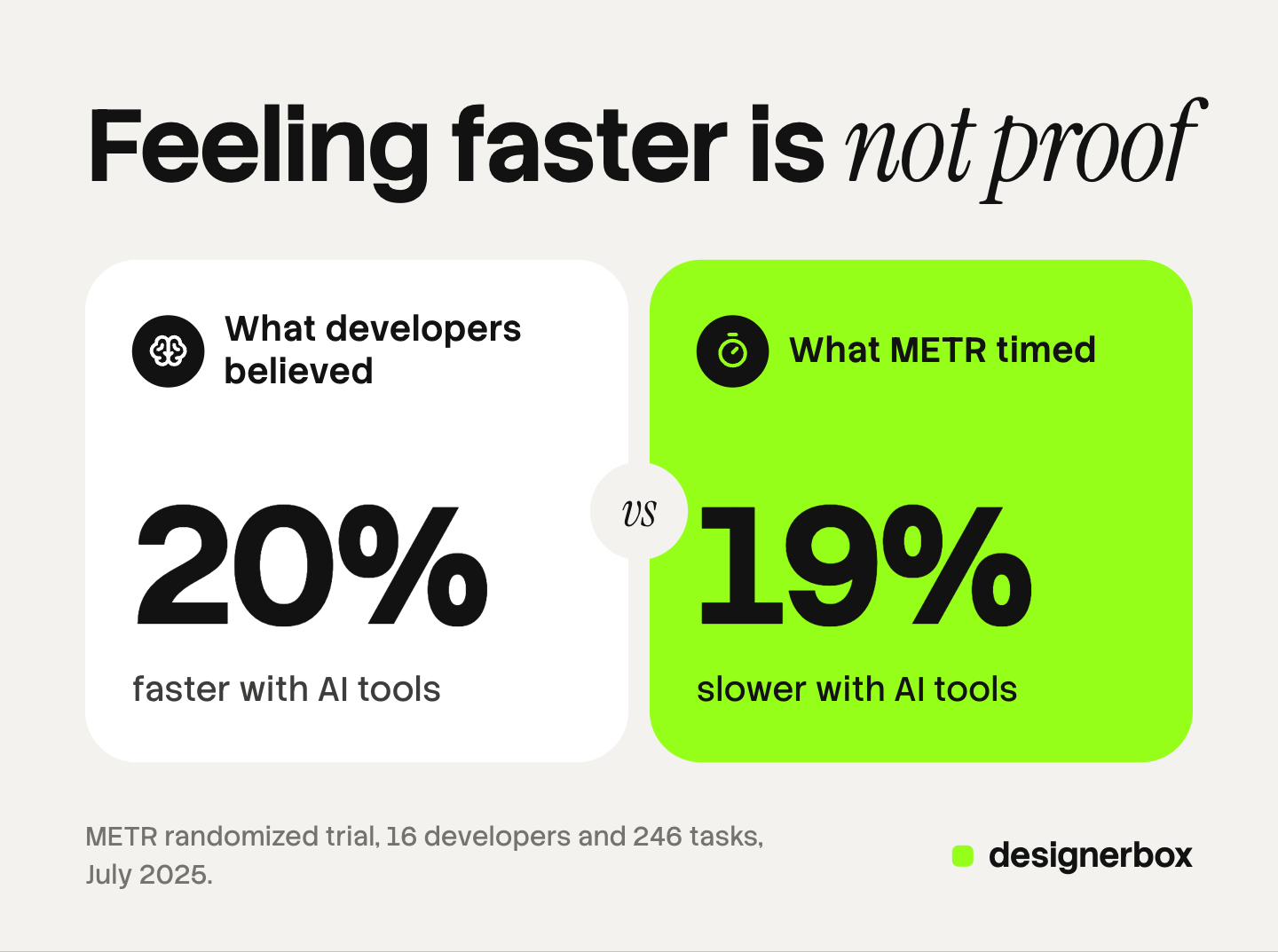
- Feeling faster is not a measurement. In a METR trial, experienced developers took 19% longer with AI and believed they were 20% faster.
What are AI productivity tools?
AI productivity tools are software that hands part of a work task to an AI model. Some are general chat tools, such as ChatGPT and Claude. Some do one job, such as meeting notes. Some sit inside apps you already use, such as Gmail.
The phrase covers a wide range, so a list alone does not help a team choose. The useful question is which repeated task you want to stop doing by hand.
For store operations, such as order rules and product feeds, read our guide to ecommerce automation tools.
The one test for any AI productivity tool
Every AI tool removes some work and adds some work. The added work is the check: someone reads the draft, confirms the note or opens the source.
So the test has two parts:
- Name the repeated task. Write it as one line: “I write the meeting summary after every client call.”
- Time the check. Use the tool for two weeks. Time how long you spend correcting what it made.
Keep the tool when the check is shorter than the task was. Drop it when the check takes as long, or when nobody runs the check. An unchecked tool moves the error to a later step.
AI productivity tools by job
This table lists the eight jobs and the test for each one.
| Job | Tools | The task it removes | The check it adds |
|---|---|---|---|
| Writing | ChatGPT, Claude, Grammarly | The first draft and the grammar pass | Facts, numbers and tone |
| Meetings and notes | Otter, Fireflies, Notion | Typing notes during a call | Action items and owners |
| Research | Perplexity, Gemini Notebook | Opening and reading many pages | Opening each cited source |
| Scheduling | Reclaim | Moving calendar blocks by hand | A look at the week’s plan |
| Automation between apps | Zapier, Make | Copying data from one app to another | Watching for failed runs |
| Images and ads | Canva, DesignerBox | Rebuilding one layout for every row or product | A look at every result |
| Video | Descript | Cutting filler words and typing captions | Reading the captions |
| Support | Intercom Fin | Answering the same question again | Reviewing answers and handoffs |
Two more tools work inside a suite: Google Workspace with Gemini and Microsoft 365 Copilot. The small business section covers them. That makes 16 tools, plus DesignerBox, which is our own product.
Every feature below was read on the vendor’s own page in October 2026.
Writing, research and notes
Most teams start with these three jobs, because the task is easy to name. The check is also easy to skip, so decide who does it first.

Writing: ChatGPT, Claude and Grammarly
ChatGPT is a general chat tool that drafts well and can hold the context of a project. OpenAI’s help page says projects keep related chats, files and instructions together. You can reuse a project for recurring tasks, such as weekly content drafts (OpenAI Help Center, October 2026).
Claude also has projects. Each one is a self-contained workspace with its own chat history, knowledge base and instructions (support.claude.com, October 2026).
Grammarly works inside the text box you already type in. It refines grammar, structure and clarity, and it suggests changes to tone (grammarly.com, October 2026).
Best for: a team that writes the same kinds of text every week. The test: count the drafts that ship with a wrong number or product name.
Research: Perplexity and Gemini Notebook
Perplexity searches the web when you ask a question. Each answer includes numbered citations that link to the original sources (perplexity.ai help center, October 2026).
Gemini Notebook is the Google tool many readers know as NotebookLM. You upload PDFs, websites, YouTube videos, audio files, Google Docs or Google Slides. It answers from those sources with in-line citations (Google help, October 2026).
Best for: Perplexity for the open web, Gemini Notebook for your own files. The test: open the source behind each claim you plan to repeat.
Meetings and notes: Otter, Fireflies and Notion
Otter turns each meeting into a summary with decisions, action items and insights. It can also record from a Mac or Windows desktop without a bot joining the call (otter.ai, October 2026).
Fireflies gives notes, action items and custom summaries after each meeting. It also transcribes uploaded audio and video files (fireflies.ai, October 2026).
Notion has AI Meeting Notes inside the workspace where a team keeps its documents. Its search covers connected apps such as Slack and Google Drive (notion.com, October 2026).
Best for: client calls and weekly team meetings. The test: read the action items the same day, and check each owner. Tell everyone on the call that it is recorded.
Scheduling and automation between apps
These two jobs remove work that has no value in itself. That makes them good candidates.
Scheduling: Reclaim
Reclaim plans a calendar around goals. You set a focus time goal, and it defends that time. It also schedules tasks, breaks and travel time (reclaim.ai, October 2026).
Best for: people whose week is half meetings. The test: if you still move most blocks by hand, the task is still yours.
Automation between apps: Zapier and Make
Zapier connects apps with automated workflows it calls Zaps. A Zap completes work across your apps without someone prompting it each time. Zapier’s site lists more than 9,000 apps (zapier.com, October 2026).
Make is a visual, no-code builder where you drag, drop and connect modules. Its site lists more than 3,000 pre-built apps (make.com, October 2026).
Best for: a task that follows a fixed rule. The test: check the run history once a week. A failed run that nobody sees is a lost lead. For the marketing side of this job, read our guide to AI marketing automation.
Images, ads, video and support
These jobs produce something a customer sees, so the check is a look at every result.
Images and ads: Canva
Canva is a design tool with a feature called Bulk Create. It links your data, set in rows and columns, to placeholder elements on a design page. Each row makes one complete page or design (canva.com help, October 2026).
Best for: one layout repeated with new text or photos, which marketing teams call creative automation. The test: look at the rows with the longest and the shortest product name. For ad work, our guide to AI advertising tools starts with the free tools inside each ad account.
Video: Descript
Descript edits video and audio through the transcript. Its site says video editing is as easy as typing, and it adds subtitles (descript.com, October 2026).
Best for: talking videos, podcasts and screen recordings. The test: read the captions before you post, names and product terms first.
Support: Intercom Fin
Fin is Intercom’s AI agent for customer service. Intercom says Fin can update accounts, process payments and refunds, and work on technical issues (fin.ai, October 2026).
Best for: a team that answers the same questions every day. The test: review a sample of answers each week.
What does the research say about AI productivity gains?
Four independent studies measured what AI tools did to real work. Each one tested specific tools at a specific time.
| Study | Who took part | What it measured |
|---|---|---|
| Brynjolfsson, Li and Raymond, NBER | 5,179 customer support agents | Issues resolved per hour rose 14% on average, and 34% for novice and low-skilled workers |
| Noy and Zhang, Science, 2023 | 453 college-educated professionals | Time on writing tasks fell 40%, and quality rose 18% |
| Dell’Acqua and co-authors, Organization Science, 2026 | 758 knowledge workers, with Boston Consulting Group | 12.2% more tasks done, 25.1% more quickly. On one task outside the model’s strengths, 19% less likely to be correct |
| METR, 2025 | 16 experienced open-source developers, 246 tasks | Tasks took 19% longer with AI tools |
All four were read in October 2026. Three points follow.
The gain depends on the task. The consulting study calls this a jagged frontier. AI helped on 18 tasks inside its abilities and hurt on one outside them.
New staff gain most. In the support study, experienced agents saw minimal impact.
People misjudge their own speed. The METR developers expected AI to make them 24% faster. After the trial they still believed it had made them 20% faster. The clock said 19% slower. METR calls the result a snapshot of early-2025 tools in one setting. That gap is why the test in this guide uses a timer.
AI tools for small business: how many do you need?
Start with fewer tools than a list suggests. Each new tool is one more login and one more check.

Look inside the suite first. Google Workspace with Gemini summarizes threads and drafts emails in Gmail, and it takes notes in Meet (Google Workspace, October 2026). Microsoft 365 Copilot is integrated into Word, Excel, PowerPoint, Outlook and Teams (microsoft.com, October 2026).
Add one tool per repeated task. If two tools pass the same test for the same task, keep one.
Give each tool an owner. AI tools for teams need one person who runs the check.
Our guide to AI tool stack cost counts the handoffs between tools. For an agency, the marketing agency stack by job sorts the same question into seven layers.
Zapier and Fireflies both list an MCP server, which connects a tool to an AI chat. Our guide to MCP for marketing teams explains which connectors read and which write.
Creative production in DesignerBox
DesignerBox is AI creative production for brands and agencies. In this list it covers images, ads and video. A product photo is one input, alongside your logo, fonts, colors and rules.
Anyone can make an AI picture. Making hundreds that still look like your brand is the hard part.
The repeated task it removes is the setup. You build the job once as a workflow. The workflow reads your brand rules on every run. Batch runs it over a whole sheet, up to 200 rows, so row one and row two hundred get the same treatment. You can also publish a workflow as an app, which is a workflow with a form.
The check it adds is a look at every result. You keep or discard each one. The cost is shown before the run.
The full workflow from the first product photo to the finished ad, in one subscription.
Here are the limits. DesignerBox is not a general writing tool: its text step writes the line for an ad inside a workflow. It does not take meeting notes, plan a calendar or answer support tickets. It does not send results to an ad account or a store. You download the results, or send them with a webhook or an S3 step. Virtual try-on is for garments only. Every plan below Ultra is one seat. An 8-second clip costs 40 to 560 credits, depending on the model.
Uploading your own photos and the commercial license start on the Pro plan. AI video, virtual try-on, upscaling, the image editor and the video editor start on the Premium plan. Plans and credits are on the pricing page.
There is a free plan, and it runs on sample products.
FAQ
What are AI productivity tools?
AI productivity tools are apps that use an AI model to do part of a repeated work task. Common jobs are drafting text, meeting notes, research, scheduling, automation between apps, images, video and support.
What are the best AI productivity tools for a small team?
The best AI productivity tools pass the test for a task you repeat. For writing, look at ChatGPT, Claude and Grammarly. For meeting notes, look at Otter, Fireflies and Notion. For research, look at Perplexity and Gemini Notebook. Check the AI inside your mail and document suite first.
Do AI tools for business save time?
Sometimes, and the task decides. A study of 5,179 support agents measured a 14% average gain. A METR trial of 16 experienced developers measured tasks taking 19% longer. Time the task before and after, and include the time you spend checking.
Are there free AI productivity tools?
Some vendors offer a free tier. Claude’s help page says projects are available on free accounts, with a cap of five projects. Read each vendor’s own pricing page before you plan a team around a free tier.
How many AI tools does a small business need?
One per repeated task that passes the test. Start with the AI inside the suite you already use. Add a tool only when you can name the task it removes and the person who checks its work.
Sources
- Brynjolfsson, Li and Raymond, Generative AI at Work: 5,179 support agents, 14% average gain, 34% for novice and low-skilled workers, minimal impact on experienced workers (nber.org, read October 2026)
- Noy and Zhang, Experimental evidence on the productivity effects of generative artificial intelligence, Science, 13 July 2023: 453 professionals, time down 40%, quality up 18% (science.org, abstract read October 2026)
- Dell’Acqua and co-authors, Navigating the Jagged Technological Frontier, Organization Science, March 2026: 758 knowledge workers, 18 tasks, 12.2% more tasks, 25.1% more quickly, 19% less likely to be correct outside the frontier (doi.org, abstract read October 2026)
- METR, Measuring the Impact of Early-2025 AI on Experienced Open-Source Developer Productivity, 10 July 2025: 16 developers, 246 tasks, 19% longer, 24% expected, 20% believed (metr.org, read October 2026)
- OpenAI Help Center, Projects in ChatGPT: chats, files and instructions kept together, reuse for recurring tasks (help.openai.com, read October 2026 in a web.archive.org copy of 3 October 2026)
- Google, Learn about Gemini Notebook: source types and in-line citations (support.google.com, read October 2026)
- Google Workspace with Gemini: Gemini in Gmail and Meet (workspace.google.com, read October 2026)
- Claude help, What are projects: workspaces, knowledge bases, instructions, free accounts and the five-project cap (support.claude.com, October 2026)
- Grammarly home page: grammar, structure, clarity, tone (grammarly.com, October 2026)
- Otter home page: meeting summaries, action items, desktop recording without a bot (otter.ai, October 2026)
- Fireflies home page: notes, action items, file transcription, MCP server (fireflies.ai, October 2026)
- Notion AI product page: AI Meeting Notes, search across connected apps (notion.com/product/ai, October 2026)
- Perplexity help center, How does Perplexity work: web search and numbered citations (perplexity.ai, read October 2026 in a web.archive.org copy of 24 September 2026)
- Reclaim home page: focus time, task scheduling, breaks and travel (reclaim.ai, October 2026)
- Zapier home page: Zaps, more than 9,000 apps, Zapier MCP (zapier.com, October 2026)
- Make product page: visual builder, more than 3,000 pre-built apps (make.com/en/product, October 2026)
- Canva help, Bulk Create: rows and columns linked to placeholder elements (canva.com/help/bulk-create, read October 2026 in a web.archive.org copy of 3 October 2026)
- Descript home page: text-based video and audio editing, subtitles (descript.com, October 2026)
- Intercom Fin: account updates, payments and refunds, technical issues (fin.ai, October 2026)
- Microsoft 365 Copilot: integrated into Word, Excel, PowerPoint, Outlook and Teams (microsoft.com/en-us/microsoft-365-copilot, October 2026)
- DesignerBox workflows, apps and batch: DesignerBox product pages (designerbox.ai/product/workflows, designerbox.ai/product/batch), October 2026
Vendor features were read on each vendor’s own page in October 2026 and change often. The four studies tested specific tools at specific times, so their numbers describe those settings and not any product named here. Individual results vary.


