Fashion design software for beginners is the set of programs that turn a clothing idea into the files other people need: a sketch, a flat drawing, a tech pack, a pattern and a sample. Most beginners need two programs at the start: a drawing app for ideas and a vector program for flats. Inkscape, Krita and Affinity are free. Adobe Illustrator is the paid option, sold only as a subscription.
Most lists of fashion design software rank the same famous names. A beginner reads that CLO is the leader in 3D and Illustrator is the standard for flats, then buys both before the first garment exists. CLO asks for 16 GB of memory at minimum and 64 GB as its recommendation (support.clo3d.com, September 2026). Most laptops do not have that.
This guide sorts the software by the file each step makes and the person who receives it. You learn only the tools for files you make yourself, and you hire out the rest. It covers 17 tools, checked against each maker’s own pages on 24 September 2026. It is written for a founder who is starting a first clothing line, or a small brand with a few styles a season. The full launch order, from the name search to the store, is in how to start a clothing brand. It lists no prices: each maker publishes its own plans.
Key Takeaways
- Start from the file: a factory needs a flat sketch, a tech pack and a pattern. Learn software for the files you will make yourself.
- Learn a vector program first: flats are drawn in vector software. Inkscape and Affinity are free, and Illustrator is sold only by subscription.
- Sketch on what you own: Procreate runs only on iPad and iPhone. Krita runs on Windows, macOS, Linux and Android. Adobe Fresco is free.
- Patterns are a separate skill: Seamly2D is free and exports DXF in the AAMA and ASTM layouts. Many new brands hire a pattern maker for this step.
- 3D can wait: CLO asks for 16 GB of memory at minimum and 64 GB as its recommendation. Its free trial is 14 days.
- After the sample: every style needs product photos. DesignerBox makes them from a photo of the finished garment, and shows the cost before the run.
What is fashion design software?
Fashion design software is any program that designers use to draw, specify, pattern or simulate a garment before it is made. The US Bureau of Labor Statistics says fashion designers “must be able to use computer-aided design (CAD) programs and be familiar with graphics editing software” (BLS Occupational Outlook Handbook, accessed September 2026). No single program covers every step.
The same page says “most designers first sketch their designs by hand”, and many then sketch digitally with CAD programs. So paper is still a real starting point. The software starts to matter when another person has to read your design.
Five terms appear in every section below:
- Croquis: the figure template you draw a garment on.
- Flat sketch: a drawing of the garment laid flat, front and back, with seams and details. It has no body in it.
- Tech pack: “a structured specification document that gives a clothing manufacturer every instruction needed to produce a garment accurately” (techpacker.com, September 2026).
- Pattern: the flat paper or digital pieces that are cut from fabric and sewn together.
- DXF-AAMA and DXF-ASTM: the two file layouts pattern programs use to send patterns to a factory.
Which files does a first collection need?
A first collection needs up to seven files per style, and each one goes to a different person. Your mood board and sketches stay with you. The flat sketch and tech pack go to the factory. The pattern goes to the cutting room. The product photos go to your store. Pick software for each file you will make yourself.
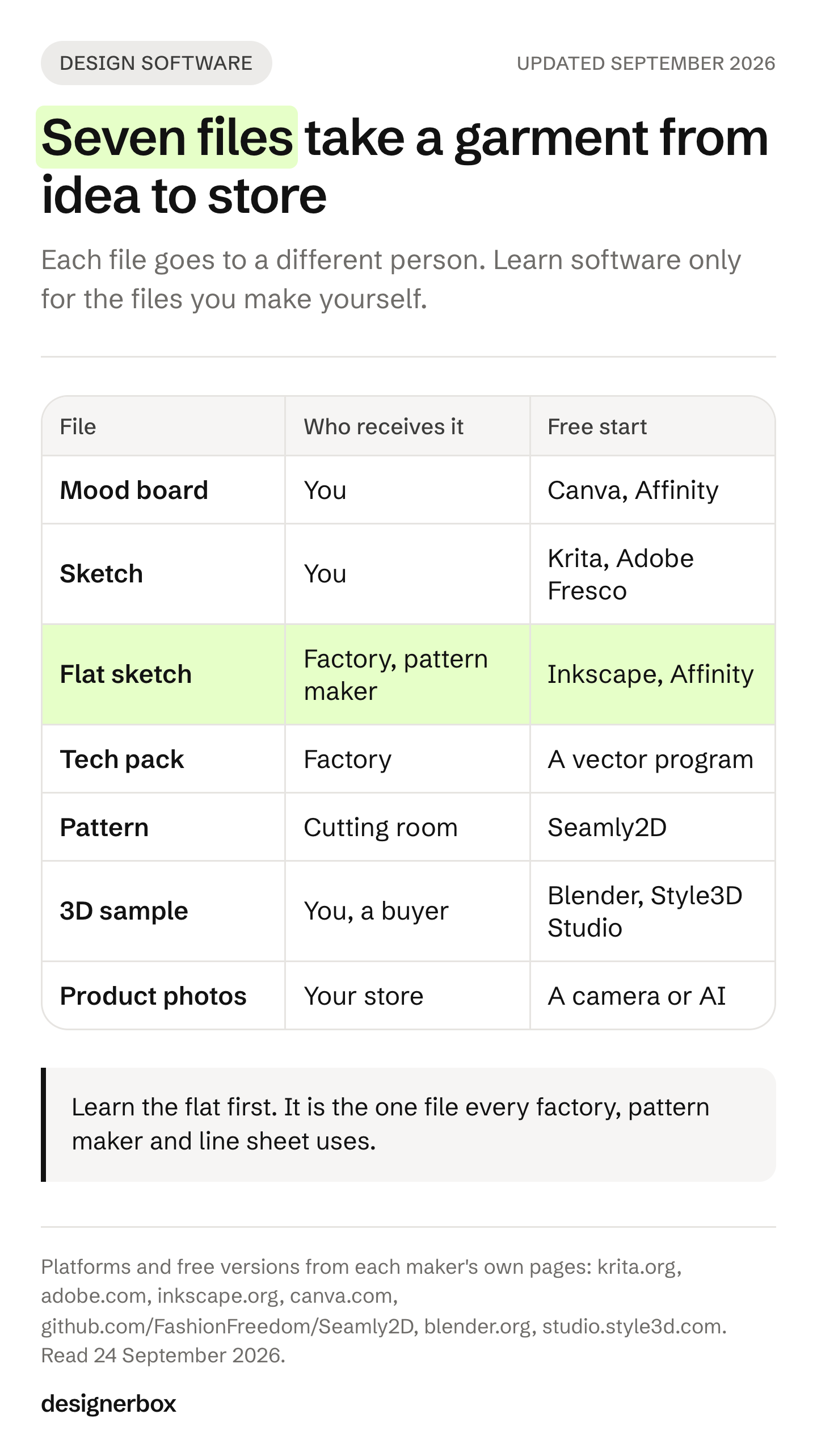
| File | Who receives it | Usual format | Beginner software |
|---|---|---|---|
| Mood board | You, or a freelancer | Image or PDF | Canva, Affinity |
| Sketch | You | Image | Procreate, Adobe Fresco, Sketchbook, Krita |
| Flat sketch | The factory and the pattern maker | PDF, SVG or AI | Adobe Illustrator, Inkscape, Affinity, CorelDRAW |
| Tech pack | The factory | A vector program, or Techpacker | |
| Pattern | The cutting room | DXF-AAMA, DXF-ASTM, or PDF for home sewing | Seamly2D, Tailornova, or a pattern maker |
| 3D sample | You, and sometimes a buyer | 3D file and renders | CLO, Browzwear VStitcher, Style3D Studio, Blender |
| Product photos | Your store and marketplaces | JPG or PNG | A camera, or an AI photo tool |
Two rows need no software from you. Many new brands pay a pattern maker for the pattern and ask the factory to make the first sample. Ask your factory which file it reads before you pick a pattern tool. A pattern file that the cutting room cannot open costs you a week.
Which fashion design software should a beginner learn first?
Learn a vector program first, because the flat sketch is the file every factory, pattern maker and sales sheet uses. A flat sketch is clean lines and shapes, and vector programs draw exactly that. The lines stay sharp at any size, and the file exports as a PDF anyone can open.
Your choice depends on your computer and your budget:
- Adobe Illustrator runs on macOS, Windows and iPad, and in a web version. It “is available only as part of a Creative Cloud membership”, and the free trial lasts 7 days (adobe.com, September 2026).
- Inkscape is free and open source for Windows, macOS and Linux. Its main format is SVG, and it opens AI, EPS and PDF files (inkscape.org, September 2026).
- Affinity is free since 29 October 2025. Canva combined the vector, photo and layout tools into one app for Mac and Windows. You need a free Canva account to download it (canva.com newsroom, October 2025).
- CorelDRAW runs on Windows, Mac and the web. You buy it as a yearly plan or once, and the free trial is 15 days (coreldraw.com, September 2026).
If a freelancer or factory asks for AI files, Illustrator is the direct route. Otherwise any of the four makes a flat you can send as a PDF. Learn one program well before you open a second.
Sketching apps for fashion design
A sketching app replaces the paper sketchbook. It is for ideas, color and croquis drawings, and nobody outside your team needs the file. Pick the app that runs on the device you already own, because a drawing app is only useful with a stylus in your hand.
| App | Runs on | How you pay | Note |
|---|---|---|---|
| Procreate | iPad (Procreate Pocket on iPhone) | One purchase, no subscription | Its maker states “No generative AI” (procreate.com, September 2026) |
| Adobe Fresco | iPad, iPhone and Windows | Free | Adobe calls it “a free professional level painting and drawing app” (adobe.com, September 2026) |
| Sketchbook | iOS and Android; Sketchbook Pro on macOS and Windows | Free app with in-app purchases; Pro is one purchase | Now published by Sketchbook, Inc. (sketchbook.com, September 2026) |
| Krita | Windows, macOS, Linux and Android | Free, open source (GNU GPL v3) | Free for commercial work. No iPad or iPhone version (krita.org, September 2026) |
A sketch is enough to start a conversation with a pattern maker. It does not replace the flat. Draw the flat in your vector program once the design is final. The guide to clothing design apps by device lists the iPad, phone and browser apps, with the file each one exports.
Flat sketch and tech pack software
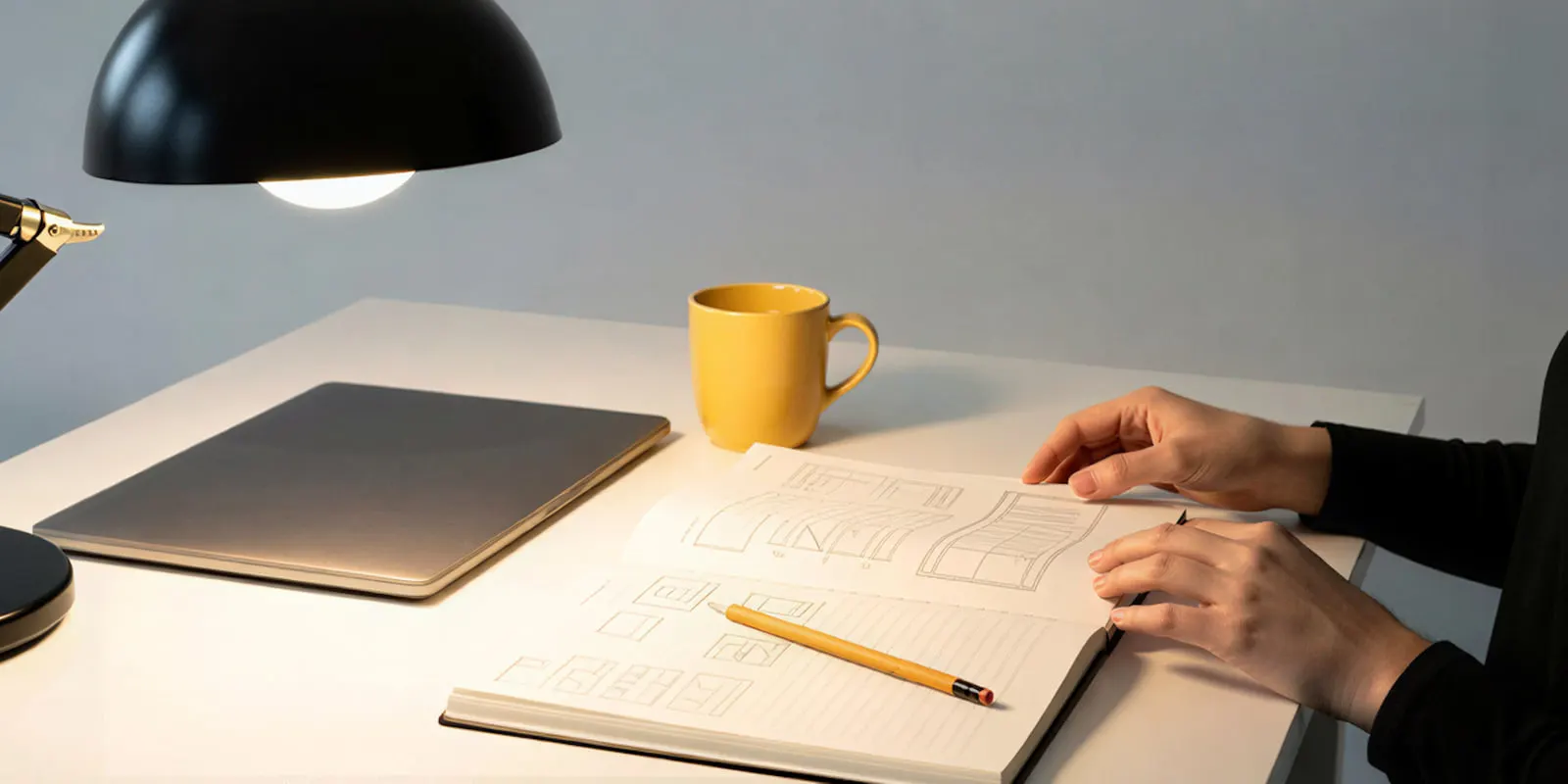
A tech pack is the document the factory builds from, so it has to be complete and easy to read. It usually holds the flat sketches, measurements, materials, trims, colors and construction notes. A beginner can build one in a vector program as a multi-page PDF, or in a tool made for tech packs.
Techpacker is a browser tool built for tech packs. It exports them as PDF, and it offers a 7-day free trial with no free plan (techpacker.com, September 2026). A vector program does the same job with more manual layout. For five styles, a template in Illustrator, Inkscape or Affinity is enough. For a range with shared trims and many sizes, a tech pack tool saves typing the same details again.
Canva fits the early steps. It has a free plan and a gallery of fashion mood board templates (canva.com, September 2026). Use it for mood boards and simple line sheets. Draw the technical flats in a vector program.
Pattern software for beginners
Pattern software drafts the flat pieces that are cut from fabric. It is the most technical step in this guide, and it is the step new brands hire out most often. Learn it if you sew your own samples or plan to make patterns for others. Otherwise, hire a pattern maker and ask which system they use.
Two tools suit a beginner:
- Seamly2D is free and open source under the GNU GPL v3 or later, for Windows, macOS and Linux. Its export options include PDF, tiled PDF for home printers, and DXF in the AAMA and ASTM layouts (github.com/FashionFreedom/Seamly2D, September 2026).
- Tailornova runs in the browser. You start from design templates, preview the garment in 3D and download a made-to-measure pattern. PDF downloads come with its Personal plan, and DXF and DXF-AAMA come with a higher plan (tailornova.com, September 2026).
Industry pattern systems such as Lectra Modaris and Gerber AccuMark grade patterns across a full size range for factory production. The guide to pattern software sorted by job compares them, with what each vendor documents as AI.
When does a beginner need 3D fashion software?
A beginner needs 3D software when physical samples cost more time or money than learning the software does. 3D programs sew your 2D pattern onto an avatar and simulate the fabric. You need a pattern first, so 3D is the last design step, and a hardware check comes before a trial.
- CLO needs Windows 11 64-bit or an Apple Silicon Mac on macOS Sonoma 14, with 16 GB of memory at minimum. CLO recommends 64 GB and an NVIDIA GeForce RTX 4000 series card for Windows. The trial is 14 days, and CLO is not free for students. CLO imports and exports DXF-AAMA and DXF-ASTM (support.clo3d.com, September 2026).
- Browzwear VStitcher sells plans for freelancers, small teams and companies. Students and graduates within six months of graduating can apply for a free six-month Learner license, for non-commercial use (browzwear.com, September 2026).
- Style3D Studio has a free tier for non-commercial use (studio.style3d.com, September 2026).
- Marvelous Designer comes from the same company as CLO and uses the same core technology. CLO says it “is primarily used in the CG, animation, and gaming industries” (support.clo3d.com, September 2026). It has a 14-day trial.
- Blender is free under the GNU GPL, including for commercial work, and it has cloth simulation (blender.org, September 2026). It is general 3D software, so it does not draft or grade sewing patterns.
A 3D render shows how a pattern may hang. It does not replace a fit check on a real sample in your real fabric. A 3D render can also serve as a mockup, and apparel mockup software sorted by garment stage covers where a listing may use one.
Free fashion design software
Nine of the 17 tools in this guide have a free version. Six are free for any use. Three have a free tier with limits. Check the license before you sell work made on a free tier.
| Tool | Step | Free version | Platforms |
|---|---|---|---|
| Krita | Sketch | Free, open source, commercial use allowed | Windows, macOS, Linux, Android |
| Adobe Fresco | Sketch | Free app | iPad, iPhone, Windows |
| Sketchbook | Sketch | Free app, paid extras | iOS, Android |
| Inkscape | Flats | Free, open source | Windows, macOS, Linux |
| Affinity | Flats, mood boards | Free with a Canva account | Mac, Windows |
| Canva | Mood boards | Free plan | Browser and apps |
| Seamly2D | Patterns | Free, open source | Windows, macOS, Linux |
| Style3D Studio | 3D | Free tier, non-commercial use only | Not stated |
| Blender | 3D | Free, open source, commercial use allowed | Windows, macOS, Linux |
A free stack of Krita, Inkscape and Seamly2D covers sketches, flats and patterns on one Windows, Mac or Linux computer. Add Blender if you want to learn 3D before you pay for a trial.
Product photos after the sample
The design software stops at the sample. Then every style needs product photos in every color: front, back, a detail and a shot on a model. The guide to photographing clothes to sell covers the camera route. The AI route starts from one photo of the finished garment.
DesignerBox is AI creative production for brands and agencies. It does not draw flats or draft patterns. It makes the images you sell with.
- Clothing catalog turns one garment into four shots: front, three-quarter, back and a fabric close-up.
- Dress My Model puts the garment on a model. The guide on putting clothes on a model with AI shows the steps.
- Ghost mannequin shots show the garment’s shape with no model. The guide to ghost mannequin photography compares studio, Photoshop and AI.
- Sketch to photo turns a garment sketch into a photo-style image for review. The result is a picture of an idea. Use it to decide on a design, and use photos of the real sample on your store.
Anyone can make an AI picture. Making hundreds that still look like your brand is the hard part. You set the brand once, and the workflow reads it on every run. A saved workflow runs the same way on the next style, with the same light and framing. Batch runs it over a whole sheet of styles at once. The cost is shown before the run.
The image editor, the video editor, your brand rules and your Assets sit in the same place. The full workflow from the first product photo to the finished ad, in one subscription. The commercial license starts on the Pro plan. Virtual try-on starts on the Premium plan. Plans are on the pricing page. See what DesignerBox does for fashion brands.
A free plan for your first run
Start from a template, add your brand and your products, and see the cost before you run it.
FAQ
What is the easiest fashion design software for beginners?
The easiest start is a drawing app on a device you already own, then one vector program for flats. On an iPad, Procreate and Adobe Fresco are common starting points. On a laptop, Krita for sketches and Inkscape or Affinity for flats cost nothing. Learn one program well before you add a second.
Is there free fashion design software?
Yes. Krita, Inkscape, Seamly2D and Blender are free and open source. Adobe Fresco is free, and Affinity is free with a Canva account. Canva, Sketchbook and Style3D Studio have free tiers with limits. Style3D Studio’s free tier is for non-commercial use only.
Do I need to know how to draw to design clothes?
It helps, and it is not the only way in. The US Bureau of Labor Statistics says most designers first sketch by hand. Flats need clean lines more than drawing talent, and a vector program draws those lines for you. Start with simple flats of garments you own.
Should I learn Illustrator or CLO first?
Learn a vector program such as Illustrator first. The flat sketch goes to every factory and pattern maker, and 3D software needs a finished pattern before it can simulate anything. CLO also asks for 16 GB of memory at minimum. Add 3D once samples cost you more than the time to learn it.
Can I design clothes on an iPad?
Yes, for sketches and flats. Procreate, Adobe Fresco and Illustrator for iPad all run on it. Pattern and 3D tools in this guide run on Windows, macOS or Linux computers, or in a browser. Plan on a computer for those steps.
Can I use Canva to design clothing?
Canva works for mood boards, color stories and simple line sheets, and it has a free plan. It is a layout tool. For technical flats, use a vector program such as Inkscape, Affinity or Illustrator.
Can AI design clothes for me?
AI can make images of design ideas and draft a starting pattern in some 3D tools. A pattern maker still checks the pattern and grades it into sizes. A real sample still decides the fit. AI images of a design show an idea, and product photos must show the garment you ship. Shoes have their own tools, compared in the guide to AI shoe design.
Sources
- Fashion designers and CAD use: US Bureau of Labor Statistics, Occupational Outlook Handbook, Fashion Designers, accessed 24 September 2026
- Search results for “fashion design software for beginners”: Google US organic results, checked 24 September 2026
- Adobe Illustrator free trial and plans (adobe.com/products/illustrator), September 2026
- Adobe Fresco product page (adobe.com/products/fresco), September 2026
- Procreate and Procreate Pocket product pages, and the AI statement (procreate.com), September 2026
- Sketchbook product pages (sketchbook.com), and App Store listings, September 2026
- Krita license and downloads (krita.org), September 2026
- Inkscape about page and license (inkscape.org), September 2026
- Affinity announcement, “Introducing the all-new Affinity” (canva.com/newsroom), 29 October 2025, and affinity.studio, September 2026
- CorelDRAW product and free trial pages (coreldraw.com), September 2026
- Canva mood board templates and plans (canva.com), September 2026
- Techpacker plans and tech pack definition (techpacker.com), September 2026
- Seamly2D source repository and license (github.com/FashionFreedom/Seamly2D), September 2026
- Tailornova product and plans pages (tailornova.com), September 2026
- CLO system requirements, free trial, student and academic licenses, and DXF export (support.clo3d.com), September 2026
- Marvelous Designer (marvelousdesigner.com) and CLO’s comparison article (support.clo3d.com), September 2026
- Browzwear plans and education program (browzwear.com), September 2026
- Style3D Studio plans (studio.style3d.com), September 2026
- Blender license and cloth simulation manual (blender.org, docs.blender.org), September 2026
- DesignerBox features, plans and gating: DesignerBox pricing page (designerbox.ai/pricing), September 2026
Platforms, licenses, trials and system requirements verified against each maker’s own pages as of September 2026. Software makers change plans and requirements often, so check the current page before you buy.