
Product catalog management is the work of keeping one accurate record for every item you sell. The record holds the product’s identity, attributes, variants, identifiers, images, price and availability. Someone creates it, someone changes it, and every sales channel reads it. For a brand with 20 to 500 products, the work is a weekly routine with a named owner for each field.
A smaller brand already has the system: its commerce platform is the catalog. What it often does not have is a routine. This guide covers what a record holds, who owns each part, what to check each week, and a short audit. Every rule comes from a platform’s published specification, read in October 2026.
Key Takeaways
- A record has six parts. Identity, attributes, variants, identifiers, images, and price with availability.
- Each part changes at a different speed. Stock changes daily. A product ID should never change.
- Each part needs one owner. A field with two owners has no owner.
- Variants set the workload. Google’s example is one T-shirt in 3 sizes and 3 colors. That is 9 separate items in the feed.
- Images are part of the record. Google asks for a dedicated image for every variant, and 500 by 500 pixels from January 31, 2027.
- A short audit is enough. Eight checks on a sample of 20 products give a score out of 16.
What is product catalog management?
Product catalog management is the ongoing job of creating, correcting and distributing product records. A record is everything a channel needs to show one item: its name, its details, its options, its codes, its pictures, its price and its stock. The job has three parts. You set a standard for the record. You name an owner for each field. You check the records on a fixed day.
A catalog is correct on the day you launch it. After that, every new color, price change and supplier photo can make a record wrong.
The record also travels. Your store reads it, and so do Google Merchant Center and OpenAI’s product feed. The protocols behind those feeds are covered in the guide to agentic commerce. This article stays with the routine that keeps the record correct at the source.
What does a catalog record hold?
Each part of the record has a rule in at least one published specification. The table shows the six parts and what the platforms say about them.
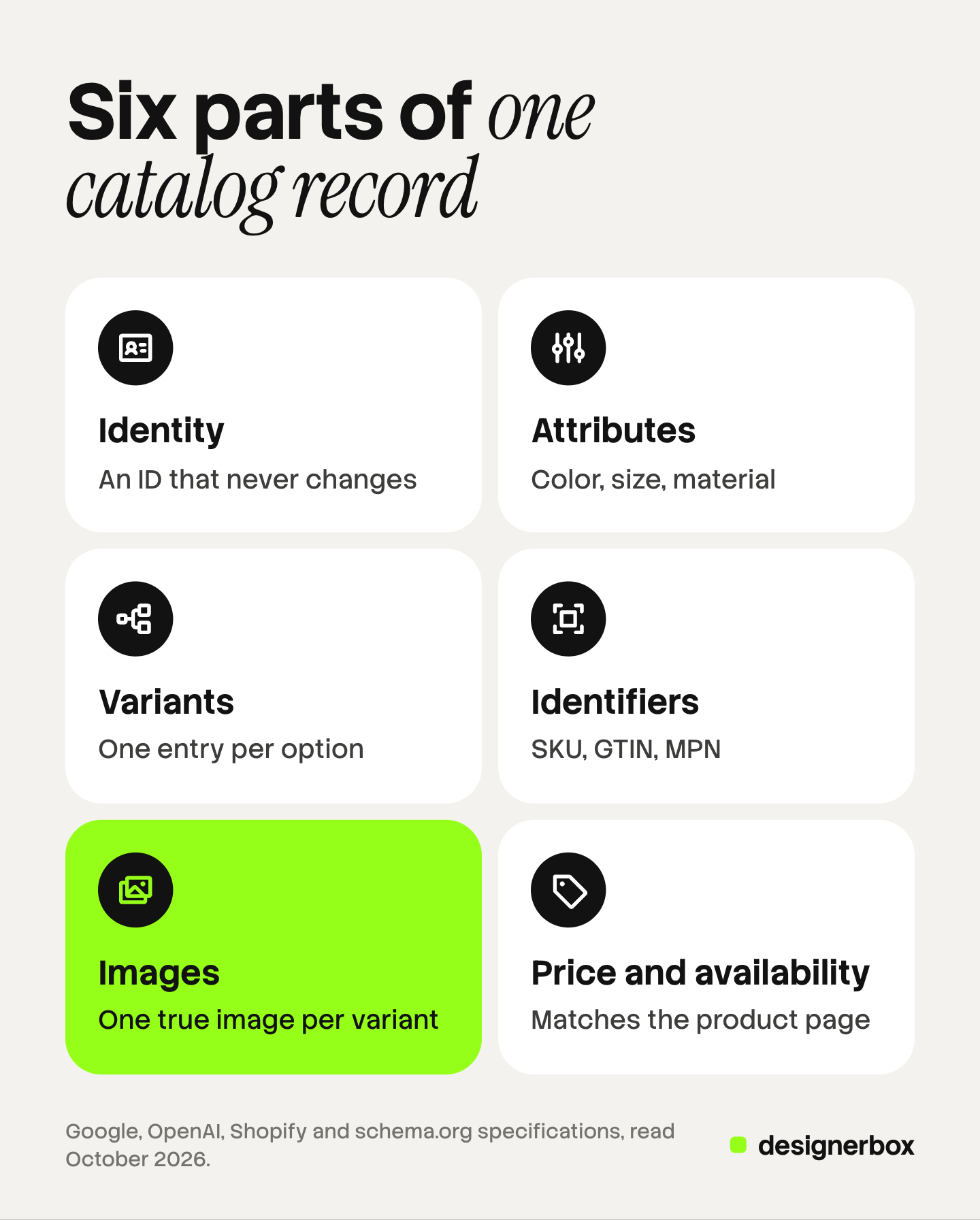
| Part | What it holds | What a specification says |
|---|---|---|
| Identity | ID, title, description, category | Google caps the ID at 50 characters, the title at 150 and the description at 5,000 |
| Attributes | Color, size, material, dimensions | Shopify’s category metafields store them as reusable values |
| Variants | One entry for each option you can buy | Shopify allows up to 2,048 variants and three options per product |
| Identifiers | SKU, GTIN, MPN, brand | Google calls the GTIN “strongly recommended if available” |
| Images | A main image and extra views | Google and OpenAI both ask for an image of the exact variant |
| Price and availability | The current offer | Google requires both, and availability must match the product page |
Identity
The ID is the one field that should never change. Google’s product data specification says to use the product’s SKU where possible, and to keep the ID the same when you update your data (support.google.com, October 2026). OpenAI’s feed specification says the same about its IDs: keep them stable “when price, stock, title, or images change” (developers.openai.com, October 2026).
The category is a choice you make once. Shopify’s help pages say each product can have only one product category (help.shopify.com, October 2026). The other listing fields are covered in the guide to Shopify product page optimization.
Attributes and variants
An attribute is a fact in its own field: color, size, material. A description that says “soft blue cotton” holds three attributes that no system can filter. Shopify’s category metafields store these values so you can reuse them (help.shopify.com, October 2026). The field for each attribute is listed in the guide to product attributes.
A variant is one version of a product that a shopper can buy. Schema.org describes a product group as products that “vary only in certain well-described ways, such as by size, color, material” (schema.org, October 2026). Google asks for one item group ID across all variants of a product. Its example is a T-shirt in 3 sizes and 3 colors, sent as 9 separate products (support.google.com, October 2026).
Identifiers
Three codes do three jobs.
- SKU. Your own code. Shopify describes SKUs as codes you use internally to track inventory and report on sales (help.shopify.com, October 2026).
- GTIN. The global code behind a barcode. GS1 says a company can use it to uniquely identify all of its trade items (gs1.org, October 2026). Schema.org and OpenAI both expect 8, 12, 13 or 14 digits.
- MPN. The manufacturer’s part number. Google requires it only when the product has no GTIN assigned by a manufacturer.
One rule is the same in both feeds: never invent a code. Google says a product with an incorrect GTIN will be disapproved. OpenAI says “do not invent a value to replace a missing GTIN”. An empty field is a correct answer when no code exists.
Images, price and availability
Images belong to the variant inside the record. Their rules have their own section below. Price and availability change most often. Google says the availability you send must match your landing page, your checkout pages and your structured data. OpenAI recommends a full copy of the feed at least daily (developers.openai.com, October 2026). The feed fields themselves are listed in the guide to ChatGPT shopping.
Who owns each field?
In a team of three, everyone can edit a product, so everyone assumes someone else checked it. The fix is one name per group of fields.
| Field group | Typical owner | How often it changes |
|---|---|---|
| ID, SKU, GTIN | Operations | Once, at creation |
| Title, description, category | Merchandising or marketing | At launch and at each seasonal review |
| Attributes and variant options | Merchandising | When a new option is added |
| Images | Creative lead or agency | At launch and when a variant is added |
| Price | Founder or commercial lead | With each price change or promotion |
| Availability | Inventory system | Daily, without a person |
The roles are examples. In a one-person brand, one person holds every row.

Two rules keep the table honest. First, a person never edits availability by hand. Stock comes from the inventory system. Second, nobody outside the owner changes an ID. A changed ID looks like a new product to every channel that reads the catalog.
An agency adds one more column: the client. The agency owns images and often titles. The client owns price, stock and codes. Write that split into the first brief.
What does a weekly catalog routine look like?
A routine is a short list on a fixed day. This one takes four steps and uses the screens you already have.
- Check new products before they go live. Each new record gets all six parts. A product without a variant image or a category waits.
- Read the feed errors. Open the diagnostics in Merchant Center and in each marketplace. Disapproved items are a list of records that broke a rule this week.
- Compare five offers by hand. Pick five products. Compare the price and stock in the feed with the product page. A mismatch here is the most urgent error in the catalog.
- Log what changed. Write one line for each change: the product, the field, the owner. Next week’s check starts from this list.
Step 3 has a reason. Google can correct some price and availability mismatches from your product page. Its help page says these automations “aren’t a replacement for regular updates of your product data” (support.google.com, October 2026). A product may be disapproved when Google detects a mismatch.

Add one monthly task: read the specifications again, because feed and image rules change. The split between platform work and store work is covered in the guide to agentic commerce optimization.
How do you run a product catalog audit?
A product catalog audit scores a sample, so it stays short. Choose 20 products that represent the real catalog: best sellers, old listings, new listings, and products with many variants. Score each check 0, 1 or 2. Zero means the rule is not met. One means it is met on some of the sample. Two means it is met on all 20.
| Check | The rule it tests | Source |
|---|---|---|
| 1. Stable ID | Every item has an ID that has not changed since launch | Google, OpenAI |
| 2. Clean title | The title names the product and its variant, in 150 characters or fewer | Google, OpenAI |
| 3. Attributes in fields | Color, size and material sit in their own fields | Shopify, OpenAI |
| 4. Variant grouping | All variants of one product share one group ID | Google, schema.org |
| 5. Honest identifiers | The GTIN is real or the field is empty. No placeholder text | Google, OpenAI |
| 6. True variant image | The main image shows the exact color and finish of that variant | Google, OpenAI |
| 7. One image standard | Framing, background and size are the same across the sample | |
| 8. Matching offer | Price and stock match between feed and product page |
The total is out of 16. The scale is this article’s own method for comparing one month with the next. No platform publishes it or uses it. A high score does not mean a channel will show the product. OpenAI’s specification says “Eligibility does not guarantee display”.
A zero on check 1, 4, 6 or 8 comes first, whatever the total is. Those four produce wrong records. After that, fix the lowest check.
Checks 6 and 7 test images. The broader production checks for a shoot are in the product photography checklist.
Which product data quality errors come back?
Product data quality fails in the same few places. Each one has a fix in the routine.
- Placeholder values. Someone types “N/A” to pass a required field. Google lists “N/A”, “Generic” and “No brand” as values you should not submit for brand. OpenAI says not to use placeholder strings such as “unknown” or “n/a”.
- Supplier photos. A new product arrives with the supplier’s image, in a different background and crop.
- A shared image across colors. A new color keeps the photo of the first color.
- A recycled ID. Google says not to reuse an item group ID for a different product.
- Stale stock. A product sells out on the store and stays in stock in the feed.
Two of the five are image errors. That is why the image half of the record needs its own standard.
Where does product feed optimization fit?
Product feed optimization is the last step, and it depends on the record. A feed is a copy of the catalog in a channel’s format. Editing a title in a feed app fixes one channel and leaves the source wrong.
So fix the record first. Then the feed work is small: map each field to the channel’s attribute, add the fields the channel asks for, and watch the diagnostics.
How should images be managed in the record?
Treat an image as a field with a rule. Two rules cover most of the work.
One true image per variant. Google’s image guidance says to submit a dedicated image for every variant, and not to reuse one general photo across variations. The photo must reflect “the exact color, pattern, finish, and material” (support.google.com, October 2026). OpenAI describes its main image field as showing “this variant”. The comparison of the two rules is in the guide to product images for AI shopping agents.
One standard across the catalog. Google asks that the product fill no less than 75% and no more than 90% of the image. From January 31, 2027 it requires at least 500 by 500 pixels for all products, and it recommends 1,500 by 1,500 or above. A catalog standard goes further than the minimum. It fixes the background, the angle, the light and the crop.
The count follows the colors. Take an example brand with 150 products in three colors each. That is 450 color variants and 450 main images. Add three extra views per color, and the catalog holds 1,800 image files. This is arithmetic for an invented brand, not a benchmark. Sizes of one color look the same in a photo, so this count leaves them out.
A title takes a minute to correct. A missing image for one new color needs a photo in the same light and framing as the 450 before it.
One image standard for every product
Anyone can make an AI picture. Making hundreds that still look like your brand is the hard part. DesignerBox is AI creative production for brands and agencies. In catalog management it covers one part of the record: the images.
- You build the shot once. A workflow holds the steps for the main image and the extra views. A saved workflow runs the same way on the next product.
- You set the standard once. Background, light, framing and colors live in your brand profile. The workflow reads it on every run.
- The catalog runs from a sheet. Batch runs one workflow over a sheet of products. Row one and row two hundred get the same standard. You keep or discard each row, and you can run one row again on its own.
- Review is a step. Critic steps score the results of a run, and best-of-N keeps the best one. You still compare each image with the real item.
The cost is shown before the run. The full workflow from the first product photo to the finished ad, in one subscription. The page for ecommerce brands shows the image work for a store.
Uploading your own photos and the commercial license start on the Pro plan. AI video, virtual try-on, upscaling, the image editor and the video editor start on the Premium plan. Plans and credits are on the pricing page.
The limits are plain. DesignerBox is not a catalog system or a feed manager. It has no connection to Shopify, Merchant Center or any feed. Titles, codes, prices and stock stay in your commerce platform. You download the results, or send them with a webhook or an S3 step. Every plan below Ultra is one seat. The free plan runs on sample products.
FAQ
What is product catalog management?
Product catalog management is the ongoing work of creating, correcting and distributing product records. A record holds the identity, attributes, variants, identifiers, images, price and availability of one item. The work includes setting a standard for the record, naming an owner for each field, and checking the records on a fixed schedule.
Does a small brand need catalog management software?
Often no. A brand with 20 to 500 products usually keeps its catalog in its commerce platform, which already stores variants, codes, images and stock. Dedicated product information software fits a business with many channels, many languages or thousands of items.
What is the difference between a SKU and a GTIN?
A SKU is your own internal code. Shopify describes it as a code for tracking inventory and reporting on sales. A GTIN is a global code that GS1 defines to identify a trade item, and it is the number behind a barcode. A product can carry both. Never invent a GTIN to fill an empty field.
Does every product variant need its own image?
Every variant that looks different does. Google’s image guidance asks for a dedicated image for each variant, showing the exact color, pattern, finish and material. OpenAI’s feed specification describes the main image as showing that variant. A catalog with 150 products in three colors needs 450 main images.
Is product feed optimization the same as catalog management?
No. Catalog management keeps the source record correct. Product feed optimization adapts a copy of that record to one channel’s format. Fix the source first. A title corrected only in a feed stays wrong in the store and in every other channel.
Sources
- Google Merchant Center Help, product data specification: support.google.com, read October 7, 2026
- Google Merchant Center Help, image link attribute: support.google.com, read October 7, 2026
- Google Merchant Center Help, item group ID attribute: support.google.com, read October 7, 2026
- Google Merchant Center Help, allow Merchant Center to update product information automatically: support.google.com, read October 7, 2026
- OpenAI developer documentation, product feed specification: developers.openai.com, read October 7, 2026
- OpenAI developer documentation, feed file upload: developers.openai.com, read October 7, 2026
- schema.org, Product type: schema.org, read October 7, 2026
- schema.org, ProductGroup type: schema.org, read October 7, 2026
- Shopify Help Center, adding variants: help.shopify.com, read October 7, 2026
- Shopify Help Center, using SKUs to manage your inventory: help.shopify.com, read October 7, 2026
- Shopify Help Center, Shopify’s Standard Product Taxonomy: help.shopify.com, read October 7, 2026
- GS1, Global Trade Item Number: gs1.org, read October 7, 2026
- DesignerBox batch and brand pages, October 2026
Platform rules verified on Google’s, OpenAI’s, Shopify’s, schema.org’s and GS1’s own pages on October 7, 2026. The 16-point score is this article’s own method, and no platform uses it. The 150-product figures are example arithmetic, not a measurement. Specifications change often, so check each page before you act. Individual results vary.