A hoodie photoshoot is the set of photos that sells one hoodie online. It must show four things a t-shirt shoot does not: the hood, the front pocket, the weight of the fleece and a print that the pocket interrupts. Plan about ten frames: front and back on a model, the hood up and down, the pocket, the cuffs, the fabric and the fit.
Most hoodie listings show one frame well and nothing else. The front looks good on a model, hood down, arms relaxed. Then the questions start. How deep is the hood? Is the fleece thick or thin? Where exactly does the print sit, and how big is it on a 2XL? Each unanswered question is a reason to buy somewhere else, or to return the hoodie.
This guide is for a streetwear or merch brand with 20 to 500 designs and colors, a print-on-demand shop, or the agency that shoots for one. It builds on our guide to t-shirt product photography, which covers color, fit and print for the simpler garment.
Key Takeaways
- The hood needs two frames. One with the hood down on the back, one with the hood up from the side.
- The pocket cuts the front print. One print partner’s front zone is 14 x 8.6 inches, against 14 x 16 inches on the back.
- The print zone does not grow with the size. The same partner keeps one zone from S to 5XL, so a design covers less of a 3XL.
- Side light shows the fleece. Flat front light makes a heavy hoodie and a thin one look the same.
- Amazon wants a standing model. No hanger, no fold and no mannequin in the main image, and a main image for every color.
- Mockups are allowed for print on demand on Etsy. A hoodie you make yourself needs one unedited photo.
What a hoodie photoshoot has to show
A hoodie photoshoot has to show the garment’s color, print, fit, fabric weight, hood and construction, each in its own frame. A shopper cannot feel the fleece or pull the hood up. So each photo answers one question their hands would answer in a shop, and the shot list is written from those questions.
| Frame | What it proves | How to shoot it |
|---|---|---|
| Front, hood down | Print, color, fit | Model standing, arms relaxed, hem and cuffs visible |
| Back, hood down | Back print, hood shape on the back | Same framing as the front |
| Side, hood up | Hood depth and shape | Profile, from the shoulder up |
| Pocket close-up | Pocket opening, seams, print edge | Chest to hip, light from the side |
| Cuff and hem band | Ribbing, stitching | Close up, side light |
| Drawcords and eyelets | Cord ends, hardware | Close up, both cords at the same length |
| Inside of the fleece | Brushed or loop-back inside | Turn back the hem or the hood lining |
| Ghost mannequin or flat lay | The whole shape with no body | Straight on, on white |
| Fit on two sizes | How the fit changes | Two models, or one model in two sizes |
| Lifestyle | Use and mood | A scene that still shows the print |
A ghost mannequin shows the hood’s volume without a person. Our guide to ghost mannequin photography explains where each channel allows it.
The hood: up, down and in between
The hood is the part that makes a hoodie a hoodie, and a flat photo hides it. Two frames cover it.
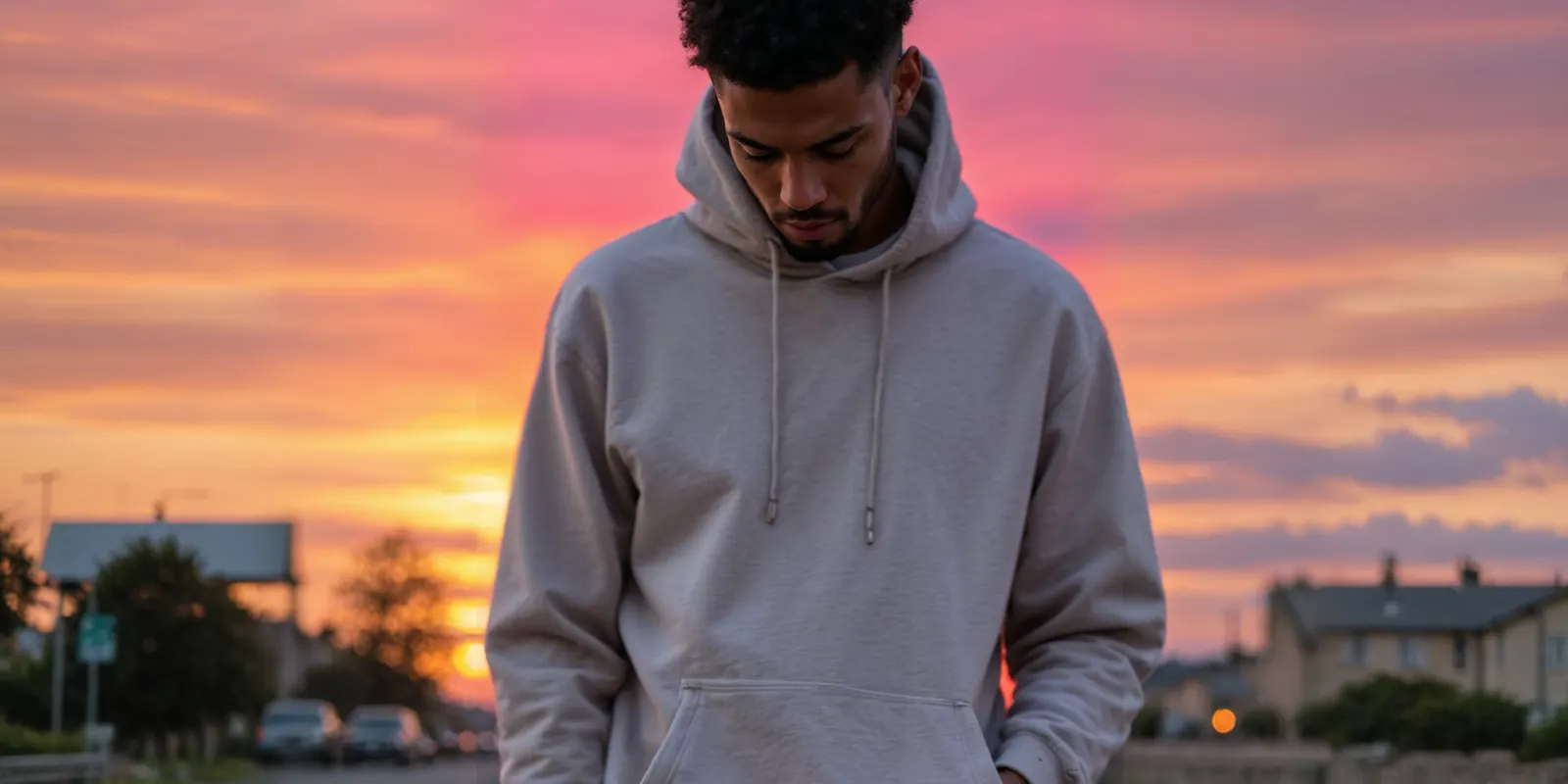
Hood down. Shoot the back view with the hood lying flat between the shoulders. Arrange it before every frame, so the seam runs down the center of the back. A hood folded to one side reads as a smaller hood.
Hood up. Shoot from the side, from the shoulders up. The profile shows how far the hood comes forward and how much room it has. A front view with the hood up hides the depth and darkens the face.
Set both drawcords to the same length before every frame. Check the eyelets, too: metal eyelets reflect a hard light, and a white spot on one of them reads as a defect.
Print placement: the pocket and the size run
A pullover hoodie has a kangaroo pocket across the front, and print partners usually keep the front design above it. That changes the front print area. One print-on-demand partner, Cloudprinter, sets the front zone at 14 x 8.6 inches and the back zone at 14 x 16 inches, and says the print area differs front and back “because of the kangaroo pocket” (knowledge.cloudprinter.com, read October 2026).
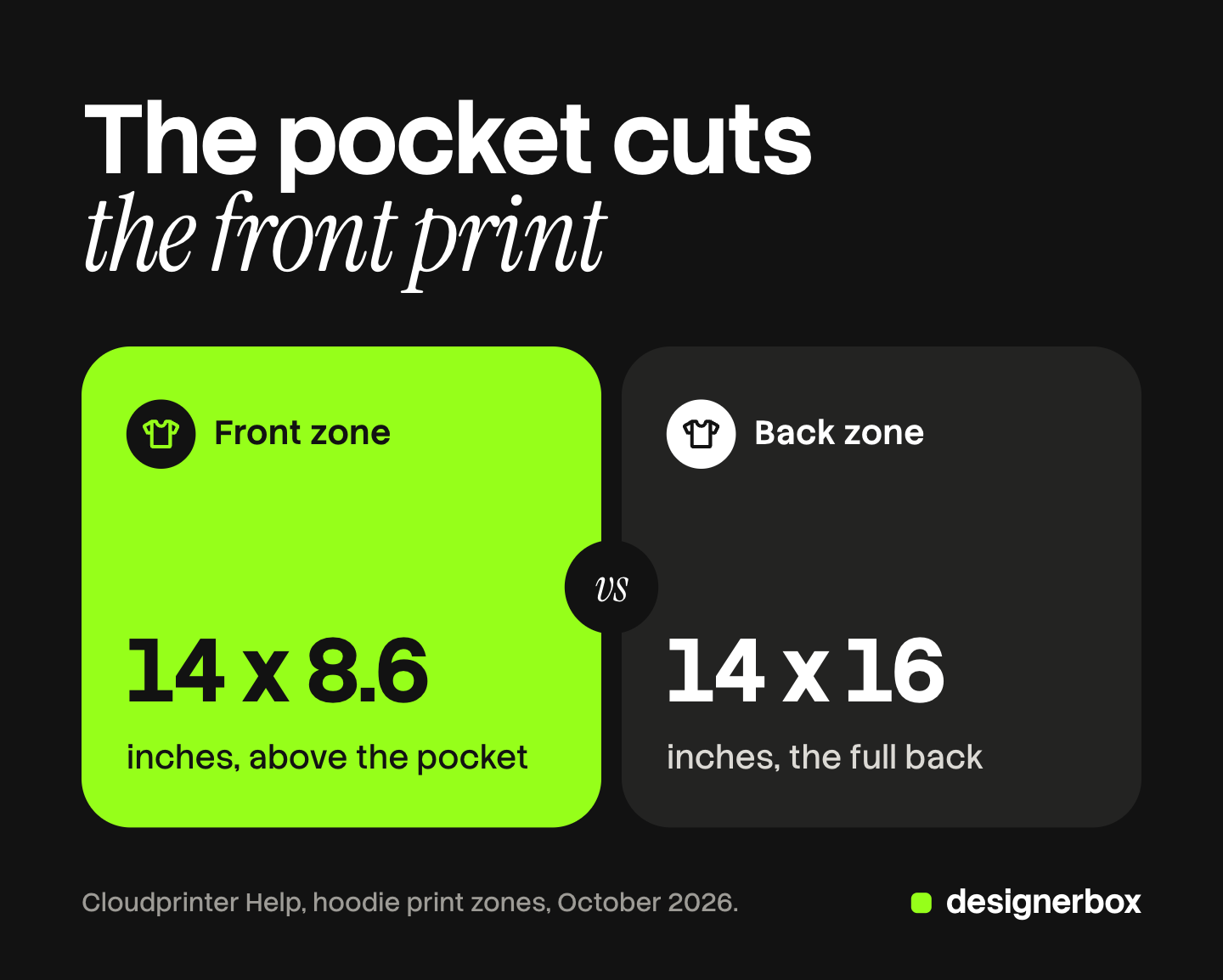
The same page says the print zone stays the same “independently of the Hoodie size”, from S to 5XL. So the design is the same number of inches on every size. On a size S it covers most of the chest. On a 3XL the same inches cover a smaller part of a wider chest. A photo of the S tells a 3XL buyer the wrong thing.
Three frames fix it:
- The front on a body, chest to hip. The shopper sees where the print sits above the pocket.
- The back on a body. Back prints are often the larger design, because the back zone is larger.
- The same design on a small and a large size. Or write the print’s width in inches in the listing, next to the photos.
Check your own partner’s template before you shoot. Zones differ by partner and by blank.
Fleece weight and heather colors
Fleece has thickness that a t-shirt does not. Side light shows it: the hem band stands off the body, the pocket edge casts a small shadow, and the cuffs keep their shape. Flat light from the front hides all three, and a heavy hoodie looks like a thin one.
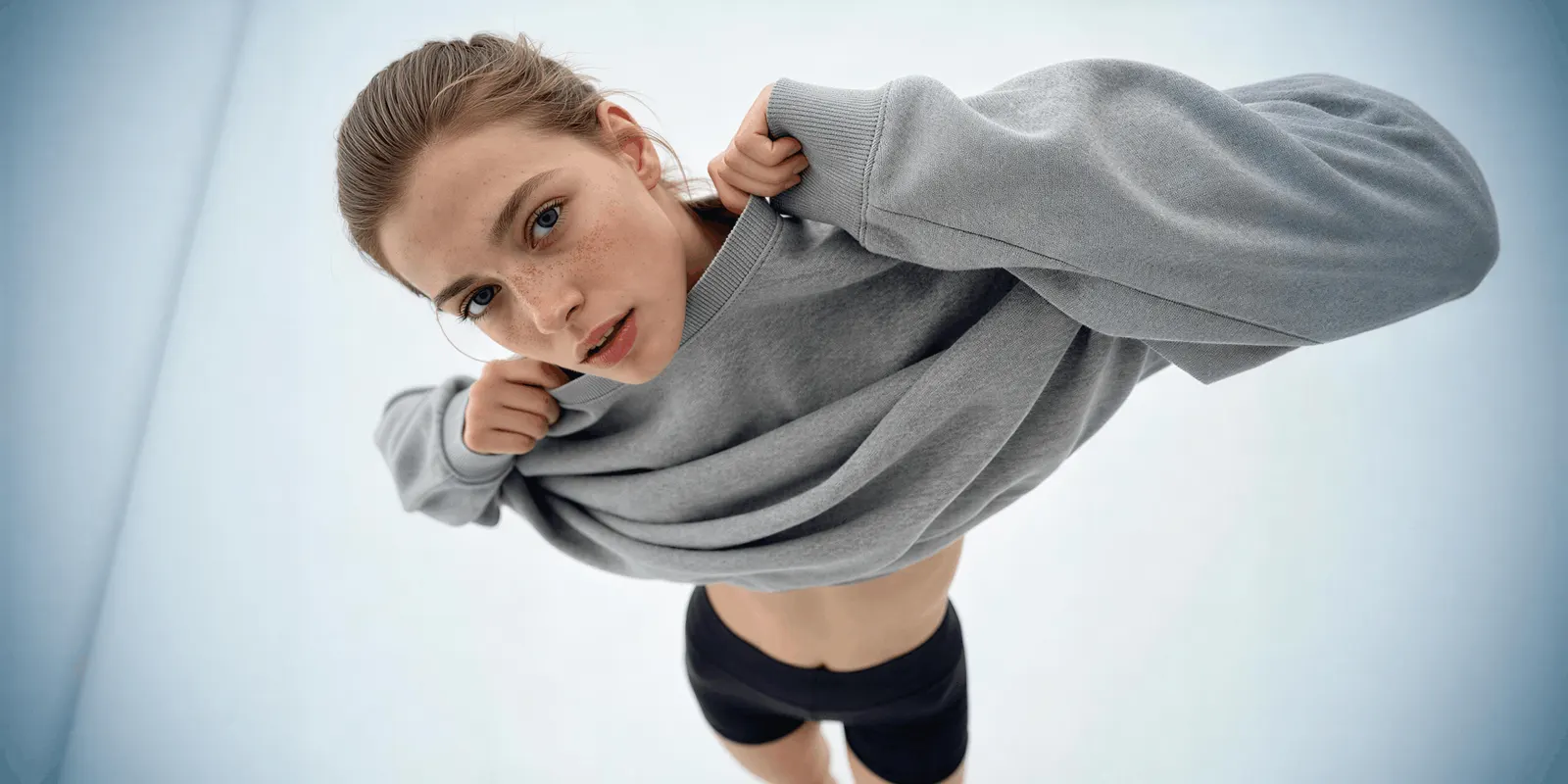
Show the inside once. Turn back the hem or the hood lining, so the brushed or loop-back inside is in frame. Buyers of a warm hoodie look for it.
Heather colors need care. A heather is a mix of fibers in two shades, which gives the fabric a fine speckle. A warm light pushes heather gray toward beige, and charcoal and washed black move toward each other. Shoot every colorway on the same set, in the same light, with one white balance from a gray card. Then compare them side by side before you publish. Our guide to color theory in photography explains why two screens show the same color in two ways.
How to photograph a hoodie, step by step
- Steam the hoodie. Steam from the inside. Fold lines across the chest sit on the print.
- Roll it for lint. Dark fleece shows every fiber, and a lint roller is faster than retouching each frame.
- Remove the hang tag. Amazon prohibits visible tags in the main image.
- Set one white balance. Shoot a gray card under your light and set a custom white balance from it. Keep the light the same for every colorway.
- Shoot the front on the model. Keep the camera at chest height. Show the hem and both cuffs.
- Shoot the back with the same framing. Lay the hood flat first.
- Shoot the hood up from the side.
- Shoot the details with side light. The pocket, the cuffs, the drawcords and the fleece inside.
Pin to remove a wrinkle, never to change the fit. An oversized hoodie pinned slim at the back is a different product in the photo. Our guide to clothing product photography covers the camera and light setup in more detail.
Hoodie photoshoot ideas that still prove something
A creative frame earns its slot when it also proves something. These six do.
- The studio backdrop, hood up. A plain backdrop and a three-quarter portrait with the hood up. It proves the hood’s shape, and it works as a first ad frame.
- The street walk. A walking frame on a street, hood down, hands in the pocket. It proves how the fleece moves and how big the pocket is.
- The over-the-shoulder back. The model looks back over one shoulder. It shows the back print and the face in one frame.
- The couch. Seated, sleeves pushed up, a mug in hand. It proves the fabric is soft enough to live in. Keep it out of the main image.
- The colorway stack. Every color folded in one stack, the print edge visible. It proves the range in one picture.
- The matching set. The hoodie with the same-color joggers. It sells the set, and it shows the true length of the hoodie on the hip.
For streetwear drops with several looks, see streetwear drop campaign images.
Hoodie mockups and print on demand
A hoodie mockup places your design on a photo of a blank hoodie. For a print-on-demand shop testing 20 designs, it is the fastest way to list them.
Etsy allows it in one case. Its listing image rules, last updated on 22 October 2026, say that if a production partner prints your original design on a standard base product, you may use a stock photo mockup, if its owner has authorized that use. A hoodie you print or sew yourself needs at least one unedited photo of the actual item against a real background (Etsy Listing Image Requirements).
Amazon is stricter for the main image. Its clothing guidelines require adult clothing to be photographed on a model, prohibit a visible mannequin, hanger or holder, and say only photos are allowed (Amazon image guidelines for clothing, read October 2026). A flat mockup or a hoodie on a hanger fails the first image either way.
A mockup can also mislead on the print. It may show the design larger than the real print zone, or across the pocket where the printer cannot print. Order one sample of each blank, photograph it, and use that photo for the color and the fabric. Our guides to print on demand product images and apparel mockup software cover the rest.
Main-image rules for a hoodie on Amazon, Google and Etsy
The first image carries each channel’s written rules. Specs for other channels are in our guide to ecommerce product photography.
| Channel | First image for a hoodie | Colors |
|---|---|---|
| Amazon | On a standing model, pure white background, frontal view, whole product, ratio close to 3:4 and 85% of the image. No mannequin, hanger, tags or folded products | ”You must supply a child main image for every color that you sell” |
| Google Merchant Center | Product at 75% to 90% of the image. Best practice: show clothing on models | A distinct, dedicated image for every variant |
| Etsy | Horizontal or square first photo, at least 635 pixels wide and high. One unedited photo, except for print on demand | No written rule per color |
Sources: Amazon’s image guidelines for clothing and product image guide, Google Merchant Center’s image requirements and clothing best practices, and Etsy Help on listing images, all read in October 2026.
Where AI helps and where it fails
AI image tools now do three hoodie jobs well enough to test. They put a hoodie from a flat photo onto a model. They move one hoodie from a white set to a street or a room. And they make a first draft of other colorways from one photographed color. The steps for the first job are in our guide to putting clothes on a model with AI.
They fail on the parts that make a hoodie a hoodie. Check every result beside the real garment.
| Part | What AI tends to change |
|---|---|
| Hood | The hood shrinks, loses its seam, or merges with the collar |
| Drawcords | A cord disappears, doubles, or ends without a tip |
| The pocket moves, changes shape, or the print runs across it | |
| Ribbing | The cuffs and the hem band turn into a smooth band |
| Letters change, and the design grows past the real print zone | |
| Heather | The speckle turns into one flat color |
Google Merchant Center asks that images made with generative AI keep the metadata that says so, such as the IPTC DigitalSourceType value TrainedAlgorithmicMedia. Amazon asks for the contains-synthetic-performer keyword in the image metadata when a photo shows a person made entirely by AI. Both rules are on the pages linked above.
Hoodie image sets in DesignerBox
DesignerBox is AI creative production for brands and agencies. For a hoodie line, the job repeats with every design and every color: the same model, the same light, the same framing, front and back.
Anyone can make an AI picture. Making hundreds that still look like your brand is the hard part. Twenty designs in five colors is 100 hoodies, and the grid only looks like one brand if all 100 match.
The Clothing Catalog template turns one garment into four shots on a model: front, three-quarter, back and a fabric close-up. The Clothes on a model app puts your hoodie on a model from one photo. The Clothes laid flat and Remove wrinkles from clothes apps cover the off-model frames. These are on the apps page. A batch runs your workflow over a sheet, one hoodie per row, up to 200 rows a sheet. The cost is shown before the run.
You keep or discard each result, then download the kept ones. The on-model shots, the flat shots and your brand rules sit in one account. More examples are on the AI hoodie product photography page.
Uploading your own photos and the commercial license start on the Pro plan. Virtual try-on starts on the Premium plan. Plans and credits are on the pricing page.
The limits are plain. Photograph the fleece, the cuffs and the print from a real sample, because those are the parts AI changes most. Check the hood and the drawcords in every result. The free plan runs on sample products.
FAQ
How do you photograph a hoodie for an online store?
Steam the hoodie, remove the tag and set one white balance from a gray card. Shoot the front and back on a standing model with the same framing. Add the hood up from the side, then the pocket, cuffs, drawcords and fleece inside with side light.
Should a hoodie be photographed with the hood up or down?
Both. The main image usually shows the hood down, so the print and the fit are clear. Add one side frame with the hood up, because it is the only view that shows the hood’s depth.
How big should the print be on a hoodie photo?
As big as it prints. One print partner’s front zone is 14 x 8.6 inches because of the pocket, and the zone does not change with the size. Show the print on a body and state its width in inches in the listing.
Can I use a hoodie mockup as my main image?
On Etsy, yes, for a print-on-demand hoodie, if the mockup’s owner has authorized its use. On Amazon, no: the main image for adult clothing must be a photo on a standing model, with no hanger or fold.
How do I show fleece weight in photos?
Use side light, so the hem band, cuffs and pocket edge cast small shadows. Turn back the hem once to show the brushed or loop-back inside. Write the fabric weight from the blank’s spec in the listing.
What are good hoodie photoshoot ideas?
A studio portrait with the hood up, a street walk with hands in the pocket, an over-the-shoulder back view, a couch frame, a stack of every colorway and a matching set with joggers. Each one also proves the hood, the print, the fabric or the range.
Sources
- Cloudprinter Help, hoodie: front print zone 14 x 8.6 inches and back zone 14 x 16 inches, the zone differs front and back because of the kangaroo pocket, and stays the same from S to 5XL (knowledge.cloudprinter.com, read October 2026)
- Amazon image guidelines for clothing: on a model, pure white, close to 3:4 and 85%, only photos, no mannequin, hanger, holder, folded products or tags, a child main image for every color (sellercentral.amazon.com, read October 2026)
- Amazon product image guide: adult clothing on a standing model, the contains-synthetic-performer keyword (sellercentral.amazon.com, read October 2026)
- Google Merchant Center, image requirements: 75% to 90% framing, a distinct image for every variant, metadata on images made with generative AI (support.google.com, read October 2026)
- Google Merchant Center, clothing and accessories best practices: show clothing on models (support.google.com, read October 2026)
- Etsy Listing Image Requirements: the unedited photo rule and the print-on-demand mockup exception (etsy.com, updated 22 October 2026)
- Etsy Help, requirements and best practices for images: 635 pixel minimum and horizontal or square first photo (help.etsy.com, read October 2026)
- DesignerBox apps, templates and batch: Clothing Catalog, Clothes on a model, Clothes laid flat, Remove wrinkles from clothes, up to 200 rows a sheet: DesignerBox apps and batch pages (designerbox.ai/product/apps, designerbox.ai/product/batch), October 2026
- DesignerBox plans and gates: DesignerBox pricing page (designerbox.ai/pricing), October 2026
Print zones verified on one partner’s help page, and marketplace image rules on Amazon, Google Merchant Center and Etsy pages, in October 2026. Zones differ by partner and blank, so check your own template. The 100-hoodie figure is example arithmetic. The notes on what AI changes come from reading results, not from a benchmark. Individual results vary.