T-shirt product photography is the image set that sells one tee online. A t-shirt has no structure, so each shot method changes how the fit reads. Plan the set by what each photo must prove. There are six proofs: the color, the print, the fit, the fabric weight, the construction and the back. One photo cannot carry all six.
A t-shirt is the hardest easy garment. It has two seams, two sleeves and a collar. It also has no shoulder pad, no lining and no zip to hold a shape. Lay it flat and it looks wide. Hang it and it looks long. Put it on a model and it takes the shape of that body.
This guide sorts the shot list by proof. It is written for a brand with 20 to 500 designs and colors, or the agency that shoots for one.
Key Takeaways
- Six proofs, six shots. Color, print, fit, fabric weight, construction and the back each need their own frame.
- The method changes the fit. Flat lay widens a tee, a hanger lengthens it, and a model gives it one body’s shape.
- Amazon wants a model. Its clothing guide says the main image “must be photographed on a model” and bans a visible mannequin, hanger or holder.
- Every color needs its own image. Amazon asks for a main image for every color you sell. Google asks for a distinct image for every variant.
- Pins can misstate the fit. A boxy tee pinned slim at the back is a different product in the photo.
- AI is strongest on the plain parts. It is weakest on print text, logos, collar ribbing and fabric weight.
What is t-shirt product photography?
T-shirt product photography is a set of photos that shows one t-shirt well enough to buy without touching it. The set covers the front, the back, the print, the fabric and the fit. On a marketplace, the first photo also has to meet that channel’s written rules.
The wider subject is covered in our guide to clothing product photography, with the setup, the camera and the master file. This guide stays on one garment.
The six things a t-shirt photo must prove
A shopper cannot touch the shirt. Each photo answers one question the hand would answer in a shop. Write the shot list from those questions.
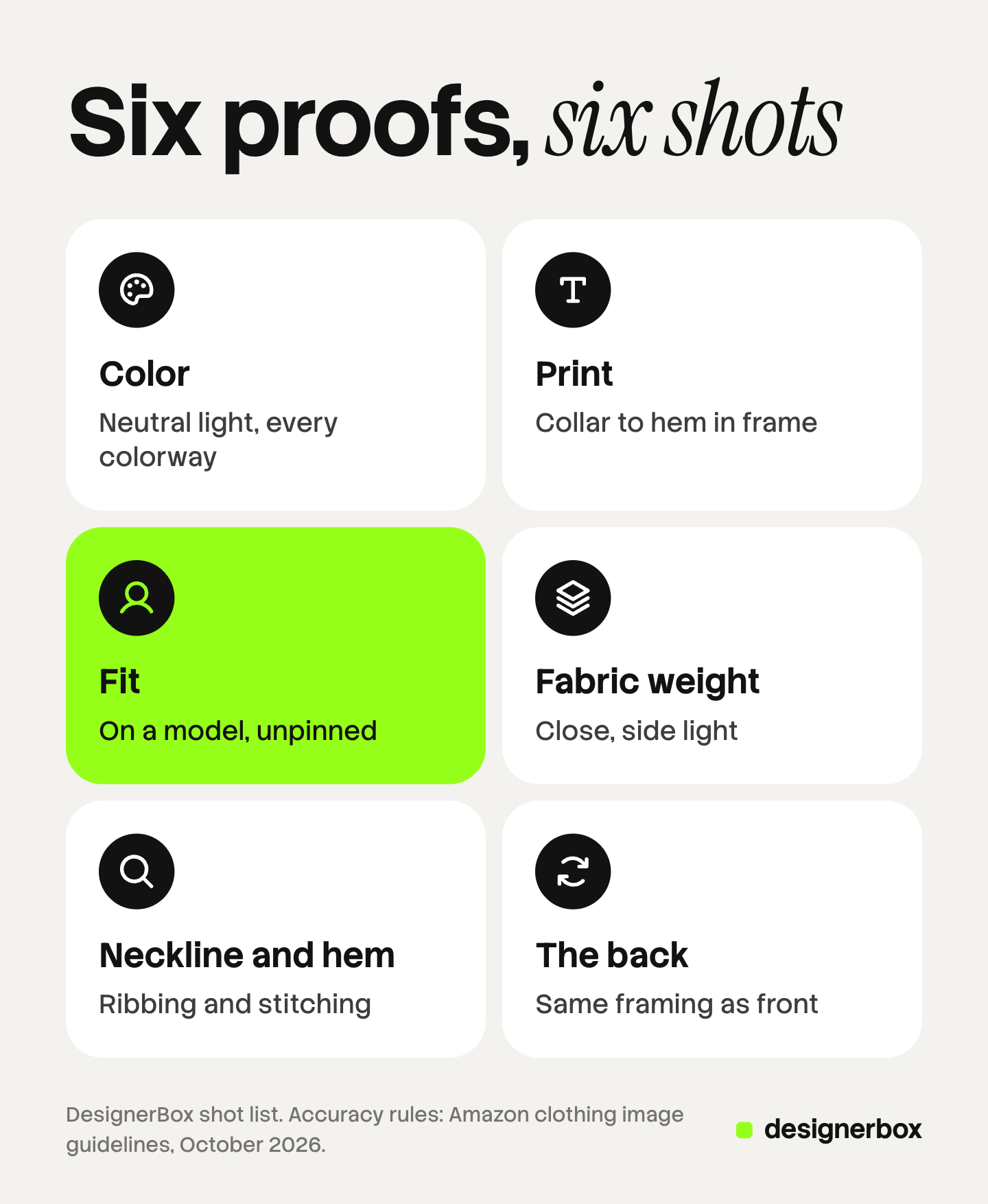
| Proof | The shot | What goes wrong |
|---|---|---|
| Color | Front view under neutral light, one per colorway | A warm lamp turns white to cream and navy to black |
| Print placement and scale | Front on a body, chest to hip in frame | A tight crop makes a small chest print look large |
| Fit and length | On-model front, arms relaxed, hem visible | Pins or a tuck hide the real width and length |
| Fabric weight | Close-up with side light, or the hem in a hand | Flat light makes heavy and thin jersey look the same |
| Neckline and hem | Close-up of the collar ribbing and the stitching | The collar is hidden by hair or a necklace |
| The back | Back view, same framing as the front | The back is skipped, and a back print or label goes unseen |
Amazon’s own guides ask for the same accuracy. The clothing guide says “the color in the image must match the product for sale”. The general guide says an image “should accurately represent the real scale, quantity, and color of the product” (Amazon clothing image guidelines and Amazon product image guide, October 2026).
Flat lay, hanger, ghost mannequin or on-model: how each changes the fit
Four methods can show a t-shirt. Each one tells a different story about the same shirt, because nothing in a tee holds its shape.
| Method | What it proves well | How it changes the fit | Best slot |
|---|---|---|---|
| Flat lay | Print, color, whole shape | The body spreads, so the tee looks wider and shorter | Alternate image, your own store |
| Hanger | Drape and length | The shoulders drop to the hanger’s width, so the tee looks narrow and long | Social posts, your own store |
| Ghost mannequin | Shape with volume, the neck opening | The form fills the chest, so a loose tee can look fitted | Alternate image, your own store |
| On-model | Fit, length, print scale | The tee takes one body’s shape, in one size | Main image on Amazon, lifestyle images |
A flat lay is the fastest of the four and the best for print detail. The method has two rules of its own, covered in flat lay photography. A ghost mannequin adds volume without a person, and ghost mannequin photography explains where a channel allows it.
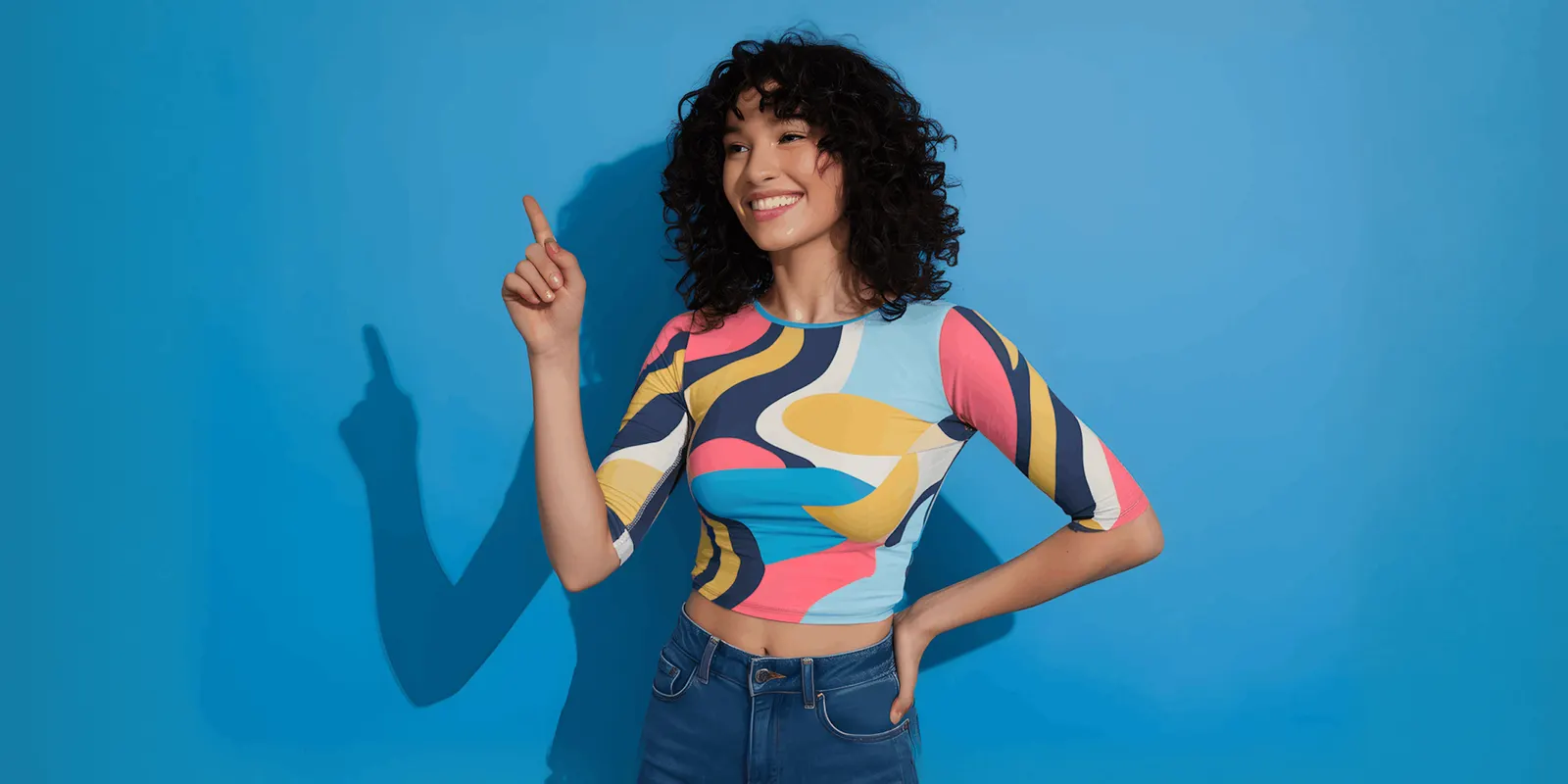
No single method wins. Use the flat lay to prove the print, and the model to prove the fit. Then say which size the model wears and how tall the model is. That one line turns a photo of one body into fit information.
Fit cues without a model
Some sets have no model. Lay the shirt flat with the sleeves at a natural angle, and do not stretch the body. Add one photo with a measuring tape across the chest and one along the length.
How to photograph t-shirts, step by step
- Steam the shirt. Hang it and steam from the inside of the body. Jersey shows every fold line, and the fold across the chest sits on the print.
- Roll it for lint. Dark tees show dust and fibers. A lint roller is faster than retouching each frame.
- Remove the hang tag. Amazon prohibits visible tags in the main image.
- Set the white balance once. Photograph a gray card under your light, and set a custom white balance from it. Do not change the light between colorways.
- Shoot the front. Keep the camera level with the chest. A low or high camera bends the hem and changes the length.
- Shoot the back with the same framing.
- Shoot the close-ups. Take the collar, the hem stitching, and the print edge with light from the side.
- Check color on a second screen. Hold the shirt beside the screen under daylight. Fix the edit, then copy it to every frame of that color.
Pinning, and where it misstates the fit
Stylists pin extra fabric behind the model so the front lies clean. On a shirt with structure, that is a small fix. On a t-shirt, the pin changes the product. A boxy, oversized tee pinned at the back reads as a slim tee.
Use this rule. Pin to remove a wrinkle. Never pin to change the width, the length or the sleeve. If the fit looks wrong on the model, change the size or the model.
There is a legal side too. Under the FTC Act, advertising must be truthful and non-deceptive (FTC advertising FAQs, October 2026). This is general information, not legal advice.
Color across colorways
The color is often the reason someone picks one tee over another. Shoot every colorway on the same set, with the same light and the same white balance.
Do not recolor one photo to make the others unless you check each result against the real shirt. Heather gray, washed black and garment-dyed colors have texture that a flat recolor removes. Our guide to color theory in photography explains why two screens show the same red differently.
Print size against the body
A chest print means little without a body around it. Show the print in a frame that runs from the collar to the hem. The shopper then sees where the print sits and how much of the chest it covers.
Add one close-up for the print surface. Screen print, embroidery and direct-to-garment print each look different under side light.
T-shirt photoshoot ideas that still prove something
A creative shot is worth its slot when it also carries a proof. These four do.
- The stack. Fold every colorway and stack them. One frame proves the color range.
- The hand at the hem. A hand holds the hem and lets the fabric hang. This proves the weight.
- The tuck and the untuck. The same model wears the tee both ways. This proves the length.
- The size run. Three people wear three sizes of one tee. This proves how the fit changes.
For scene and campaign concepts beyond one garment, our list of fashion photoshoot ideas sorts them by what you can shoot and what you can generate.
Hoodie photography: heavier knits and hoods
A hoodie is a t-shirt with more fabric and more parts. The six proofs still apply. Three things change.

The fabric holds a shape. Fleece stands away from the body. Side light shows that thickness, and flat front light hides it. Shoot the cuff and the hem band close.
The hood needs its own frames. Shoot one frame with the hood down, flat against the back. Shoot one with the hood up, from the side. A flat lay hides the hood depth, so add a back view on a body or a form.
The details multiply. Drawcords, eyelets, the pocket and the zip each need to be visible in at least one frame. Set both drawcords to the same length before every shot.
Mockups or photos for print on demand
A print-on-demand seller often has no shirt in hand. A mockup places the design file on a photo of a blank tee. That is fast, and it is honest about the design. It can mislead on four points.
- Print scale. The mockup may show the design larger than the printer’s real print area.
- Print color. A screen shows bright RGB color. Ink on cotton is duller, most of all on a dark shirt.
- Shirt color. The blank’s real color can differ from the mockup’s flat fill.
- Texture. A mockup print has no ink surface, so every print method looks the same.
Order one sample of each blank and photograph it. Use that photo for the color, fabric and fit proofs, and keep mockups for design variations. Our guide to print on demand product images covers how to make those listings look different from every other seller’s.
Main-image rules for a t-shirt on Amazon, Google and Etsy
The first photo carries the rules. These were read on each platform’s own help page in October 2026. Other channels have their own specs, which ecommerce product photography across five channels lists.
| Channel | Rule for a t-shirt’s first image | Color variants |
|---|---|---|
| Amazon | Adult clothing must be photographed on a model. Pure white background, frontal view, whole product, 85% of the image area, ratio close to 3:4. No visible mannequin, hanger, tags or folded products | ”You must supply a child main image for every color that you sell” |
| Google Merchant Center | A clear view of the product, framed at 75% to 90% of the image. Best practice: “Show clothing on models" | "Submit a distinct, dedicated image for every individual variant” |
| Etsy | First photo horizontal or square, at least 635 pixels wide and high. 2,000 pixels or more recommended | No written rule on the photo requirements page |
Sources: Amazon’s clothing image guidelines and product image guide, linked above, Google Merchant Center’s image link requirements and clothing best practices, and Etsy’s listing photo requirements, all read in October 2026.
Two points matter for a tee. On Amazon, a flat lay or a folded shirt cannot be the main image for adult clothing. Amazon says it may temporarily remove a listing from search until the main image meets the rules. On Etsy, images are converted to the sRGB color profile, so convert first and check the color yourself.
Where AI helps and where it fails
AI image tools now do three t-shirt jobs well enough to test.
- On-model from a flat photo. A model wears the shirt from your flat lay or ghost mannequin photo. The steps are in our guide to putting clothes on a model with AI.
- Backgrounds and scenes. The same tee moves from a white set to a street or a room.
- Colorways. One photographed color becomes the others, for a first draft.
AI fails on the same proofs a careless shoot fails on. Check each result beside the real shirt.
| Proof | What AI tends to change |
|---|---|
| Small text turns to wrong letters. A logo bends or loses a line | |
| Neckline | The collar ribbing becomes a smooth band |
| Fabric weight | Heavy jersey drapes like thin jersey, or the reverse |
| Fit | A boxy tee comes back slim |
| Color | Heather and washed textures turn into a flat fill |
Two platform rules apply to AI images. Google Merchant Center says images created with generative AI must keep metadata that says so, such as the IPTC DigitalSourceType value TrainedAlgorithmicMedia. Amazon asks for the contains-synthetic-performer keyword in the image metadata when an image shows a person made entirely by AI. Both rules are on the pages linked above.
T-shirt image sets in DesignerBox
DesignerBox is AI creative production for brands and agencies. It makes images, ads and video, and a product photo is one of its inputs.
Anyone can make an AI picture. Making hundreds that still look like your brand is the hard part. A t-shirt line shows why: 30 designs in 8 colors is 240 products, and each needs the same model, light and framing.
You save the steps once as a workflow: the on-model shot, the scene, the crop. A batch runs that workflow over a sheet, one product per row, up to 200 rows a sheet. Every row reads the same brand rules, so row one and row two hundred match. The cost is shown before the run.
Review each result against the six proofs, starting with the print text, the collar and the fit. More on the still-image side is on the AI product photography page.
The full workflow from the first product photo to the finished ad, in one subscription.
Uploading your own photos and the commercial license start on the Pro plan. AI video, virtual try-on, upscaling, the image editor and the video editor start on the Premium plan. Plans and credits are on the pricing page.
The limits are plain. Virtual try-on covers garments only. DesignerBox does not publish to a store or a marketplace: you download the results, or send them with a webhook or an S3 step. Every plan below Ultra is one seat. Photograph the color, fabric and print close-ups from a real sample, because those are the proofs AI changes most. The free plan runs on sample products.
FAQ
How do you photograph a t-shirt for an online store?
Steam the shirt, remove the hang tag, and set one white balance from a gray card. Shoot the front and the back with the same framing. Add close-ups of the collar, the hem and the print. Then add one on-model photo, and state the model’s height and size.
Is a flat lay or a model better for t-shirt photography?
They prove different things. A flat lay proves the print and the color. A model proves the fit, the length and the print size against a body. Most listings need both. On Amazon, the main image for adult clothing must be photographed on a model.
Can I use a mockup as my main product image?
Not on Amazon. Its clothing guide says only photos are allowed in the main image, and it prohibits sketches, drawings and graphical representations. On your own store the choice is yours. A photo of a real sample is still the safer proof of color and print.
How do I get t-shirt colors right in photos?
Use one light for every colorway. Photograph a gray card and set a custom white balance from it. Compare the shirt with the screen under daylight, then copy the same edit to every frame of that color. Shoot each color instead of recoloring one photo.
Can AI make on-model t-shirt photos from a flat lay?
Yes, several tools do this from one garment photo. Check each result beside the real shirt. Print text, logos, collar ribbing and fit are the parts AI changes most often. Google Merchant Center also requires AI-made images to keep their AI metadata.
Sources
- Amazon image guidelines for clothing: on-model main image, pure white background, 85% and 3:4, color must match, prohibited main images, a child main image for every color (sellercentral.amazon.com, read October 2026)
- Amazon product image guide: accurate scale, quantity and color, adult clothing on a standing model, no mannequin or hanger, removal from search, the contains-synthetic-performer keyword (sellercentral.amazon.com, read October 2026)
- Google Merchant Center, image link: 75% to 90% framing, a distinct image for every variant, AI image metadata (support.google.com, read October 2026)
- Google Merchant Center, clothing and accessories best practices: show clothing on models (support.google.com, read October 2026)
- Etsy Help, requirements for listing photos: 2,000 pixels recommended, 635 pixels for the first photo, horizontal or square first photo, sRGB conversion (help.etsy.com, read October 2026)
- Federal Trade Commission, advertising FAQs for small business: advertising must be truthful and non-deceptive (ftc.gov, read October 2026)
- DesignerBox batch: one product per row, up to 200 rows a sheet: DesignerBox batch page (designerbox.ai/product/batch), October 2026
- DesignerBox plans and gates: DesignerBox pricing page (designerbox.ai/pricing), October 2026
Marketplace image rules verified on Amazon, Google Merchant Center and Etsy help pages in October 2026. The 240-product figure is example arithmetic, not a measurement. The notes on what AI changes come from reading results, not from a benchmark. Platform rules change often, so check each page before a launch. Individual results vary.